iOS 通知权限类别说明
定时推送摘要
iOS 15 推出了定时推送摘要功能,既保证重要信息能及时收到,又大大减少了工作时被消息打断的次数。
- 立即推送:APNs 下发通知到设备后,系统将立即推送该消息。
- 定时推送摘要:根据用户设定的时间表,将每天接到的通知整合起来,方便用户快速查阅;摘要会按优先级智能排序,将最相关的通知置于顶部。
设置方法
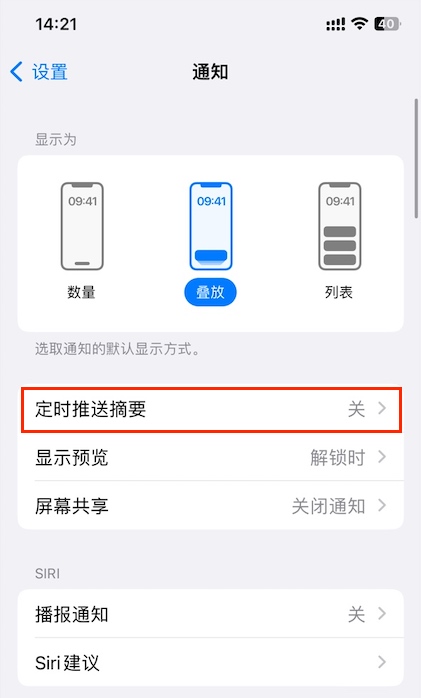
1.在「设置-通知」打开「定时推送摘要」开关。
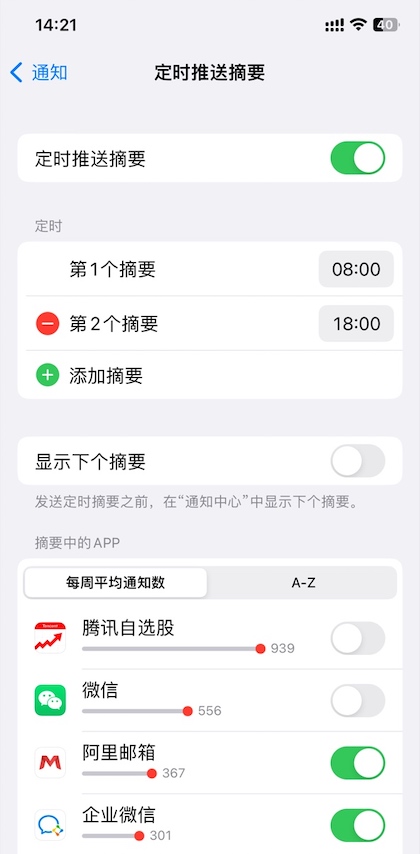
2.设置接收摘要的时间和收入摘要中的 App。
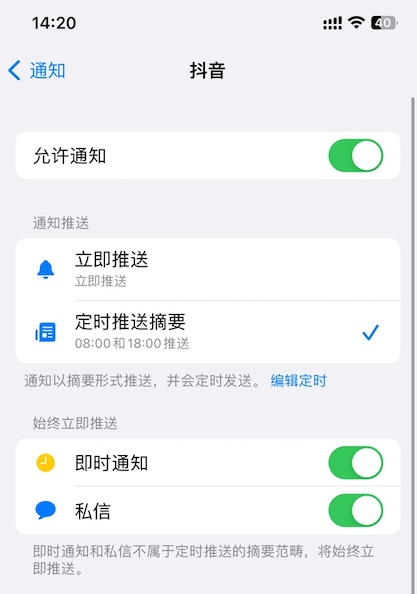
3.设置成功后,会在对应 App 的通知界面中的「通知推送」栏目显示「立即推送」和「定时推送摘要」两个选项。
4.选择「定时推送摘要」,若「即时通知」功能没有开启,则推送仅在设置的时间显示。
始终立即推送
即时通知和私信不属于定时推送的摘要范畴,若需要始终立即推送,可以开启即时通知和私信功能。
开启私信功能后,用户可以自定义通知左边的图片。
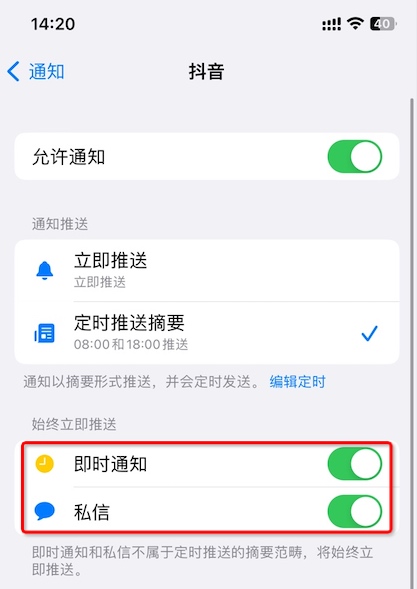
即时通知
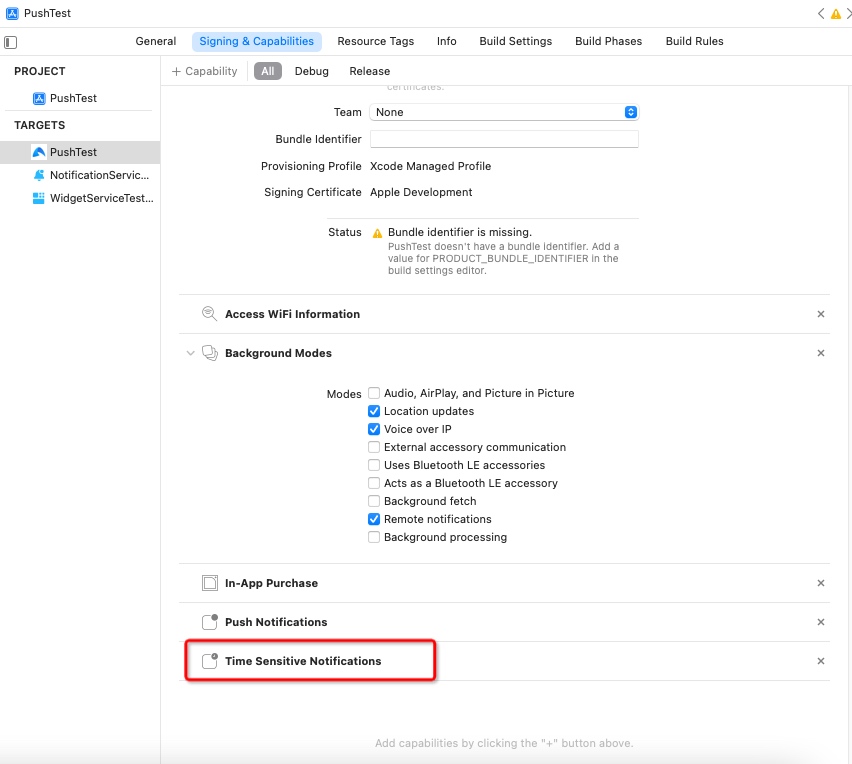
申请权限
1.开启 Targets-> Capabilities->Time Sensitive Notifications 选项。
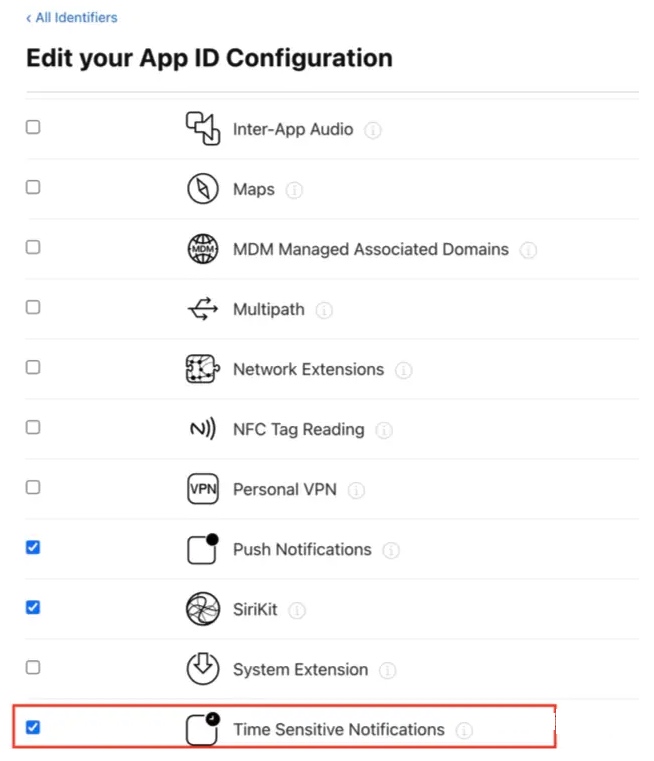
2.在 Apple 开发者网站开启 APP 的 Time Sensitive Notifications 功能。
获取开关状态
@property (NS_NONATOMIC_IOSONLY, readonly) UNNotificationSetting timeSensitiveSetting API_AVAILABLE(macos(12.0), ios(15.0), watchos(8.0)) API_UNAVAILABLE(tvos);
示例:
          UNUserNotificationCenter *center = [UNUserNotificationCenter currentNotificationCenter];

    [center getNotificationSettingsWithCompletionHandler:^(UNNotificationSettings * _Nonnull settings) {

        NSLog(@"%ld",(long)settings.timeSensitiveSetting);

    }];
3.通过 Push AP I发送「即时通知」请设置 API 字段 notification.ios.interruption-level 字段值为 time-sensitive,参考API文档字段说明notification.ios.interruption-level
私信
1.开启 Targets-> Capabilities->Communication Notifications 选项。
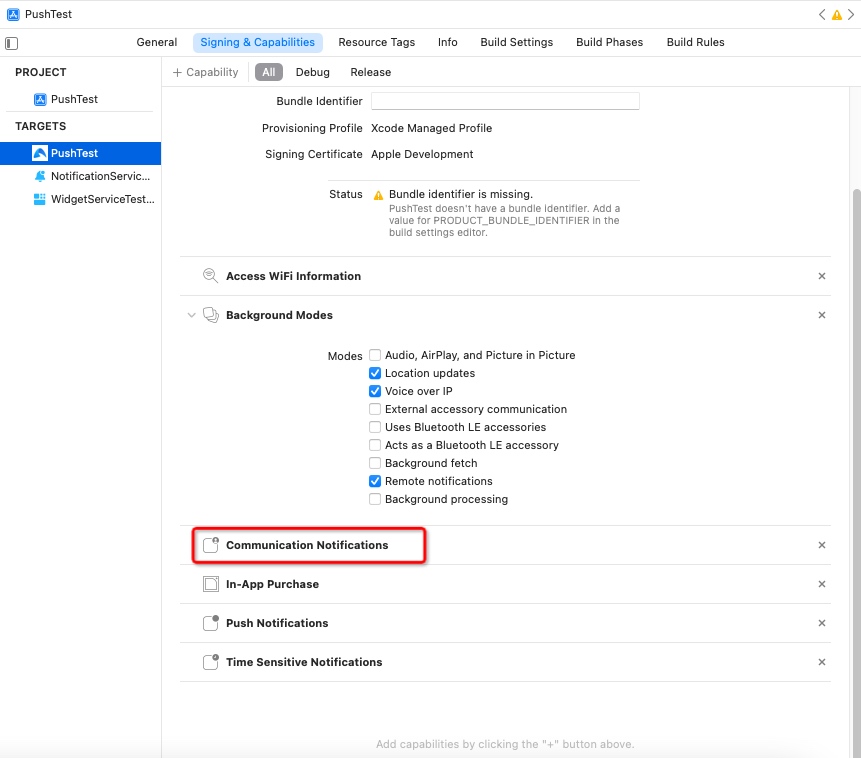
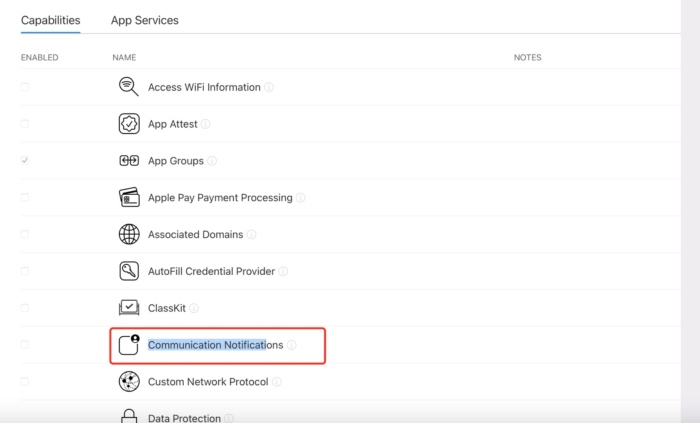
2.在 Apple 开发者网站开启 APP 的 Communication Notifications 功能。
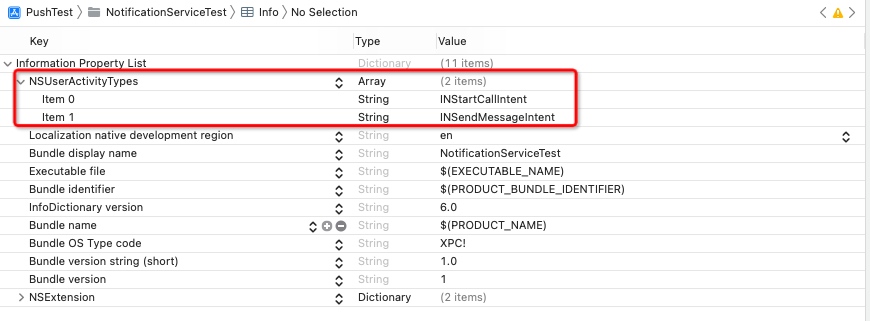
3.在 infoplist 文件里加入 key 为 NSUserActivityTypes,value 为数组,取值为 INSendMessageIntent 和 INStartCallIntent。
获取开关状态
@property (NS_NONATOMIC_IOSONLY, readonly) UNNotificationSetting directMessagesSetting API_AVAILABLE(macos(12.0), ios(15.0), watchos(8.0)) API_UNAVAILABLE(tvos);
显示应用通知设置
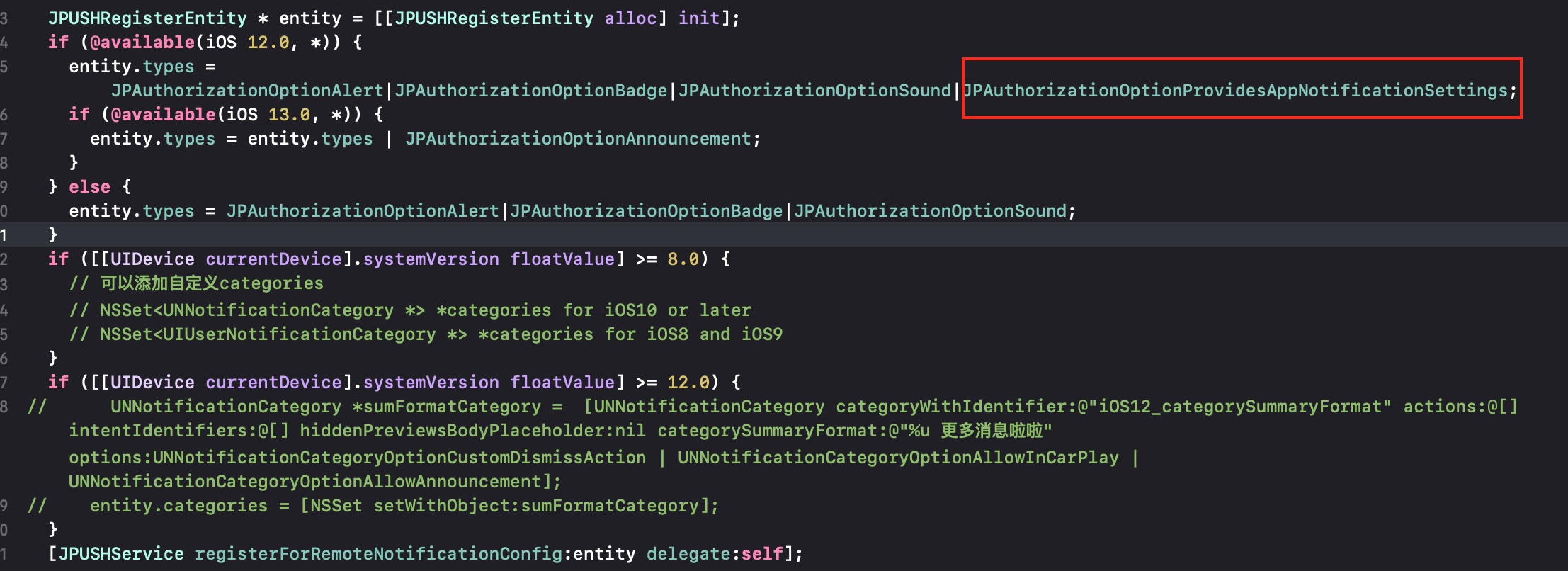
若需要在 APP 的通知设置页面底部展示「应用通知设置」,可以在申请 APNs 权限时,加入 JPAuthorizationOptionProvidesAppNotificationSettings。
此功能为 iOS 12 新增。