


JMLink Overview
JMLink (JMLink) is an enterprise deep linking service, successor to MobWindow mLink. Combined with smart short links in marketing content, users can launch the installed app and see personalized content; if the app is not installed, users are redirected to the app store, install the app, and continue the campaign—improving engagement and conversion. Short links work across mobile sites, social apps, Weibo, SMS, email, and more.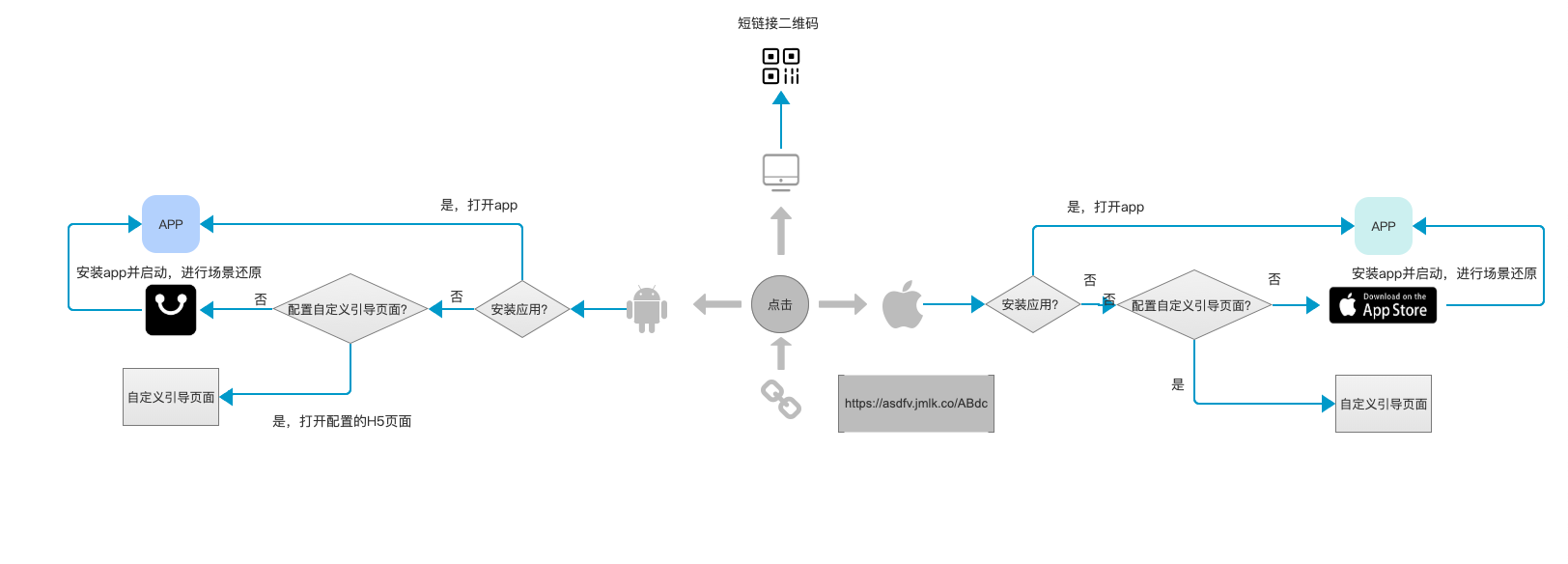
Use Cases
One-Link Launch
JMLink can wake a specific in-app page from WeChat and other channels. For example, a user taps "Open app" in WeChat and lands on the target page in the app.
In WeChat: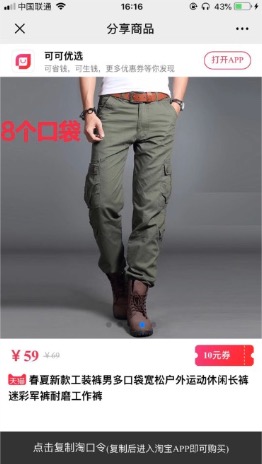
In app: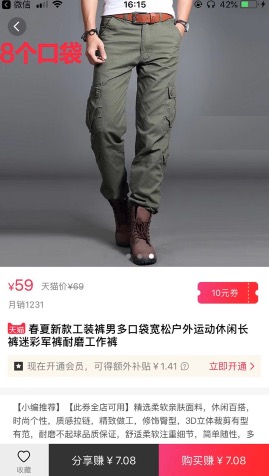
Deferred Deep Linking
Users without the app are guided to the store. On first launch after install, they land on the target page—fewer steps, higher reach and conversion.
Codeless Invite
Invite new users via QR codes or links without manual invite codes. JMLink identifies the invite source for referral and onboarding flows—for example, joining a game room without typing a code.
Analytics Reports
Per short-link reports: clicks, launches, installs, impressions, and channel comparison for campaign analysis.
Quick Start
For developers new to JMLink
- Register on the Jiguang site;
- Sign in to the console, create an app, upload an icon for H5 pages, and obtain the AppKey;
- Complete JMLink app settings (package name, bundle ID, scheme, download URL, etc.);
- Create short links in the service console;
- Integrate Web/Android/iOS SDK per the guides and test.
For existing mlink users
If you use mlink, upgrade to JMLink (this documentation) for ongoing support. You may continue mlink temporarily; Jiguang still maintains it.
The new version is compatible with one-link wake-up, deferred deep linking, and codeless invite. Upgrade steps:
- Copy legacy Android/iOS settings to the new portal (package name, bundle ID, URI scheme, JMLink Key);
- Replace client SDKs with the new versions: SDK downloads;
- Publish the new app build and use short links from the new platform.
          tips

mlink developers with a Jiguang account should sign in at https://www.jiguang.cn to use the new console.
External Link Rules
When sharing to WeChat, use JMLink short links appropriately. Violations of WeChat external link policies may lead to domain or service restrictions by Tencent.
See WeChat external link specification.
Technical Support
When issues occur:
- Check error messages on client/backend; if unresolved, contact us below.
- Email: support@jiguang.cn
- QQ group: 718411327
Please provide:
- Logs, screenshots, or videos and the reproduction steps/channels;
- Service name: JMLink or mLink;
- AppKey;
- Full short link or suffix.

