Access Guide
1. Create an application
1.1 Operation path
Step1: Log in to the console
Step2:Click the [Create Application] button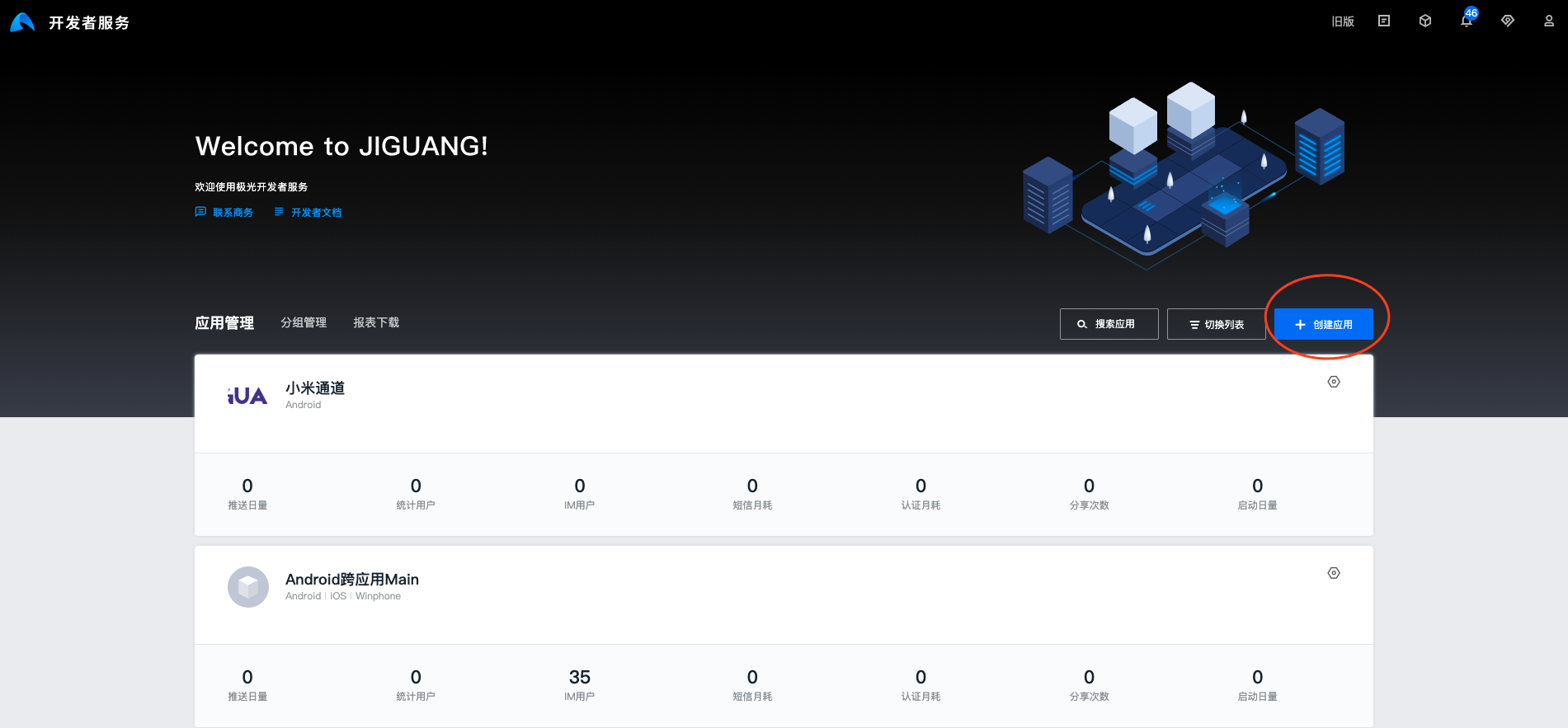
Step3: Fill in [Application Name] and [Application Icon]. The application name should be defined according to the business. At the same time, please upload the application icon for the template page of the Magic Link business.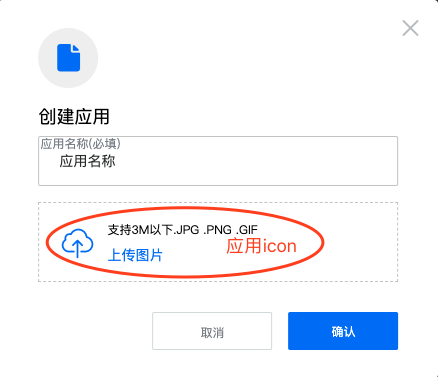
2. JMLink Settings
useJMLinkFor services, developers need to set at least one platform information before they can create short links in the service management interface.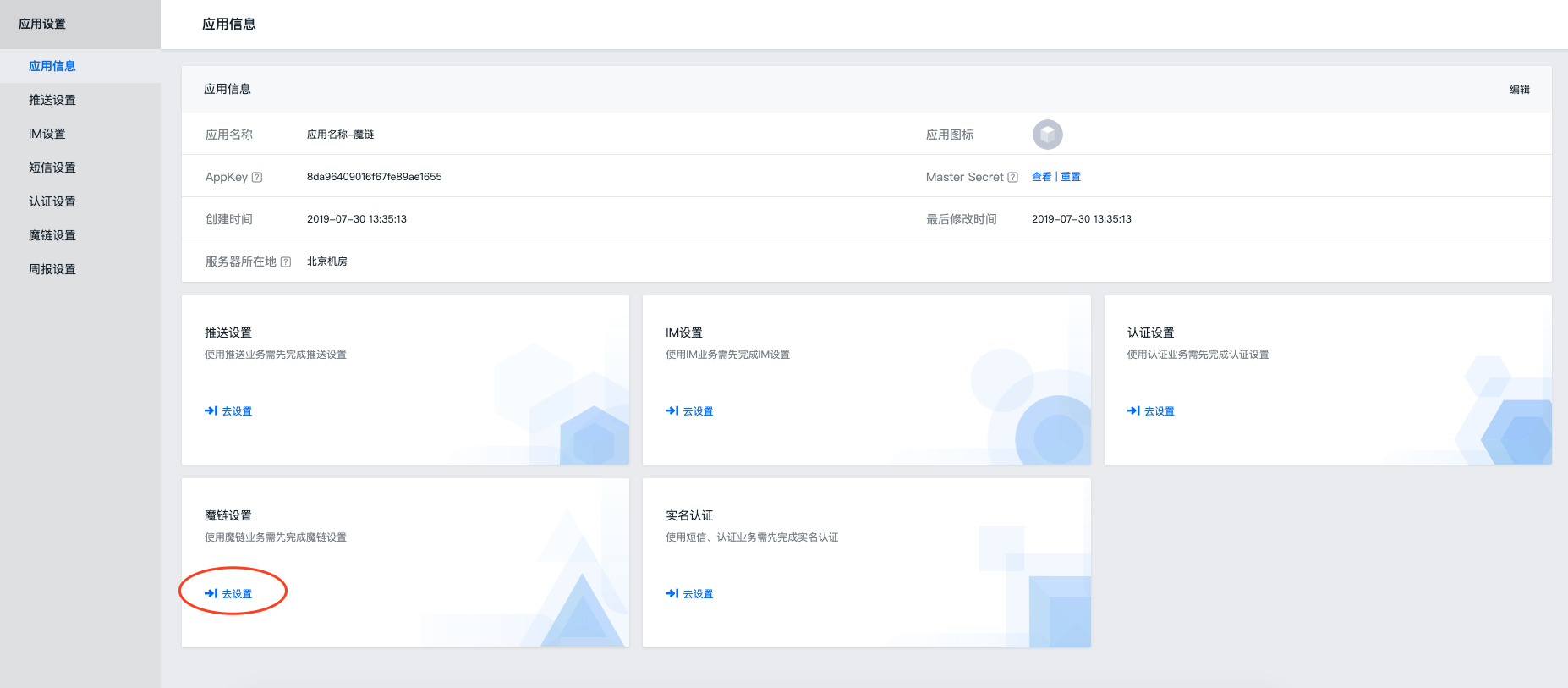
2.1 Android Basic settings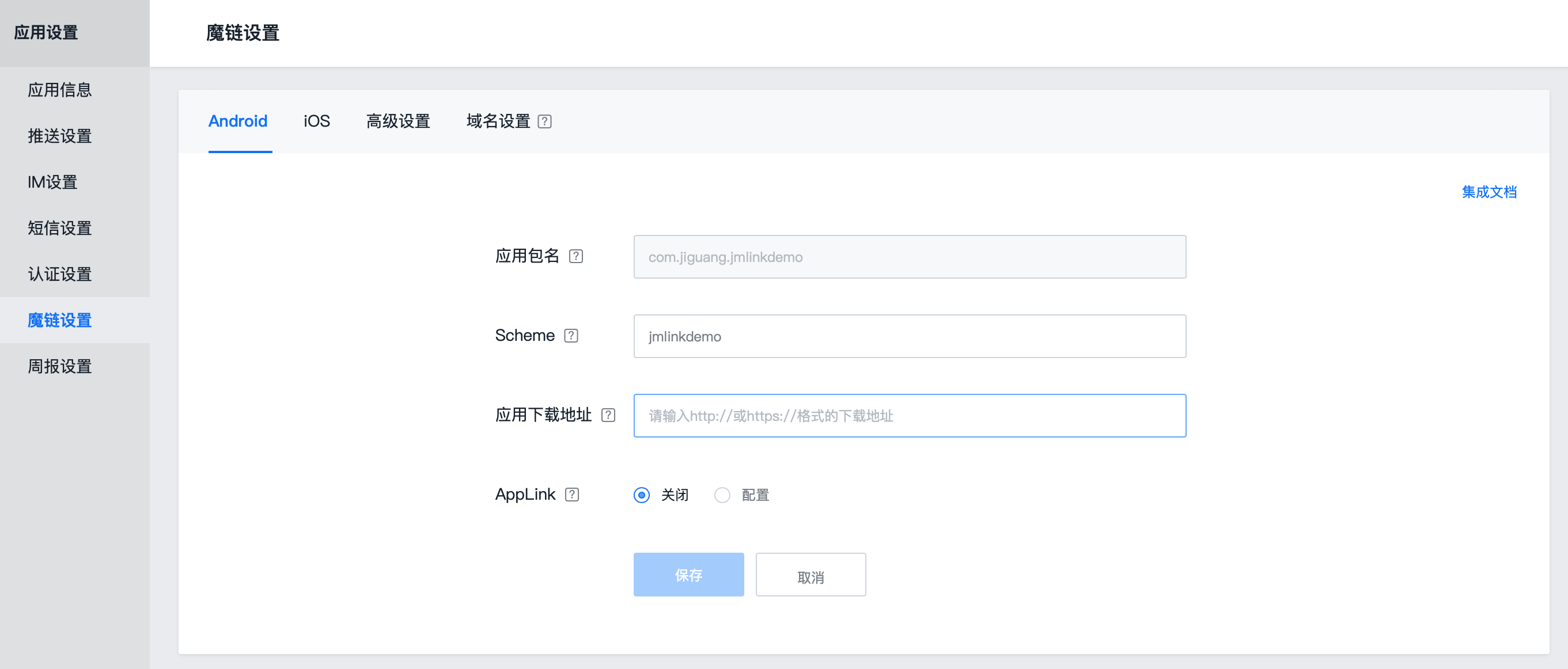
Step1: Log in to the console
Step2: Select the application to activate Magic Link service and click the [Application Settings] button
Step3: Select [JMLink]
Step4:AndroidNeed to fill in [application package name]/[Scheme] and application download address
Step5:APPlinkFunction users can choose whether to enable it according to their own needs.
Step6: There is a download address configuration for App Store in the advanced settings. Users can choose whether to enable it or not. This function is a micro-download service integrated with Tencent’s open platform. Its format is [a.app.qq.com/xxx]
2.2 iOS Basic settings
MLink through standard Scheme(iOS<9),Universal Links(iOS≥9)technology, in app If installed, pull it from various platforms and browsers (including WeChat, QQ, Sina Weibo, DingTalk and other mainstream social software, as well as various browsers) app and pass dynamic parameters.
Therefore, it is necessary to Jiguang Configure the console first scheme and universal link。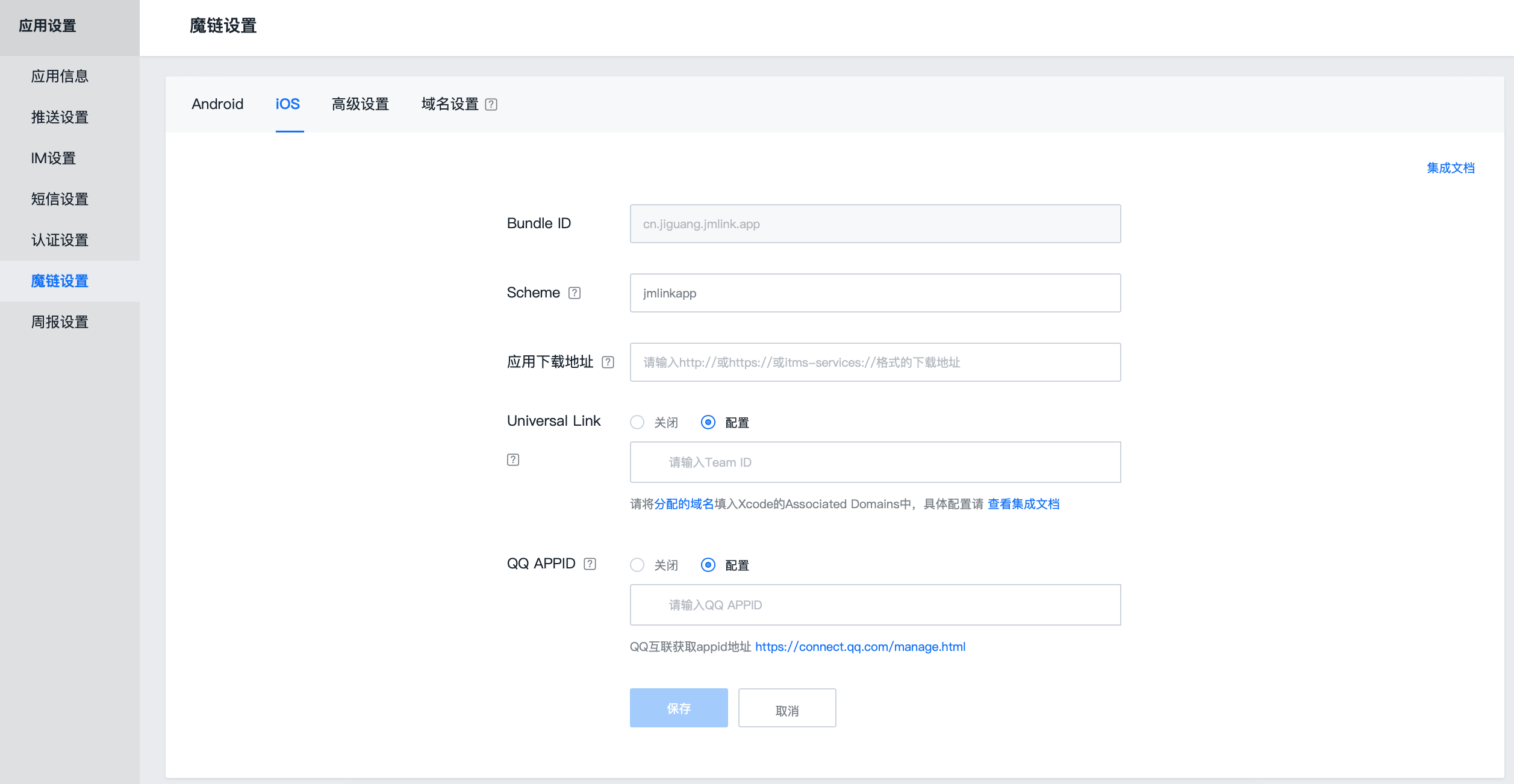
Step1: Log in to the console
Step2: Select the application to activate Magic Link service and click the [Application Settings] button
Step3: Select [JMLink]
Step4:iOSThe application needs to be filled in[Bundle ID]/ [Scheme] / Application download address/Universal link Configuration
Step5: Fill in QQ Internet APPID, not required, this item is only for QQ Internet platform verificationuniversal link
2.2.1 set up universal link Configuration
Configure Apple Certificate
Log inApple Developer Website,chooseCertificate, Identifiers & Profiles, select the appropriateAppID, turn onAssociated Domains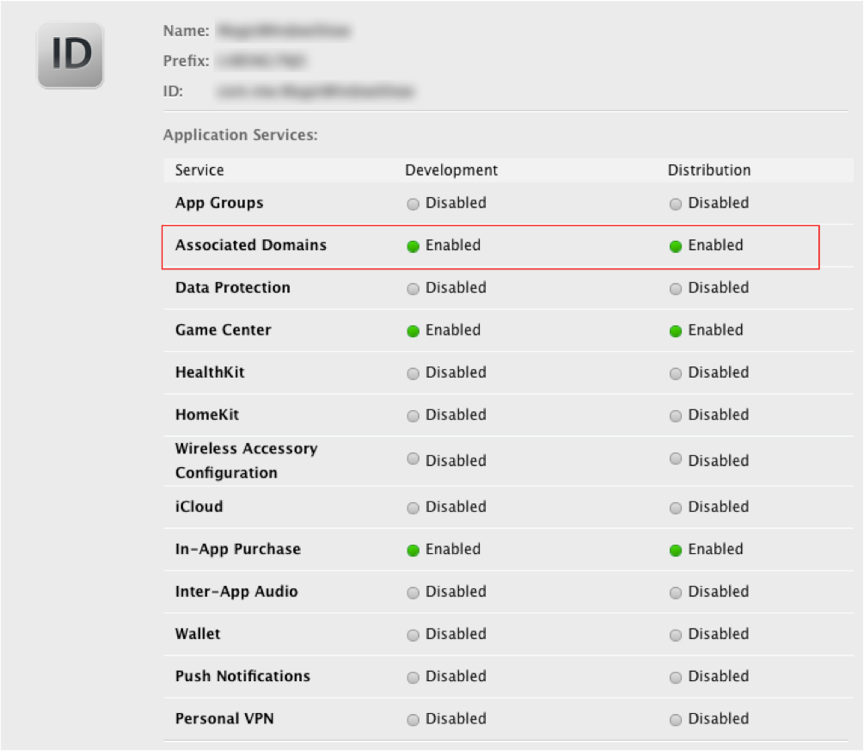
exist Jiguang Fill in the certificate in the console backgroundTeam ID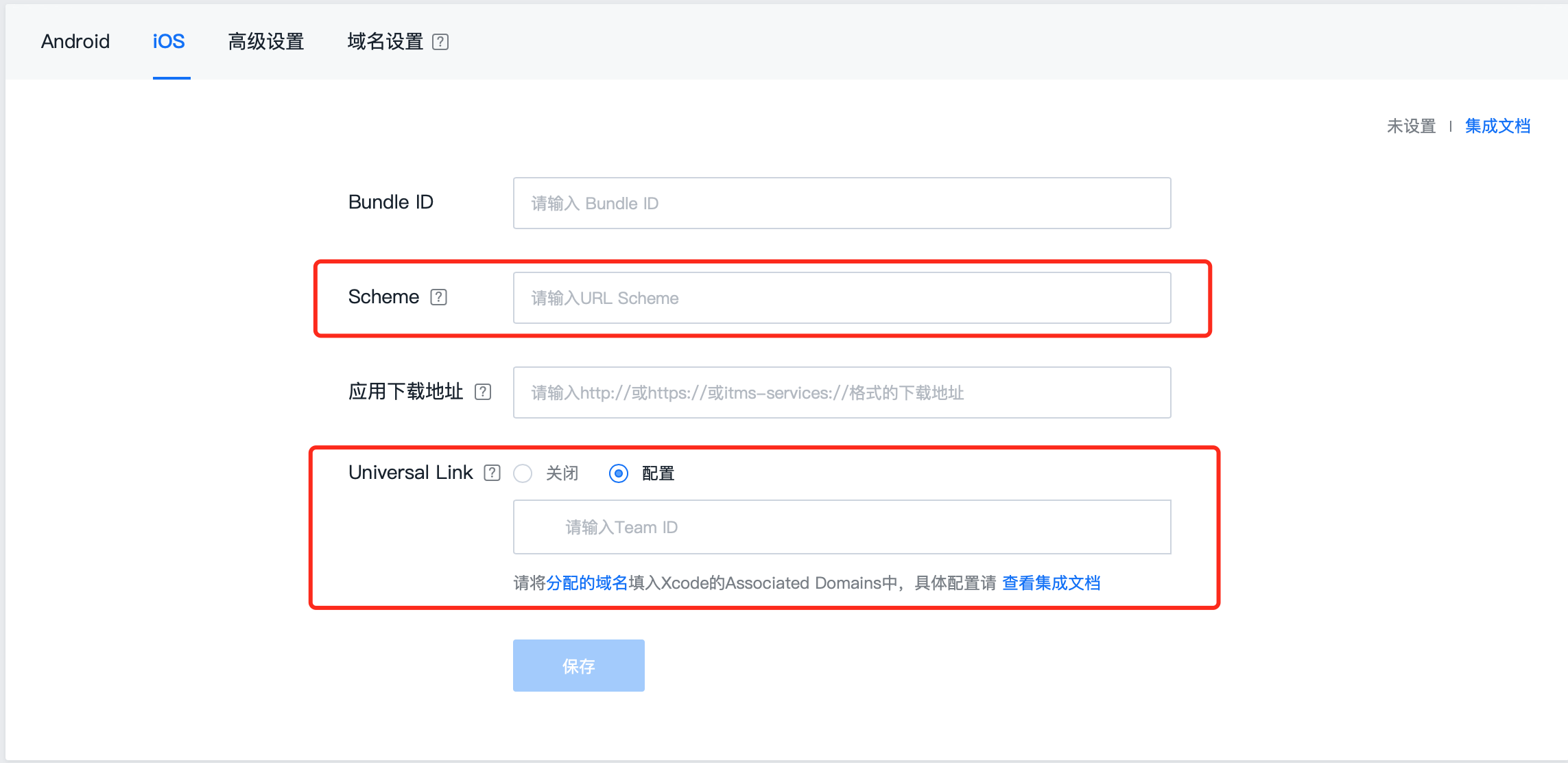
Team The ID comes from your Apple development account and can be obtained from the corresponding page below,Team ID and PrefixUnder normal circumstances, the values are the same. When the values in the two places are different, use them first.Prefix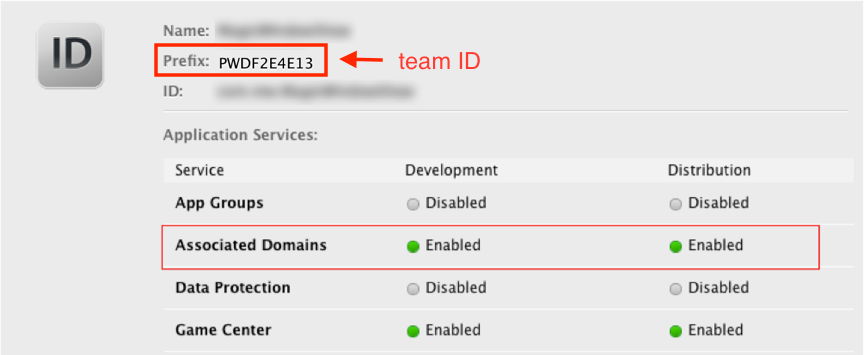
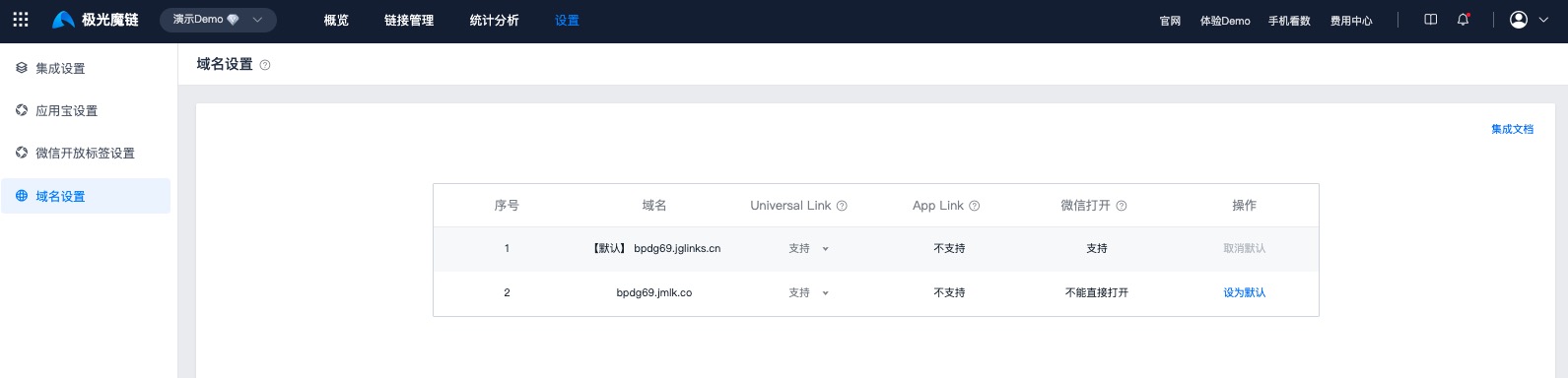
Completed Team After ID, in Jiguangconsole域名设置The module will assign multiple domain names
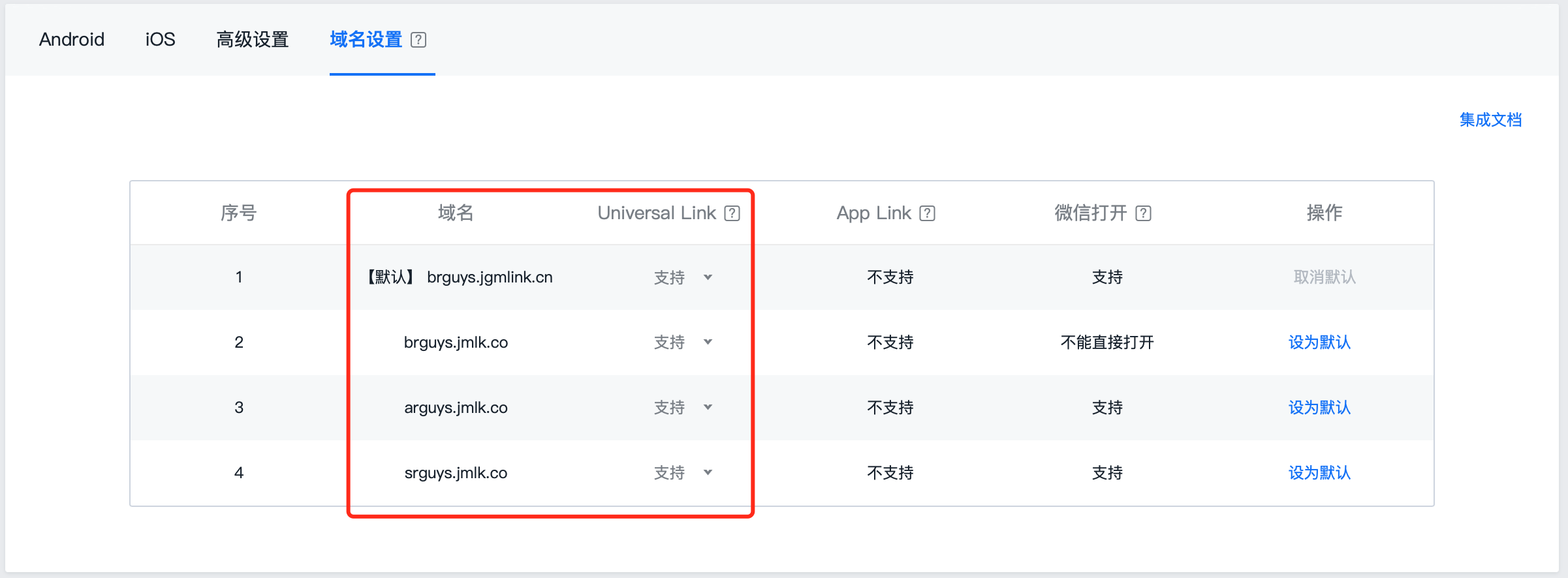
Notice:
- must support universal link domain names are configured to xcode In project engineering
- It is recommended to configure all domain names in domain name management into the project to avoid not supporting them in the early stage but supporting them in the later stage. universal link The domain name is not configured, causing the jump to fail.
3. Link management
3.1 Create short links 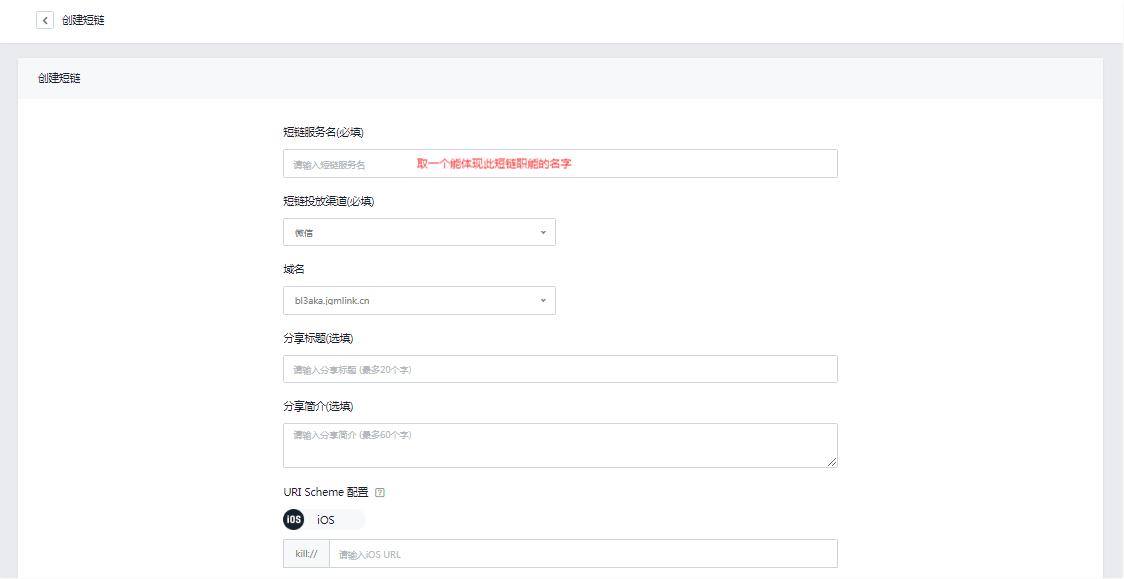
After completing the application settings, you can create a short link that can be delivered in the service management. The short link is used for Web sdk integratedwhen used.
Step1:Click the Create Short Link button
Step2: Fill in the short link related information
Step3: The default boot page setting is configured as a download page.
Setp4:Click to save
Notice:
- It is recommended to URI Scheme Just write in the configurationhost and path, it is not recommended to set parameters directly here
- Recommended to use JS SDK Set parameters, refer to the specific usage JS SDKPassing on parameters
3.2 short link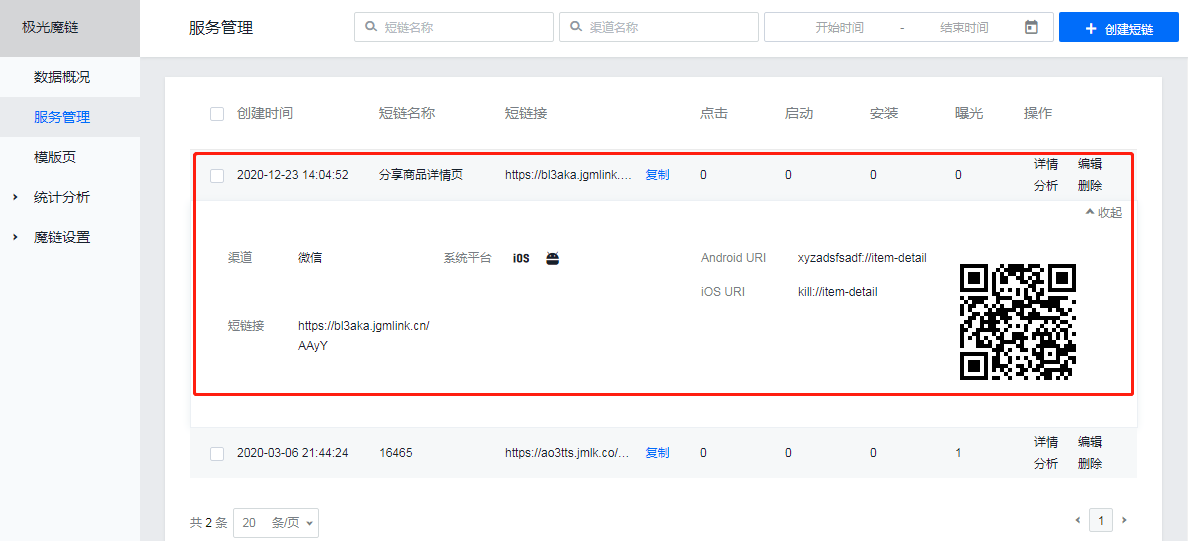
- Display details, you can view key information: complete short link, configuredURI Scheme, short chain address.
- Click Edit to modify the parameters of the short link configuration.
- Click analysis, the data of each short link can be viewed, mainly click/start/install/exposure, which is defined as the number of clicks on the short link/the number of times the application is evoked through the short link/the number of application installations through the short link/the number of times the short link is loaded
- Delete operation, after deleting the short link, the link service will stop, that is, the browser will prompt that the service is unavailable.
- QR code, corresponding to the short chain QR code, you can directly scan it to test the application
3.3 template page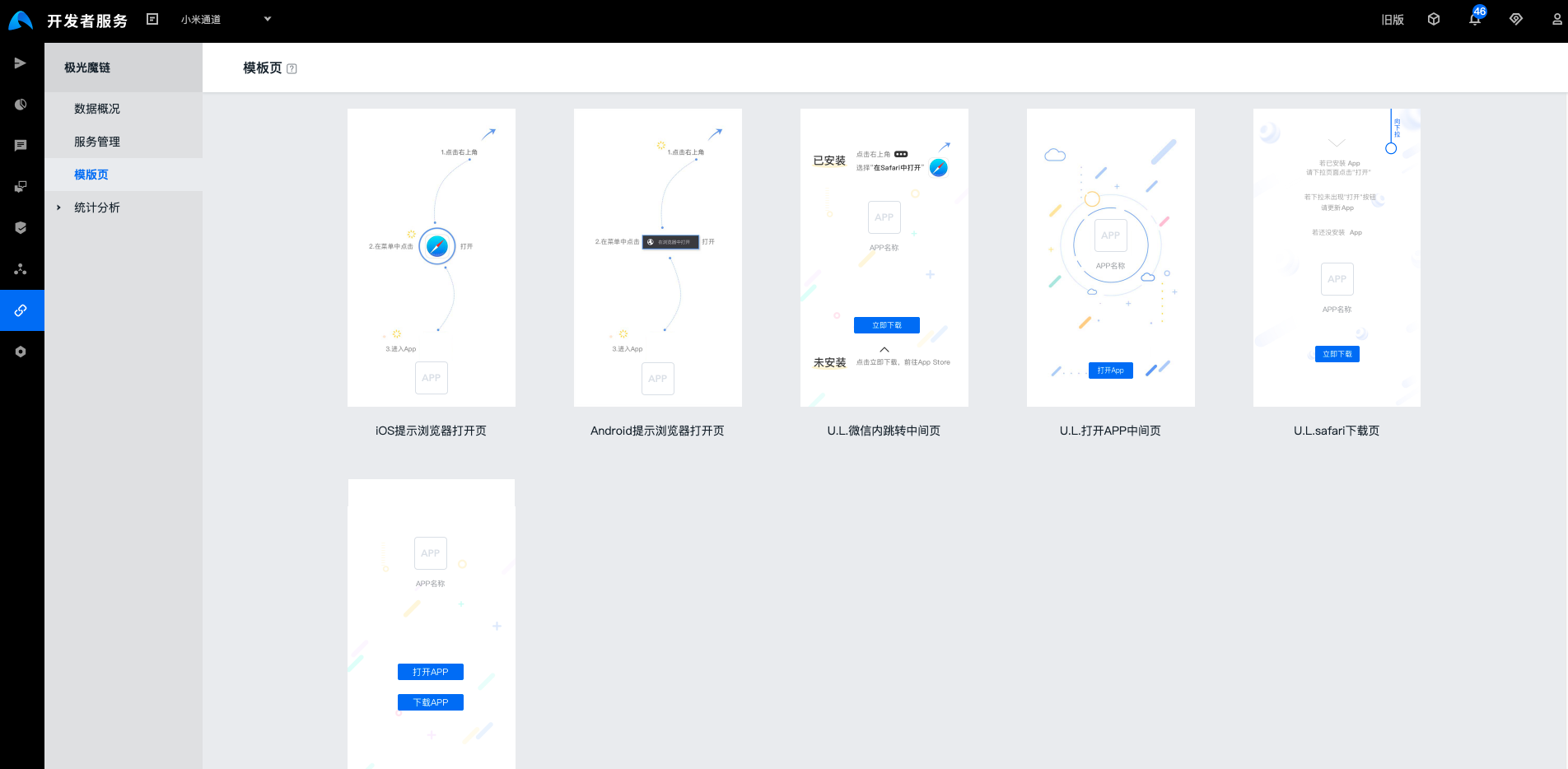
Many applications have their own "ecological environment" and often encounter situations that limit deep link jumps. For such scenarios, where to stay Jiguang Provide template pages for display and guidance. A variety of template page styles are provided by default. It is recommended that developers customize and create a unified UI style based on corporate positioning and business.
          tips
请设置应用图标,模版页中会使用。设置入口在[应用设置] -> 编辑应用 -> 设置图标
4. Statistical analysis
4.1 User analysis
Statistics integrate the user data of the Magic Link business, and the data is updated every hour.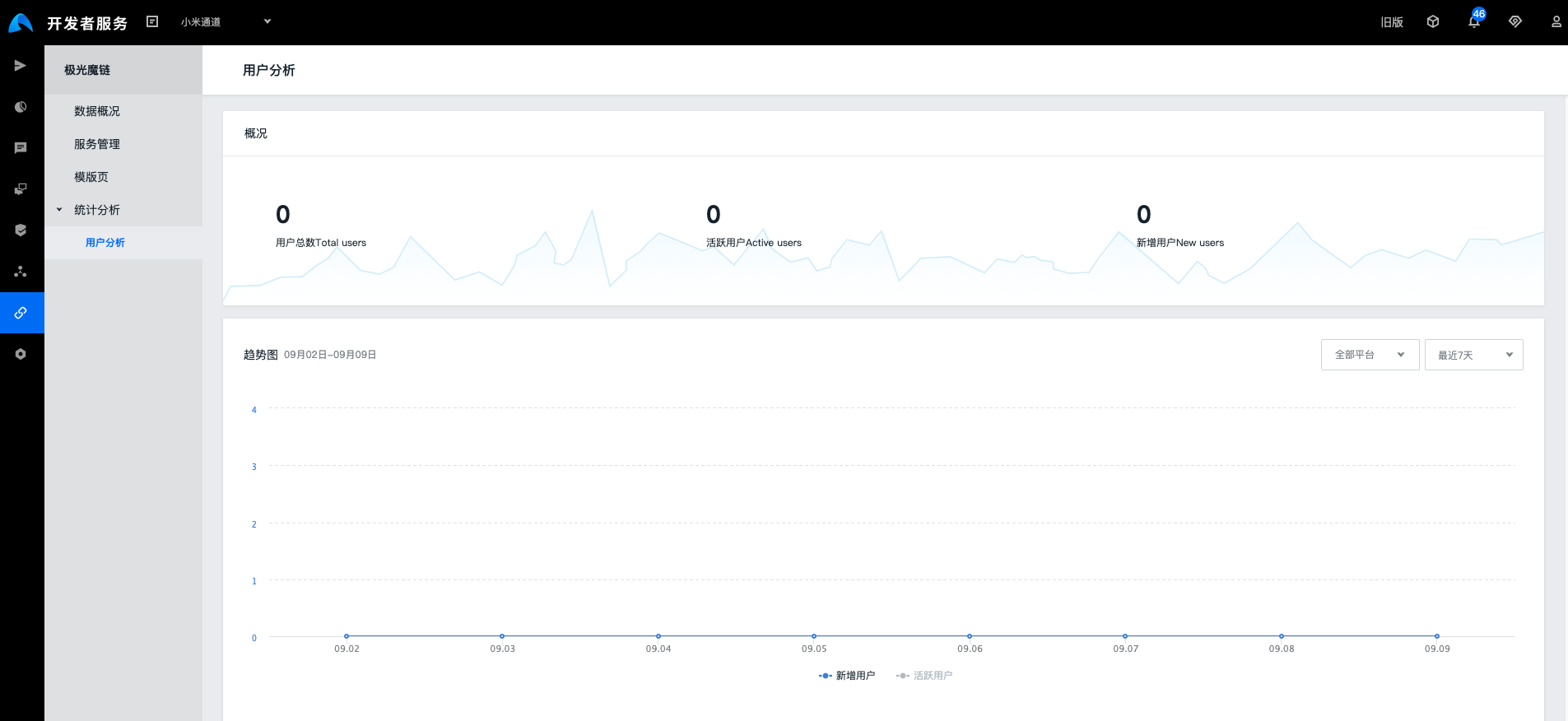
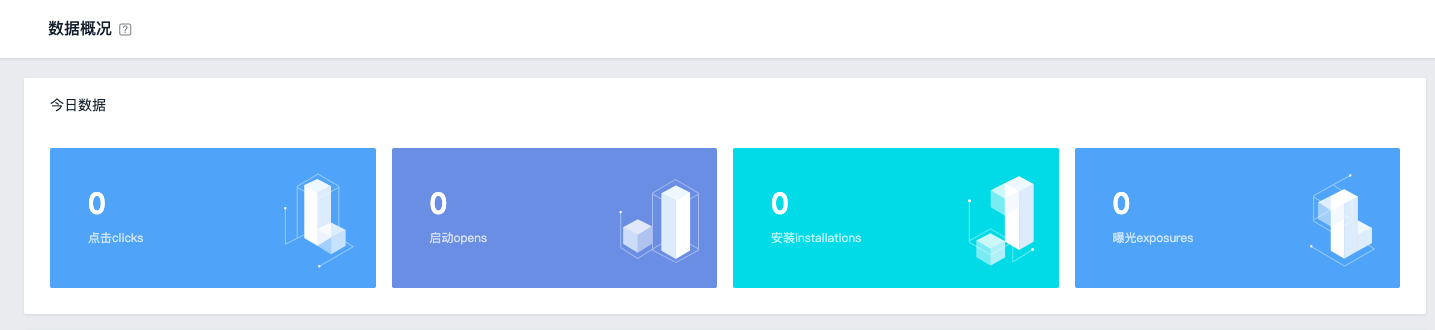
Click
The number of times the short link was clicked
start up
Through short links, evoke APP times
Install
Install via short link APP times
exposure
The number of times the H5 page corresponding to the short link is loaded
5. Settings
5.1 Integration settings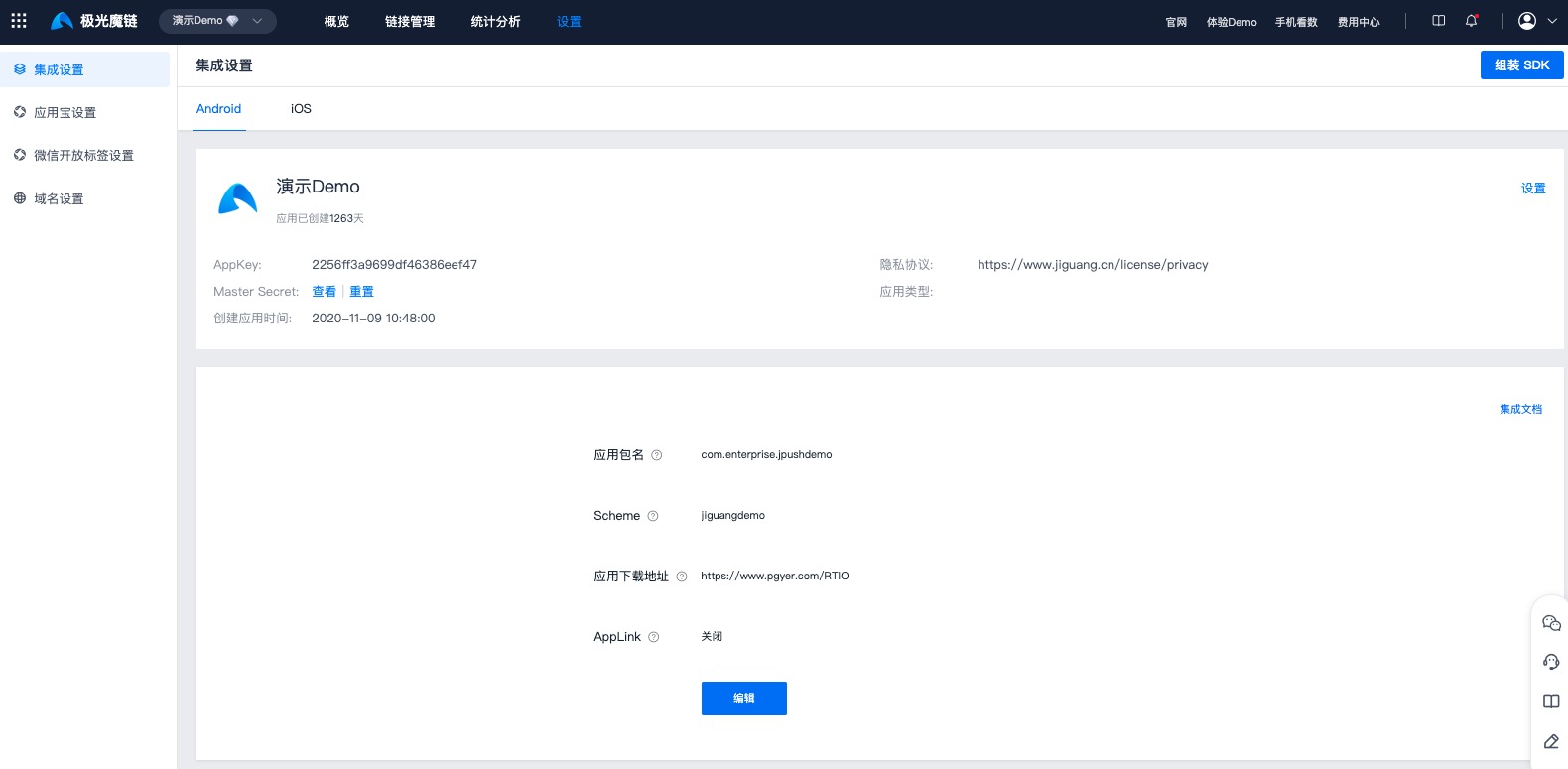
5.2 App store settings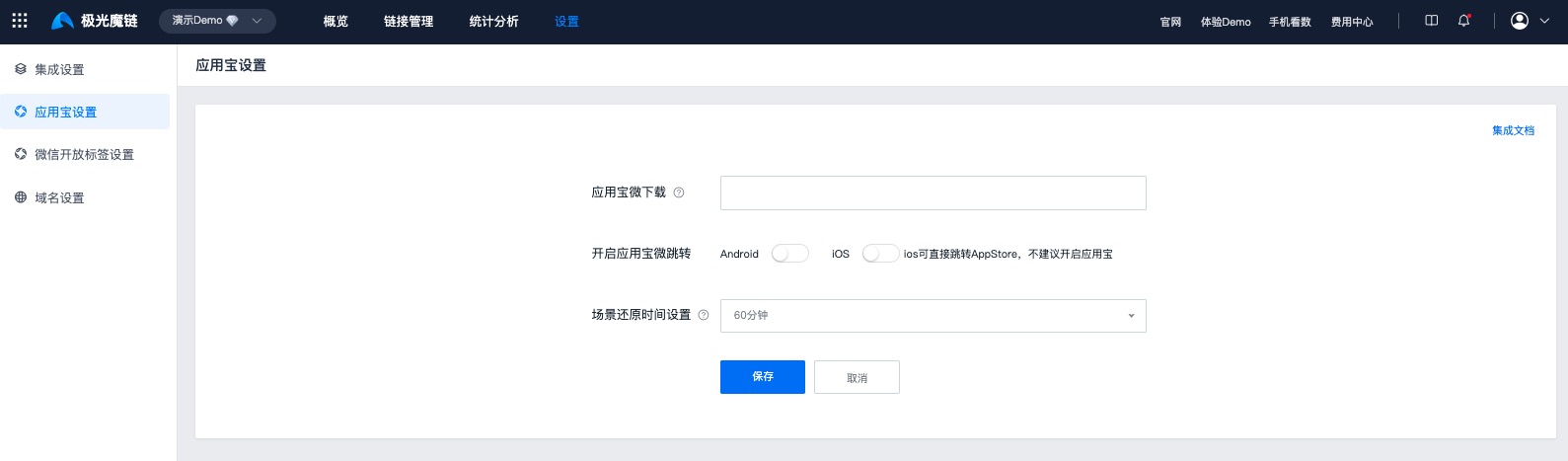
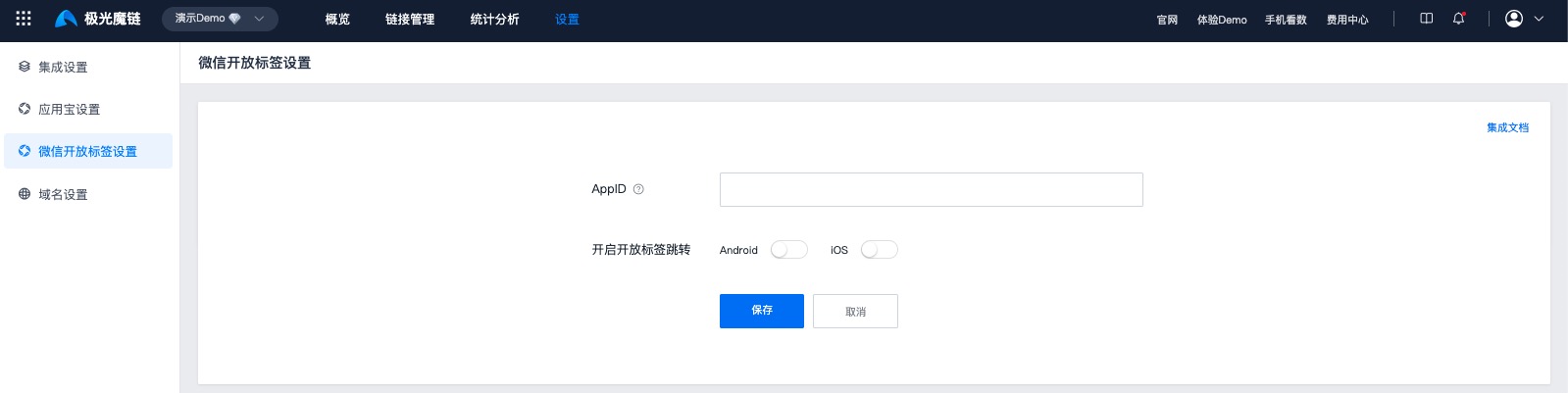
5.3 WeChat open label settings
For the complete configuration process of WeChat open label, please readAdvanced-Enable WeChat Open Tags