


Drafts
Last updated:2023-02-21
Drafts
To let operators save operation plans at any time, Operation Growth provides a draft box. Save incomplete plans or plans to launch later, then publish when ready.
Save Draft
On the create operation plan page, click Save draft in the lower right corner.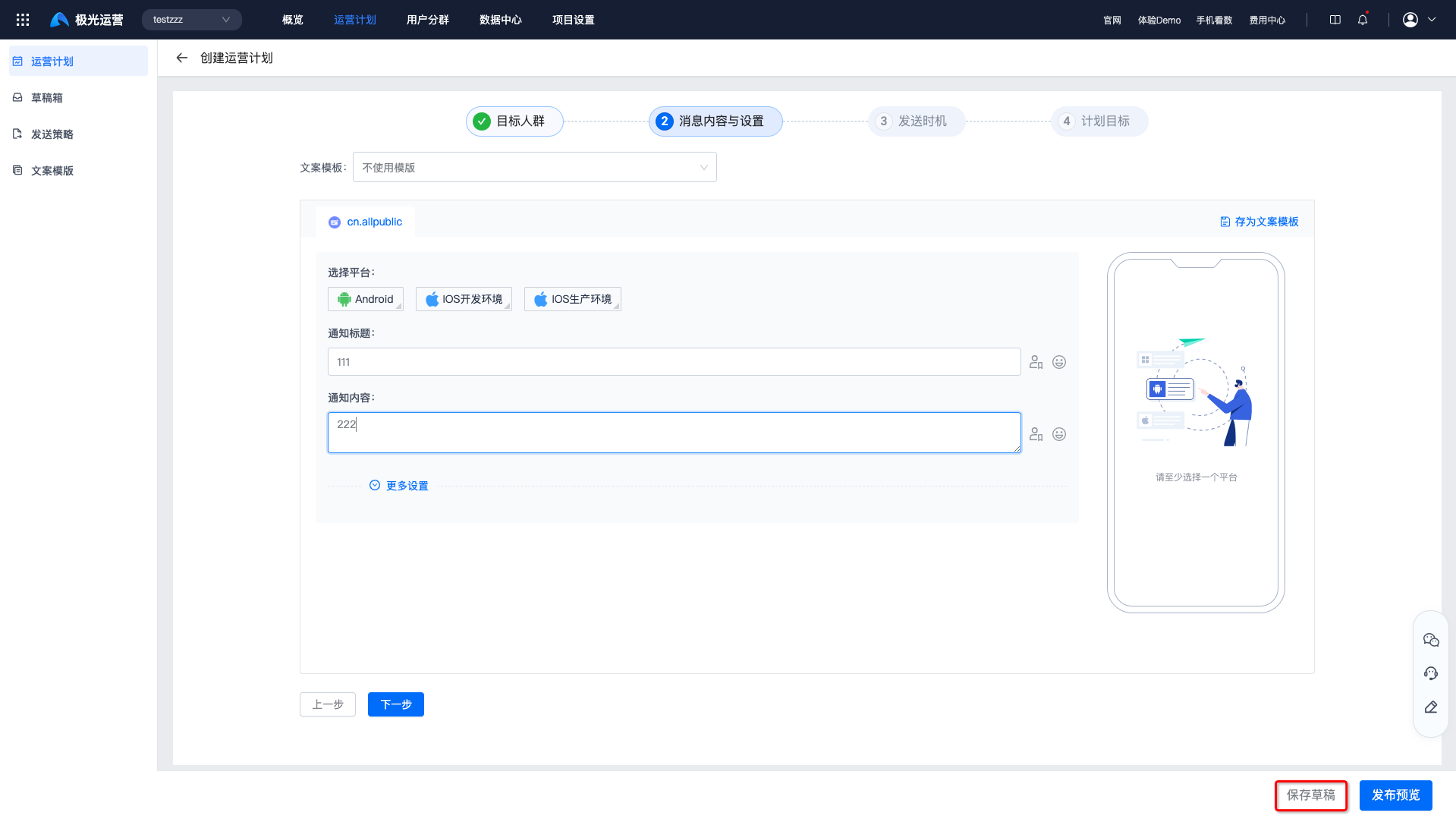
View Drafts
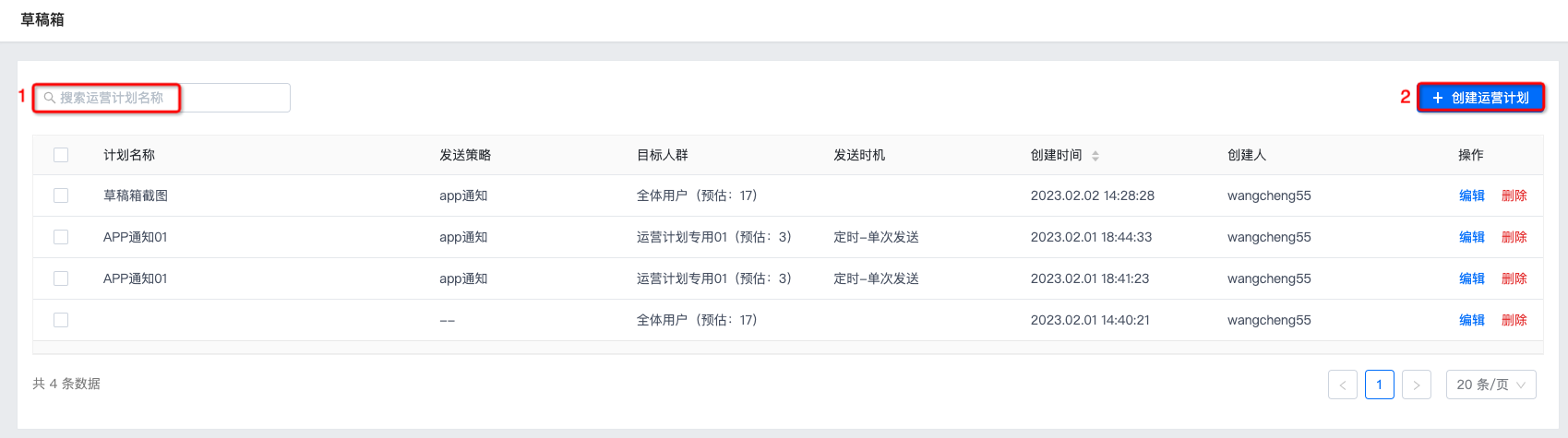
Go to Operation Plans - Drafts to view all saved plans.
- Search by plan name.
- Click Create operation plan to create a new plan.
Edit Draft
Click Edit to open the create page, update content as needed, then Preview and publish to go live.
Delete Draft
Deleted drafts cannot be recovered. Proceed with caution.
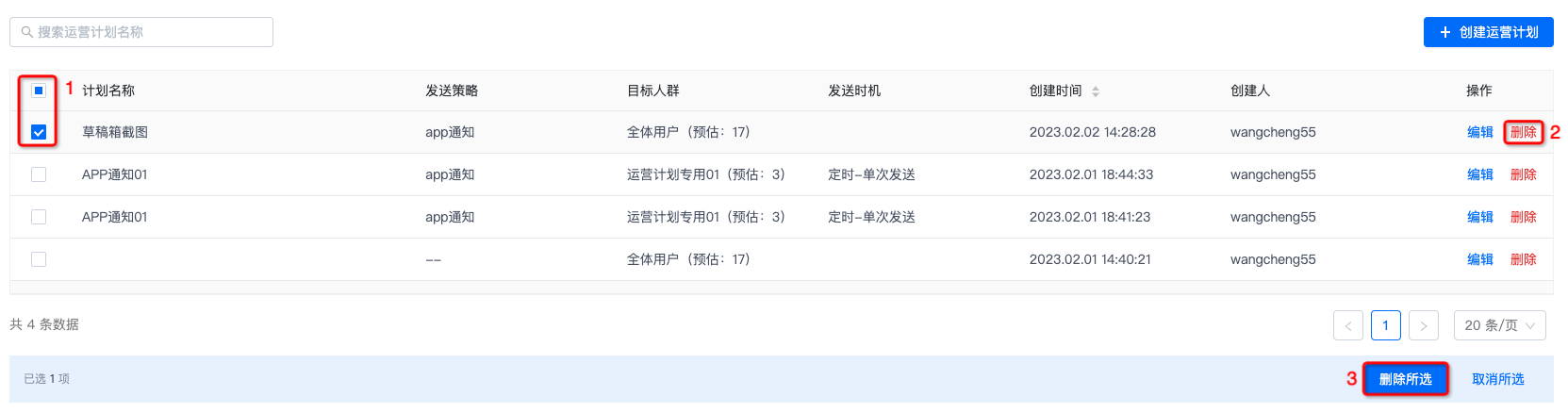
- Click Delete on the right and confirm.
- Select drafts and click Delete selected for batch deletion.
Was this document helpful?

