Sending Strategy
A sending strategy defines message delivery rules. Specify reach channels and delivery order for precise reach. Operation Growth supports app notification, SMS, WeChat Mini Program, WeChat Official Account, email, and Alipay Life Account. Customize strategies as needed.
Create Sending Strategy
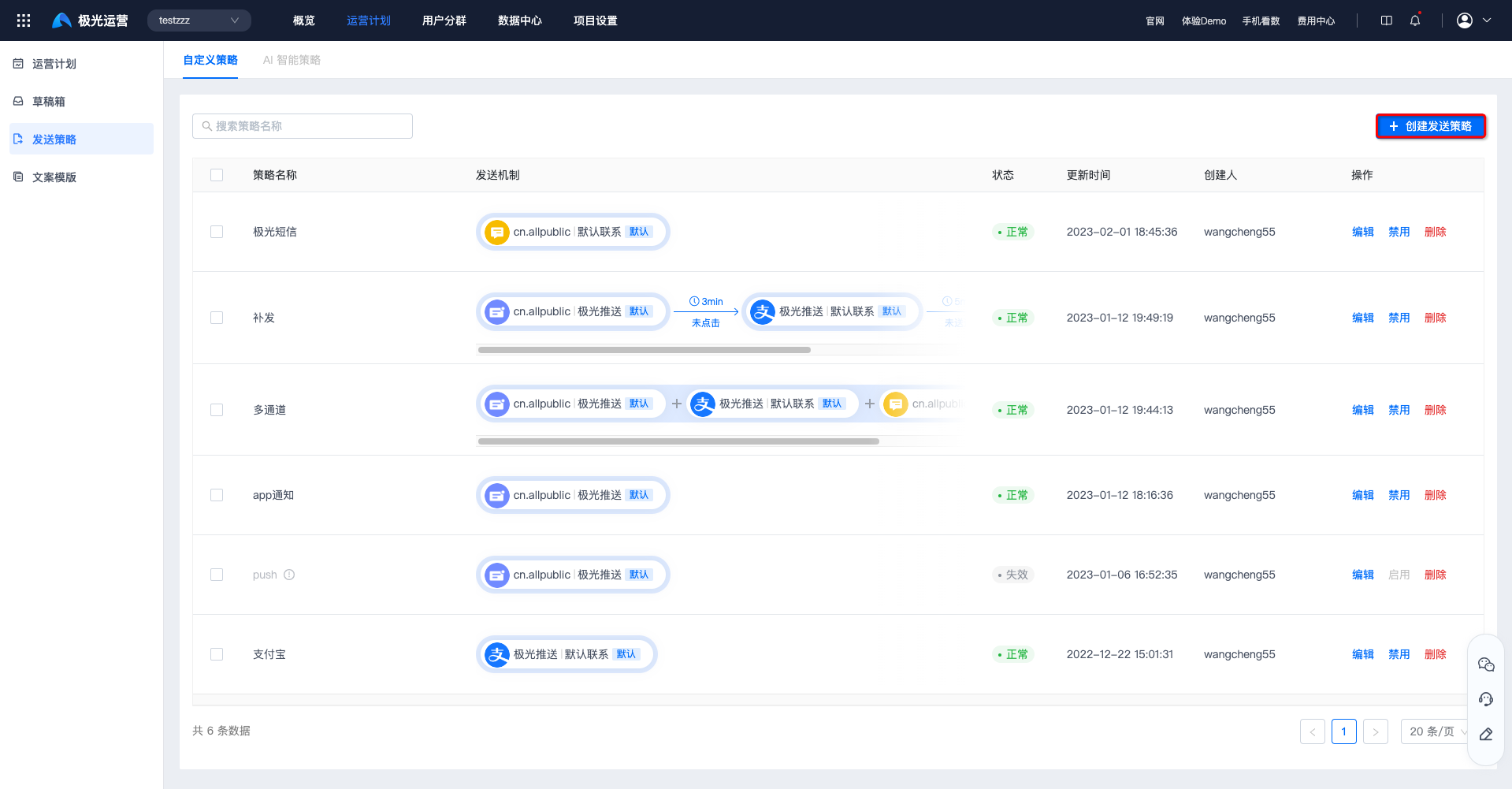
Go to Operation Plans - Sending Strategy, and click Create sending strategy.
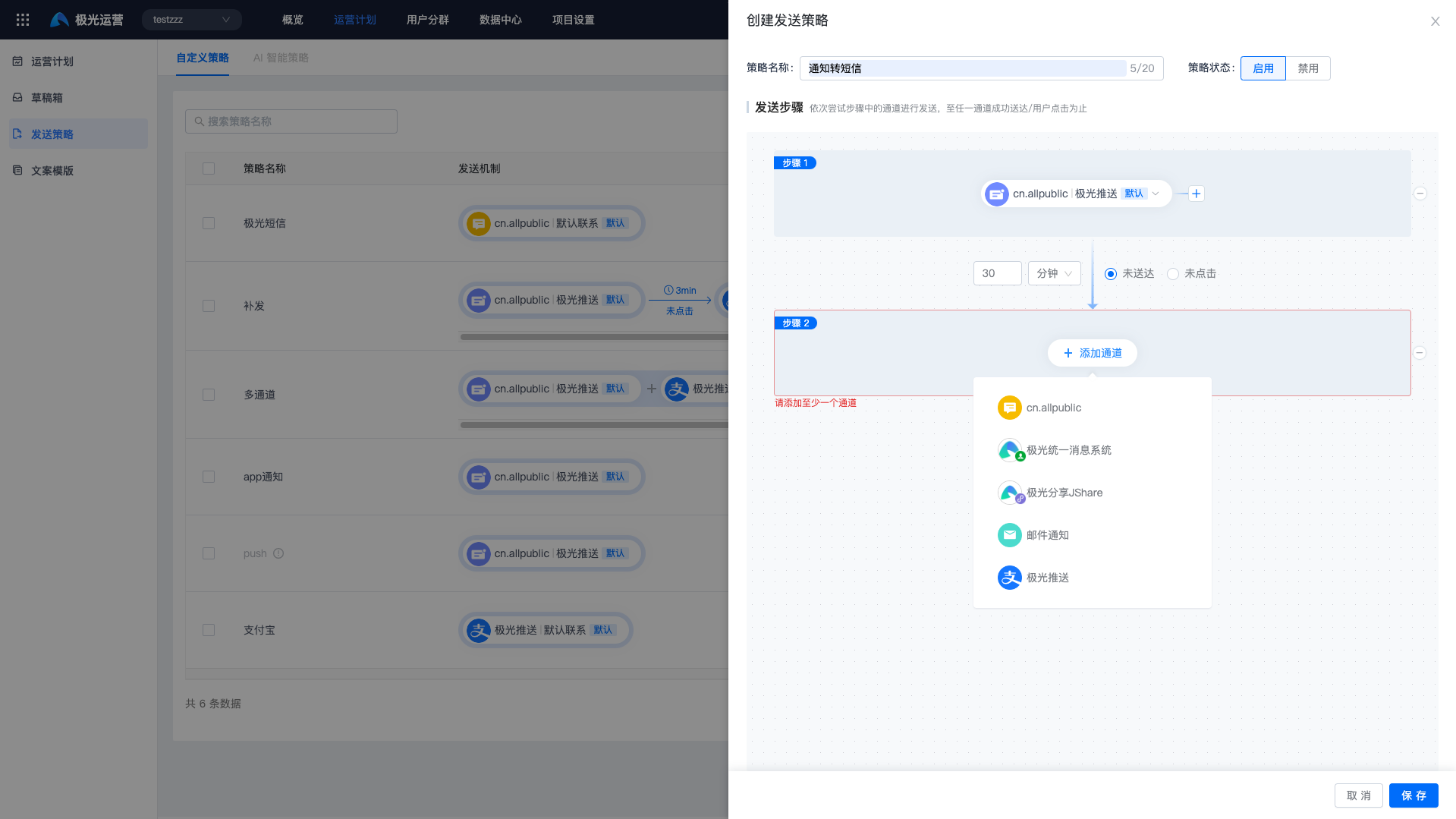
Fill in strategy name, status, sending steps, and time limits, then click Save.
Only reach channels created under Data Center - Data Channel Connection - Reach Channel List can be selected in sending steps.
Click Save to create the strategy.
View Sending Strategies
The custom strategy page lists all strategies. Search by strategy name.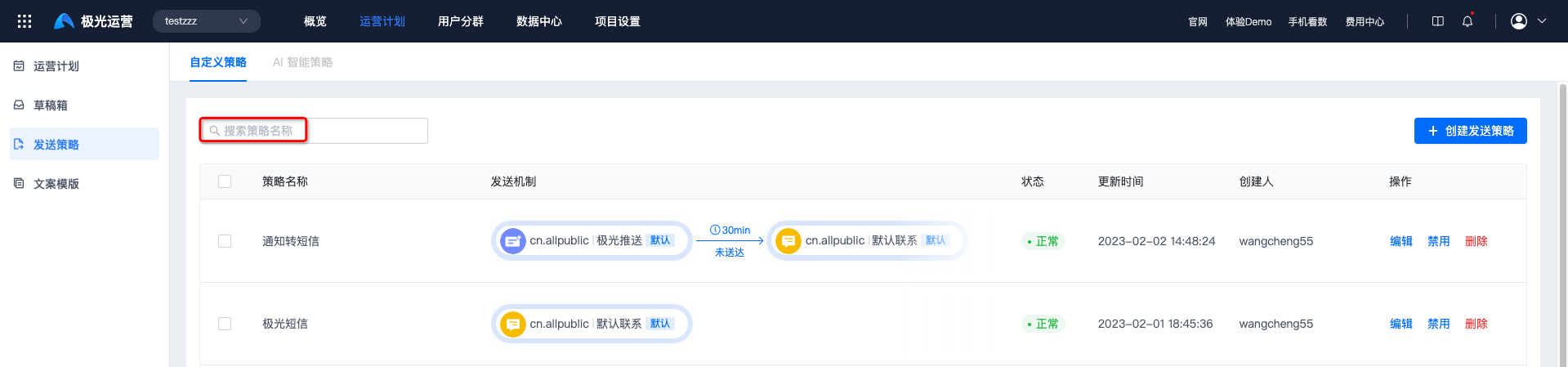
Edit Sending Strategy
To change name, status, or steps, click Edit, then Confirm to save.
Strategies in use by other scenarios cannot be edited.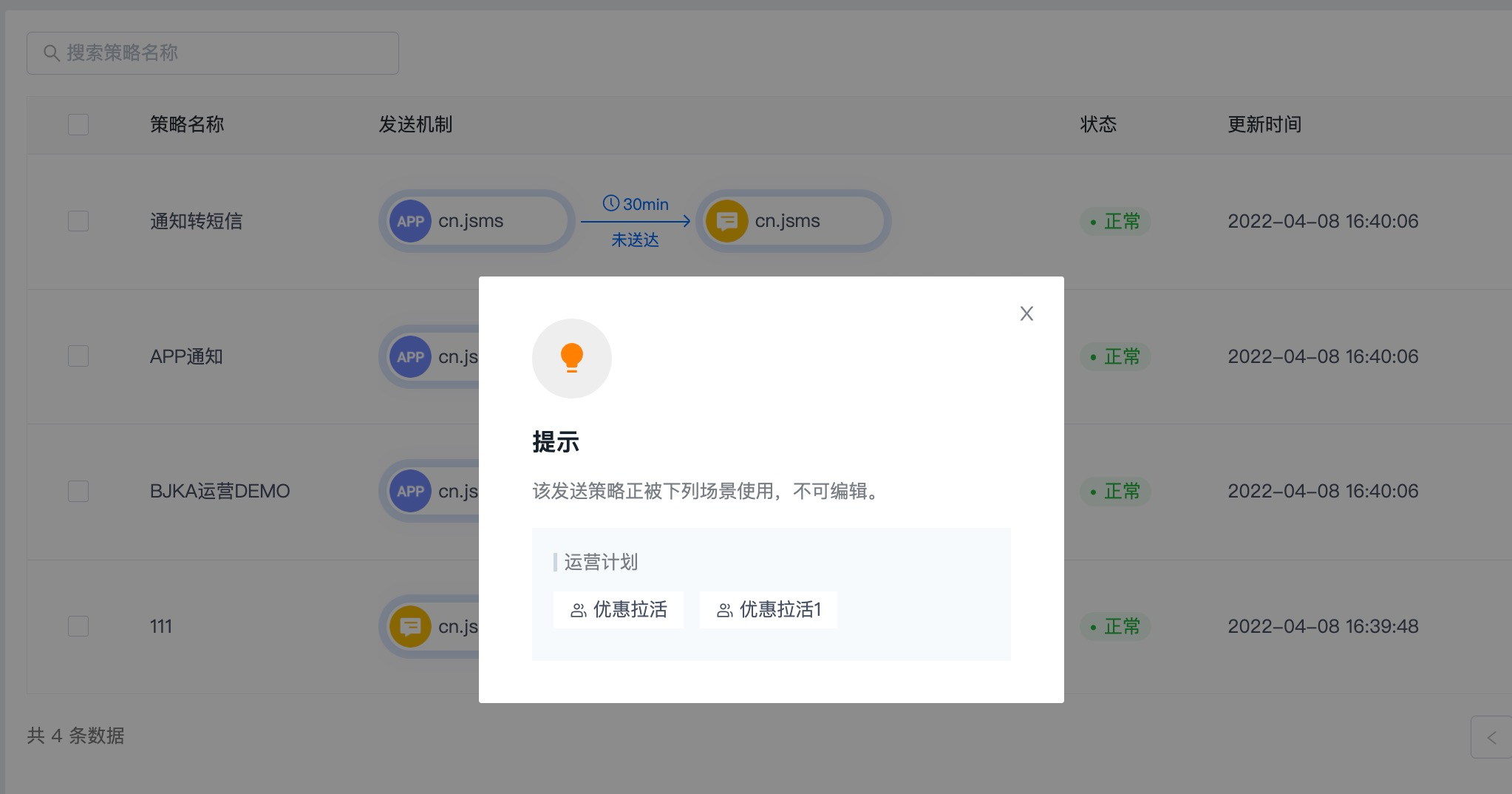
Disable Sending Strategy
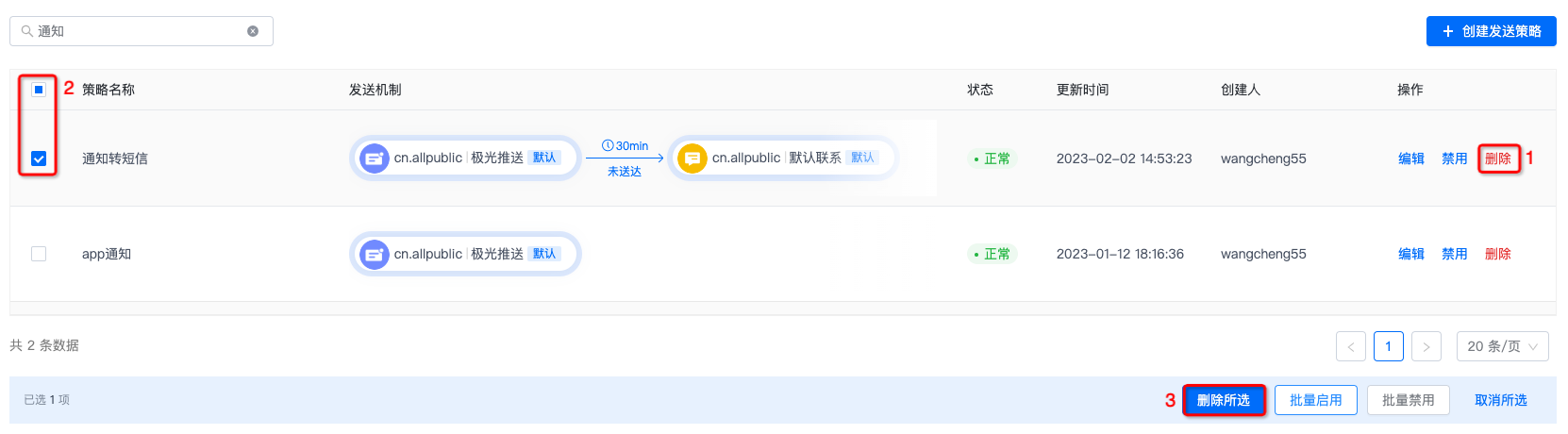
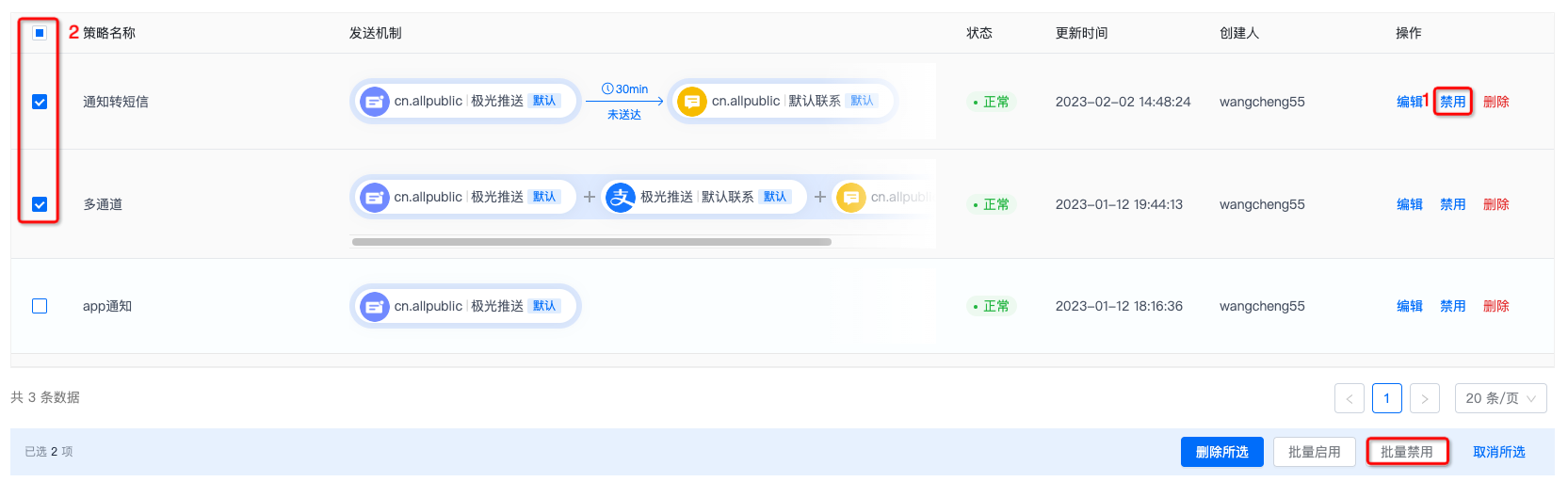
Click Disable at (1) and confirm; or select strategies at (2) and click Batch disable.
- Strategies in use cannot be disabled.
- Disabled strategies cannot be used when creating new operation plans.
Enable Sending Strategy
Click Enable at (1) and confirm; or select at (2) and click Batch enable.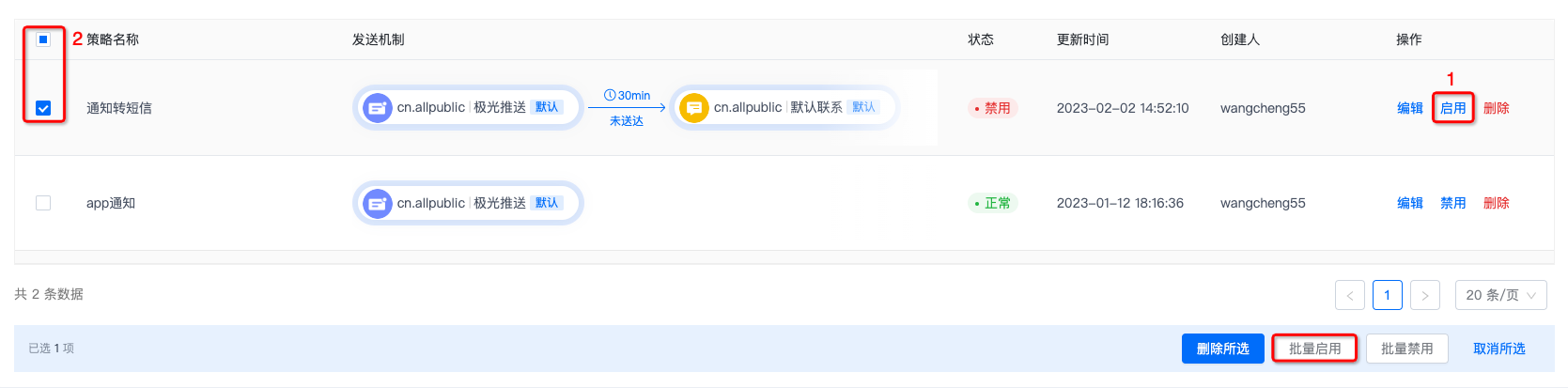
Delete Sending Strategy
Click Delete at (1) and confirm; or select at (2) and click Batch delete.
- Strategies in use cannot be deleted.
- Deletion is irreversible. Proceed with caution.