


REST API Overview
Last updated:2023-02-21
REST API Overview
Important: Do not call REST APIs directly from client apps. AppKey and Master Secret may be exposed and abused. Recommended approach: place REST API calls on your application server. Your server exposes APIs to clients and calls Jiguang APIs on their behalf.
Encoding
Unless otherwise specified, parameter values should be encoded as UTF-8.
Authentication
Jiguang REST API uses HTTP Basic Authentication.
Add to the HTTP header:
Authorization: Basic ${base64_auth_string}
The base64_auth_string is generated as: base64(appKey:masterSecret)
- Header name is
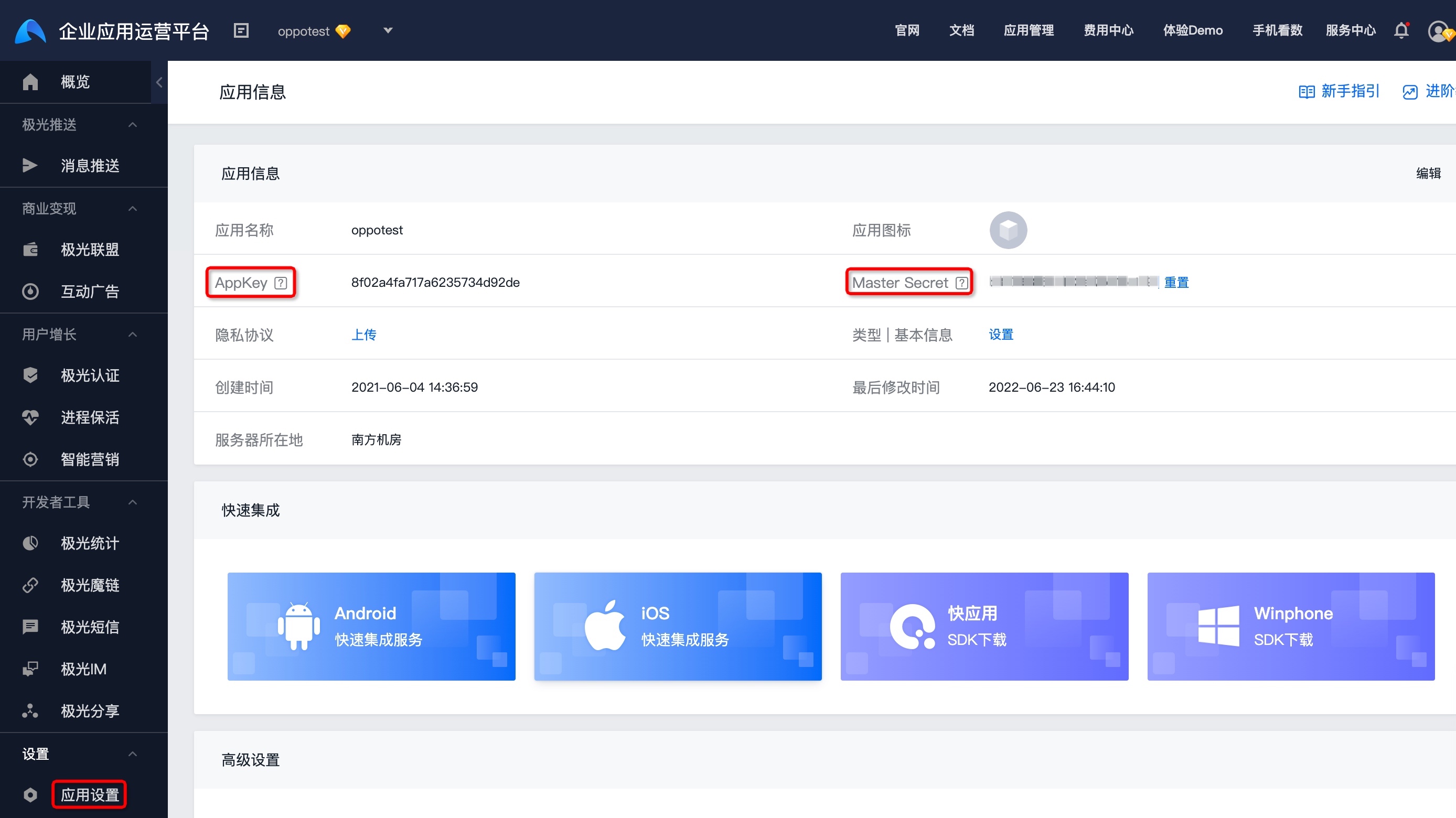
Authorization; value is base64-encodedusername:password(colon-separated). - For JPortrait API, username is appKey and password is masterSecret. View both in console app settings.
Authentication Example
If your appKey is 7d431e42dfa6a6d693ac2d04 and masterSecret is 5e987ac6d2e04d95a9d8f0d1, call with curl:
          curl --insecure -X POST -v https://portrait-api.jiguang.cn/iaudience/open -H "Content-Type: application/json"
-u "7d431e42dfa6a6d693ac2d04:5e987ac6d2e04d95a9d8f0d1"
-d '{...}'
curl --insecure -X POST -v https://portrait-api.jiguang.cn/iaudience/open -H "Content-Type: application/json"
-u "7d431e42dfa6a6d693ac2d04:5e987ac6d2e04d95a9d8f0d1"
-d '{...}'
This code block is shown in the floating window
The HTTP request sent:
          > POST /v3/push HTTP/1.1
> Authorization: Basic N2Q0MzFlNDJkZmE2YTZkNjkzYWMyZDA0OjVlOTg3YWM2ZDJlMDRkOTVhOWQ4ZjBkMQ==
> POST /v3/push HTTP/1.1
> Authorization: Basic N2Q0MzFlNDJkZmE2YTZkNjkzYWMyZDA0OjVlOTg3YWM2ZDJlMDRkOTVhOWQ4ZjBkMQ==
This code block is shown in the floating window
Domain
https://portrait-api.jiguang.cn/iaudience/open
Response Structure
| KEY | TYPE | DESCRIPTION |
|---|---|---|
| code | string | Business code. See business code table. |
| message | string | Auxiliary message for the business code. |
| requestId | string | Globally unique request ID generated by Jiguang. |
| data | - | Result data for this request. Structure varies by API. |
Example:
          {
 "code": "2000",
 "message": "success",
 "requestId": "021011361482",
 "data": {
 "HADI_SHOPPING_MALL": "1.0000",
 "HAGI_SHOPPING_ALL": "0.7354",
 "HAGI_SHOPPING_MALL": "0.6763"
 }
}
{
"code": "2000",
"message": "success",
"requestId": "021011361482",
"data": {
"HADI_SHOPPING_MALL": "1.0000",
"HAGI_SHOPPING_ALL": "0.7354",
"HAGI_SHOPPING_MALL": "0.6763"
}
}
This code block is shown in the floating window
Business Code Table
| CODE | HTTP CODE | MESSAGE | DESCRIPTION |
|---|---|---|---|
| 2000 | 200 | success | Query succeeded |
| 2001 | 200 | data not found | No data found |
| 2002 | 200 | biz error | Business error |
| 4000 | 400 | params invalid | Invalid parameters |
| 5000 | 500 | internal Server Error | System error |
| 6002 | 401 | authorization invalid | API authentication failed |
Was this document helpful?

