Marketing Score System
Marketing scores are scoring rules created based on business operation experience. By sorting users by score, individual differentiated evaluation can be achieved to support more refined marketing needs.
Operation personnel can use marketing scores to perform differentiated marketing for customers with different scores, improving marketing ROI, increasing business conversion rates, and reducing customer churn.
Marketing Score System Description
Go to User Labels -> Marketing Score System to view all marketing score groups, basic marketing score information, marketing score distribution, and historical data.
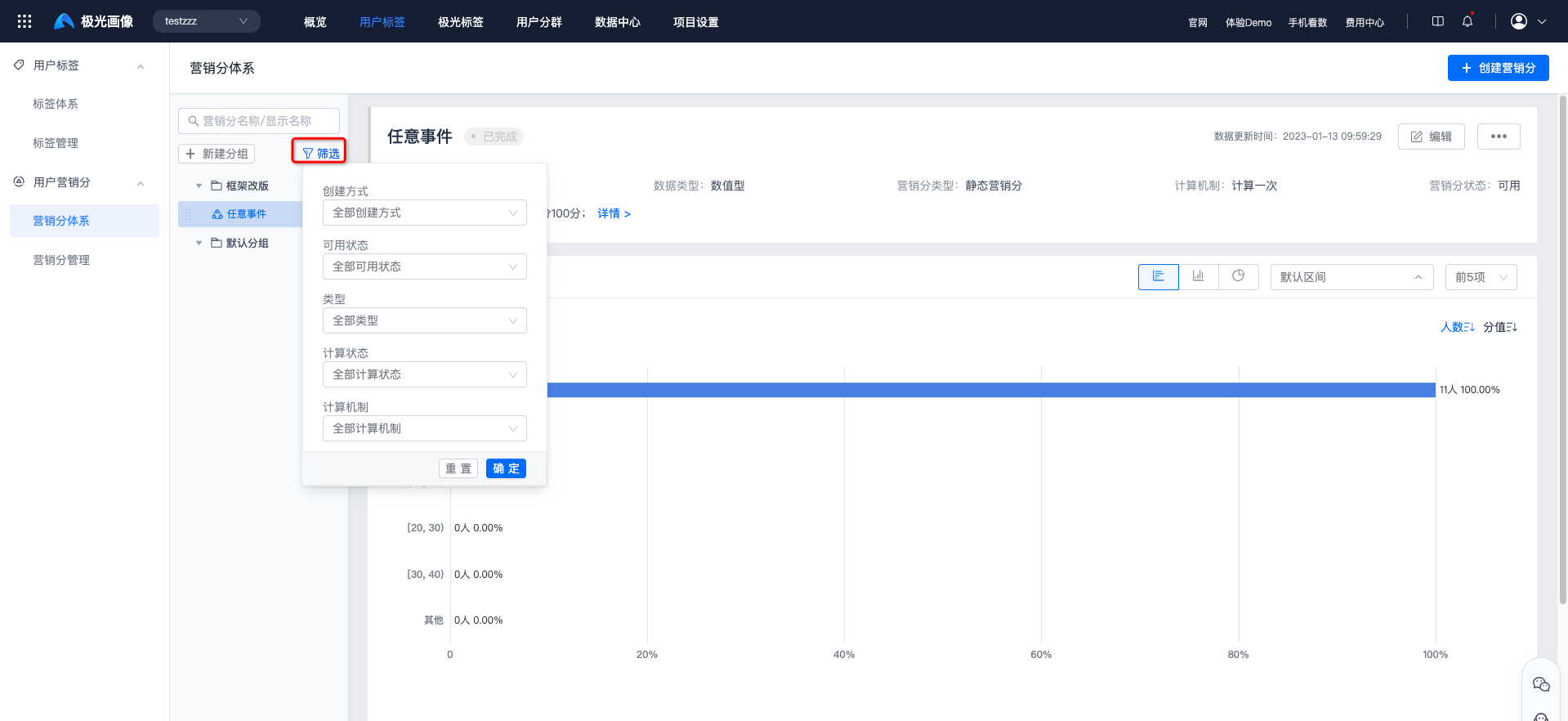
- Marketing scores support filtering by creation method, availability status, type, calculation status, and calculation mechanism.
Marketing Score Group Management
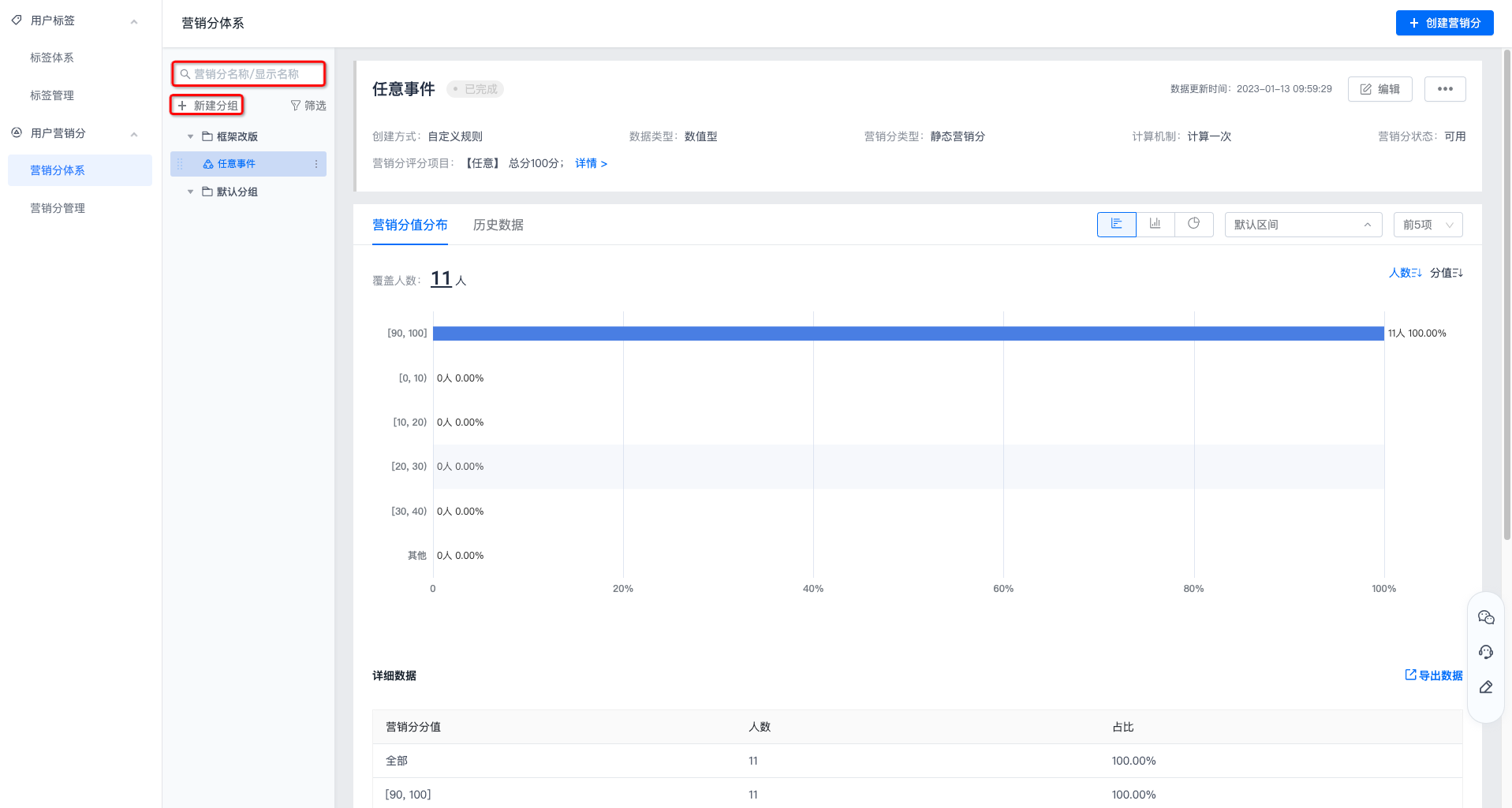
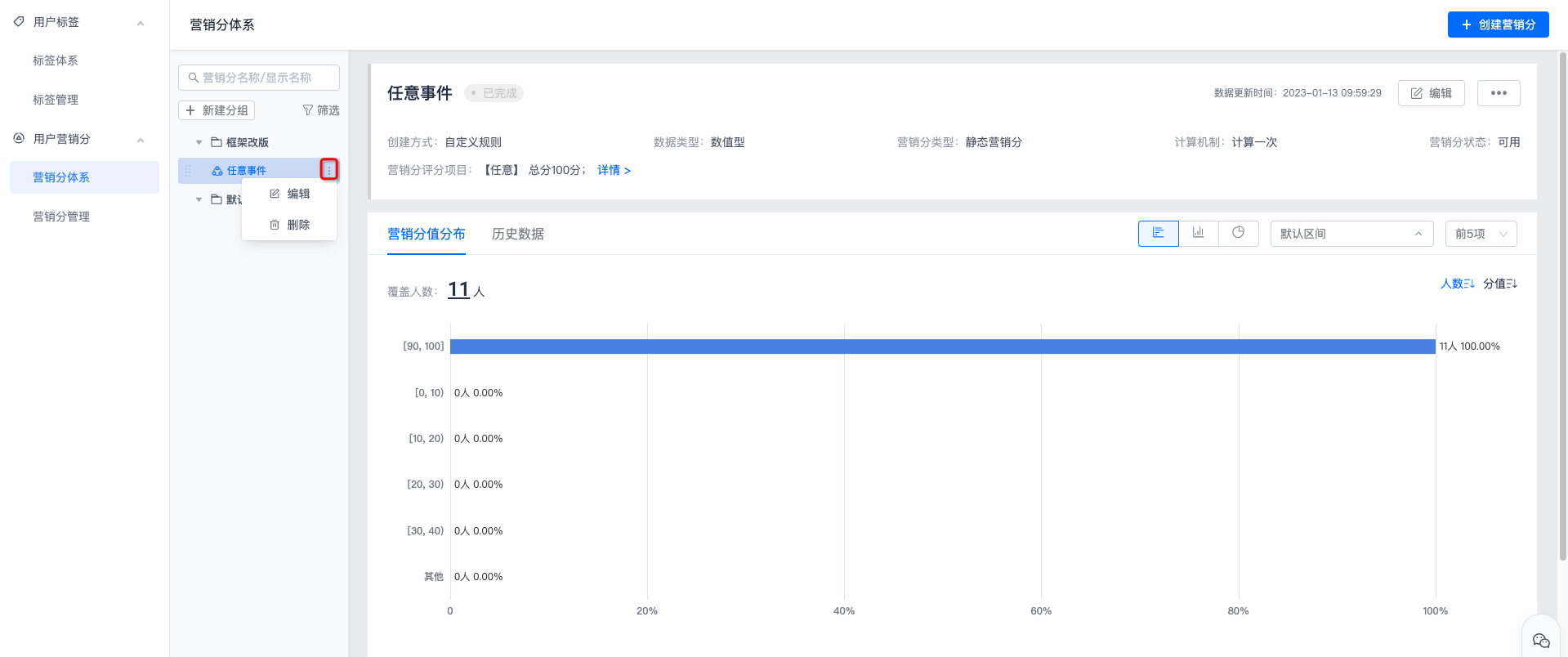
Filtering by marketing score name/display name is supported.
Creating new groups is supported, with up to two levels of groups.
Groups can be dragged directly to adjust their position. If the dragged group contains subgroups, it cannot be placed under a first-level group.
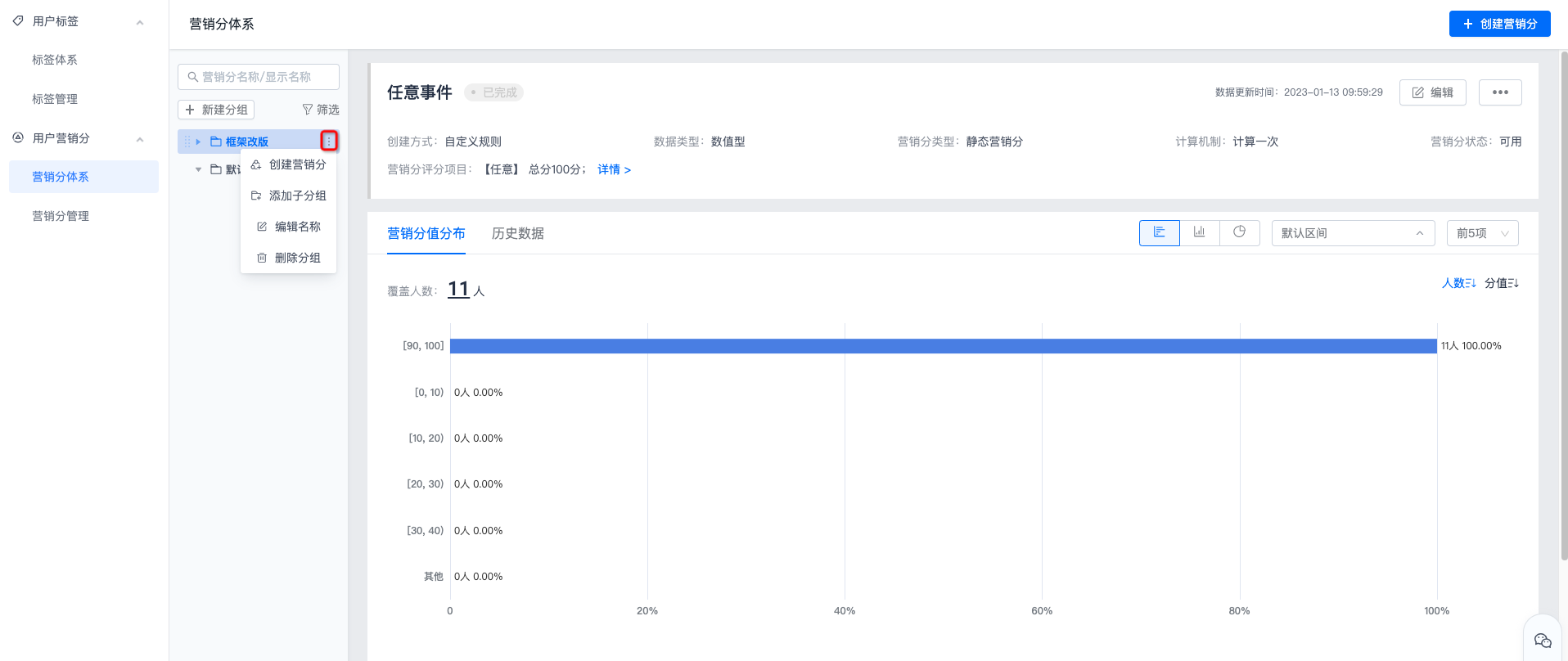
Click More for a custom group to create marketing scores, add subgroups, edit names, delete groups, and perform other operations. Default groups only support creating marketing scores.
After a first-level group is deleted, all second-level groups under it are also deleted. After deletion, all marketing scores under the group will be transferred to Default Group.
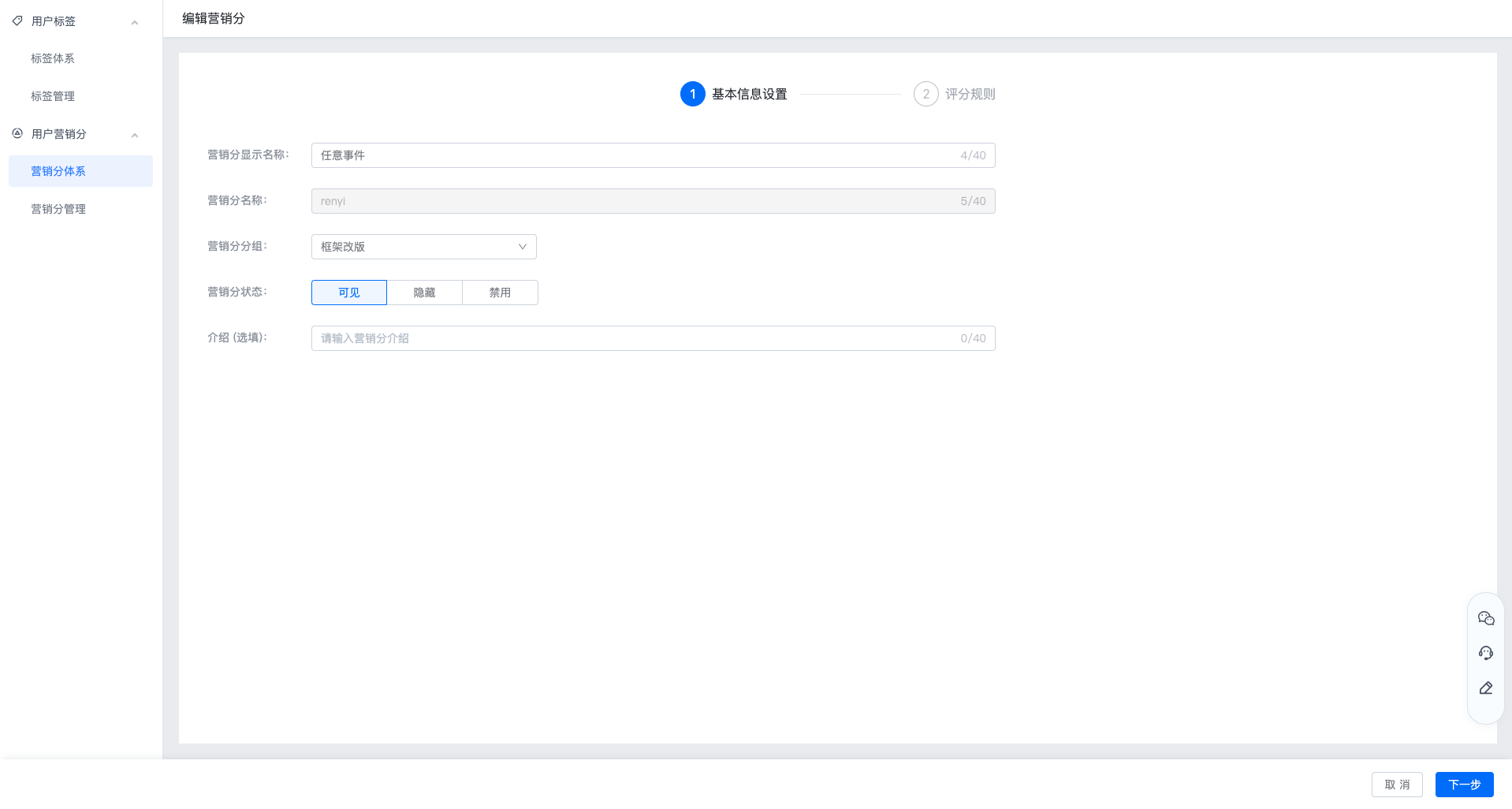
- Click More for a marketing score to edit or delete it. Editing supports modifying the display name, group, status, and introduction.
- Marketing scores can be dragged directly to any group.
Basic Marketing Score Information
- Basic information displays the creation method, data type, marketing type, calculation mechanism, availability status, and scoring items of the marketing score.
- Creation method: custom rule creation and import creation are supported.
- Data type: the data type of the value. Marketing score data types are all numeric.
- Marketing score type: displays the type of the marketing score.
- Dynamic marketing score: a marketing score that is calculated routinely.
- Static marketing score: a marketing score that is calculated only once.
- Calculation mechanism: displays the calculation mechanism of the marketing score, such as calculate once, once per day, once every week on X, or once every month on day XX.
- Marketing scores with completed calculation support editing, recalculation, and deletion.

Marketing Score Value Distribution
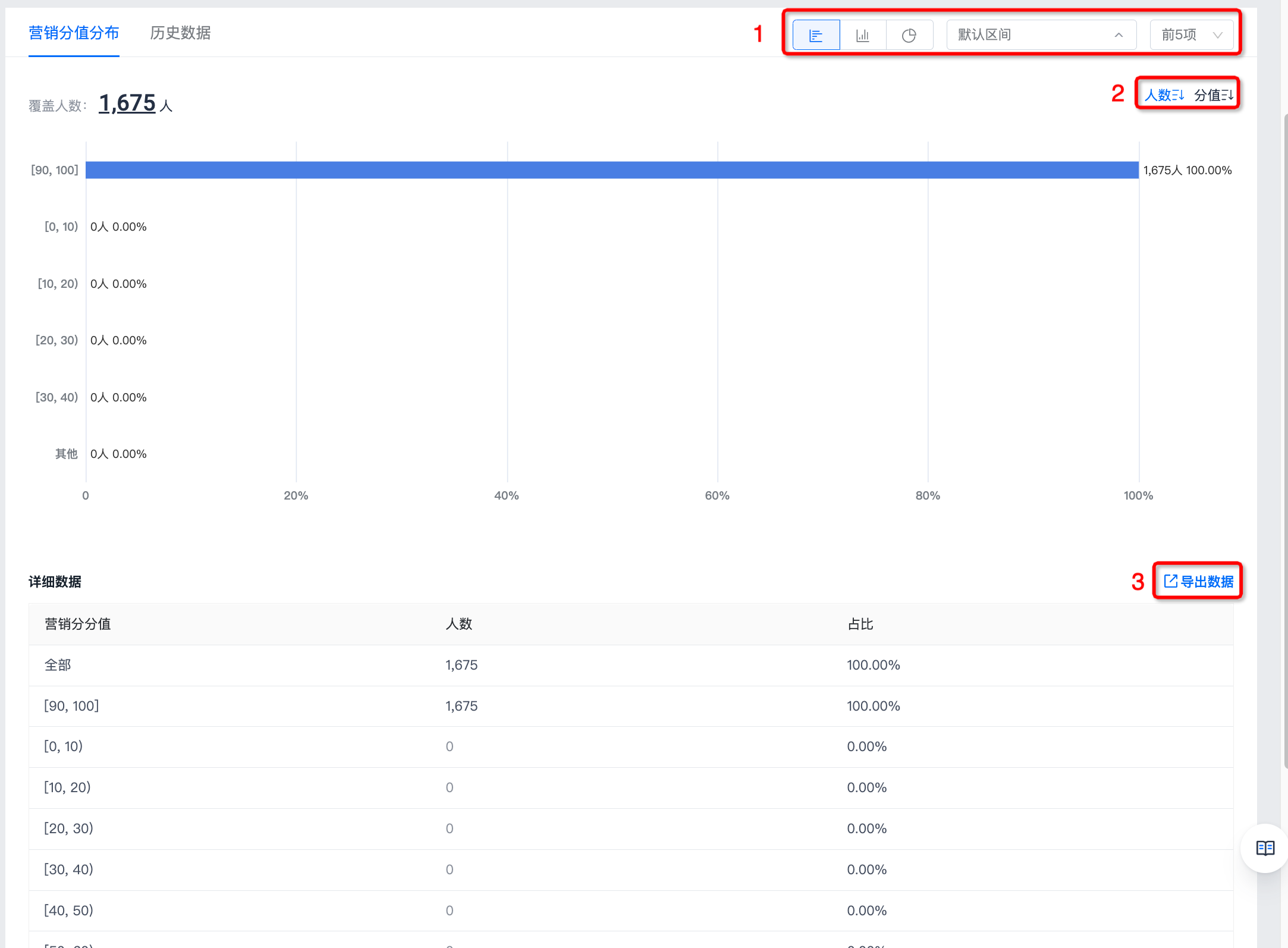
Marketing score value distribution shows the number of covered users and audience proportion in each score interval.
- At position 1, you can select the data display method.
- Three chart types are supported: bar chart, column chart, and donut chart.
- Interval grouping is supported: default interval, discrete numbers, and custom interval. This option is displayed when the statistical metric data type is number or datetime; otherwise, it is not displayed.
- Default interval: divide intervals according to the default calculation rules, with up to 50 intervals.
- Discrete numbers: directly divide and display according to original statistical result values; each value is its own interval.
- Custom interval: display based on user-defined intervals. Intervals can be added and removed. At least 2 intervals must be configured. The input box accepts integers only, and the number on the right side of an interval must be greater than the number on the left.
- Selecting the number of interval items to display is supported, with up to the top 50 items.
- At position 2, select the sorting method for data display. Descending display by number of users and score is supported.
- At position 3, click Export Data to download detailed data.
Historical Data
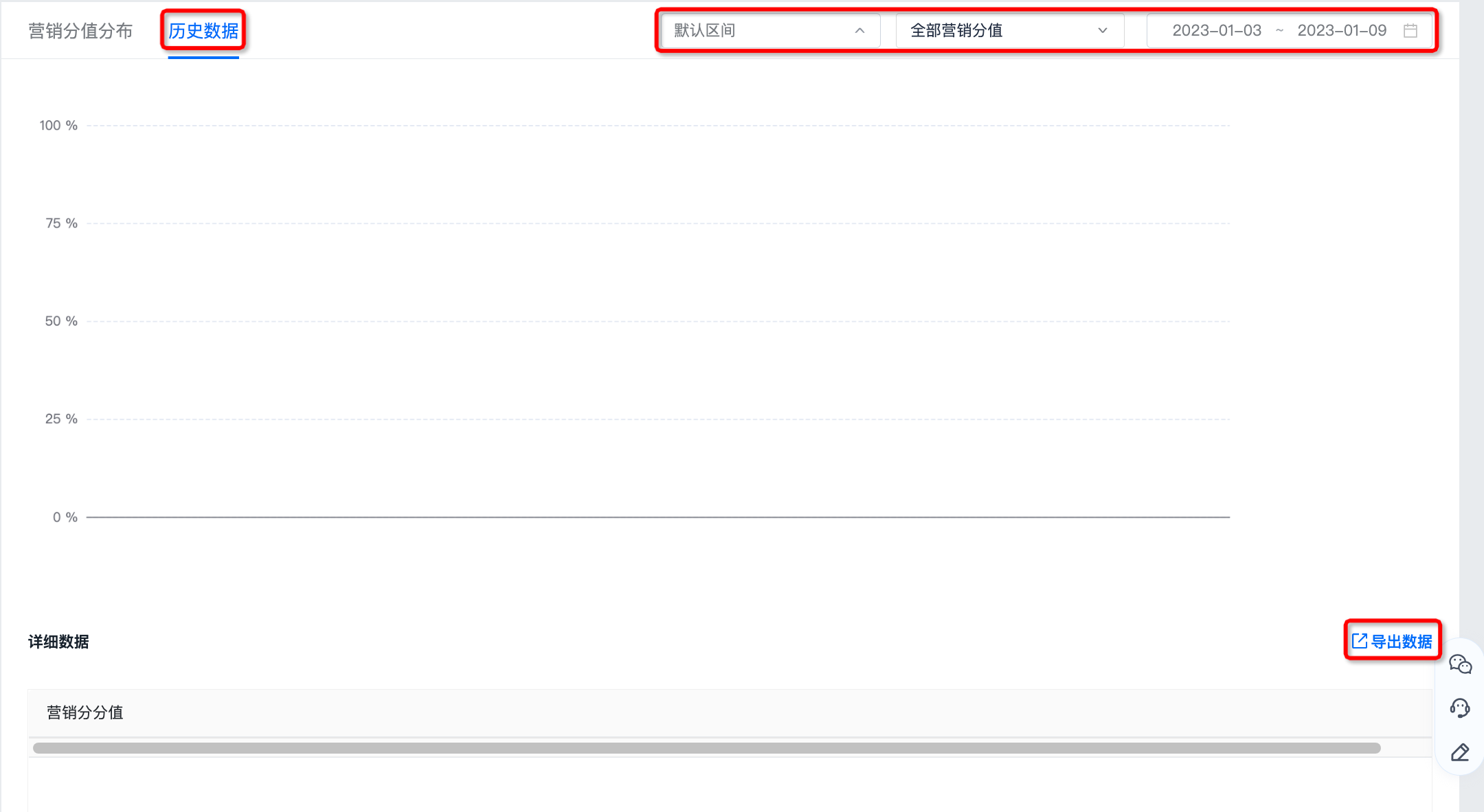
- Filtering by label value and date is supported.
- Click Export Data to download detailed data.