


Resource Management
Last updated:2023-09-19
Resource Management
Go to [Billing Center] - [Resource Management] - [SMS] to view the remaining quota and SMS consumption for each SMS type under the account.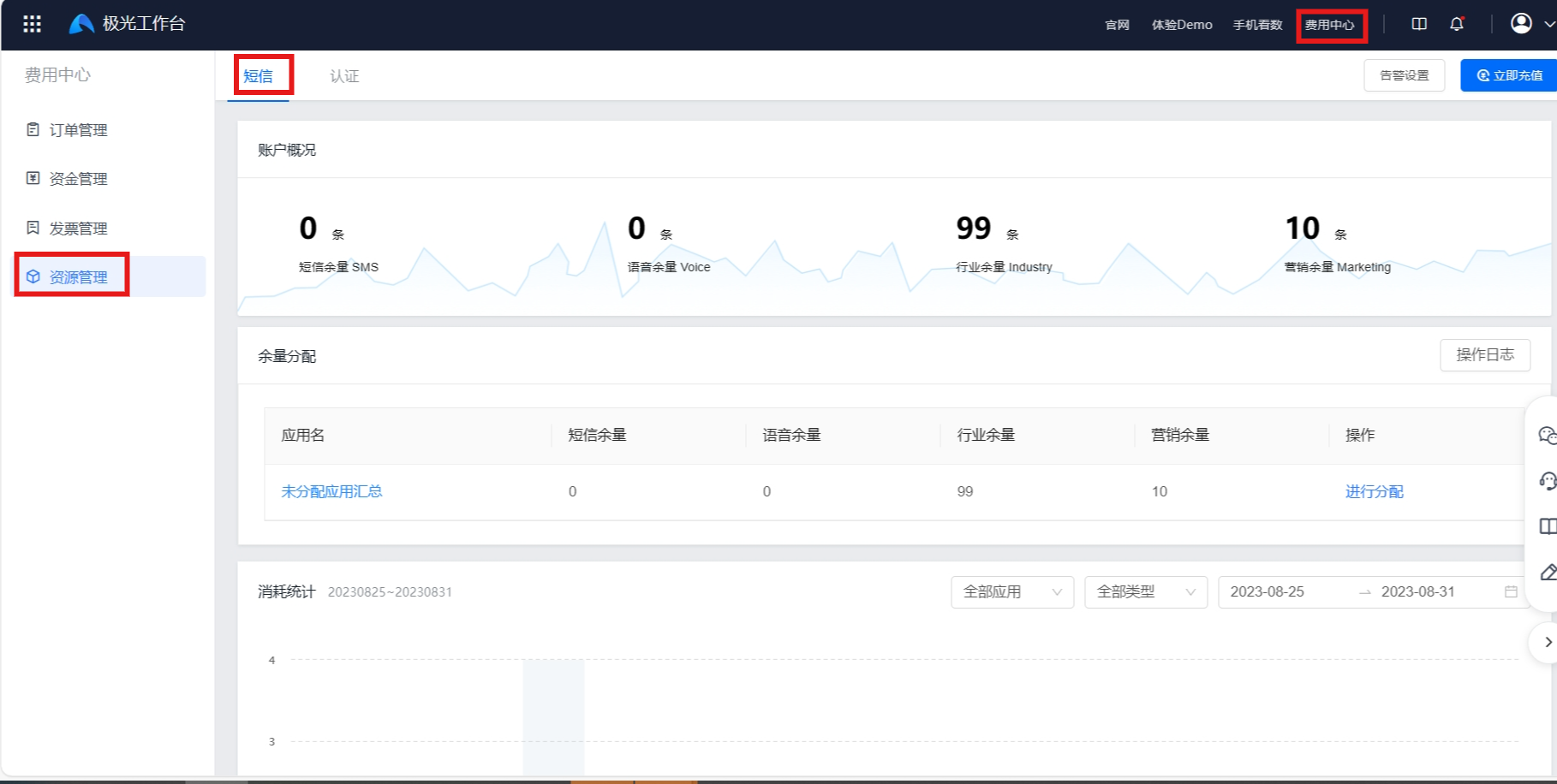
Click "Export" to export the filtered detailed data.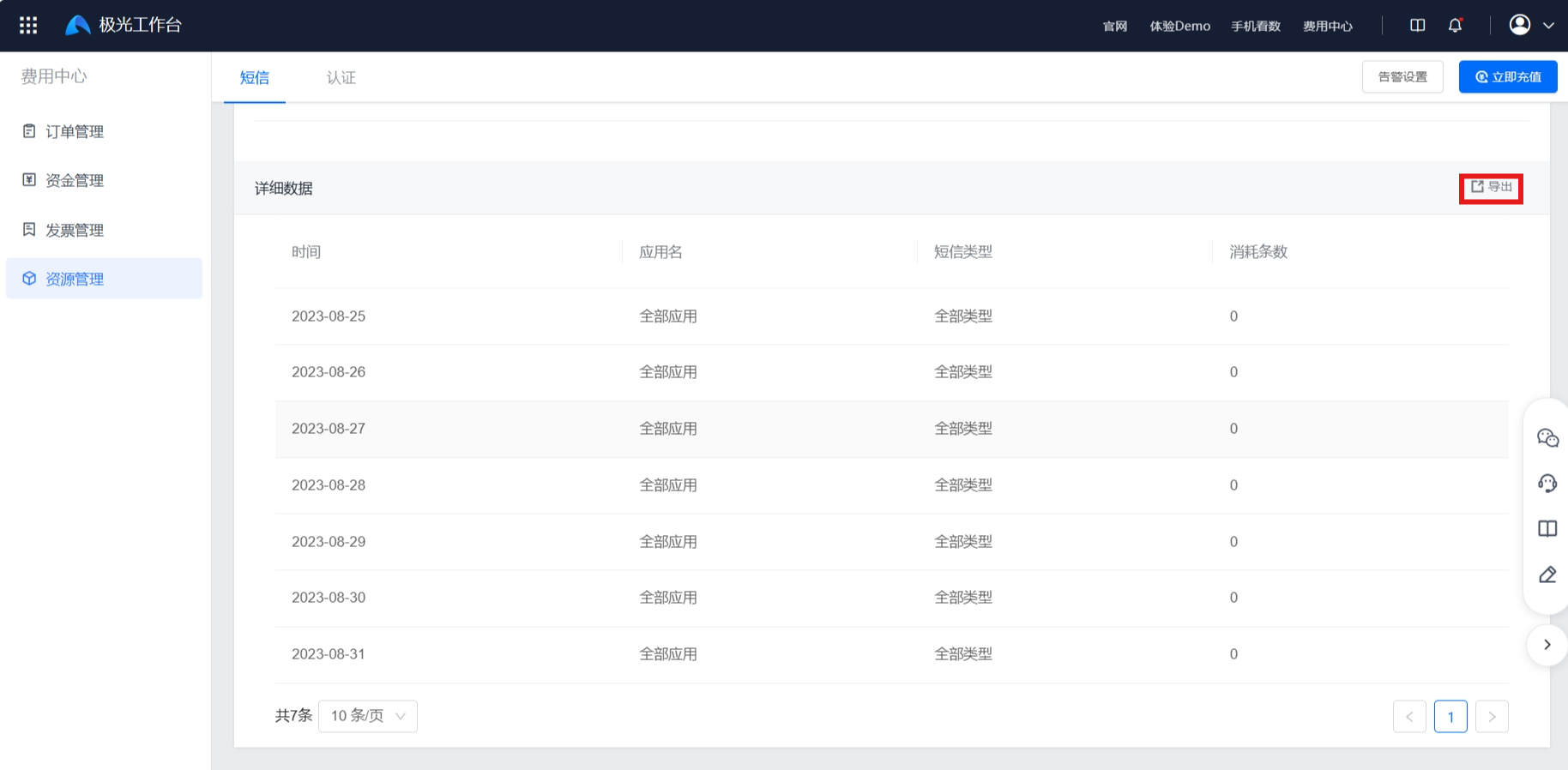
Resource Allocation
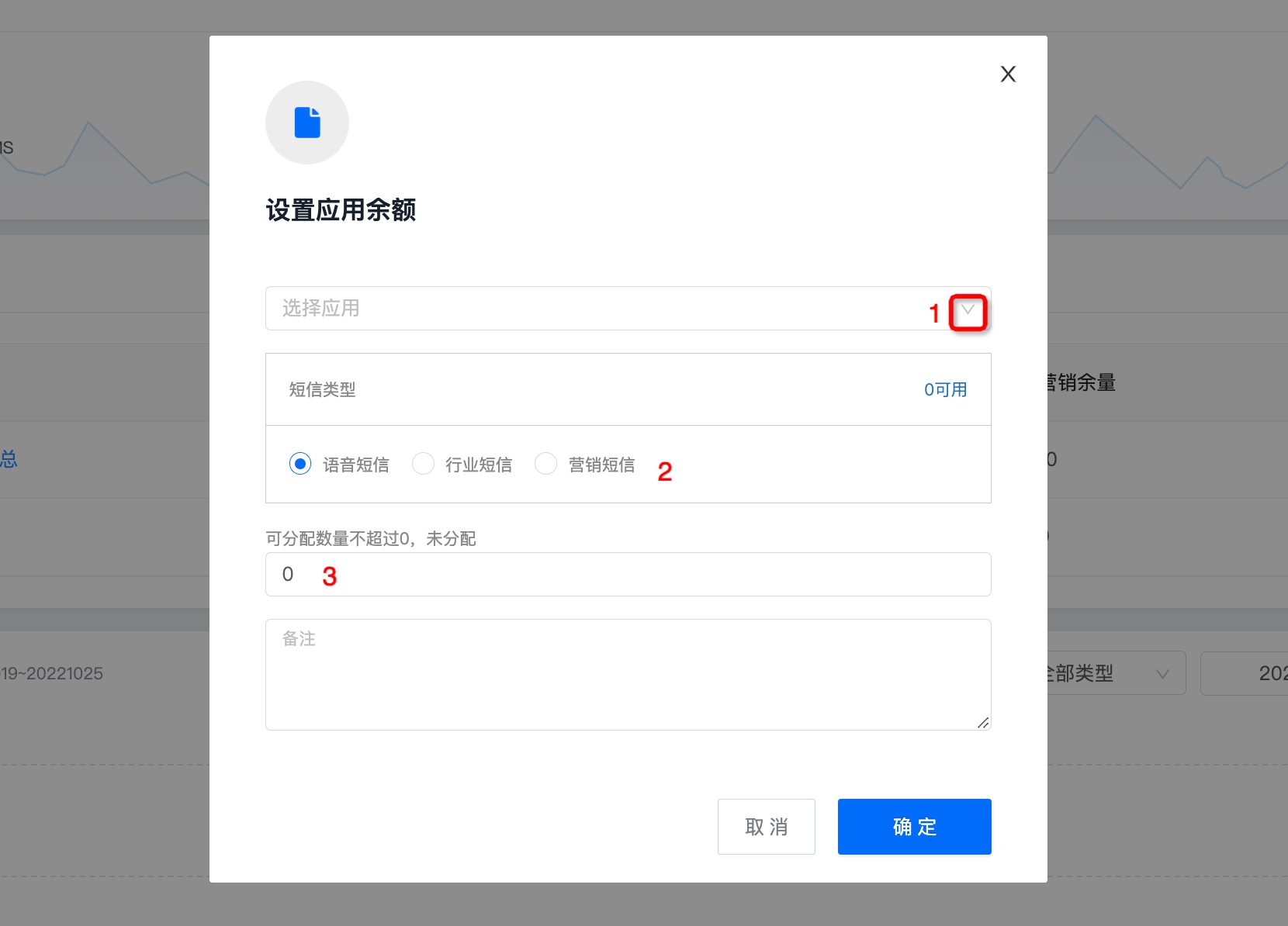
Click "Allocate" to allocate the account's remaining quota to the corresponding app.
- Select the app that needs allocation.
- Select the SMS type to allocate and enter the quantity to allocate. The allocated quantity cannot exceed the unallocated total.
- If an app needs balances for multiple SMS types, click "OK" first, then select "Allocate" again to allocate another type.
Resource Return
If an app no longer needs to use the SMS service or has been removed from shelves, it is recommended to return the allocated remaining quota and delete the allocation record.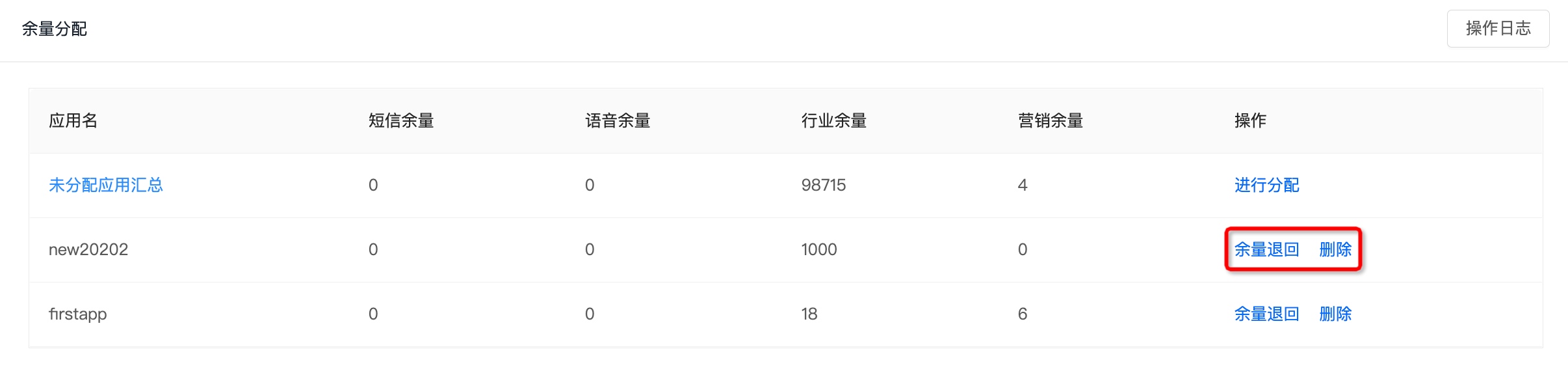
View Operation Logs
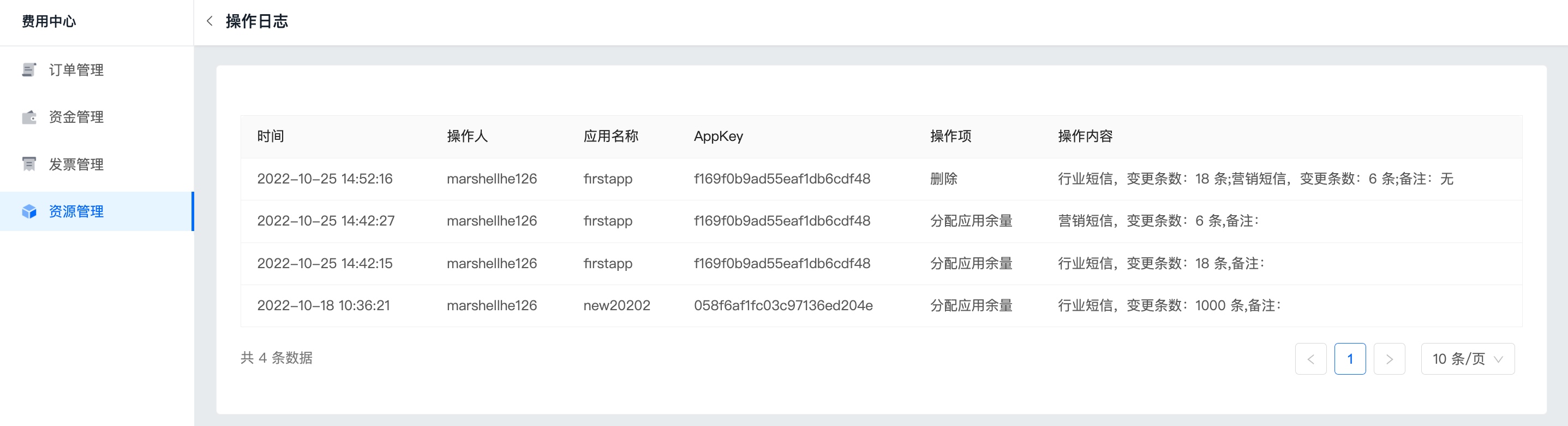
To view operation records for resource allocation and return, click "Operation Logs".
Was this document helpful?

