


Create SMS
Last updated:2023-09-19
Create SMS
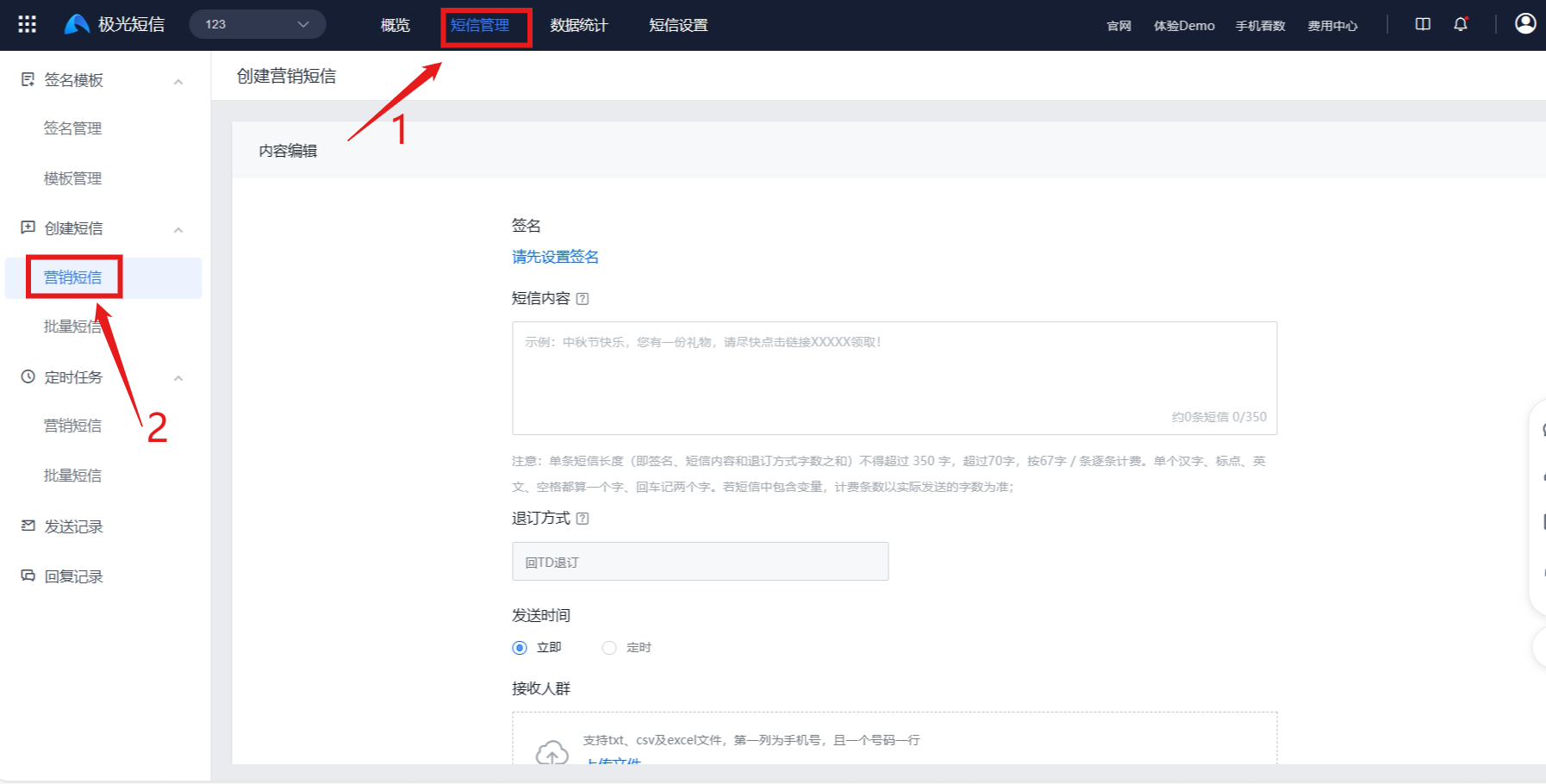
Create Marketing SMS
- The Jiguang Developer Console supports sending marketing SMS online and viewing scheduled and sent marketing SMS records.
- Creating marketing SMS online does not support uploading variables. To send marketing SMS with variables online, use the batch SMS feature.
- Before creating a marketing SMS task, make sure the remaining quota is sufficient. If the available quota is less than the number of SMS messages required for this send, task creation will fail.
- After a marketing SMS is created, it will be sent only after approval. If the send time is set to "Immediate", the SMS will be sent directly after approval. Users with strict send-time requirements are advised to create scheduled SMS messages in advance.
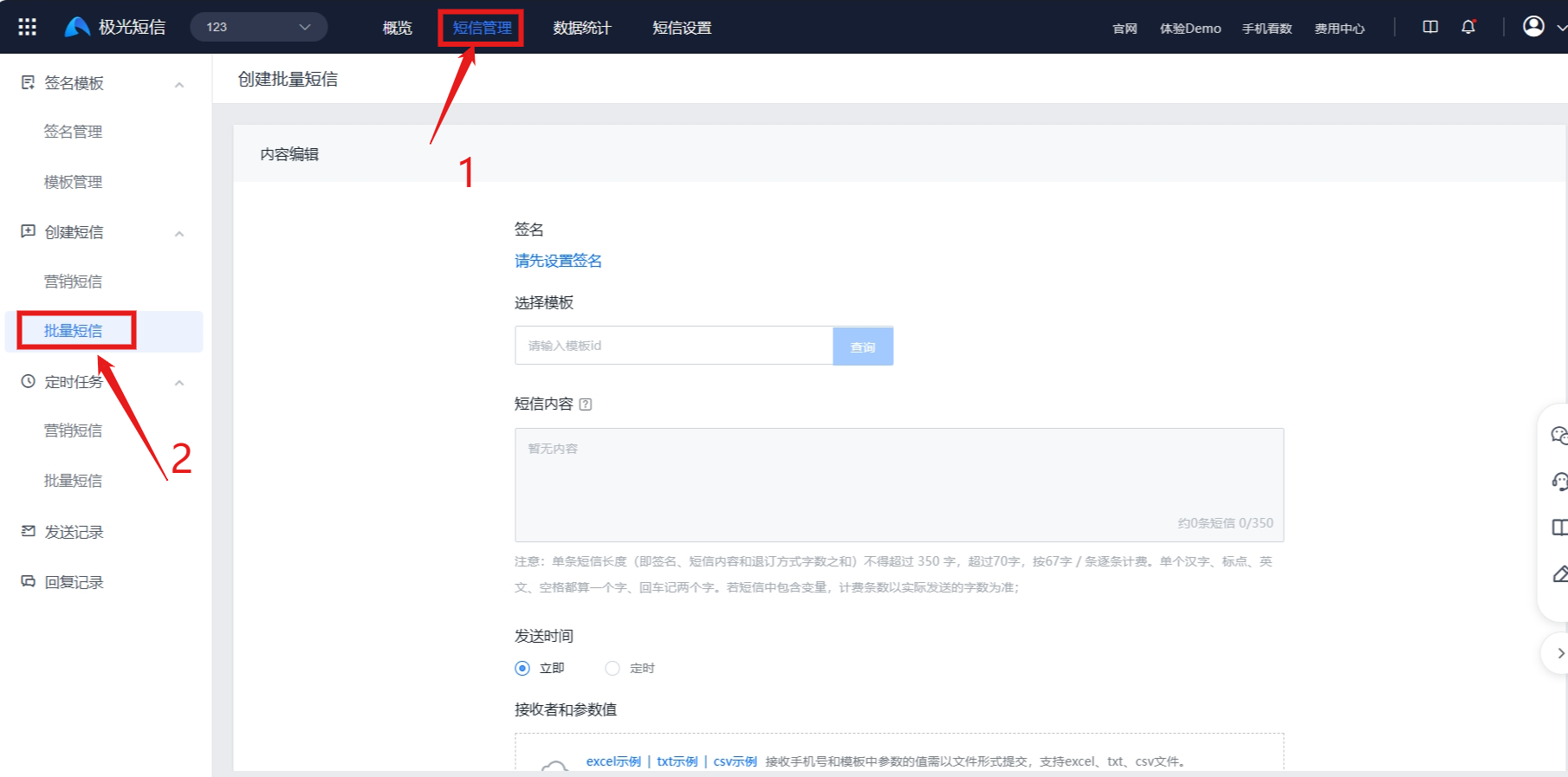
Create Batch SMS
- The Jiguang Developer Console supports sending batch system notification SMS and marketing SMS online, and supports viewing scheduled and sent SMS records.
- Before using batch SMS to send SMS online, create a template in advance. Batch SMS does not support editing SMS content.
- Before creating a batch SMS task, make sure the remaining quota is sufficient. If the available quota is less than the number of SMS messages required for this send, task creation will fail.
View Data
- Data overview shows data for the app, including SMS remaining quota, send volume, and consumption.
- Sending records for all SMS types, including verification code, notification, marketing, and push supplement SMS, can be viewed in Sending Records.
- All received uplink SMS records can be viewed in Reply Records.
Was this document helpful?

