


Alert Settings
Last updated:2025-05-29
Alert Settings
Go to [Billing Center] - [Alert Settings] - [SMS] to configure SMS alerts. Alerts can be configured for insufficient remaining quota and abnormal requests to avoid affecting your business.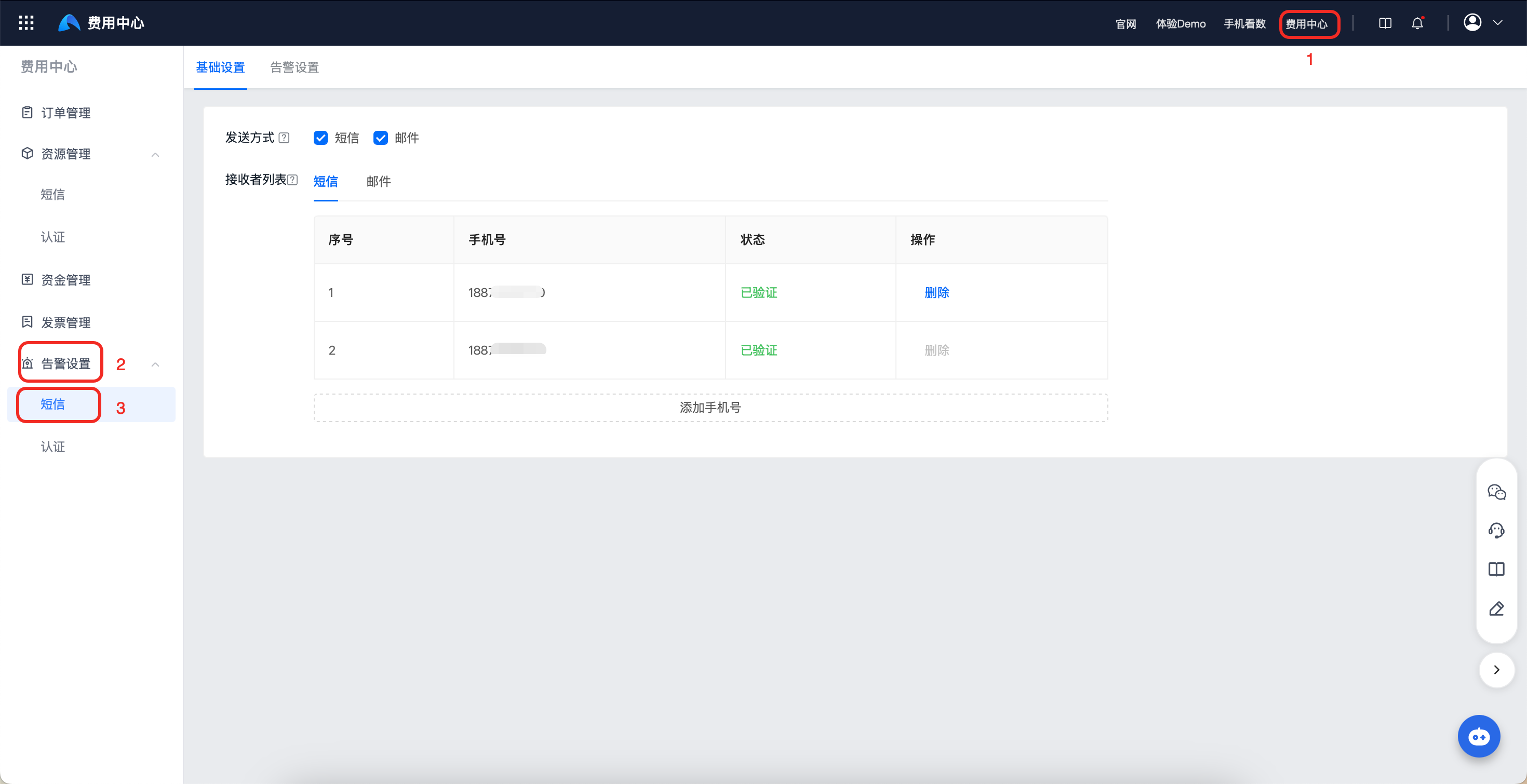
Basic Settings
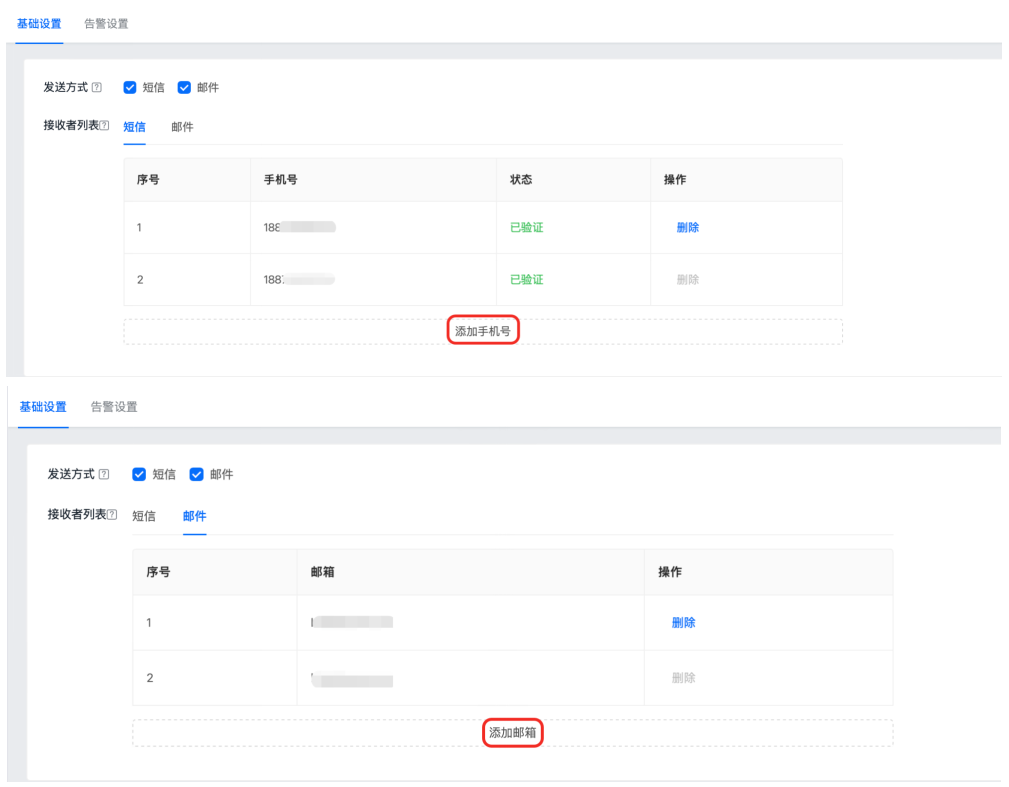
The Basic Settings page lets you configure alert sending methods and the contact list for receiving alerts.
- Supports SMS and email sending methods. At least one sending method must be selected.
- For each sending method, 1 to 10 contact methods can be added.
- The console selects SMS and email sending methods by default, and displays the mobile number and email address from developer authentication in the recipient list.
Alert Settings
Remaining Quota Alert
[Remaining Quota Alert] supports two alert methods: default alert and custom alert. Choose one of the two. The console enables default alert by default. You can change the alert type in [Settings] under [Remaining Quota Alert].
Default Alert
- At 10:00 every morning, the Jiguang backend calculates whether the current remaining quota can meet the consumption required for the next 14 days, 7 days, and 3 days based on the average consumption over the past 30 days. When the remaining quota is insufficient, remaining quota alerts are sent to the mobile number and email address from developer authentication.
- If resources are allocated to apps, alerts are sent by app (appkey). If no resources are allocated, alerts are sent by account.
Custom Alert
- Calculation is performed at 10:00 every morning. When the remaining quota of any SMS type for an account or app is lower than the configured threshold, alerts are sent to recipients. At most one SMS and one email are sent per day, with reminders for up to 3 consecutive days.
- Supports remaining quota threshold settings for four types: industry SMS, marketing SMS, voice SMS, and special marketing SMS. The threshold range is 100 to 999999999.
- Custom alert setup path: choose "Custom Alert" - set remaining quota alert thresholds for each type - click "OK".

Exception Alert
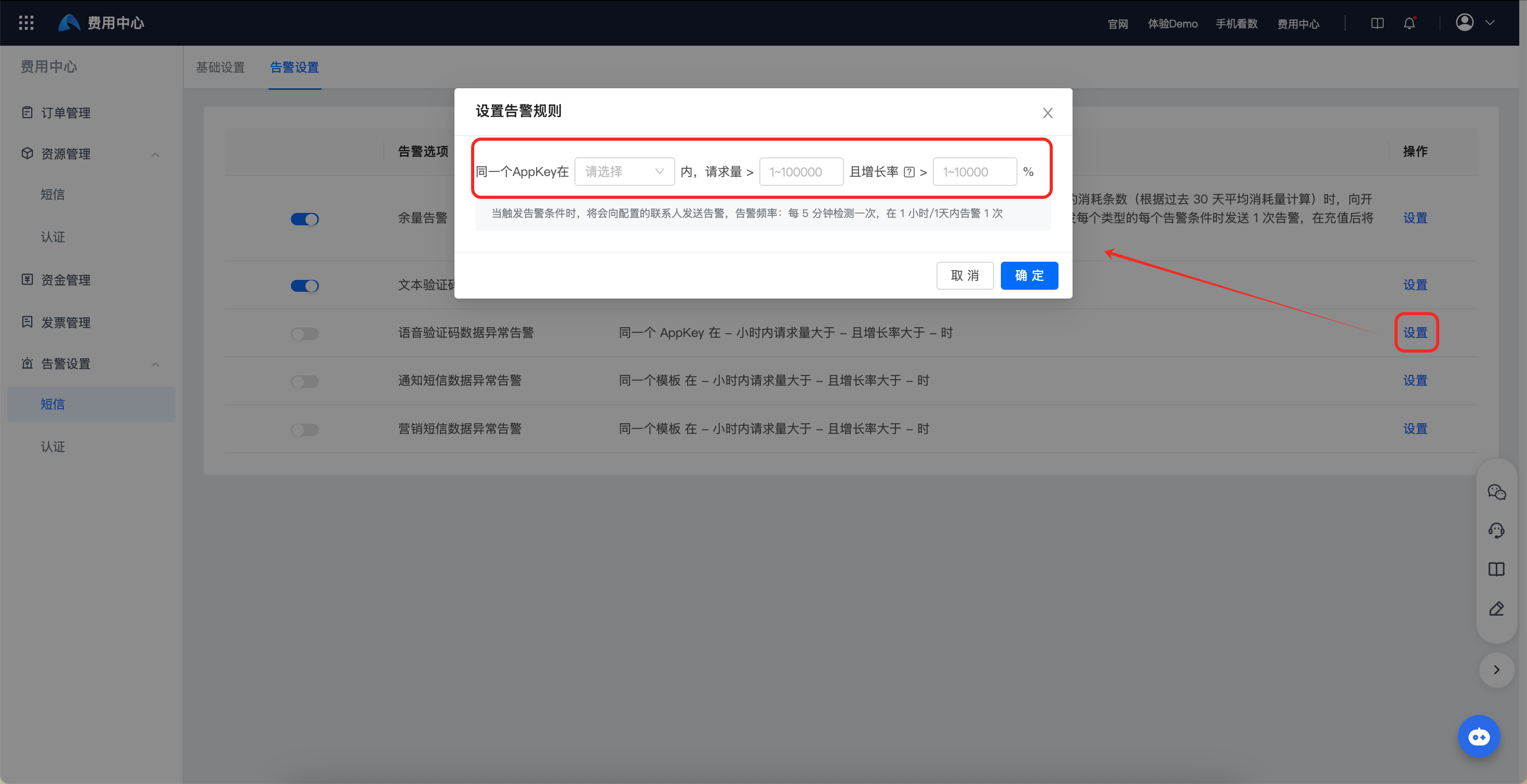
[Exception Alert] is disabled by default in the console and can be configured as needed.
- Supports configuring alerts triggered by abnormal sending frequency for text verification codes, voice verification codes, notification SMS, and marketing SMS.
- When alert conditions are triggered, alerts are sent to configured contacts. Alert frequency: checks every 5 minutes, and sends 1 alert within 1 hour or 1 day.
Was this document helpful?

