


Alipay Life Account Integration Guide
UMS currently supports template messages for Alipay Life Accounts. Rich media message support is planned for a future release.
Apply for a Life Account
For detailed steps, see the official integration documentation.
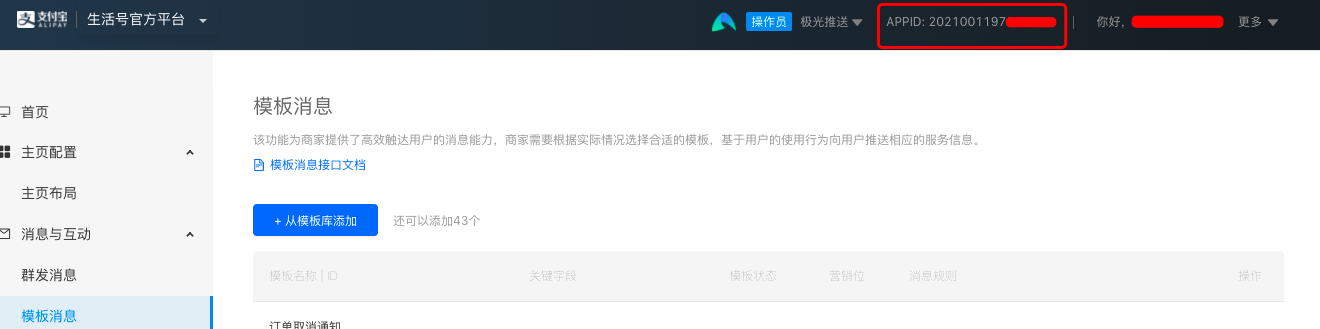
Alipay only allows enterprise accounts, such as companies, government or social organizations, and individually owned businesses, to create Life Accounts. Use the enterprise Alipay account to log in to the Life Account platform and create a Life Account. After creation, you will obtain the APPID. After logging in to the Life Account platform, the APPID can be viewed in the upper-right corner of the home page.
Generate an RSA key pair. The Private Key must be entered in the UMS Alipay Life Account channel information.
Activate developer mode. For detailed steps, see the official integration documentation.
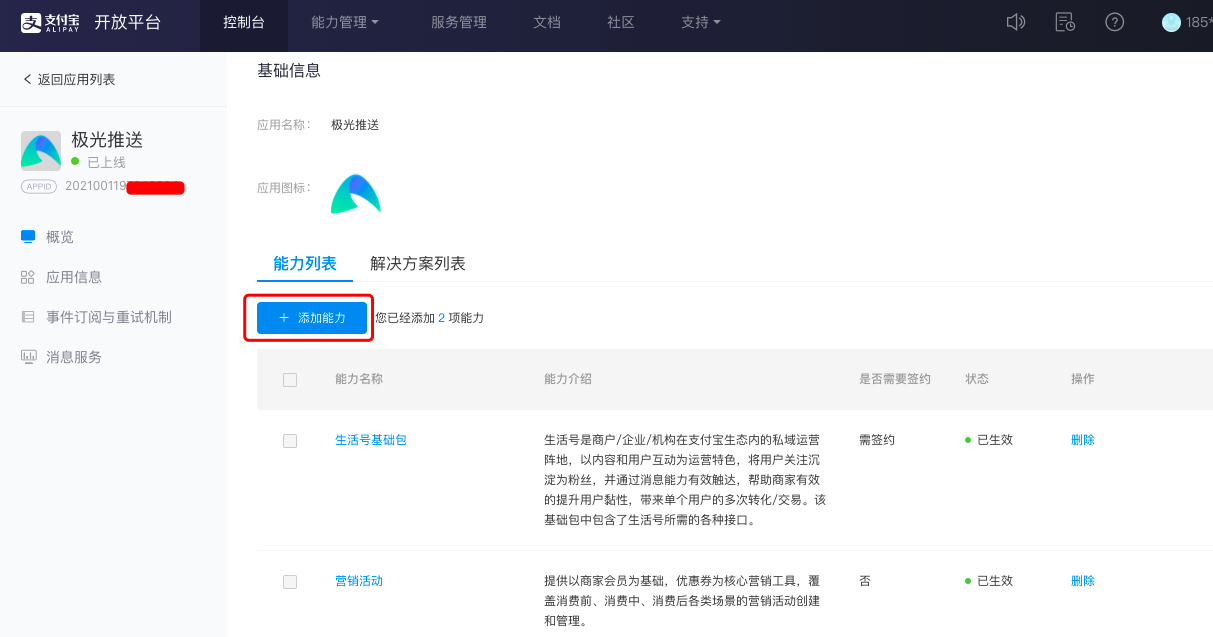
Obtain Life Account API permissions. Go to the Alipay Open Platform, find the Life Account in the application list, open its management page, and add Life Account capabilities.
Add Templates
In the Life Account management platform, select Template Messages and add the required message template from the template library. If no suitable template is available, you can apply for a new template. The review cycle is 3 to 7 days.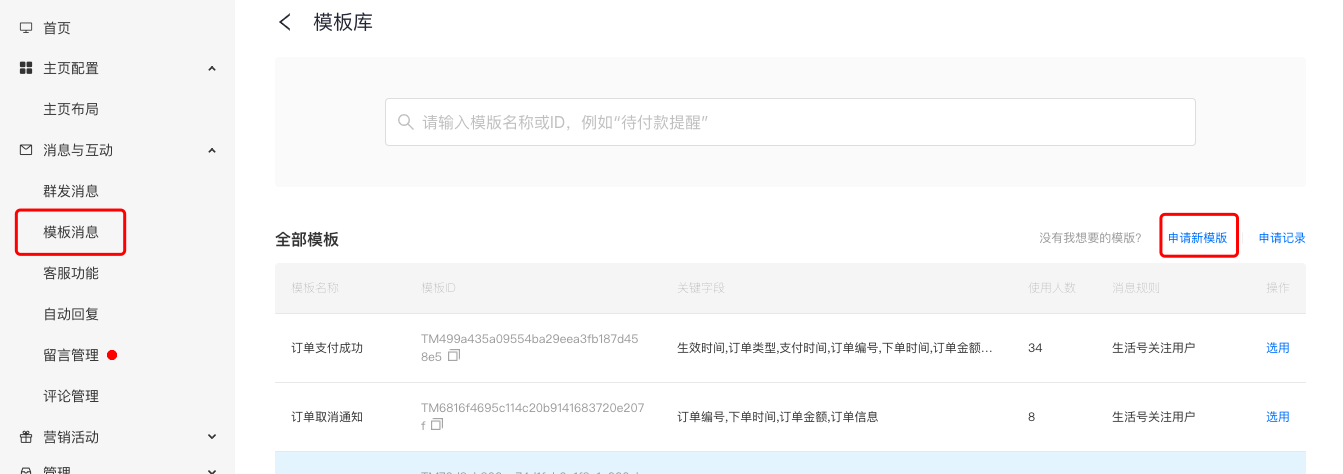
After adding a template, view the template details, copy the Template ID, Template Name, and key fields, and paste them into UMS to import the template for selection when sending messages.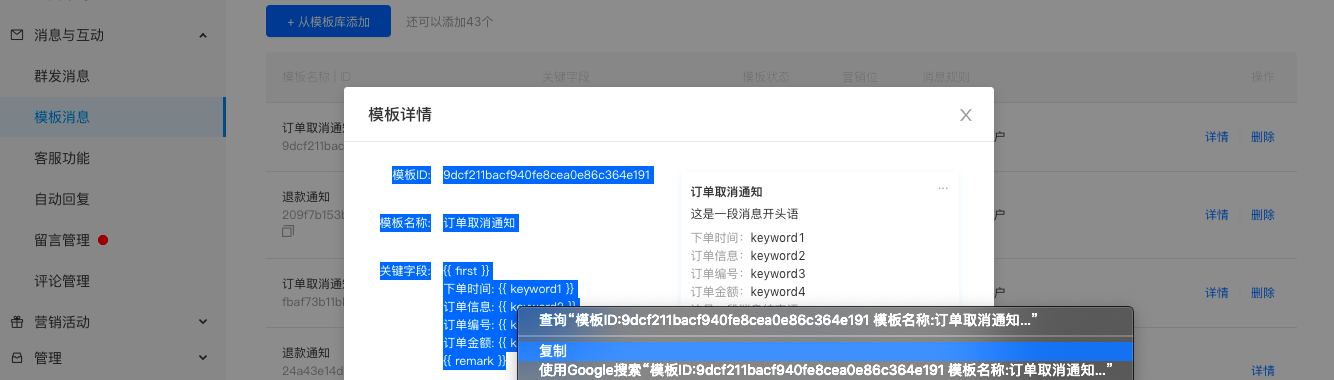
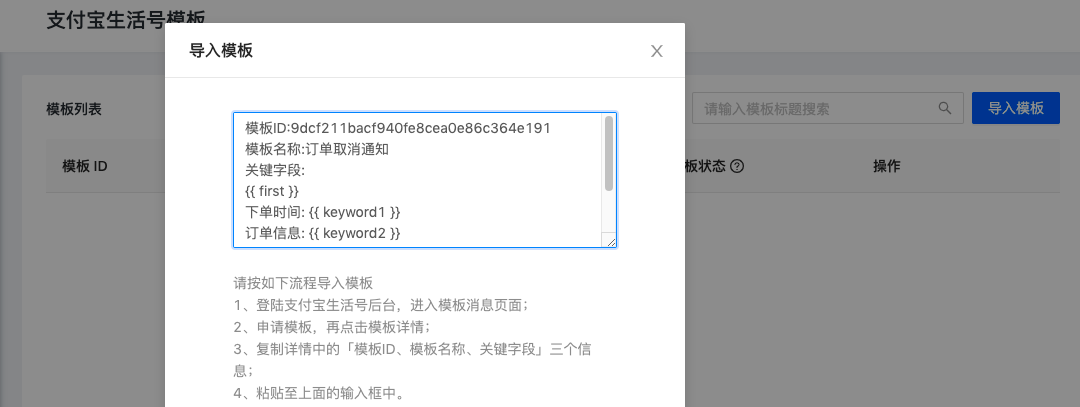
Because Alipay does not provide an API for querying the template list, UMS cannot detect status changes after a template is deleted on the Alipay platform. The template status will be changed to invalid only when UMS uses the template to send a message and Alipay returns that the template does not exist.
Upload userID
Use Alipay member capabilities to obtain the userID, then upload the userID to UMS.
When uploading an Alipay userID, set the binding identifier
bind_idto the channel code.
- Jiguang provides a utility to help developers obtain the user list. Download the pushtools utility (Linux version or Mac version), then run the following command in the console and enter the specific AppID and PrivateKey.
- If the channel code configured when creating the channel in UMS is
alipaylife123, examples for uploading information to the UMS platform are as follows:
- Click file upload in the UMS console. The Alipay Life Account userID field name in UMS is
alipaylife_userid. The Excel content is as follows: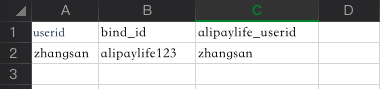
- The following is a JSON example for uploading through the REST API. For details, see REST API - User Management.
          [{
 "userid": "zhangsan",
 "set":{
 "alipaylife": {
 "alipaylife123":"123456"
 }
 }
}]
Send Messages
After the configuration is complete, you can send messages from the official console. See the Console Operation Guide.
You can also call the API to send messages. See the REST API documentation.

