


Jiguang SMS Integration Guide
In addition to supporting Jiguang SMS service by default, UMS also supports integrating an enterprise's existing SMS platform through the CMPP protocol.
This document describes the operations required for UMS to integrate JSMS. For more specific operations such as JSMS client SDK integration, see the JSMS documentation.
Configure Jiguang SMS Authentication Information
Log in to the Jiguang official website, go to Service Center - Developer Platform, create an app, obtain the AppKey and MasterSecret on the app settings page, and configure them in the UMS SMS channel information.
To use Jiguang SMS, you must first complete real-name authentication.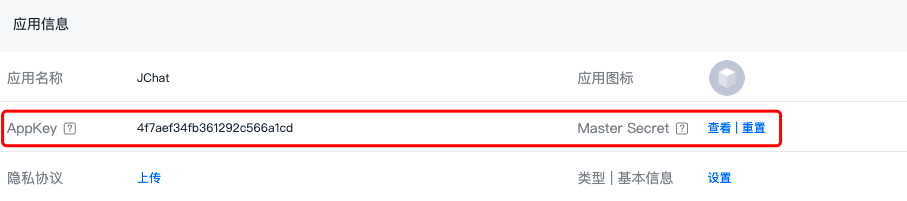
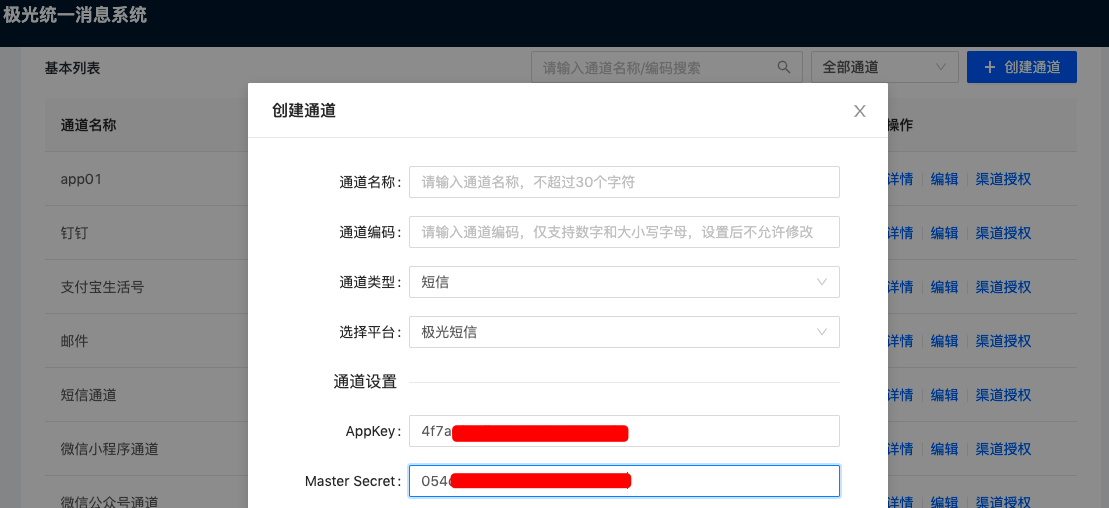
UMS does not restrict which Jiguang account the integrated SMS service belongs to. SMS services under any Jiguang account can be integrated.
Configure Jiguang SMS Callback URL
To allow the UMS system to detect message delivery status, the enterprise needs to configure the delivery receipt URL on the Jiguang SMS - Callback Settings - Sending Status Callback page.
- Sending status callback URL: https://ums-callback.jiguang.cn/v1/sms/callback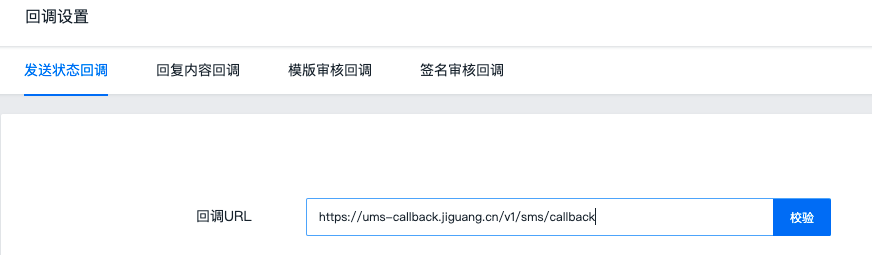
Configure CMPP Authentication Information
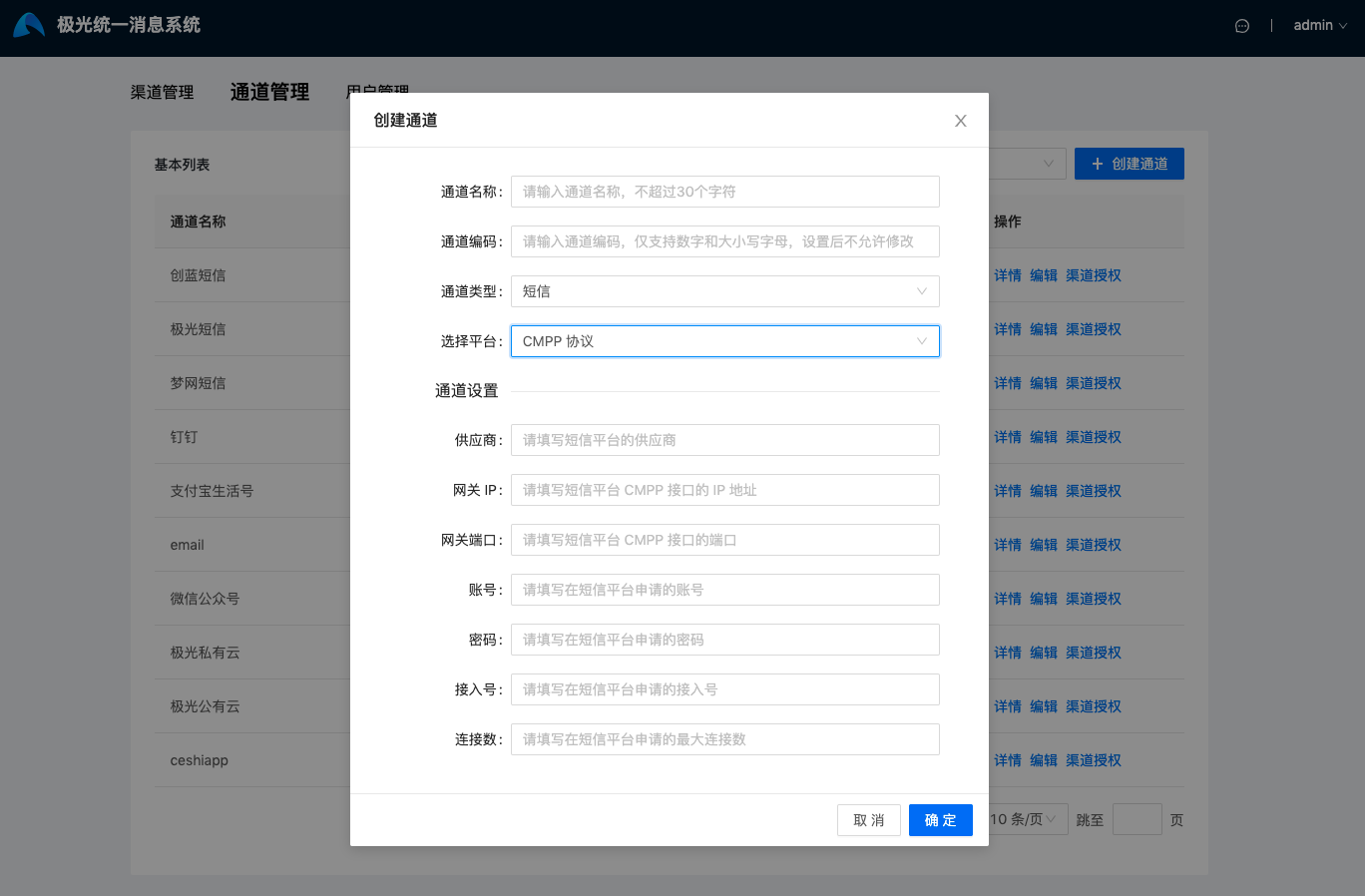
When adding an SMS channel through CMPP in UMS, you need to fill in 7 items:
- Provider
- To accurately analyze message loss for the configured channel, tell Jiguang the provider name and the receipt status codes returned by the provider through technical support or support@jiguang.cn.
- Gateway IP
- Gateway port
- If the port is not one of 80, 443, 25, or 465, contact business support to explain the port.
- Account
- Password
- Access number
- Number of connections
Upload Mobile Numbers
If the enterprise has already implemented a method to obtain user mobile numbers, it only needs to upload mobile numbers with corresponding account information.
If not yet implemented, integrating Jiguang SMS SDK is recommended. See the JSMS documentation. JSMS SDK can help enterprises implement registration, login, verification code verification, and other features on the app side, then upload the obtained mobile numbers and user account information to UMS.
- About SMS integration: UMS public cloud supports only Jiguang SMS integration, while UMS private cloud can support integration with other SMS service providers.
When uploading mobile numbers, channel-specific upload is supported. The binding identifier bind_id is the ChannelKey of the channel. That is, after different business lines create different channels, if the same user has different mobile numbers, a mobile number can be bound to each channel. When that channel sends SMS to the user, the mobile number bound to the channel is used.
Suppose the channelKey obtained when creating a channel in UMS is 1234. The example for uploading information to the UMS platform is as follows:
- Click file upload in the UMS console. The phone field is named phone in UMS. Excel content example:

- JSON example for uploading through REST API is as follows. For details, see REST API - User Management.
          [{
 "userid": "zhangsan",
 "phone": {
 "1234": "18756432567"
 }
}]
Send Messages
After configuration succeeds, you can start sending messages through the official console. Read the Console Operation Guide.
You can also call APIs to send messages. Read the REST API Documentation.


](https://ums-callback.jiguang.cn/v1/sms/callback!%5Bjpush_web%5D(https://img.jiguang.cn/docs/2021/jums/senderguide/image/sender-SMS2.png))