


Public Dashboards
Public dashboards are preset dashboards automatically created by the system. Platform administrators and project administrators can add custom groups and dashboards, and all project members can view groups and dashboards under Public Dashboards.
Preset Dashboards
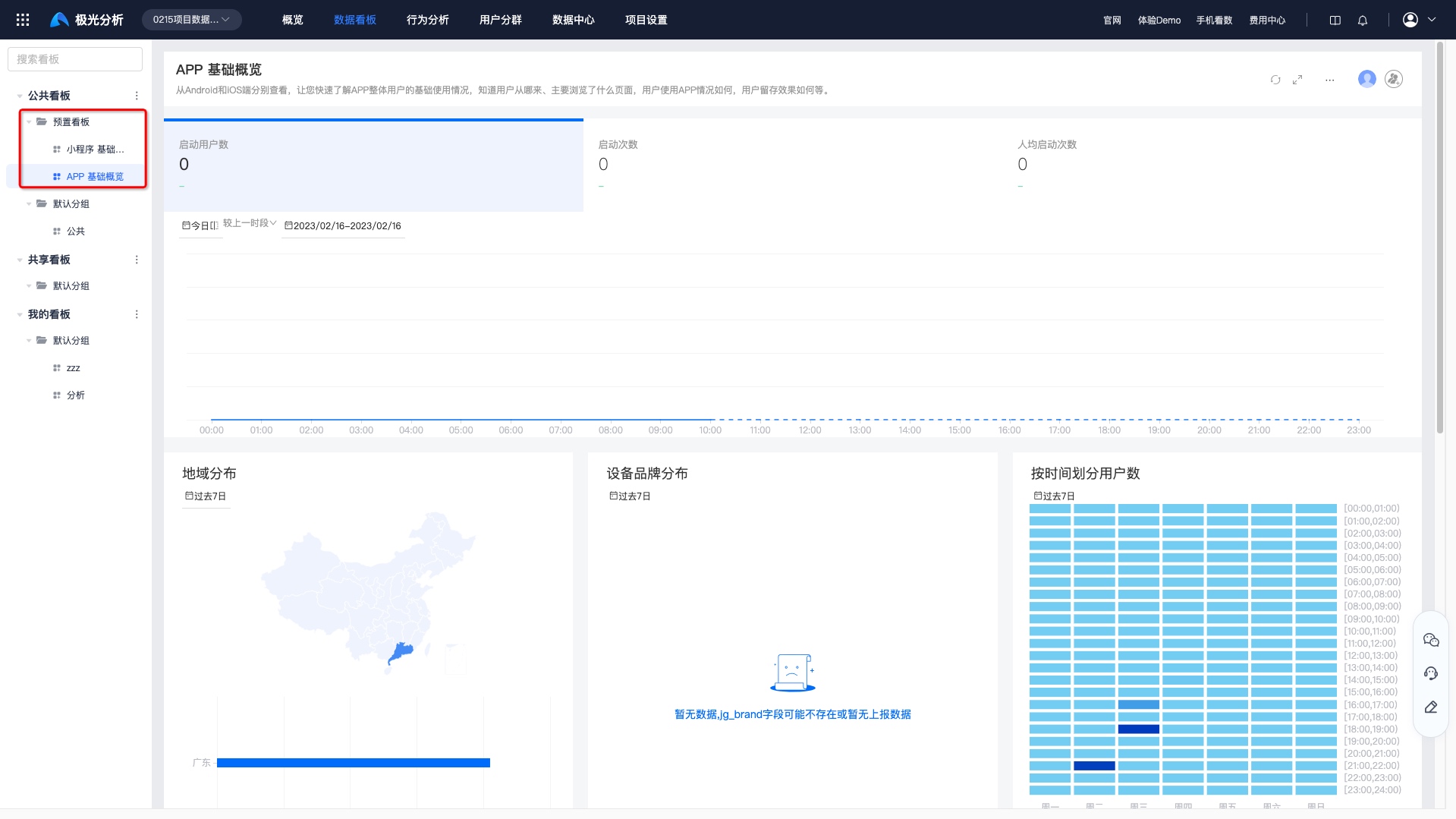
If a project has completed data source reporting, a basic overview of that data source is automatically generated under "Public Dashboards - Preset Dashboards".
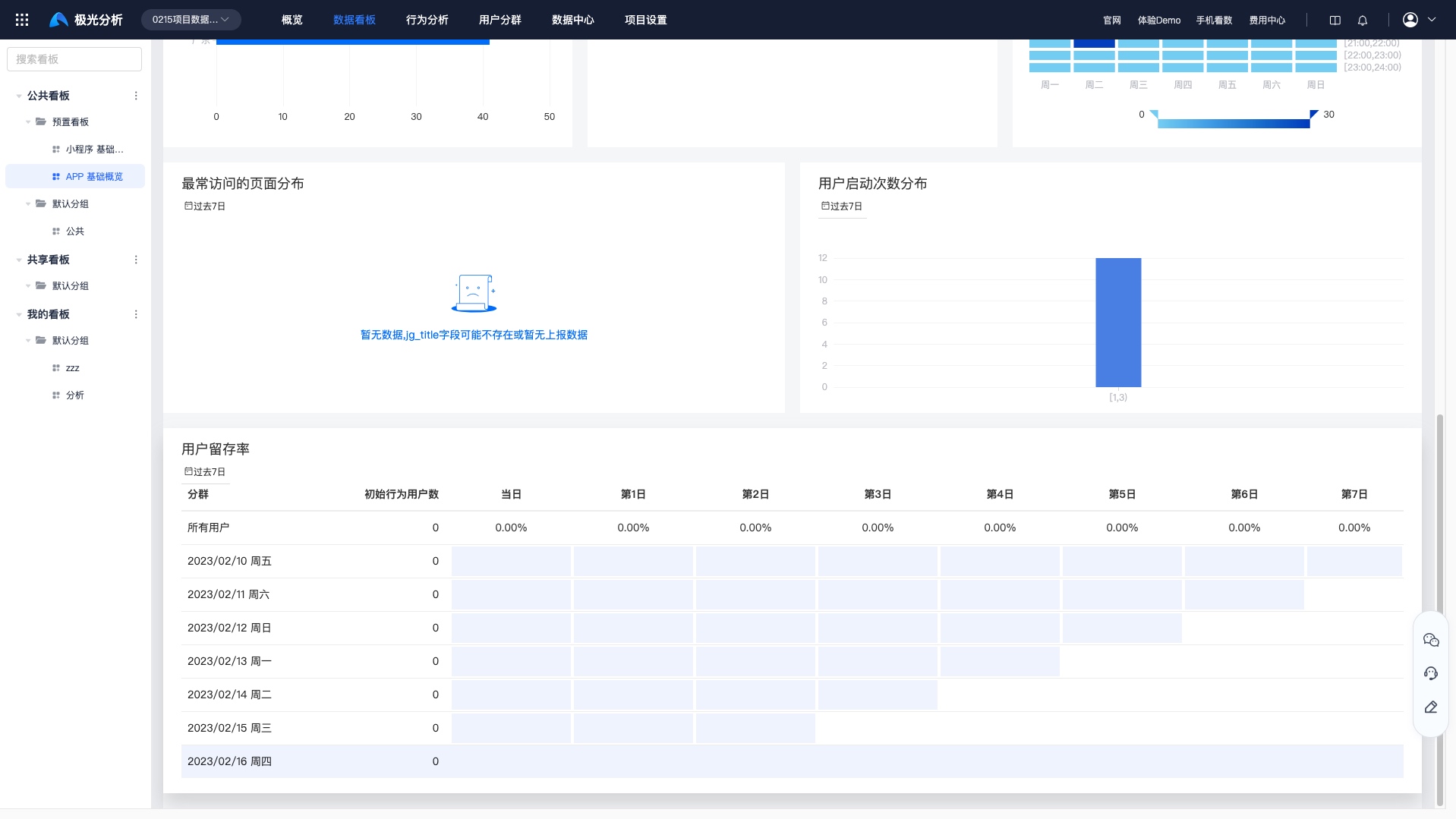
Using the App Basic Overview as an example, you can view Android and iOS data separately, quickly understand the basic usage of the overall app user base, see where users come from, which pages they mainly browse, how users use the app, and how user retention performs.
- Started users: cumulative number of users who launched the app.
- Launch count: cumulative number of app launches.
- Launches per user: cumulative app launches / cumulative app users.
- Regional distribution: number of visiting users by province.
- Device brand distribution: app users by device brand.
- Users by time: app visitors by hour and weekday.
- Most visited page distribution: the top 10 pages by visit count, grouped by page title.
- User launch count distribution: distribution by launch count.
- User retention rate: retention rate of visiting users.
Group Management
For details about creating, editing, and deleting groups, see "My Dashboards - Group Management".
Dashboard Management
For details about creating dashboards and dashboard settings, see "My Dashboards - Dashboard Management".

