


Web SDK Integration Guide
Usage Notes
This document is the standard integration guide for the JVerification Web SDK.
- To quickly test, follow this guide to run the Demo in minutes.
- All guides, APIs, tutorials, and updated versions are published on the Jiguang documentation site.
Product Overview
JVerification integrates gateway authentication from China's three major carriers, providing phone number verification to improve registration/login and number verification while enhancing security.
Web SDK: verification works only when cellular data is on and Wi-Fi is off.
Main Scenarios
- JS phone number verification
- JS one-click login
Obtain Application Info
After creating an app on the console, open App Settings → App Info to obtain the AppKey.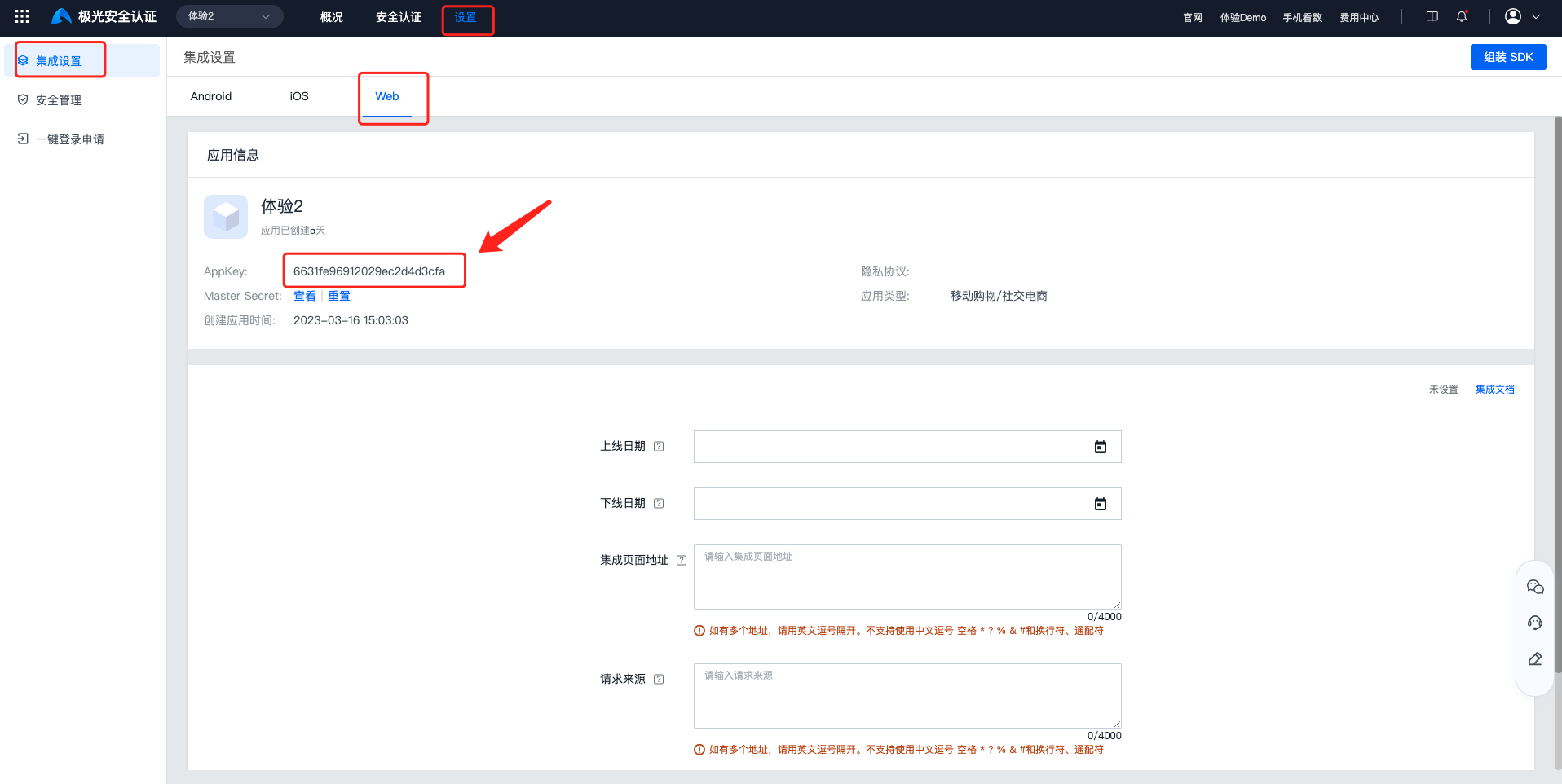
SDK Integration
- Add the following script to each page:
- Method 1 (v1.0.0) — dynamic script tag:
<script type="text/javascript" src="https://jverification.jiguang.cn/scripts/1.0.0/jverification-web.min.js"></script>
- Method 2 (v1.0.0+) — add meta tag manually. v5.0.0+ requires domain whitelist registration; report the version you use.
<script type="text/javascript" src="https://jverification.jiguang.cn/scripts/jverification-web.5.x.x.min.js"></script>
After loading the script, use the global JVerificationInterface on window.
- Configure encryption library:
The SDK must include the third-party library file crypto-js.js. Download it from https://github.com/brix/crypto-js/blob/master/crypto-js.js.
// The following example shows the method of local path access,please fill in the real path of the crypto-js.js file in your project in src <script type="text/javascript" src="./crypto-js.js"></script>
SDK Initialization
          window.JVerificationInterface.init({
 appkey: "", // AppKey from Jiguang portal (required)
 debugMode: true, // true prints more logs; false prints w/e only
 domainName:"https://minio-sdk-res.qa.jpushoa.com",// since 5.0.0 developer domain (Jiguang demo example)
 success: function(data) {
 // Initialization success callback
 },
 fail: function(data) {
 // Initialization failure callback
 }
 });
More APIs
See: Web SDK API
Run the demo
The bundled example demonstrates the APIs. Open it in a browser to test.
Technical Support
Email: support@jiguang.cn

