


REST API Overview
Special tip: advised not to call directly on the client Rest API It's easy. JVerification Secret information is exposed to someone, if you get it. Appkey and MasterSecret The consequences of a malicious call by the person in question would be unpredictable.
Recommendation: Call to be made JVerification Rest API the code is placed on the developer application server. Developer applies the server to provide interface to its client, and developer server receives requests from client Jiguang API 。
JVerification Provide compliance to developers REST Normative HTTP APIto enable developers to call remotely JVerification Services provided.
Basic constraints
- API Designed to match HTTP、 REST Regulation. For example, a search request is used Get Method, submission of request for use POST Method. If a request is not matched HTTP The way, will return the error.
- In the absence of a special description, the call parameter value shall be converted to:UTF-8, URL Encode。
Authentication
Jiguang REST API Adopt HTTP Basic authentication.
The basic approach is:HTTP HeaderRiga. Authorization:
Authorization: Basic ${base64_auth_string}
That's it. base64_auth_string The generation algorithm is:base64(appKey:masterSecret)
- The header name is "Authorization" and the value is the Base64-encoded "username:password.
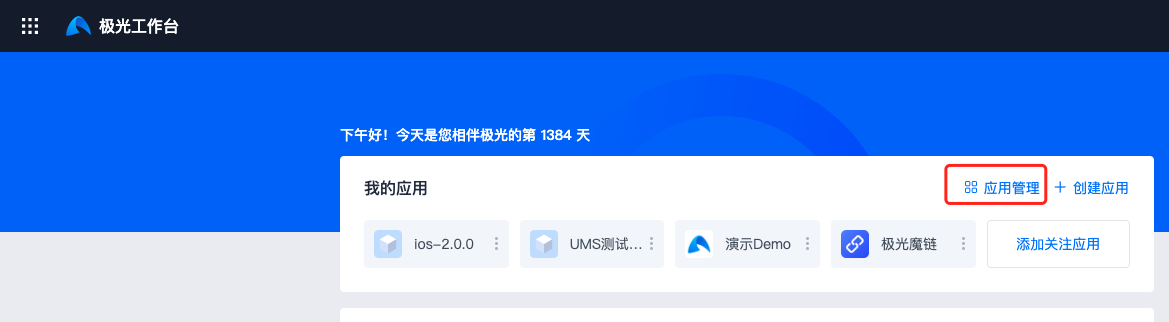
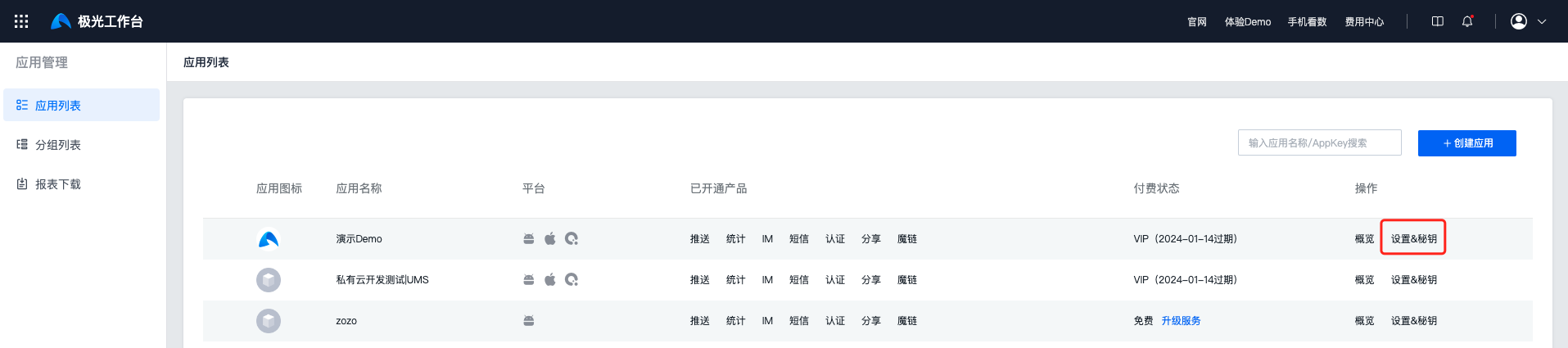
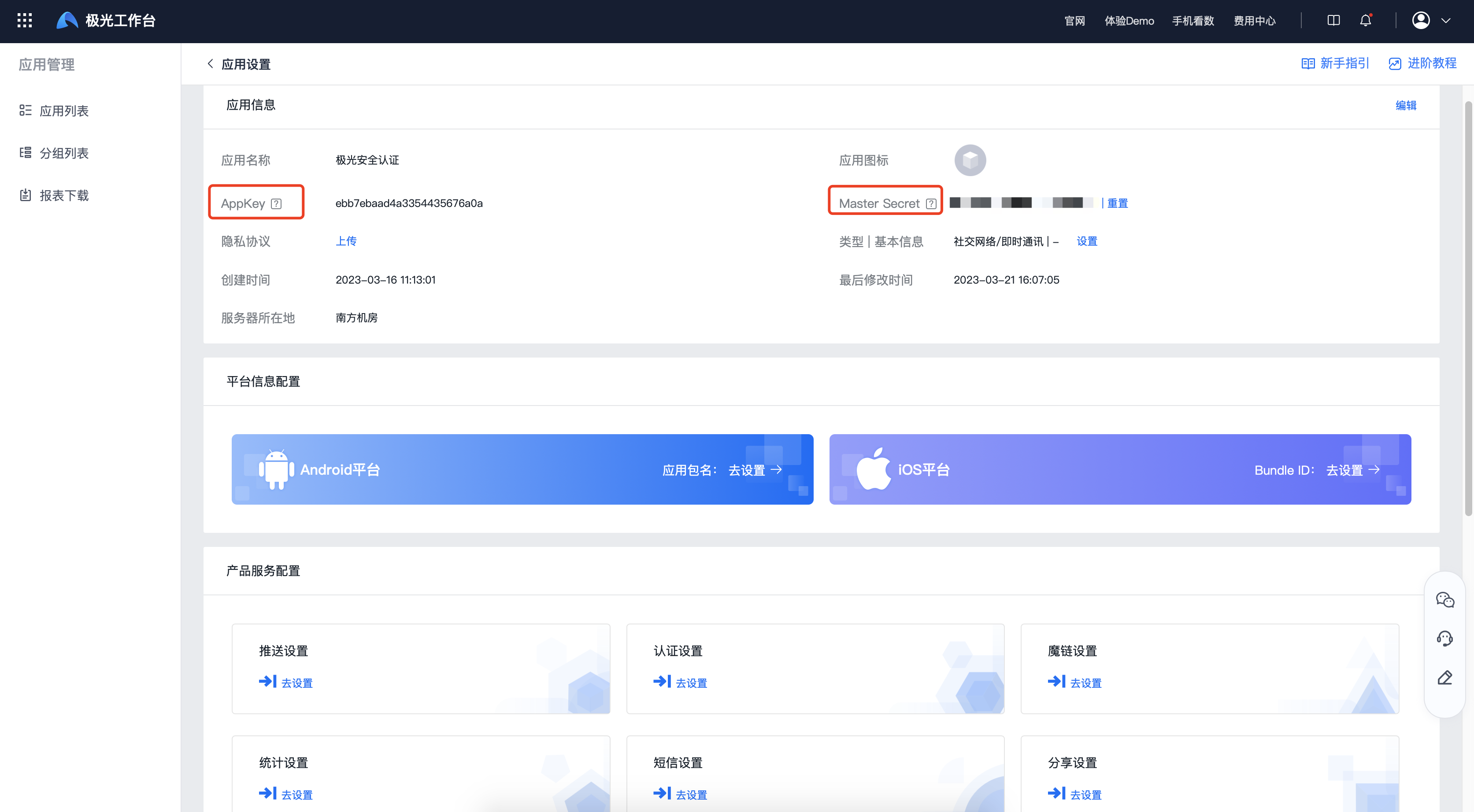
- Yes. Verification API In the scene,username is appKey,password is masterSecret These two can be...Jiguang console
Examples of jurisdiction
Yours. appKey Yes "7d431e42dfa6a6d693ac2d04", masterSecret Yes "5e987ac6d2e04d95a9d8f0d1", then call Verification API V1 on curl The order is called as follows:
           curl --insecure -X POST -v https://api.verification.jpush.cn/v1/web/verify
 -H "Content-Type: application/json"
 -u "7d431e42dfa6a6d693ac2d04:5e987ac6d2e04d95a9d8f0d1"...
HTTP The request is:
           > POST /v1/web/verify HTTP/1.1
 > Authorization: Basic N2Q0MzFlNDJkZmE2YTZkNjkzYWMyZDA0OjVlOTg3YWM2ZDJlMDRkOTVhOWQ4ZjBkMQ==
API Resource List
| Name | Platform | Method of request | Request Address |
|---|---|---|---|
| Number authentication API | Web | POST | https://api.verification.jpush.cn/v1/web/h5/verify |
| Android、Harmony、iOS | POST | https://api.verification.jpush.cn/v1/web/verify | |
| One-Tap Login API | Web | POST | https://api.verification.jpush.cn/v1/web/h5/loginTokenVerify |
| Android、Harmony、iOS | POST | https://api.verification.jpush.cn/v1/web/loginTokenVerify | Query Business Wind Control API | Android、iOS、Web | POST | https://api.verification.jpush.cn/v2/web/queryBusinessRisk |
| Number authentication API(Operational wind control) | Web | POST | https://api.verification.jpush.cn/v2/web/h5/verify |
| Android、iOS | POST | https://api.verification.jpush.cn/v2/web/verify | |
| One-Tap Login API(Operational wind control) | Web | POST | https://api.verification.jpush.cn/v2/web/h5/loginTokenVerify |
| Android、iOS | POST | https://api.verification.jpush.cn/v2/web/loginTokenVerify | |
| Application management API | Android、iOS、Web | POST | https://admin.verification.jpush.cn/ |

