Alert Settings
Overview
To prevent business impact caused by insufficient remaining quota, Jiguang provides remaining-quota alerts. When the remaining authentication resources fall below the configured threshold, the Jiguang Authentication console sends alert SMS messages to the configured mobile number list and alert emails to the configured email list.
Settings
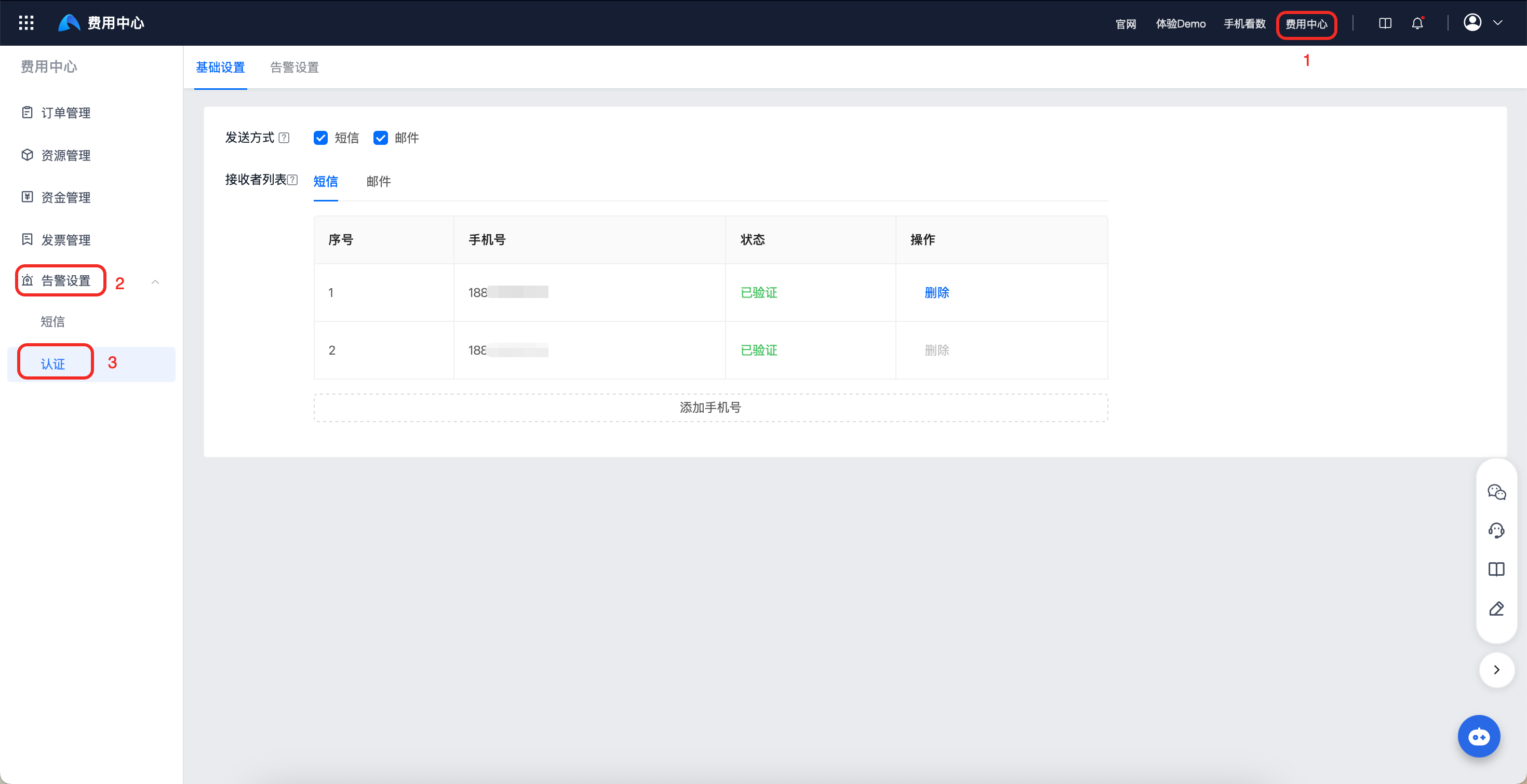
Go to [Billing Center] - [Alert Settings] - [Authentication].
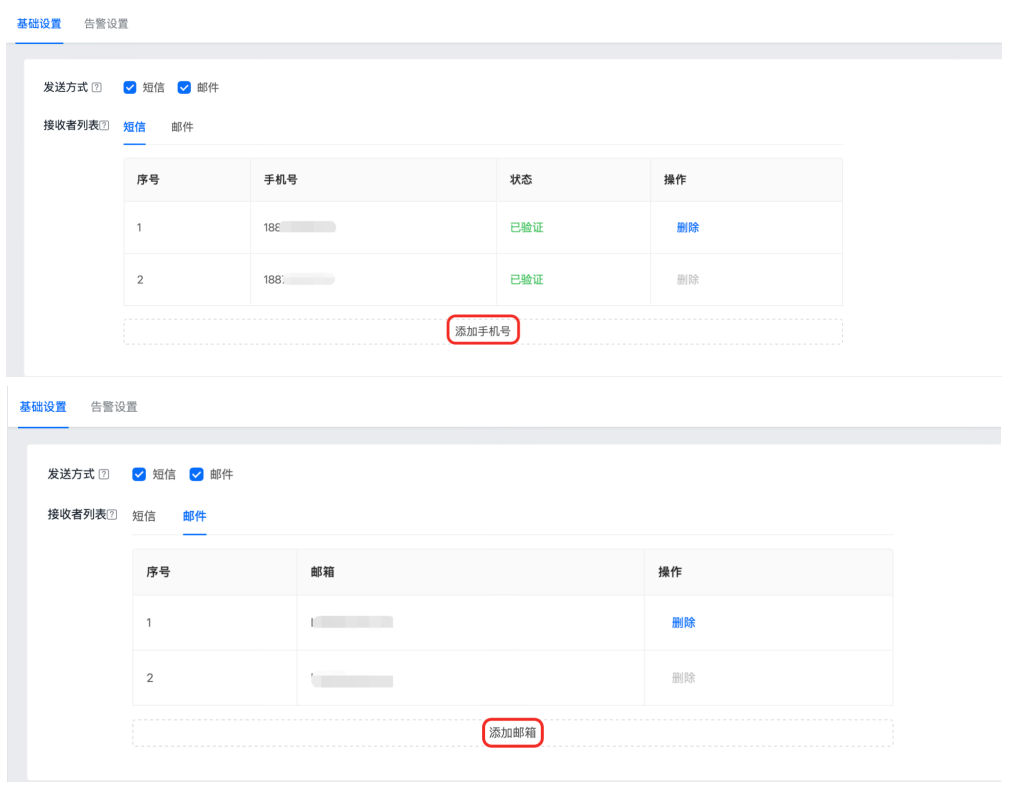
In "Basic Settings", you can add mobile numbers for receiving alert SMS messages and email addresses for receiving alert emails.
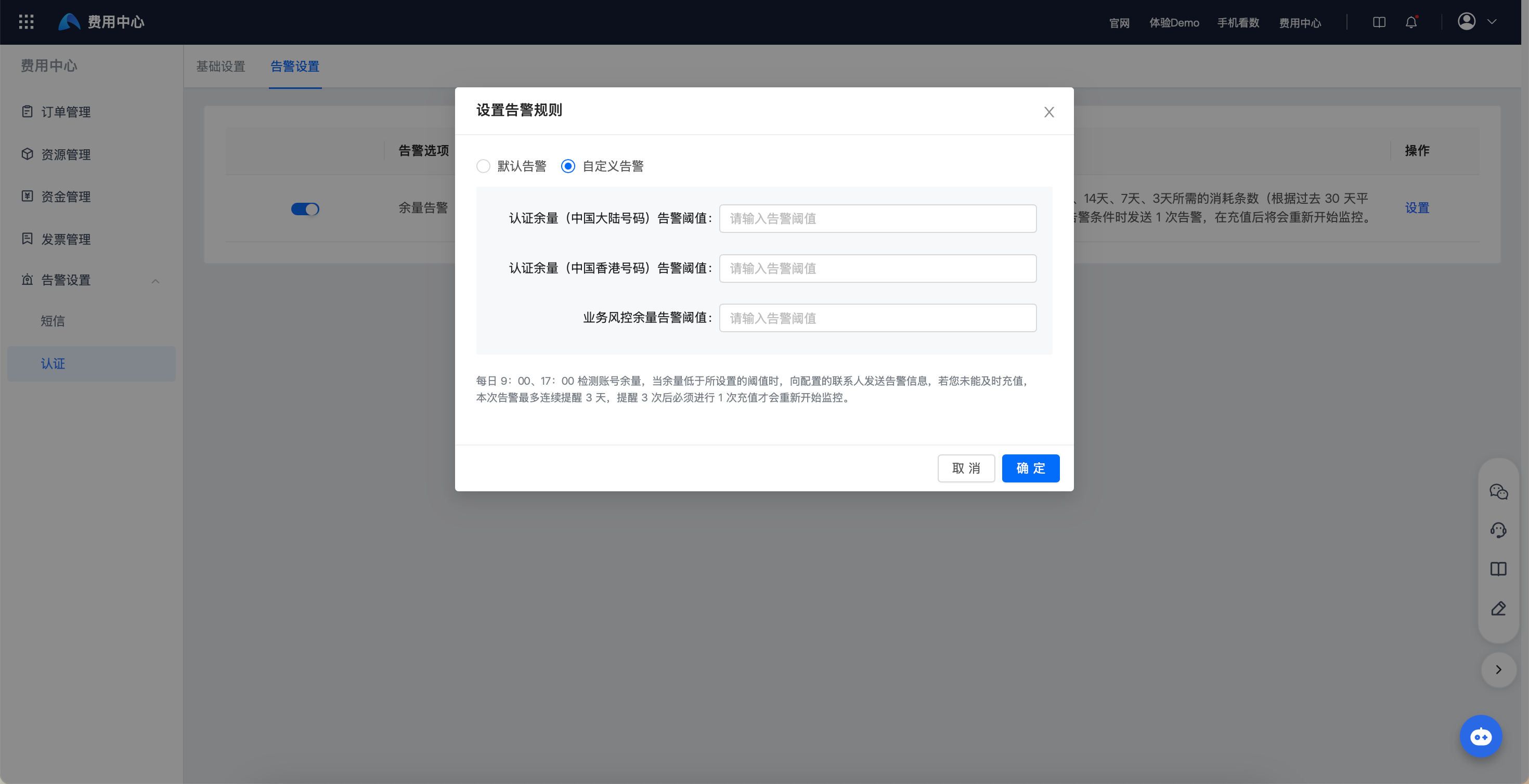
In "Alert Settings", you can change alert rules. The system default alert rule is enabled by default. You can also click "Settings" to switch to a custom alert configuration, configure the alert threshold, and click "OK" to make it take effect.