


Project Rights
Last updated:2023-02-21
Project Rights
Project Information
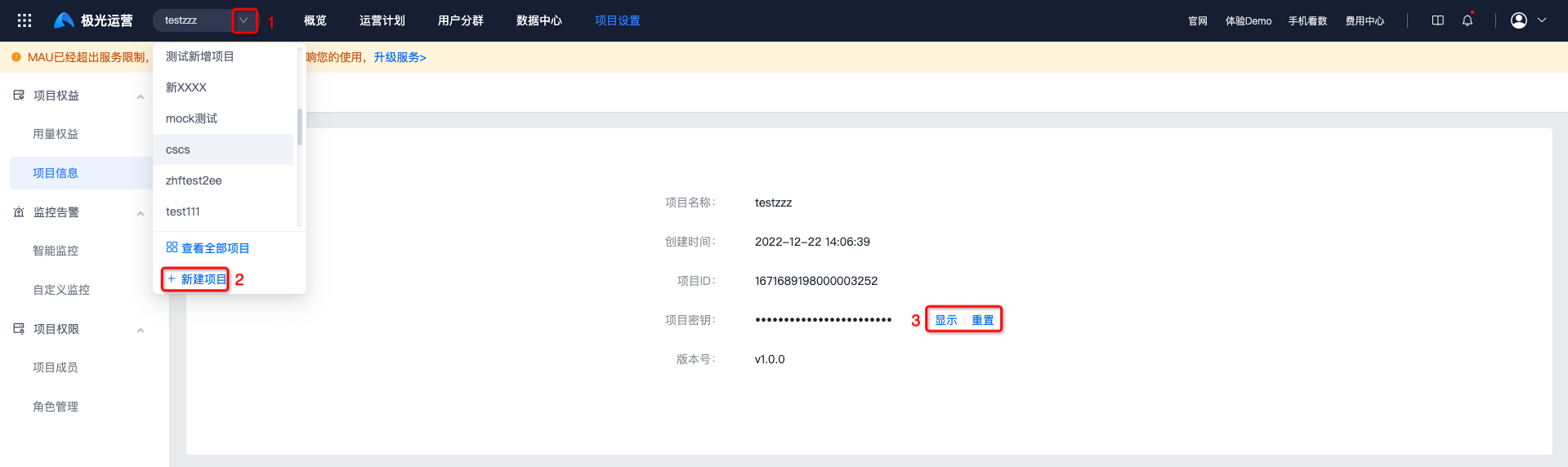
Go to [Configuration Management] - [Project Rights] - [Project Information], and select the project name to view the corresponding project information.
- If there is no project, click "Create Project" at position 2 to create one.
- Project secret supports show or hide. If the secret is leaked, click "Reset" to change it.
Usage Rights
Currently, only paid services are provided. The paid version is billed by MAU scale.
- The paid version starts from "MAU-100,000", and each service cycle is 1 year.
| Rights Category | Rights Name | Paid Version | Description |
|---|---|---|---|
| Public Module | MAU | MAU > 10,000 | |
| Number of user segments | 250 total | 200 custom segments + 50 AI prediction segments | |
| Meta event reporting volume | Depends on the purchased service | |
|
| Jiguang Operation | Number of operation plans | 200 | - |
| Jiguang Analysis | Number of data dashboards | 200 | - |
| Number of analysis models | 200 | Shared by all types of analysis models | |
| Jiguang Portrait | User tags | 200 | - |
| User marketing scores | 200 | - | |
| Jiguang tag call count | - | For tag value-added services, see the Jiguang tag price list |
Activation Status
Go to [Configuration Management] - [Project Rights] to view the enabled service level. To enable a service, click "Enable Service" to contact us.
- If the service has expired, or MAU has exceeded the service limit, click "Renew Now" to contact us.

Service Rights Usage
The Service Rights Usage page displays usage of rights for Jiguang Operation, Jiguang Analysis, Jiguang Portrait, and public services.
Service rights usage display for the "Free Version":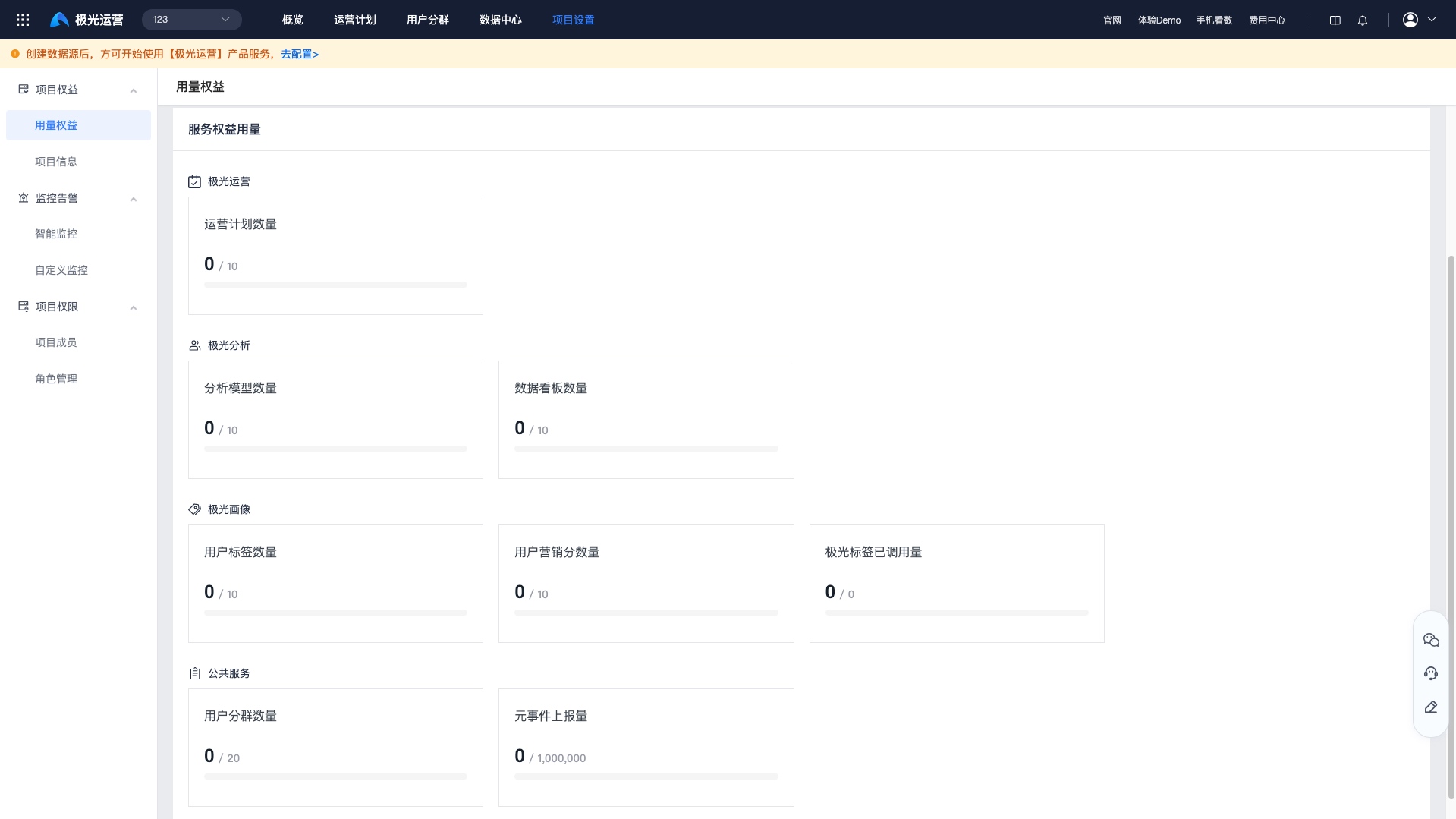
Service rights usage display for "MAU-100,000":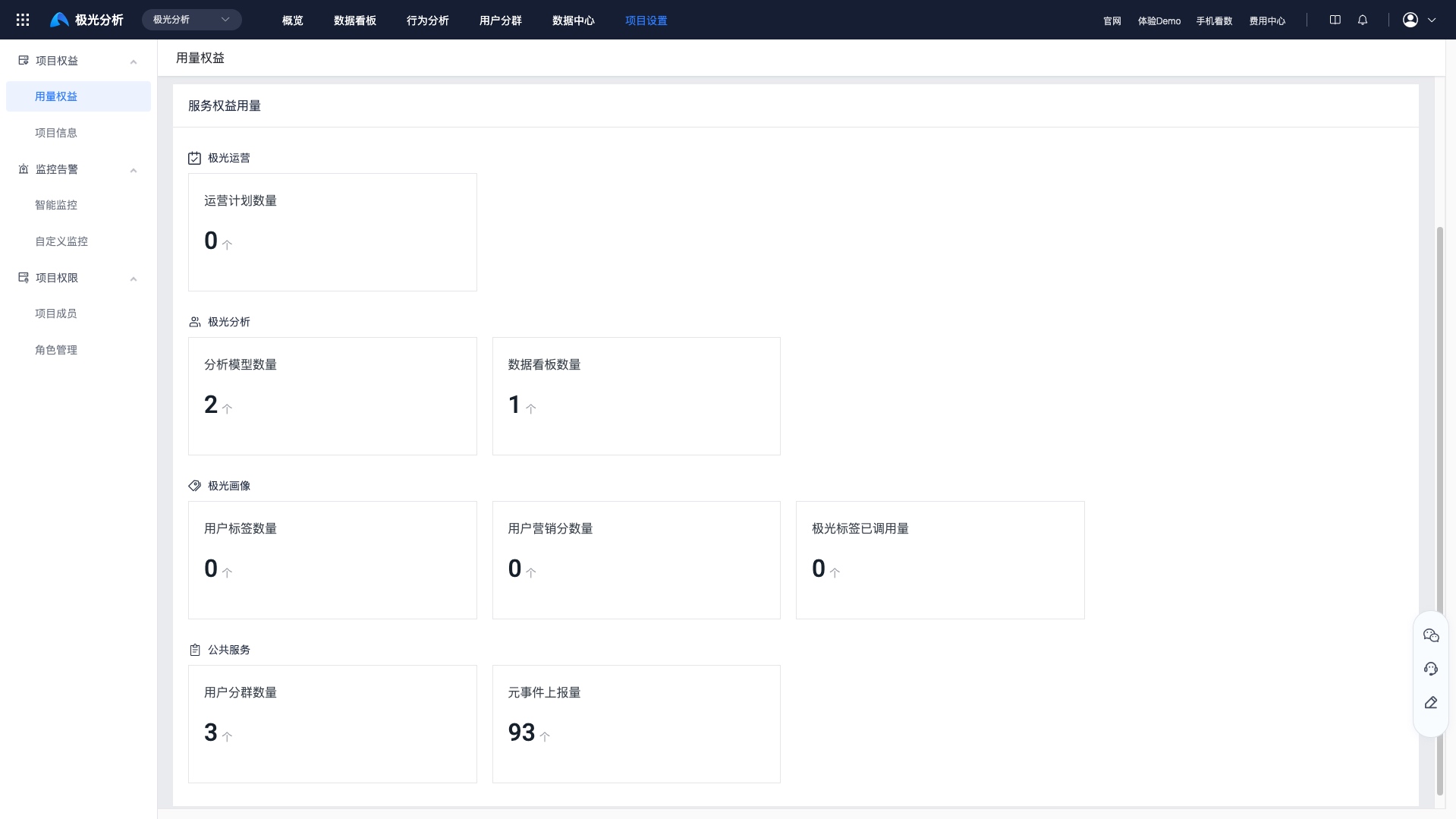
Was this document helpful?

