


WeChat Official Account Platform
Last updated:2023-02-21
WeChat Official Account Platform
This document guides users on how to quickly integrate the WeChat Official Account data source platform.
Create a Data Source
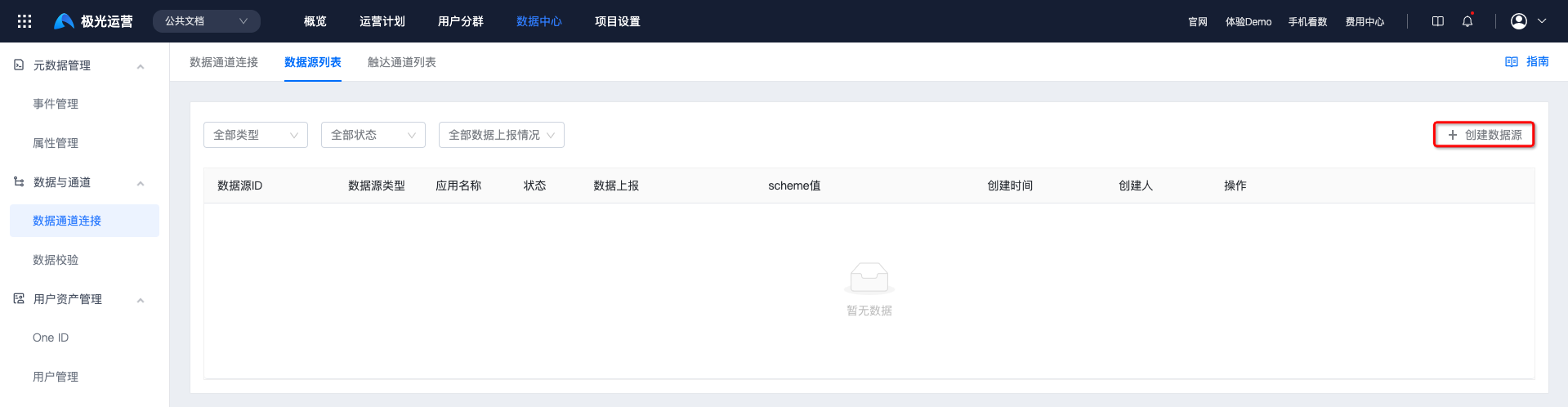
Go to [Data Center] - [Data Channel Connection] - [Data Source List], and click "Create Data Source".
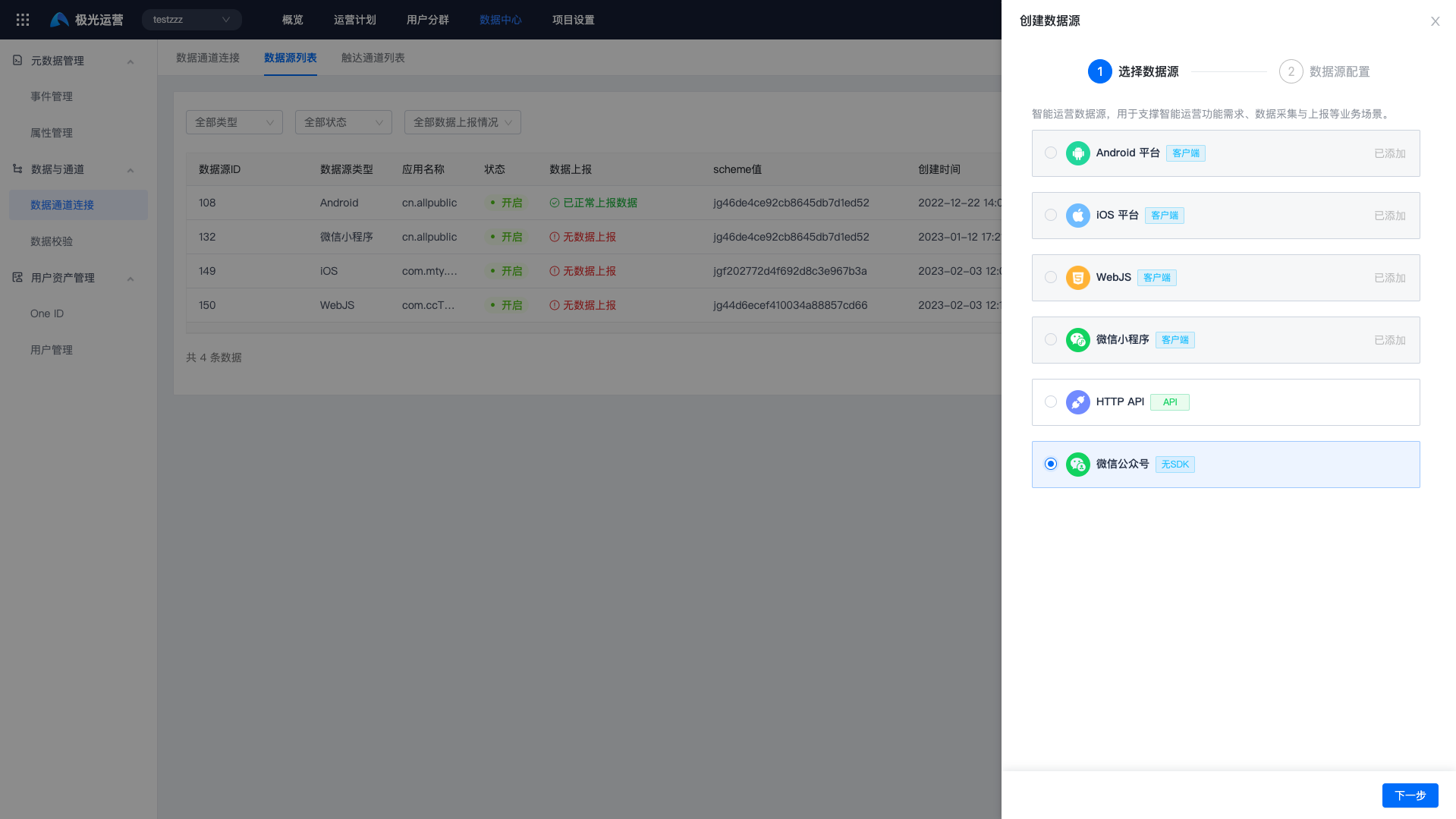
Select "WeChat Official Account".
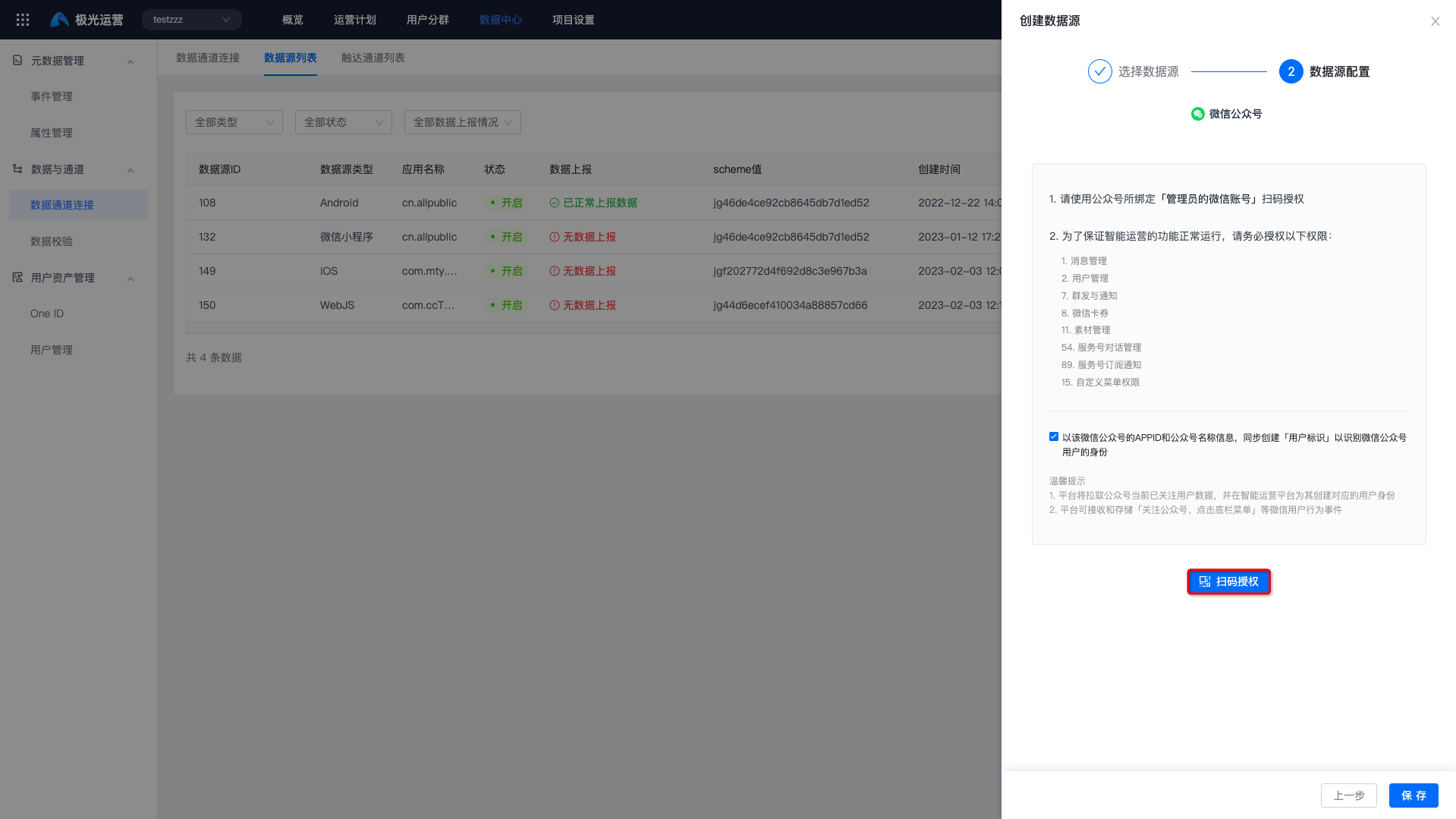
Click "Scan Code Authorization", scan the code, and complete authorization.
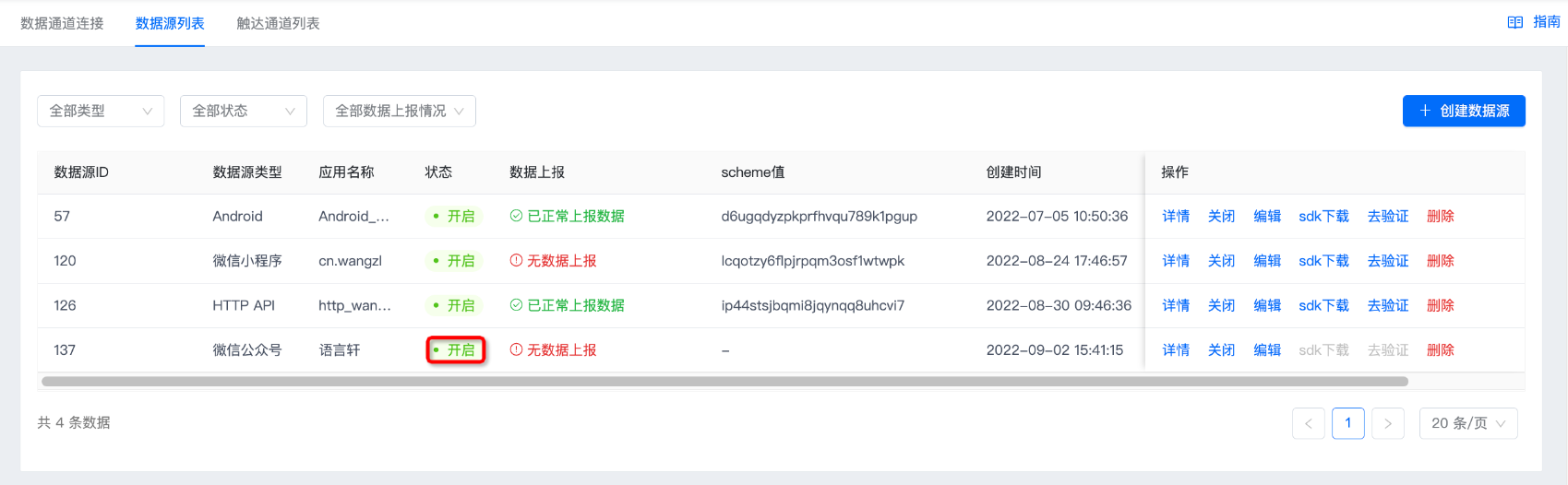
Click "Save". If the status shows "Enabled", the data source has been created successfully.
Data Reporting
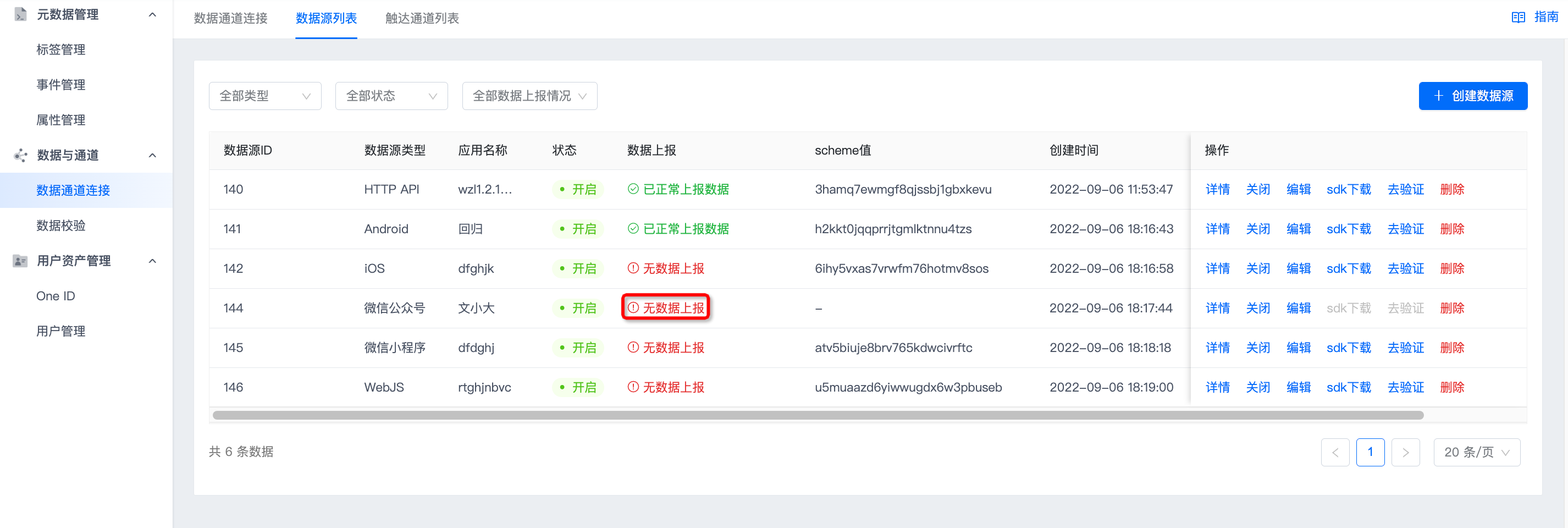
If no data is reported after creating the data source, "Data Reporting" displays "No reported data".
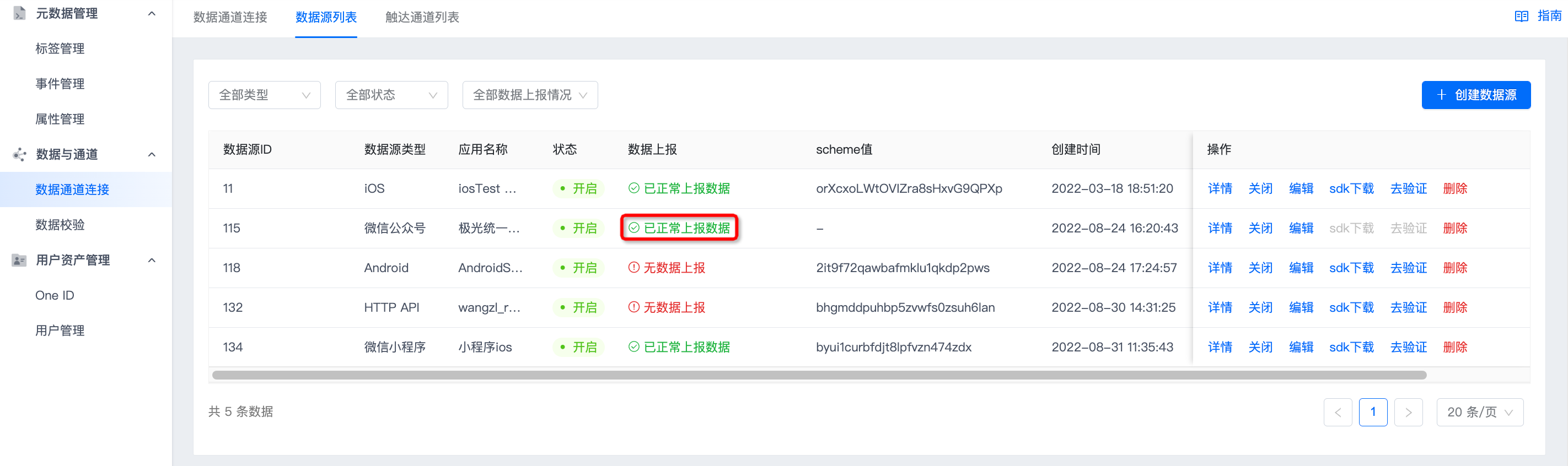
If data is reported, "Data Reporting" displays "Data is being reported normally".
Was this document helpful?

