Event Selector
What Is an Event Selector
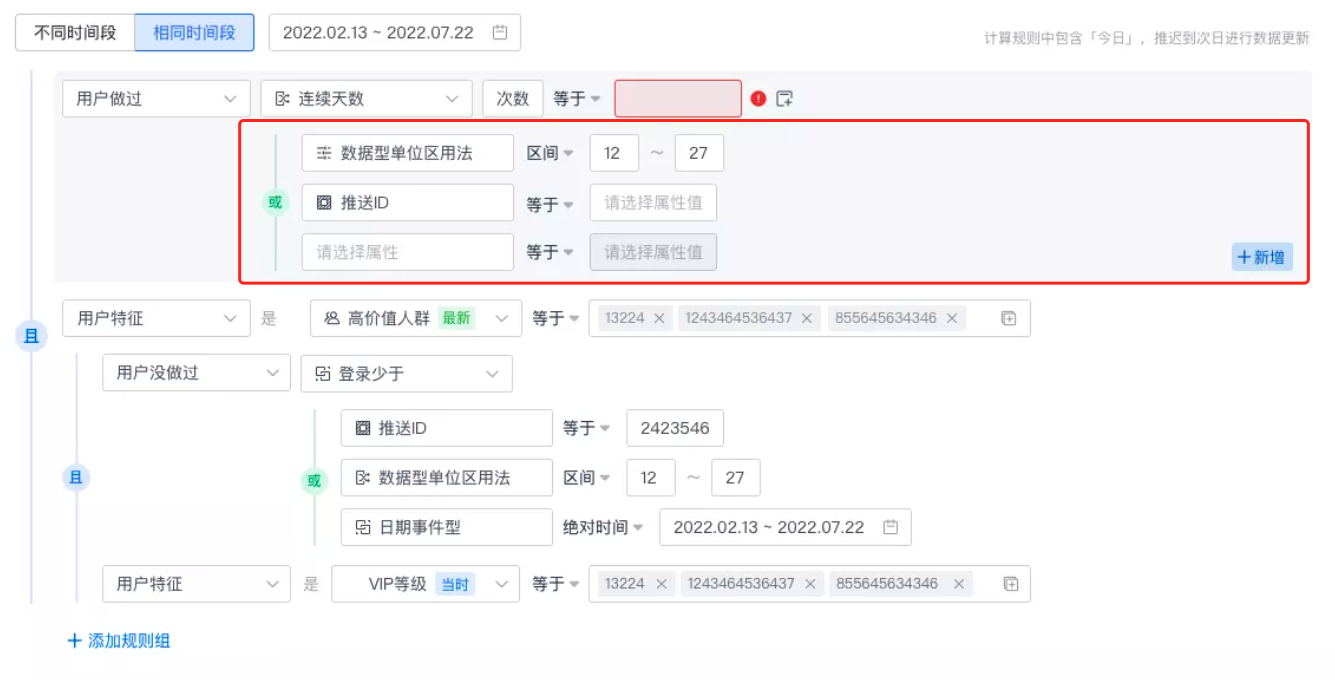
An event selector filters the events we obtain by setting a series of conditions, so that the final sub-dataset we need can be used and analyzed. Many features in Jiguang Operation Growth use event selectors, such as user segmentation, smart labels, in-app marketing scores, and product analysis.
- An event selector is similar to a
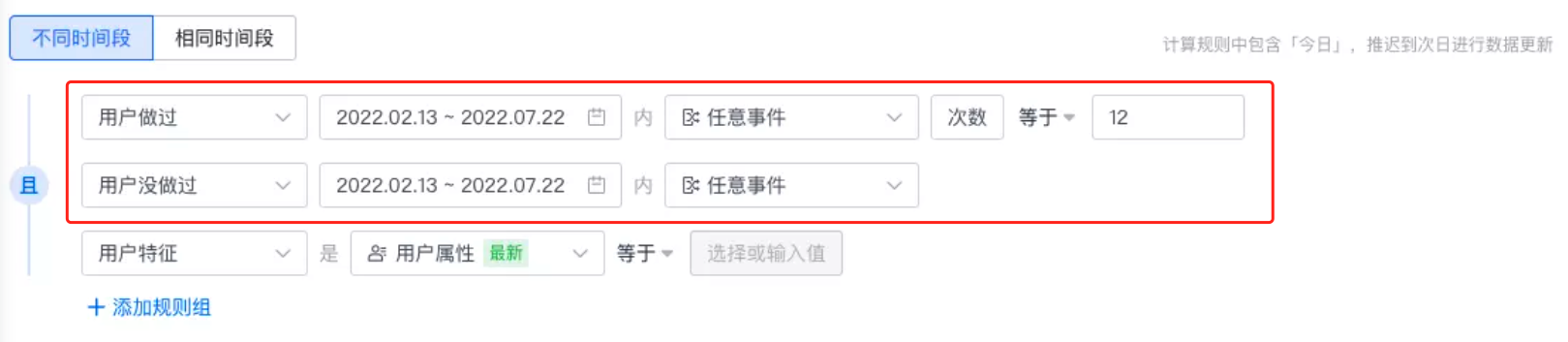
wherecondition in SQL. - An event selector acts on the event table. It first finds events that meet the selected conditions, then sets conditions such as performed/not performed, the time range when the event occurred, and event feature filtering. Finally, it traces events back to users to obtain users that meet the conditions.
Event Selection Types
User Performed
This means the user completed the specified event within a certain time range and the event metric meets the judgment condition.
Event Metrics
| Event Metric | Description |
|---|---|
| Count | Number of times the user completed the event |
| Days | The days on which the user completed the event, counted by day. For example, if the user completed the event on the 1st, 3rd, and 5th, the number of days is 3. |
| Sum of numeric attributes | Sum of the event attributes corresponding to the user's completed events. For example, if the user's first purchase amount is 100 yuan, the second is 200 yuan, and the third is 300 yuan, the total purchase amount is 600 yuan. |
| Average of numeric attributes | Average of the event attributes corresponding to the user's completed events. For example, if the user's first purchase amount is 100 yuan, the second is 200 yuan, and the third is 300 yuan, the average purchase amount is 200 yuan. |
| Maximum of numeric attributes | Maximum value of the event attributes corresponding to the user's completed events. For example, if the user's first purchase amount is 100 yuan, the second is 200 yuan, and the third is 300 yuan, the maximum purchase amount is 300 yuan. |
| Minimum of numeric attributes | Minimum value of the event attributes corresponding to the user's completed events. For example, if the user's first purchase amount is 100 yuan, the second is 200 yuan, and the third is 300 yuan, the minimum purchase amount is 100 yuan. |
Judgment Types
| Judgment Type | SQL Expression | Description |
|---|---|---|
| Equals | = | Exact judgment. The user is selected only when the selected event metric equals the entered judgment value. |
| Not equal | != | Exact judgment. The user is selected only when the selected event metric does not equal the entered judgment value. |
| Greater than | > | The user is selected only when the selected event metric is greater than the judgment value. |
| Less than | < | The user is selected only when the selected event metric is less than the judgment value. |
| Range | between judgment value 1 and judgment value 2 | The user is selected only when the selected event metric falls within the closed interval formed by the configured judgment values. For example, if the judgment values are set to 10 and 100, the selected event metric must satisfy [10,100]. |
| TOP | Sort the event metric from high to low and take the top entries. |
User Did Not Perform
This means the user did not complete the specified event within a certain time range.
Event Selection
The overall event selection range includes meta events, virtual events, and combined events. The selection range differs across feature scenarios:
| Feature Scenario | Event Selection Range |
|---|---|
| Create virtual event | Meta event |
| Create user segment | Meta event, virtual event |
| Create operation plan | Meta event, virtual event |
| Create marketing score | Meta event, virtual event |
| Create smart label | Meta event, virtual event |
| Create analysis template | Meta event, virtual event, combined event |
Add Filtering Conditions to Events
This means further filtering based on event attributes and user attributes reported together with the event. For details, see Event Feature Selector.