Data Channel Connection
Data Channel Connection shows which data sources and reach channels your project uses in the Growth platform. You can view, create, edit, disable, and delete them, and you can also perform the corresponding SDK integration based on data reporting prompts.
Data Channel Connection
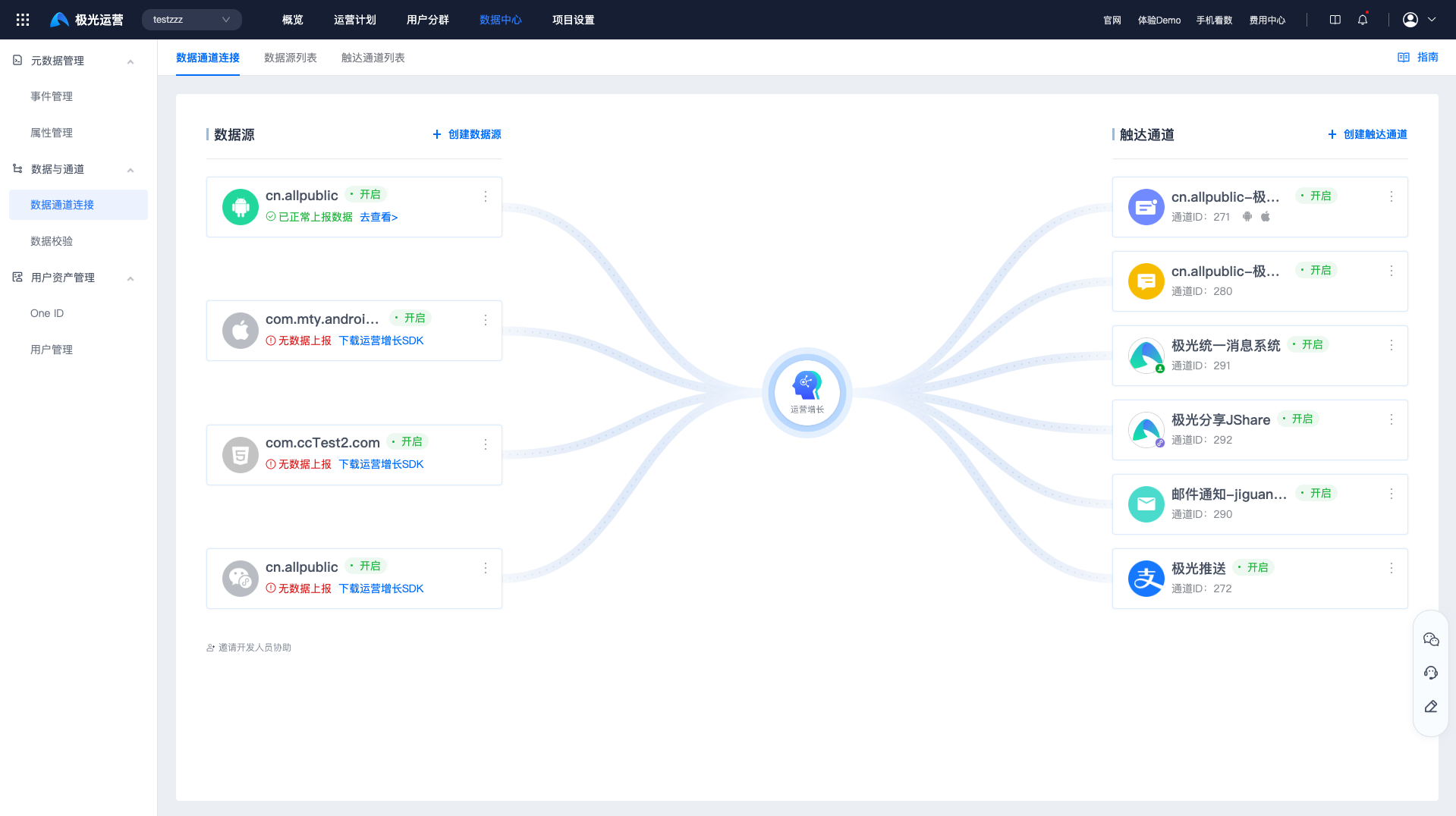
Go to [Data Center] - [Data Channel Connection] - [Data Channel Connection] to view the data sources and reach channels that have been created.
- Data source: used to support business scenarios such as Growth feature requirements, data collection, and reporting.
- User reach channel: used to deliver messages to users.
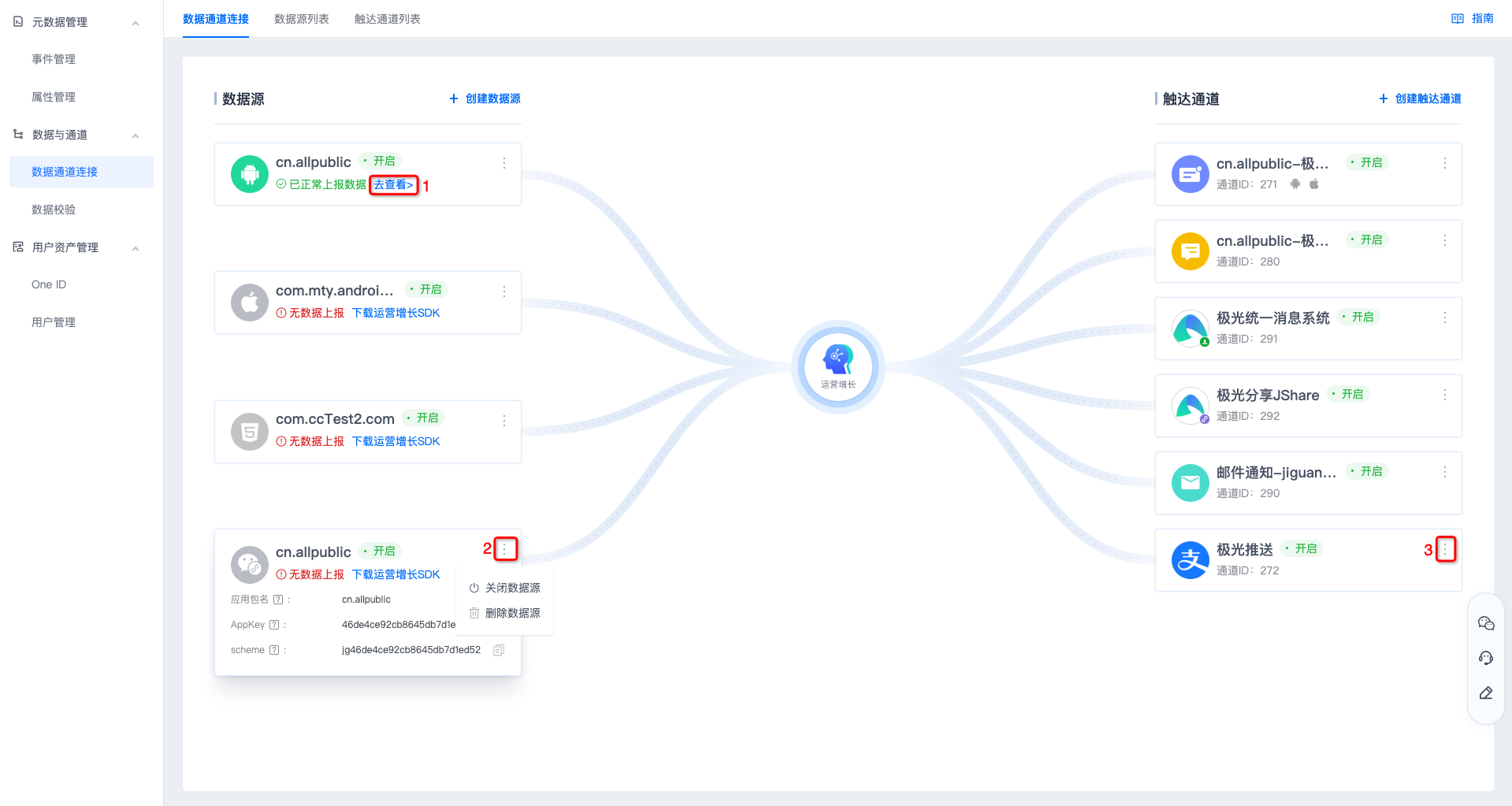
- Hover over a card to view parameter information for the corresponding data source or channel. Click "View" to enter the corresponding event management page.
- Click "More" at position 2 to disable or delete the data source.
- Click "More" at position 3 to edit configuration information, disable the channel, or delete the channel.
Data Source List
Create a Data Source
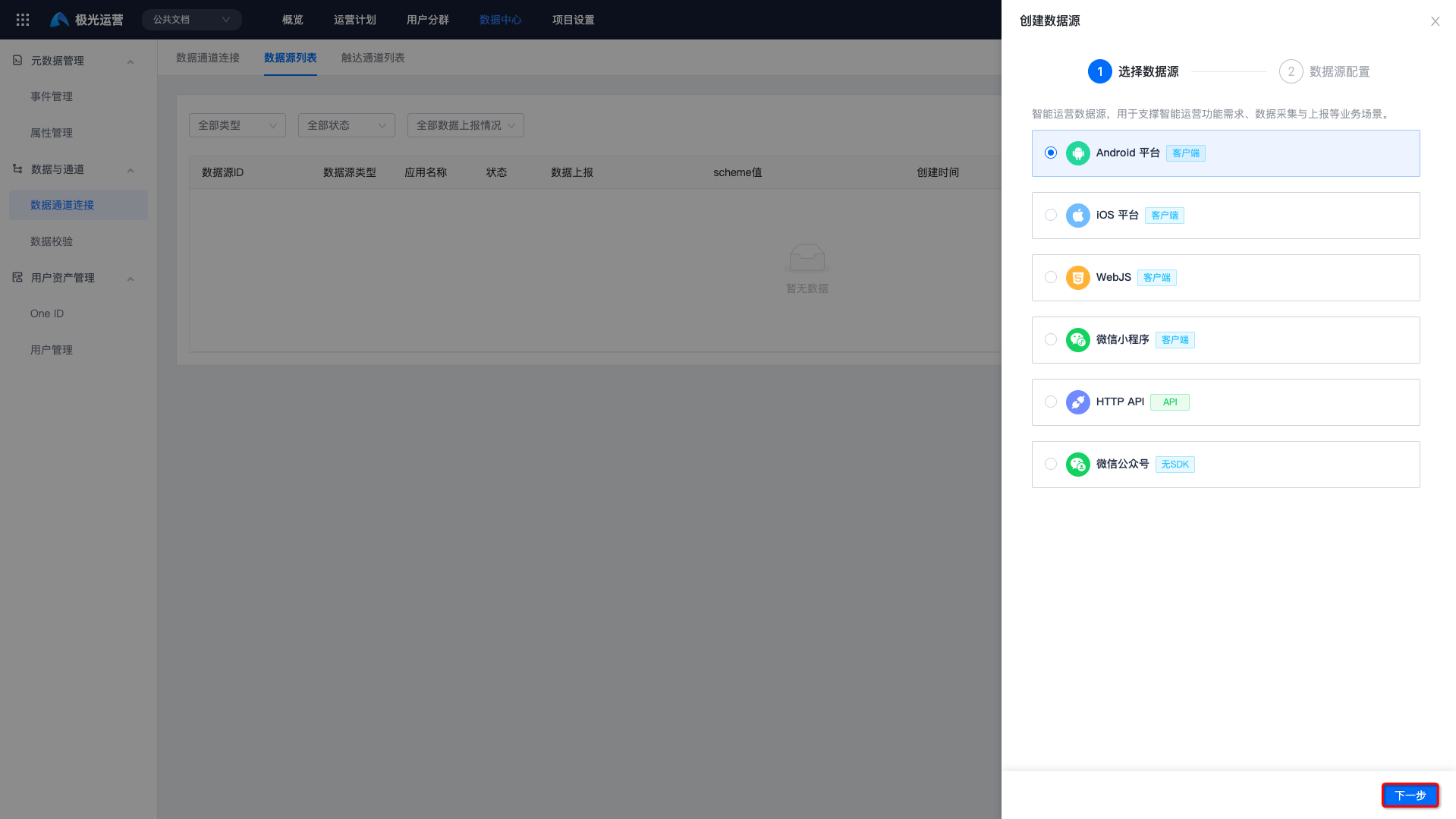
- Go to [Data Center] - [Data Channel Connection] - [Data Source List], and click "Create Data Source".
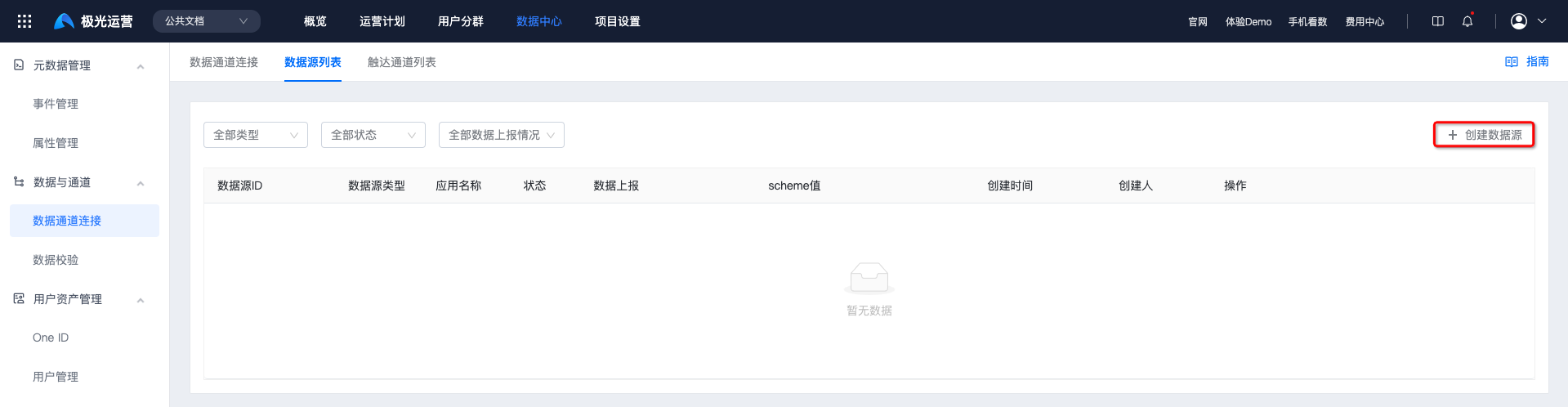
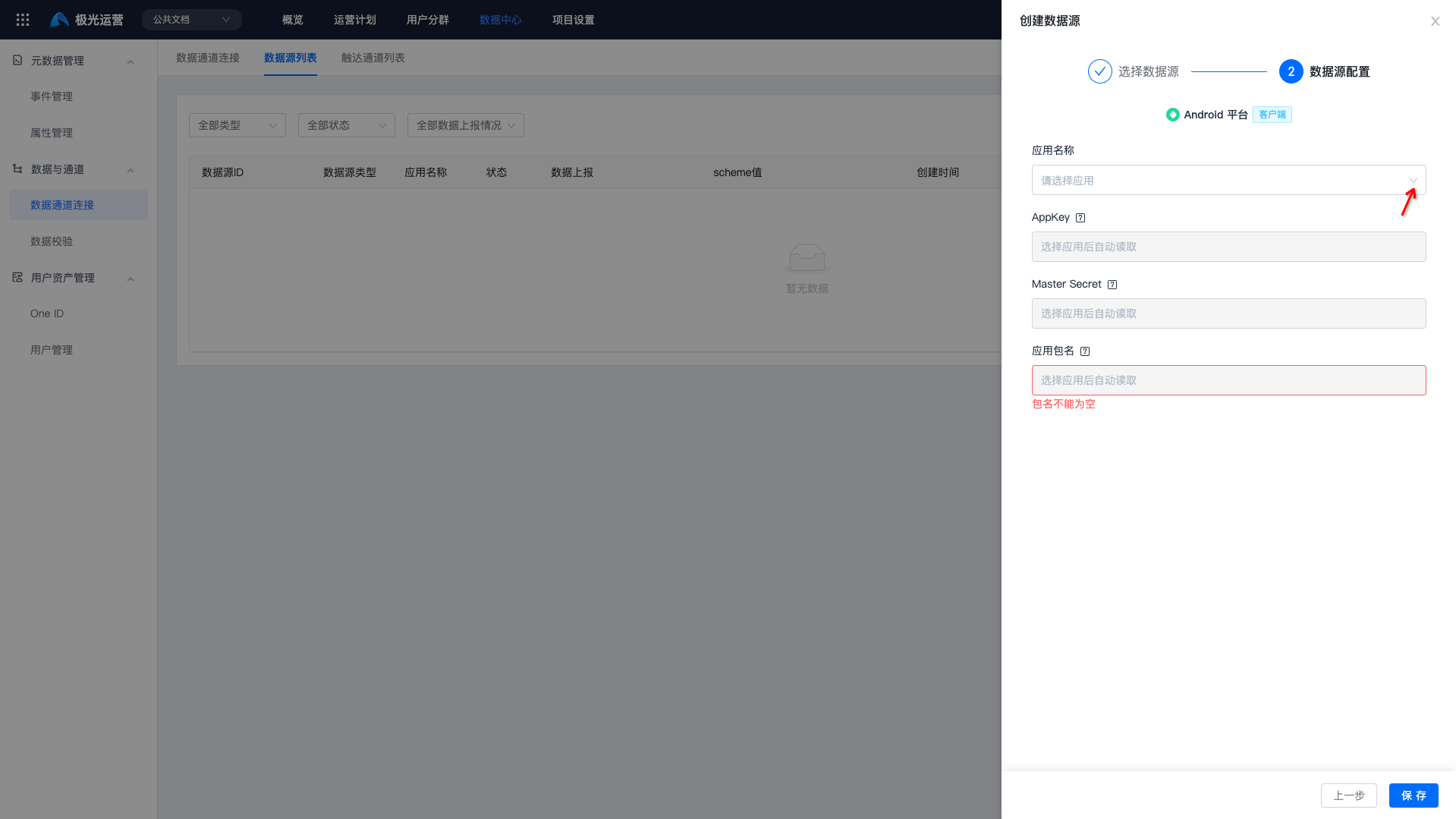
- Select the data source platform for reporting and the corresponding app name.
If no app is available for selection, click "New" to create an app first, then select it.
View Data Sources
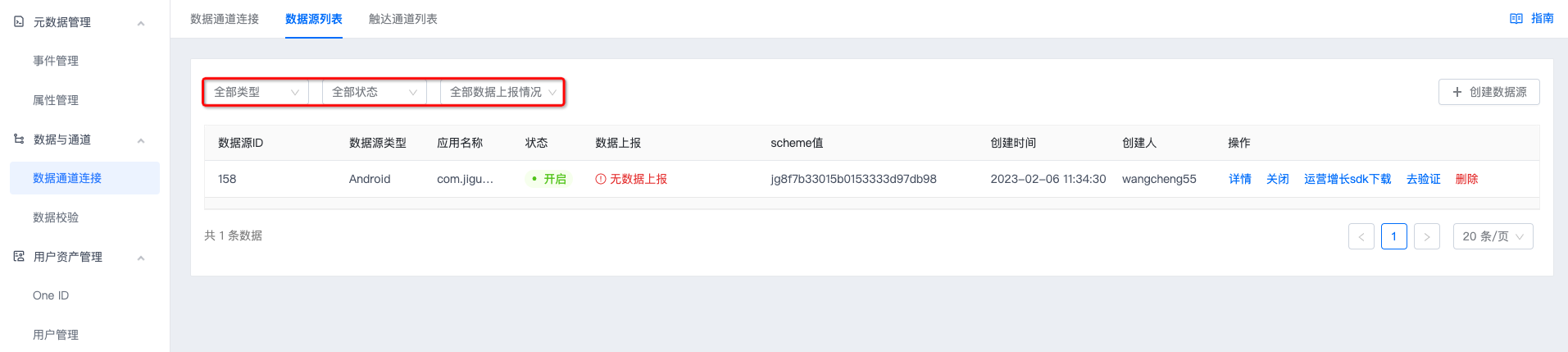
Filtering by status and data reporting status is supported.
Data Source Details
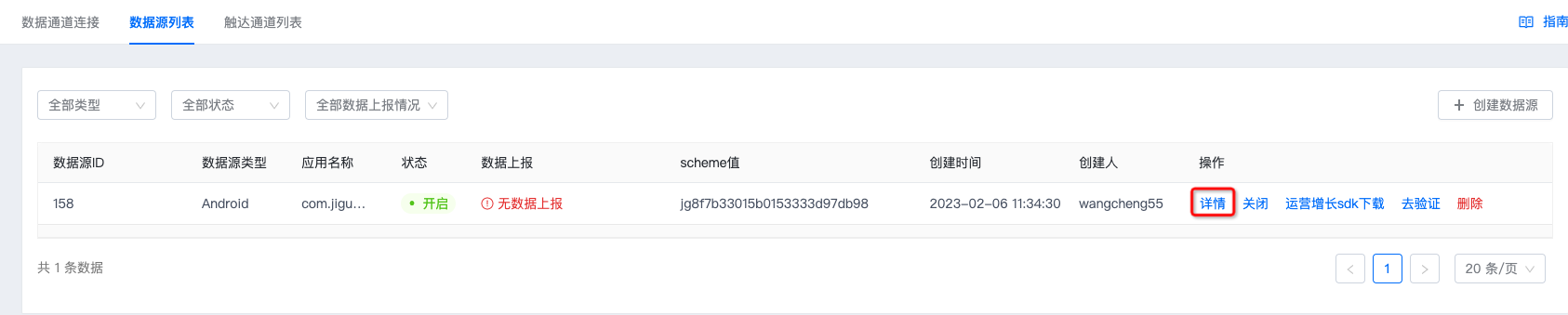
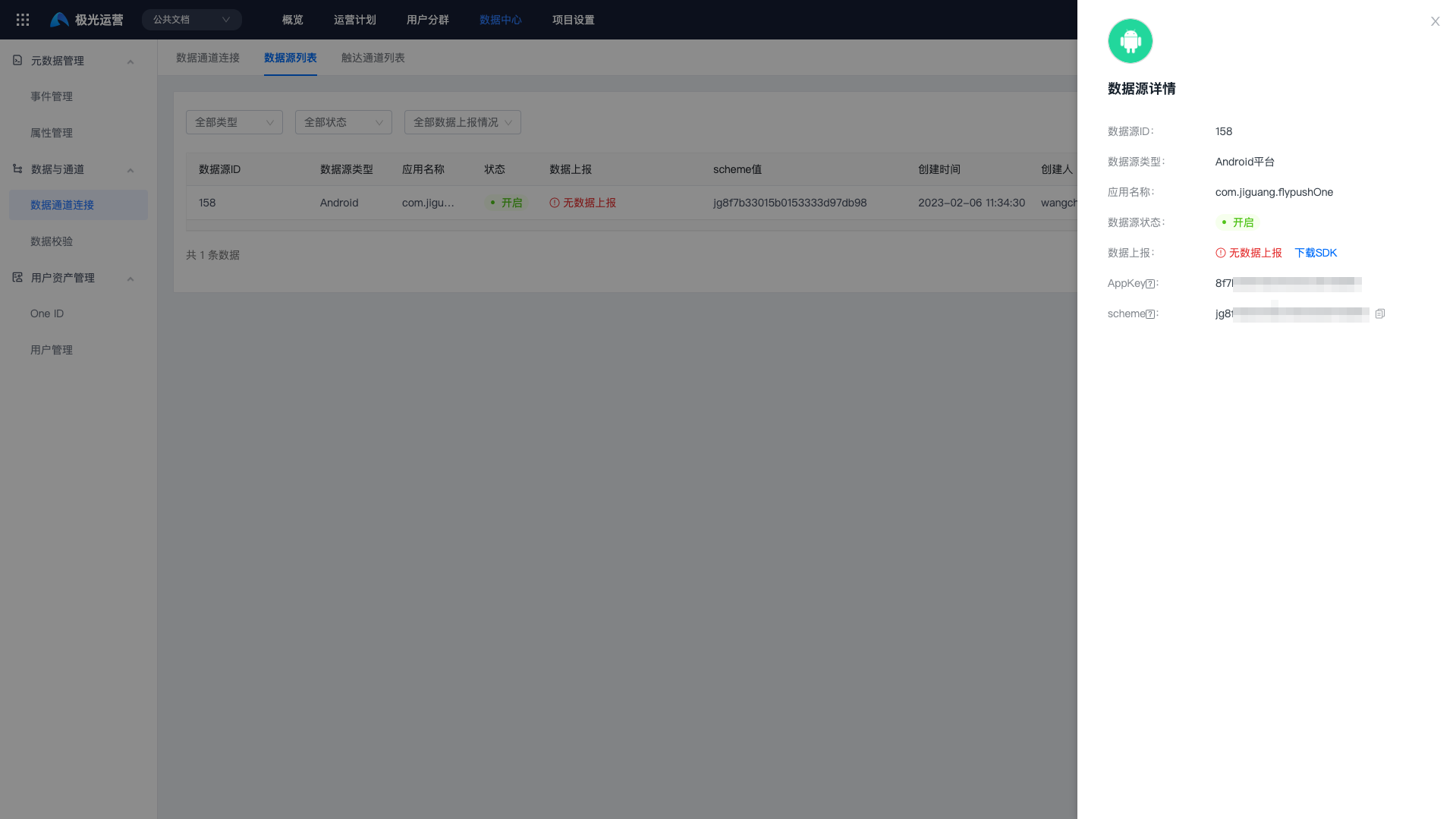
After creation is complete, click Details to obtain the data source ID, AppKey, Master Secret, and scheme.
Disable a Data Source
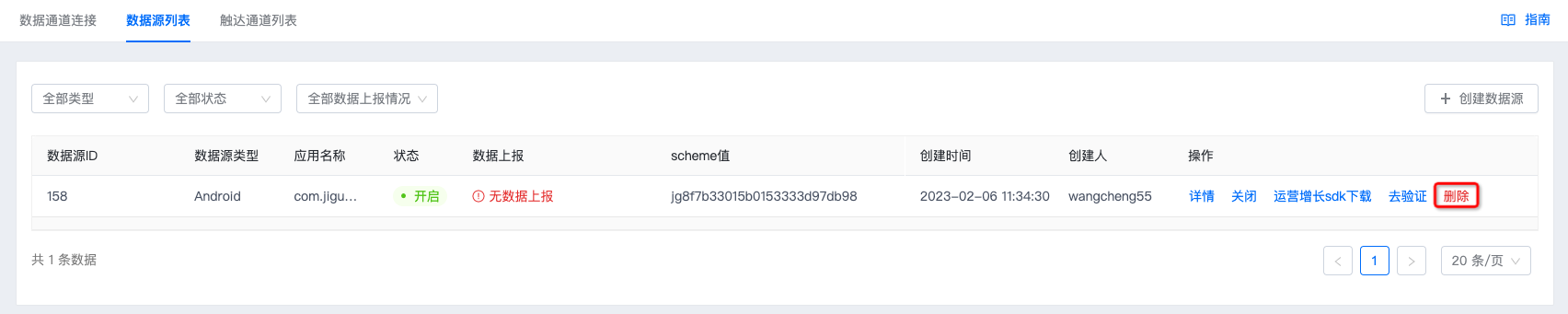
Click "Disable" and confirm again to disable the data source. After it is disabled, all data reported from this platform will stop being received, which will affect most business scenarios in the Growth platform. Use this carefully.

Verify Data Source Reporting
If you need to verify whether data has been reported, click "Verify" to enter the data validation page. For details about validation steps, see the Data Validation Document.

Delete a Data Source
Click "Delete" and confirm again to delete the data source. After deletion, all data reported from this platform will stop being received, which will affect most business scenarios in the Growth platform. Use this carefully.
Reach Channel List
Create a Reach Channel
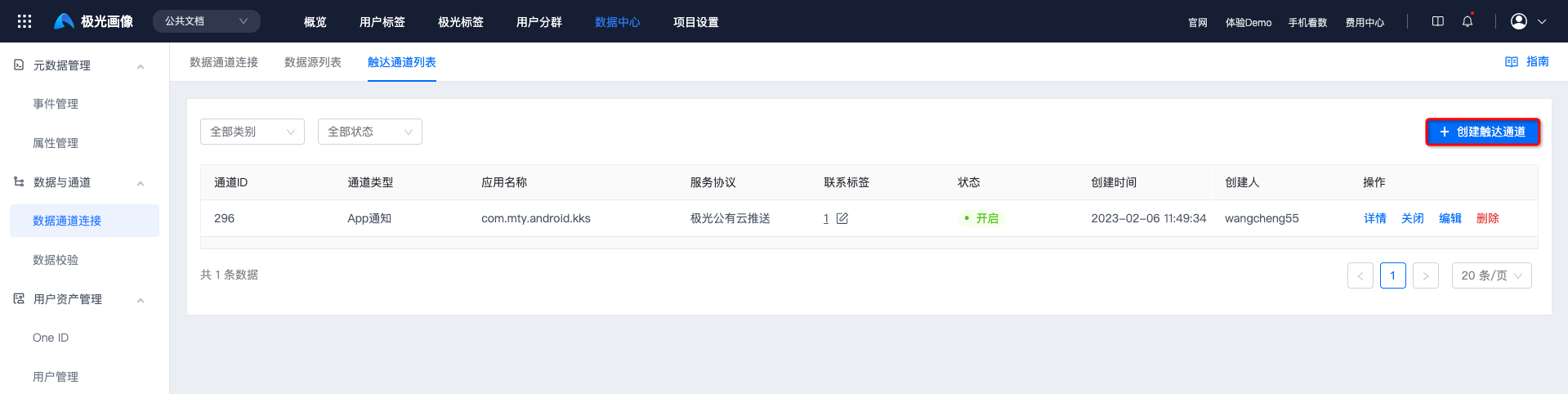
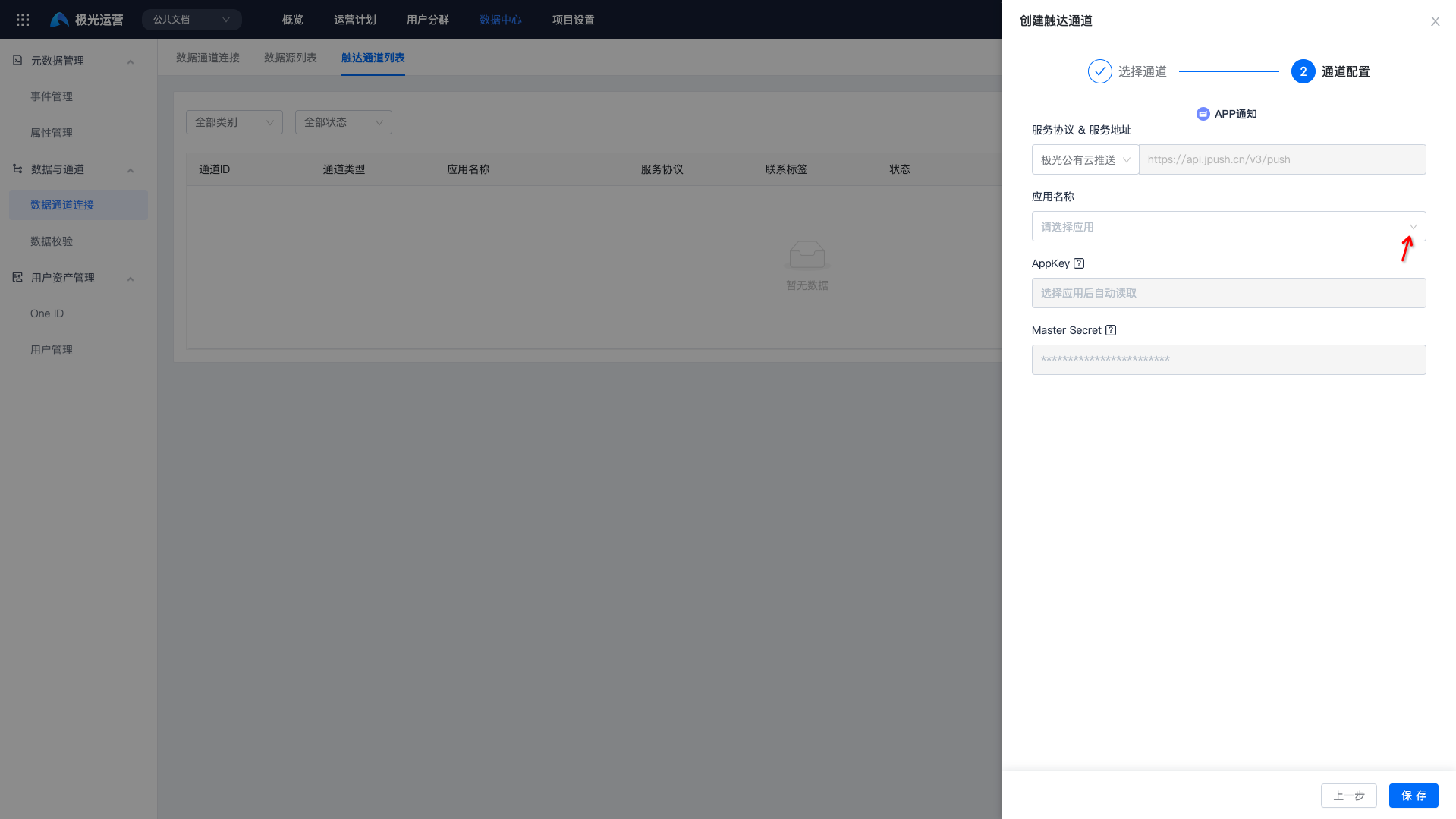
- Go to [Data Center] - [Data Channel Connection] - [Reach Channel List], and click "Create Reach Channel".
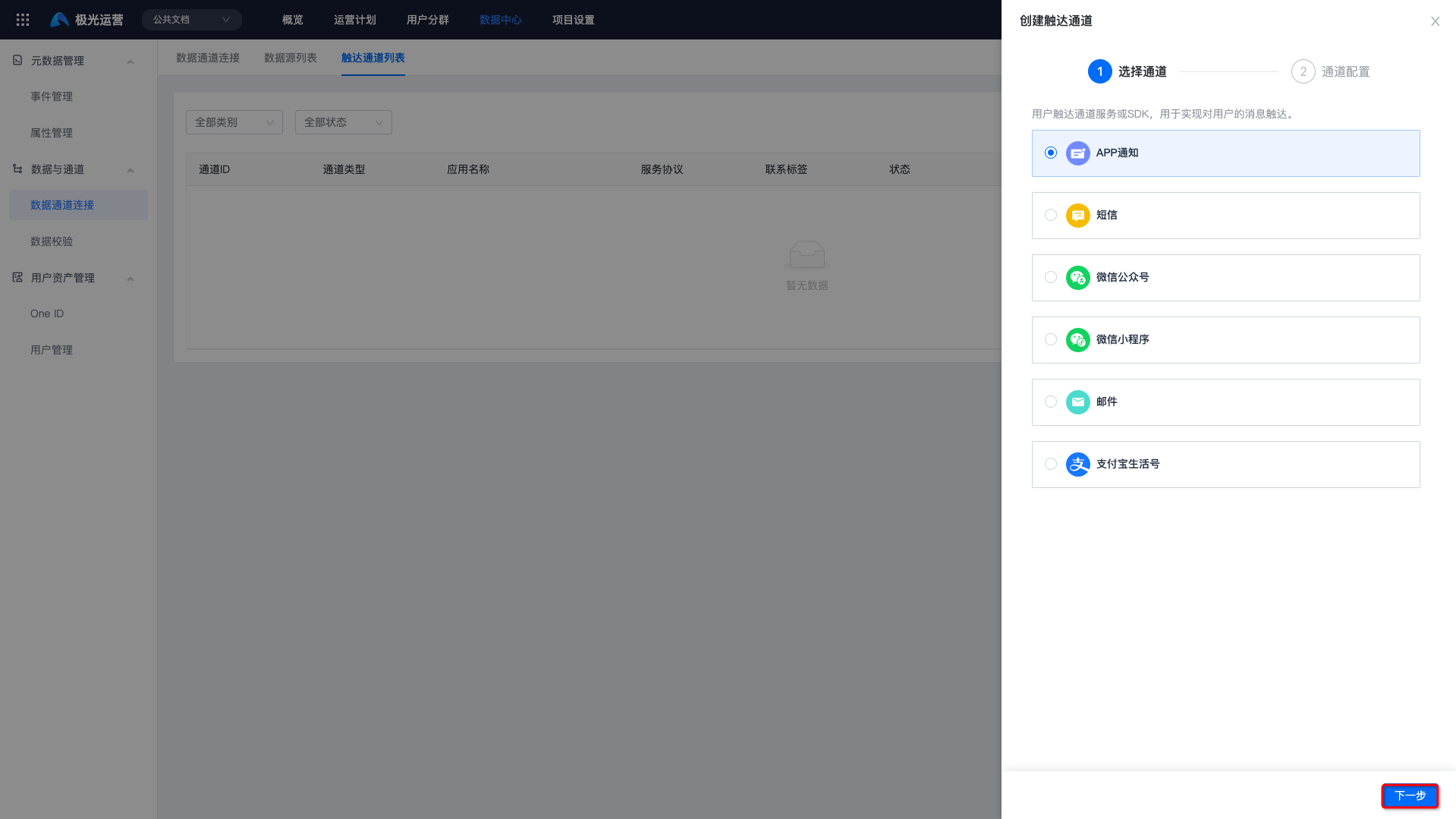
- Select the channel and the corresponding app name.
If no app is available for selection, click "New" to create an app first, then select it.
Reach Channel Details
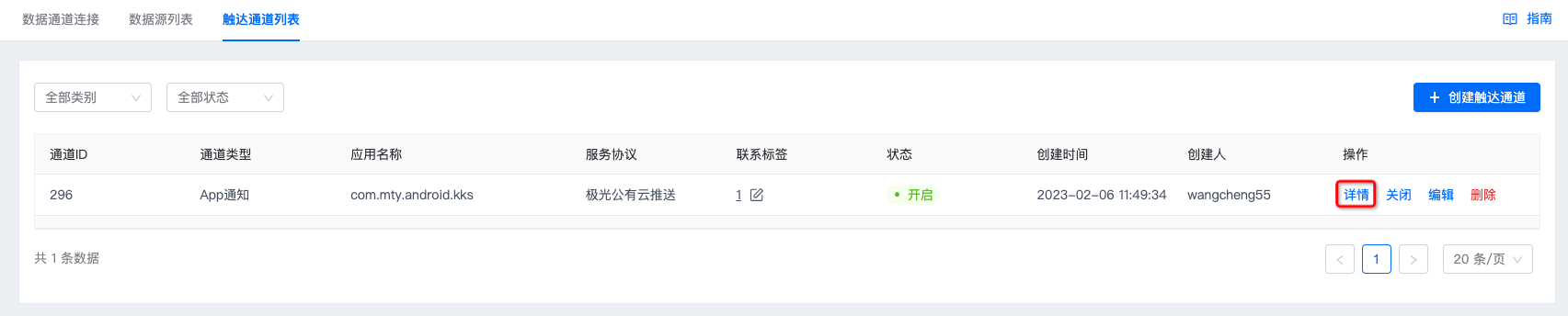
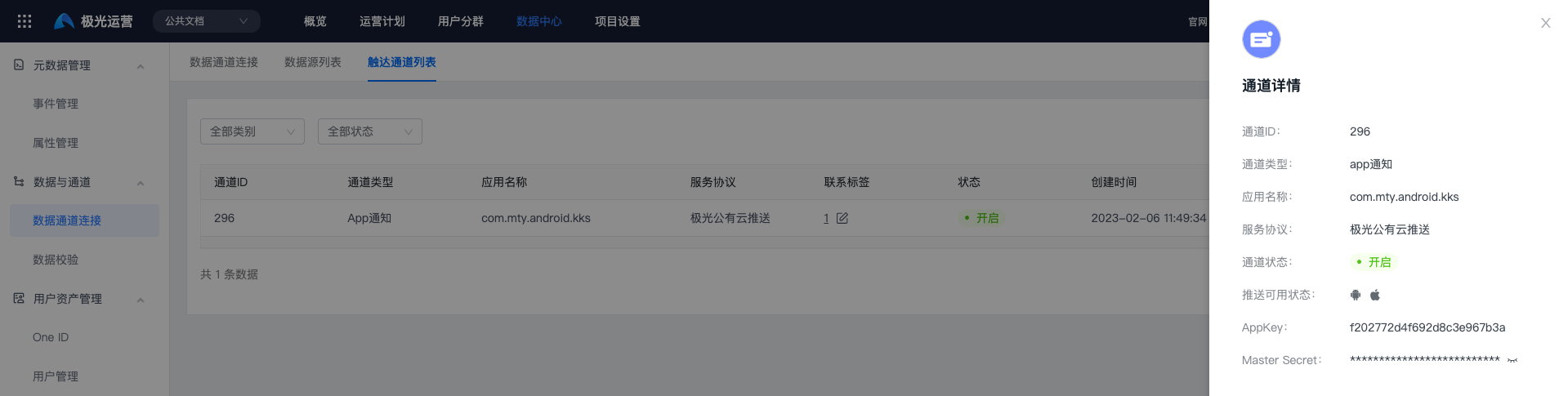
After creation is complete, click "Details" to obtain the channel ID, AppKey, and Master Secret.
Disable a Reach Channel
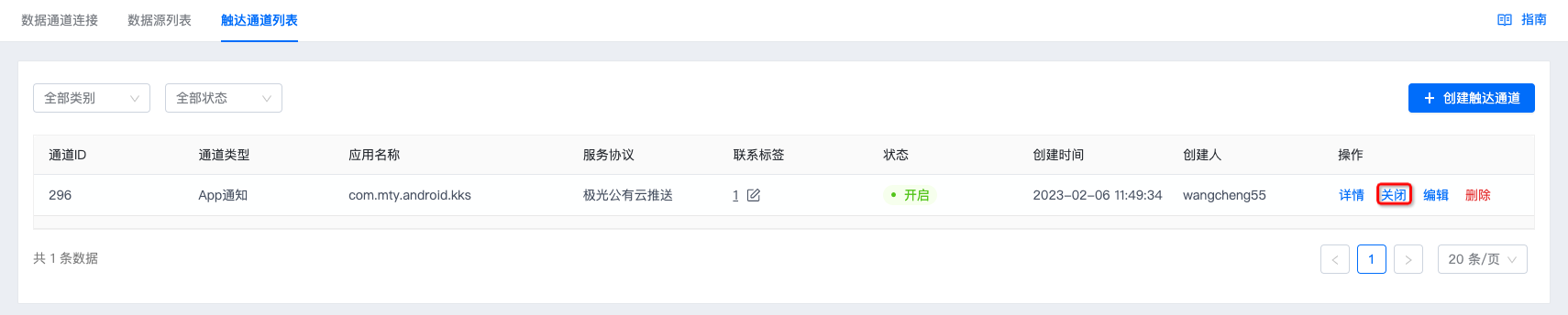
Click "Disable" and confirm again to disable the channel. After it is disabled, sending strategies that use this channel will become invalid, and they can be used again only after the channel is enabled.
Edit a Reach Channel
If a third-party password changes, click "Edit" to modify it, such as the WeChat Master Secret.

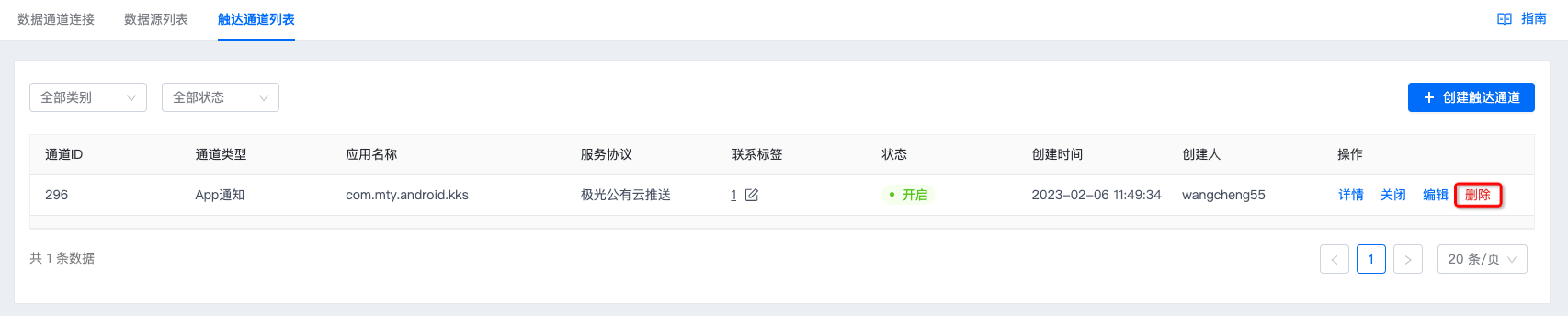
Delete a Reach Channel
Click "Delete" and confirm again to delete the reach channel. After deletion, the channel cannot be restored, and strategies that use this channel will become invalid. Use this carefully.