


HTTP API Platform
Last updated:2023-02-21
HTTP API Platform
This document guides users on how to quickly integrate the HTTP API data source platform.
Create a Data Source
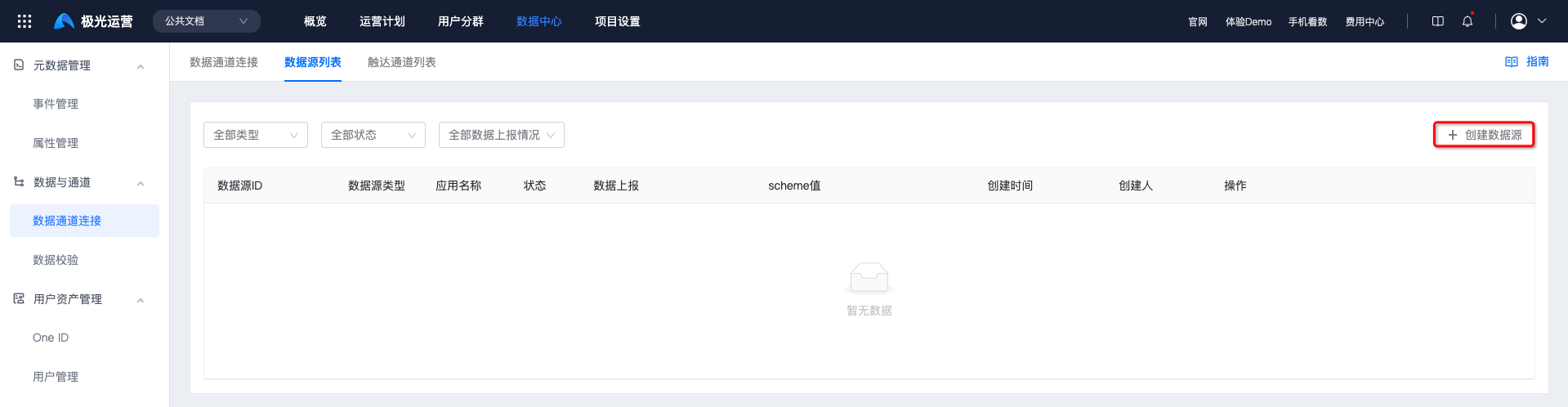
Go to [Data Center] - [Data Channel Connection] - [Data Source List], and click "Create Data Source".
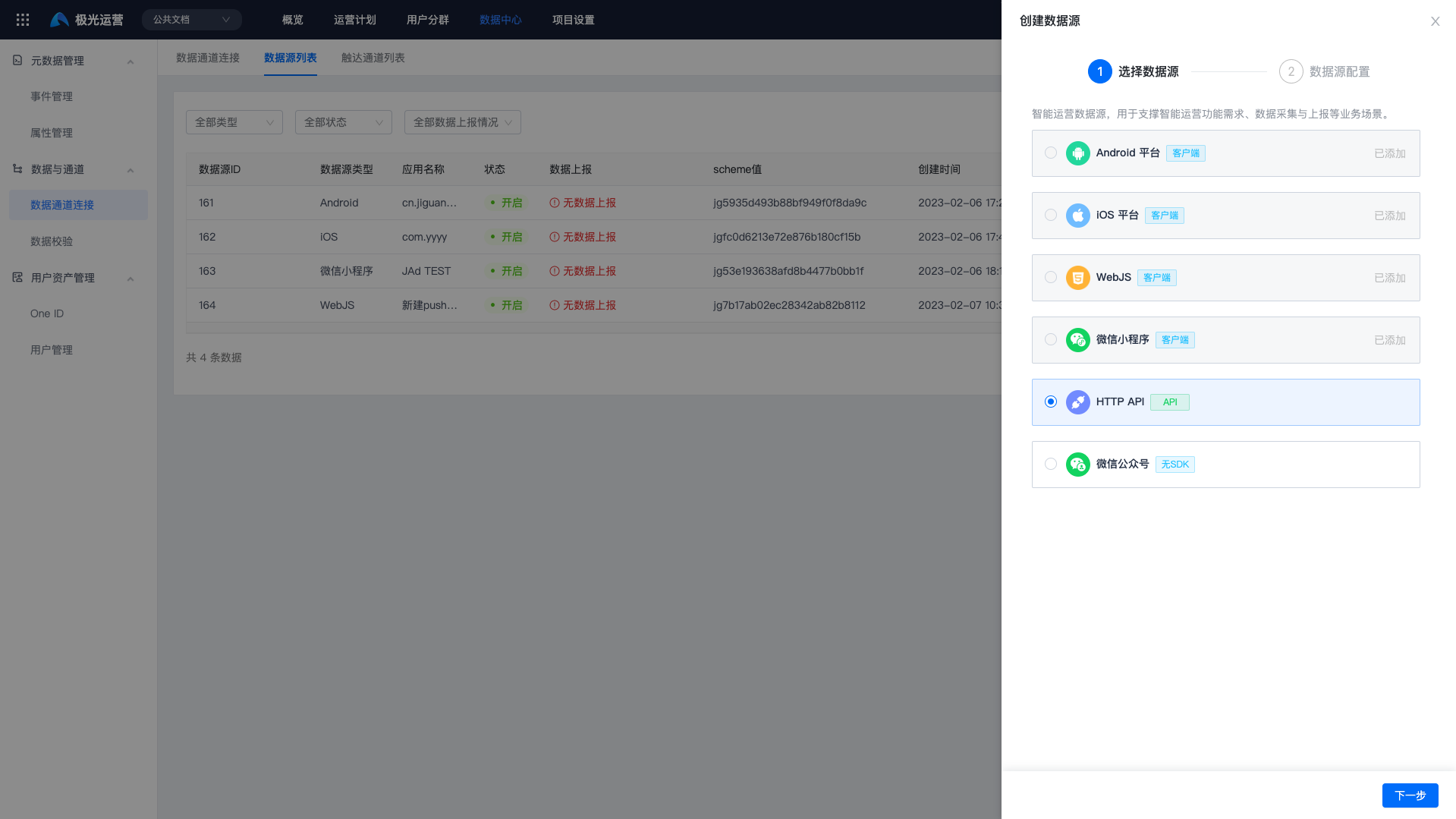
Select "HTTP API" and select the app name.
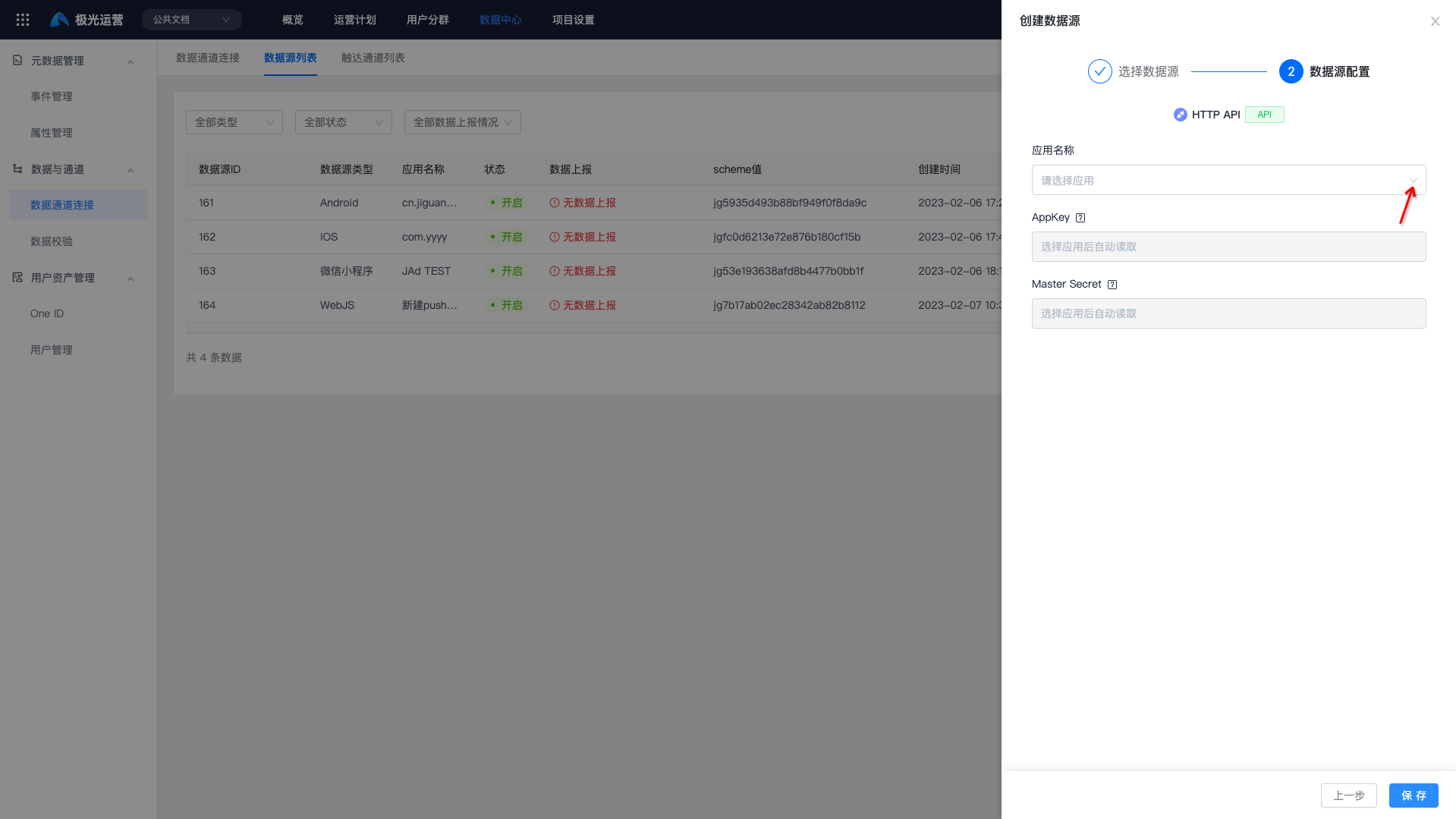
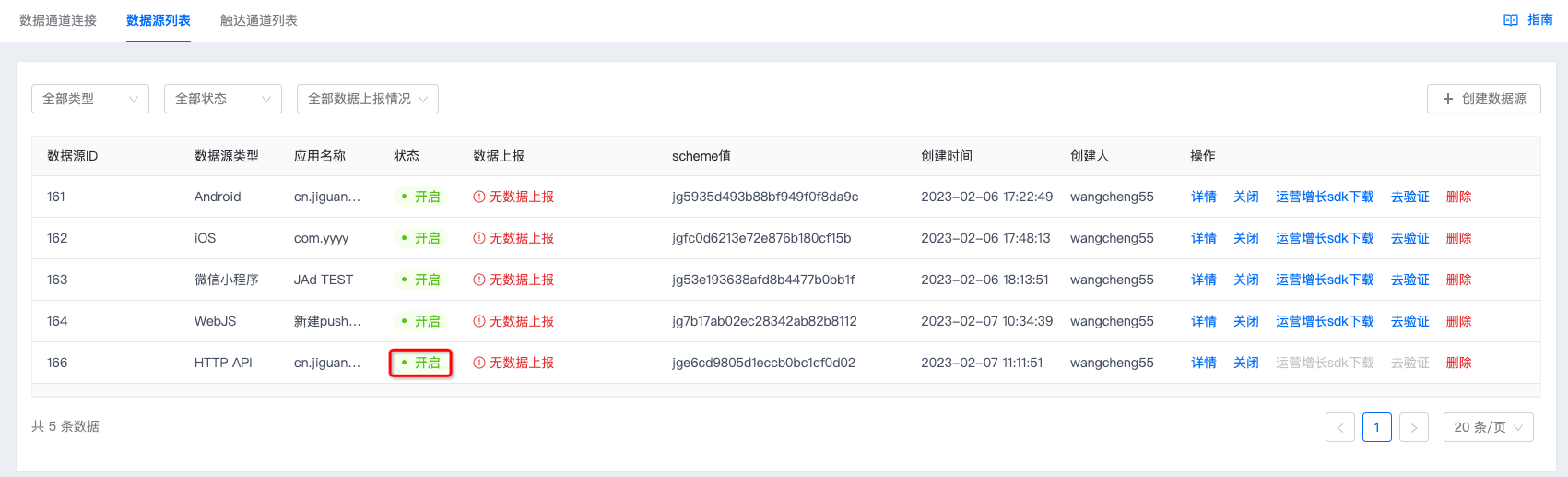
Click "Save". If the status shows "Enabled", the data source has been created successfully.
Report Data
If "Data Reporting" status shows no reported data, data needs to be reported for the data source.
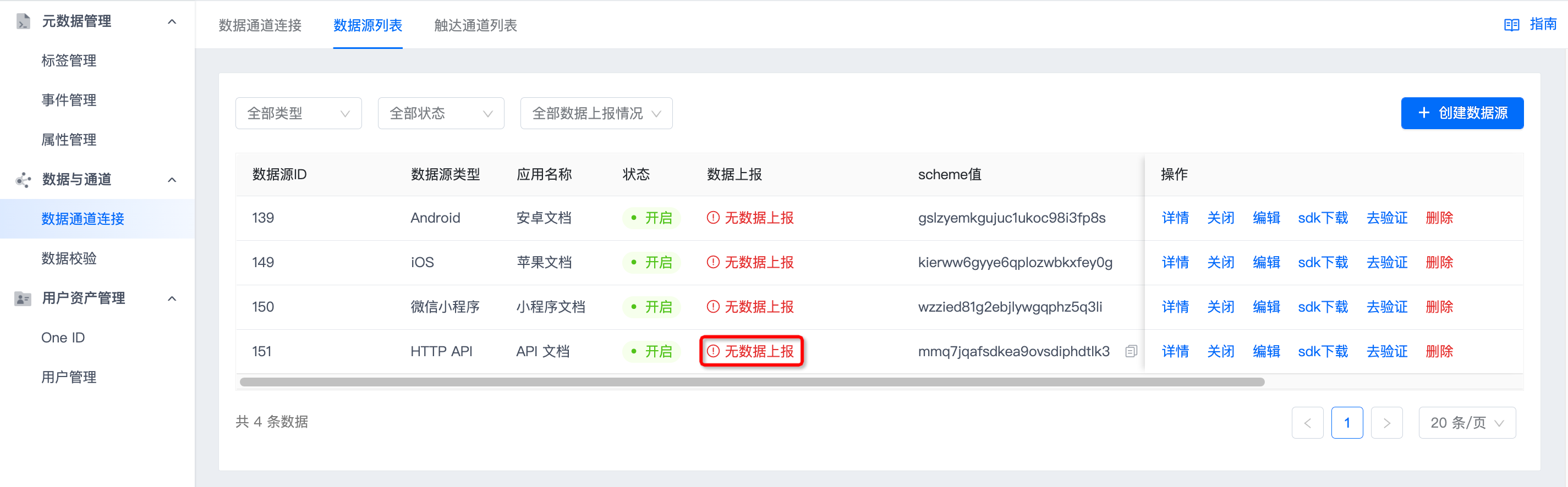
Call the API to report user events. For details, see Report User Events.
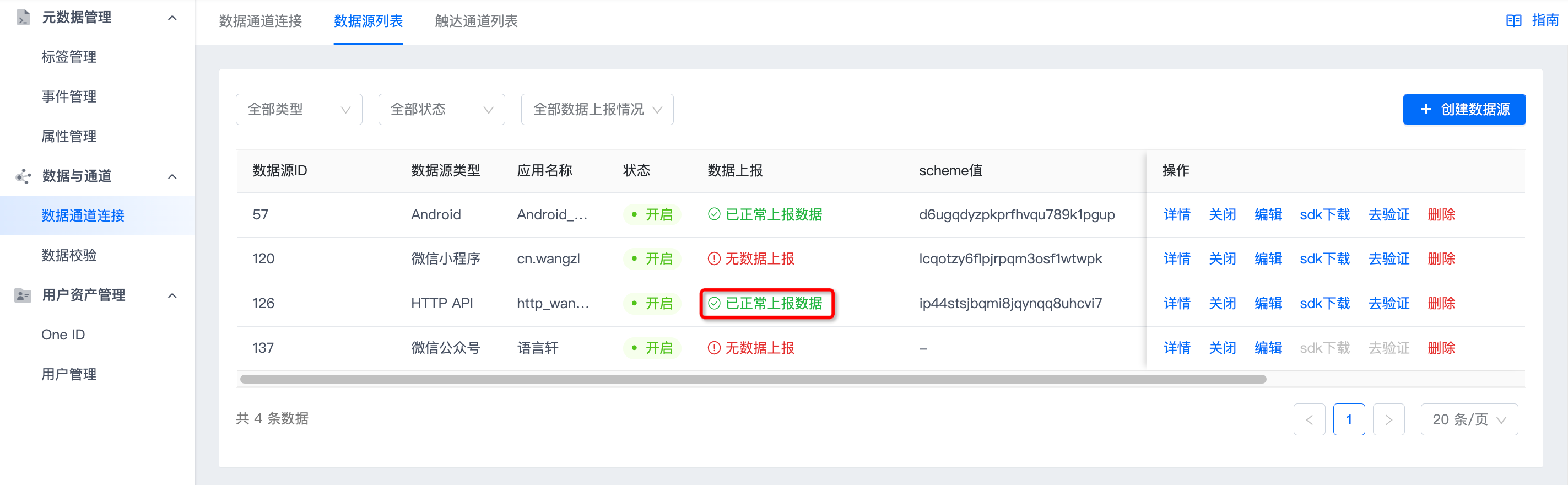
After calling the API, if "Data Reporting" shows that data is being reported normally, reporting succeeded.
Was this document helpful?

