


WeChat Official Account Integration
Overview
The WeChat Official Account Platform is a platform where operators provide information and services to WeChat users through official accounts. For details, see the official WeChat Official Account documentation. Official accounts mainly provide services to users through official account message conversations and web pages inside official accounts. Jiguang supports official account message conversation features. You can scan a QR code in the Jiguang console for authorization, and then manage official accounts in one place.
Message Conversation Types
An official account exists as a contact of a WeChat user. Message conversations are the basis for interaction between an official account and users. Currently, message conversations mainly include mass messages, passive reply messages, customer service messages, and template messages. These message service types are used for different scenarios. Jiguang supports mass message types. You can send mass messages to users at a certain frequency: once per day for subscription accounts and 4 times per month for service accounts. Message types include text messages, rich media messages, images, videos, and voice messages. Subscription accounts cannot be changed to service accounts, and service accounts cannot be changed to subscription accounts. The differences are as follows:
- Subscription account: mainly focuses on delivering information to users, similar to newspapers and magazines. Before and after certification, only one mass message can be sent per day. If you only need to send messages simply for promotional purposes, a subscription account is recommended.
- Service account: mainly focuses on service interaction, similar to banks or 114 information services. Before and after certification, 4 mass messages can be sent per month.
Register an Official Account
Apply for a WeChat Official Account on the WeChat Official Account Platform. For details, see Enterprise official account registration steps.
Add a Channel
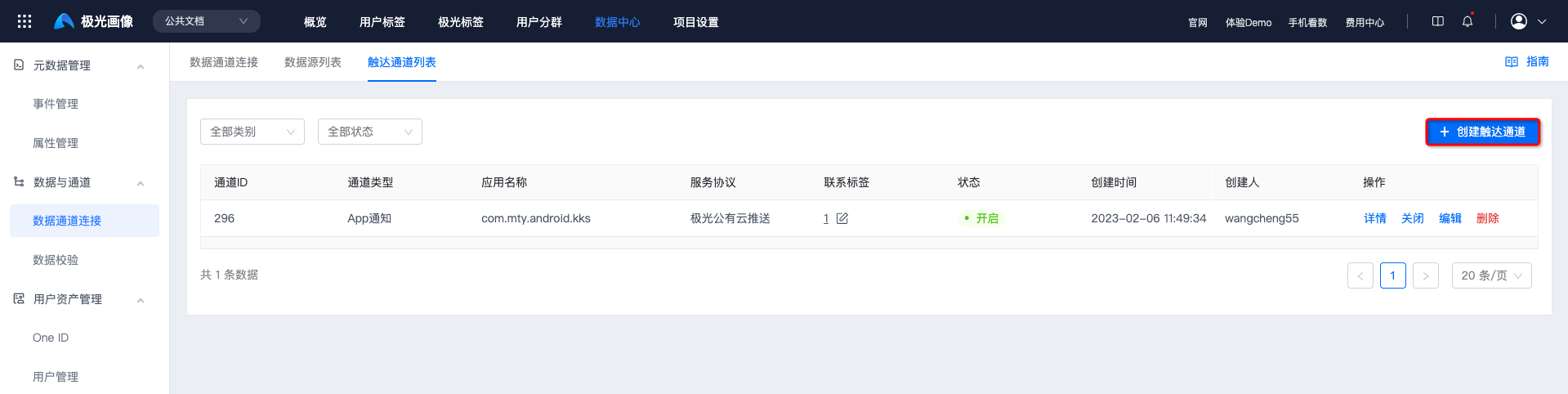
- Go to [Data Center] - [Data Channel Connection] - [Reach Channel List], and click "Create Reach Channel".
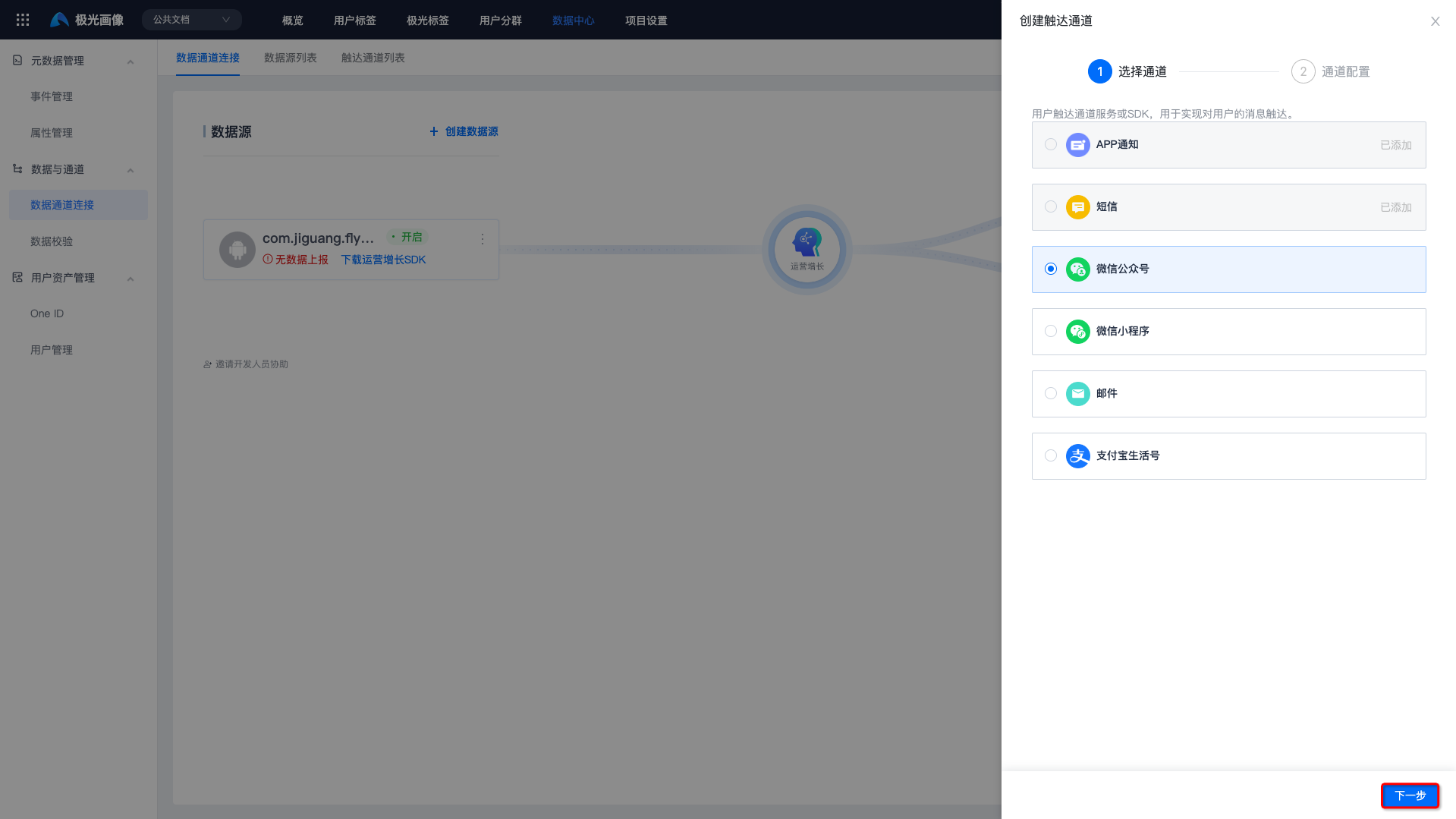
- Select the "WeChat Official Account" channel.
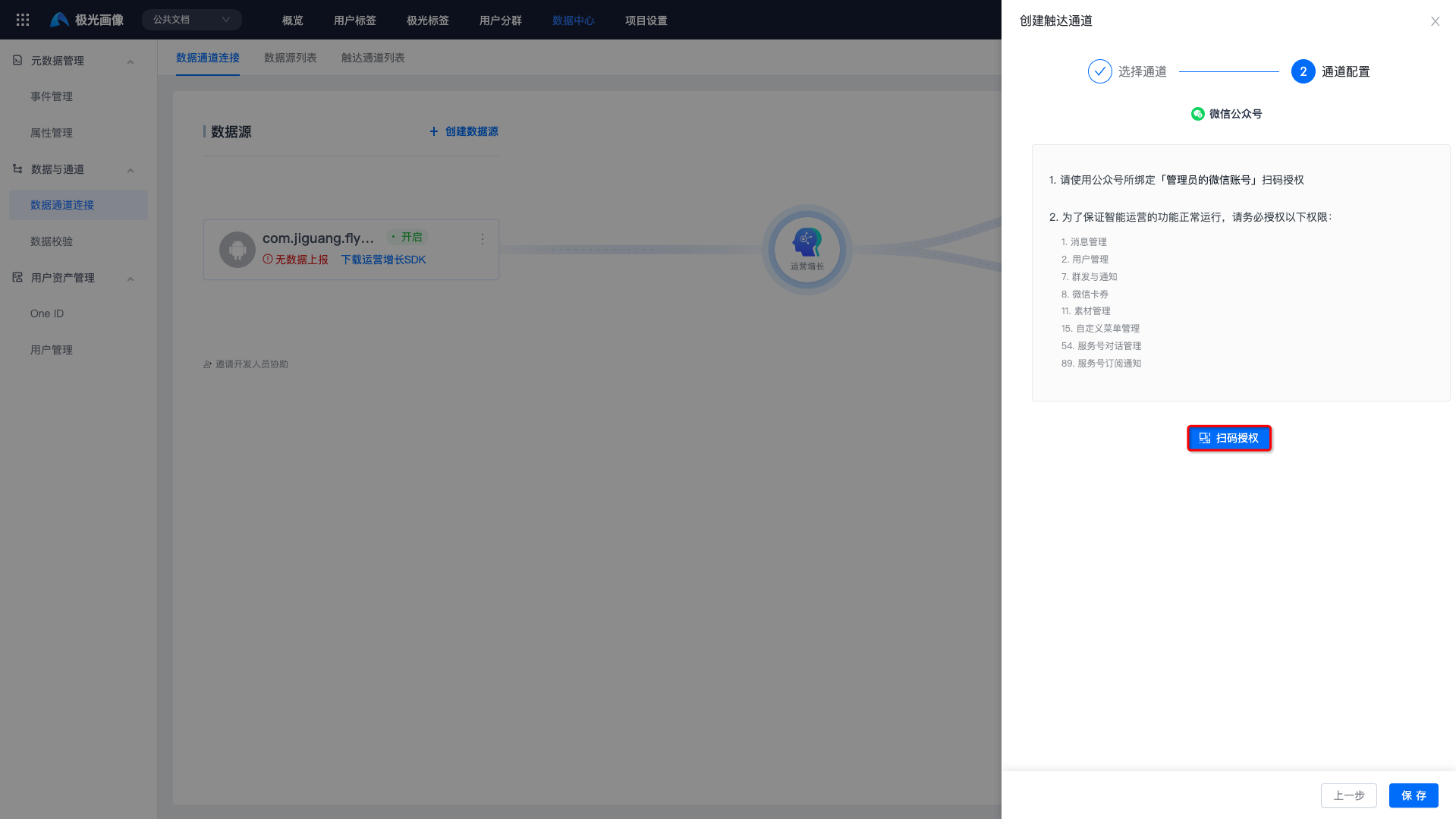
- Click "Scan Code for Authorization". The administrator's WeChat account must scan the QR code and agree to the required permissions.
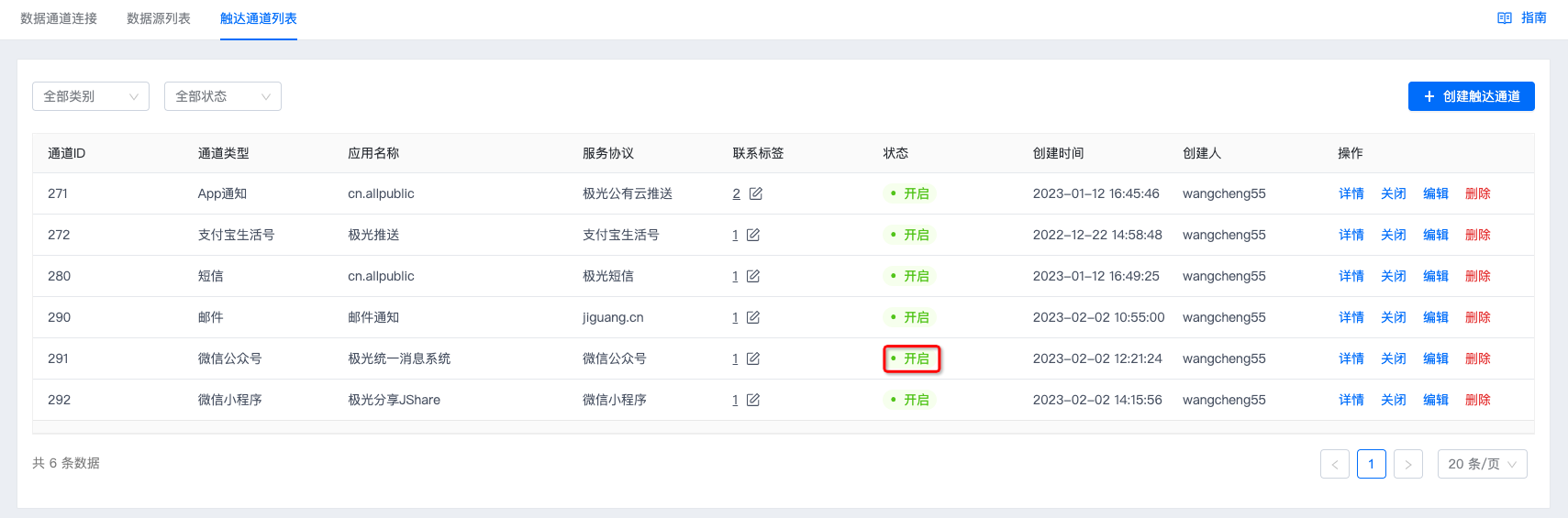
- After authorization is approved, the status shows "Enabled", which means the channel has been added successfully.
Required Permission Description
To ensure that Growth features run normally, authorize the following permissions:
- Message management
- User management
- Mass sending and notifications
- WeChat cards and coupons
- Material management
- Custom menu management
- Service account conversation management
- Service account subscription notification
Configure IP Whitelist
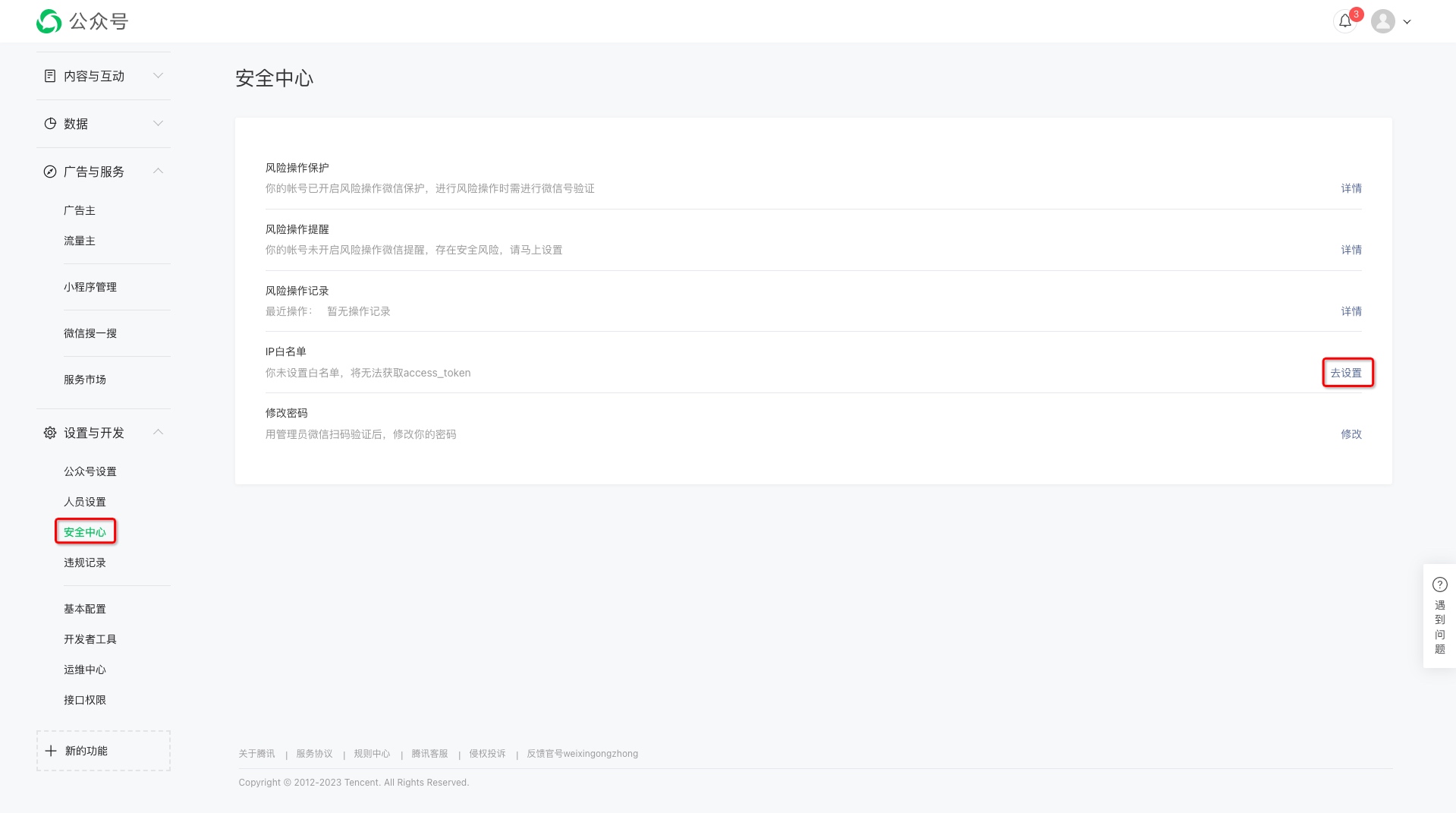
Go to [WeChat Open Platform - Personal Center - Settings and Development - Security Center], configure the IP whitelist, and enter IP: 114.116.254.201.
Note: The IP whitelist must be configured; otherwise, WeChat Official Account features cannot be used.
Enable Template Messages
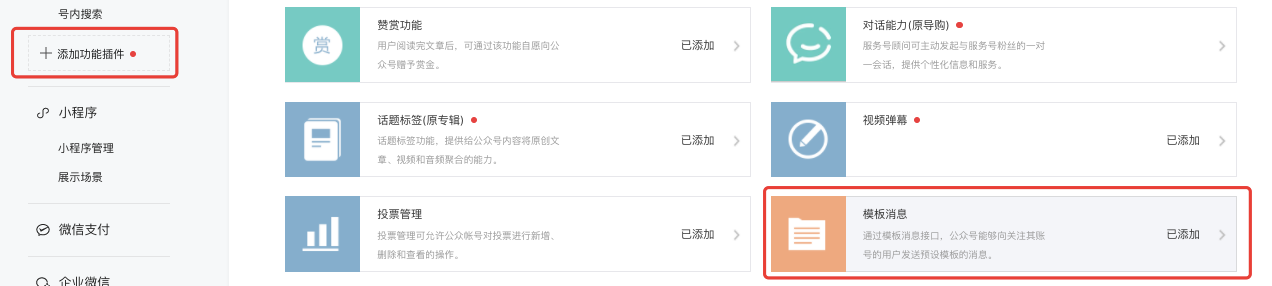
- Go to [Official Account Admin] - [Features] - [Add Feature Plugin], click "Template Message" to apply for the template feature. For details, see the official introduction.
- After enabling template messages, you can add the templates you need on the [Template Message] - [Template Library] page. One official account can apply for up to 25 templates. If you cannot find a suitable template, you can also apply for a dedicated template up to 3 times per month.
When using template messages, comply with WeChat's official operation specifications.
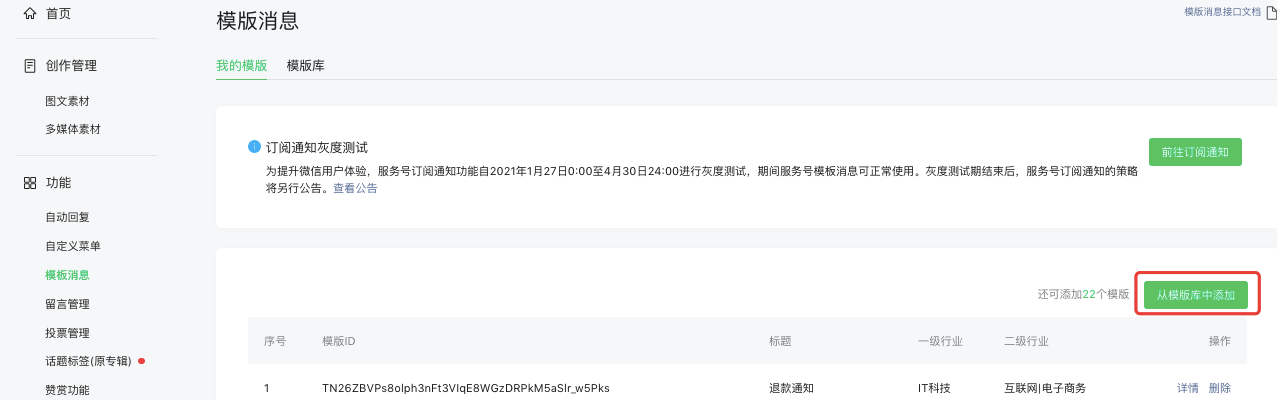
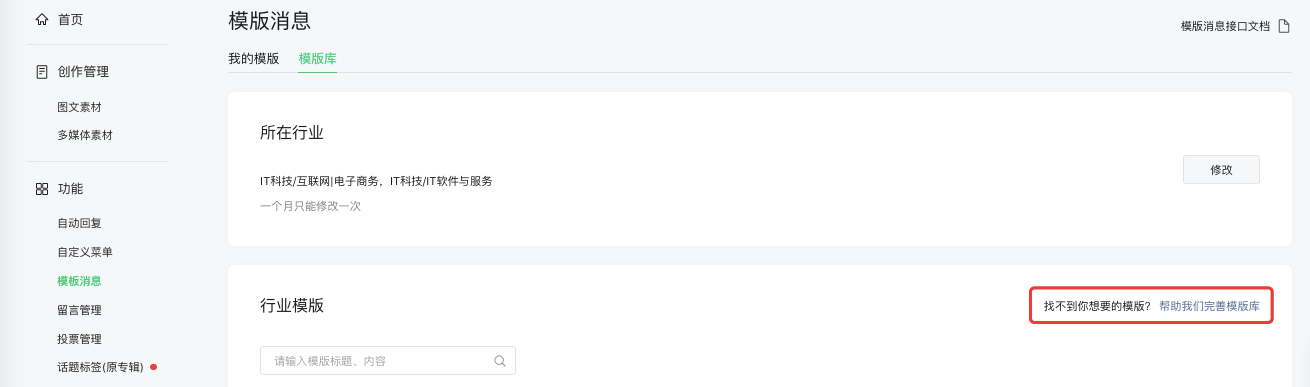
- After adding template message templates on the WeChat Official Account Platform, you can go to [Operation Center] - [Copy Template] - [Create Copy] to view the list of added template message templates.
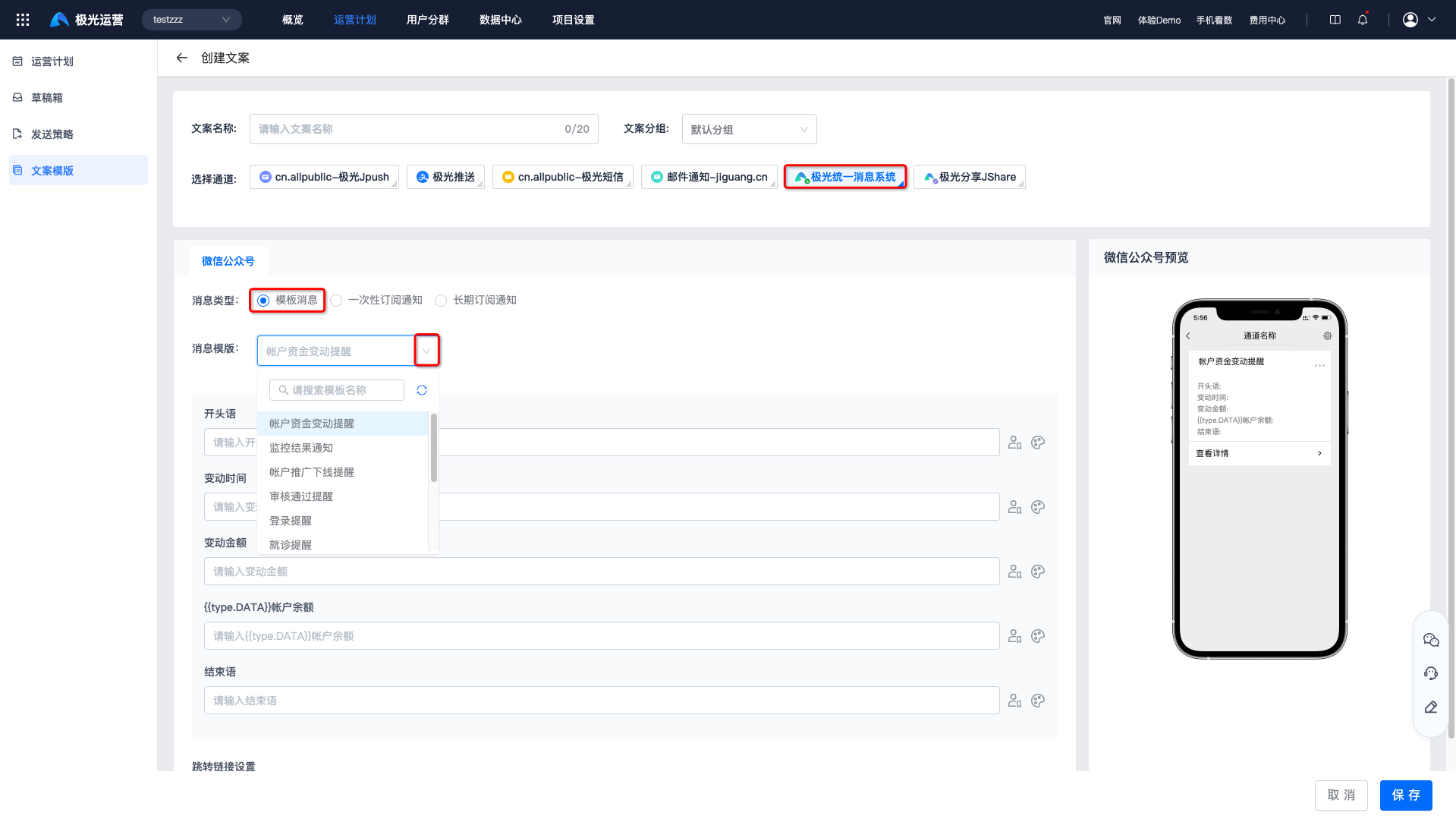
Enable Subscription Notifications
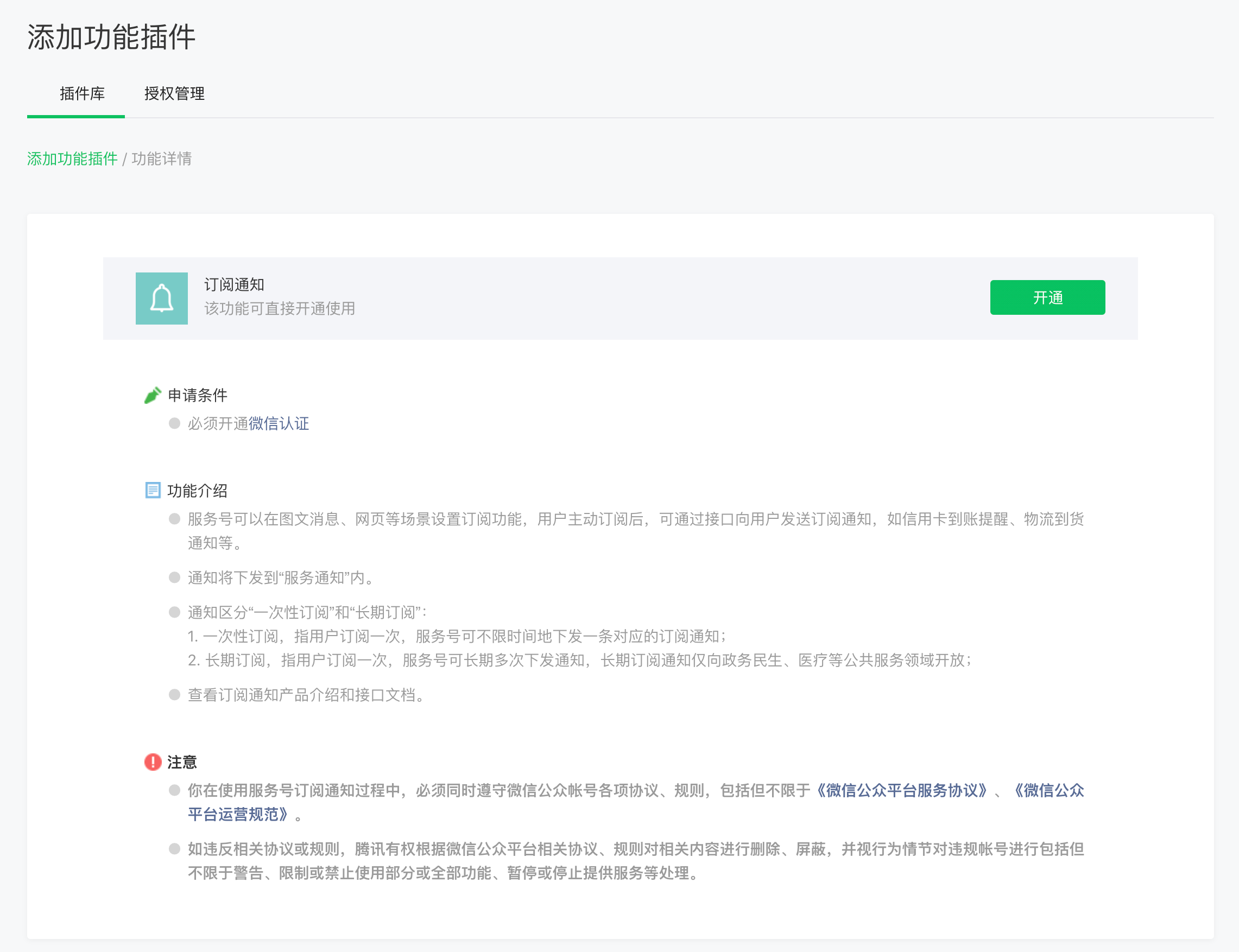
- Log in to the official account admin backend and click "Add Feature Plugin" to enable subscription notifications. For details, see the official introduction.
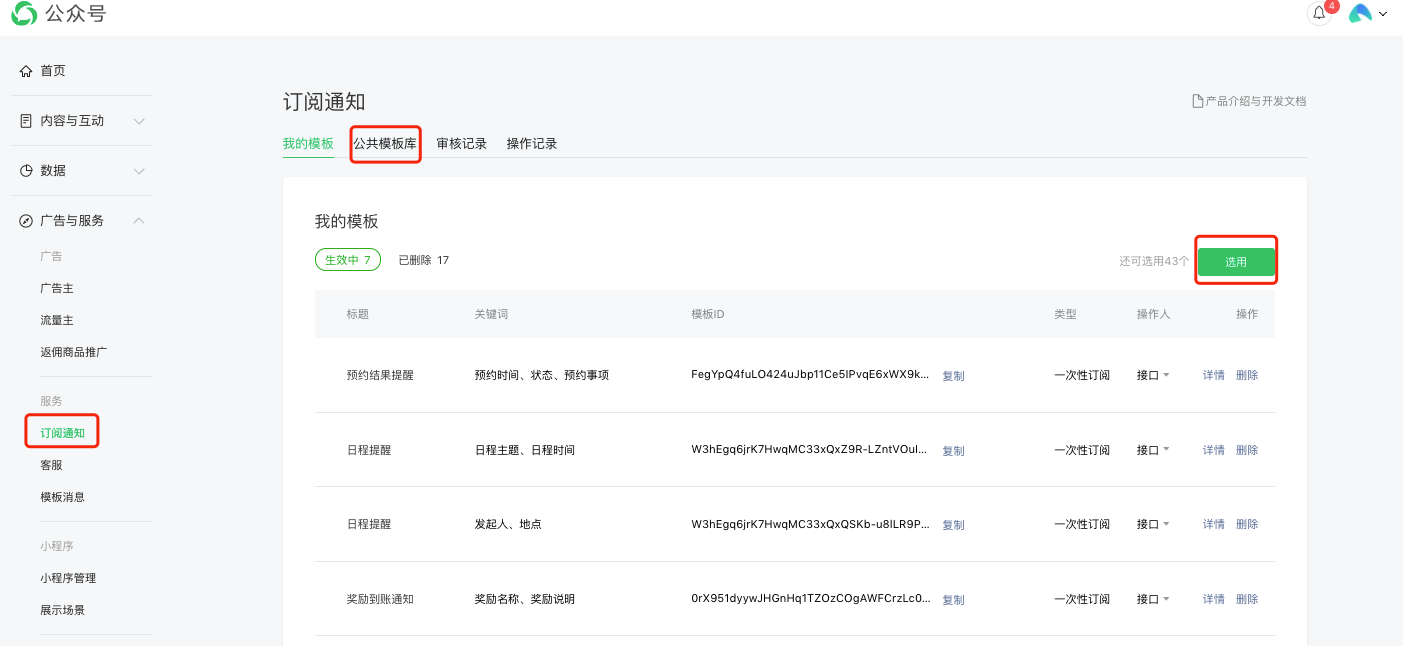
- After enabling subscription notifications, you can add the templates you need on the [Advertising and Services] - [Subscription Notifications] - [Public Template Library] page. One official account can apply for up to 50 templates. If you cannot find a suitable template, you can also apply for a dedicated template up to 10 times per month.
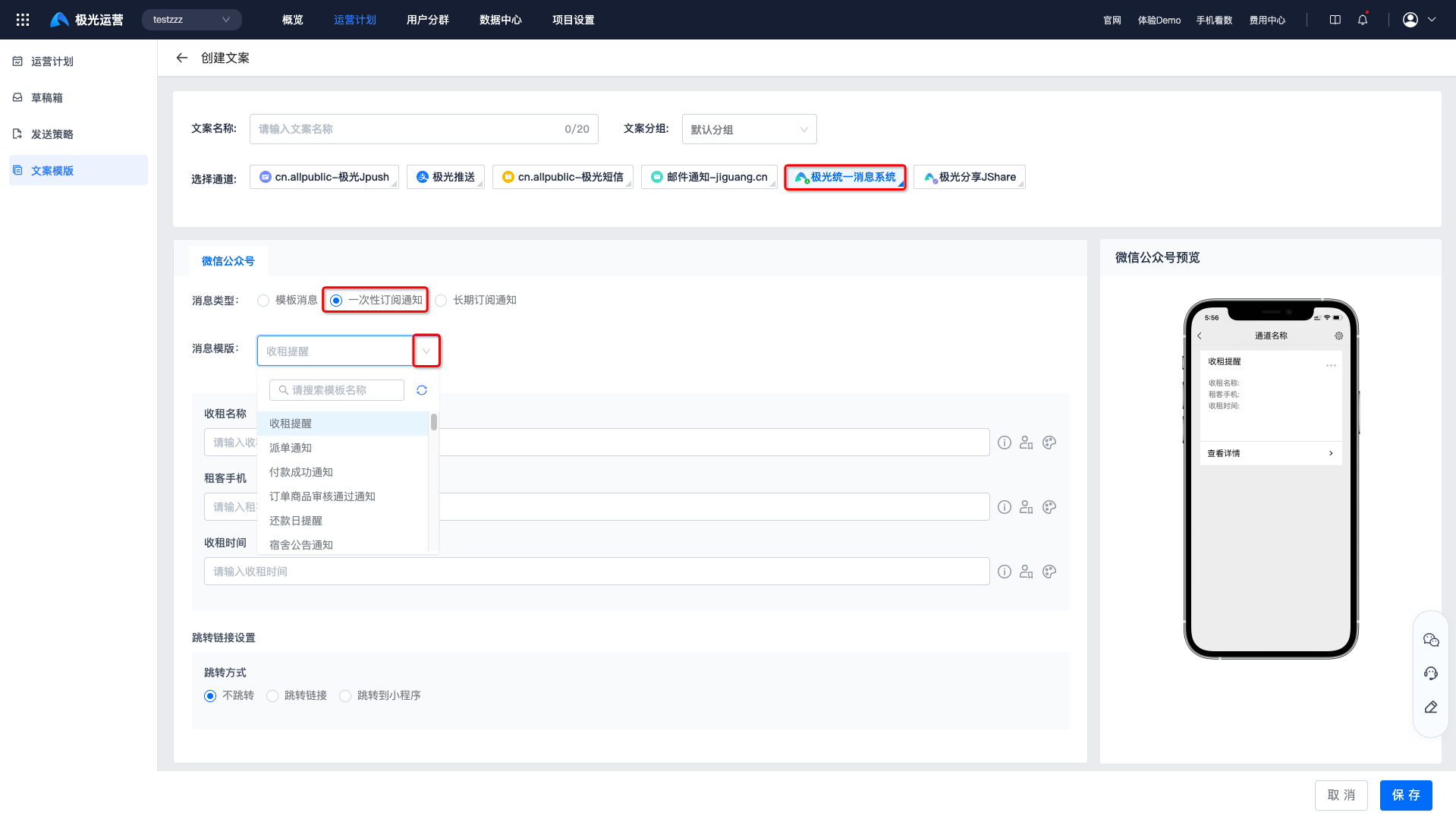
- After adding subscription notification templates on the WeChat Official Account Platform, you can go to [Operation Center] - [Copy Template] - [Create Copy] to view the list of added subscription notification templates.
Channel Receipt
Channels created through scan-code authorization do not require additional receipt configuration.

