User Management
Enterprise digitalization currently includes self-built business platforms such as websites, apps, and offline stores, internet ecosystem platforms such as WeChat, JD.com, and Taobao, and third-party business platforms such as CRM, SCRM, and WeCom. To help enterprises aggregate data from various ecosystem platforms and build a unified user identity system, Jiguang has built a user asset platform that enables data linkage, dynamic updates, and data value production, providing infrastructure support for intelligent marketing. It comprehensively solves unique identity recognition problems involving multiple devices and multiple accounts, single accounts across multiple devices, and multiple accounts on a single device, forming a closed loop for user marketing.
User List
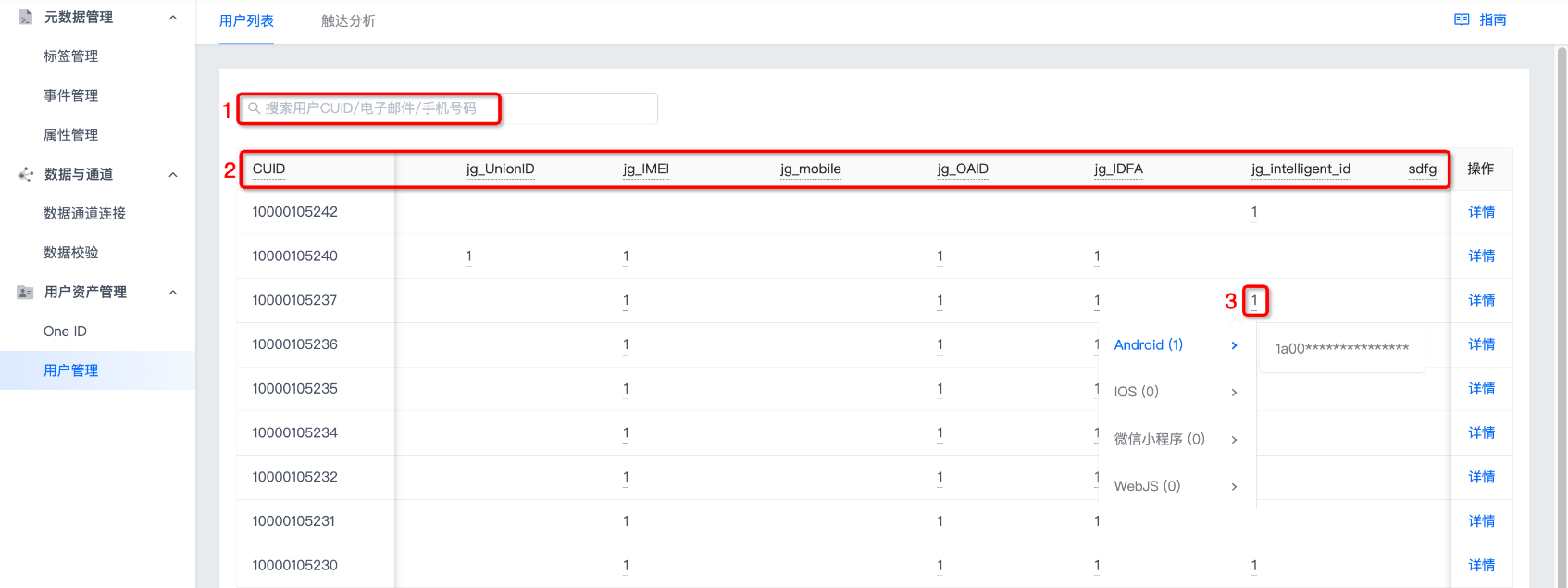
Go to Data Center -> User Asset Management -> User Management -> User List to view the multi-level device user identifiers associated with each user CUID.
- Searching by user CUID/email/phone number in the search box is supported.
- Position 2 displays all user identifiers set on the One ID page. Move the mouse over any user identifier to view its display name.
- Move the mouse over position 3 to view the reported user identifier value.
User Details
Click Details on the right side of any CUID to view the user's basic information, user behavior, and user labels.
Basic Information
Basic information lets you view user attributes, device attributes, user identifiers, and reach channels.
User Attributes
You can view all user attributes of the CUID. Custom selection of custom attributes to display is supported. After selecting, click OK to save successfully.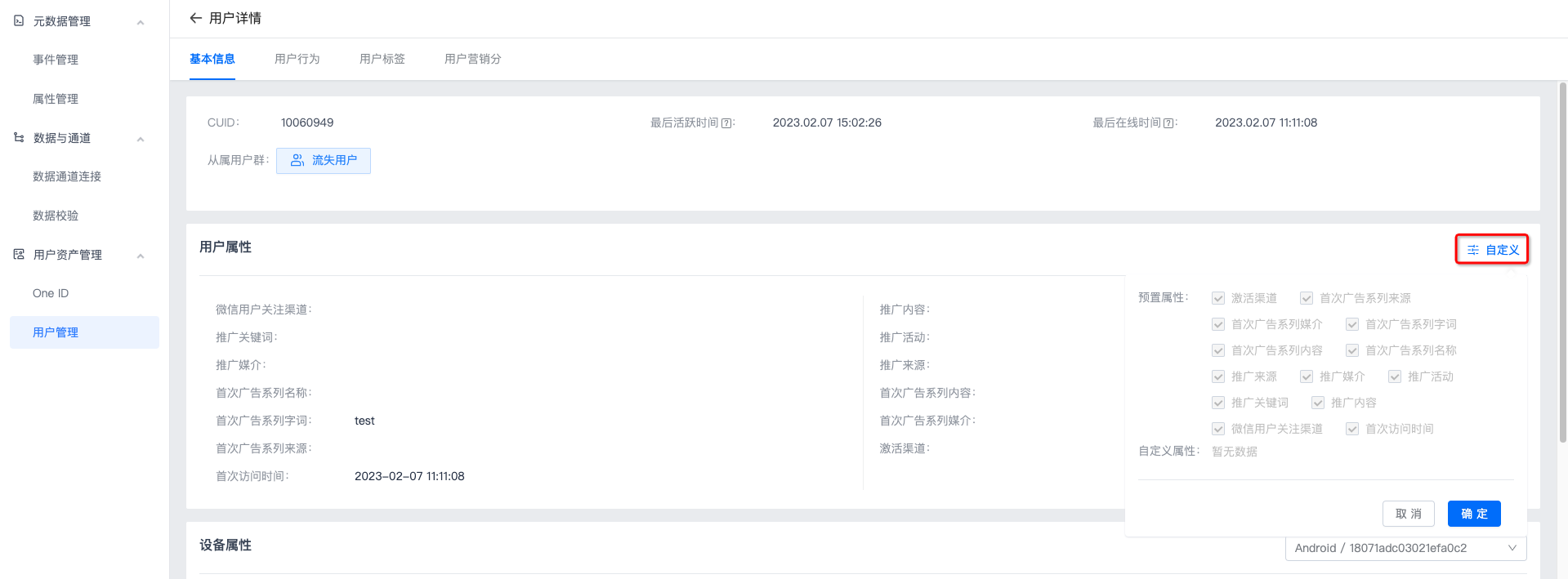
Device Attributes
You can view user attributes for each device of the CUID. Switching between different devices is supported.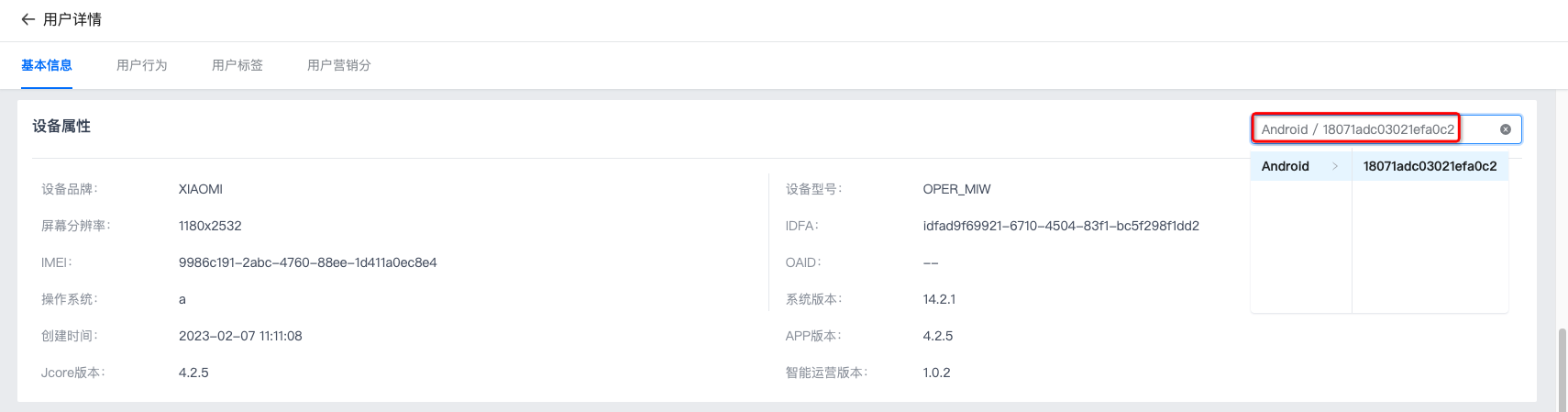
User Identifiers
You can view the corresponding values of each user identifier for the CUID.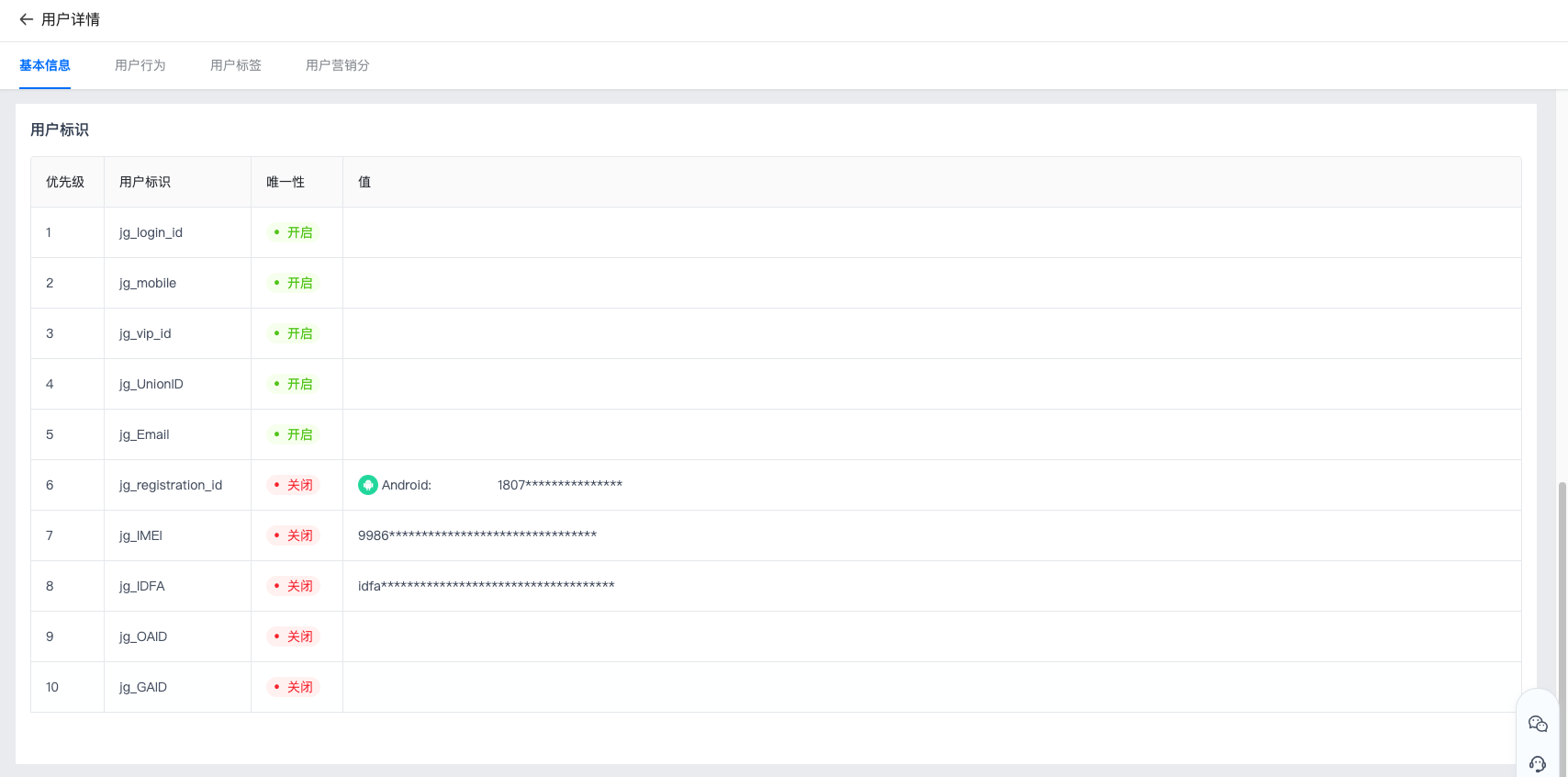
Reach Channels
You can view the contact labels and contact information corresponding to each reach channel of the CUID.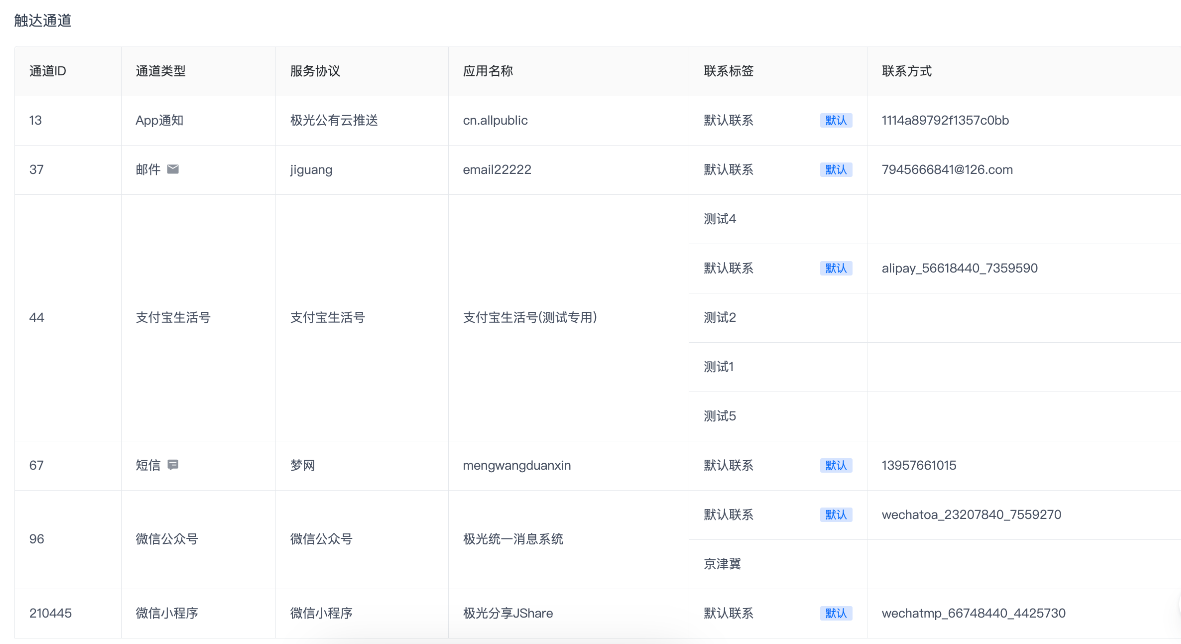
User Behavior
User behavior lets you view user behavior statistics and user behavior logs.
User Behavior Statistics
- Querying event behaviors within up to 30 days is supported.
- Filtering by event is supported.
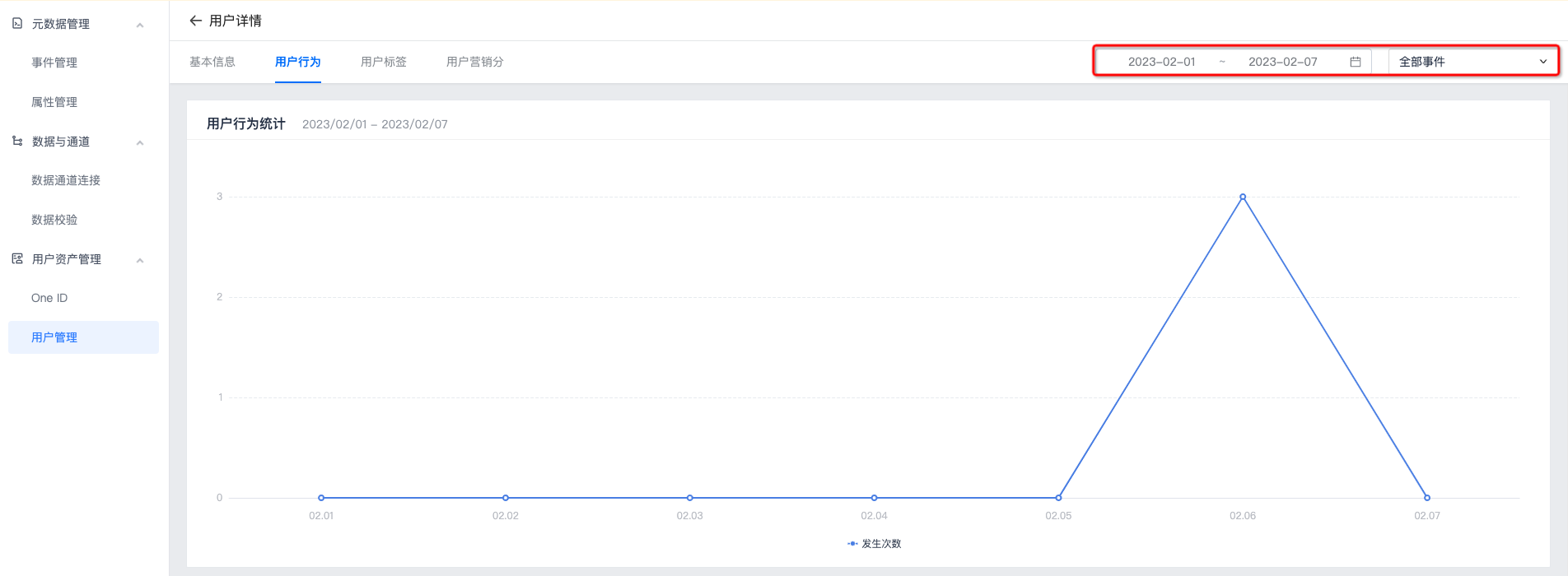
User Behavior Logs
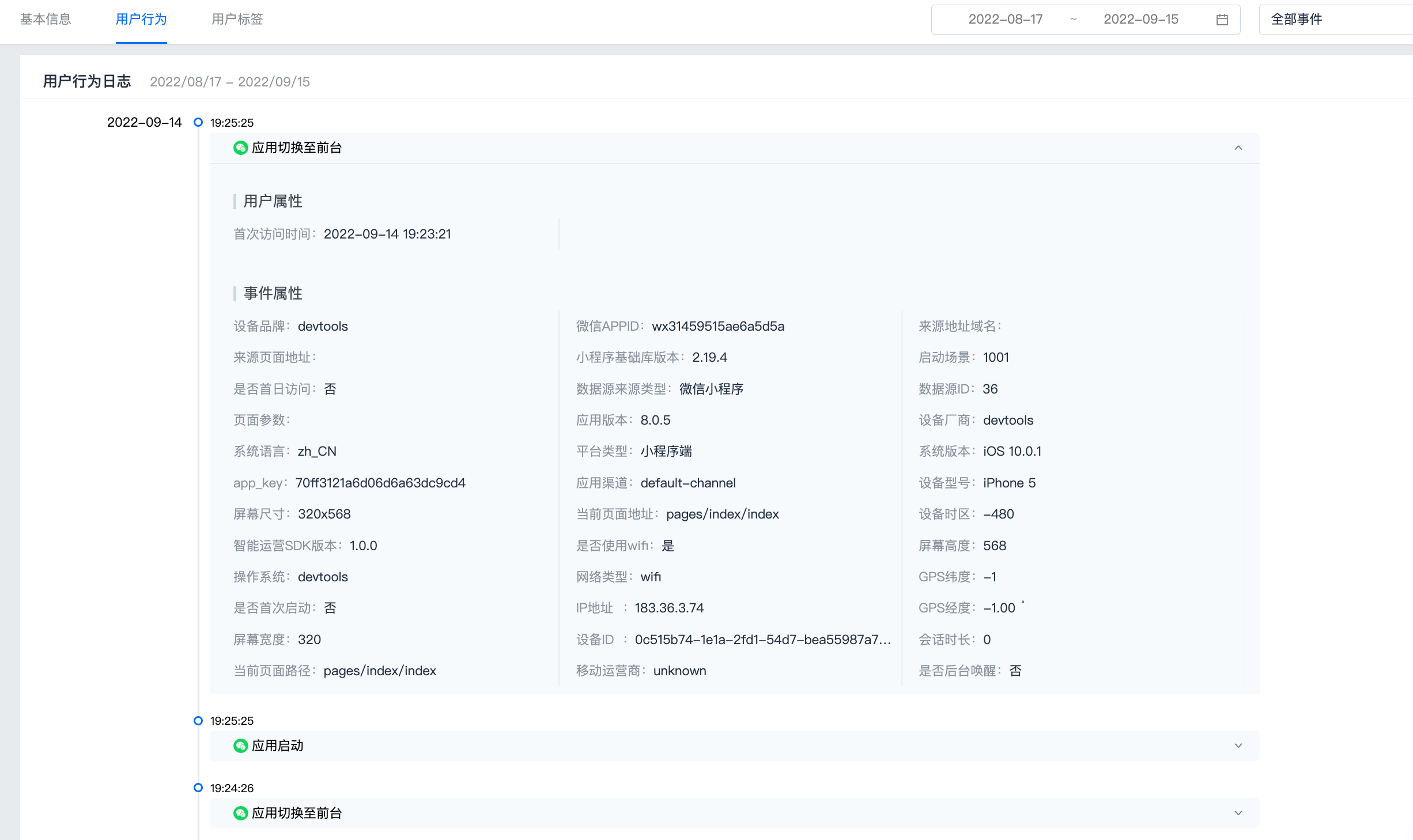
Click the drop-down button on the right side of a behavior log to view the user attributes and event attributes reported for that behavior.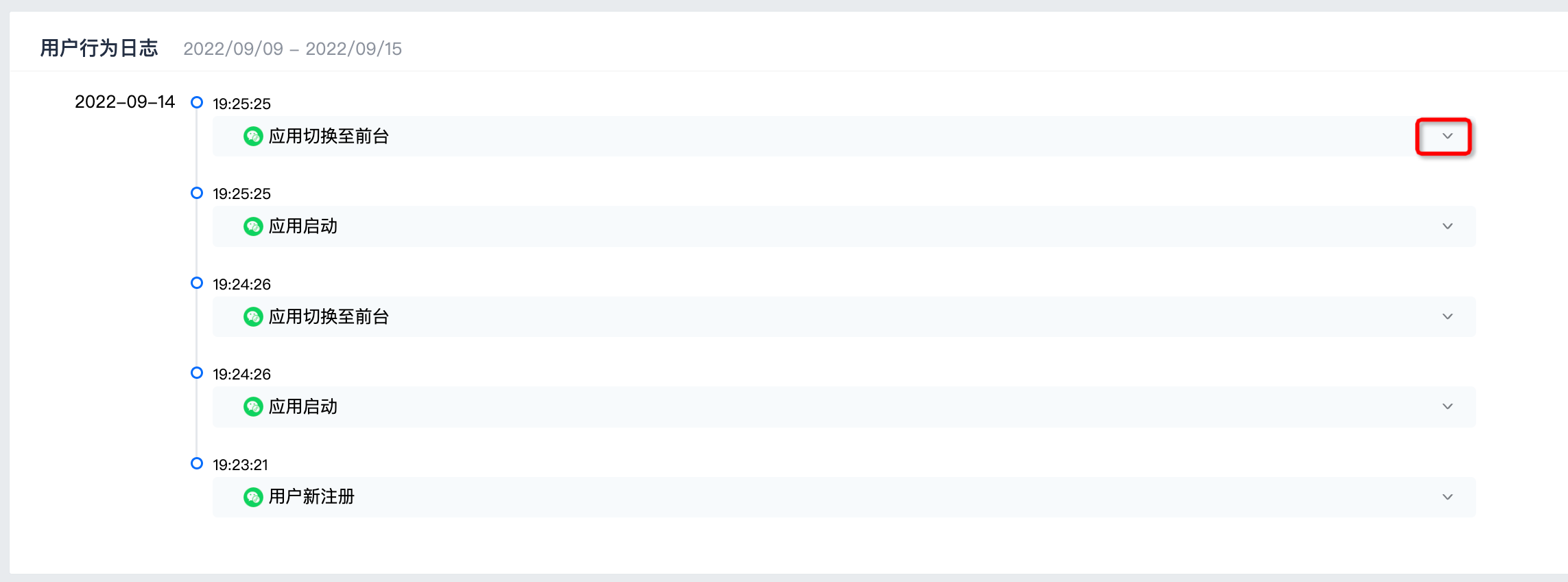
User Labels
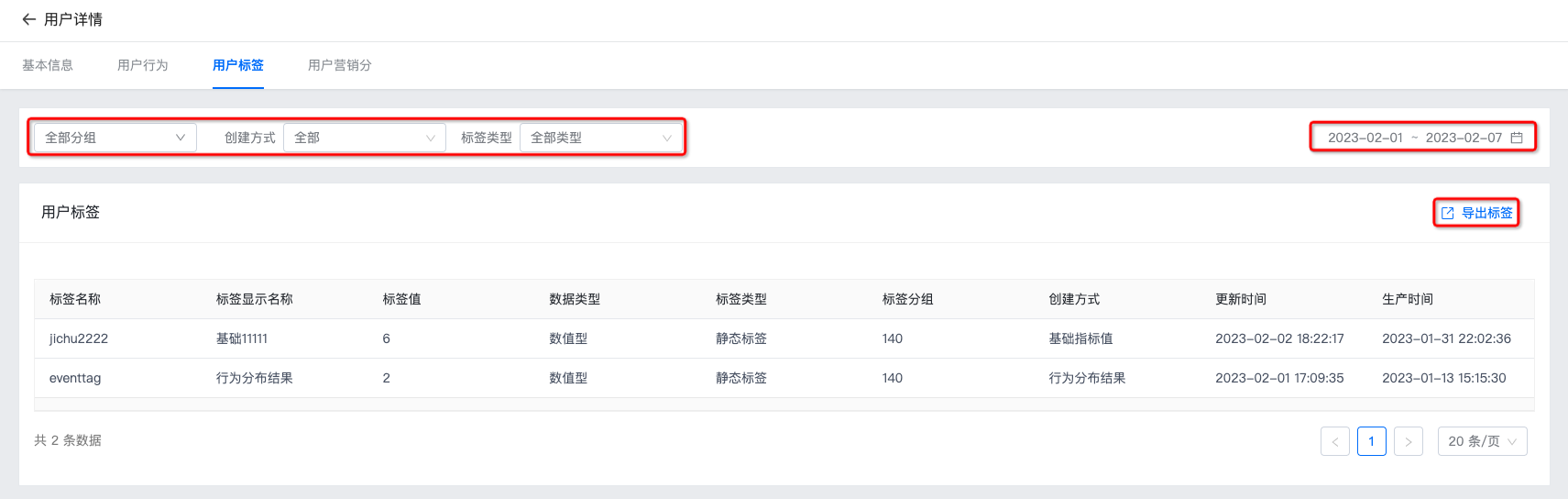
- Filtering by group, type, and time range is supported. Data within up to 30 days can be queried.
- Exporting label data is supported. Click Export Labels on the right to export.
Reach Analysis
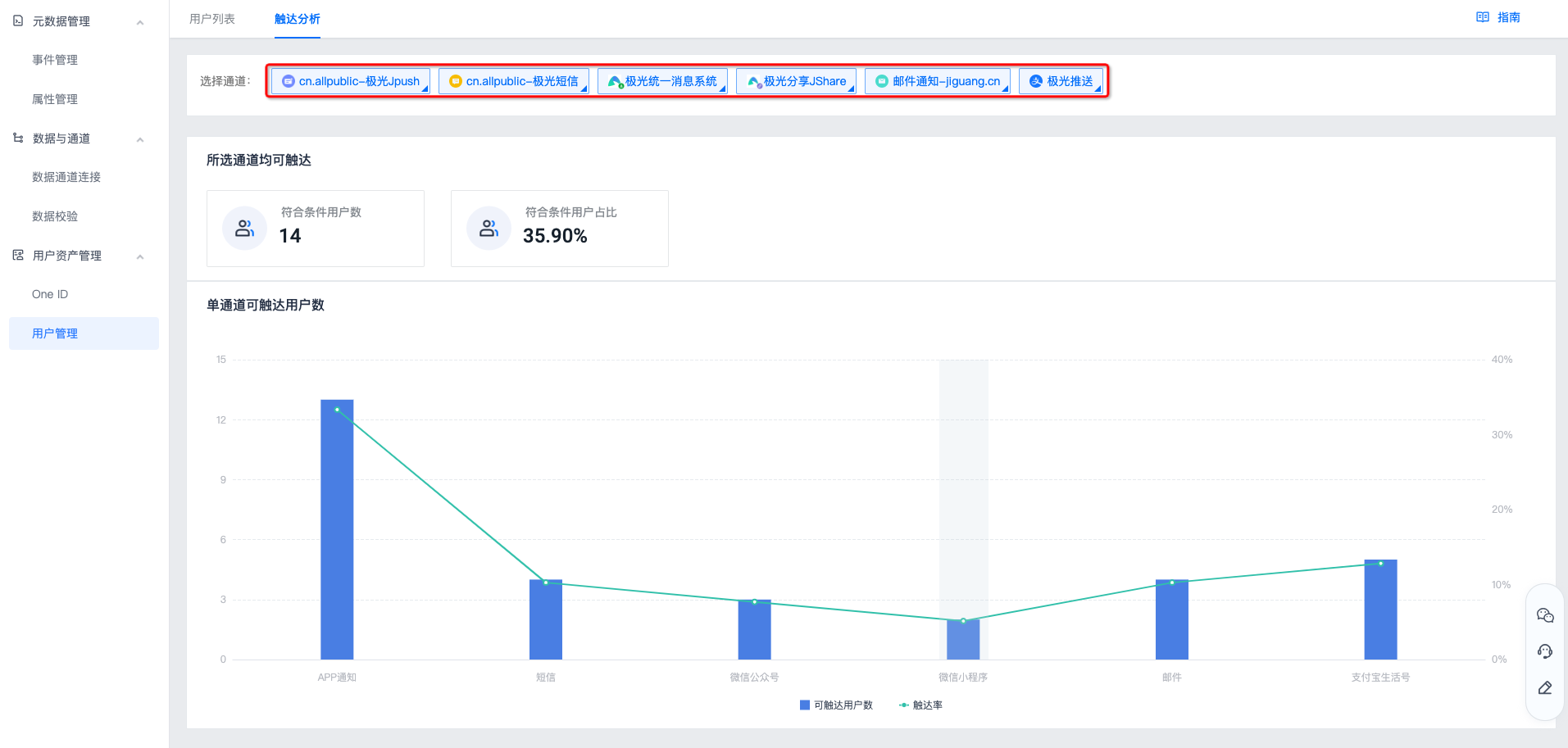
Go to Data Center -> User Asset Management -> User Management -> Reach Analysis, and select the channel whose data you want to view. The page will then display the number of eligible users reachable by all selected channels and the number of users reachable by a single channel.