


Reach Channel Guide
Contact Label Setup Guide
In real business operation scenarios, a user may have multiple contact methods under a single reach channel. Different business scenarios may need to use different contact methods to reach the user. To support this, Jiguang Operation Growth provides a multiple contact label feature, allowing multiple contact methods to be configured for a user.
Add Contact Labels
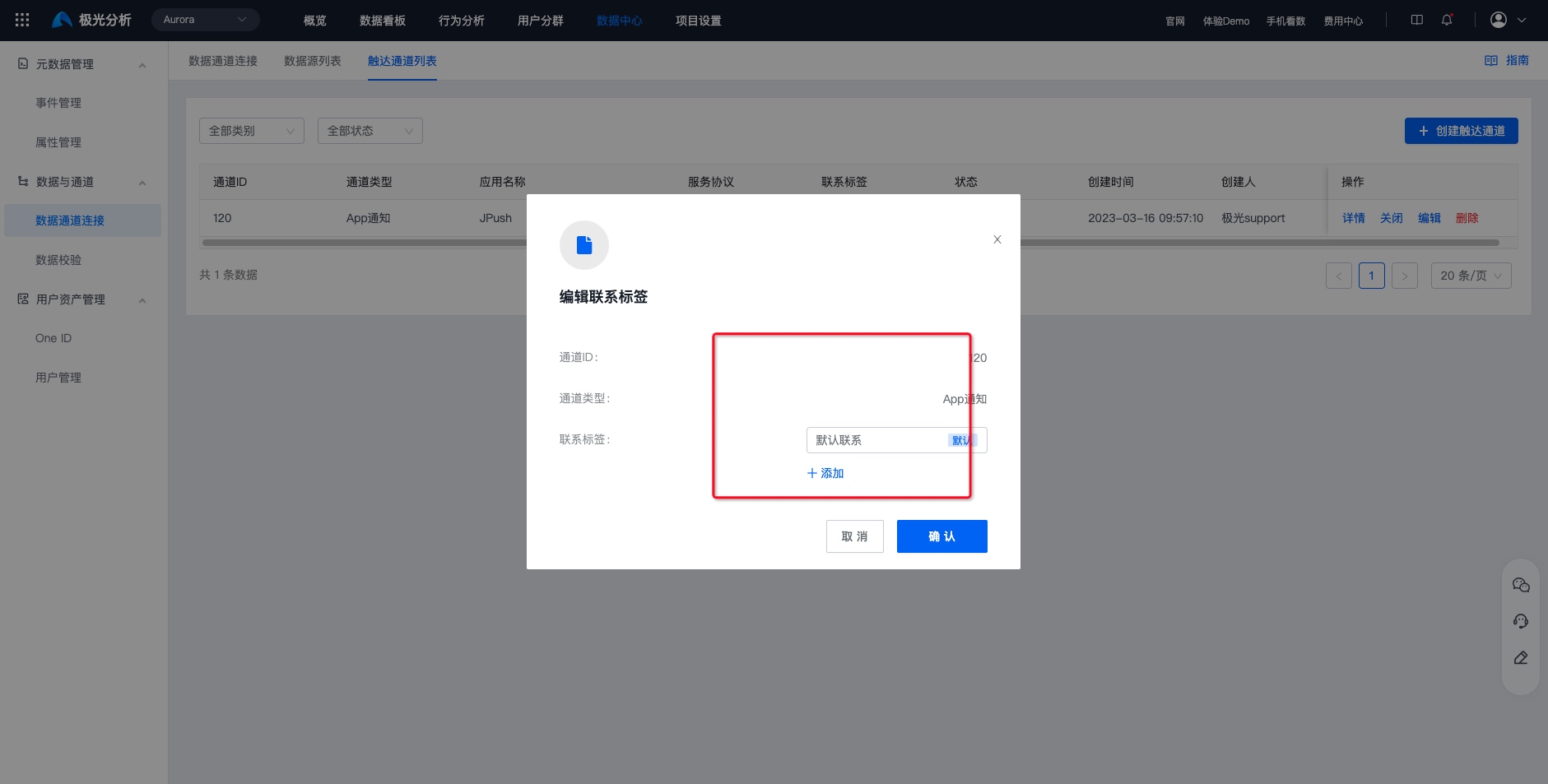
Each time a developer adds a reach channel, the system automatically creates a contact label named Default Contact for it. Developers can add more custom contact labels according to business needs. For example, for an SMS reach channel, you can add contact labels such as Work Phone and Personal Phone. The specific steps are as follows:
Go to Data Center -> Data and Channels -> Data Channel Connection -> Reach Channel List.
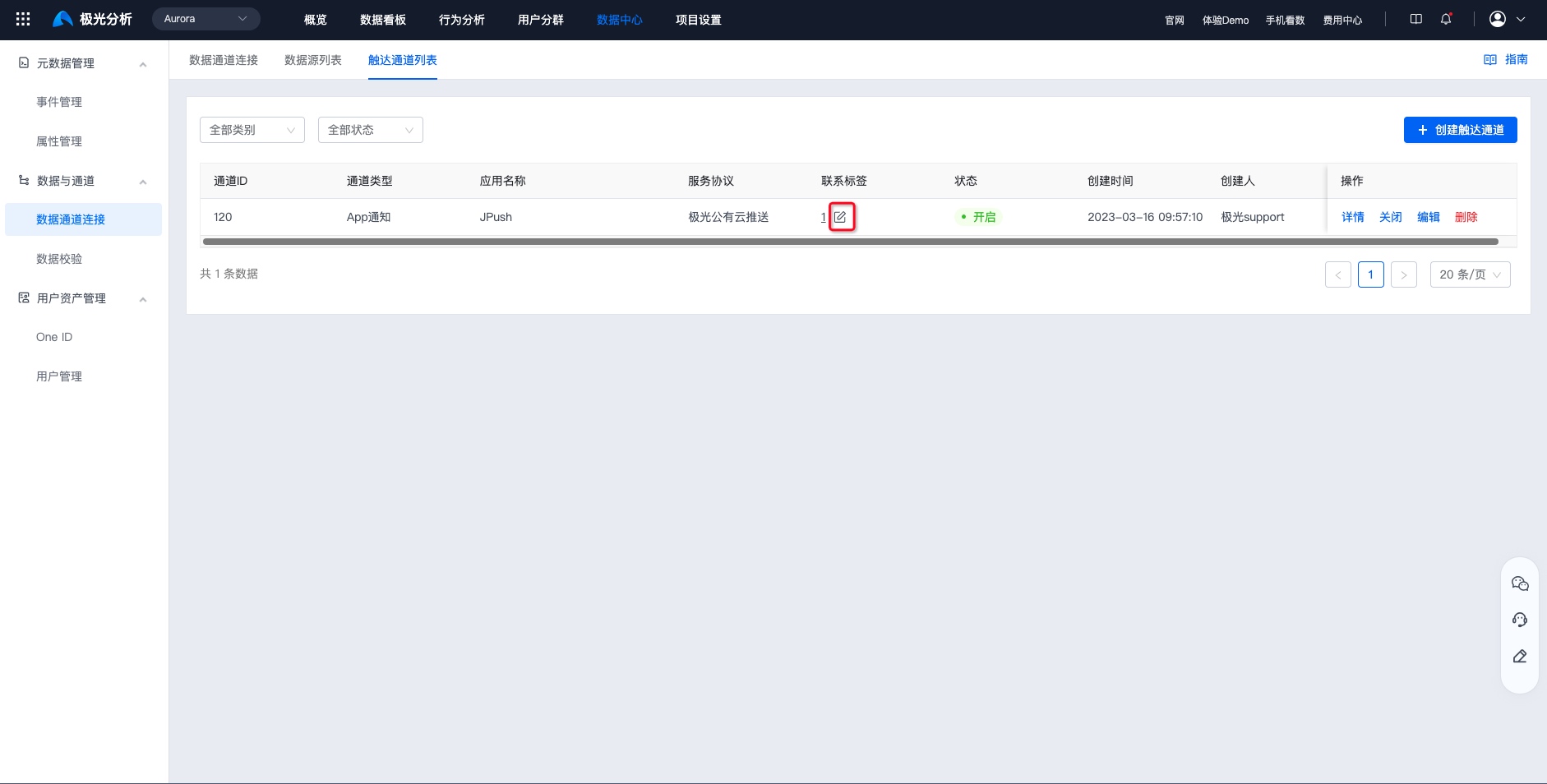
Click the Edit button for contact labels to add, manage, or delete contact labels. You can also set one of the contact labels as the system default.
Set Contact Information
After contact labels are configured, developers can set contact information for each contact label through the API so that users can be reached when creating operation plans. The structure is shown below:
| Reach Channel ID | Contact Label | Contact Information |
|---|---|---|
| 301 (SMS) | Default Contact | 1370000000 |
| 301 (SMS) | Work Phone | 1880000000 |
| 300 (App Notification) | Default Contact | 191e35f7e155cce08ba |
| 300 (App Notification) | Work Phone | 191e35f7e155cce07ba |
- Android SDK Set User Contact Information Guide
- iOS SDK Set User Contact Information Guide
- Mini Program SDK Set User Contact Information Guide
- Web SDK Set User Contact Information Guide
After user contact information is set successfully, you can view the contact information for each contact label under each channel on the Data Center -> User Asset Management -> User Management -> User Details page.
Channel Receipt Guide
To calculate message conversion funnels and loss analysis, improve operation plans, and increase conversion, the message status of each reach channel needs to be obtained. Some reach channels require users to configure the Operation Growth project callback URL on their own platform.
| Channel Type | Service Protocol | Message Delivery Receipt | Message Click Receipt |
|---|---|---|---|
| App Notification | Jiguang Public Cloud Push | Supported, no additional configuration required | Supported, no additional configuration required |
| Jiguang Private Cloud Push | Supported, no additional configuration required | Supported, no additional configuration required | |
| SMS | Jiguang SMS | Supported, no additional configuration required | Detection is supported when the SMS content contains a url variable and a jump link is passed. |
| Chuanglan Public Cloud | You need to set your push receiving address on the Chuanglan Yunzhi platform. For details, see SMS channel receipt configuration. | ||
| Montnets | Supported, no additional configuration required | ||
| CMPP Protocol | Supported, no additional configuration required | ||
| - | Supported, no additional configuration required | Supported, no additional configuration required | |
| WeChat Official Account | - | No additional configuration required after QR code authorization | No additional configuration required after QR code authorization: |
| WeChat Mini Program | - | No additional configuration required after QR code authorization | Not supported |
| Alipay Life Account | - | Only detection of successful sending to the Alipay Life Account server is supported. Actual delivery to users cannot be detected. | Template messages for Alipay Life Accounts must include a jump link, so click status detection is supported. |

