


App Notification Integration
Overview
The operation growth platform supports reaching users through multiple channels. App notifications are an important reach channel. After the push SDK is successfully integrated, you can use this channel to send notification bar messages and custom messages to user devices. The currently integrated Jiguang Push supports Android and iOS platforms. It is easy and fast to integrate, provides high-speed and stable push channels with overseas dedicated lines, and offers powerful, flexible, and easy-to-use open APIs.
Supported Service Protocols
| Service Protocol | Service Address |
|---|---|
| Jiguang Public Cloud Push | If you use the public cloud system, enter URL: https://api.jpush.cn/v3 |
Supported Message Types
Notification Bar Messages
- Notification bar messages are usually displayed in the notification bar area of mobile devices. They are the most commonly used message type and can be configured with alert sounds, vibration, lights, and other reminder methods.
- Notifications are mainly used to alert users and apply to many scenarios, such as news content, promotions, product information, version update reminders, and order status reminders.
Custom Messages
- Custom messages are usually not displayed in the notification bar area of mobile devices and are generally not perceived by end users.
- Custom message content is completely defined by developers and is mainly used to handle internal business logic of the application.
Add a Channel
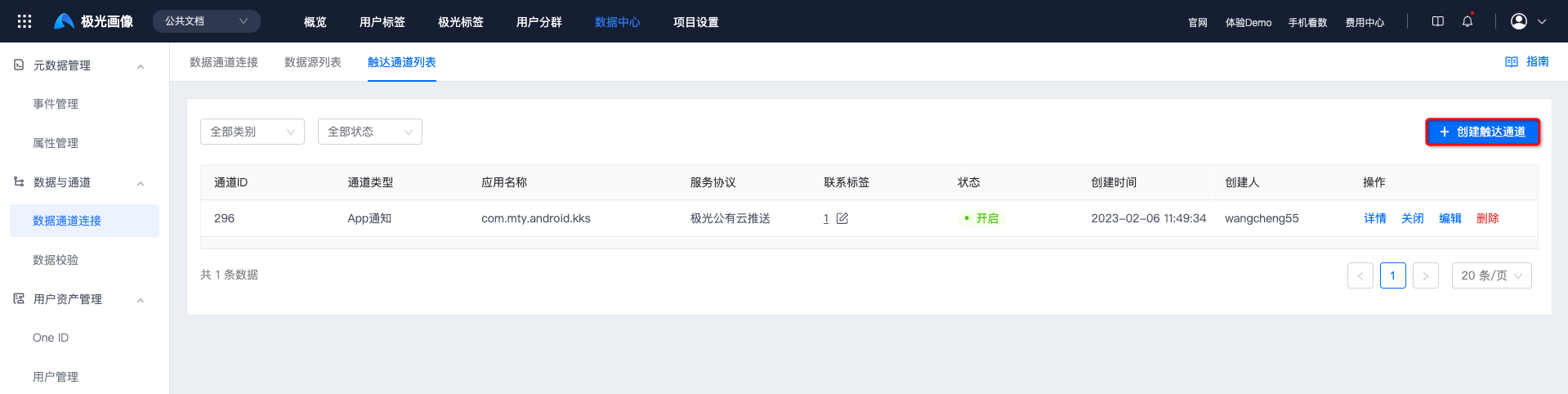
Go to Data Center -> Data Channel Connection -> Reach Channel List, and click Create Reach Channel.
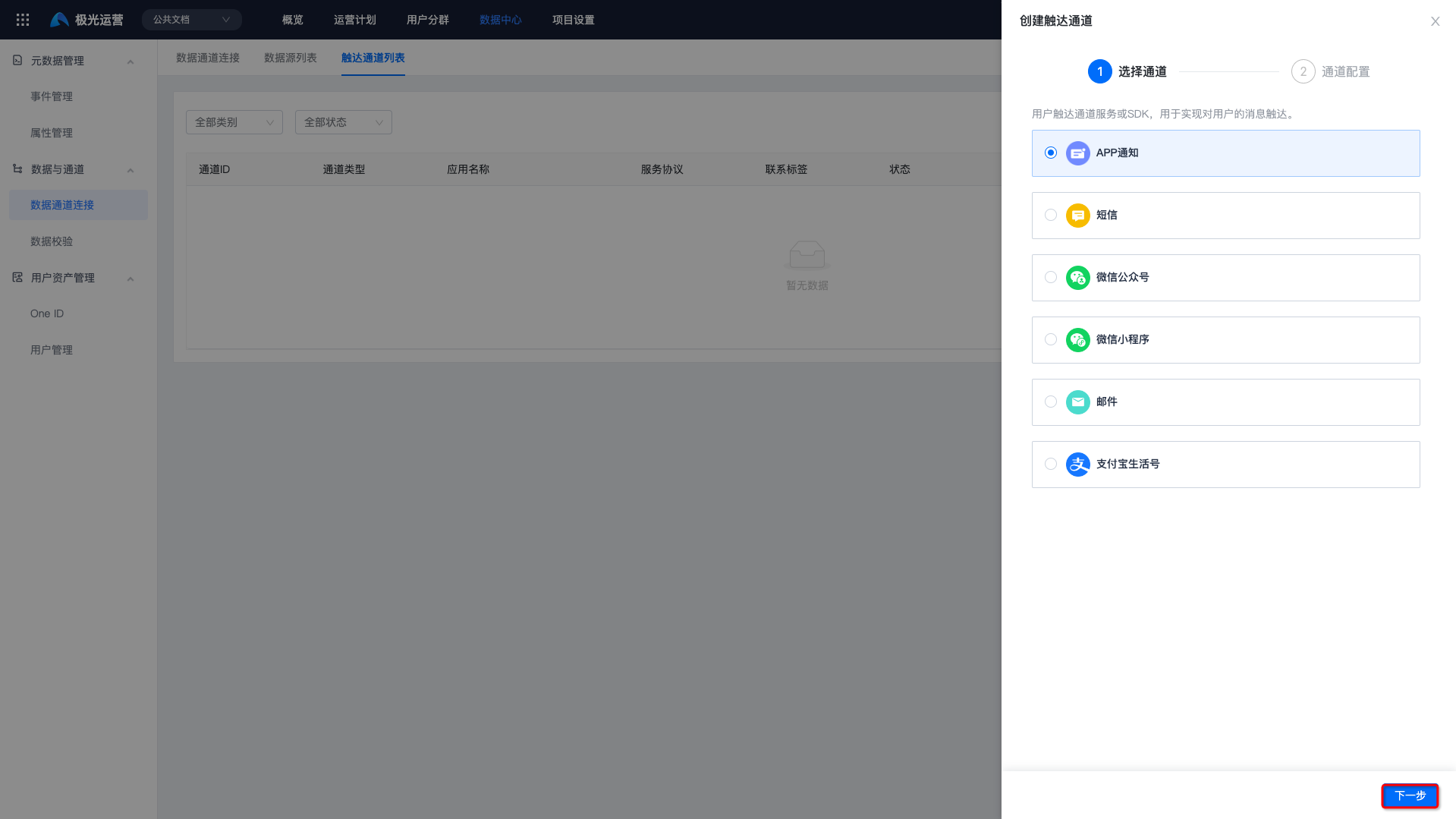
Select the App Notification channel and click Next.
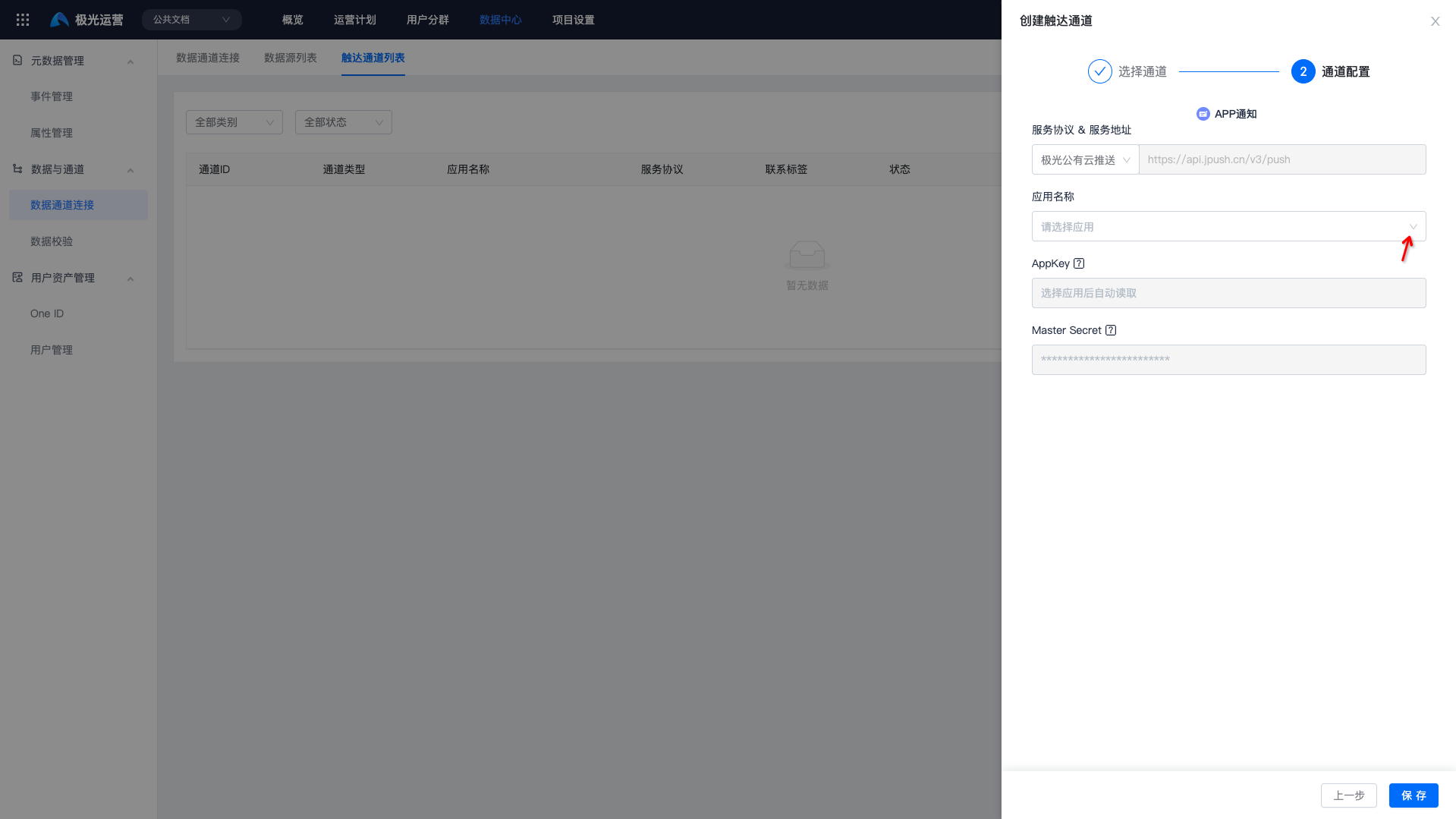
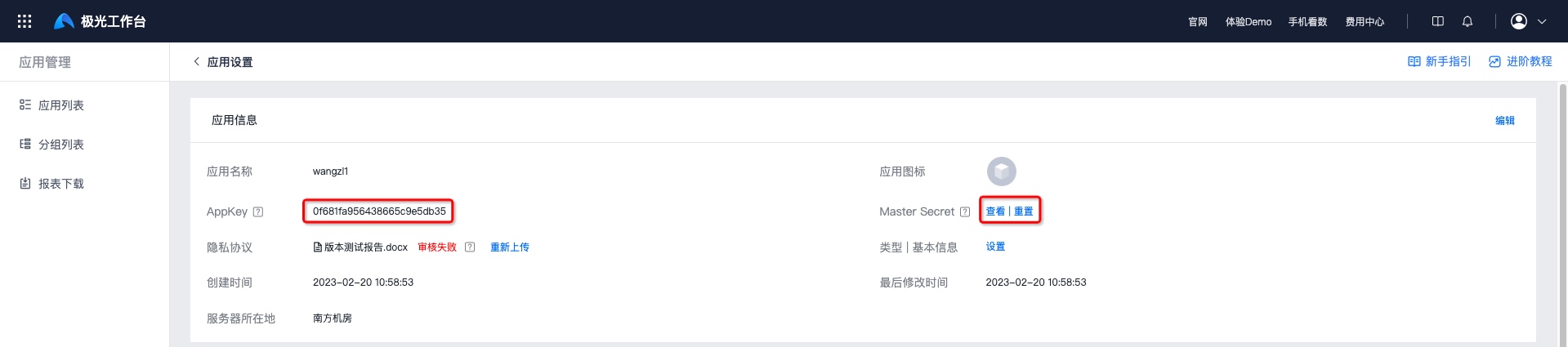
Select Jiguang Public Cloud Push, then select the application name to obtain the AppKey and Master Secret from Jiguang Console -> Application Management -> Application Settings.
Confirm Channel Status
Click Save. If the status shows Enabled, authentication is correct and the channel has been created successfully.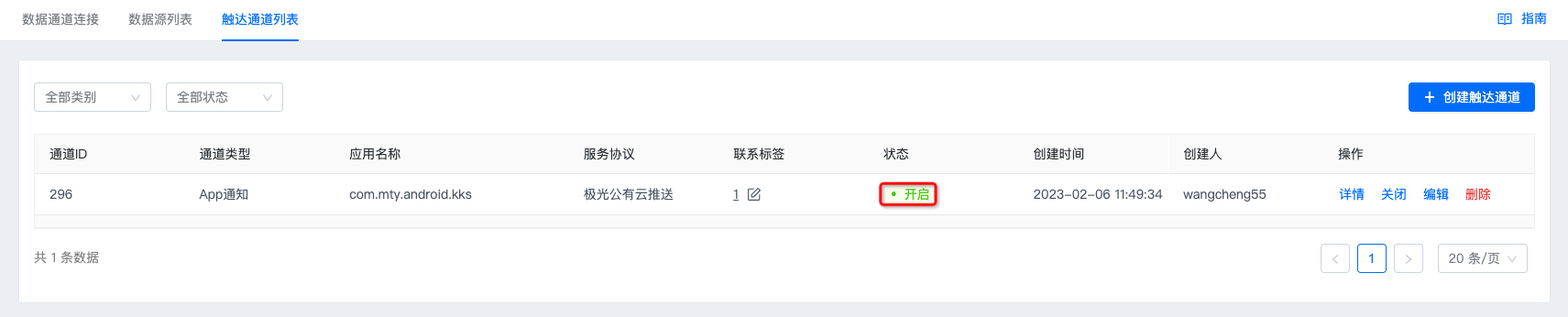
Push SDK Integration Guide
Jiguang Public Cloud Push Integration
- For Push integration steps, see the Android SDK Integration Guide and iOS SDK Integration Guide.
- If Android devices need to support offline push, integrate vendor channels. For details, see the Vendor Channel SDK Integration Guide.
Channel Receipts
Jiguang App Notification does not require additional channel receipt configuration.

