SMS Integration
Overview
In addition to supporting Jiguang SMS service integration by default, Growth also supports Chuanglan Public Cloud, Montnets, and integration with an enterprise's existing SMS platform through the CMPP protocol. You can select the SMS protocol to integrate according to your business needs.
Supported Service Protocols
| Service Protocol | Service Address |
|---|---|
| Jiguang SMS | https://api.sms.jpush.cn/v1 |
| Chuanglan Public Cloud | Go to the Chuanglan 235 Platform, select the SMS product, then go to Product Settings - API Interface Information to obtain the API interface address. |
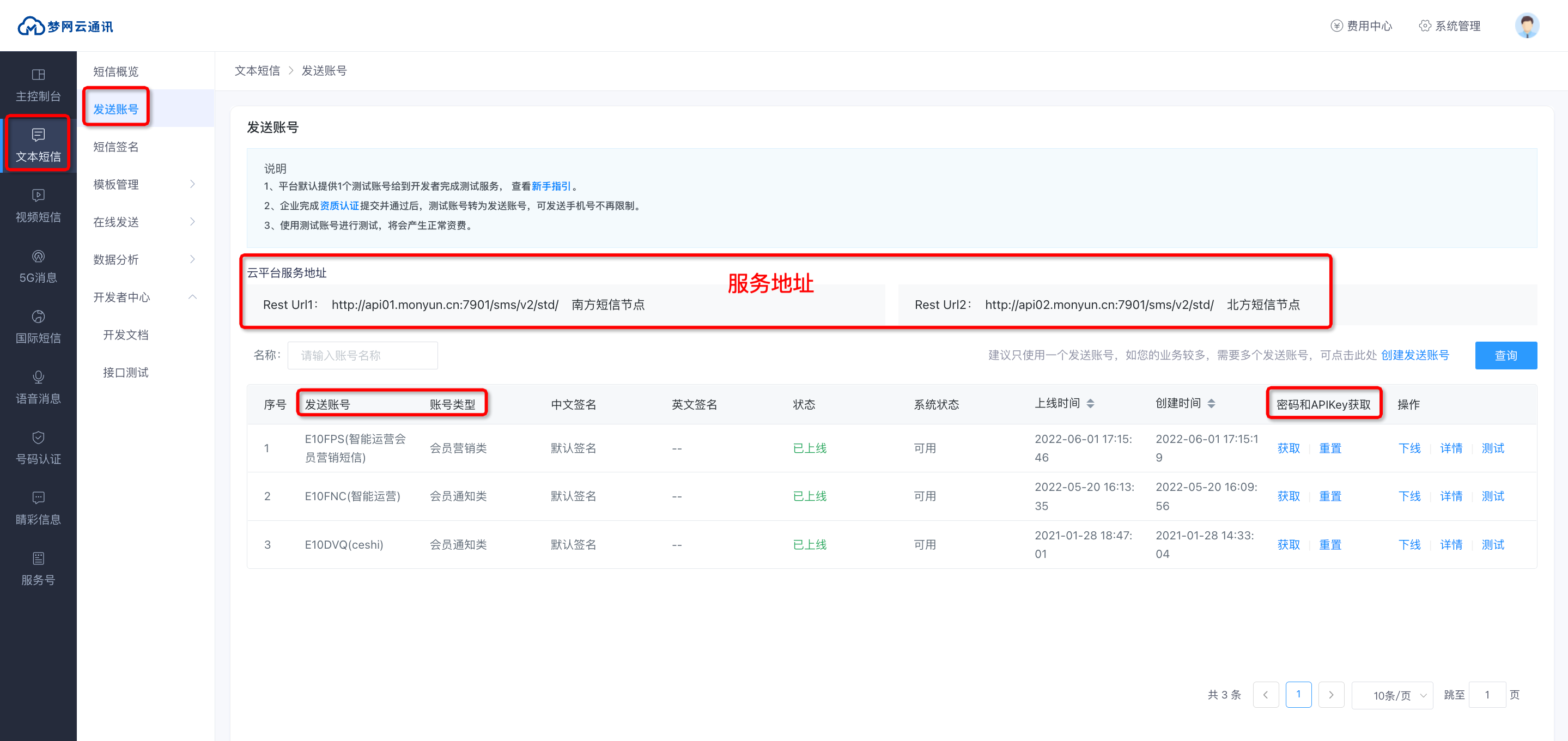
| Montnets | Go to the Montnets Cloud Communication Platform - Text SMS - Sending Account page to obtain the cloud platform service address. |
| CMPP | - |
Add a Channel
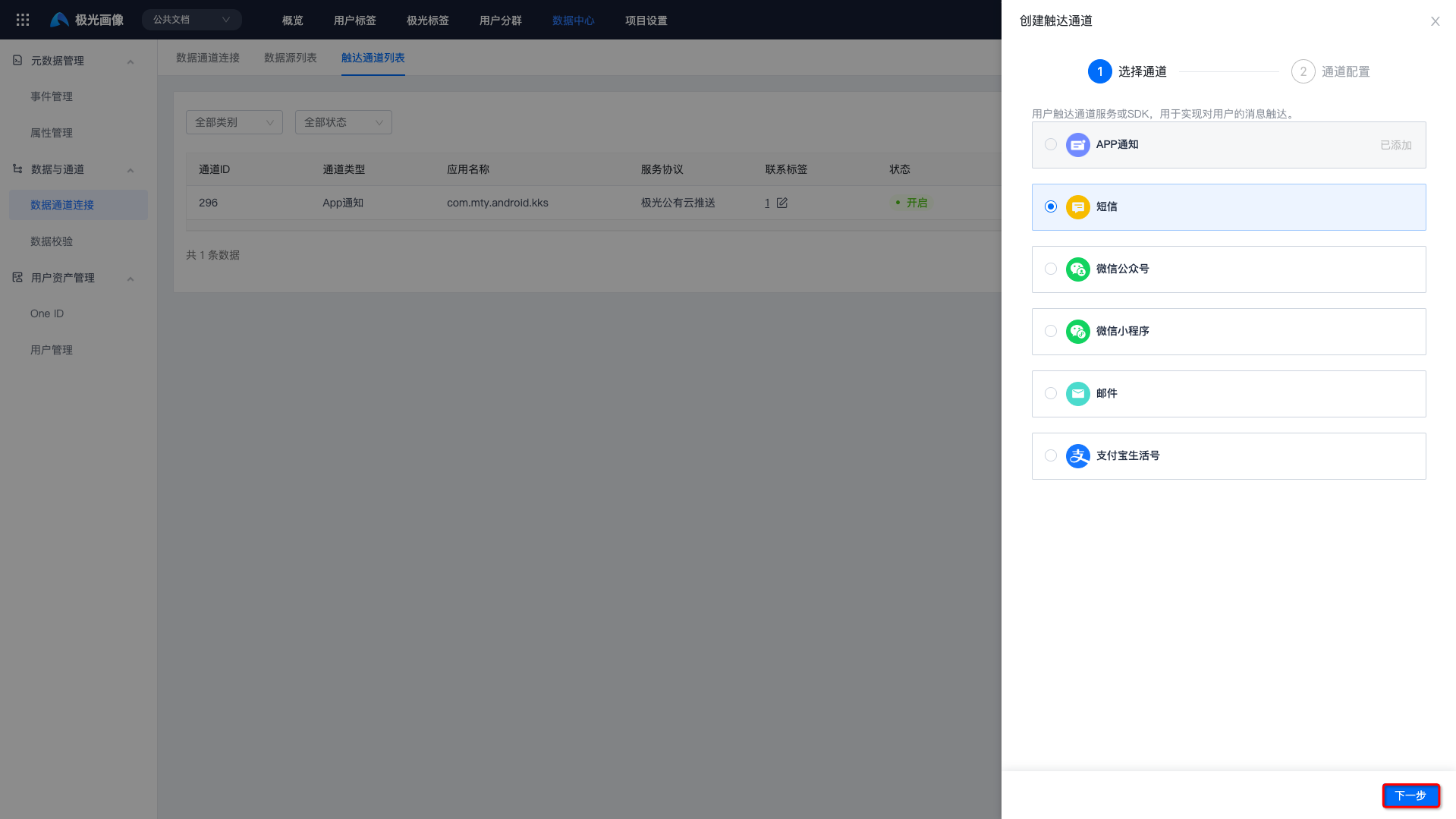
Go to [Data Center] - [Data Channel Connection] - [Reach Channel List], and click "Create Reach Channel".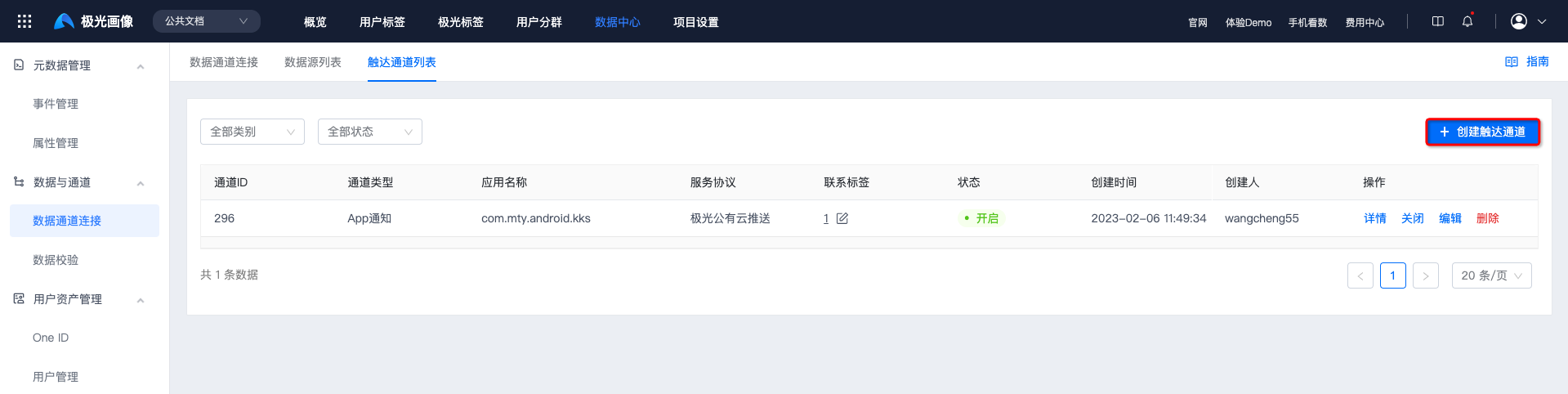 After selecting the "SMS" channel, click "Next".
 Currently, 4 service protocols are supported. You can select one of them for configuration.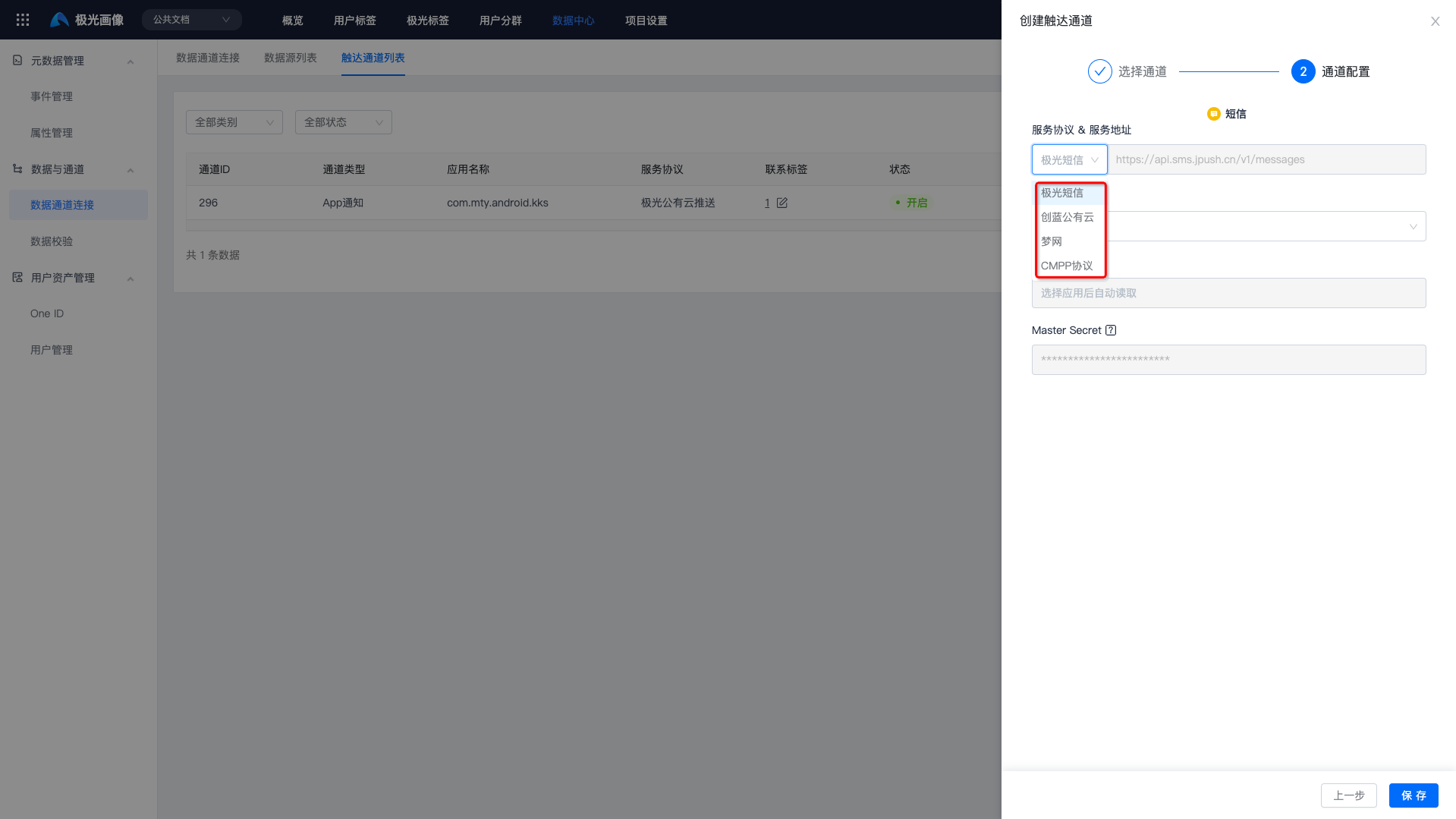
Jiguang SMS
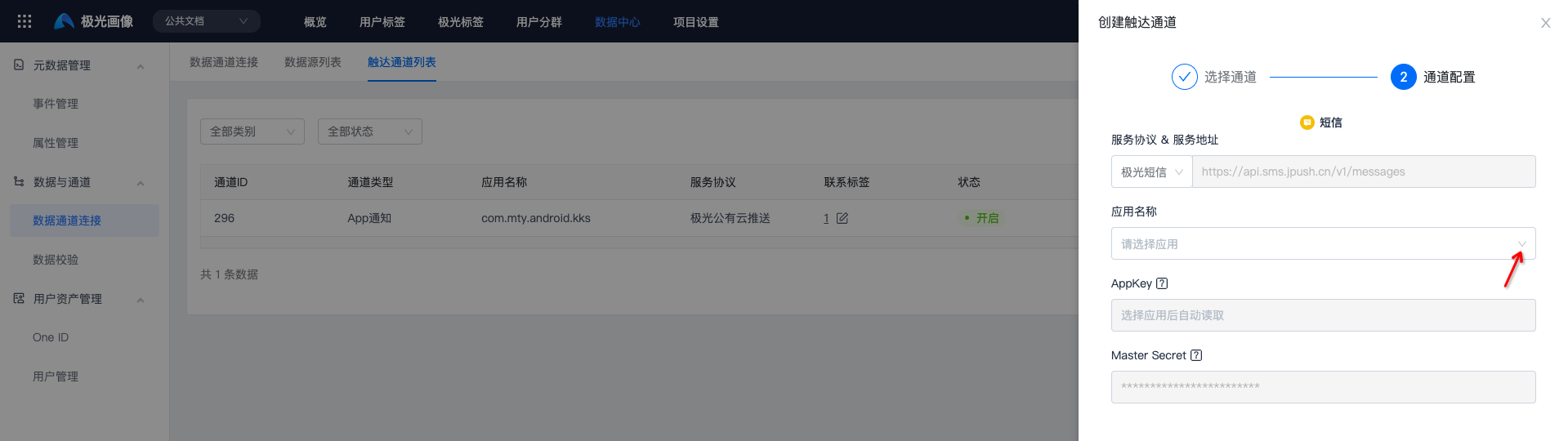
Select "Jiguang SMS" as the service protocol. Jiguang's service address is filled in by default.
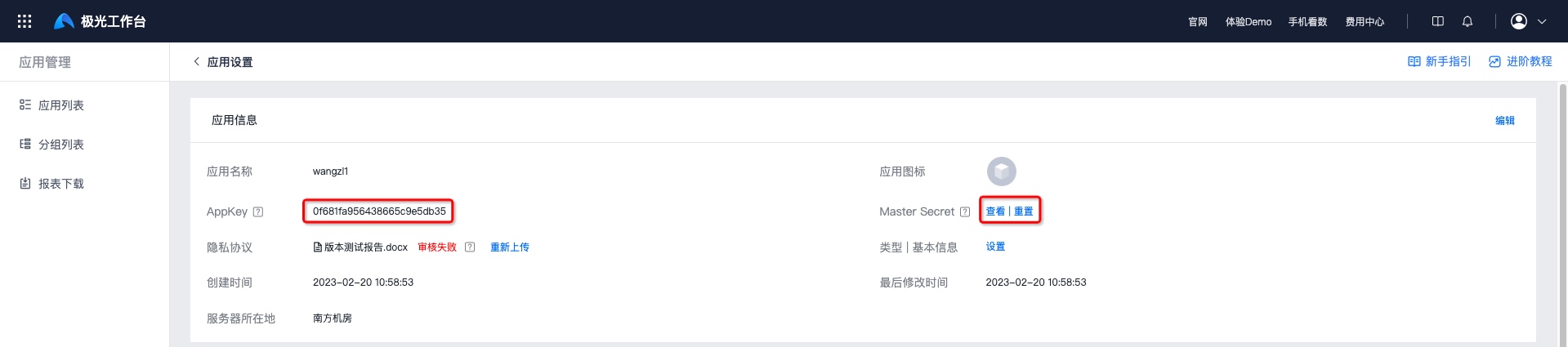
Select the app name to obtain the AppKey and Master Secret from Jiguang Console - Application Management - App Settings.
Chuanglan Public Cloud
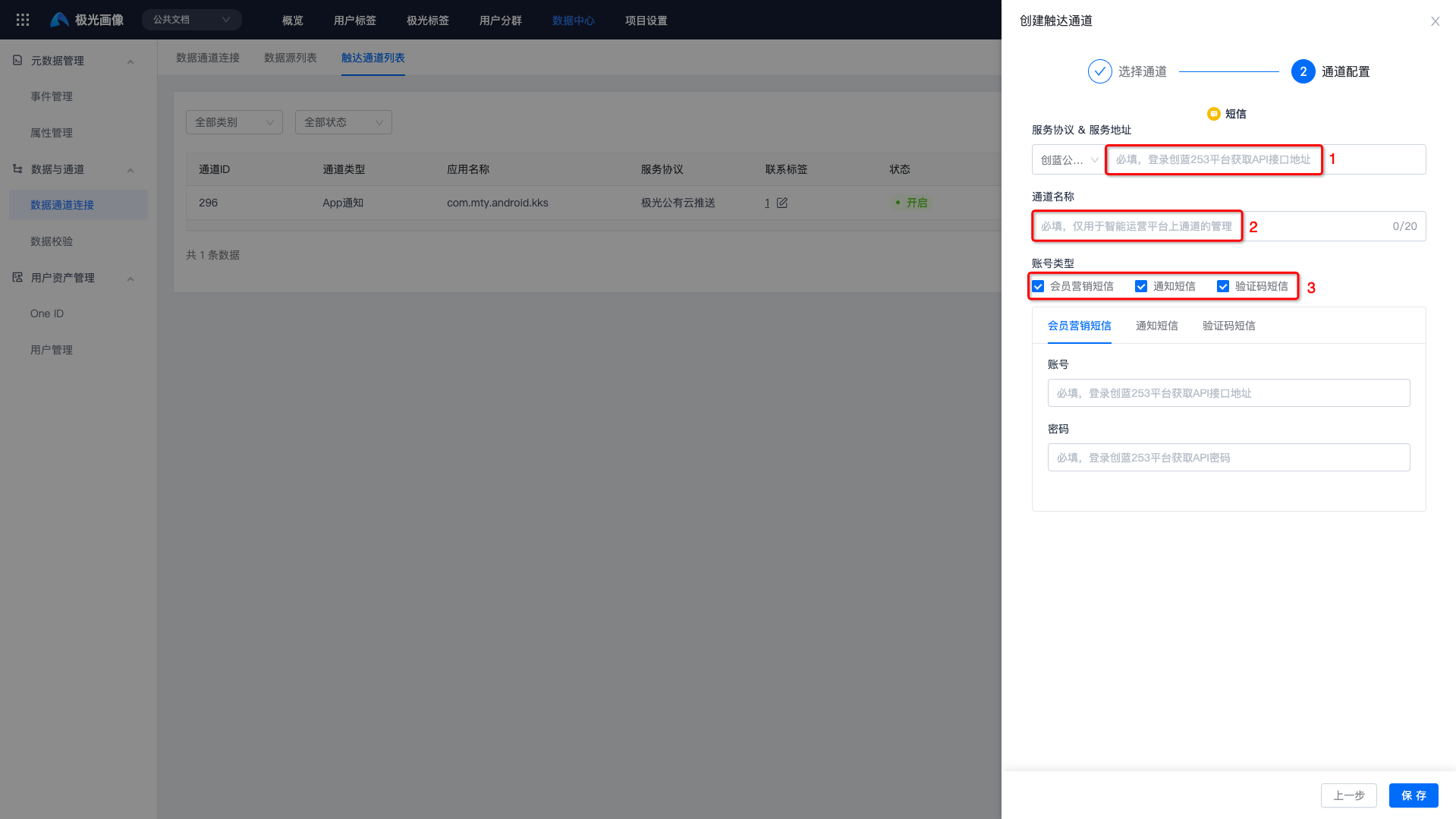
Select "Chuanglan Public Cloud" as the service protocol. You need to fill in the service address, channel name, and the account and password corresponding to the account type.
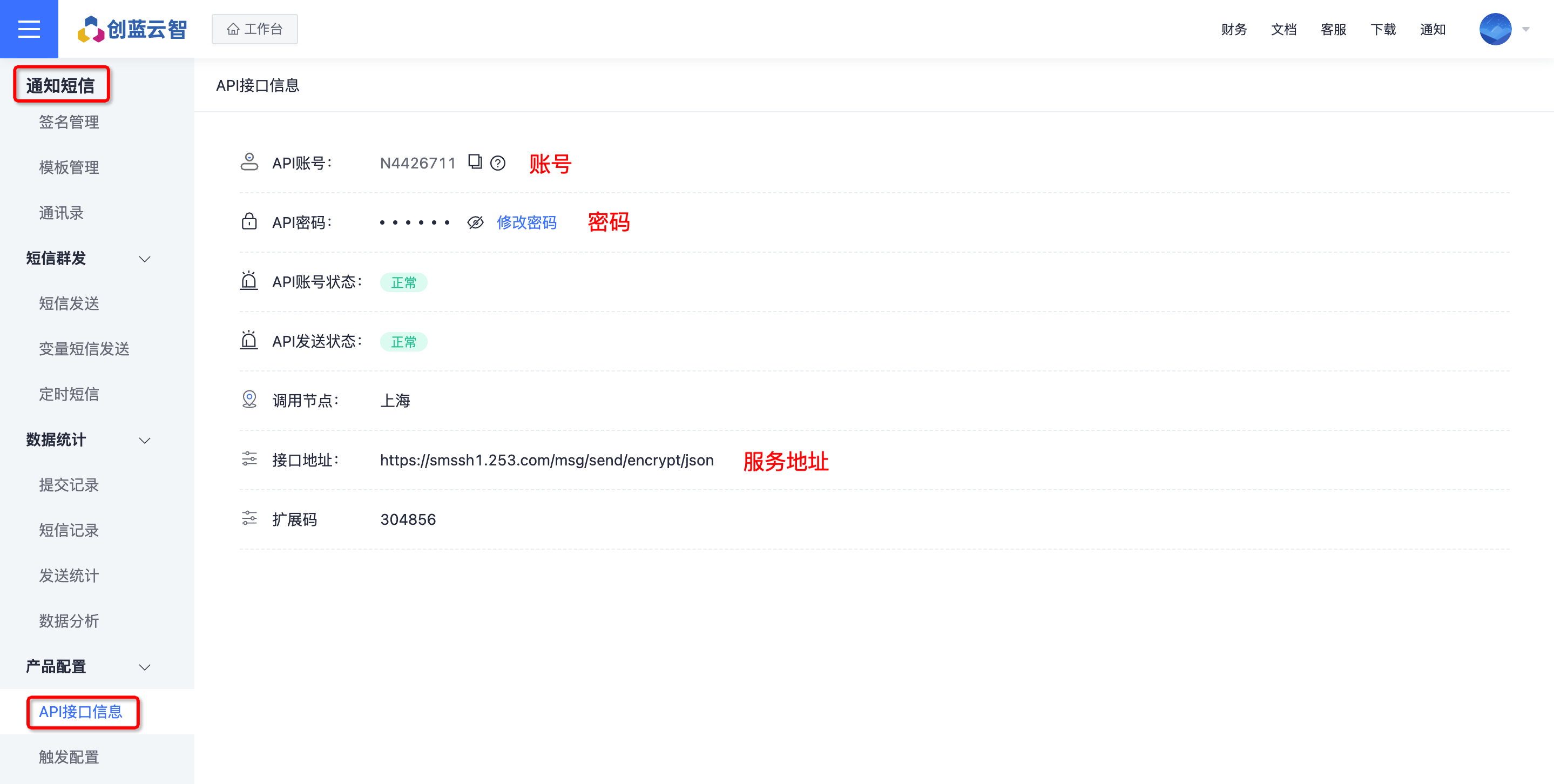
Taking notification SMS as an example, go to the Chuanglan Cloud Intelligence - Notification SMS - Product Settings - API Interface Information page to obtain the account, password, and service address.
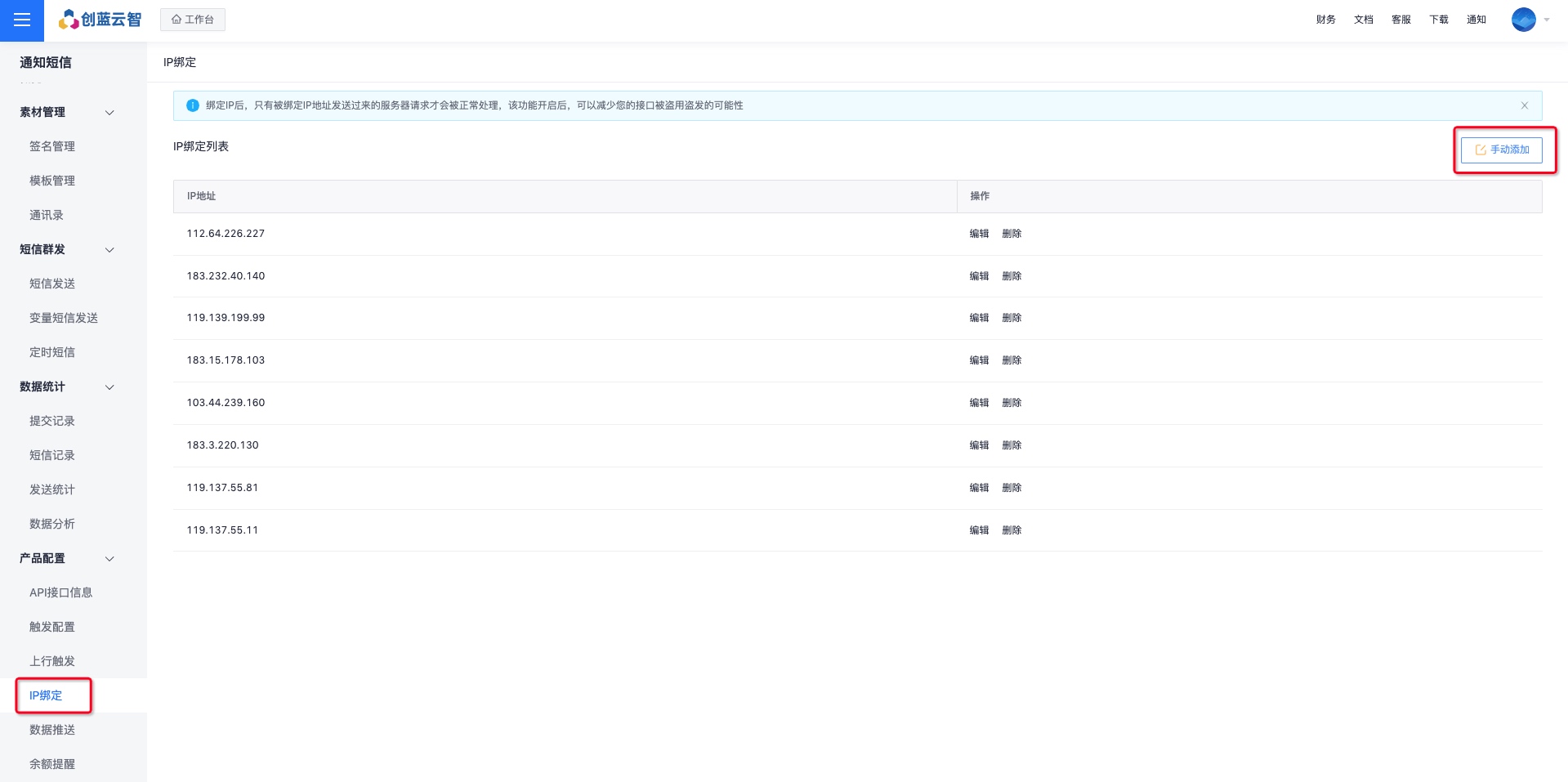
Configure the IP whitelist. Go to [Chuanglan Cloud Intelligence - Notification SMS - Product Settings - IP Binding], click "Add Manually", and enter IP: 114.116.254.201.
Note: The IP whitelist must be configured; otherwise, Chuanglan SMS cannot be used.
Montnets
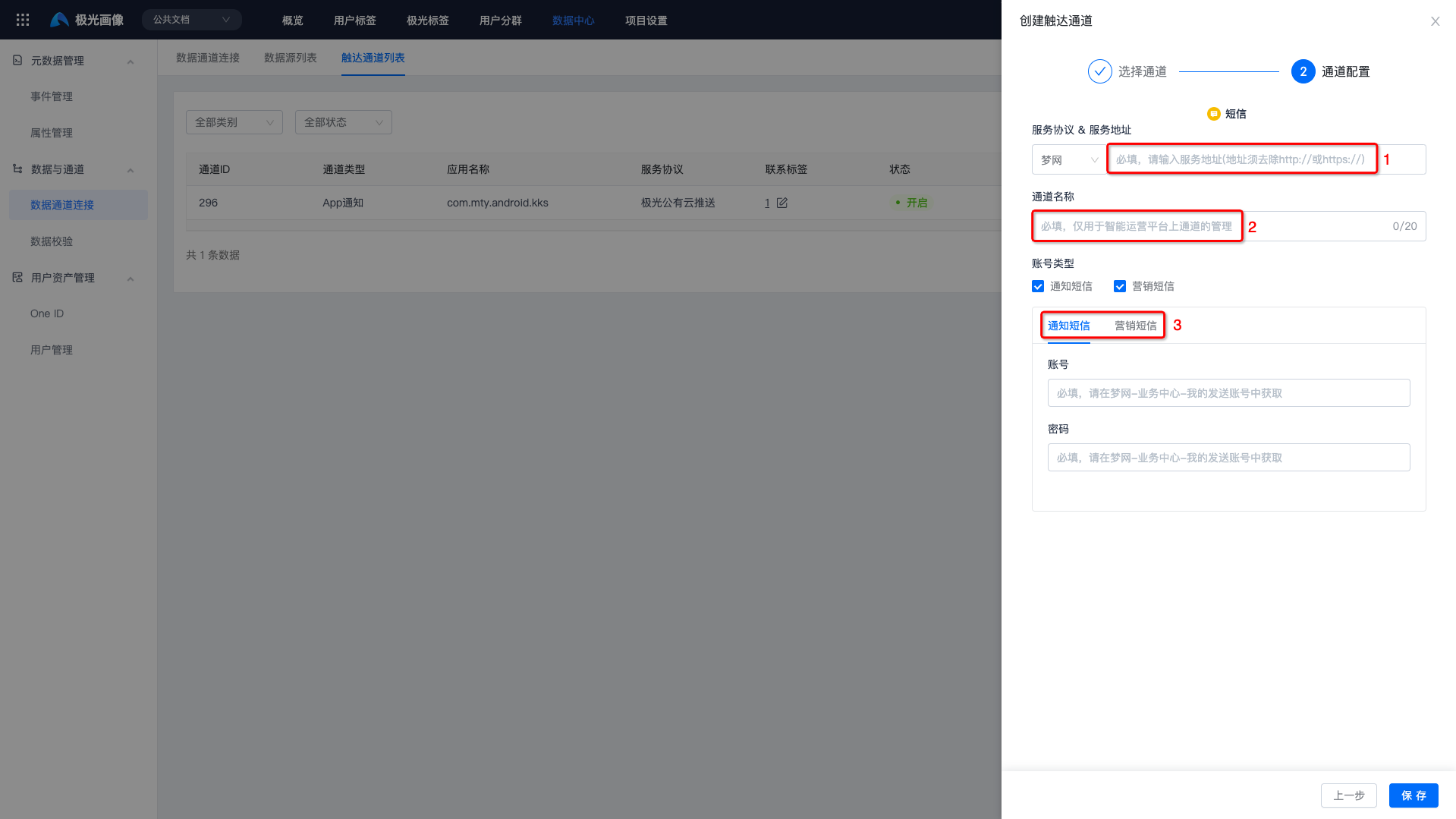
Select "Montnets" as the service protocol. You need to fill in the service address, channel name, and the account and password corresponding to the account type.
Note: Remove "http://" or "https://" from the service address, as shown below.
Go to the Montnets Cloud Communication Platform - Text SMS - Sending Account page to obtain the service address and the account and password corresponding to the account type.
CMPP Protocol
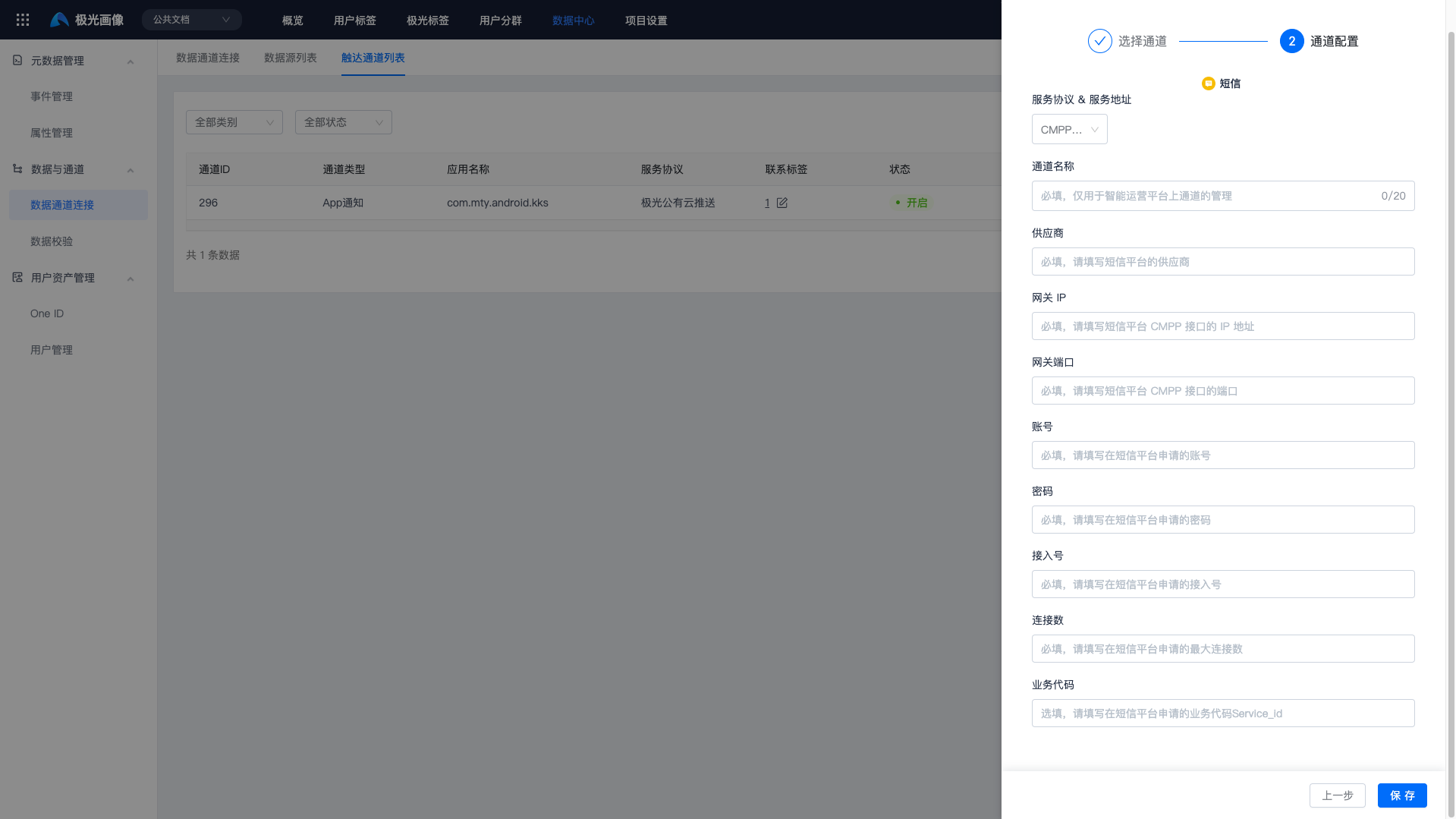
Select "CMPP Protocol" as the service protocol. You need to fill in the channel name, vendor, gateway IP, gateway port, account, password, access number, connection count, and service code of the corresponding SMS platform. All parameters except service code are required.
Confirm Channel Status
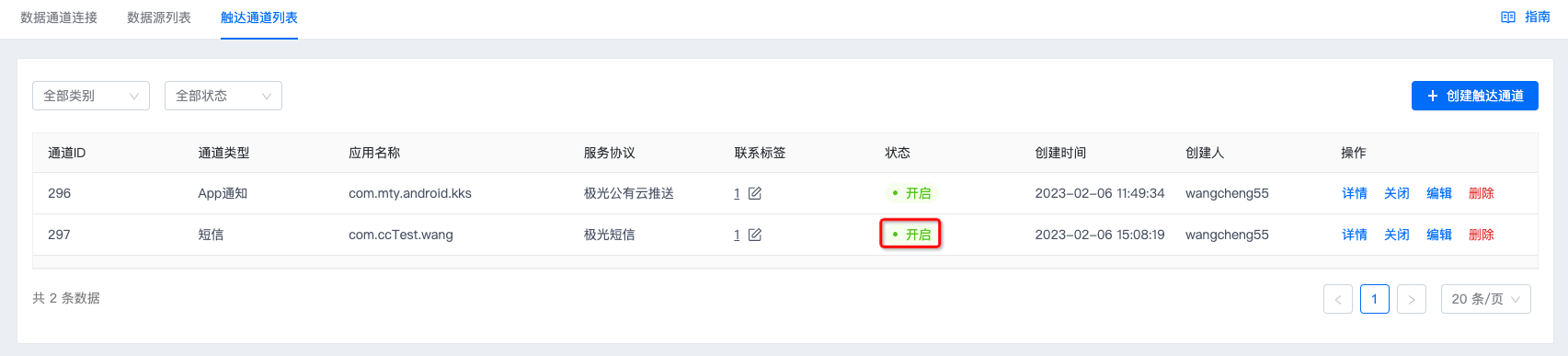
Click "Save". If the status shows "Enabled", authentication is correct and the channel has been created successfully.
SMS Integration Guide
Jiguang SMS Integration Guide
Chuanglan SMS Integration Guide
Montnets SMS Integration Guide
Channel Receipt
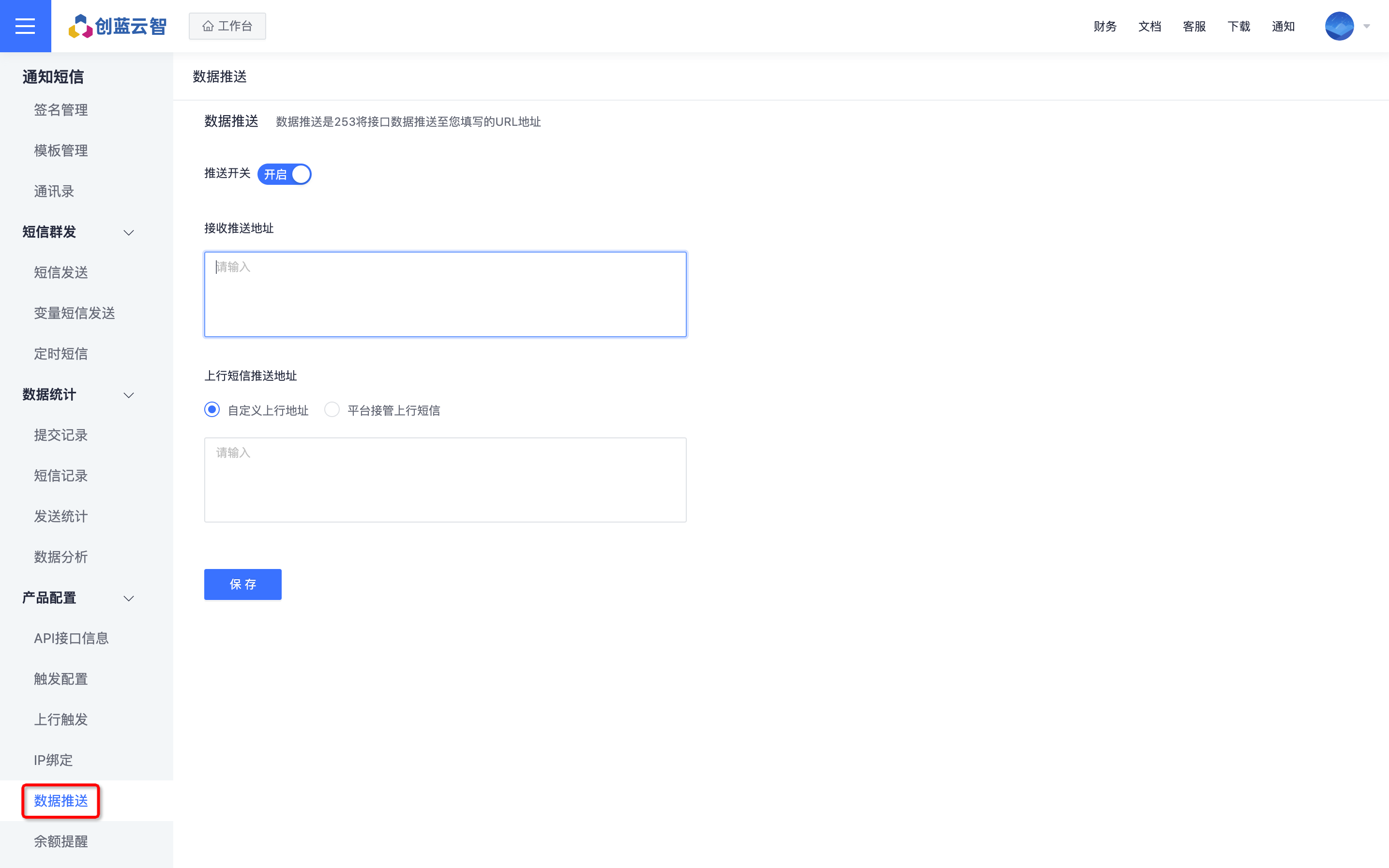
Jiguang SMS, Montnets, and the CMPP protocol do not require additional channel receipt configuration. Chuanglan Public Cloud is configured as follows: Set the push receiving address on the [Product Configuration] - [Data Push] page of the corresponding account type.
- Push receiving address: https://intellums-callback.jiguang.cn/chuanglan/callback