


Alipay Official Account Integration
Overview
Operation Growth currently supports template messages for Alipay Life Accounts. Rich media message support is planned for a future release.
Life Account Integration Guide
- For Alipay Life Account integration, see the Quick Integration documentation.
- For generating keys with the development tool, see the Key Generation documentation.
- After generating the key, configure the key in the Open Platform Management Center. After configuration is complete, you can obtain the Alipay public key (ALIPAY_PUBLIC_KEY).
Add a Channel
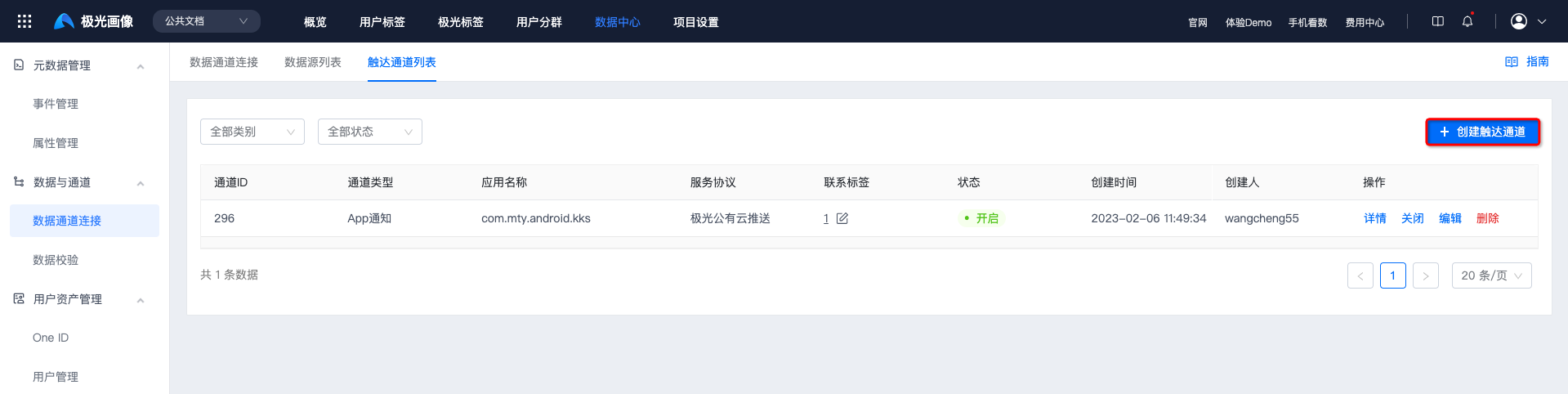
Go to Data Center -> Data Channel Connection -> Reach Channel List, and click Create Reach Channel.
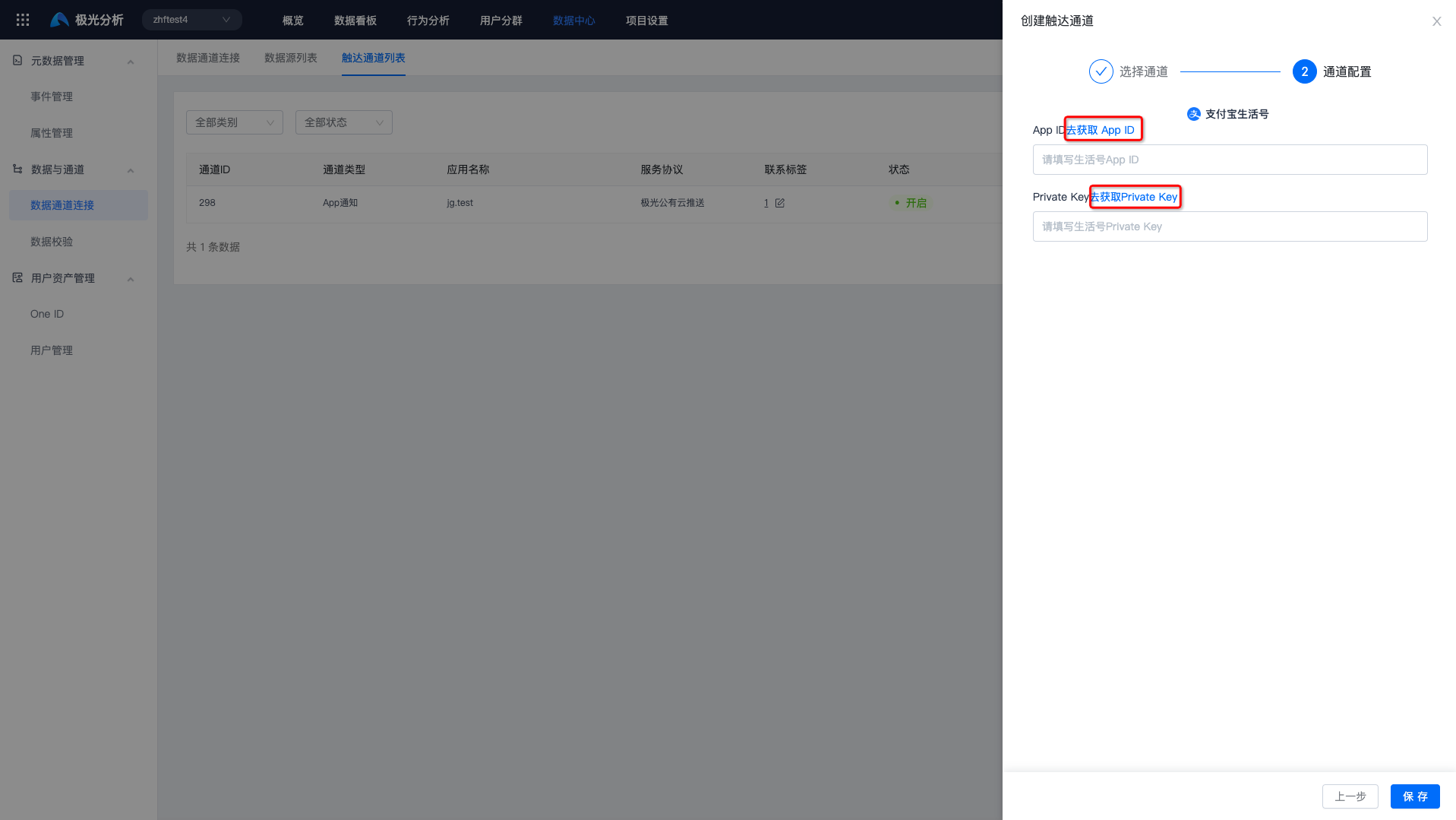
Select the Alipay Life Account channel, then click Get App ID or Get Private Key.
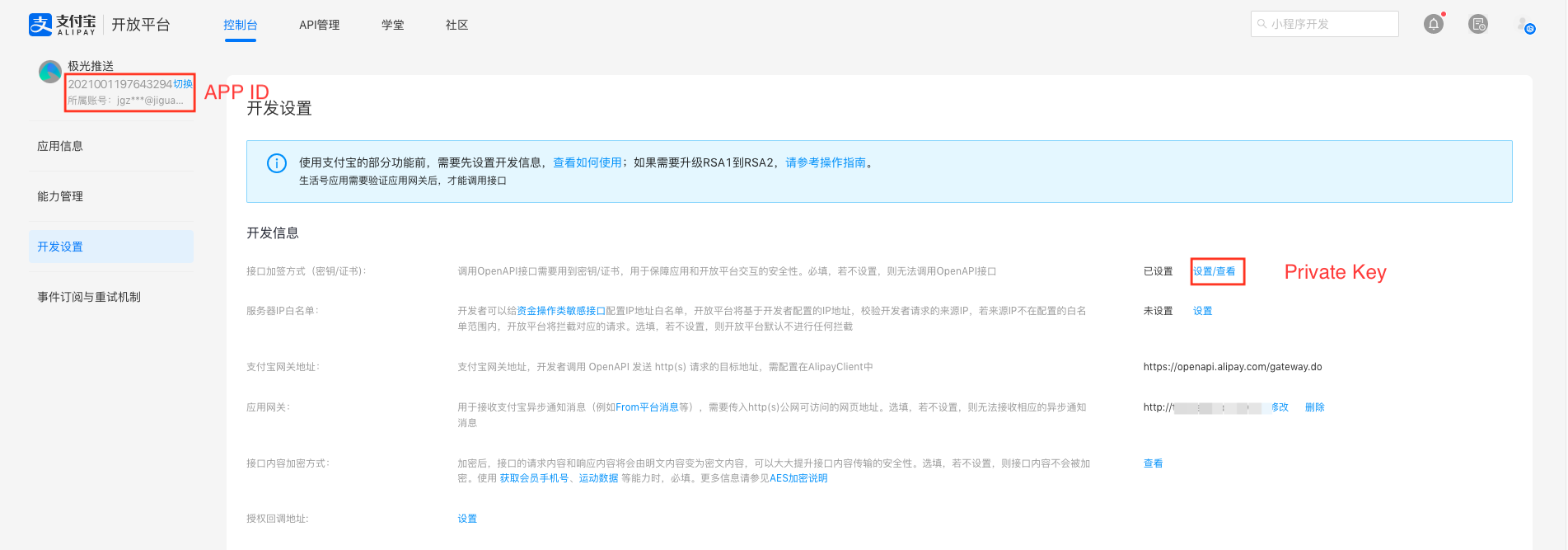
Go to Alipay Open Platform -> Development Settings -> Console page to obtain the App ID and Private Key.
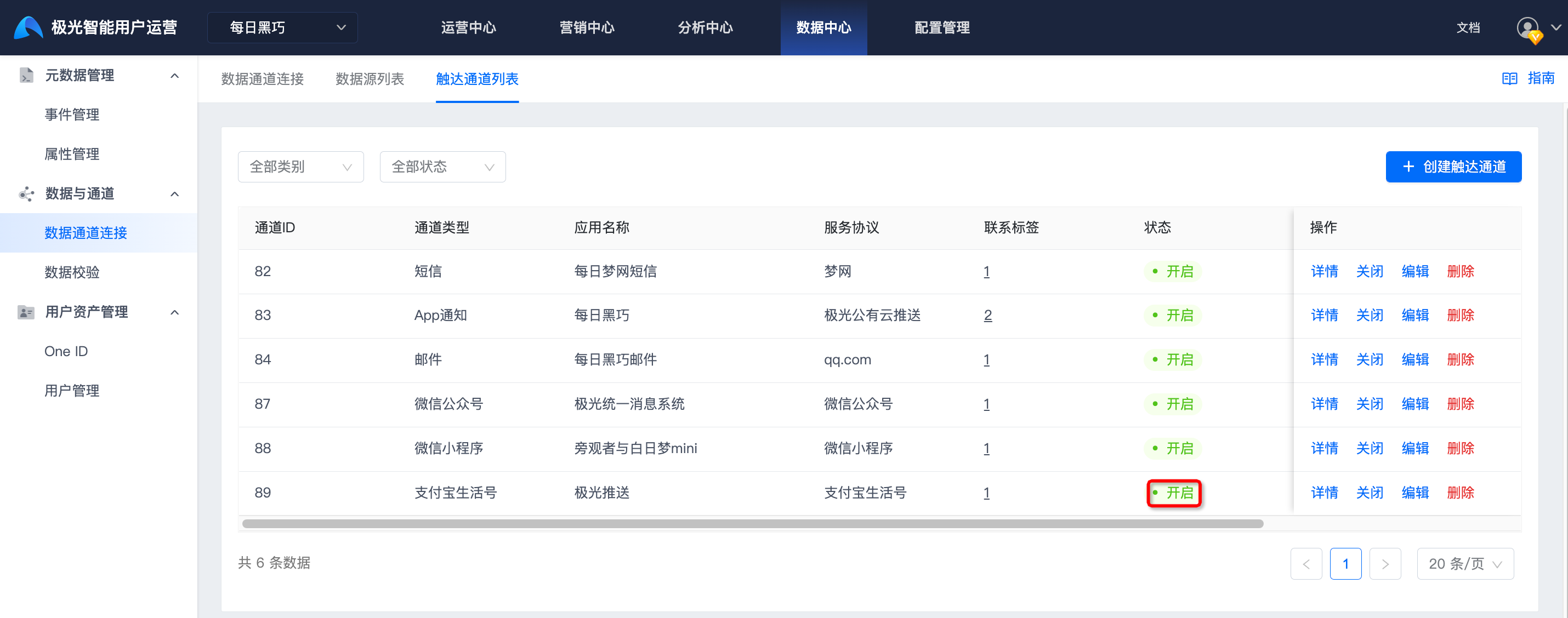
Click Save. If the status shows Enabled, authentication is correct and the channel has been created successfully.
Enable Template Messages
In the Life Account management platform, select Template Messages and add the required message template from the template library. If no suitable template is available, you can apply for a new template. The review cycle is 3 to 7 days.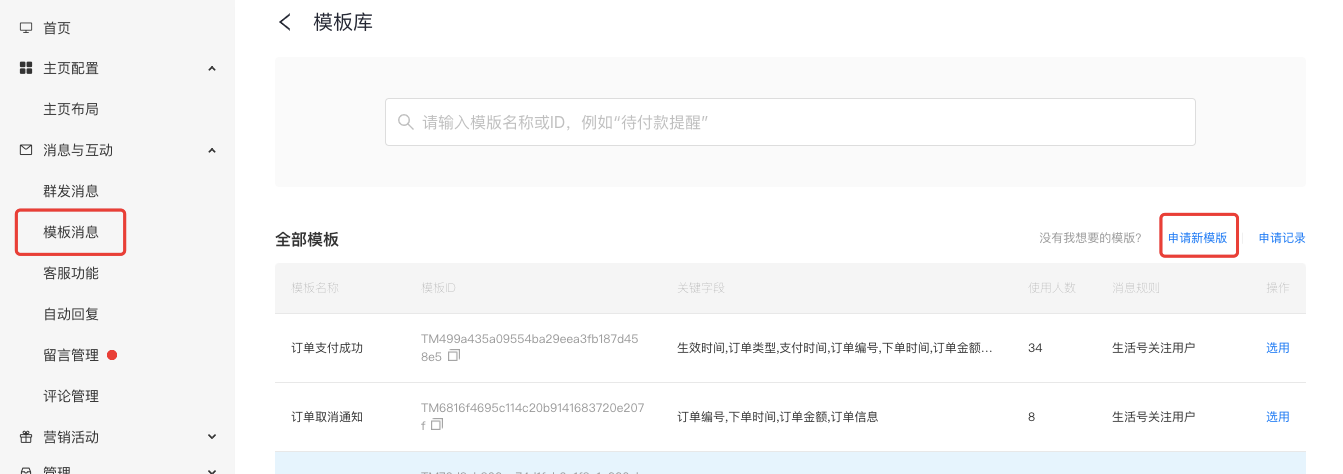
After adding a template in the Life Account management platform, open the template details and copy the Template ID, Template Name, and key fields.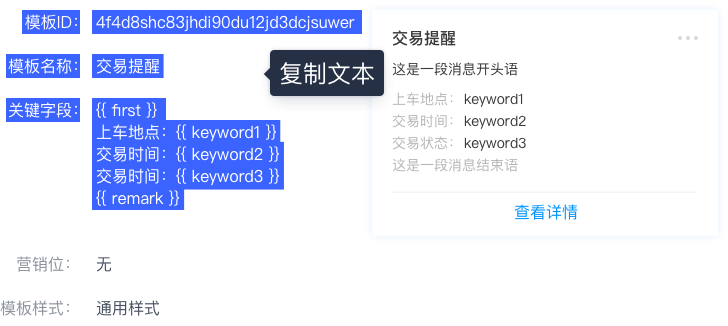
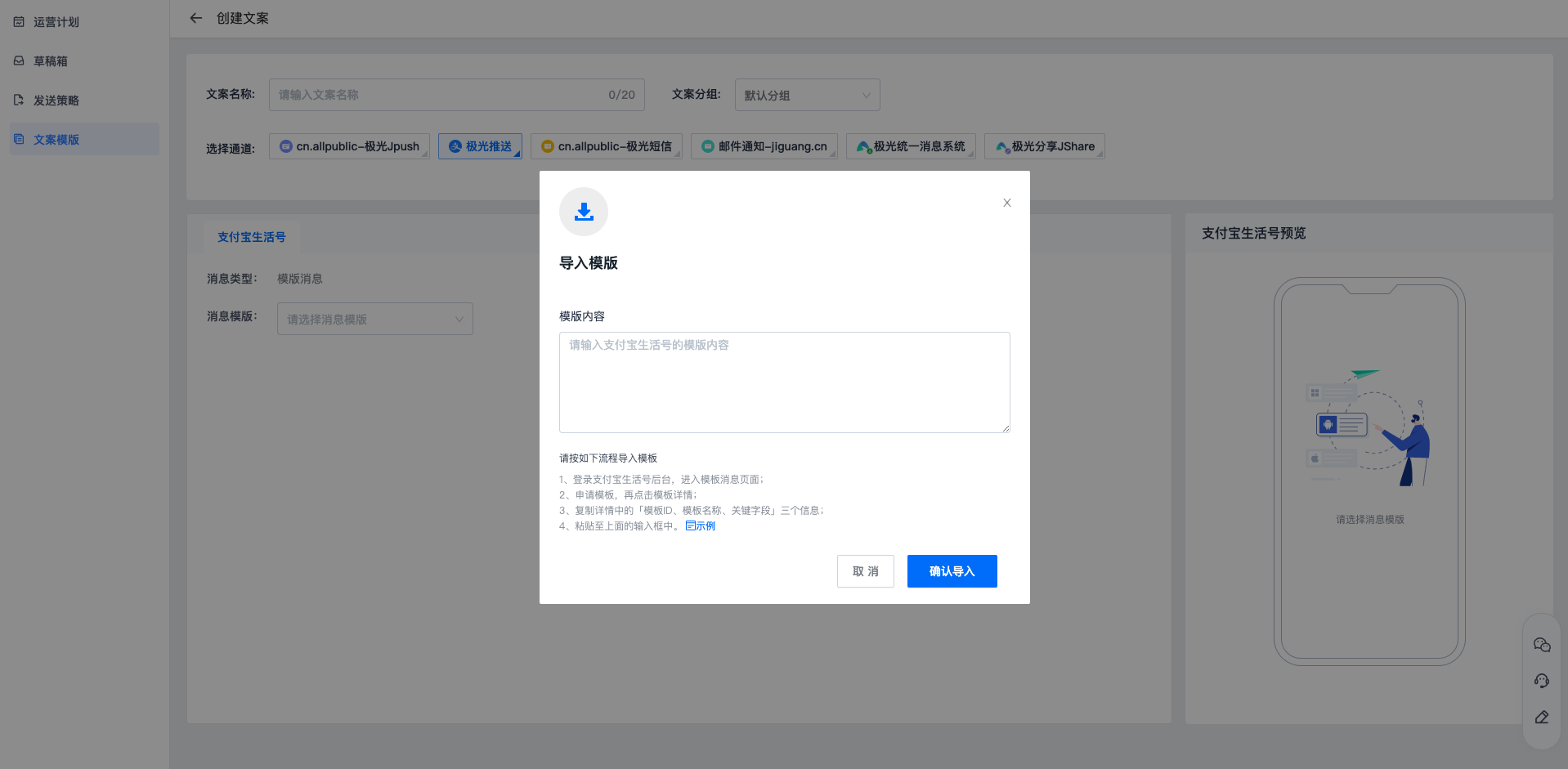
Go to Operation Center -> Copy Template -> Create Copy, click Message Template -> Import Template, and paste the copied content into Template Content to import the template.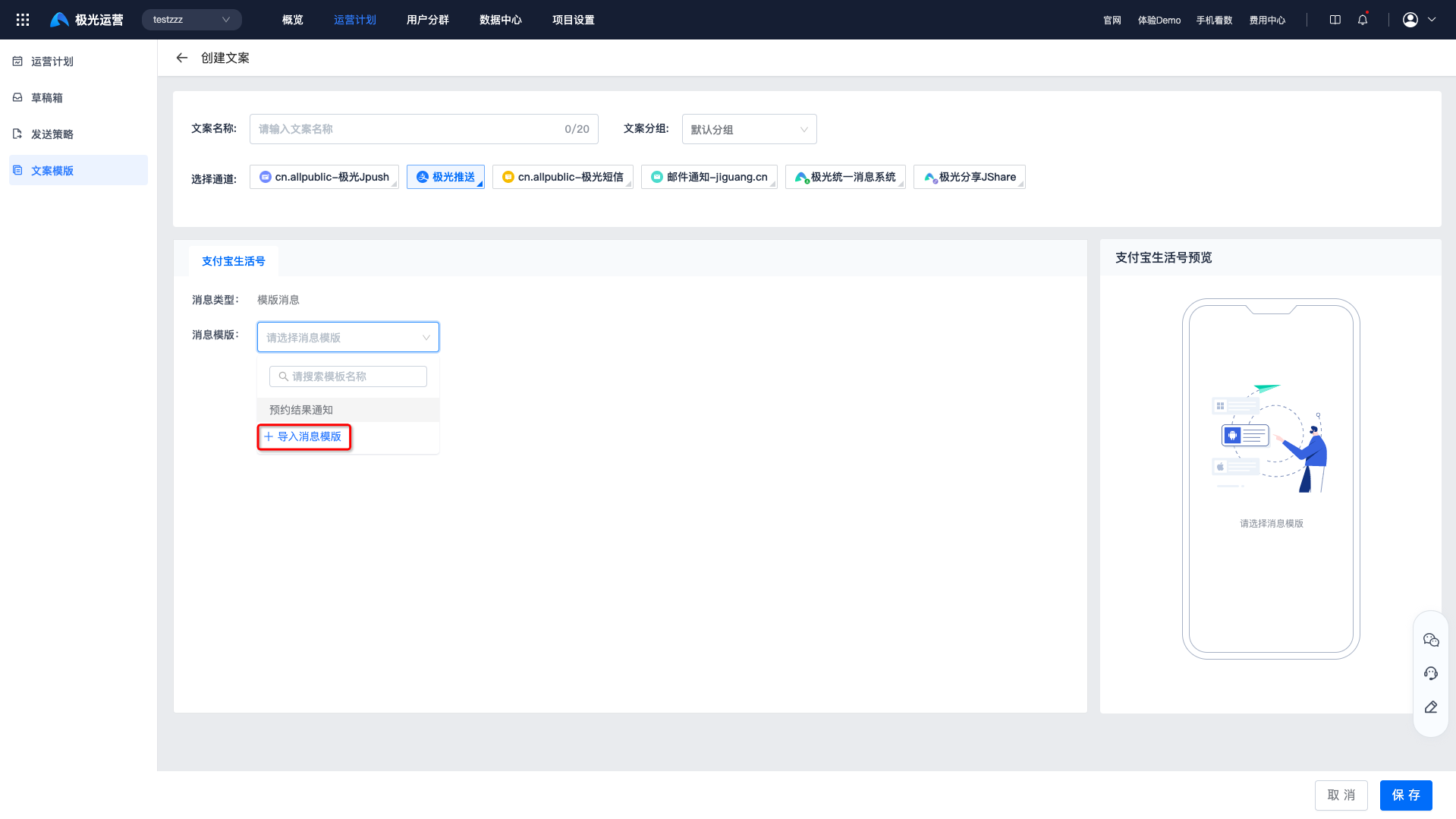
Because Alipay does not provide an API for querying the template list, Operation Growth cannot detect status changes after a template is deleted on the Alipay platform. The template status will be changed to invalid only when Operation Growth uses the template to push a message and Alipay returns that the template does not exist.
Channel Receipts
Alipay Life Accounts do not require additional channel receipt configuration.

