


Manufacturer Channel Parameter Application Guide
This article aims to guide users to obtain the push parameters of the manufacturer channel and completeJiguangManufacturer parameter configuration on the console.
Listing instructions
Some manufacturers require that they must be put on the app store before they can use push services normally. For details, please refer to the table below:
| Manufacturer channel | Whether it needs to be put on the shelves | illustrate |
|---|---|---|
| Millet | yes | You need to register an enterprise developer account, please see Xiaomi parameter acquisition。 |
| Huawei | no | A personal developer account is sufficient. For details, see Huawei parameter acquisition。 |
| Meizu | no | A personal developer account is sufficient. For details, see Meizu parameter acquisition。 |
| vivo | yes | You need to register an enterprise developer account, please see vivo Parameter acquisition。 |
| OPPO | yes | You need to register an enterprise developer account, please see OPPO Parameter acquisition。 |
| FCM | no | A personal developer account is sufficient. For details, see FCM Parameter acquisition。 |
| glory | no | You need to register an enterprise developer account, please see Honor parameter acquisition。 |
Xiaomi parameter acquisition
Register Xiaomi developer account
Enter Xiaomi open platform, register a Xiaomi developer account, please refer to the details Developer account registration and certification operation guide。
Create app
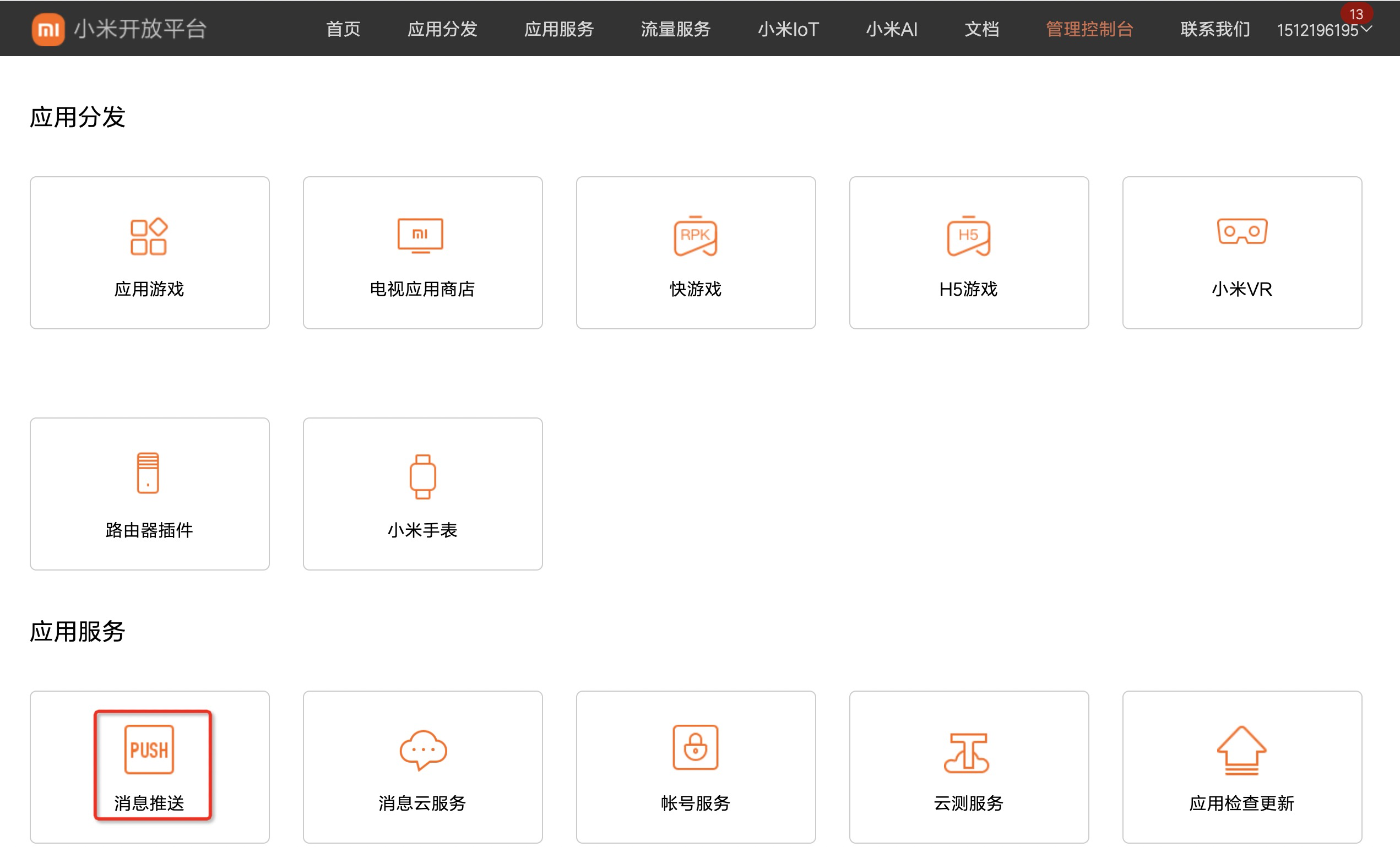
- Enter [Management Console] and select message push.
If you log in with a personal account, it will display "Sorry, you currently do not have push/review permissions."
 2. Create an application.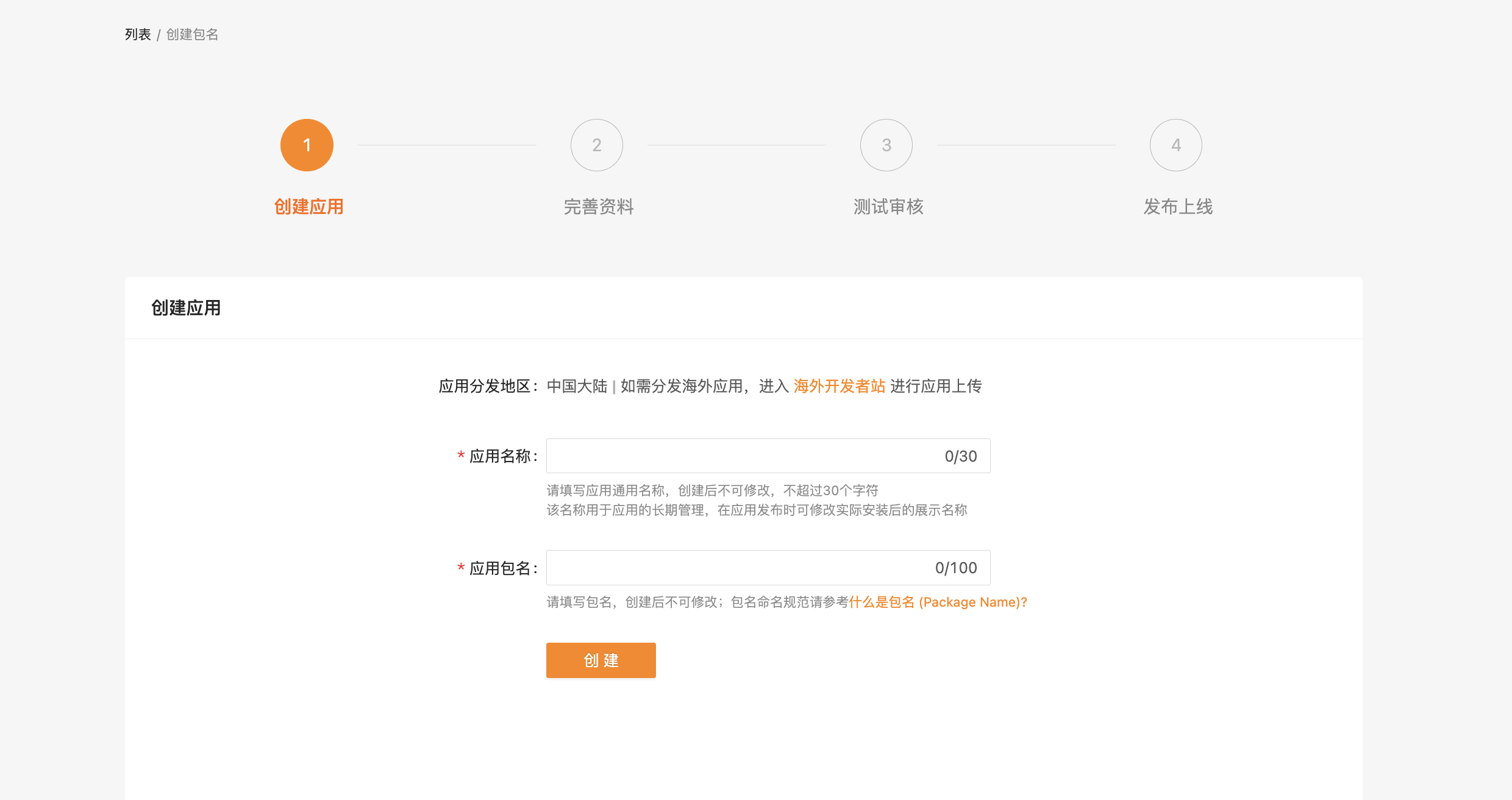
- Fill in the application information and click Create.
The application package name needs to be the same as yoursJiguangThe package name filled in on the official website remains consistent.
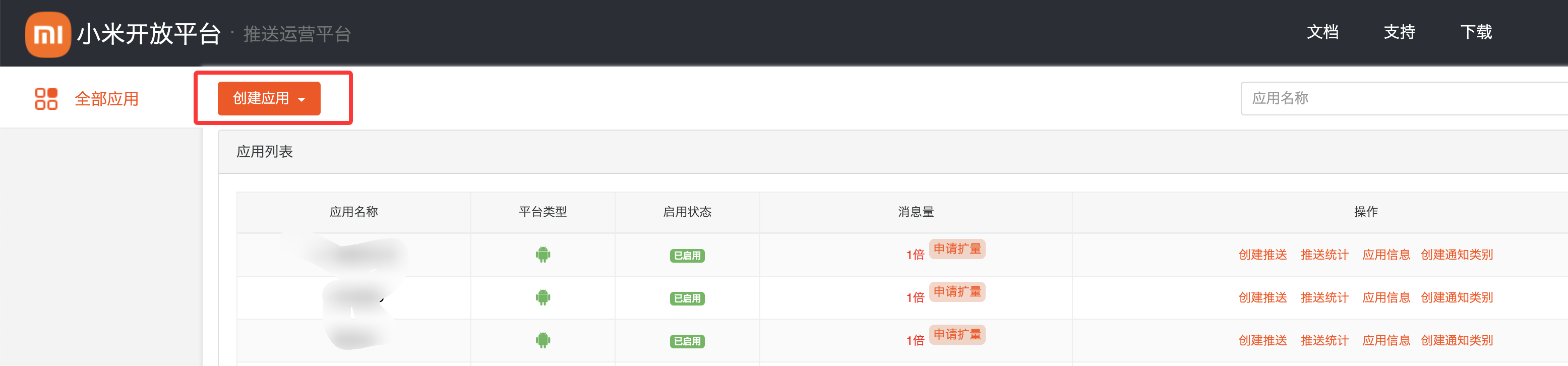
In the improve application information interface, click Save directly.
Enable push service
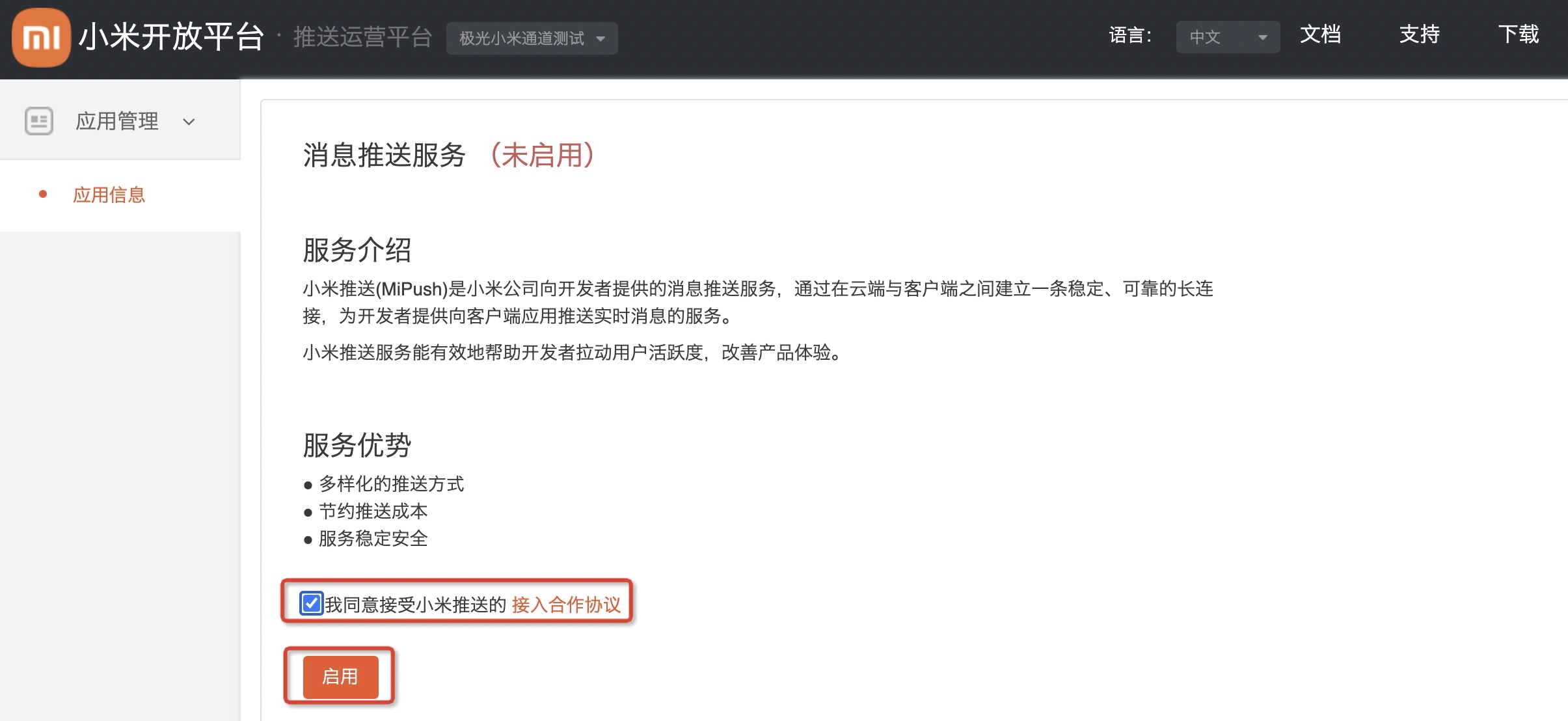
Enter the [Push Operation Platform]-[Application List] page and click "Enable Push" on the corresponding application name.
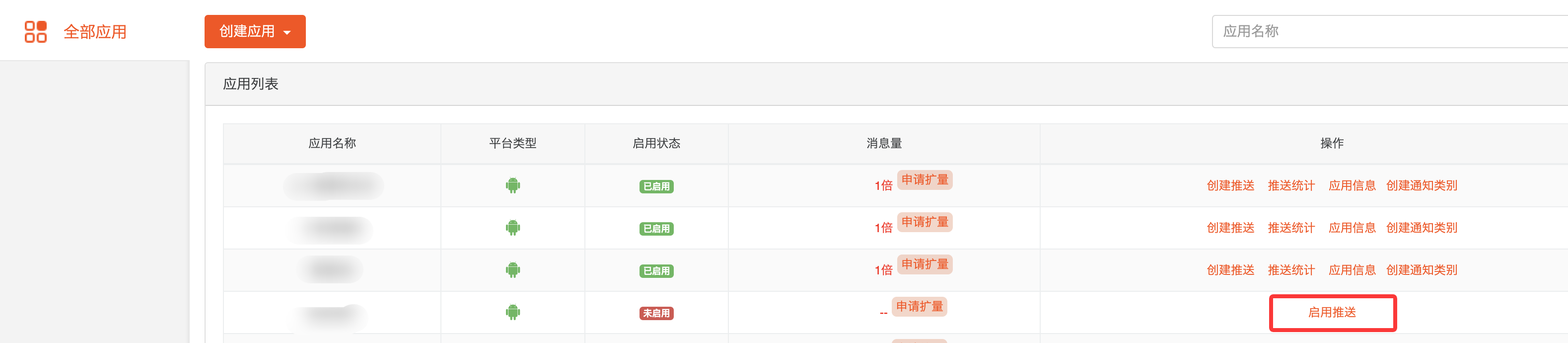
Check the access cooperation agreement pushed by Xiaomi and click "Enable".
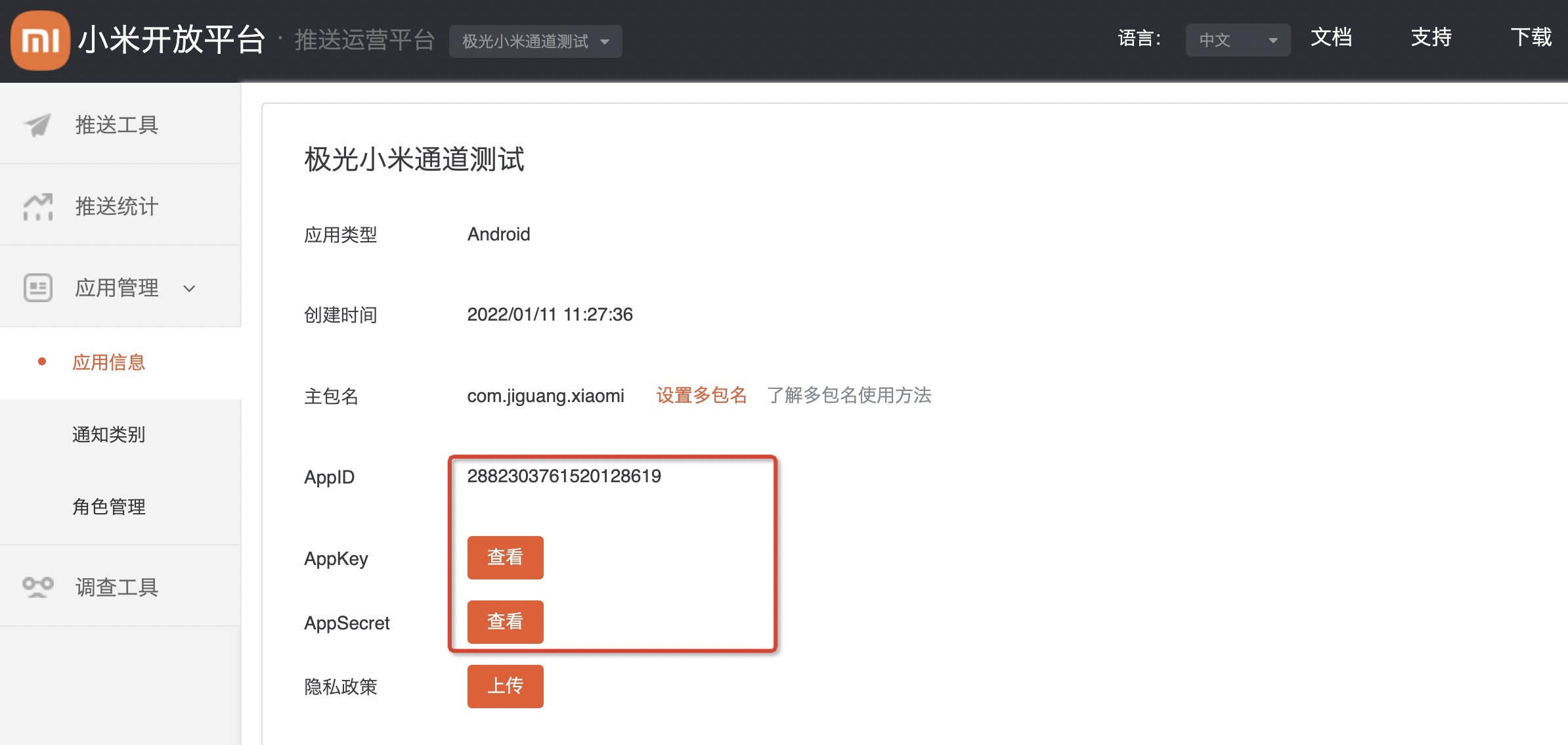
Get application information
Enter the [Push Operation Platform]-[Application Information] page to view application information.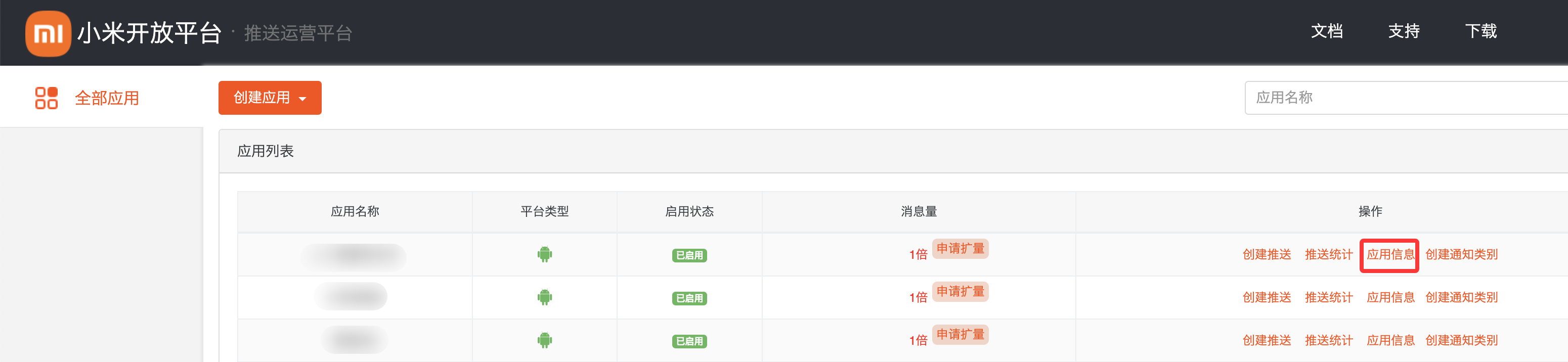
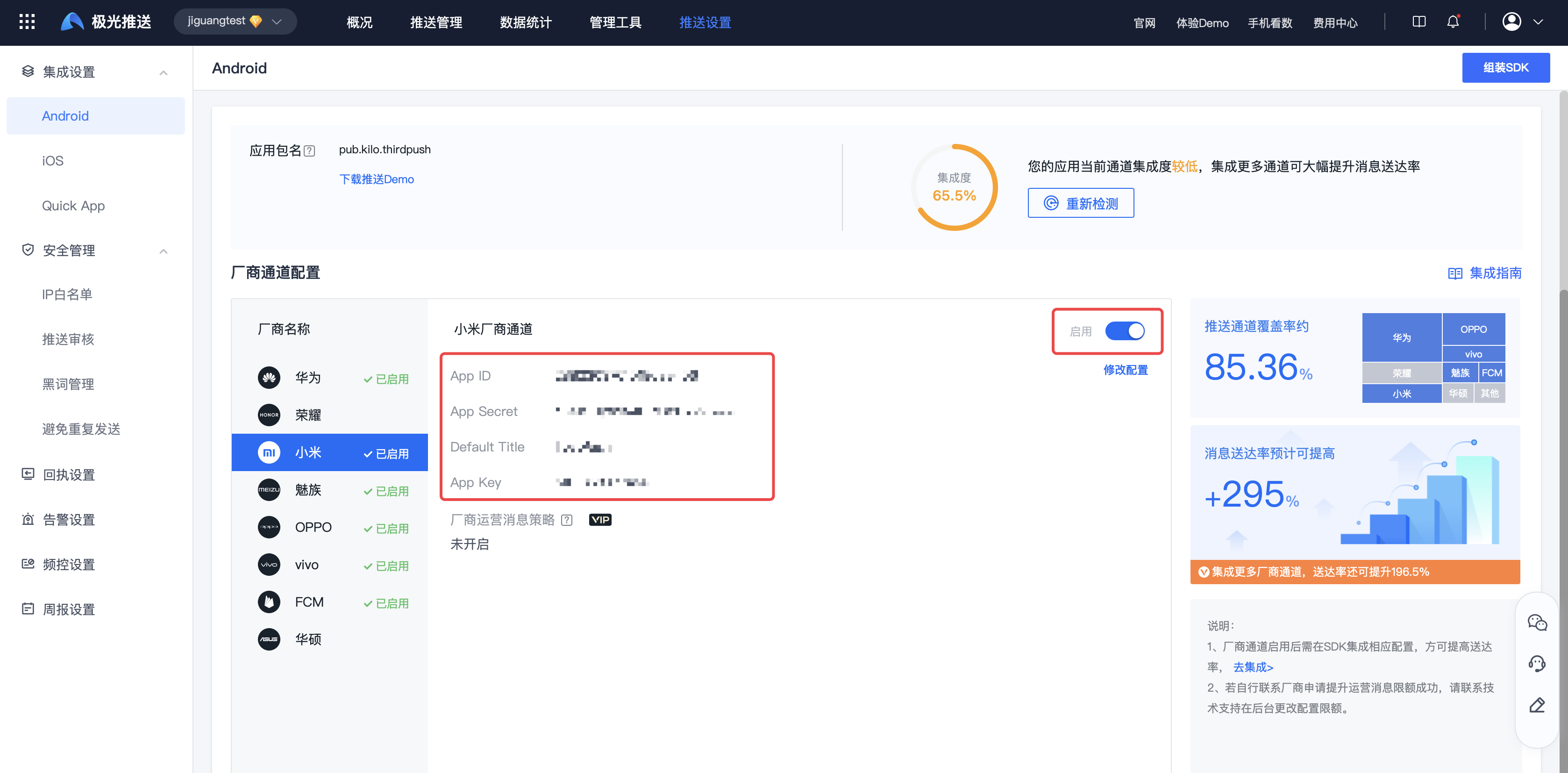
Xiaomi channel parameter configuration
Enter【JiguangConsole]-[Message Push]-[Push Settings]-[Integration Settings] page, fill in the parameters:AppKey、AppID、AppSecret、DefaultTitle, and click Enable.
DefaultTitle The default title is customized, it is recommended to use the application name.
Huawei parameter acquisition
Register a Huawei developer account
Enter Huawei Developer Alliance, register a Huawei developer account, please refer to the details Register an account。
Create project
Whether to build a new project or not, developers need to make a discretionary choice based on actual business conditions. If you do not need to create a new project, just check the following steps directly.
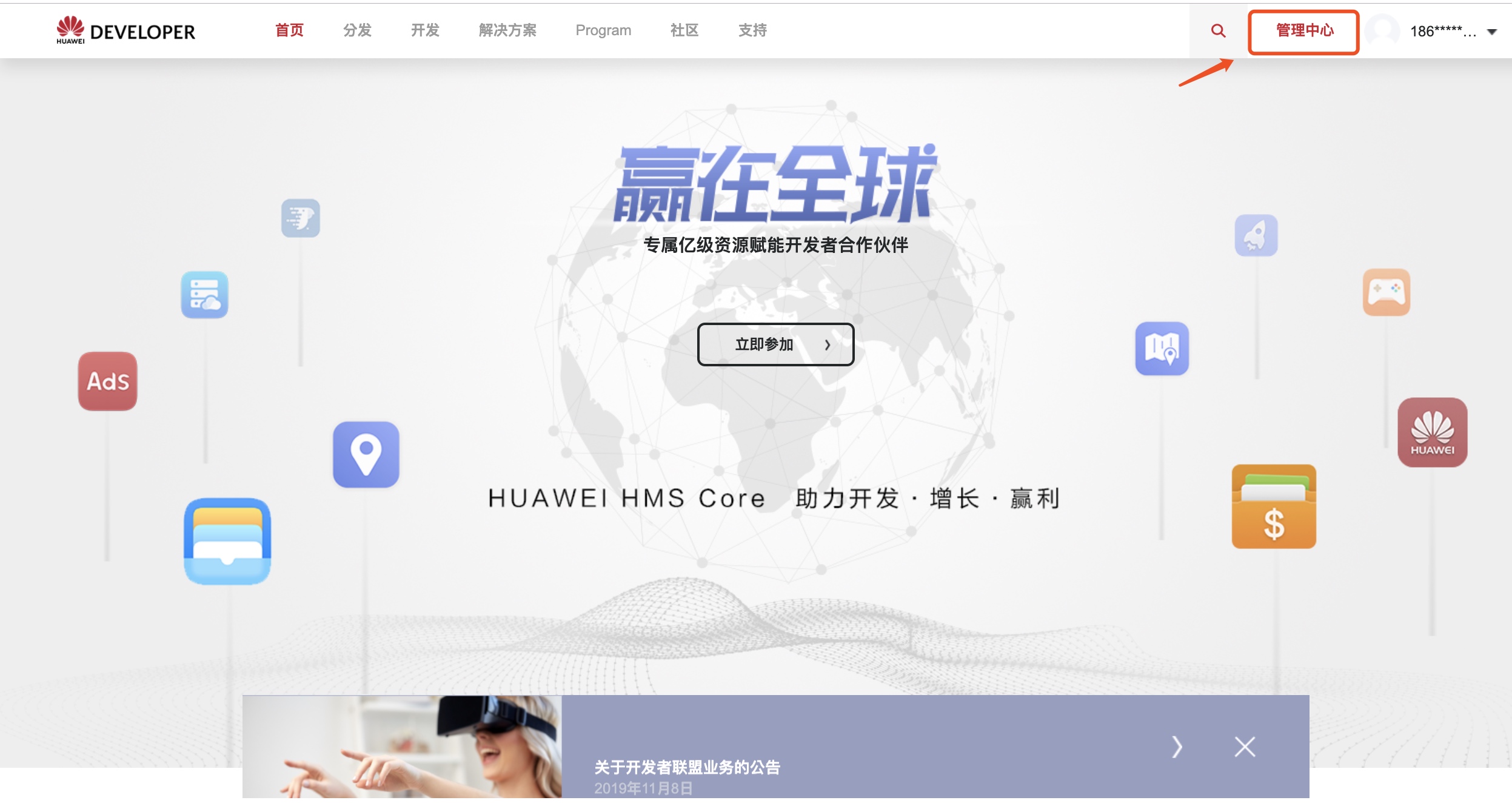
Click "Management Center" to enter the [Management Center] page.
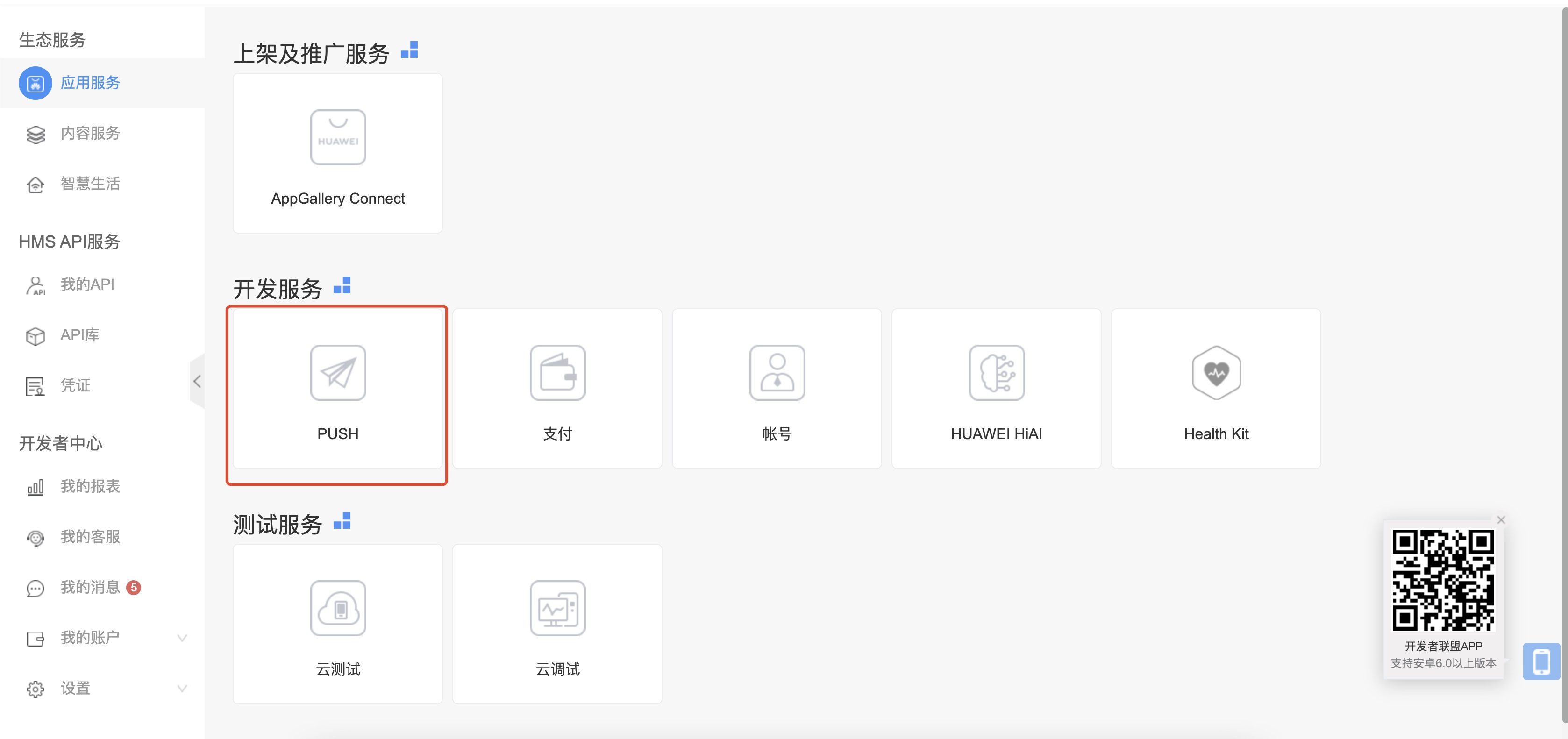
Select [Development Services]-[PUSH] or [Shelf listing and promotion services]-[AppGallery Connect】, it depends on your actual situation. There may be multiple actual entrances. This step only tells you the known entrances.
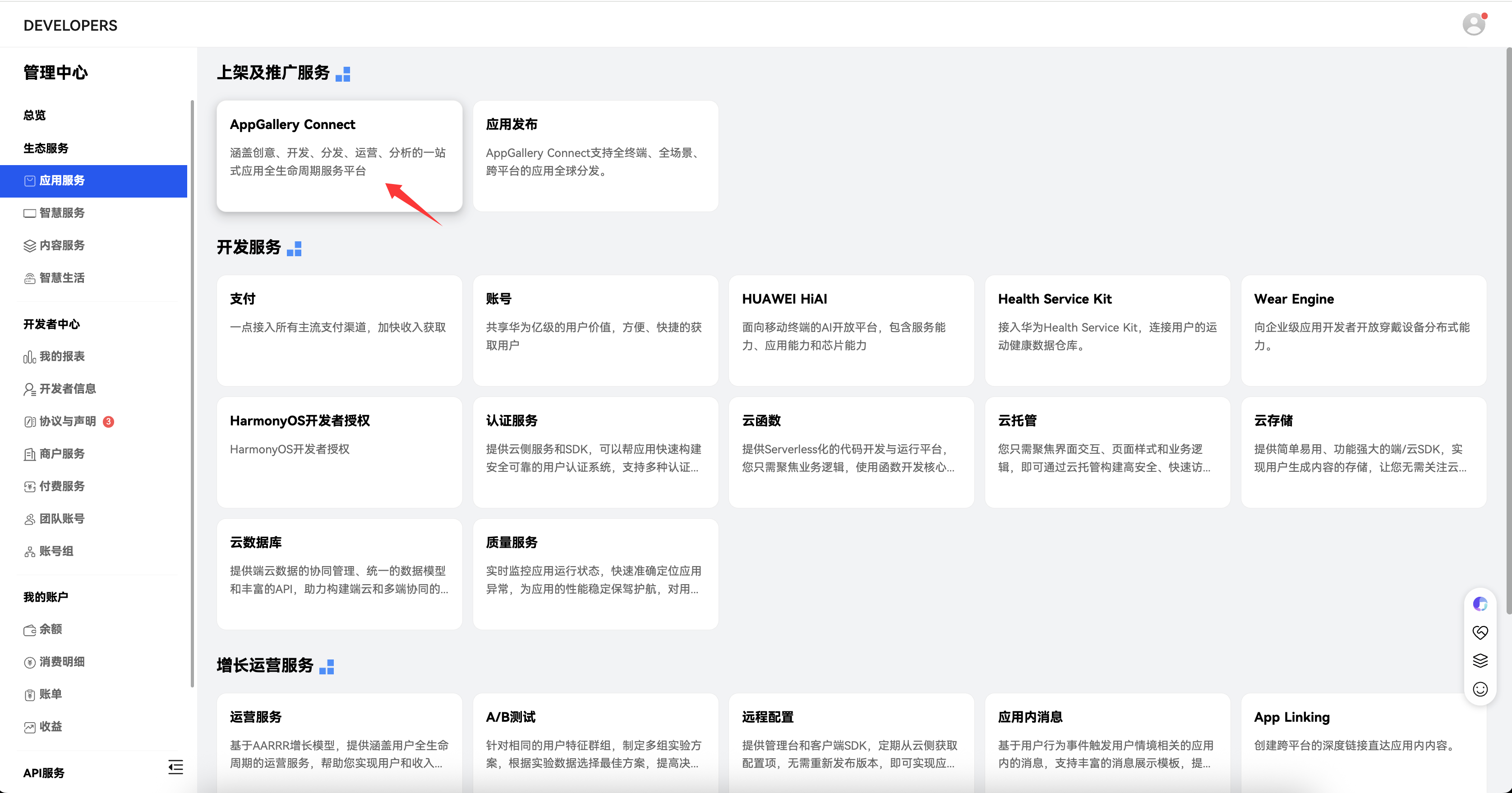
As shown above, if you do not have "PUSH” entrance, you can also directly select [Listing and Promotion Services]-[AppGallery Connect] Enter HuaweiAGCConsole, and then select [Development and Services]-[Add Project].
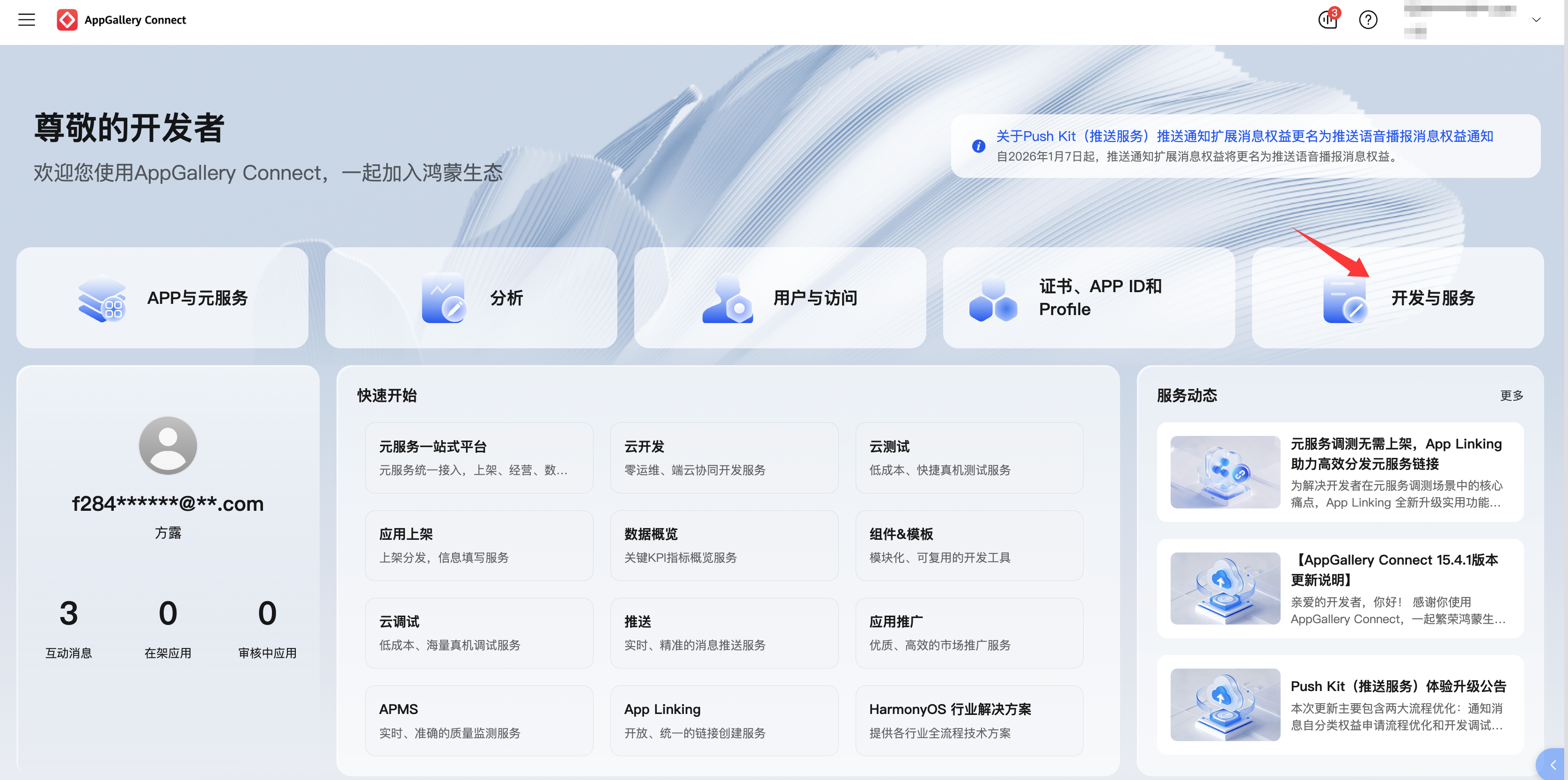
- Add a new project and fill in the project name.
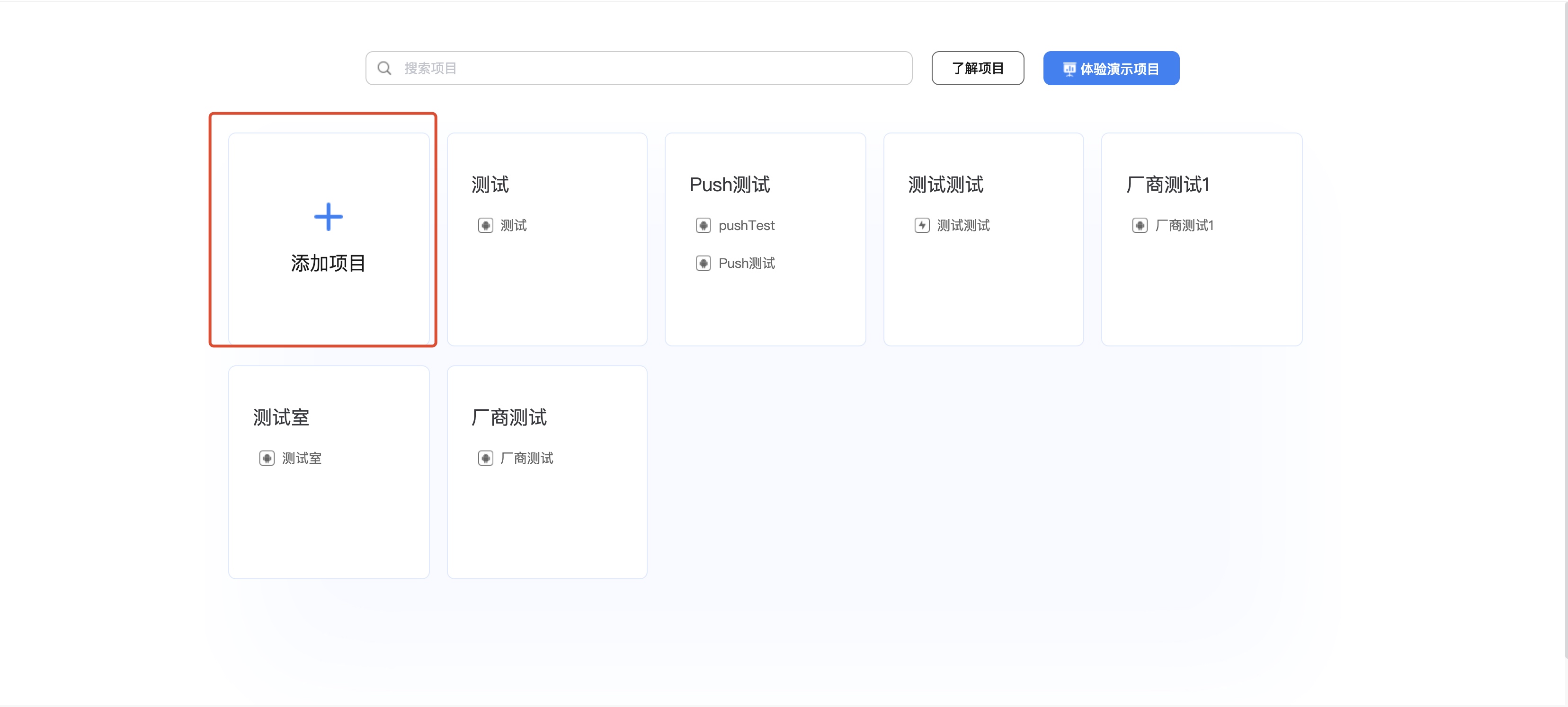
Activate push service
On the [Project Settings]-[Push Service] page, click Activate Now.
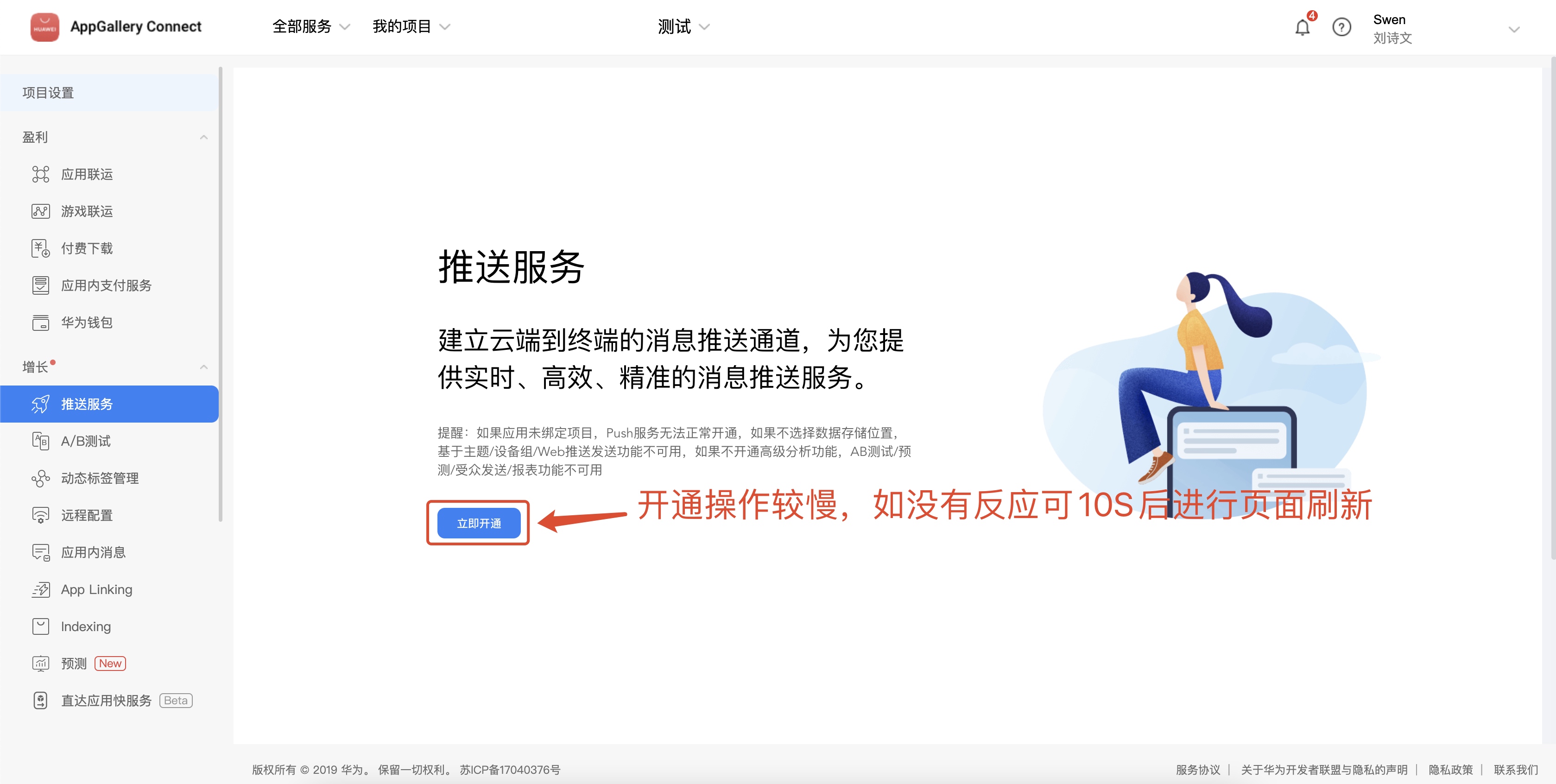
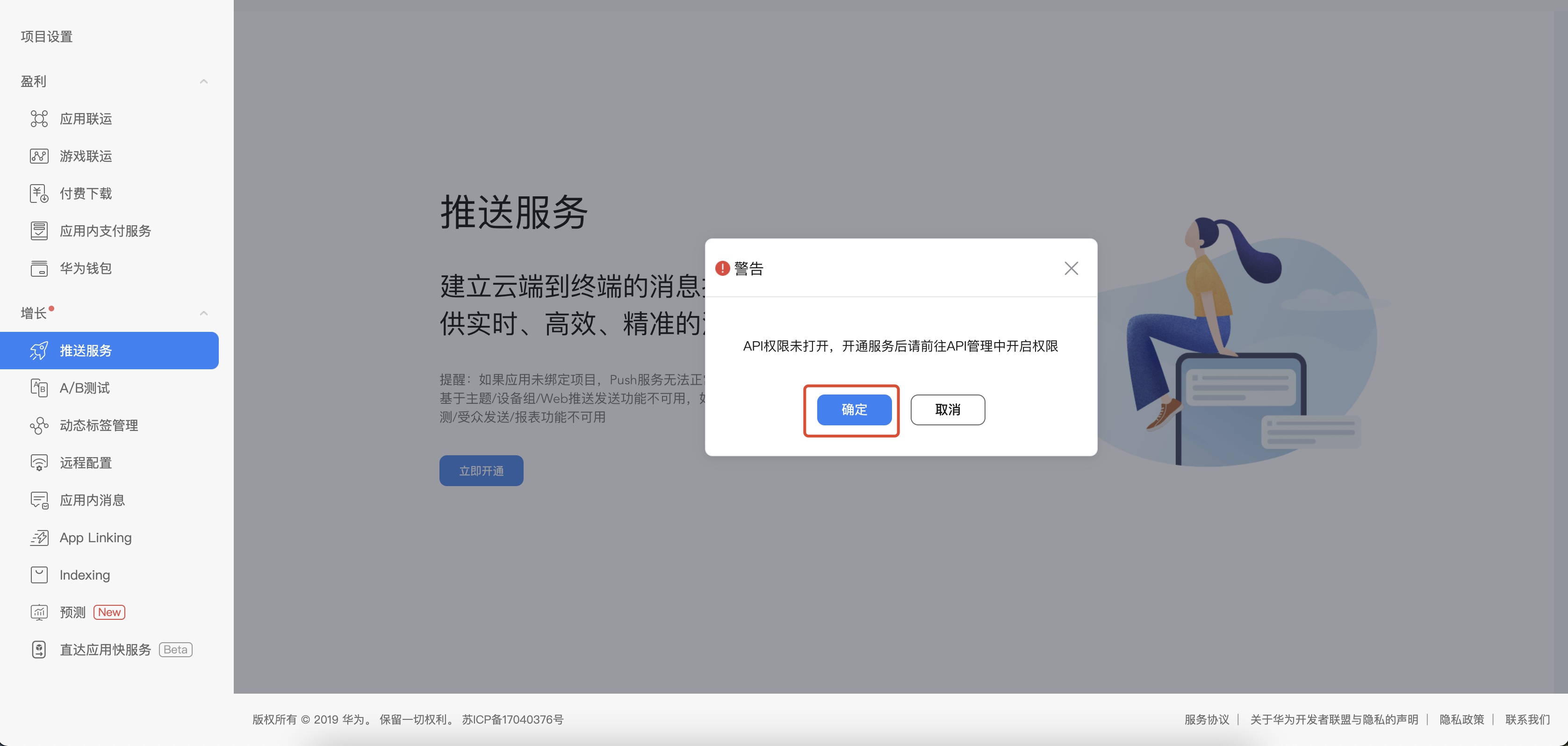
Select data storage location
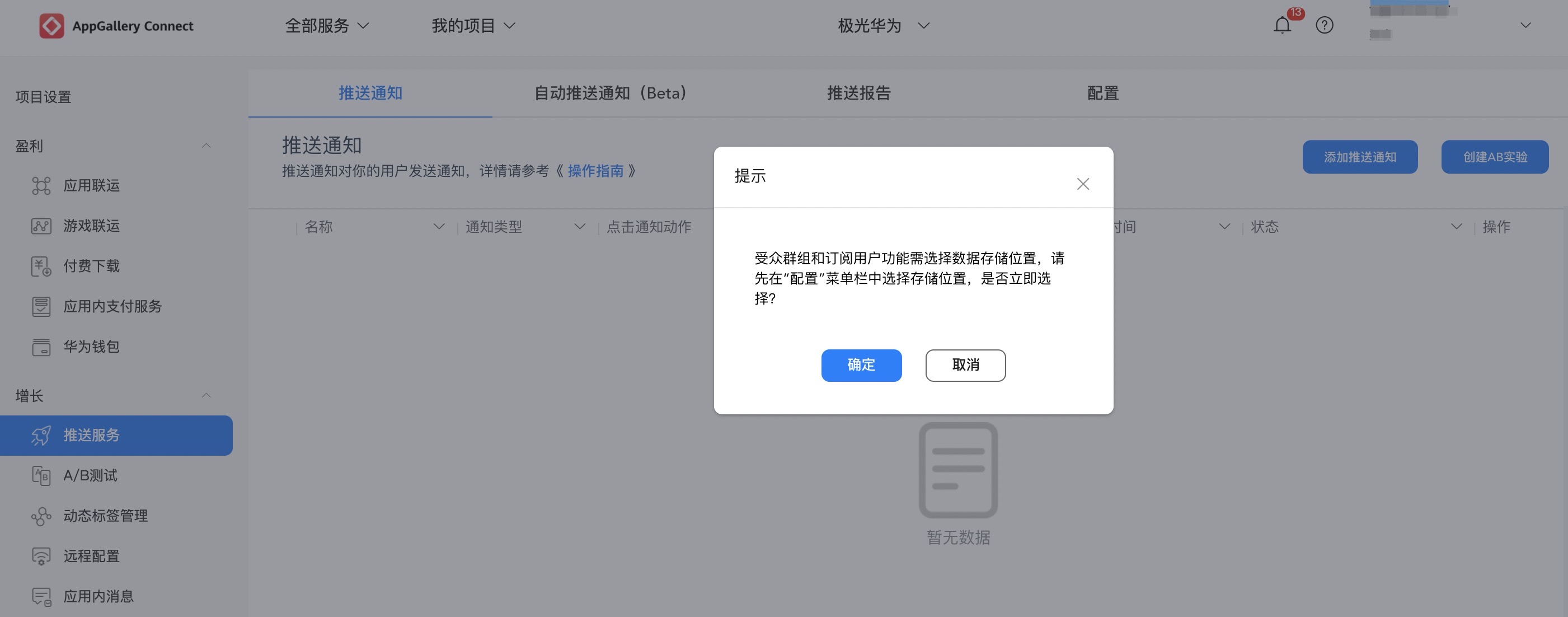
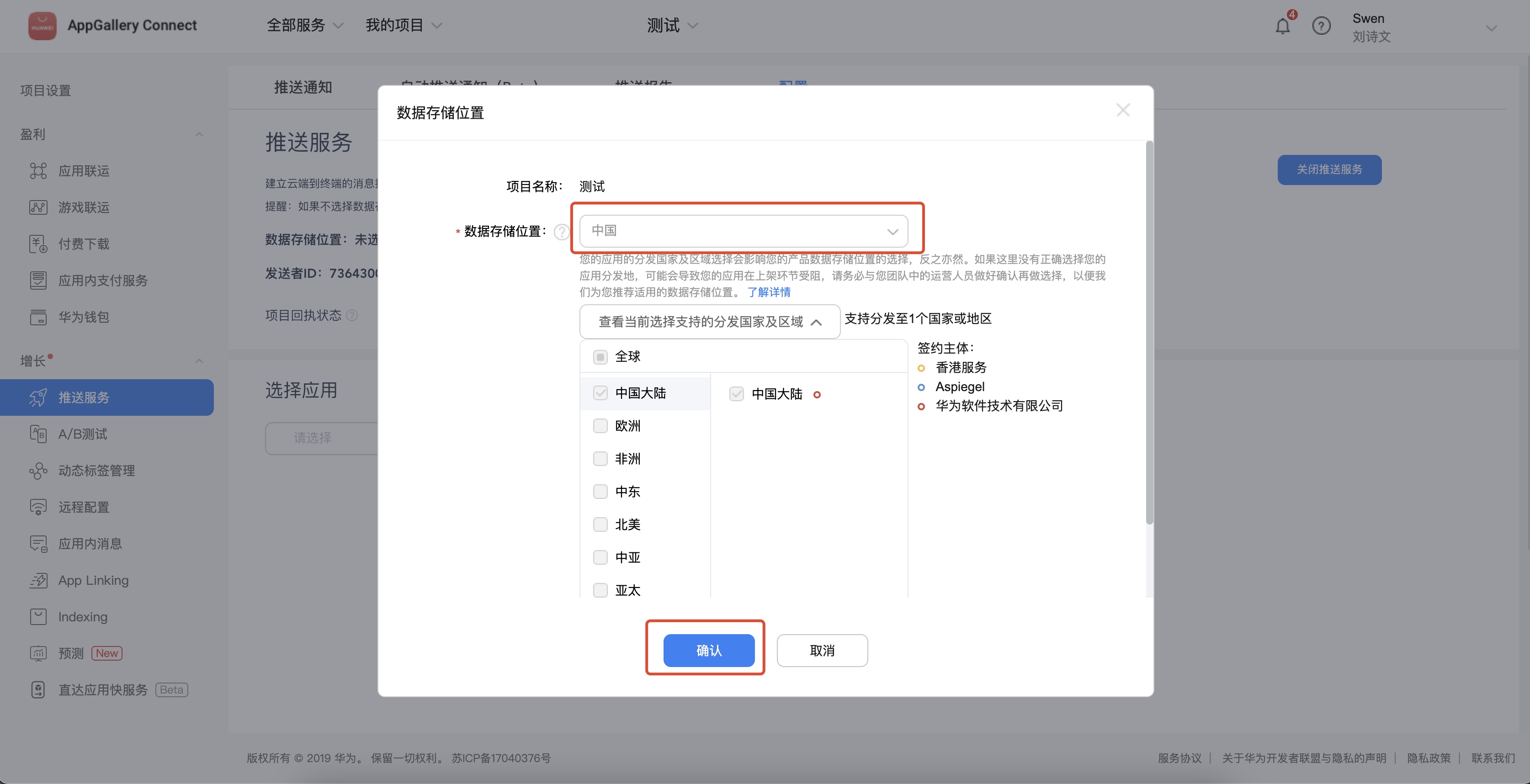
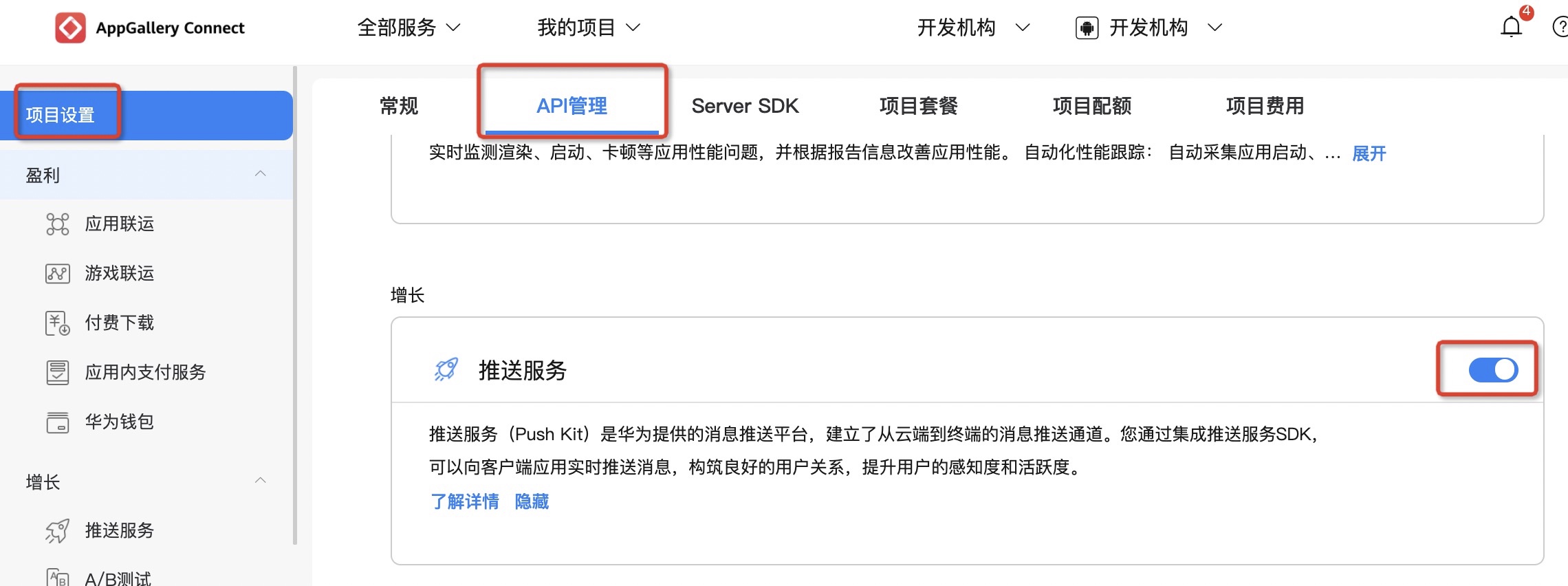
Enter [Project Settings]-[APIManagement] page, enable push service permissions.
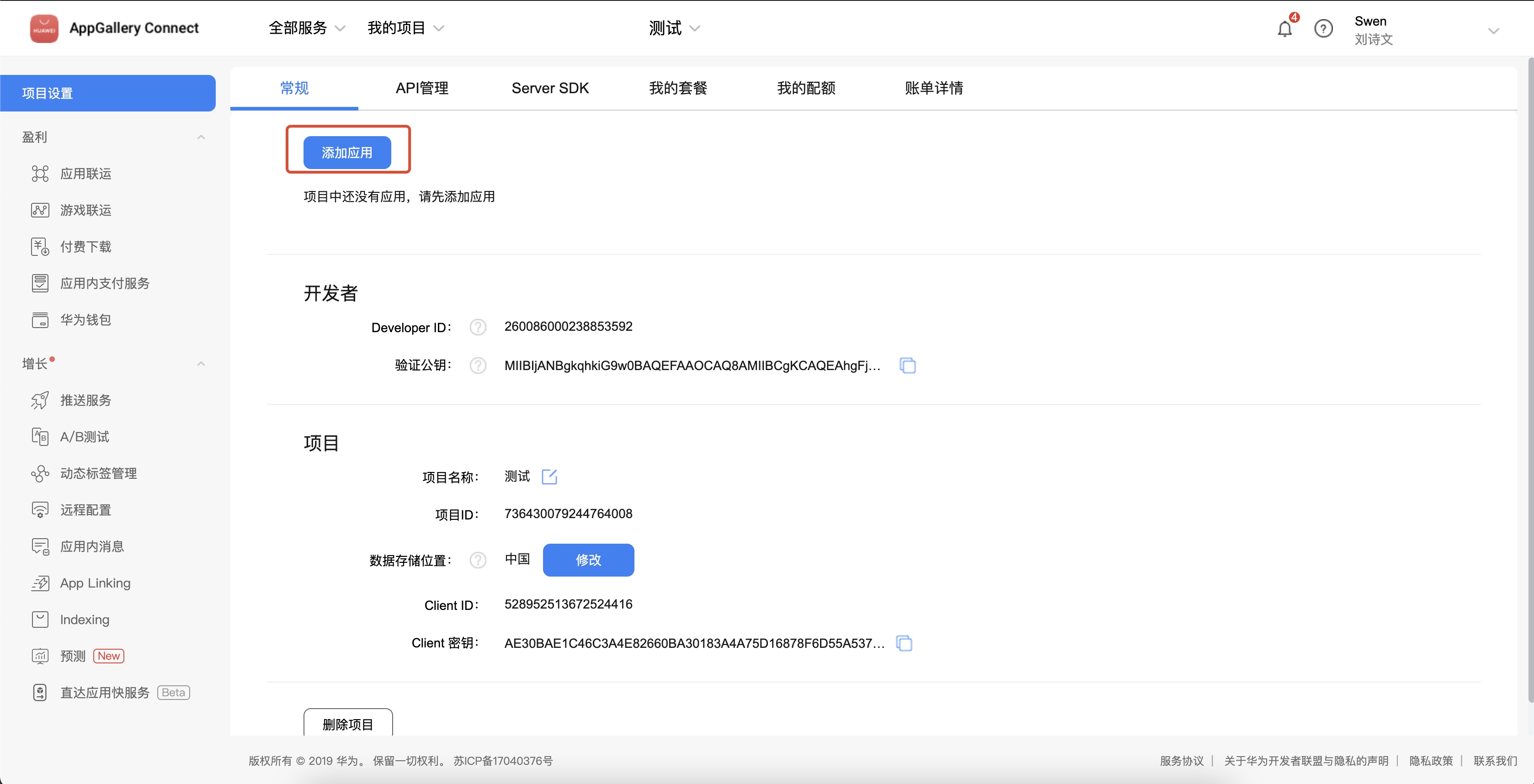
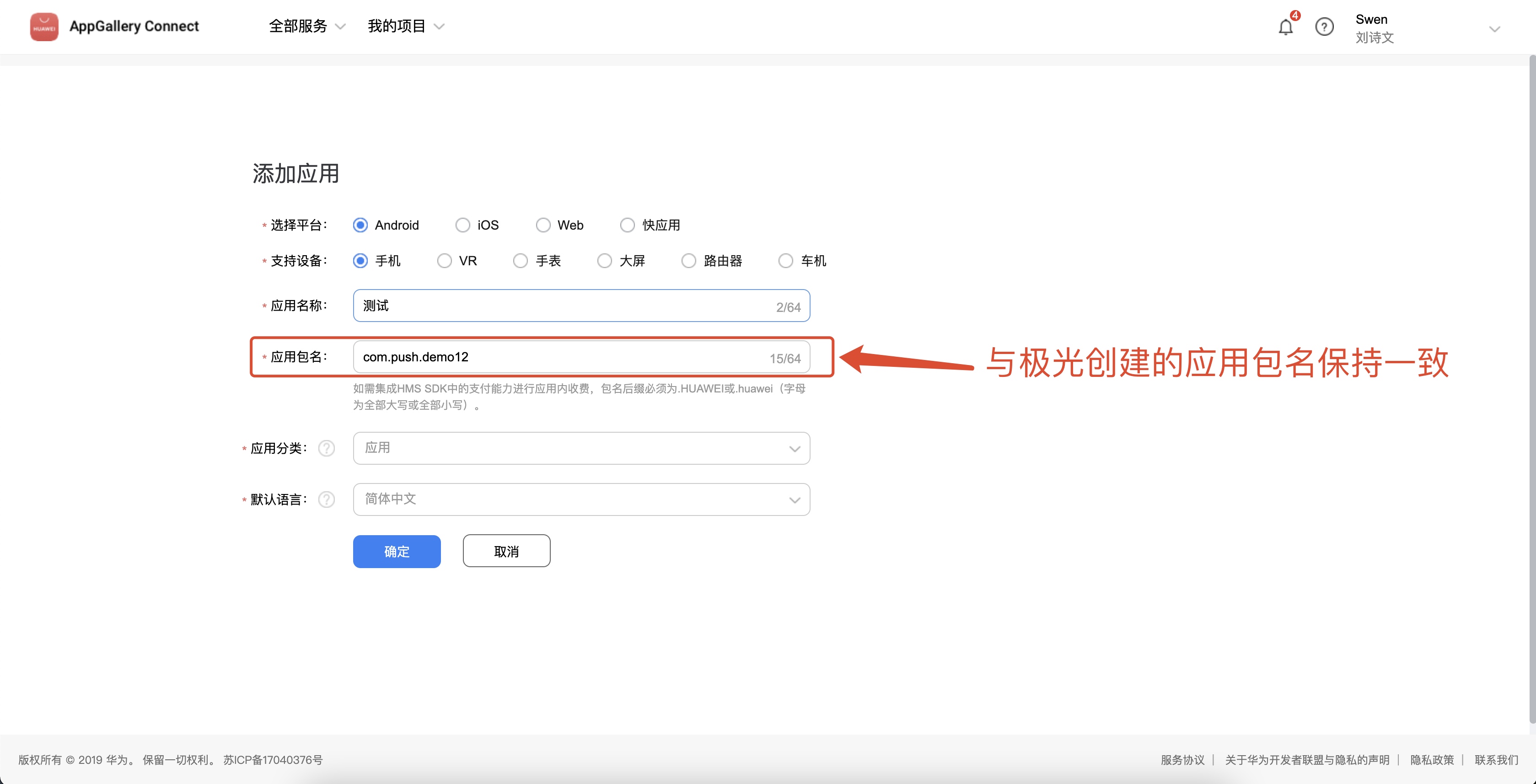
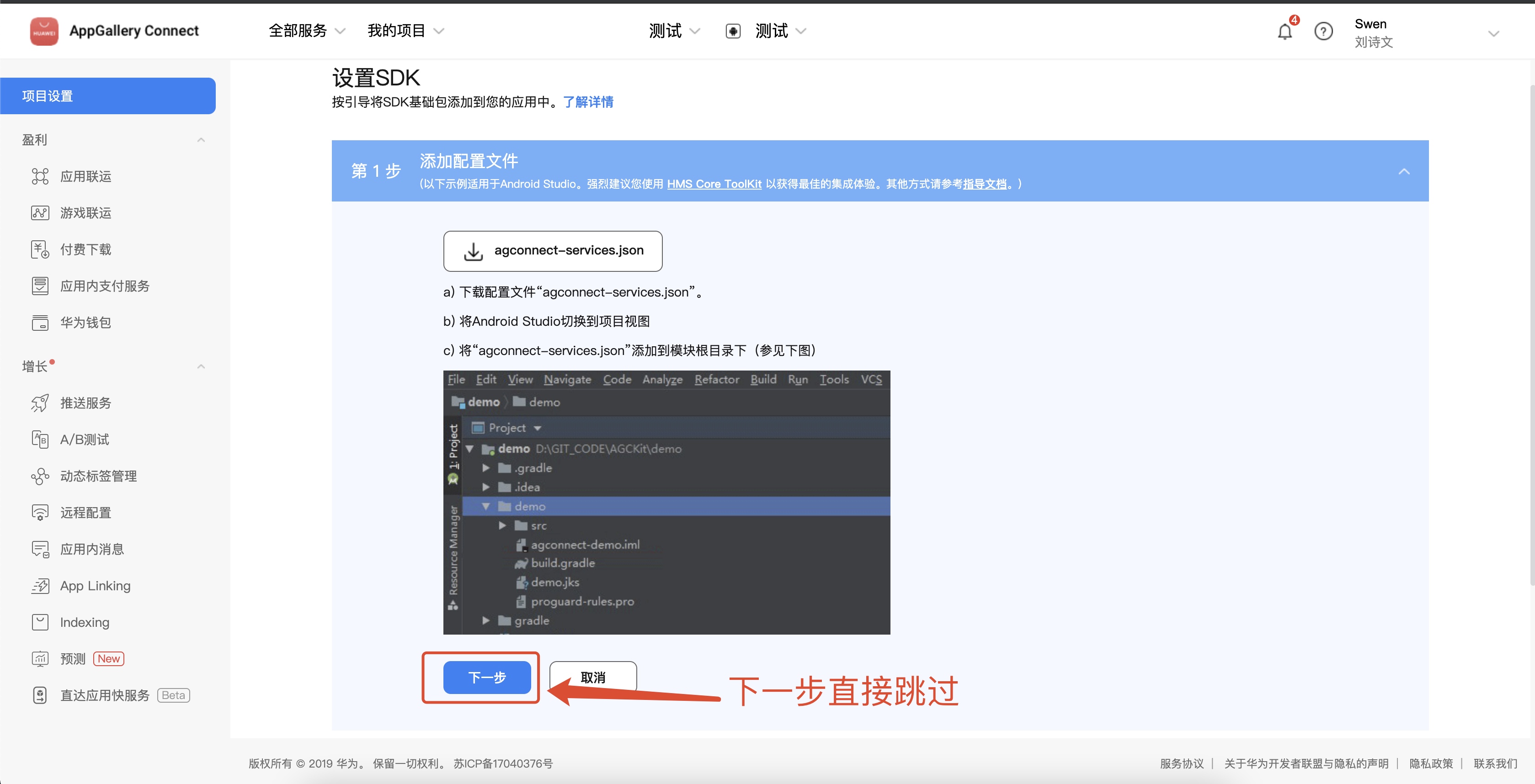
Enter the [Project Settings]-[General] page and click Add Application.
The application package name needs to be set with youJiguangThe package name filled in on the official website remains consistent.
Get application information
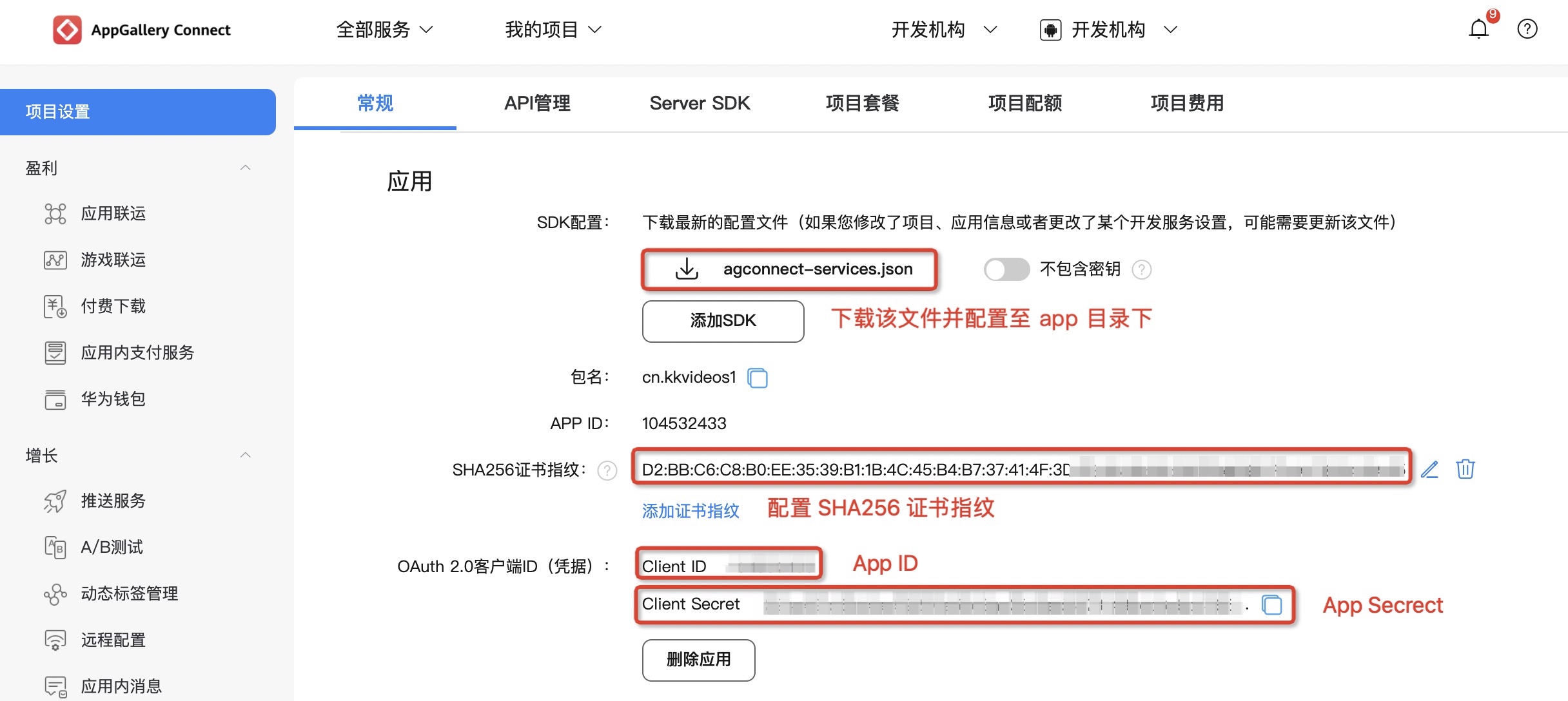
Enter the [Project Settings]-[General] page to view application information.
- The general page contains project and application Client ID and Client Secret, the corresponding parameters of the two are inconsistent. Please scroll down to the bottom of the page to obtain the application's Client ID and Client Secret。
- Need to add packaging SHA256Certificate fingerprint,SHA256 The certificate fingerprint must be consistent with your own packaged certificate.
- download agconnect-services.json document,SDK Need to be configured when integrating app directory.
- If the project, application information, and development service settings are modified, you need to download the configuration again. agconnect-services.json document.
Huawei channel parameter configuration
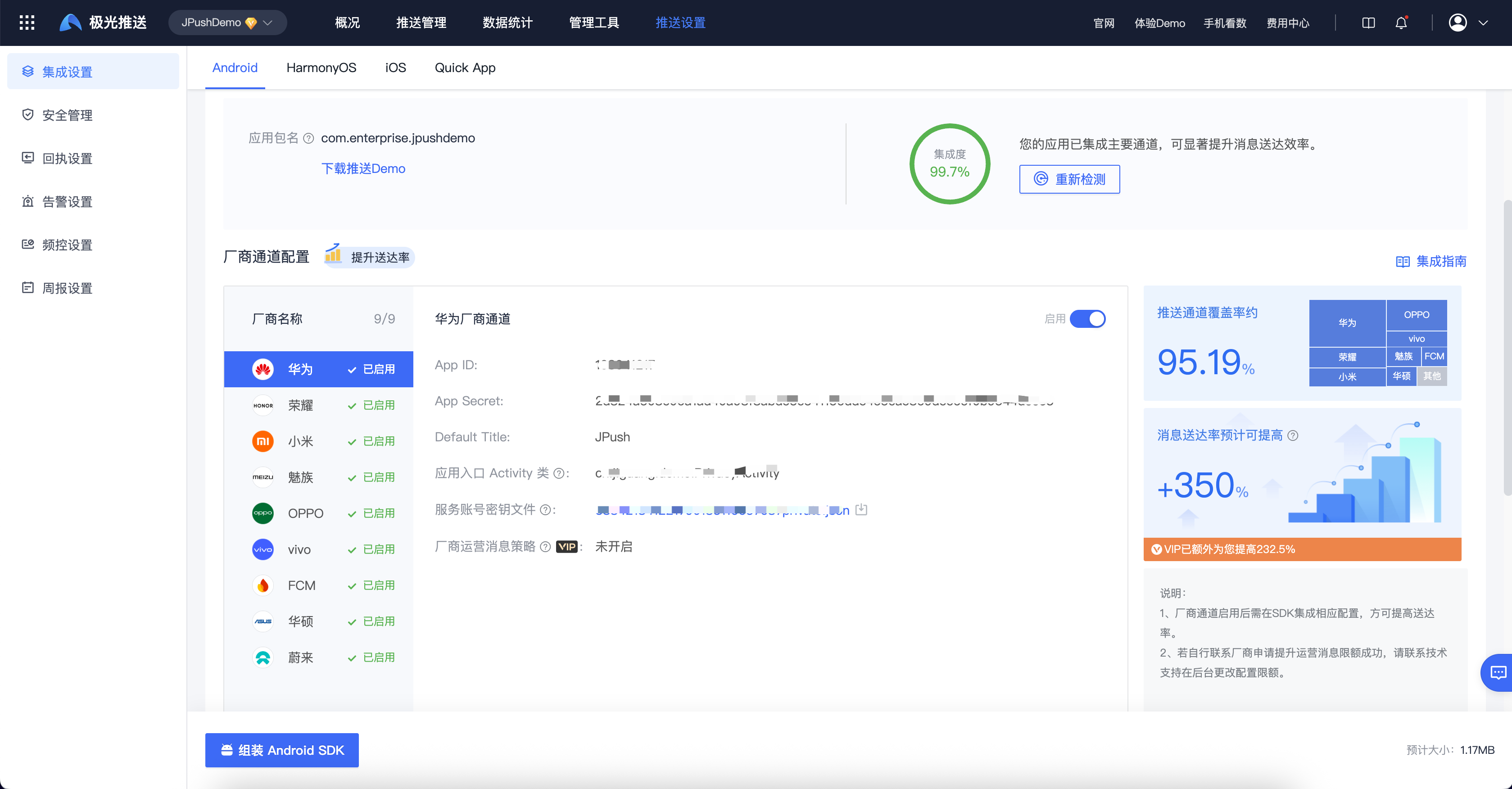
Enter【JiguangConsole]-[Message Push]-[Push Settings]-[Integration Settings] page, fill in the parameters:AppID、AppSecret、DefaultTitle, and upload the "Service Account Key File", and click "Enable".
DefaultTitle The default title is customized, it is recommended to use the application name.
Huawei service account key JSON To obtain the file, please refer to the official website documentation:Service account key JSON File acquisition
Meizu parameter acquisition
Register a Meizu developer account
Enter FlymePush platform, register a Meizu developer account, please refer to the details Developer registration。
Create app
Enter [Console]-[ Flyme Push] page.
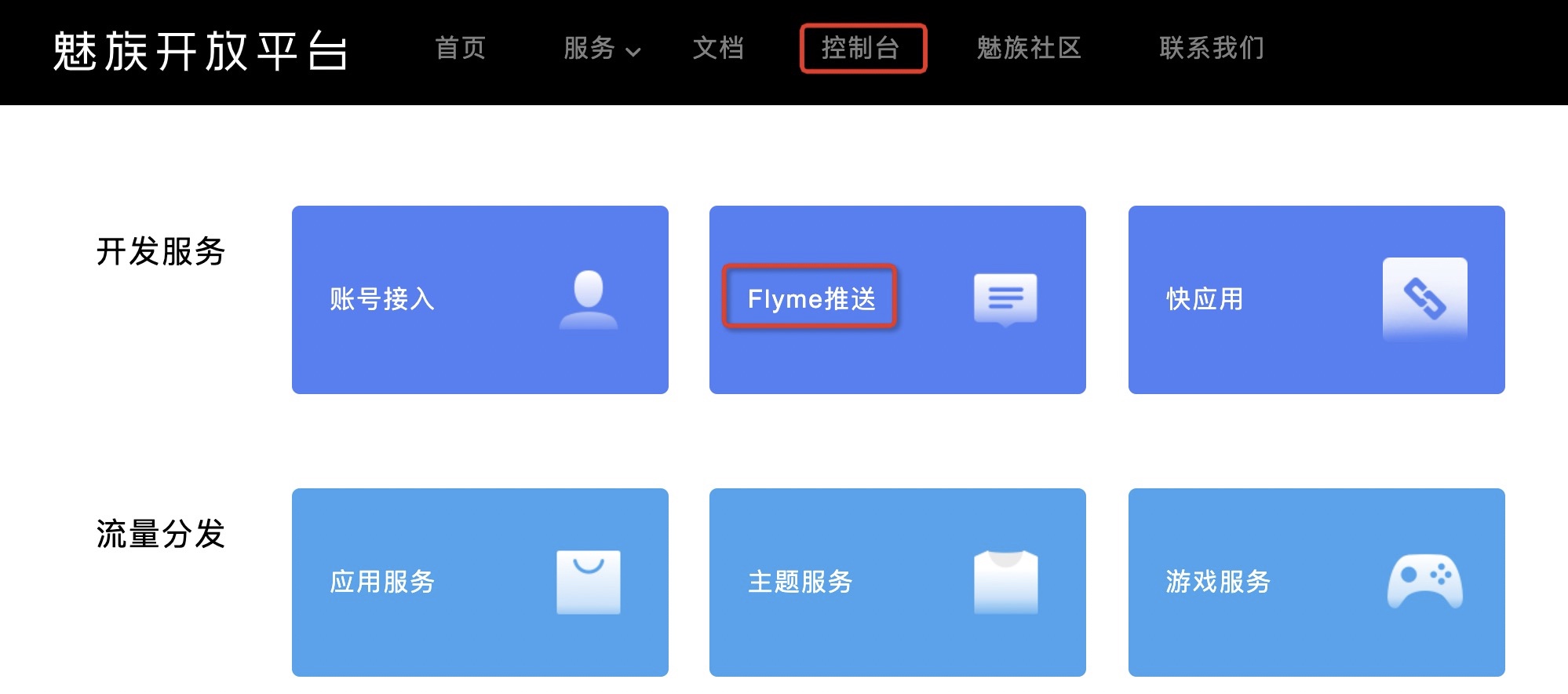
Create a new application.
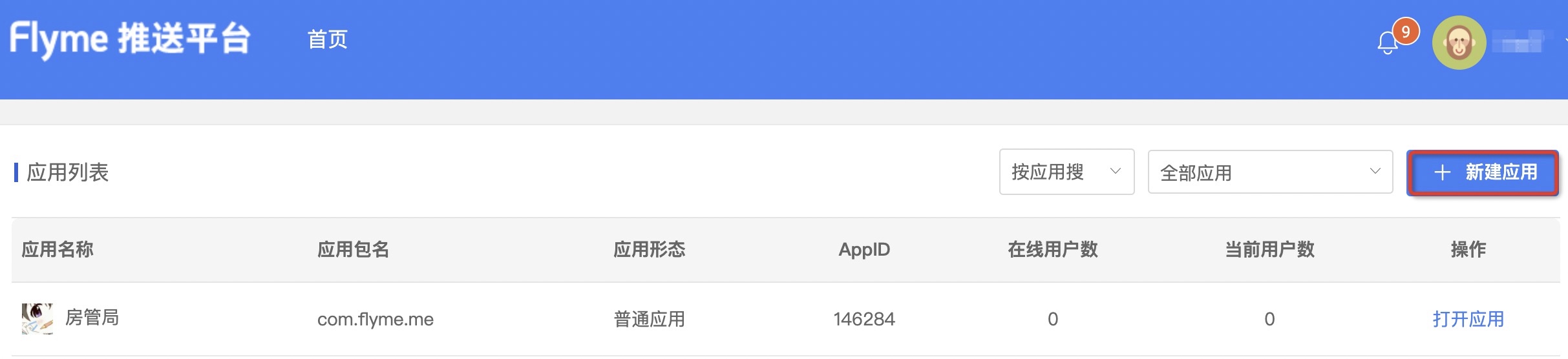
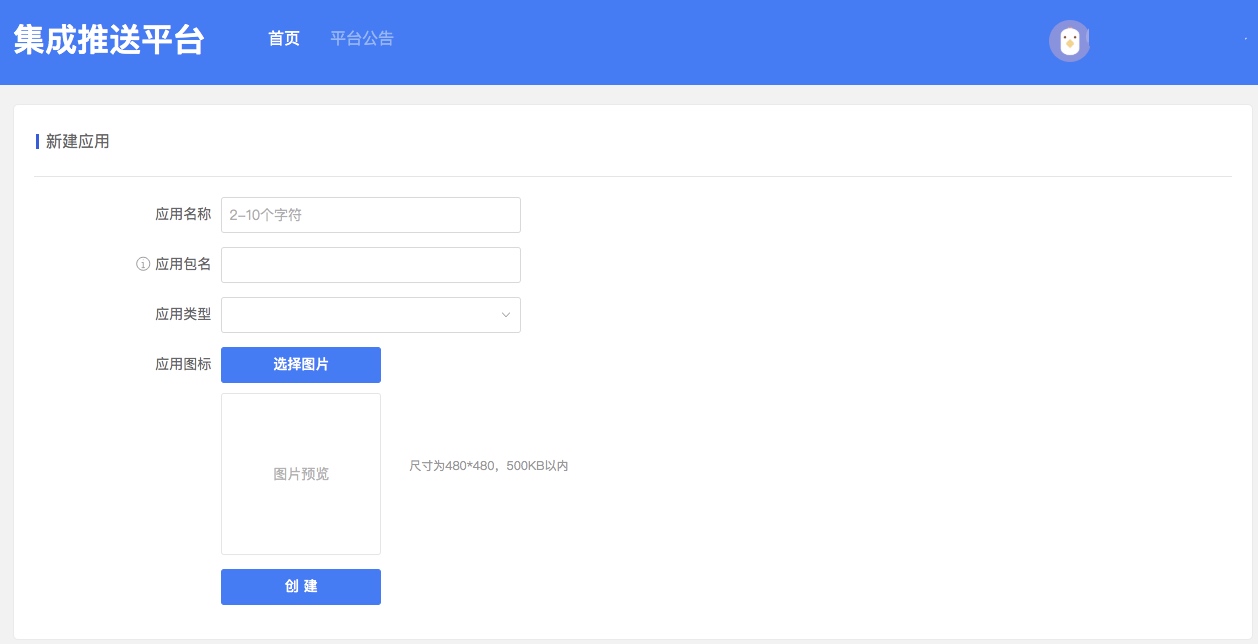
Fill in the application information and click Create.
The application package name needs to be the same as yoursJiguangThe package name filled in on the official website remains consistent.
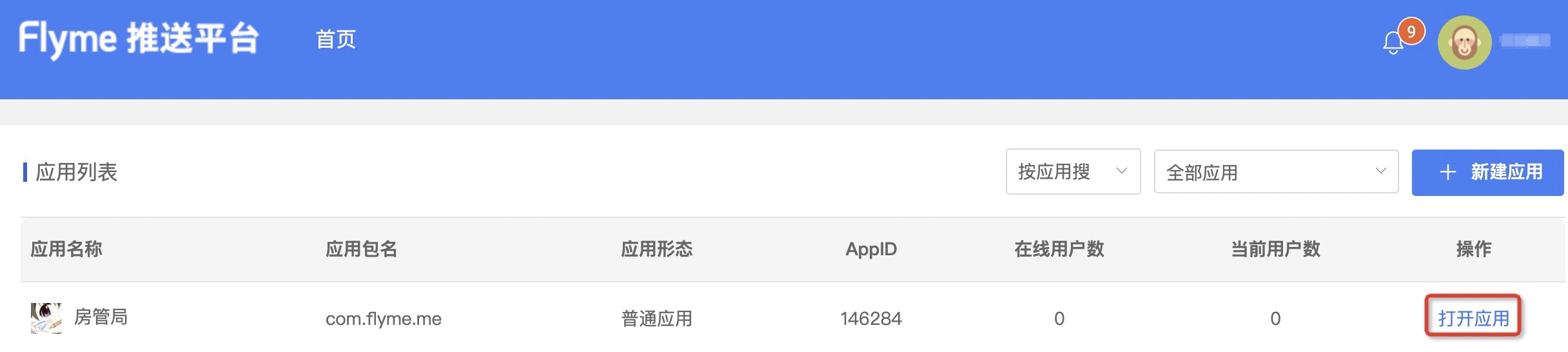
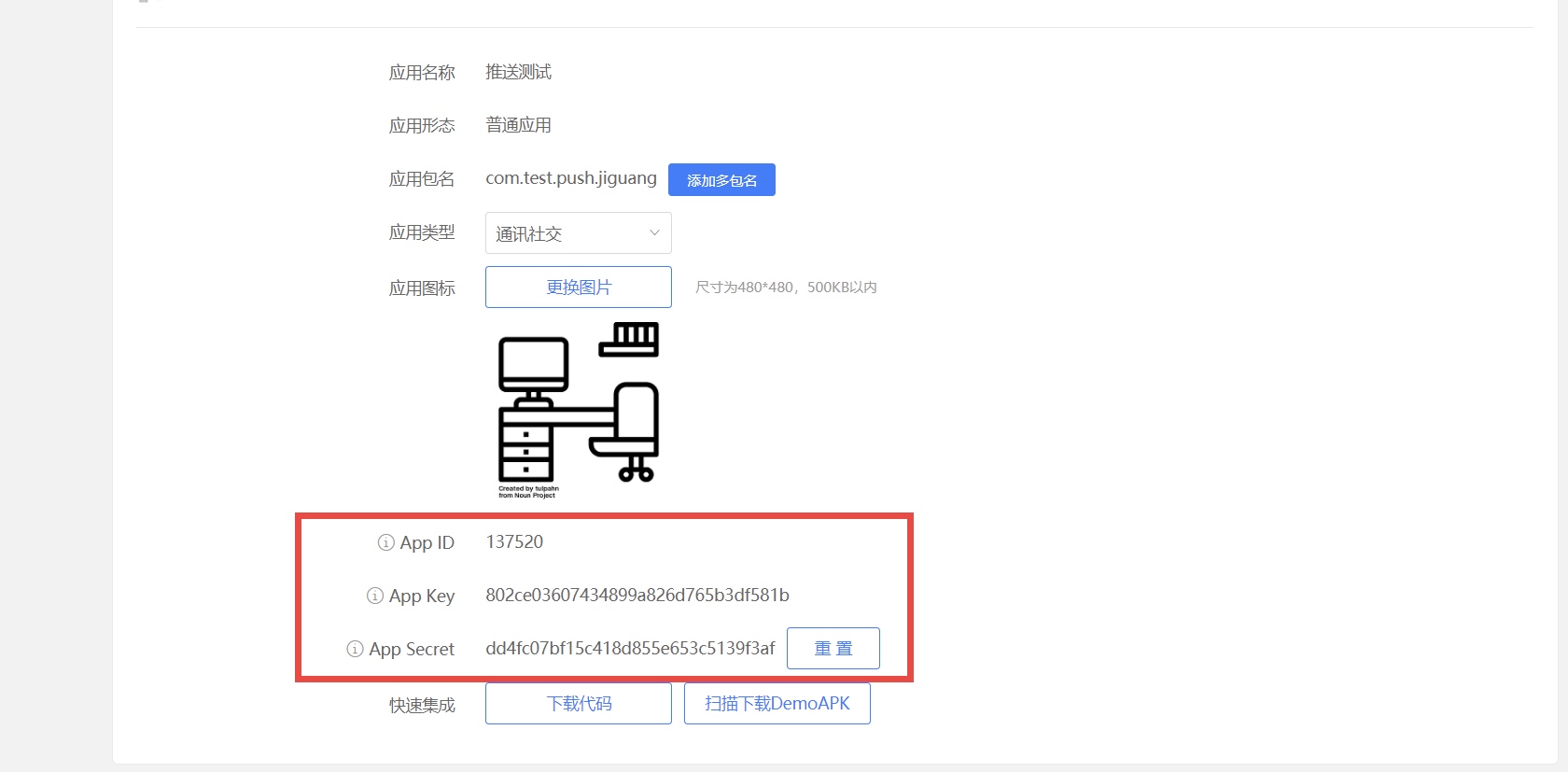
Get application information
Select "Open App" in the app list.
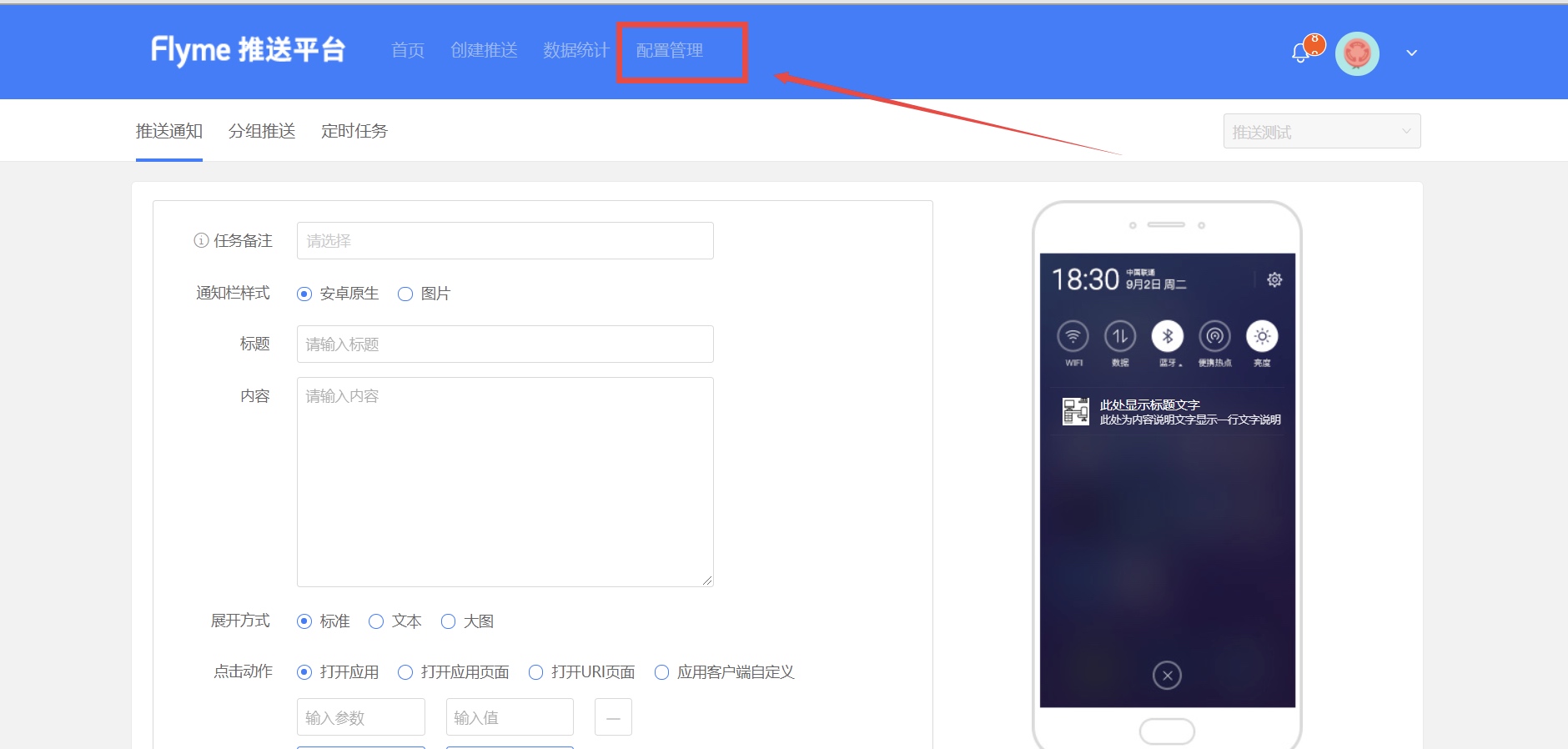
Enter the [Configuration Management] page to view application information.
Meizu's AppID It consists of 6 digits, please obtain the parameters correctly.
Meizu channel parameter configuration
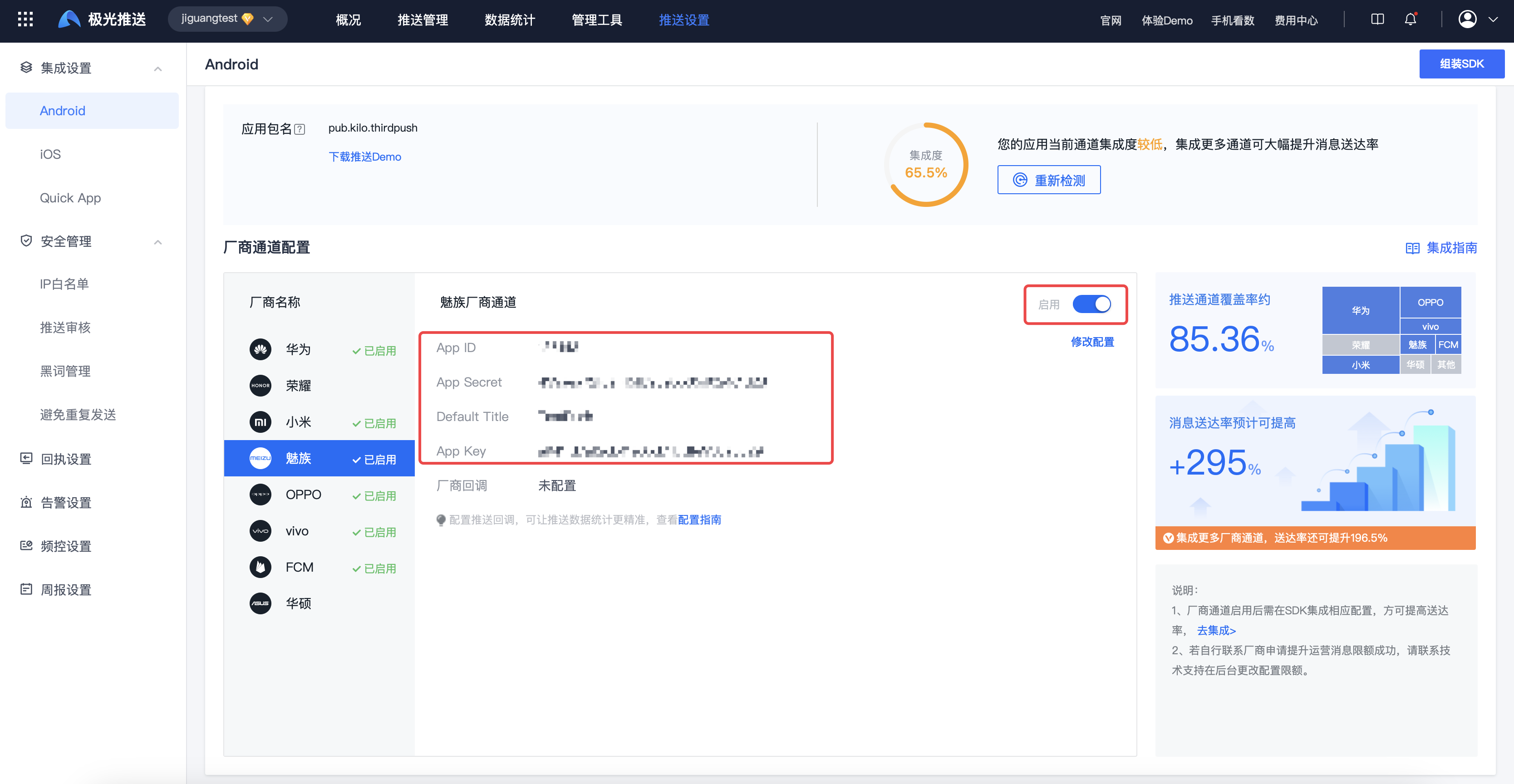
Enter【JiguangConsole]-[Message Push]-[Push Settings]-[Integration Settings] page, fill in the parameters:AppKey、AppID、AppSecret、DefaultTitle, and click Enable.
DefaultTitle The default title is customized, it is recommended to use the application name.
vivo Parameter acquisition
register vivo Developer account
Enter vivo Developer platform,register vivo Developer account, please refer to the details Enterprise developer registration。
Create app
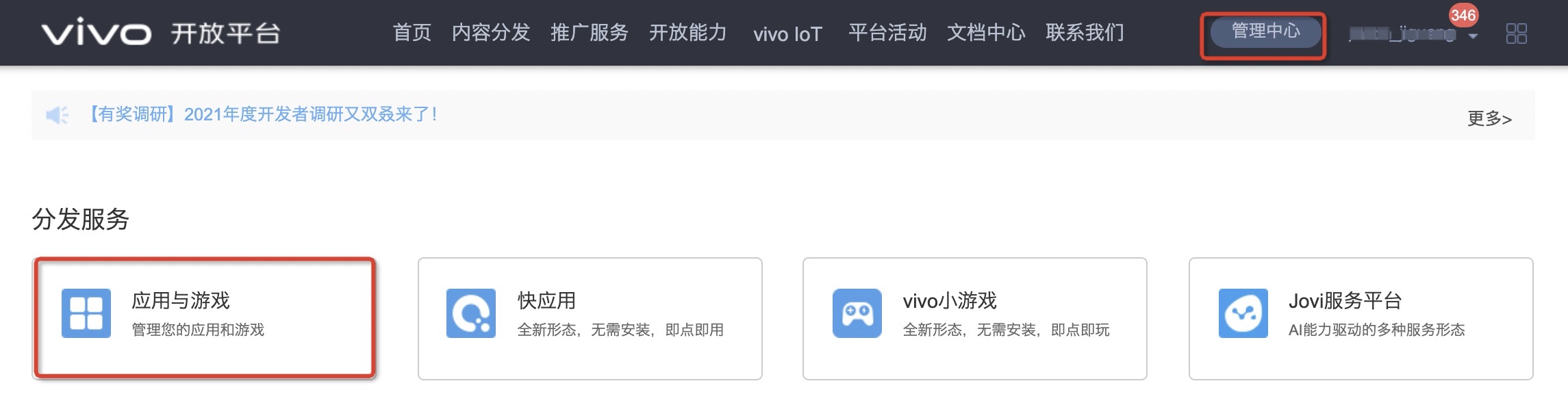
Enter the [Management Center]-[Applications and Games] page and click [Create Application].
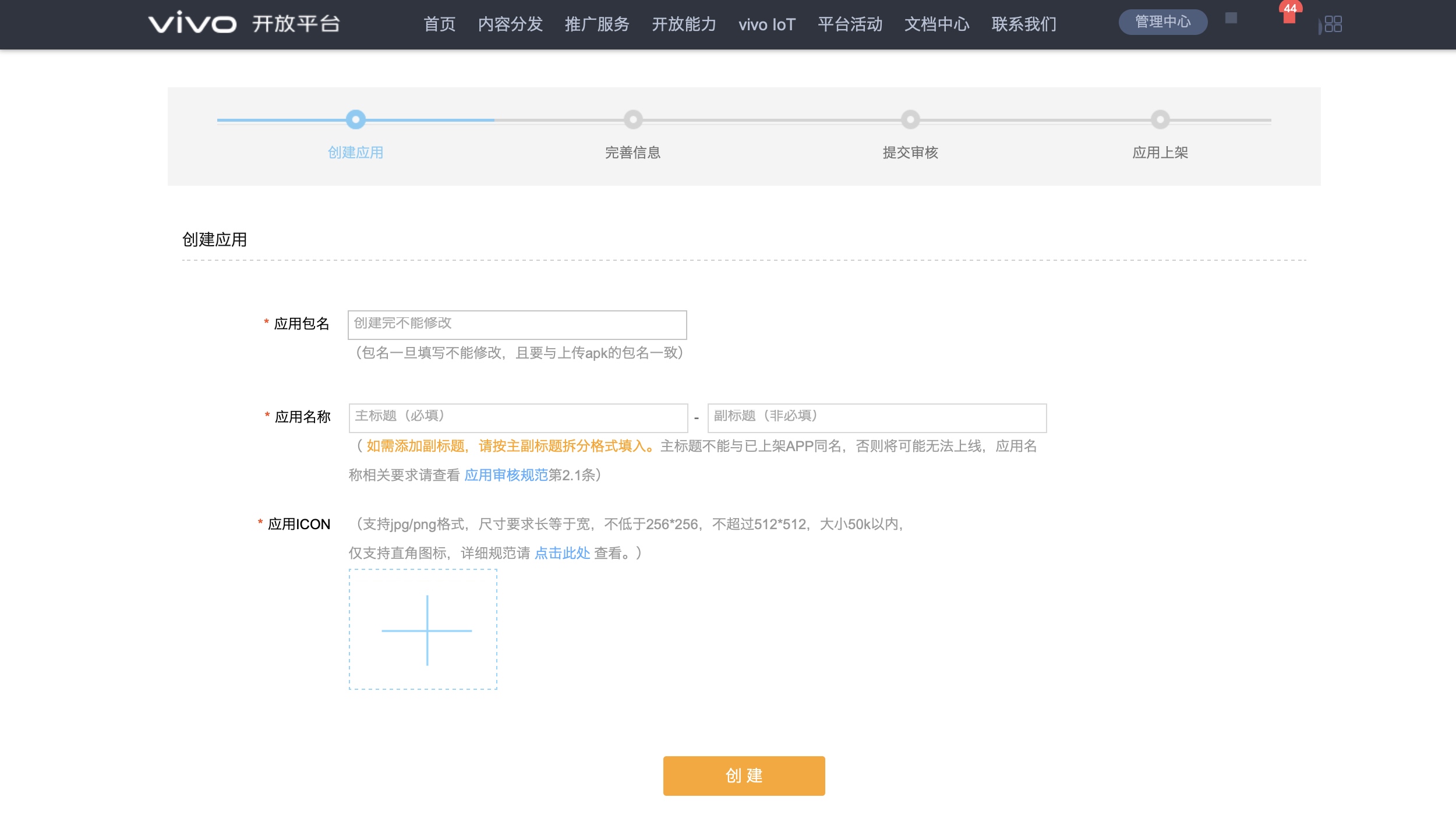
After filling in the application information, click Create.
If the application is not listed in the App Store, the push permission is limited and cannot be vivo official website Web interface and API To send formal messages in the background, you can API Send test messages to the set test device in the background for testing.
Apply for push service
Enter the [Management Center]-[Message Push] page.
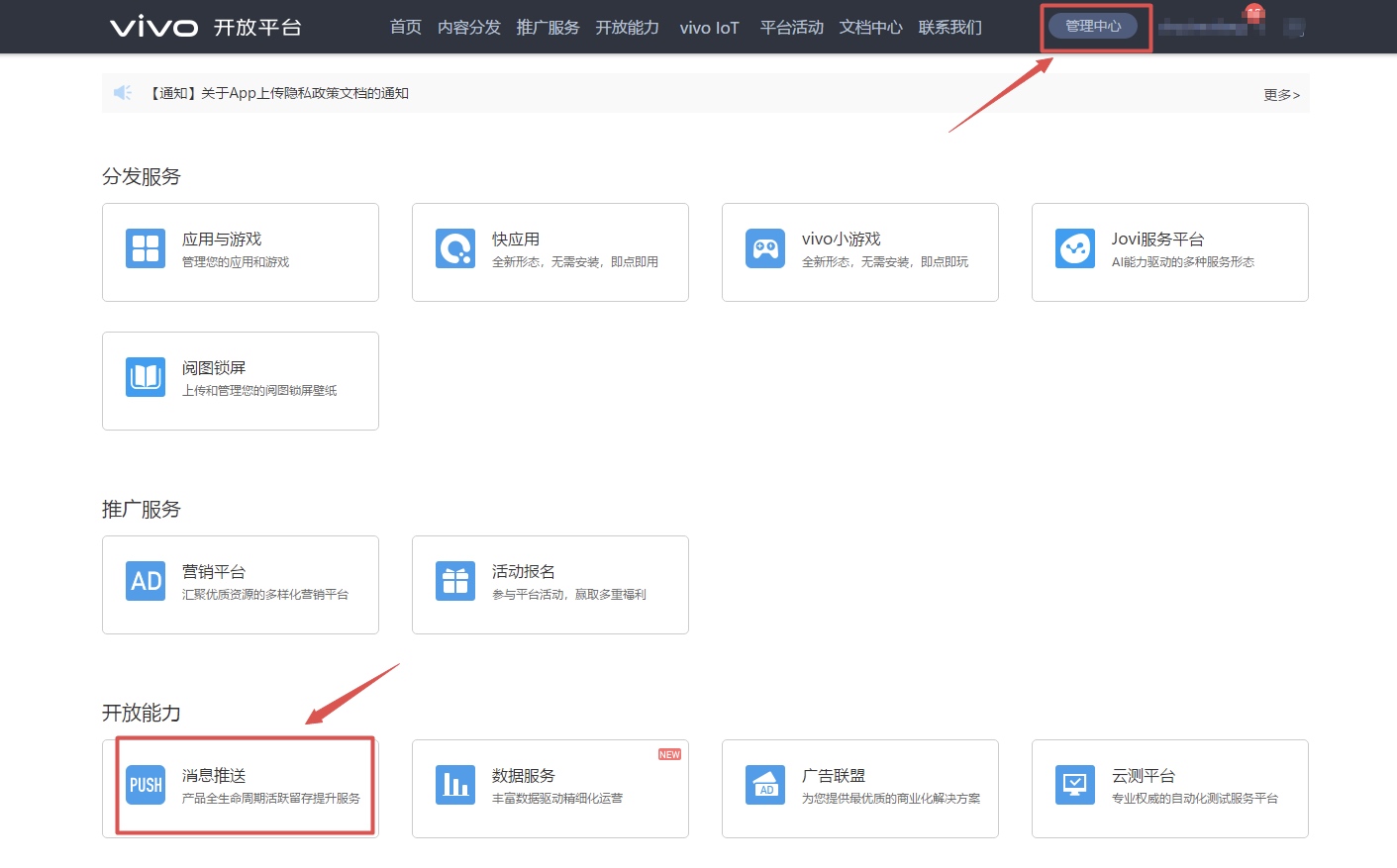
Click Push Application, select the name of the application you want to apply for and submit the application.
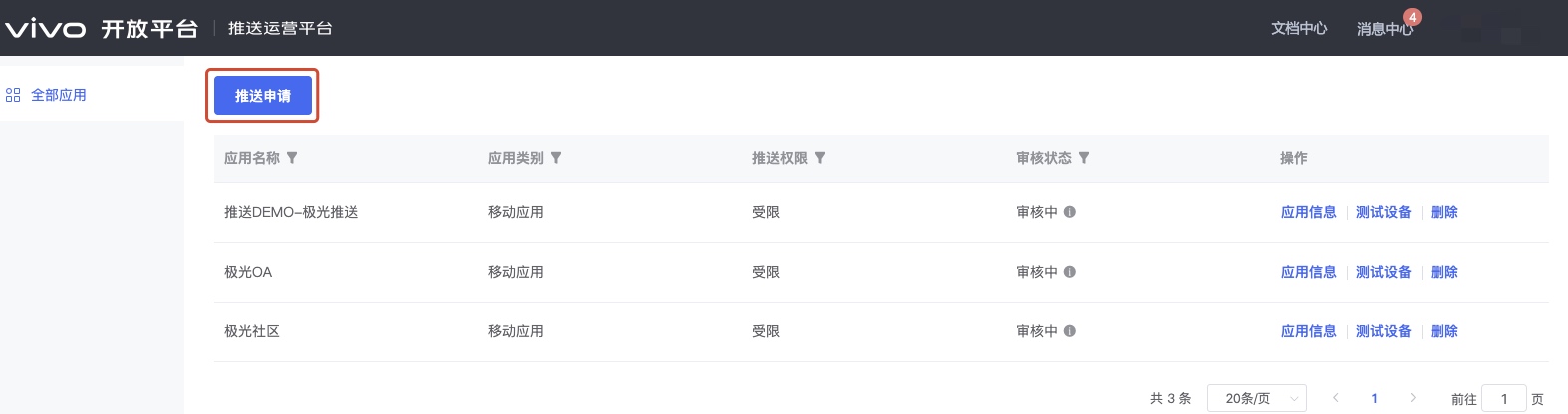
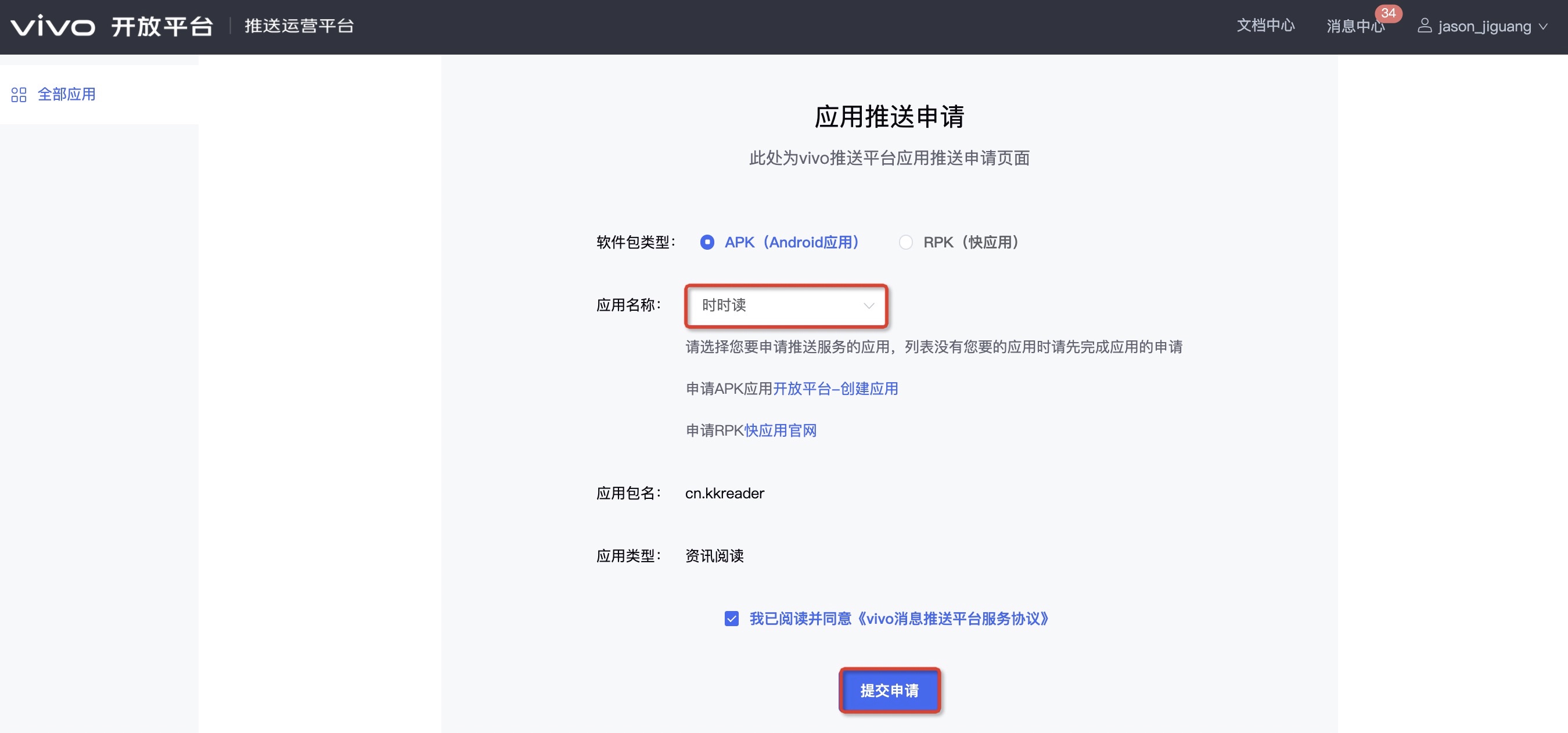
Get application information
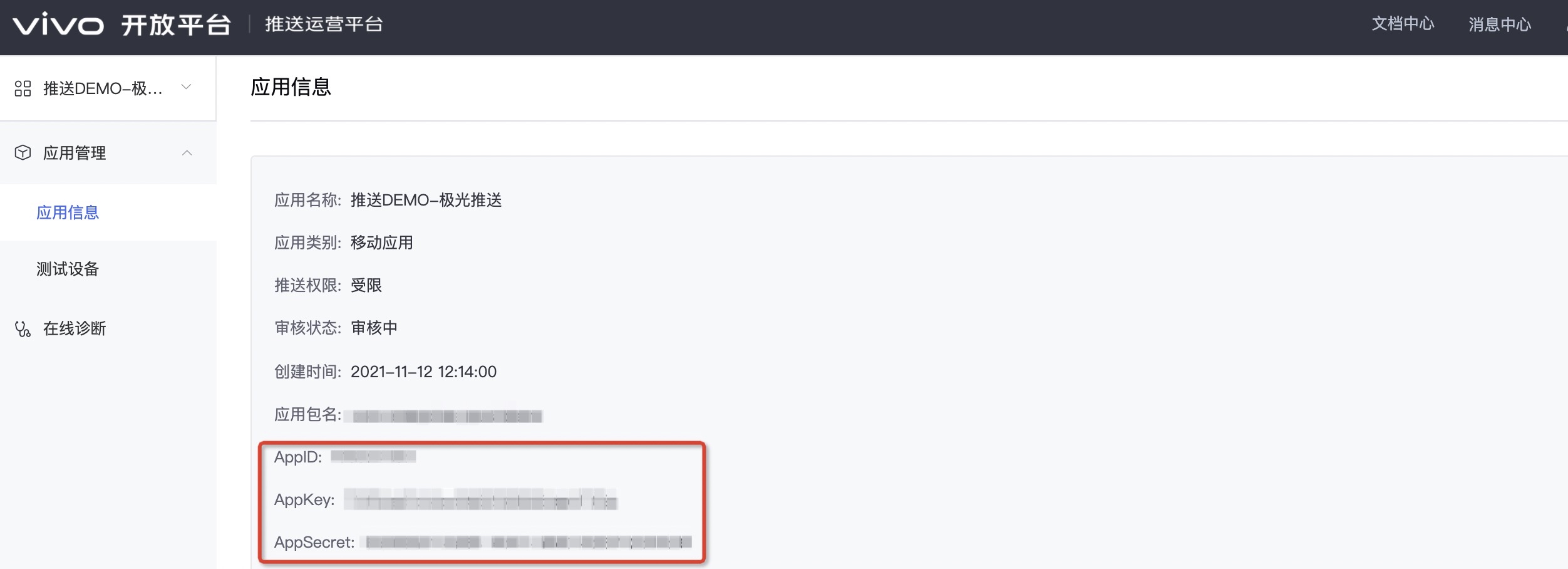
Enter the [Push Operation Platform]-[Application Information] page to view application information.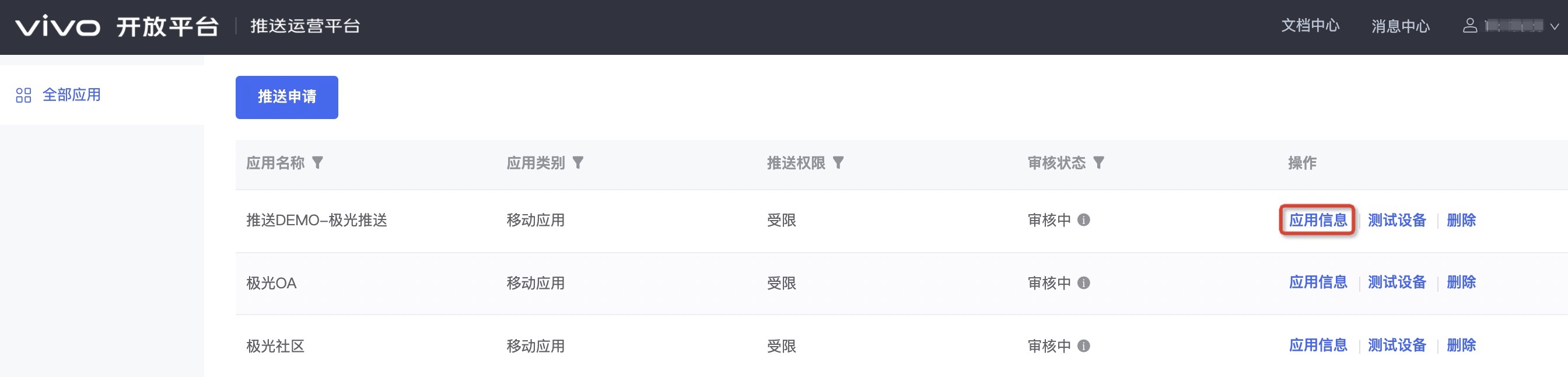
vivo Channel parameter configuration
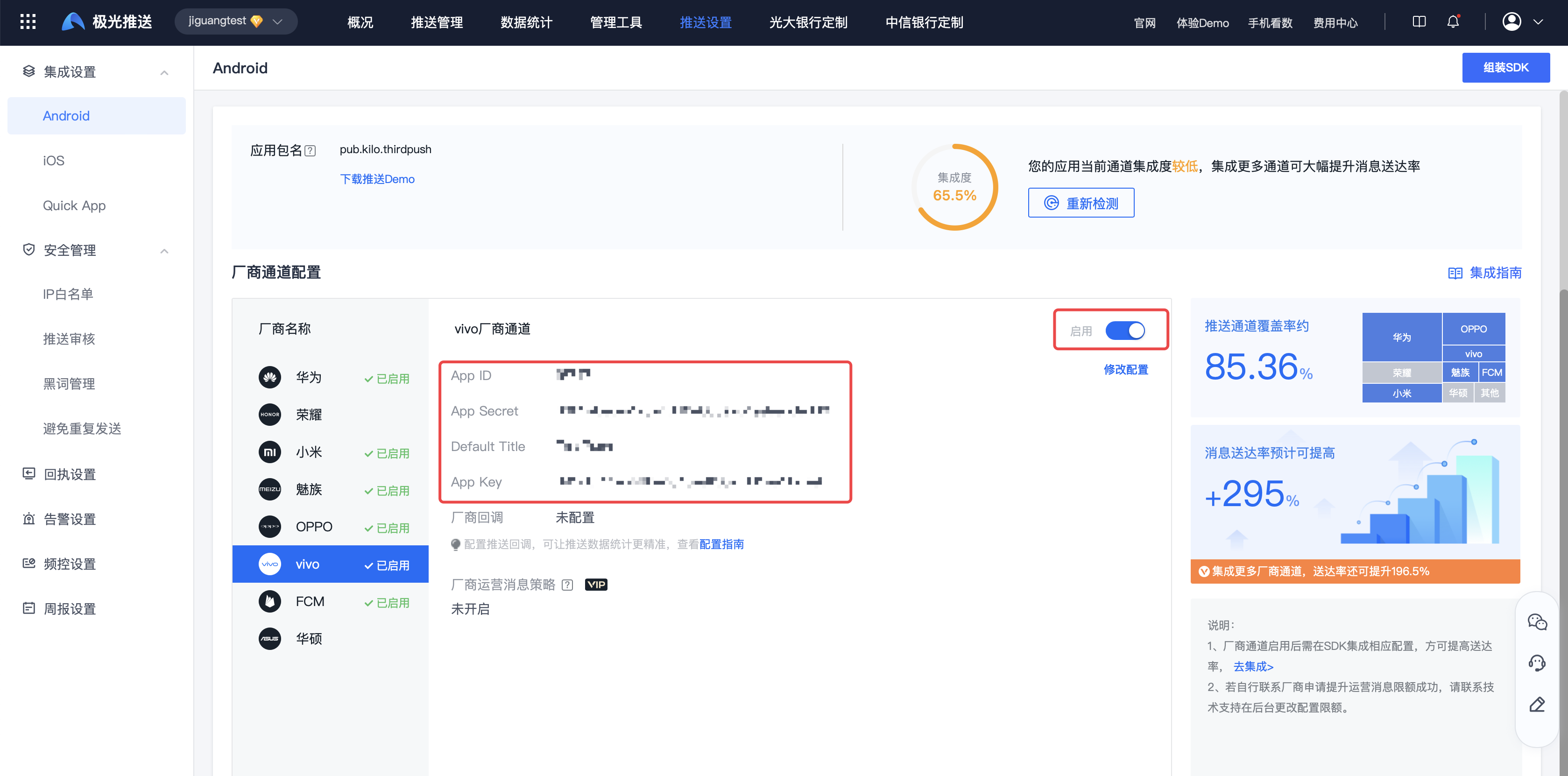
Enter【JiguangConsole]-[Message Push]-[Push Settings]-[Integration Settings] page, fill in the parameters:AppKey、AppID、AppSecret、DefaultTitle, and click Enable.
DefaultTitle The default title is customized, it is recommended to use the application name.
OPPO Parameter acquisition
register OPPO Developer account
Enter OPPO open platform,register OPPO Developer account, please refer to the details OPPO Enterprise developer account registration。
Create app
Enter the [Management Center]-[Application Service Platform] page.
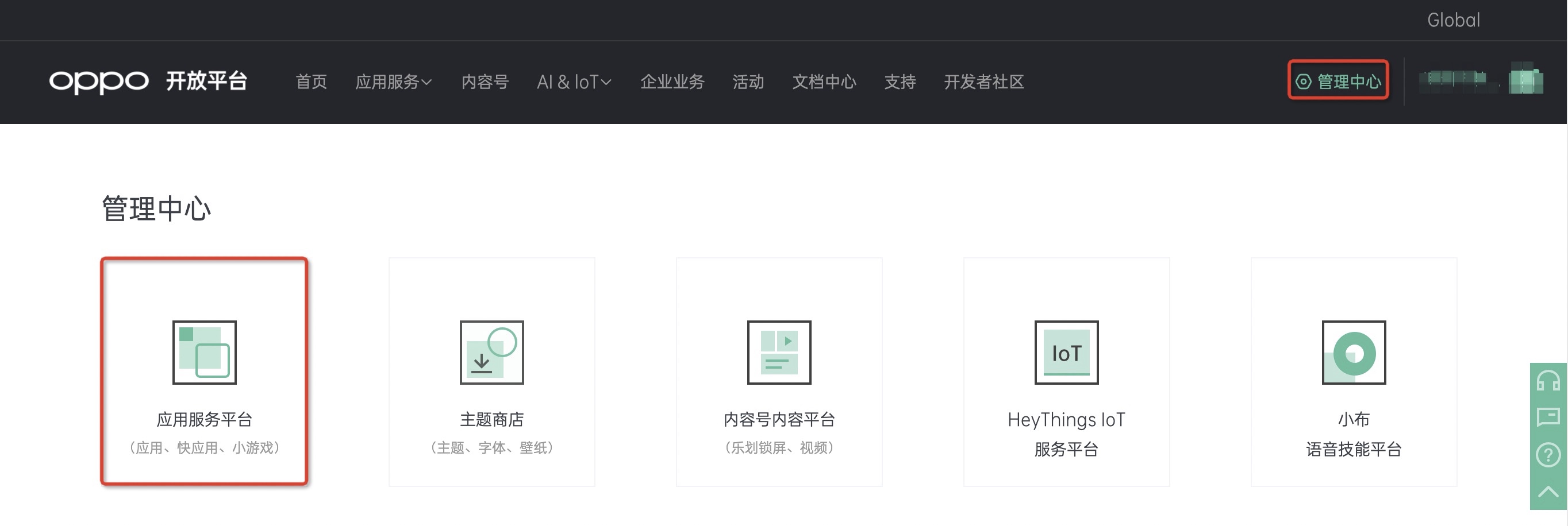
Click Create Application, please refer to the detailsApplication access process。

Enable push service
Enter the [Management Center]-[Application Service]-[Mobile Service]-[Push Service] page.
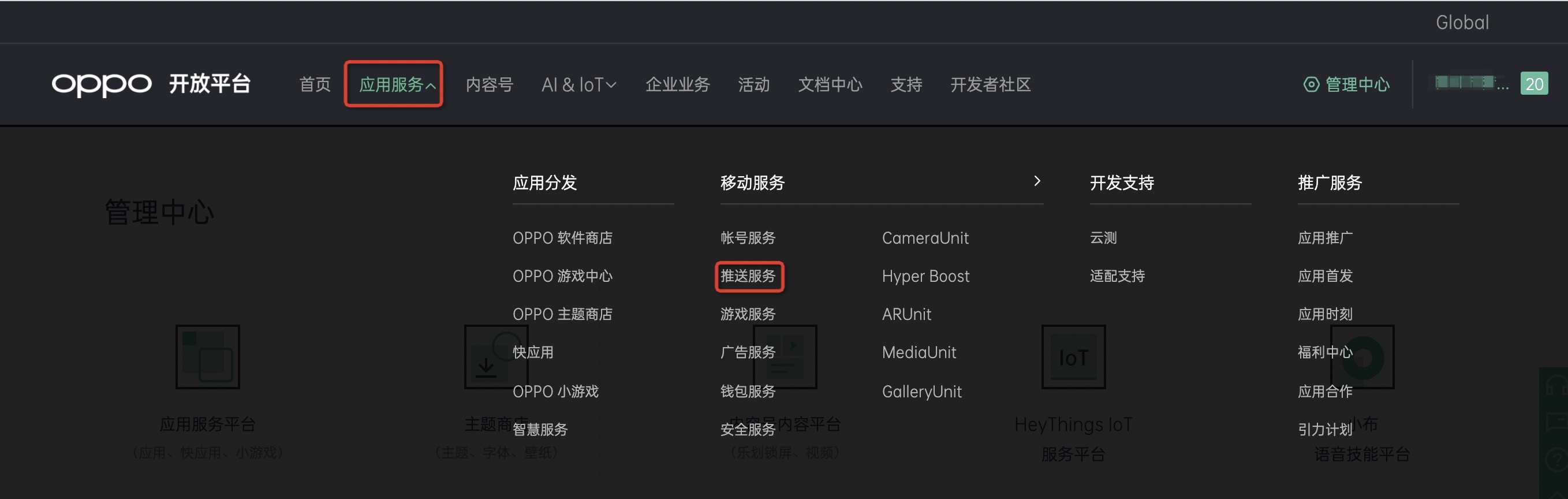
Click "Apply for Access".
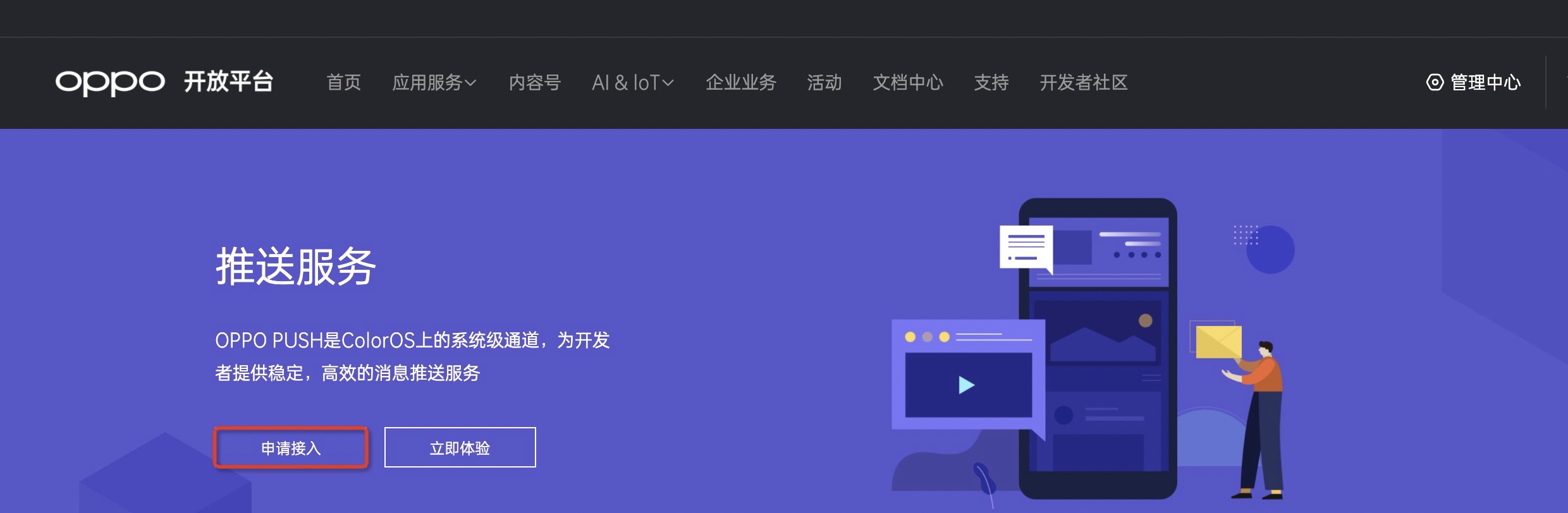
On the message push page, select the application that needs to enable push service and select "Apply for activation".
- Push test permission can only be used for testing, and each application has1000strip.
- To push the official permission, you need to re-apply for the "Notification Bar Push" permission (you can apply after the resource is put on the shelves).
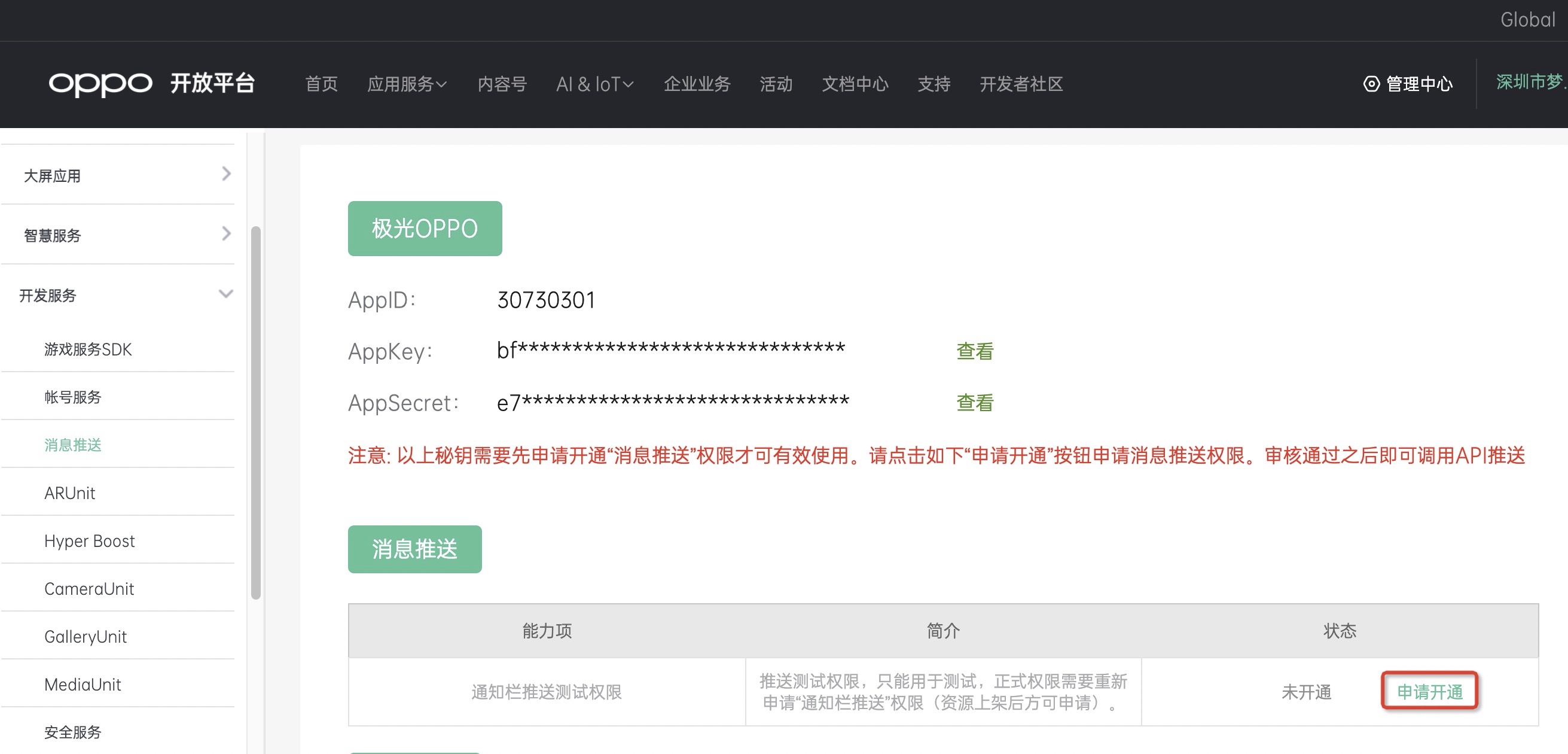
- After the application is approved, the status shows "Activated".

Get application information
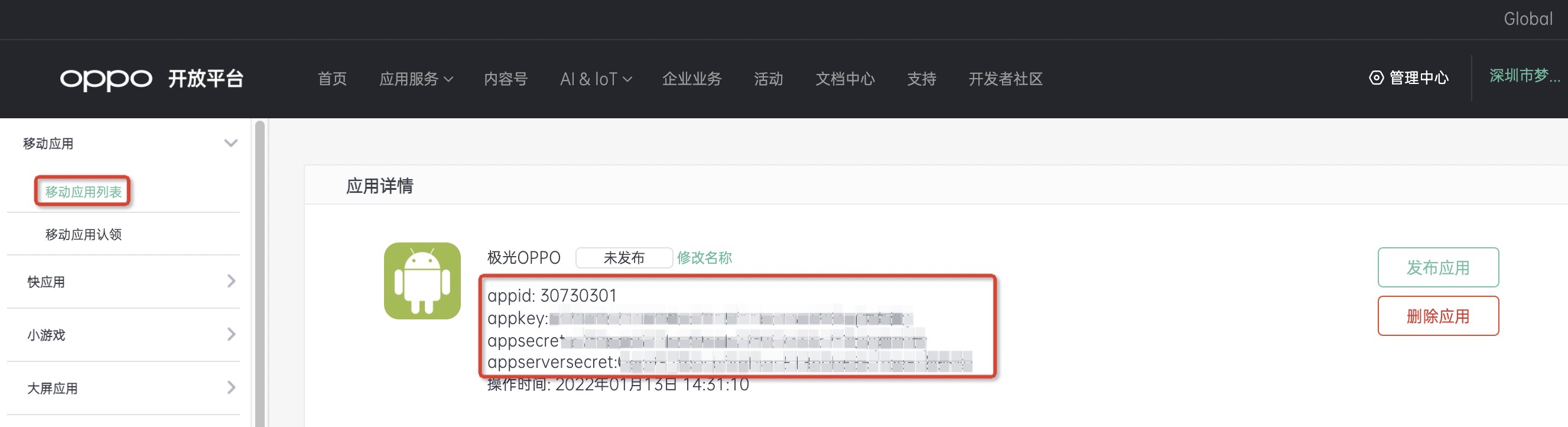
On the mobile application list page, select the application you want to view to view application details.
appserversecret forJiguangConsole required parameters Master Secret。
OPPO Channel parameter configuration
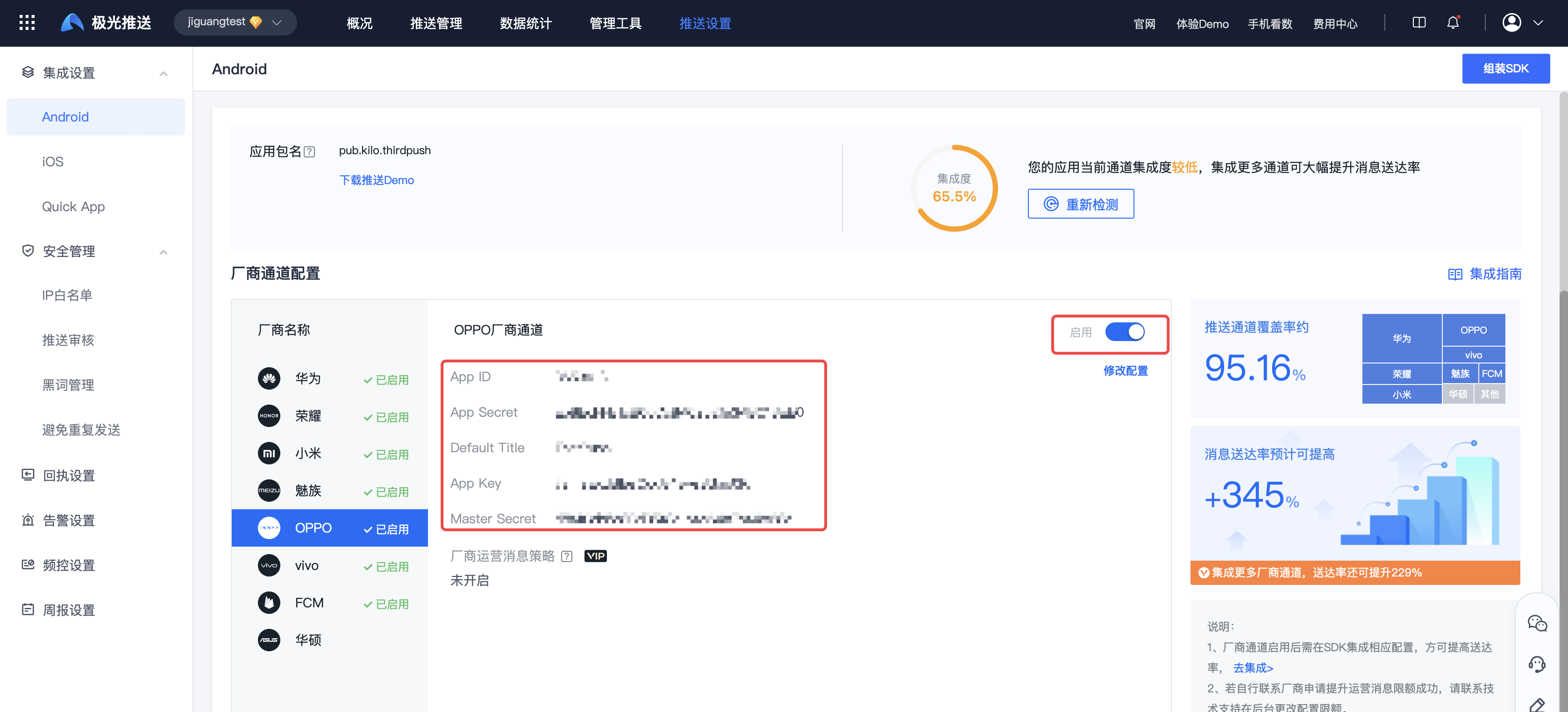
Enter【JiguangConsole]-[Message Push]-[Push Settings]-[Integration Settings] page, fill in the parameters:AppKey、AppID、AppSecret、MasterSecret/AppServerSecret、DefaultTitle, and click Enable.
DefaultTitle The default title is customized, it is recommended to use the application name.
FCM Parameter acquisition
【important】:2024Starting from June 20,FCM Old version API It has been discontinued. Please configure it as follows to switch to it as soon as possible. FCM new API Serve.
Create project
Enter Firebase, log in to your Google account.
Click "Add Project".
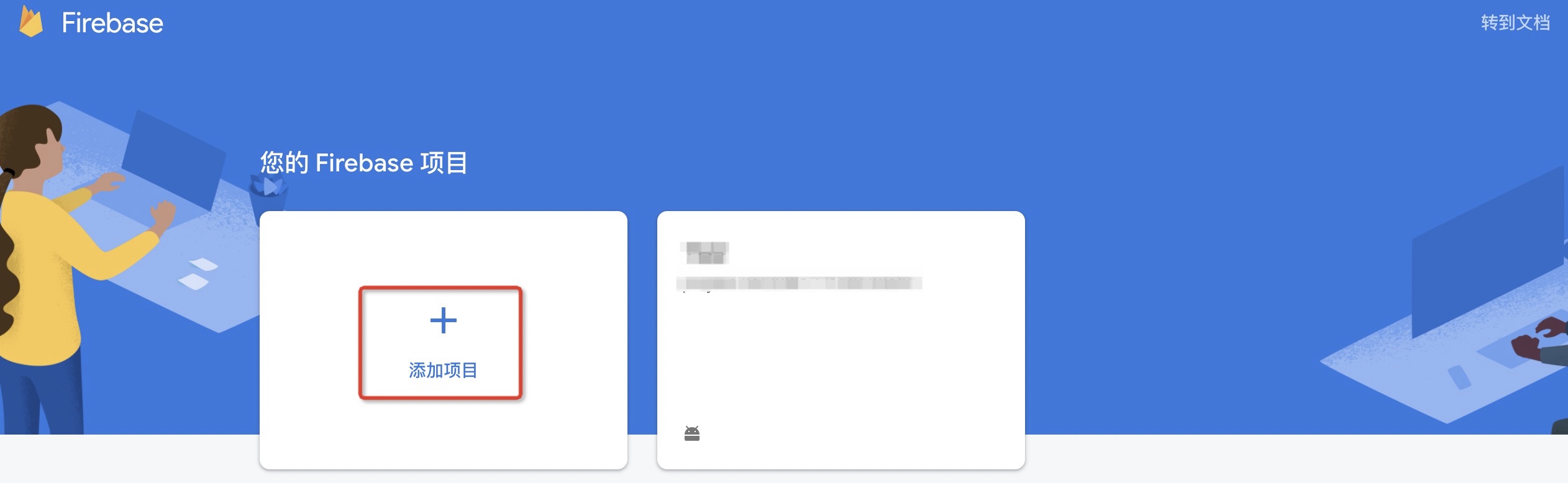
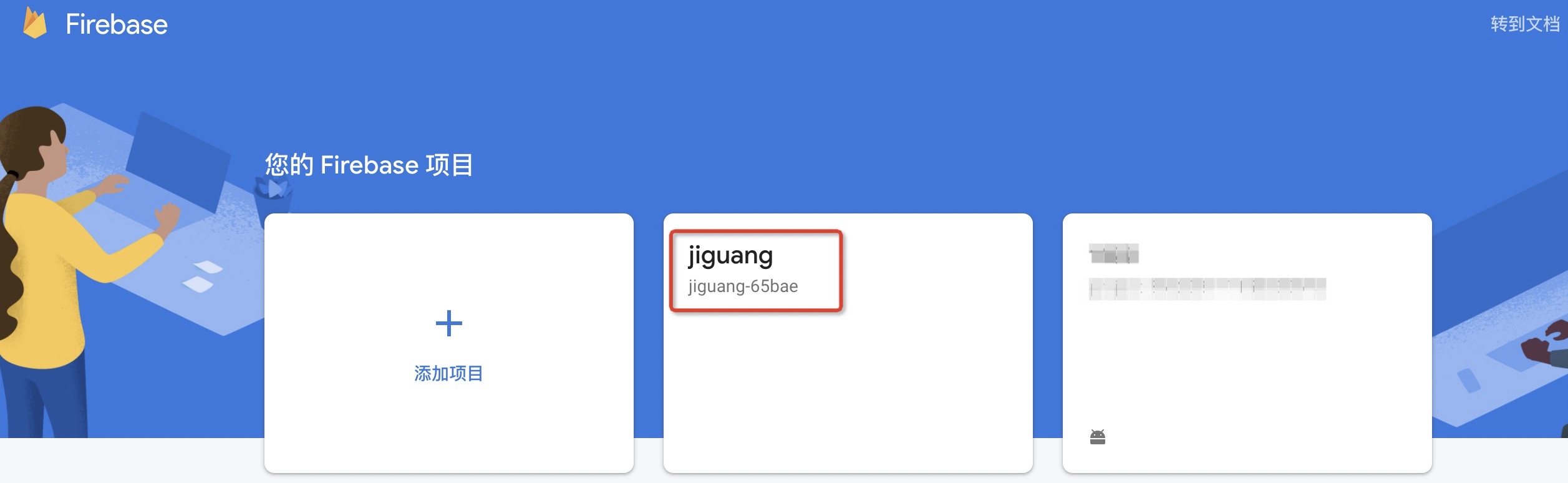
After creating the project, click on the project to enter the project details.
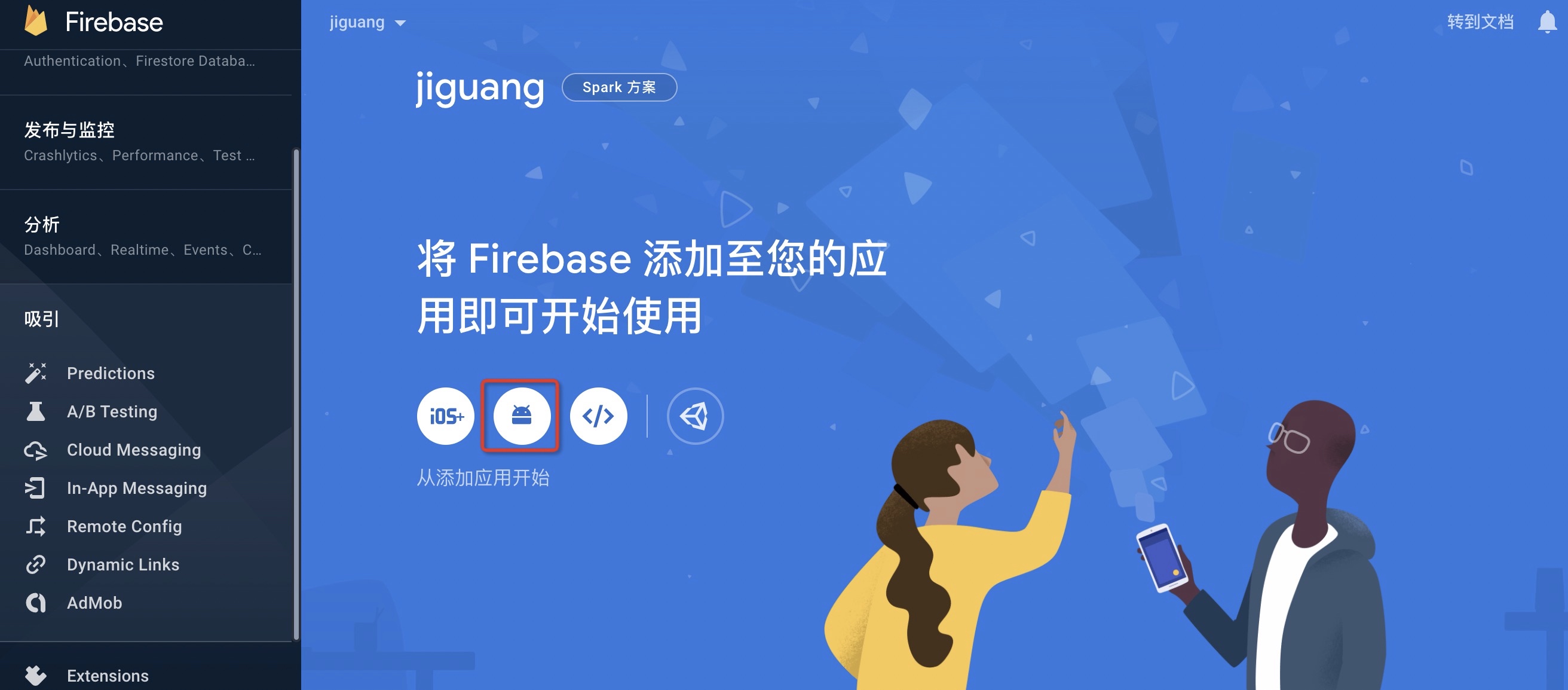
Create app
Click Android Application icon to create an application.
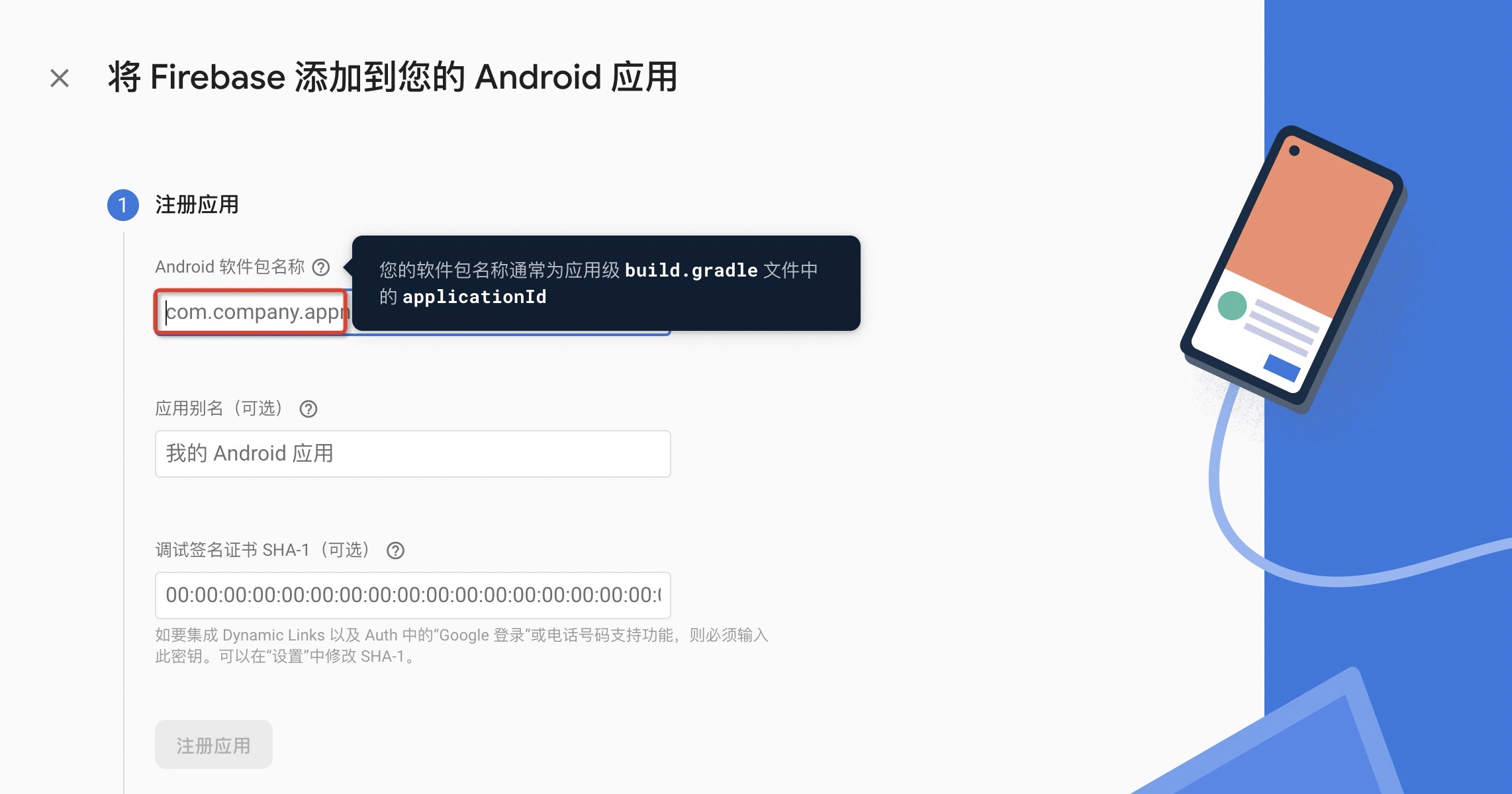
Fill in the application information.
The application package name needs to be the same as yoursJiguangThe package name filled in on the official website remains consistent.
 3.Download google-services.json document,SDK When integrating, it needs to be configured to app directory.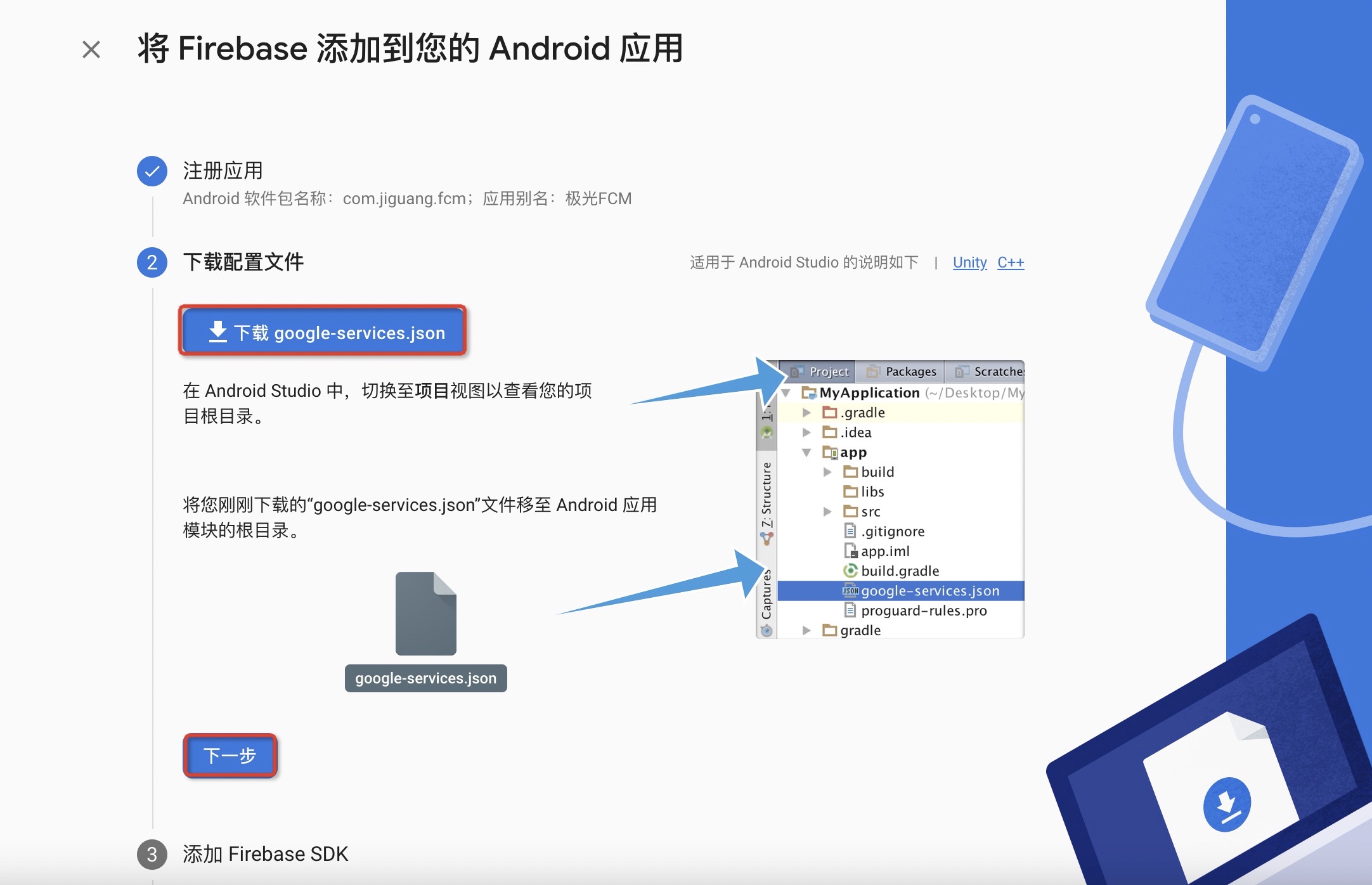
Get application information
Click to enter the [Project Settings] page, select "Cloud Messaging" and enable the new version of messaging. API rights and interests.
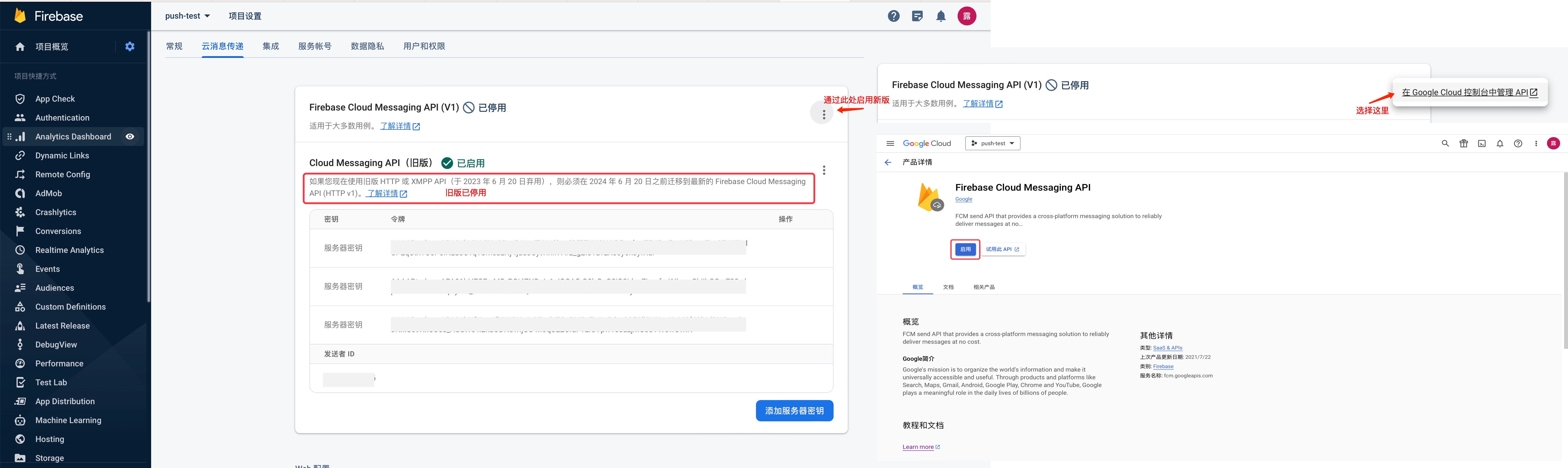
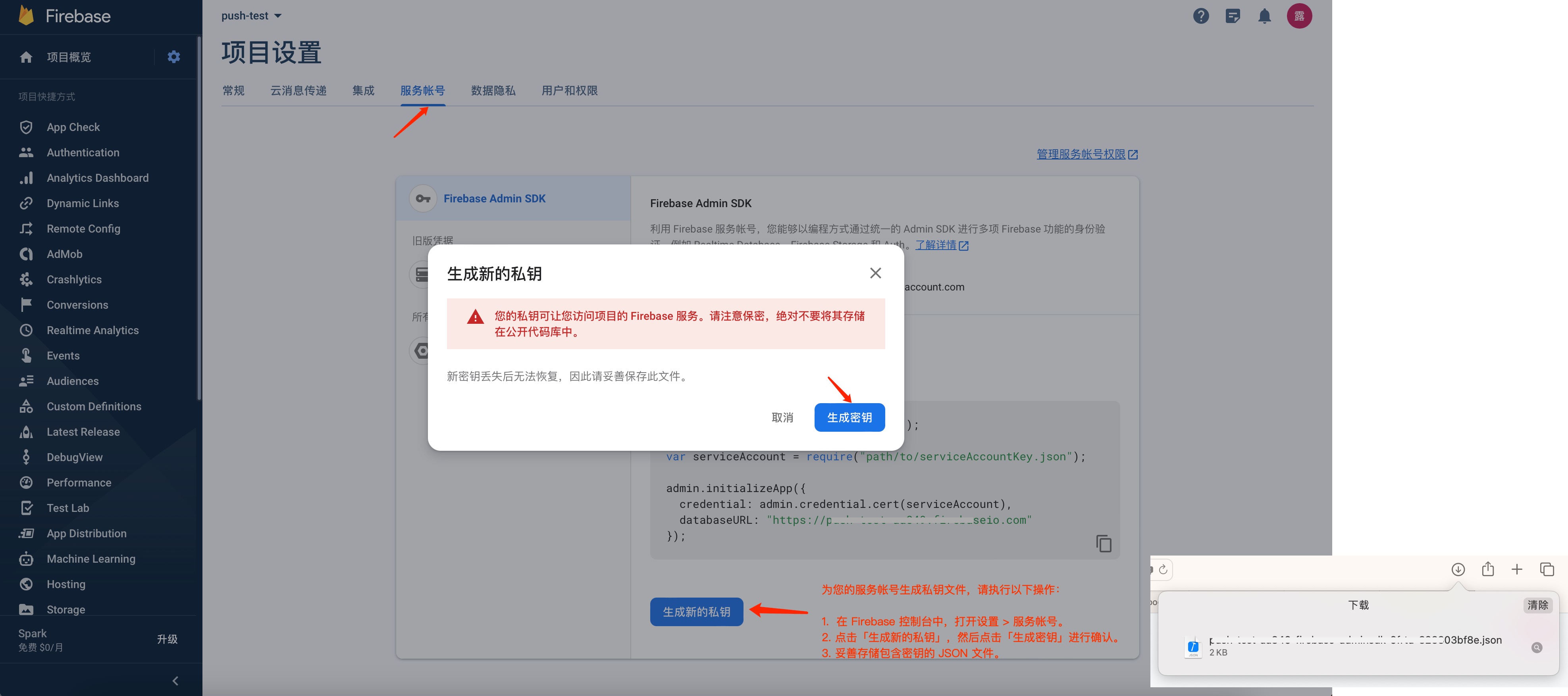
Get the FCM service account key JSON document.
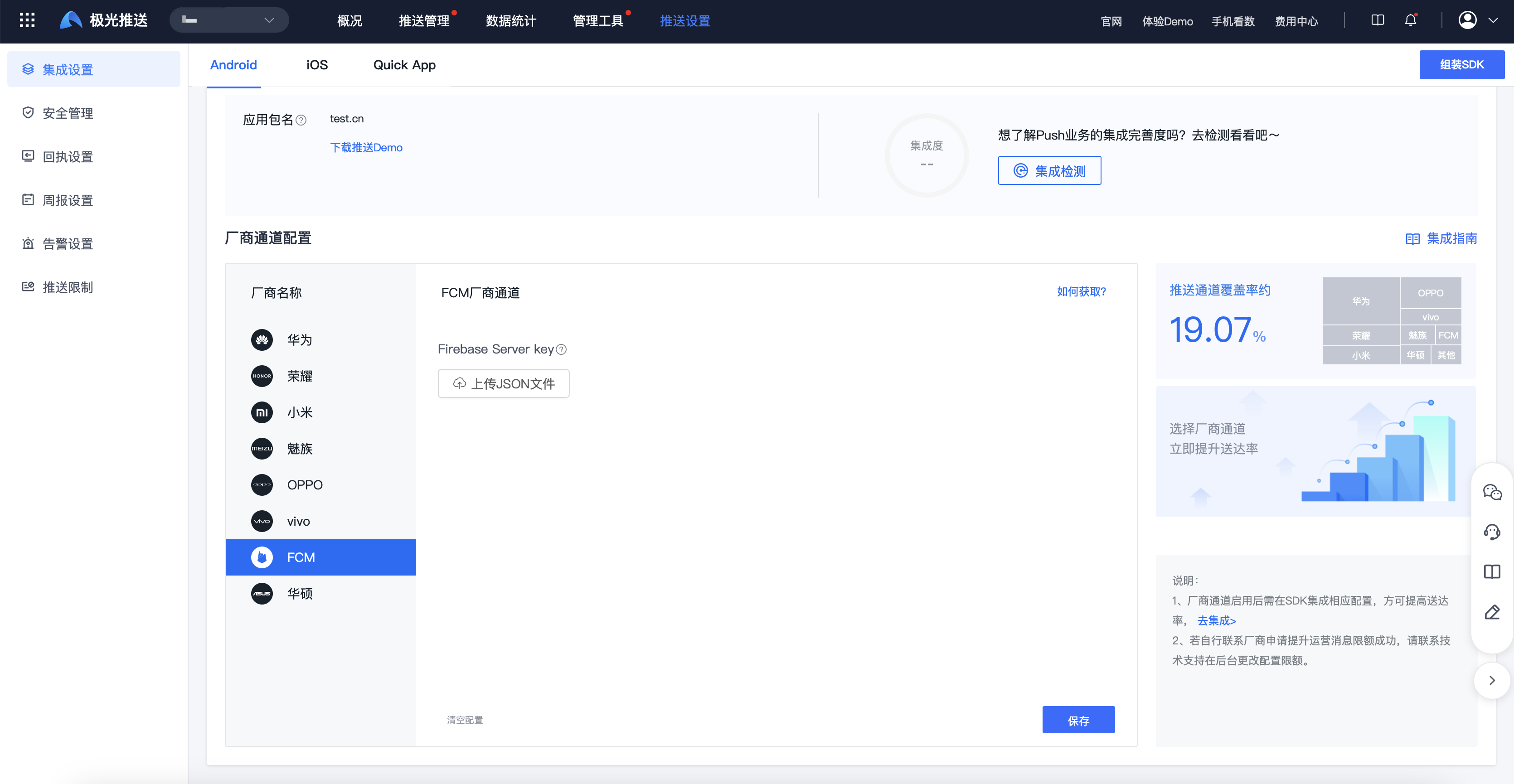
FCM Channel parameter configuration
Enter【JiguangConsole]-[Message Push]-[Push Settings]-[Integration Settings] page, upload theFCMservice account key JSON file and click Enable.
ContainsFCMservice account key JSON How to obtain the file:FCMService account generates private key file
Honor parameter acquisition
Register an Honor developer account
- Enter Honor Developer Service Desk, register an Honor developer account, please refer to the details Account registration process。
- Finish Enterprise Developer Certification 。
Create app
Enter the [Management Center] page.
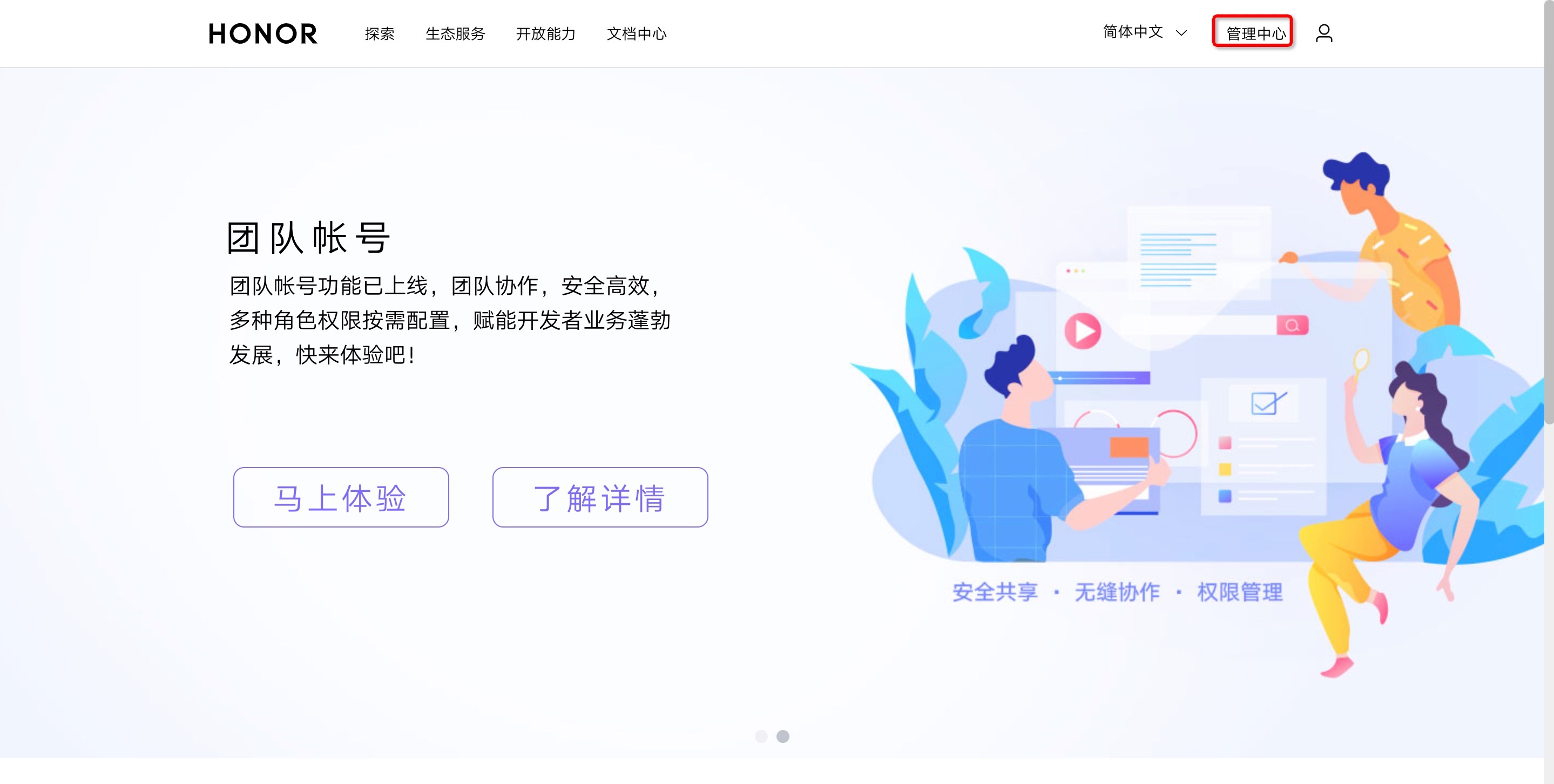
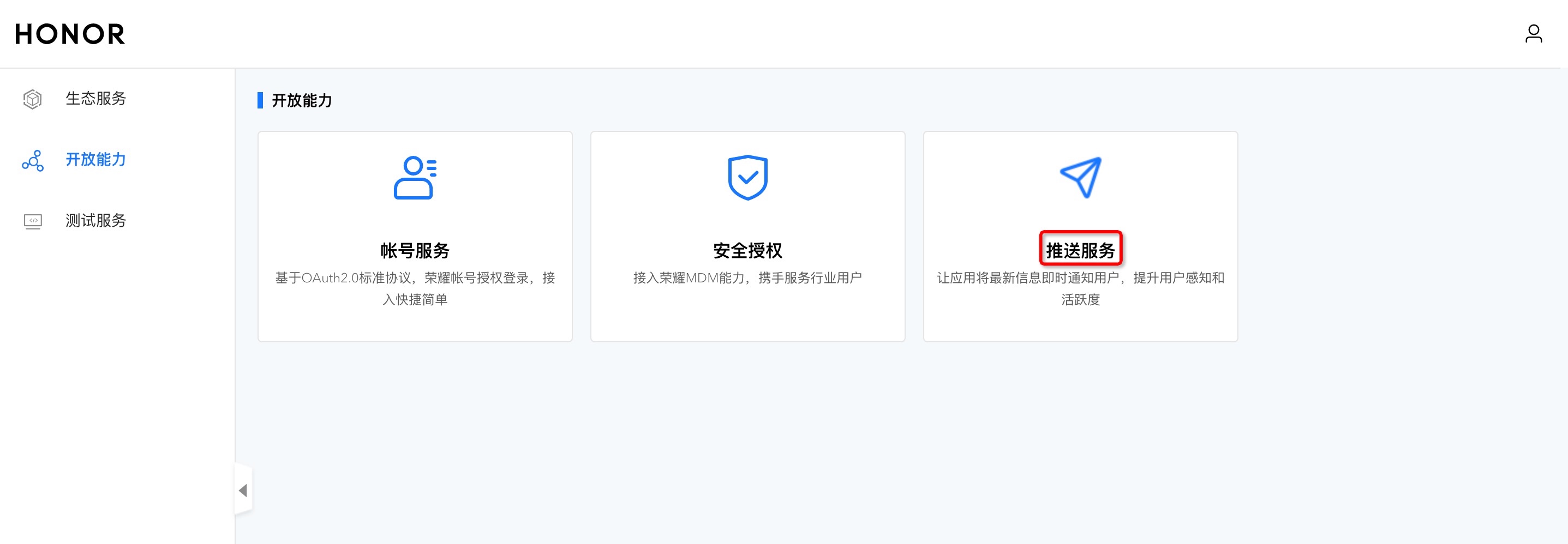
Click [Push Service] to enter the push service list page.
Select "Apply for push service" to enter the application application page.
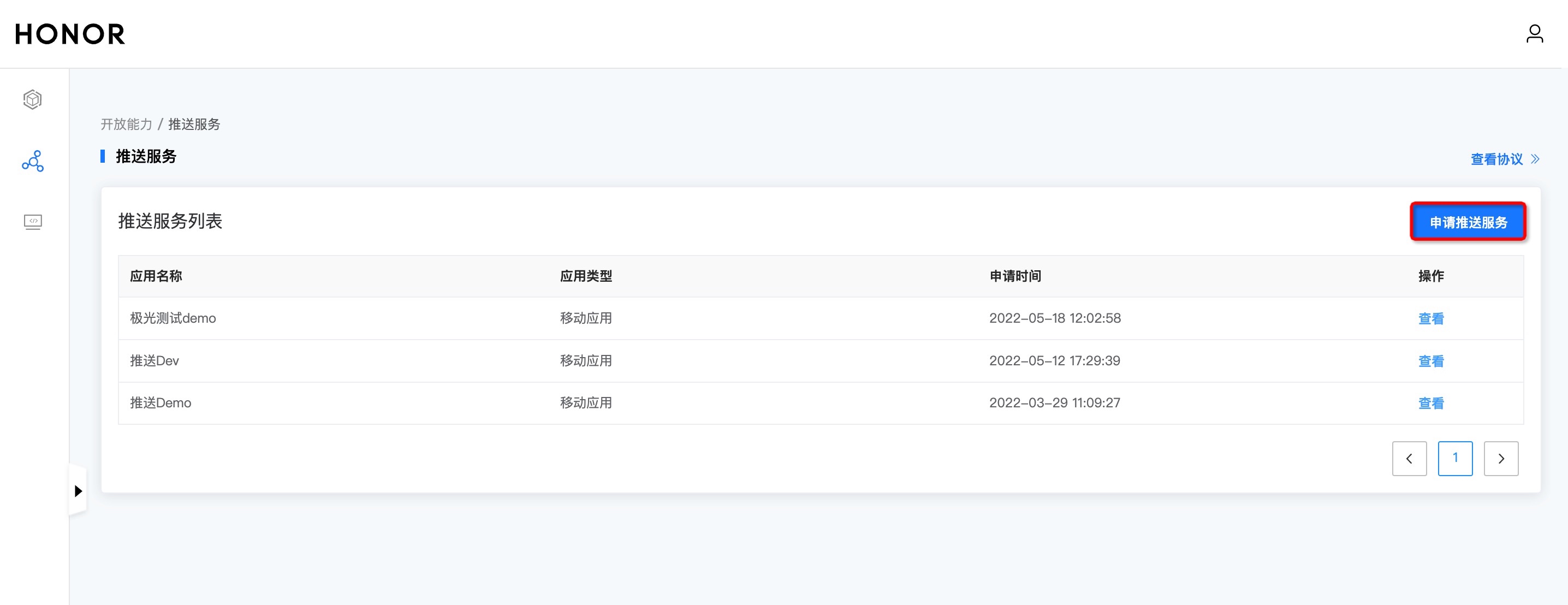
Select the application type "Mobile Application" and "Server Application", fill in or select the created product, fill in the application package name and certificate fingerprint, agree to the Push Service Agreement and Data Processing Appendix, and click the "Submit" button.
Need to add packaging SHA256 Certificate fingerprint,SHA256 The certificate fingerprint must be consistent with your own packaged certificate.
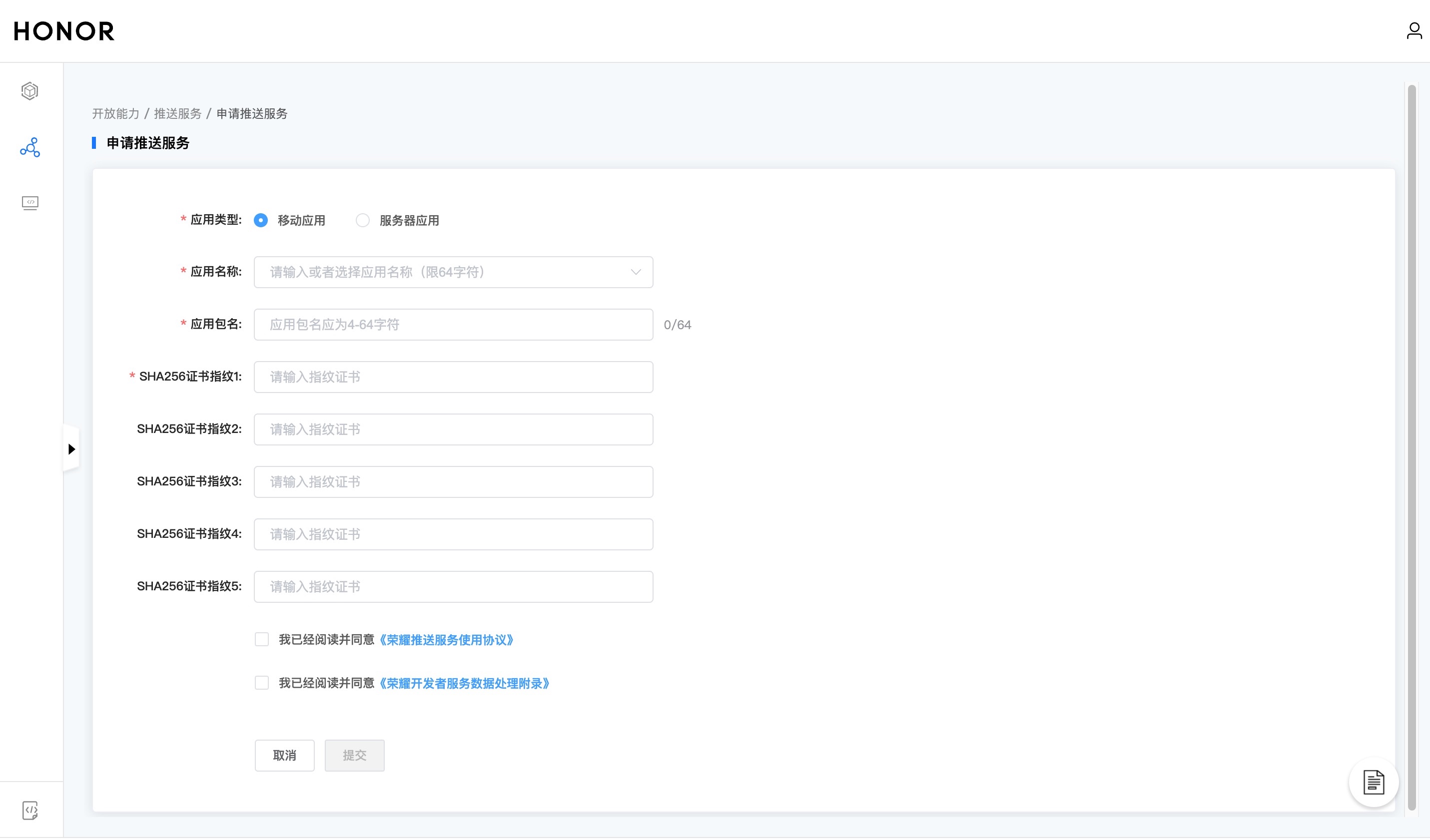
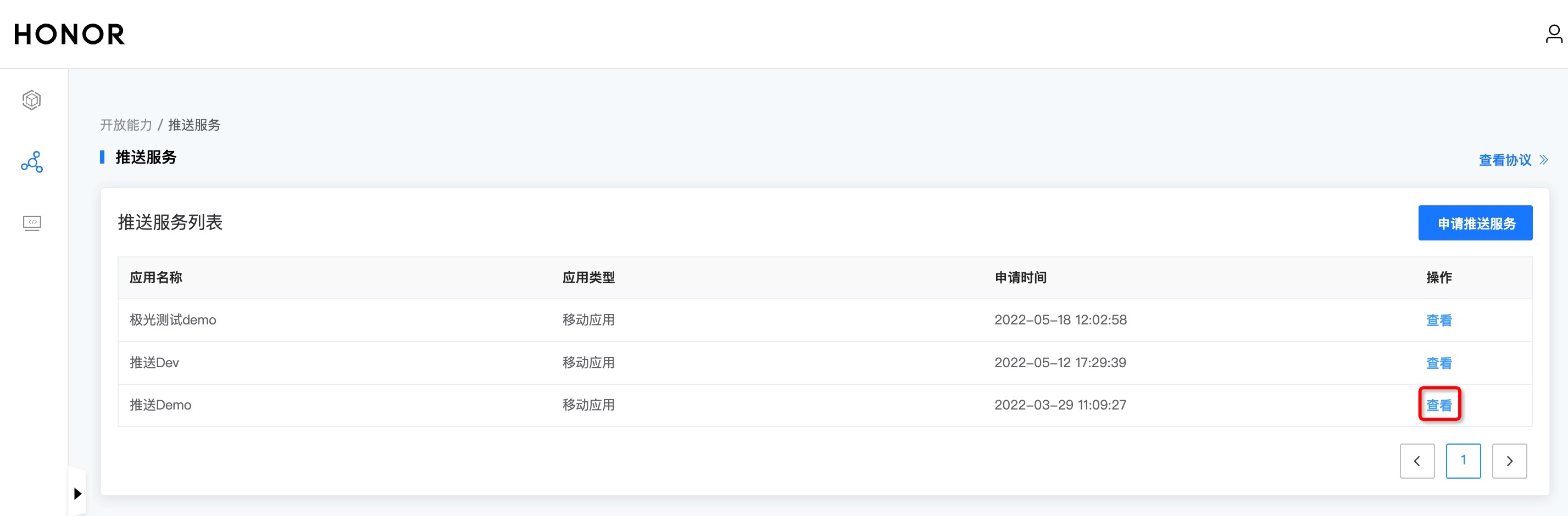
- After submission, you can see the application name in the push list.
Get application information
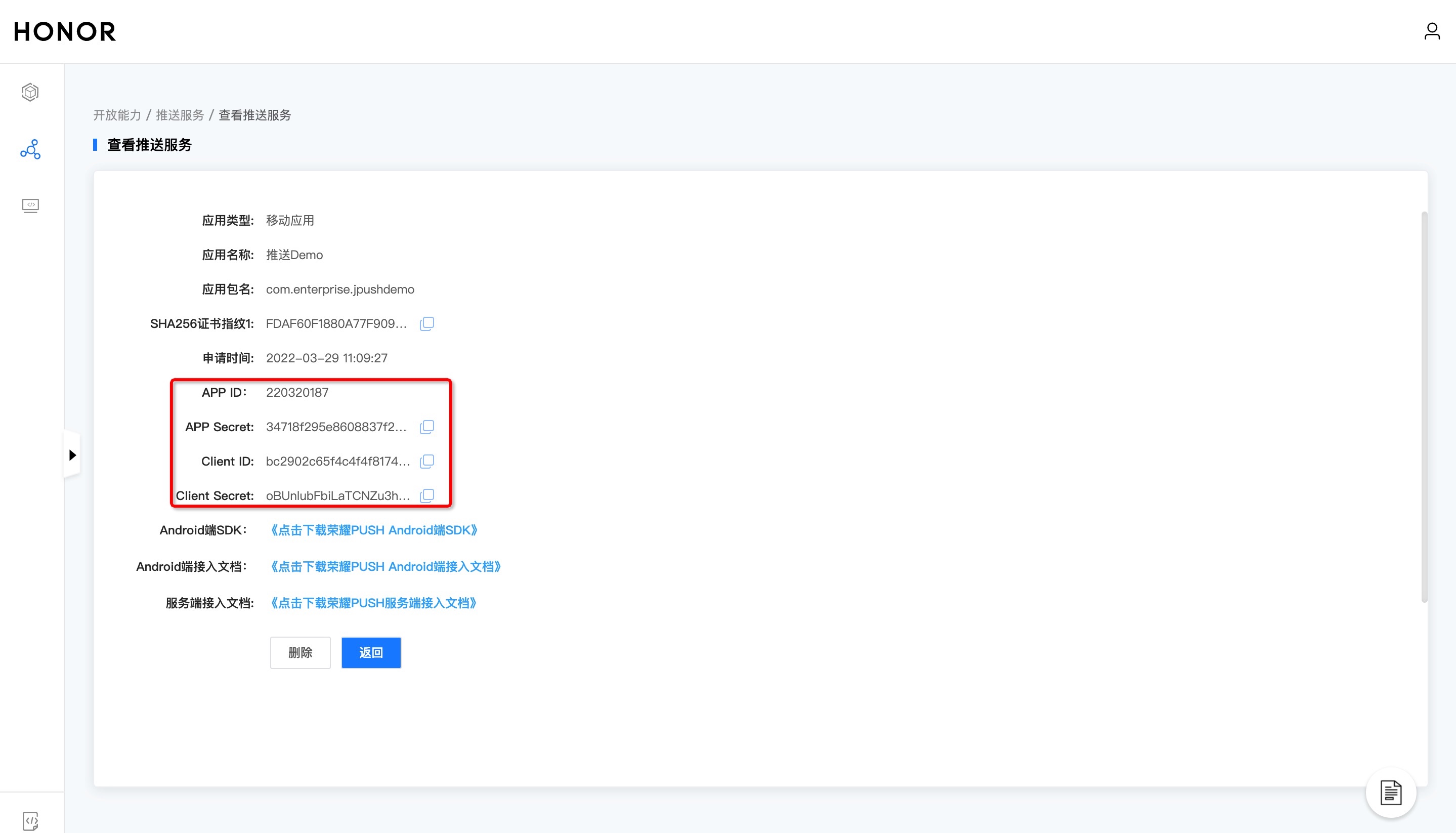
- Click "View" to enter the push service details page to obtain application information.
Honor channel parameter configuration
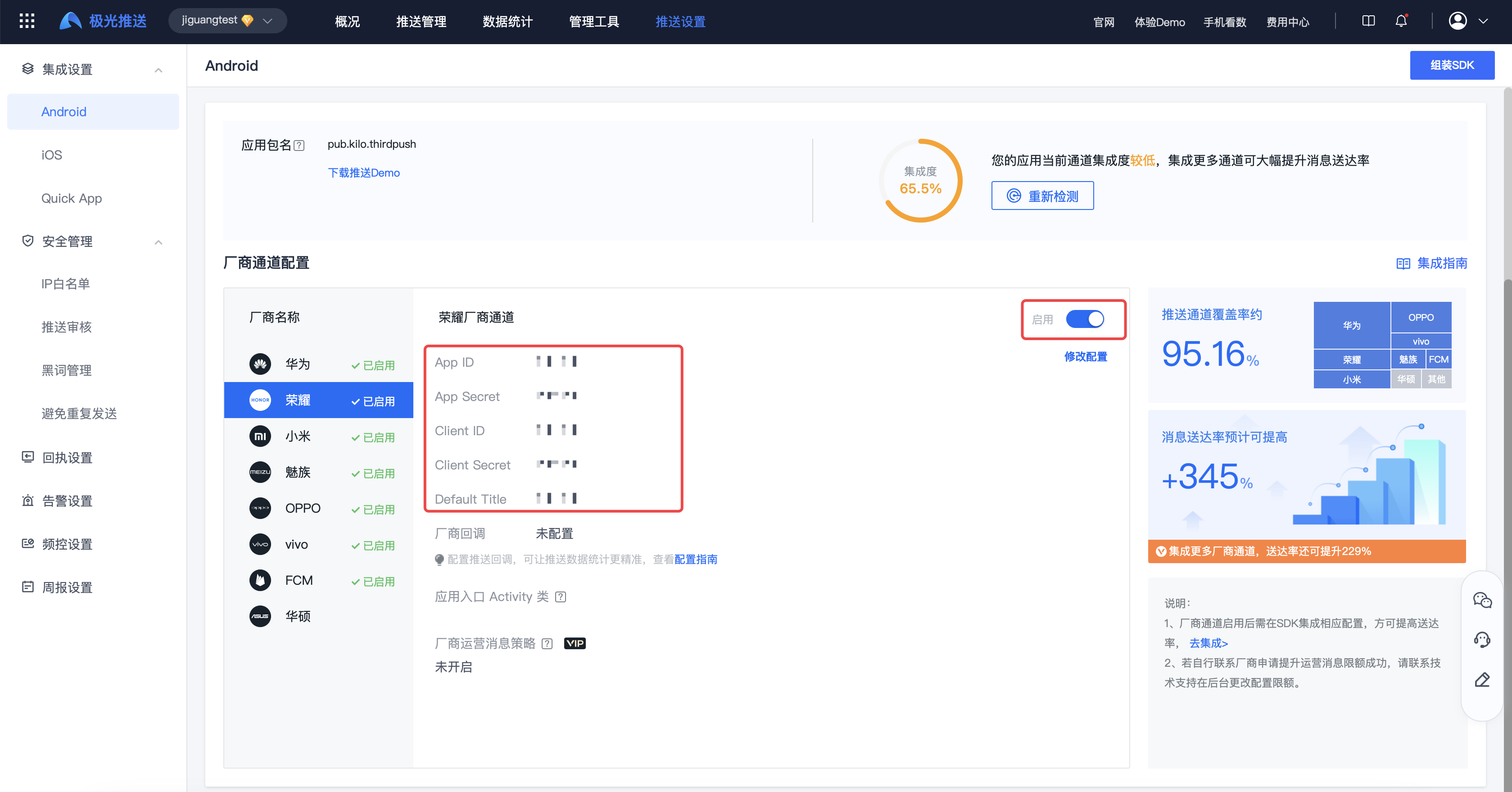
Enter【JiguangConsole]-[Message Push]-[Push Settings]-[Integration Settings] page, fill in the parameters:App ID、Client ID、Client Secrect、App Secret、DefaultTitle, and click Enable.
DefaultTitle The default title is customized, it is recommended to use the application name.
Get NIO channel parameters
special attention 2026.03.12 Latest announcement:NIO channel service strategy adjustment
After the service strategy adjustment, separate integration of NIO is no longer supported.SDK。

