


Alarm settings
Overview
Activating the push service alarm function can provide early warning of abnormal scenarios in push services, allowing enterprise development and operation personnel to sense in advance before service abnormalities may occur and make timely business adjustments to avoid affecting their own business.
- The monitoring and alarm function belongs to VIP Customer functions are not available to free users.
- VIP Customers need to apply separately to activate the function permissions, which are not enabled by default.
Activate alarm
Enter【JPush】-[Push Settings]-[Alarm Settings]-[Basic Settings] page, click "Contact Business" to apply.
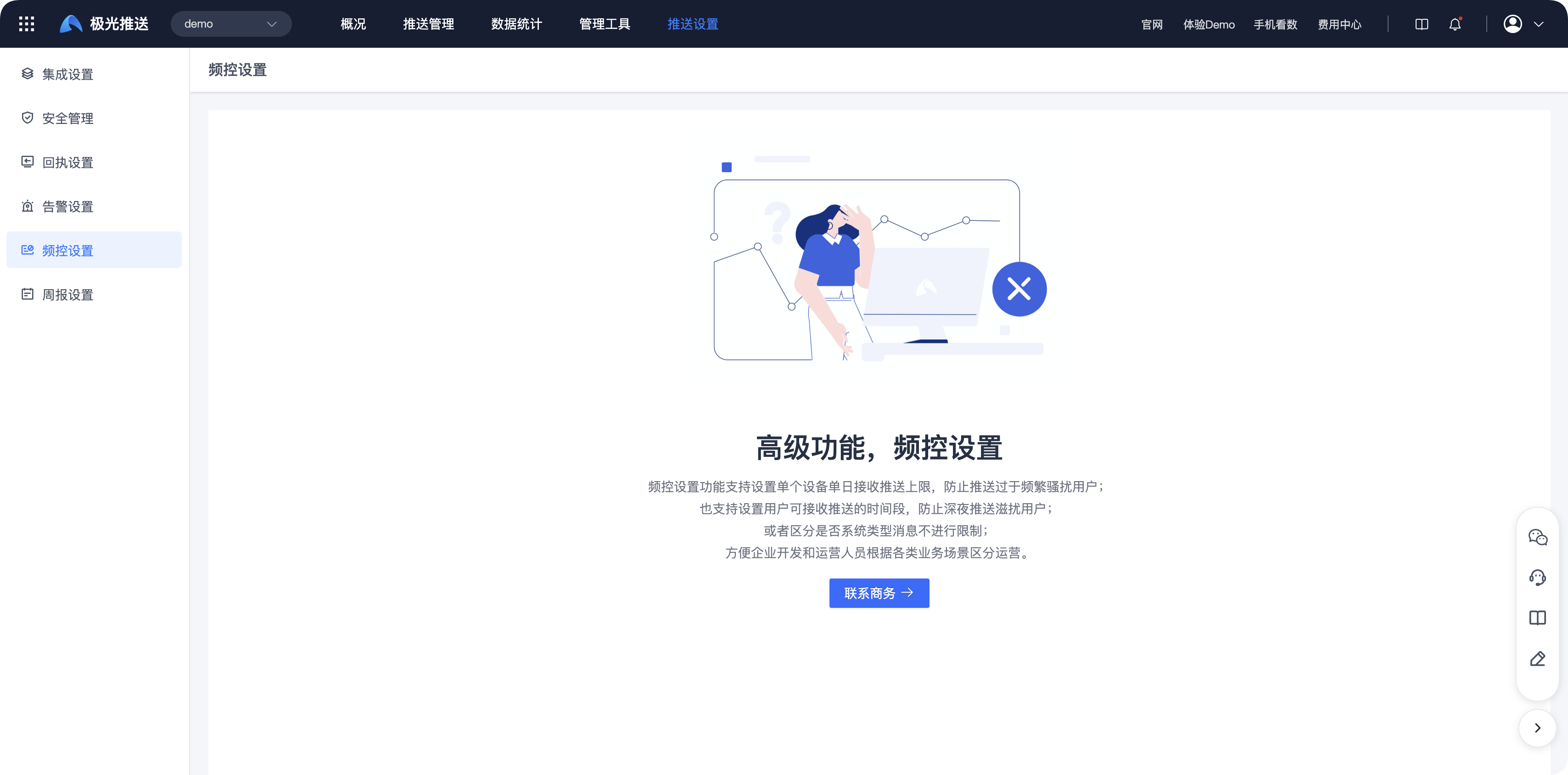
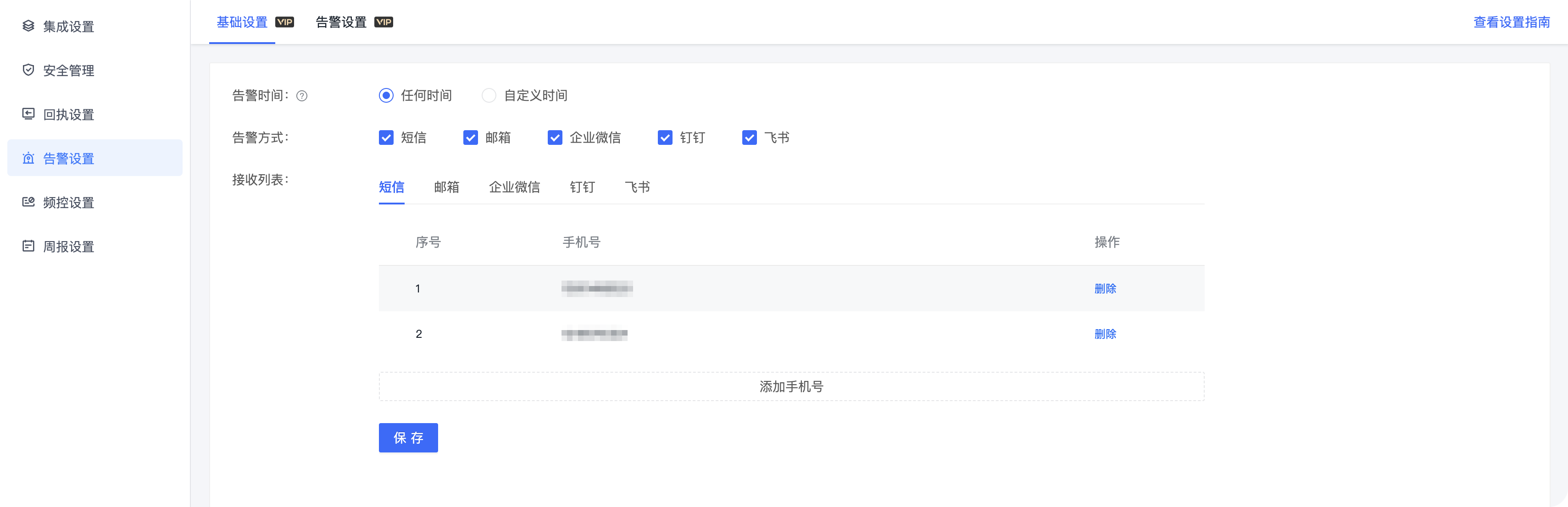
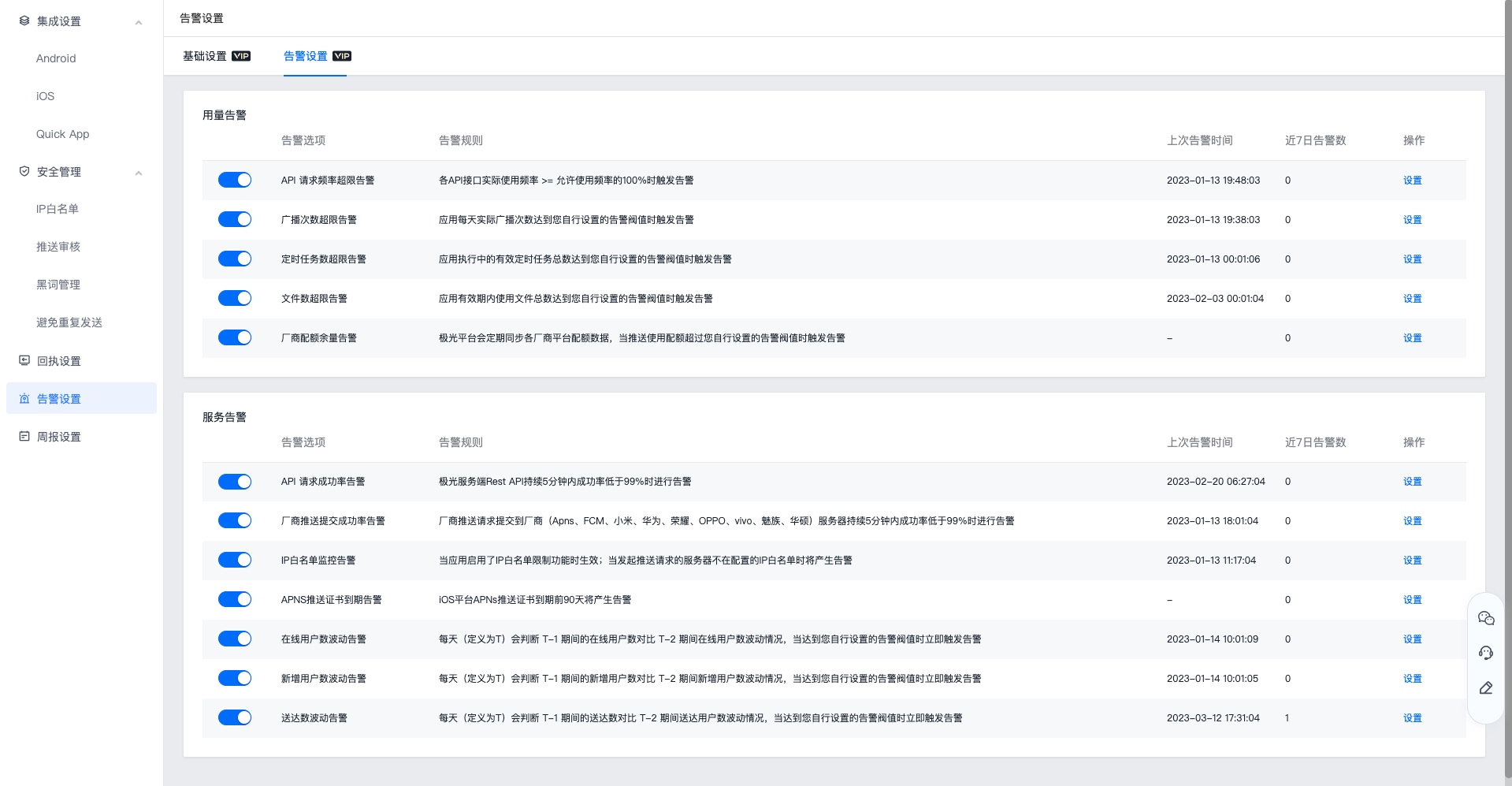
After successful activation, you can perform basic settings and alarm settings. The page is displayed as follows:
Setup instructions
Basic settings
Basic settings support setting alarm time, alarm method, and receiving list. You can set alarms according to business needs. Click "Edit" to start the settings, click "Save" to complete the settings.
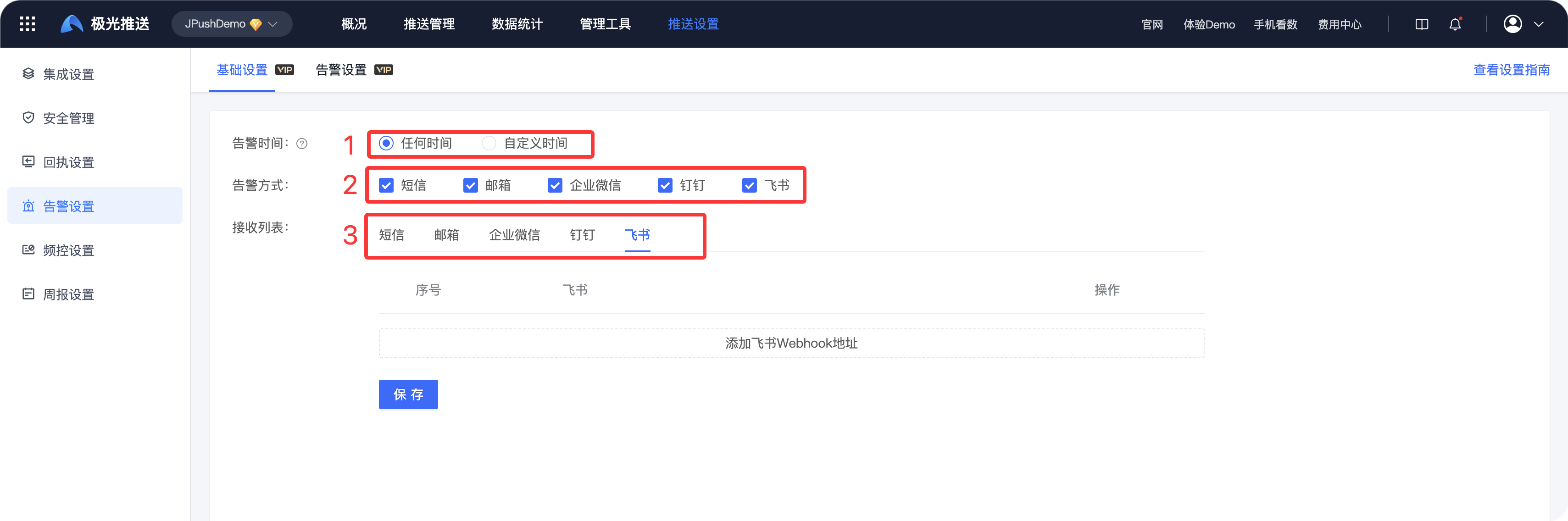
Alarm time:
- Anytime: No time limit required.
- Customized time: If the alarm occurs outside the custom time, the alarm will be discarded directly.
Alarm methods: Currently, five alarm methods are supported: SMS, email, WeCom, DingTalk, and Feishu, which can be freely selected and configured by developers.
Alarm mode Configuration method Short message Add mobile number to recipient list mail Add email address to recipient list Enterprise WeChat 1. Need to be created in Enterprise WeChat Bot robot, get robot webhook address
2. will webhook Address added to recipient listDingTalk 1. Need to be created in DingTalk Bot robot, get robot webhook address
2. will webhook Address added to recipient listFeishu 1. Need to create a custom bot in Feishu and get the bot webhook address
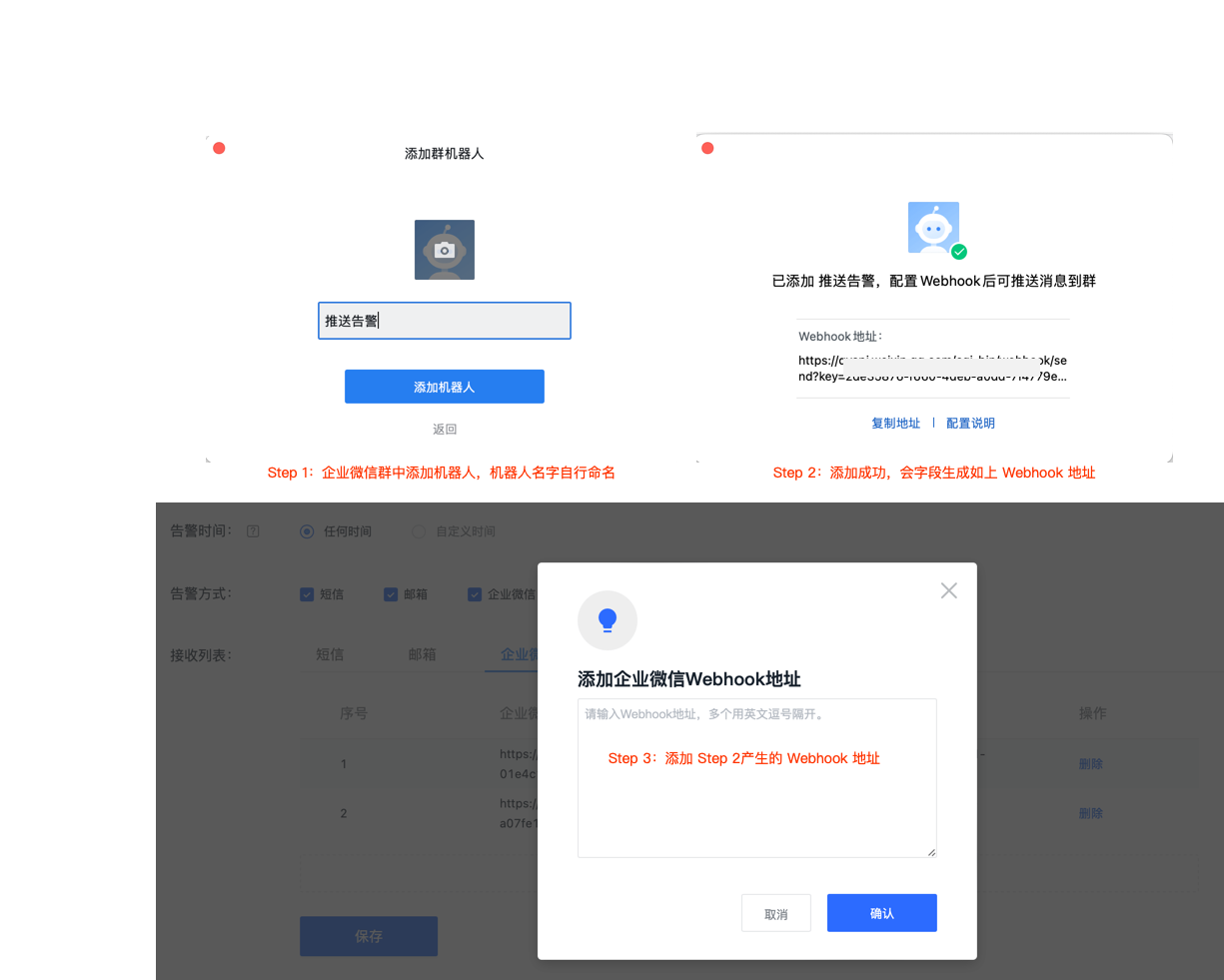
2. Add the webhook address to the recipient listEnterprise WeChat webhook Configuration guidelines are as follows:
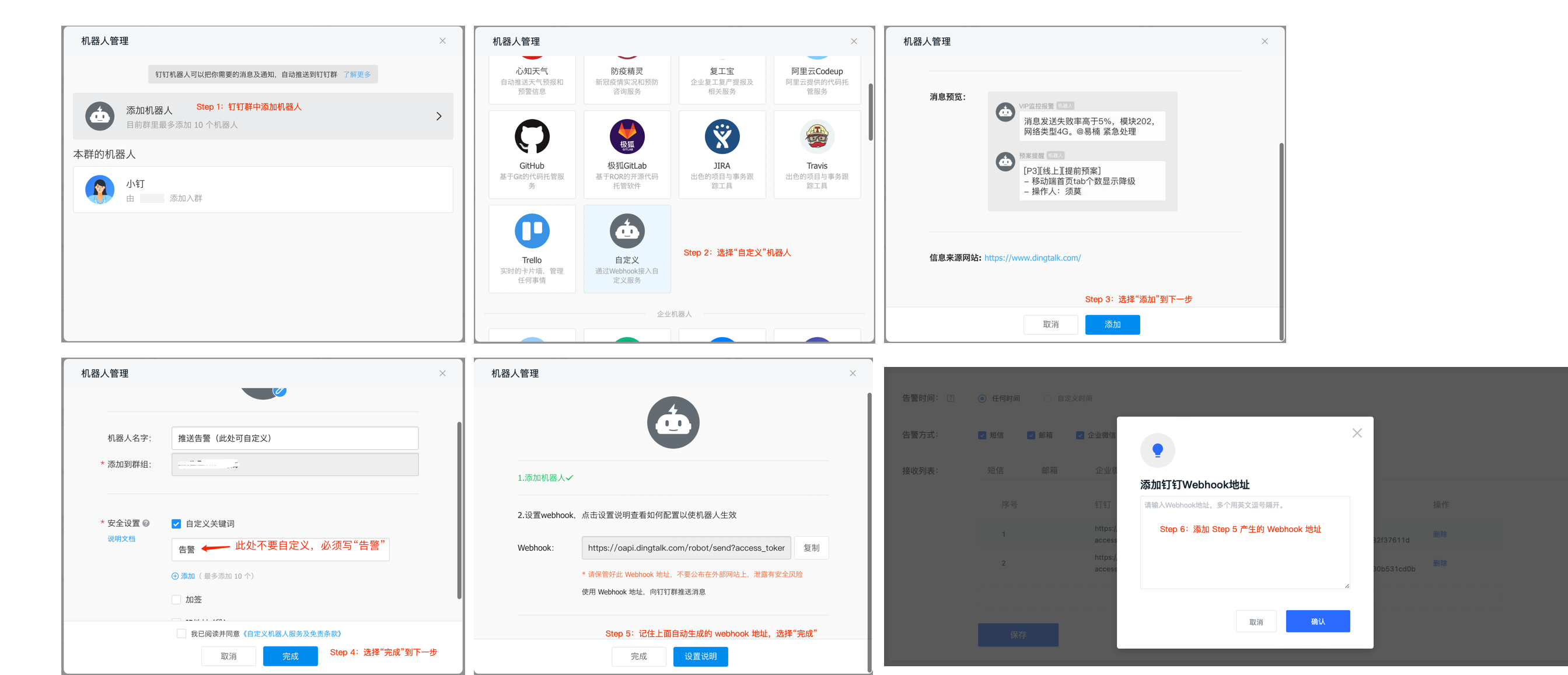
DingTalk webhook Configuration guidelines are as follows:
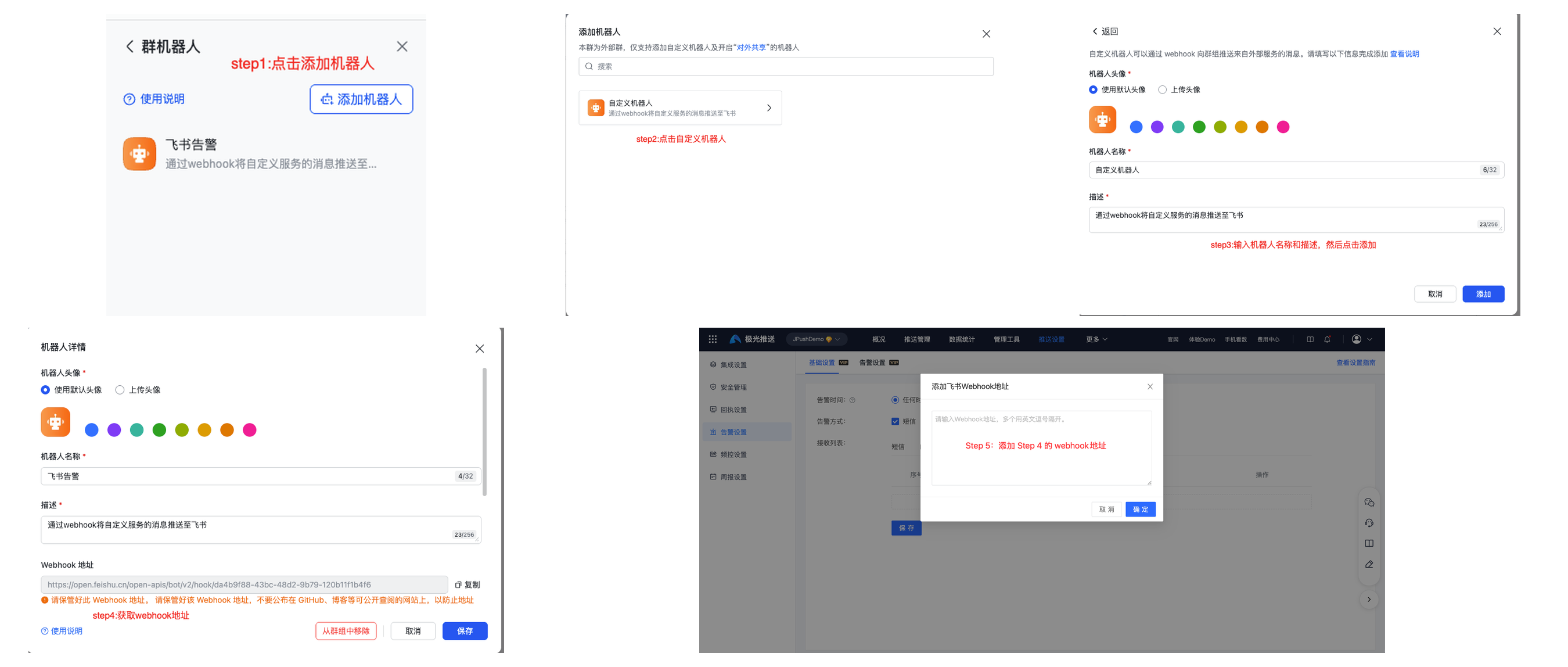
Feishu webhook Configuration guidelines are as follows:
Recipient list: Fill in the contact information of the recipients who need to receive alerts.
- Click "Add XX" in the recipient list - fill in your mobile phone number/email address /webhook Address - Click "Confirm" to save successfully.
- Supports deleting recipients, click "Delete" to delete.
Alarm settings
Enter the [Alarm Settings] page and select the required alarms to turn on; if you need to customize settings such as alarm frequency, click [Settings] to set up.
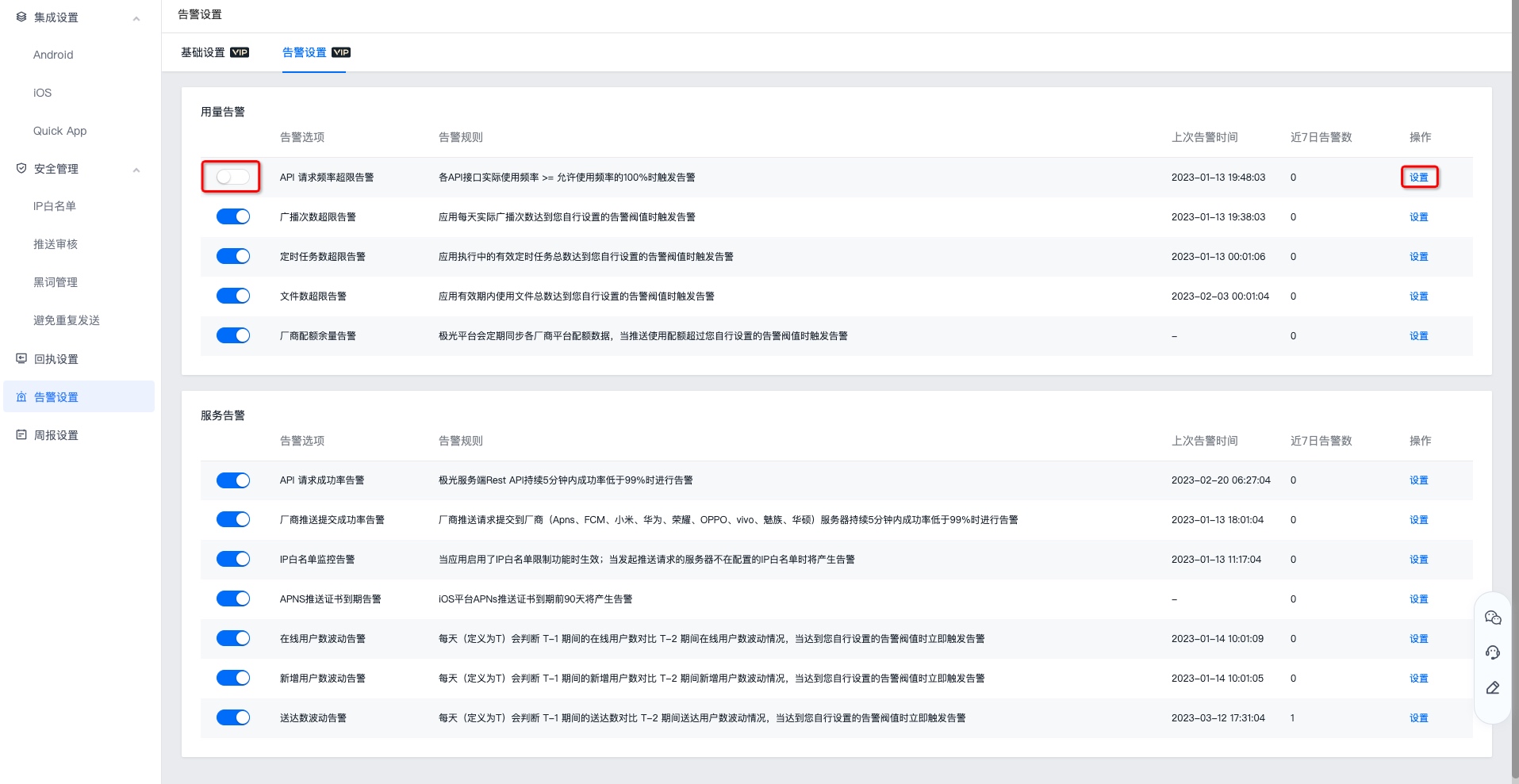
Detailed alarm rules and supported operations are as follows:
| Alert options | Alert rules | operate |
|---|---|---|
| API Request frequency exceeds limit alarm | each API The actual usage frequency of the interface >= the allowed usage frequency 100An alarm is triggered when % | Support custom alarm frequency |
| Alarm when the number of broadcasts exceeds the limit | An alarm is triggered when the actual number of broadcasts of the application per day reaches the alarm threshold you set. | Support custom alarm thresholds |
| Alarm when the number of scheduled tasks exceeds the limit | An alarm is triggered when the total number of valid scheduled tasks in application execution reaches the alarm threshold you set. | Support custom alarm thresholds |
| File number exceeds limit alarm | An alarm is triggered when the total number of files used within the validity period of the application reaches the alarm threshold you set. | Support custom alarm thresholds |
| Manufacturer quota balance alarm | JiguangThe platform will regularly synchronize the quota data of each manufacturer's platform, and trigger an alarm when the push usage quota exceeds the alarm threshold set by you. | Support custom alarm frequency and alarm threshold |
| API Request success rate alarm | JiguangServer Rest API Alert when the success rate is lower than 99% for 5 minutes. | Support custom alarm frequency |
| Manufacturer push submission success rate alarm | Vendor push requests are submitted to the vendor (Apns、FCM, Xiaomi, Huawei, Honor,OPPO、vivo, Meizu, ASUS) server will alert when the success rate is lower than 99% for 5 minutes. | Support custom alarm frequency |
| IP whitelist monitoring alarm | This takes effect when the IP whitelist restriction function is enabled in the application. When the server that initiates the push request is not in the configured IP whitelist, an alarm will be generated. | Support custom alarm frequency |
| APNS Push certificate expiration alert | iOS platform APNs An alert will be generated 90 days before the push certificate expires. | Support custom alarm frequency |
| Online user number fluctuation alarm | Every day (defined as T) is judged T-1 00:00:00 ~ 23:59:59 The number of online users during the period is compared with the fluctuation of the critical value. When the fluctuation reaches a floating ratio, an alarm will be triggered. | Support custom alarm threshold, upper and lower floating ratio and alarm frequency |
| Added user number fluctuation alarm | Every day (defined as T) is judged T-1 00:00:00 ~ 23:59:59 The number of new users during the period is compared with the fluctuation of the critical value. When the fluctuation reaches a floating ratio, an alarm will be triggered. | Support custom alarm threshold, upper and lower floating ratio and alarm frequency |
| Delivery number fluctuation alarm | Every day (defined as T) is judged T-1 00:00:00 ~ 23:59:59 The number of deliveries during the period is compared with the fluctuation of the critical value. When the fluctuation reaches a floating ratio, an alarm will be triggered. | Support custom alarm threshold, upper and lower floating ratio and alarm frequency |

