


Quickly troubleshoot issues
This article mainly guides users to quickly troubleshoot problems through push records, troubleshooting tools and other tools when push notifications cannot be received.
push record
When the push cannot be received, check whether the message in the push record is delivered normally. If the push status is "Push failed", click on the message to view the corresponding error message, modify it according to the error message, and then re-deliver.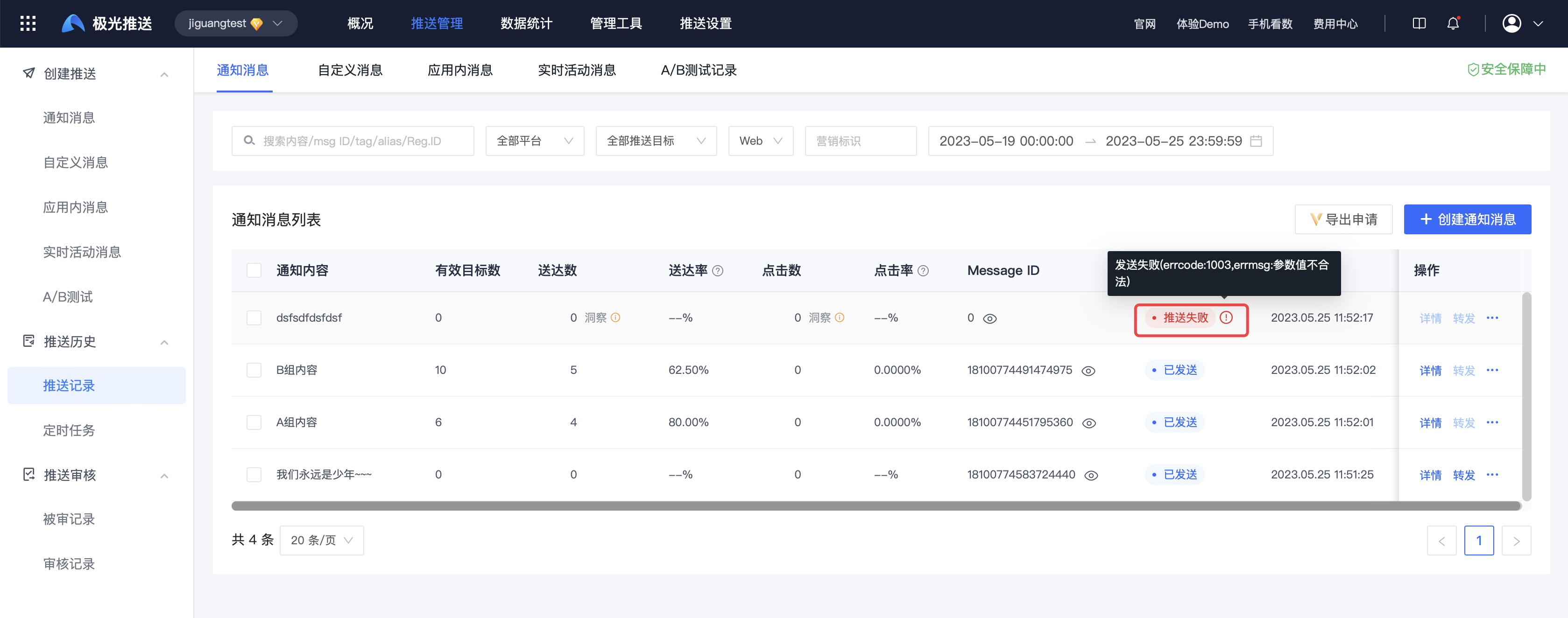
Troubleshooting tools
Message query
When you cannot receive push notifications, you can enter [JiguangConsole]-[Message Push]-[Configuration Management]-[Troubleshooting Tool]-[Message Query] page to conduct life cycle troubleshooting, enter Message ID and Registration ID, click Query to view the life cycle of the message. The query results are as follows: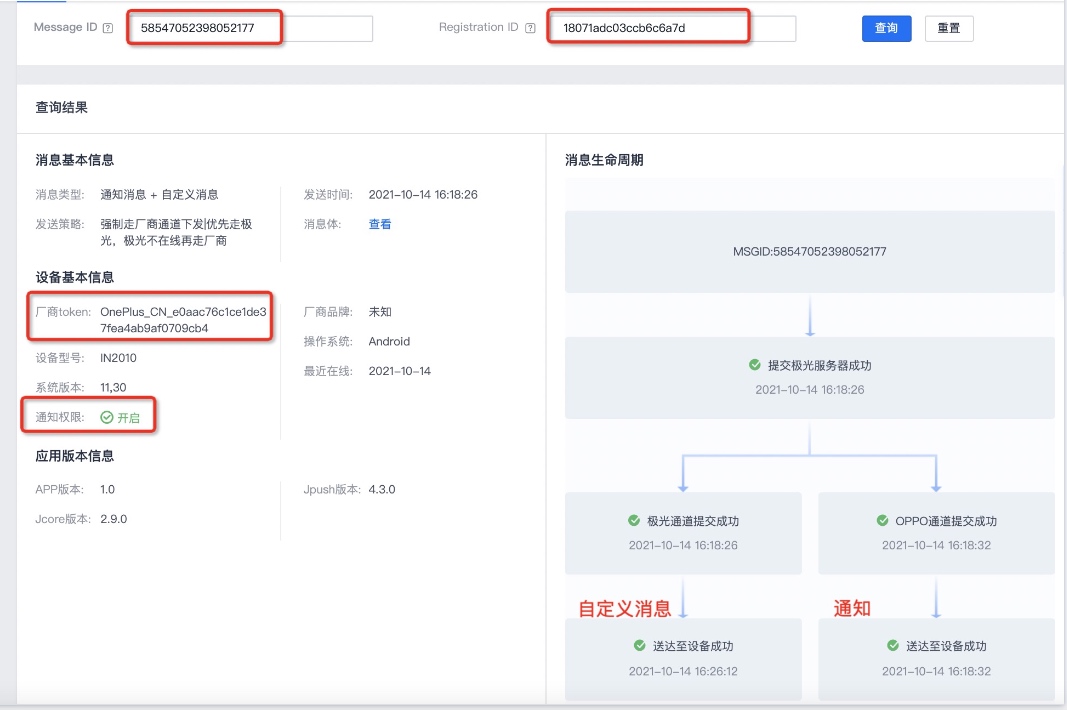
- Message life cycle: If the sending fails, the error code + error message will be displayed in the corresponding failure link.
- Special message life cycle: If the message type is notification message + custom message, the message life cycle will produce two bifurcated paths.
- Basic message information: displays the message type, sending strategy and message body. Click the message body to view the message body. json。
- Basic device information: Displays notification permission switch status, manufacturer registration status, recent online time and other basic device information.
Message ID acquisition method
Enter【JiguangYou can get it from the Console]-[Message Push]-[Push Management]-[Push Record] page Message ID。
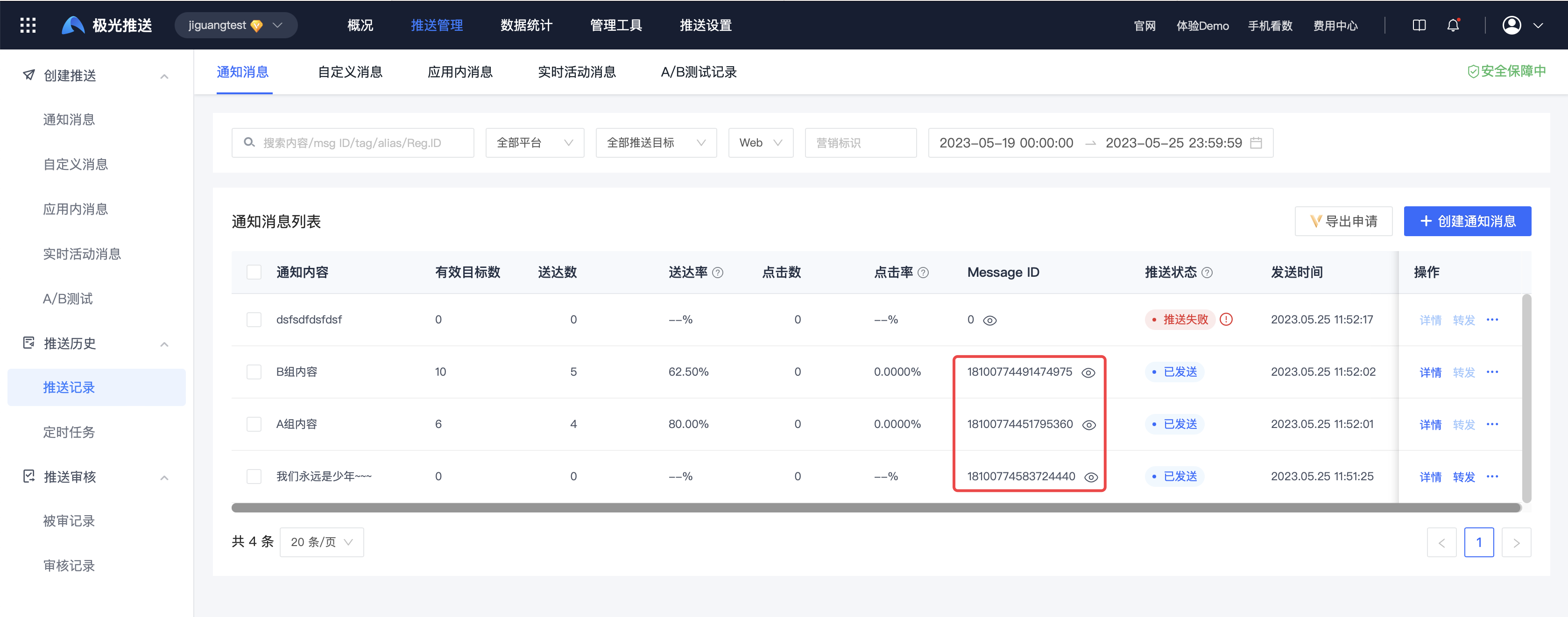
API Get it in the response parameter after calling:
          {
    "sendno": "0",
    "msg_id": "54043471036732219"
}
Registration ID acquisition method
Client initialization JPush After success,JPush The server will allocate a Registration ID, as the identification of this device (different for the same phone) App of Registration ID is different), so you need to obtain it when troubleshooting Registration ID positioning problem, how to obtain it:Android、iOS。

