


REST API Overview
Important: Do not call the REST API directly from client apps. JPush credentials may be exposed; anyone with AppKey and Master Secret could send malicious pushes.
Recommended approach: place JPush REST API calls on your application server. Your server exposes APIs to clients and calls JPush after receiving client requests.
JPush provides HTTP APIs that follow REST conventions for remote access to JPush services.
JPush also provides server SDKs in common languages for convenience.
API constraints
- APIs follow HTTP and REST. For example, use GET for queries and POST for submissions. Wrong HTTP methods return errors.
- Unless noted, encode parameter values as UTF-8 and URL-encode.
- APIs have rate limits.
- APIs have a blacklist mechanism.
API resources
| Name | Resource | Base URL | Description |
|---|---|---|---|
| Push API | POST /v3/push | https://api.jpush.cn | Push message API |
| Report API | GET /v3/received | https://report.jpush.cn | Get statistics |
| Tag & alias API | /v3/devices | https://device.jpush.cn | Manage tag, alias |
Authentication
JPush REST API uses HTTP Basic Authentication.
Add to the HTTP Header:
Authorization: Basic ${base64_auth_string}
The base64_auth_string is: base64(appKey:masterSecret)
- Header name is "Authorization"; value is base64-encoded "username:password" (colon-separated).
- For JPush API, username is appKey and password is masterSecret. View both in the console App settings.
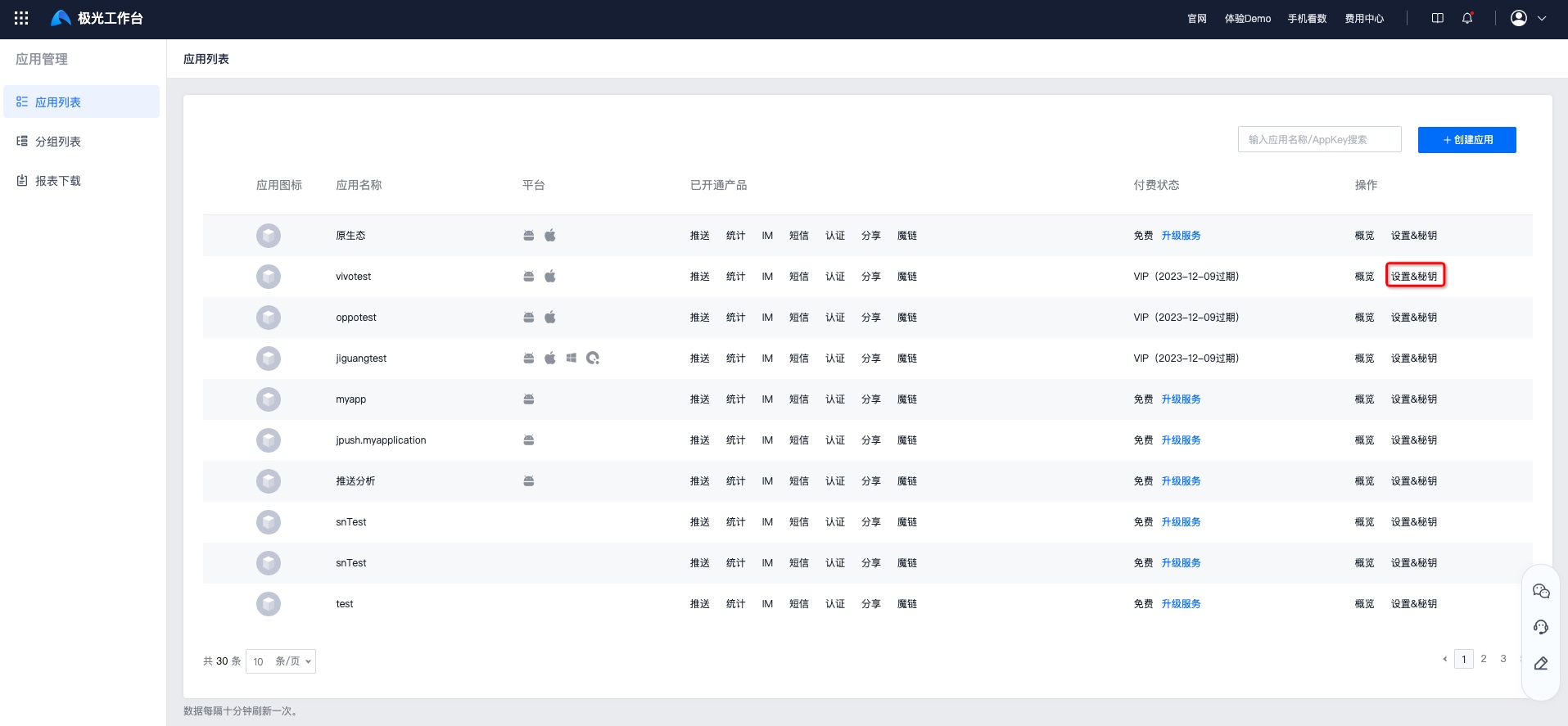
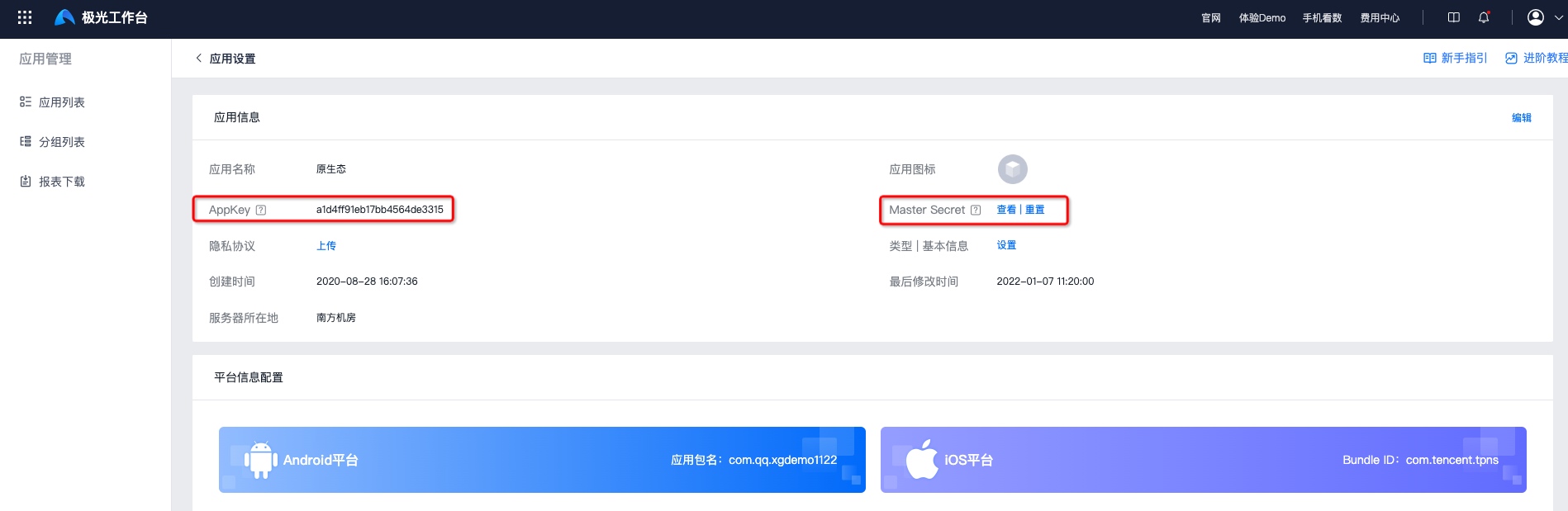
Authentication example
If your appKey is "7d431e42dfa6a6d693ac2d04" and masterSecret is "5e987ac6d2e04d95a9d8f0d1", call Push API v3 with curl:
          curl --insecure -X POST -v https://api.jpush.cn/v3/push -H "Content-Type: application/json"
-u "7d431e42dfa6a6d693ac2d04:5e987ac6d2e04d95a9d8f0d1"
-d '{"platform":"all","audience":"all","notification":{"alert":"Hi,JPush!"}}'
The HTTP request is:
          > POST /v3/push HTTP/1.1
> Authorization: Basic N2Q0MzFlNDJkZmE2YTZkNjkzYWMyZDA0OjVlOTg3YWM2ZDJlMDRkOTVhOWQ4ZjBkMQ==
API rate control
JPush API enforces rate limits: only a limited number of calls are allowed per time window.
Note:
API rate limits do not limit push volume or speed to end users. One API call can be a broadcast to all users of your app.
Rate definition
Time window is currently 1 minute. Limit is per AppKey API call count.
Free tier limits:
| API type | Rate (calls/minute) |
|---|---|
| Push API | Shared pool |
| Report API | Shared pool |
| Tag & alias API | Shared pool |
As of 2020/03/10, broadcast push is limited to 10 times per day; exceeding returns error 2008. The console aligns with Push API.
Note: This applies only to broadcast (audience all); other pushes are unaffected.
Paid tiers have different limits by user scale. Contact sales if needed.
Rate limit headers
All HTTP API responses include:
- X-Rate-Limit-Limit: allowed calls per window for this AppKey.
- X-Rate-Limit-Remaining: remaining calls in the current window.
- X-Rate-Limit-Reset: seconds until window reset.
Exceeding rate limit
HTTP status 429 (Too Many Requests). Response body:
{ "error": { "code": 2002, "message": "Rate limit exceeded" } }
Rate optimization tips
- Spread requests evenly across time windows.
- When pushing to many aliases, avoid invalid aliases.
- If many requests share the same content for alias/registrationId, batch multiple recipients in one call. See Push API docs.
Blacklist
If an app is considered malicious or API usage is invalid, its AppKey may be blacklisted. Blacklisted AppKeys are rejected with HTTP 403. Response format:
{ "error": { "code": 2003, "message": "The appKey is in black list." } }
If your app is blacklisted, email support@jiguang.cn.

