Tag management
Tag query
Enter the [Jiguang Console]-[Message Push]-[Configuration Management]-[Tag Management] page and enter the tag/Registration ID to check whether the tag/Registration ID exists. 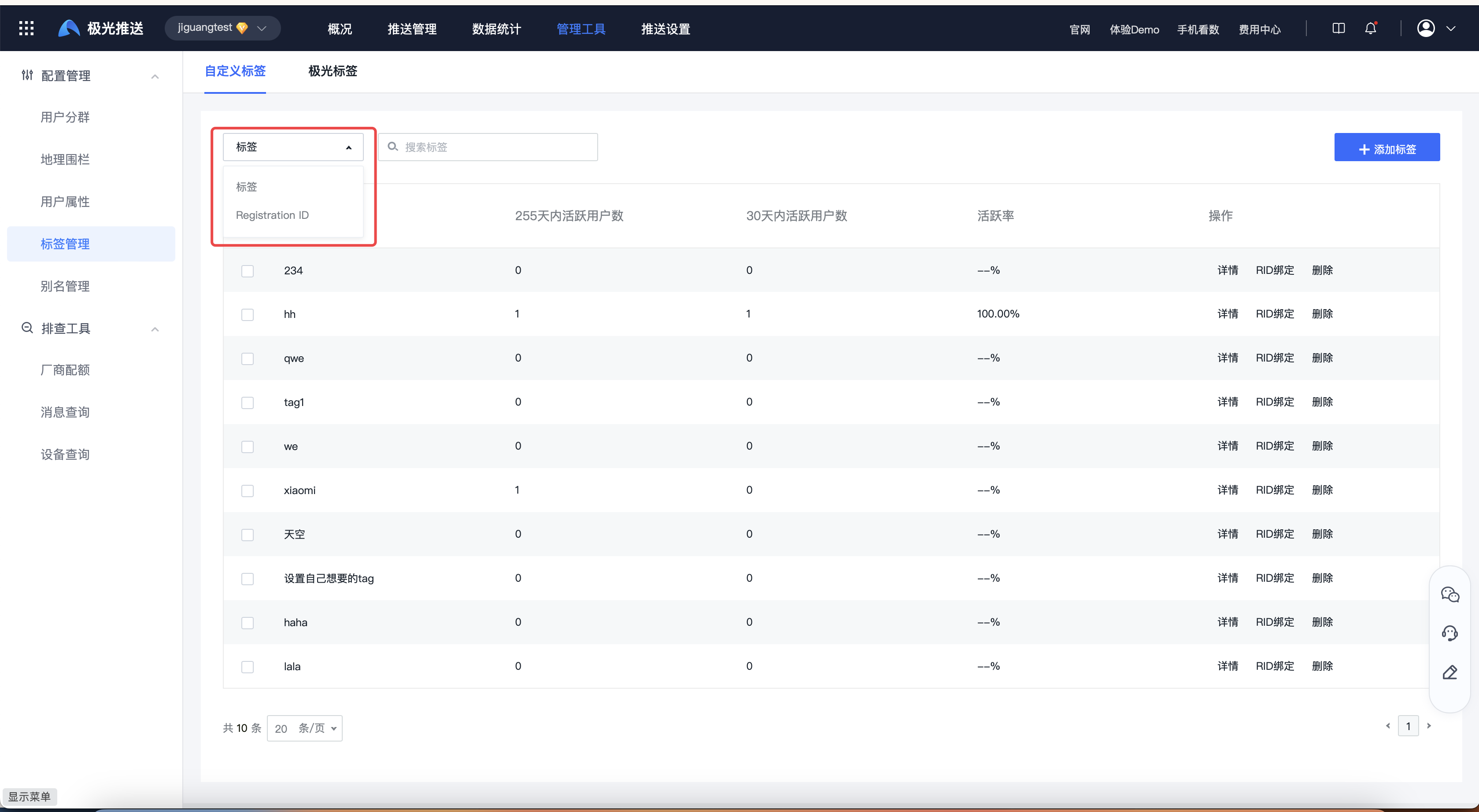
Click Details to view all Registration IDs under this tab. 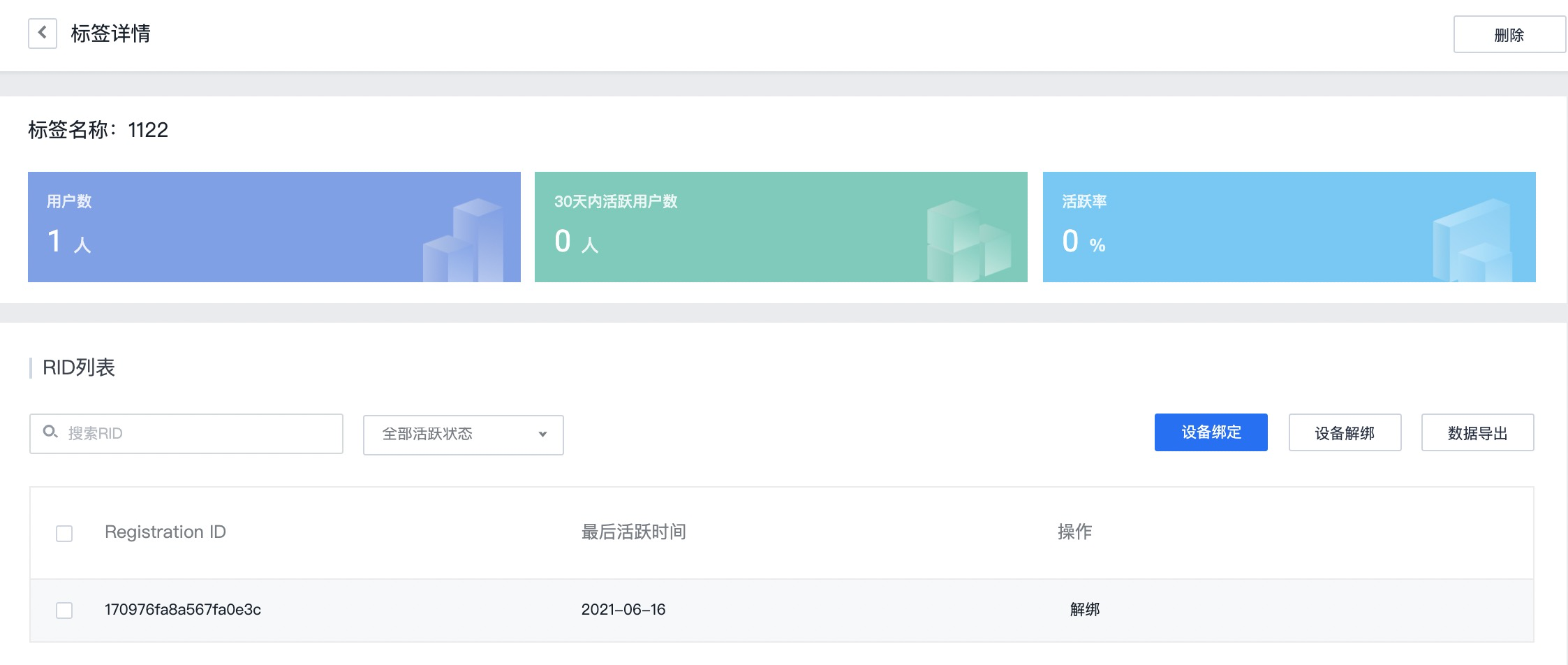
How to get Registration ID
After the client initializes JPush successfully, the JPush server will assign a Registration ID as the identifier of this device (the Registration ID of different apps on the same phone is different), so you need to obtain the Registration ID when troubleshooting To locate the problem, obtain the method: Android, iOS.
Label binding
If the current Registration ID is not bound to the tag, you need to rebind the tag before pushing.
Add tag
If you need to add a new label, click "Add Label", fill in the label and Registration ID/Alias (alias) to add the binding relationship. 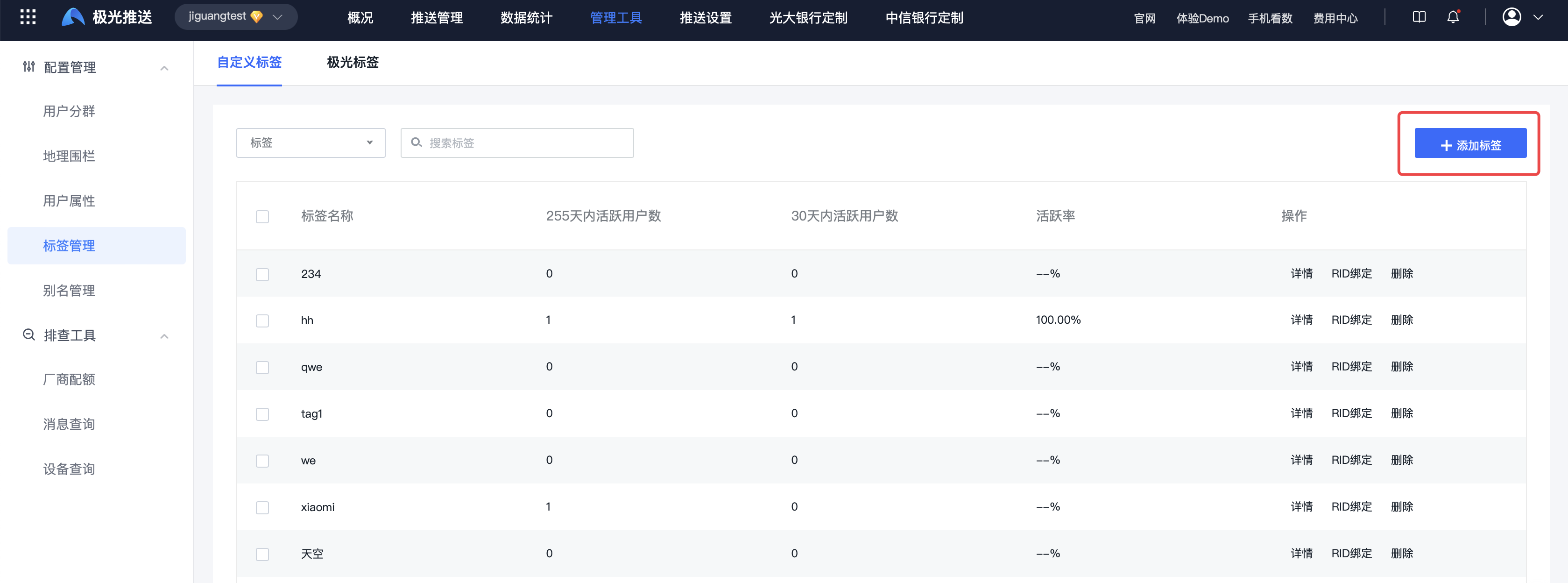
Add Registration ID
If this tag needs to be bound to a new device, click "RID Binding" and fill in the Registration ID of the device to be bound to add a binding relationship. 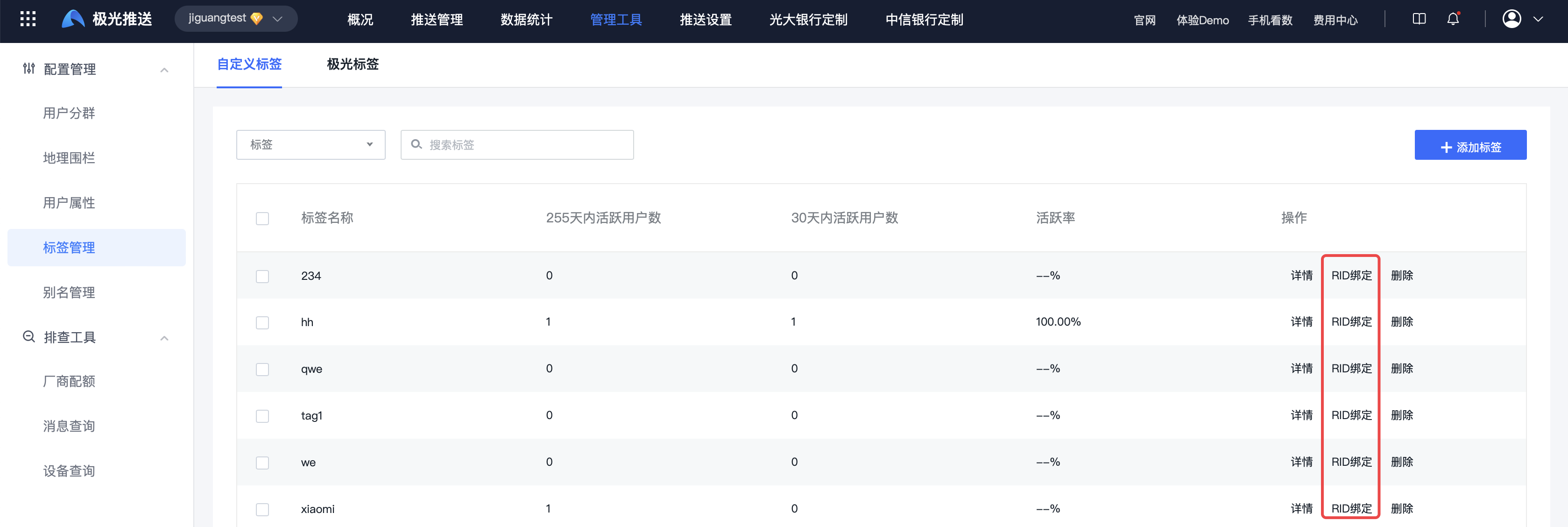
Tag deletion
If you need to delete a label, click the "Delete" operation. The label and the binding relationship between the label and all devices in the application will be deleted. 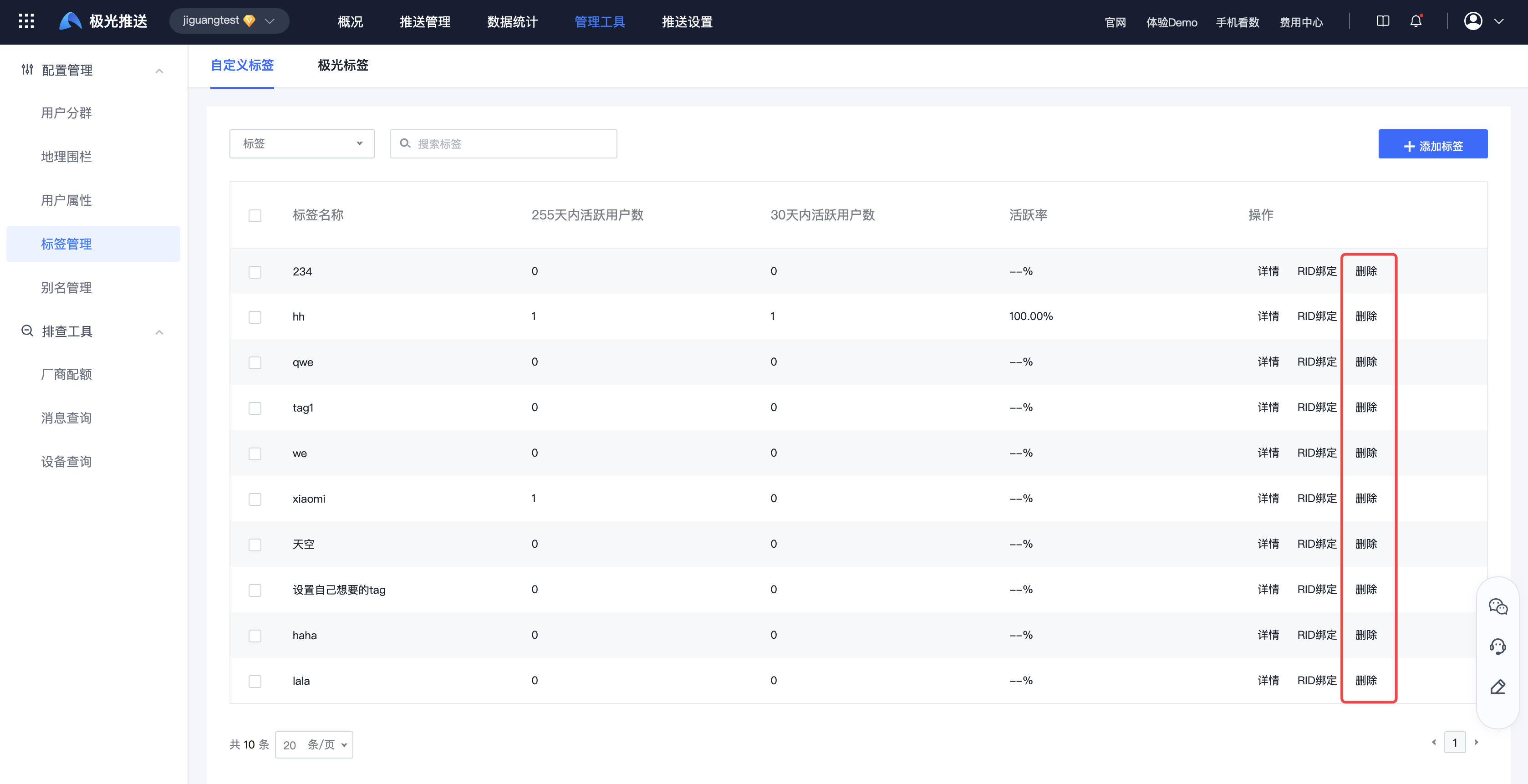
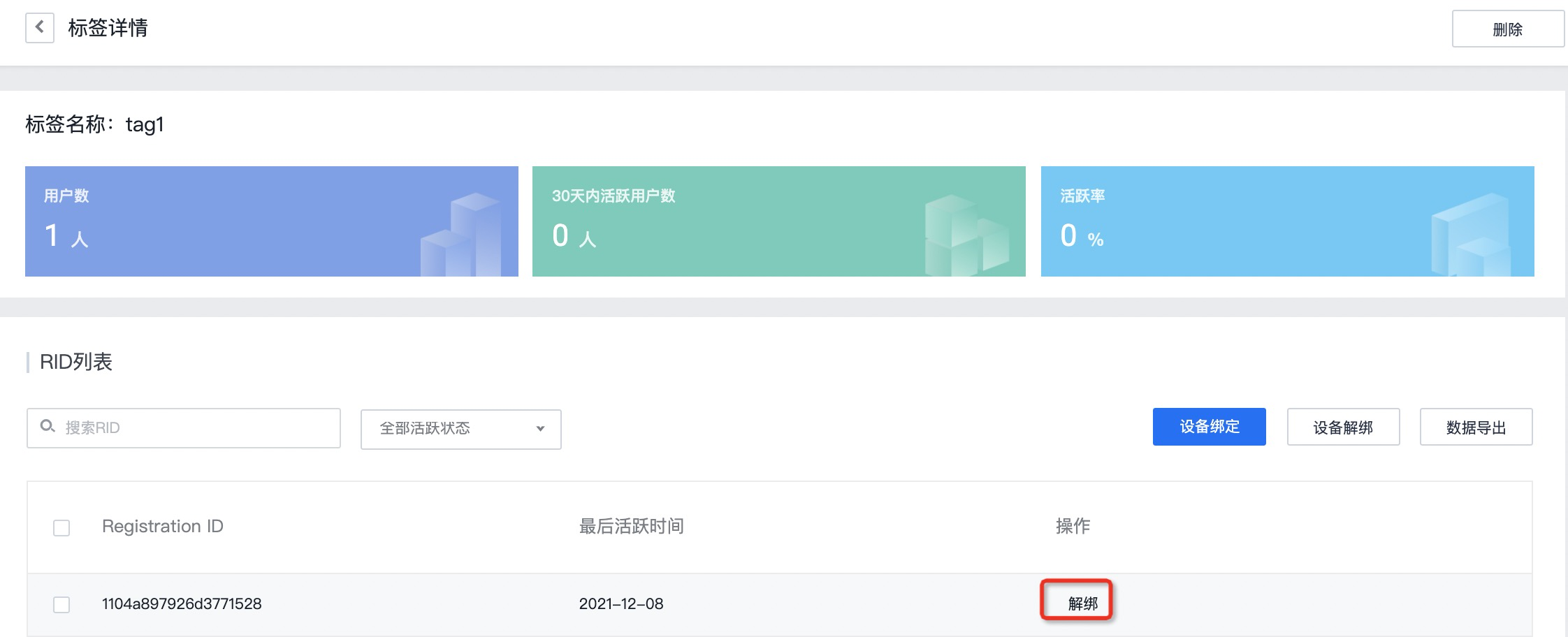
Tag unbinding
If you need to delete some devices under a tag, you can enter the tag details page and click "Unbind" to delete the binding relationship between the tag and the device.