


Vendor Channel Delivery Receipt Configuration Guide
To help customers track and analyze push performance and optimize strategy, JPush provides delivery, display, and click statistics. Vendor channel support varies.Huawei, Meizu, and Honor delivery data requires developer configuration before JPush can receive it.
Note: JPush SDK 4.2.2+ supports vendor click statistics. We recommend SDK 4.2.2 or above for notification click reporting.
| Vendor | Delivery | Display | Click | Config required |
|---|---|---|---|---|
| Huawei | Yes | No | No | Yes |
| Meizu | Yes | No | Yes | Yes |
| Honor | Yes | No | No | Yes |
| Xiaomi | Yes | Yes | Yes | No |
| OPPO | Yes | No | No | No |
| vivo (legacy receipt) | Yes | No | No | No |
| vivo (new receipt) | Yes | Yes | No | Yes |
| FCM | Yes | No | No | No |
| ASUS | Yes | Yes | Yes | No |
- OPPO: delivery receipt only for single push.
- FCM: delivery receipt only when app is active in foreground.
- vivo: New receipt API is available (legacy still works but may be deprecated). Configure on JPush console to use new receipt; old receipt stops when new is enabled. See vivo message receipt.
Huawei delivery receipt configuration
After integrating Huawei vendor SDK, configure message receipts on Huawei Open Platform:
Log in to AppGallery Connect.
Open your project: Growth → Push service → Configuration.
Configure project-level or app-level receipt. Project-level URL applies to all apps under the project. App-level takes priority if both are set.
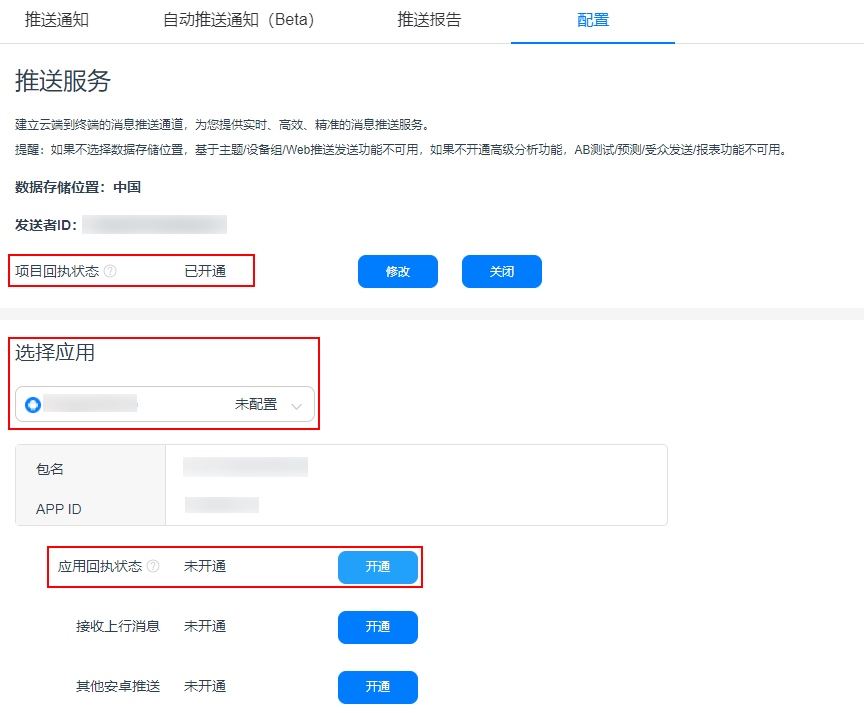
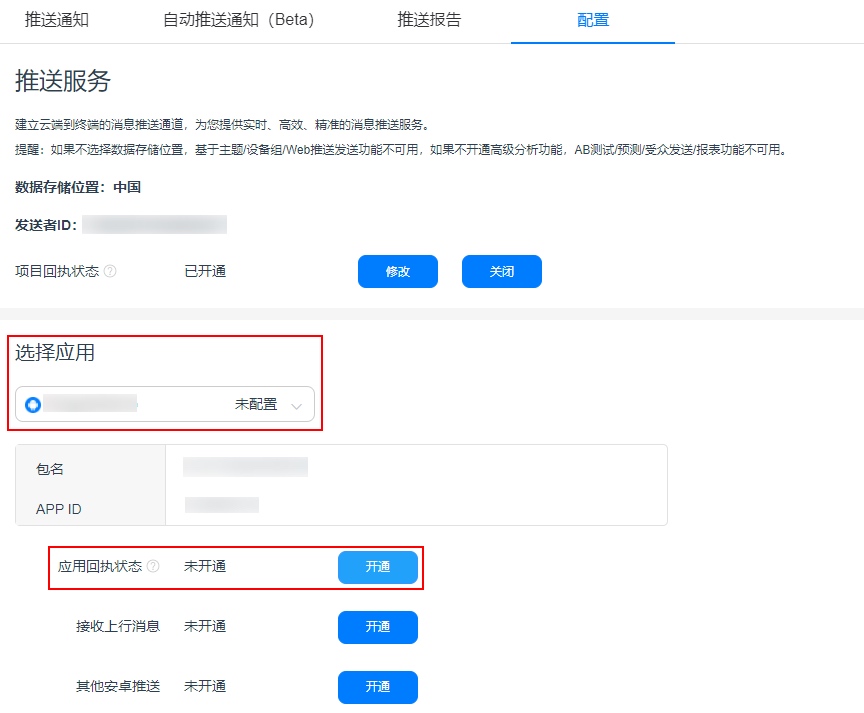
Example: app-level receipt — select the app and enable app receipt.
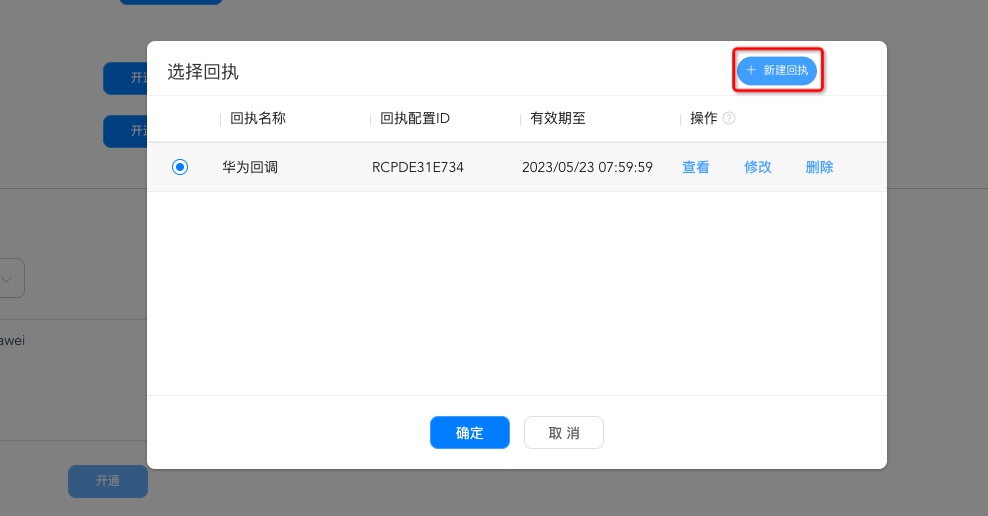
Create a new receipt.
Configure:
- Receipt name: custom name.
- Callback URL:
https://xpnscb.jpush.cn/v3/hpnsreport - Version: Huawei V1 and V2 are supported by JPush; configure as above for either.
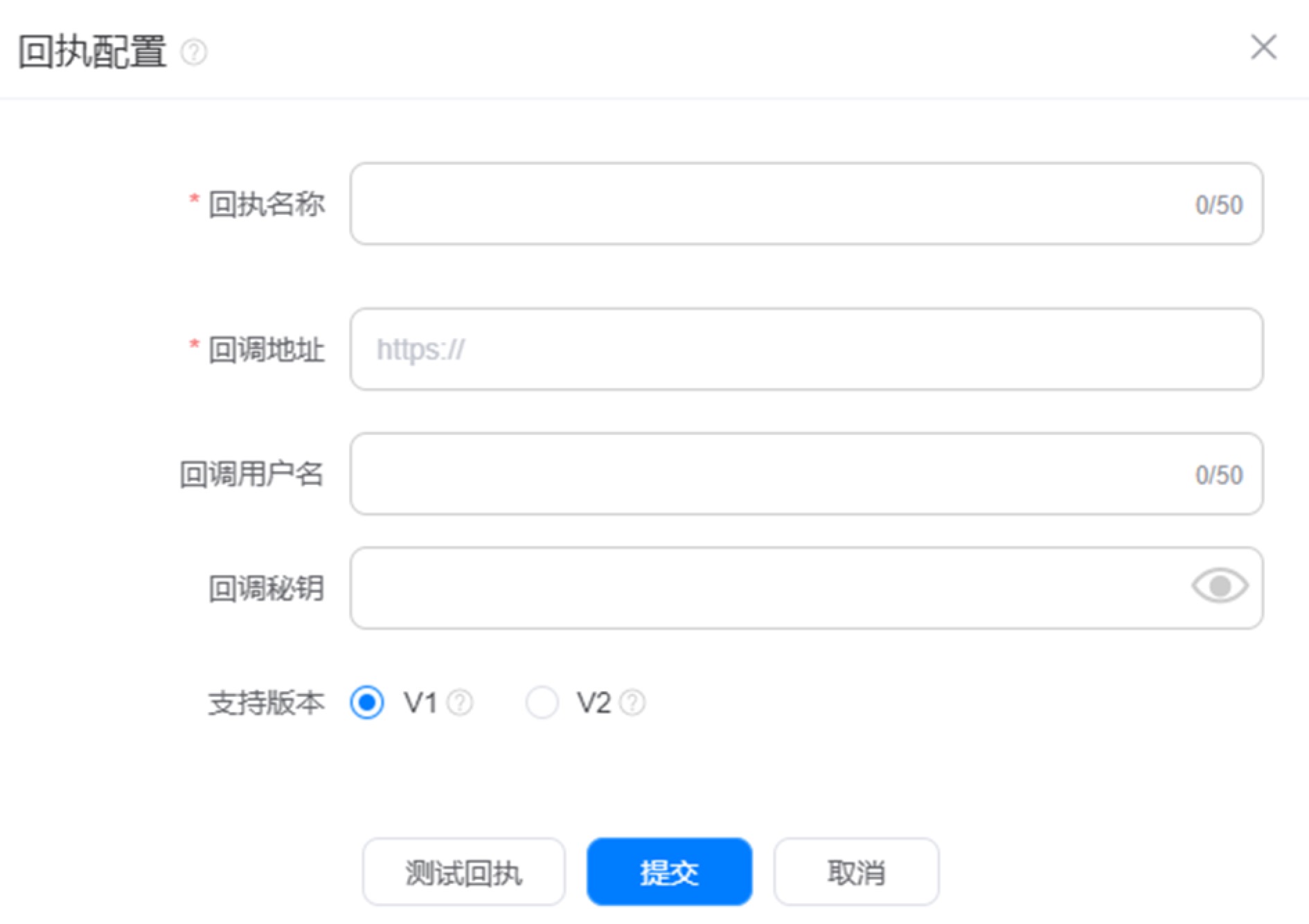
- Test receipt, then submit.
Meizu delivery callback guide
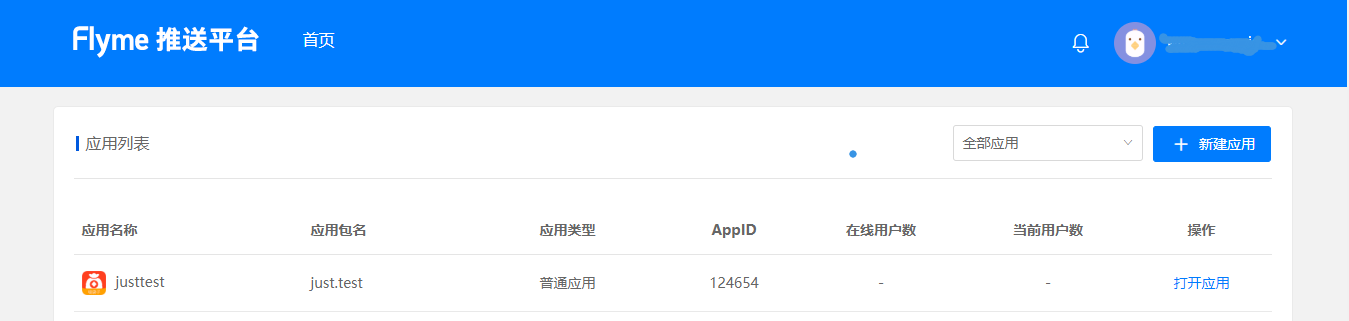
After Meizu SDK integration, configure receipts on the Flyme push platform:
Log in to Meizu Flyme Push, open your app.
Open app → Configuration → Receipt management.
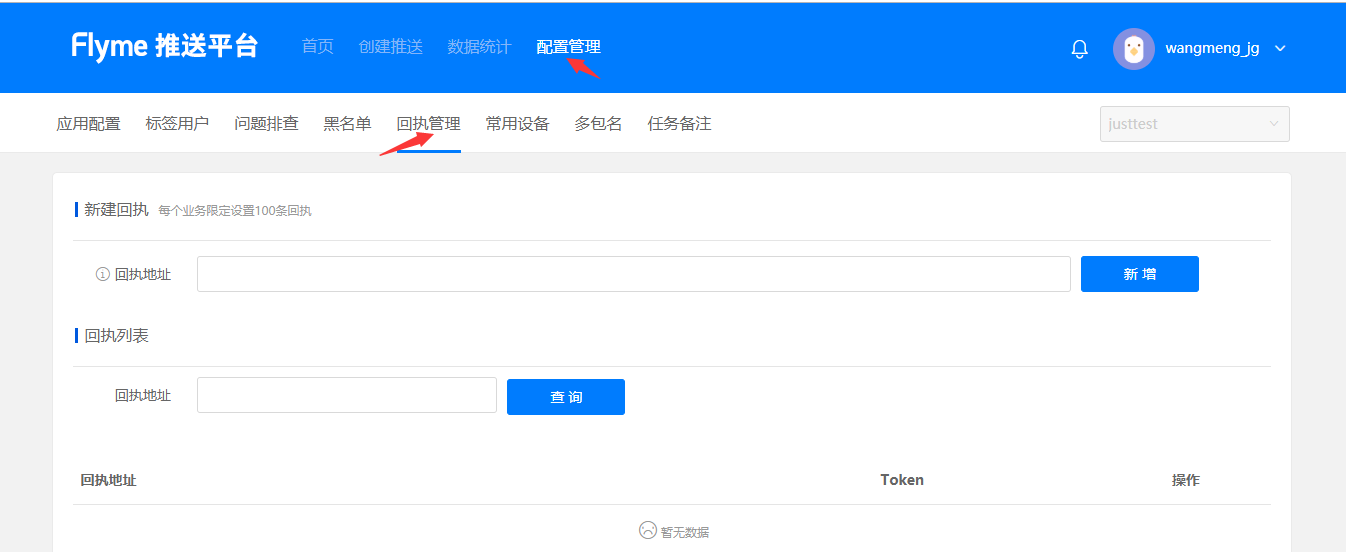
Callback URL:
https://xpnscb.jpush.cn/v3/mzpnsreportActivate receipt: Required — email JPush support support@jiguang.cn to activate after configuring the callback URL.
Notes:
Activation must be done after configuring the callback on Flyme. Email JPush with:
appkey, request: activate Meizu receipt, screenshot of Flyme configuration.
Honor delivery receipt configuration
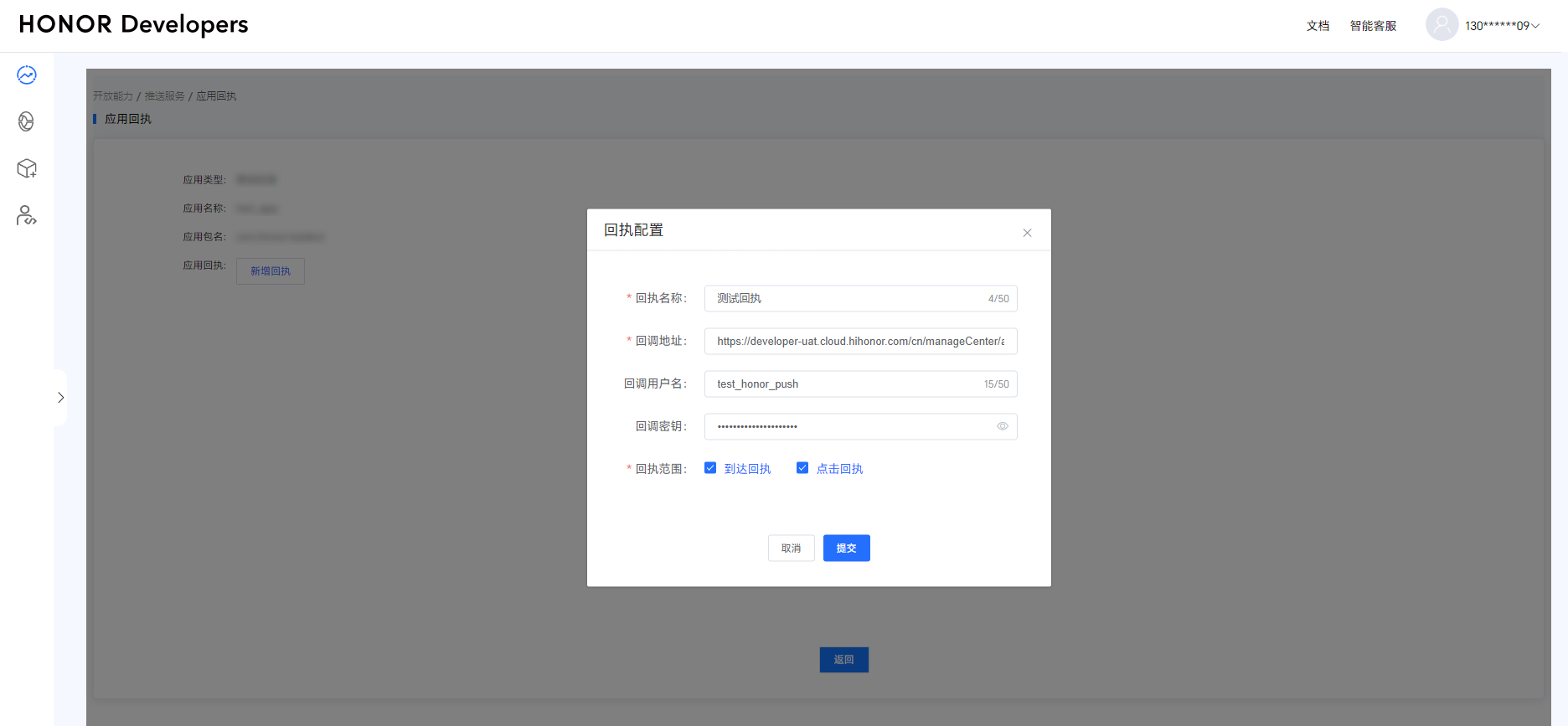
After Honor SDK integration, configure receipts on Honor Developer Services:
Log in to Honor Developer Services.
Open capabilities → Push service.
Select your app → App receipt.
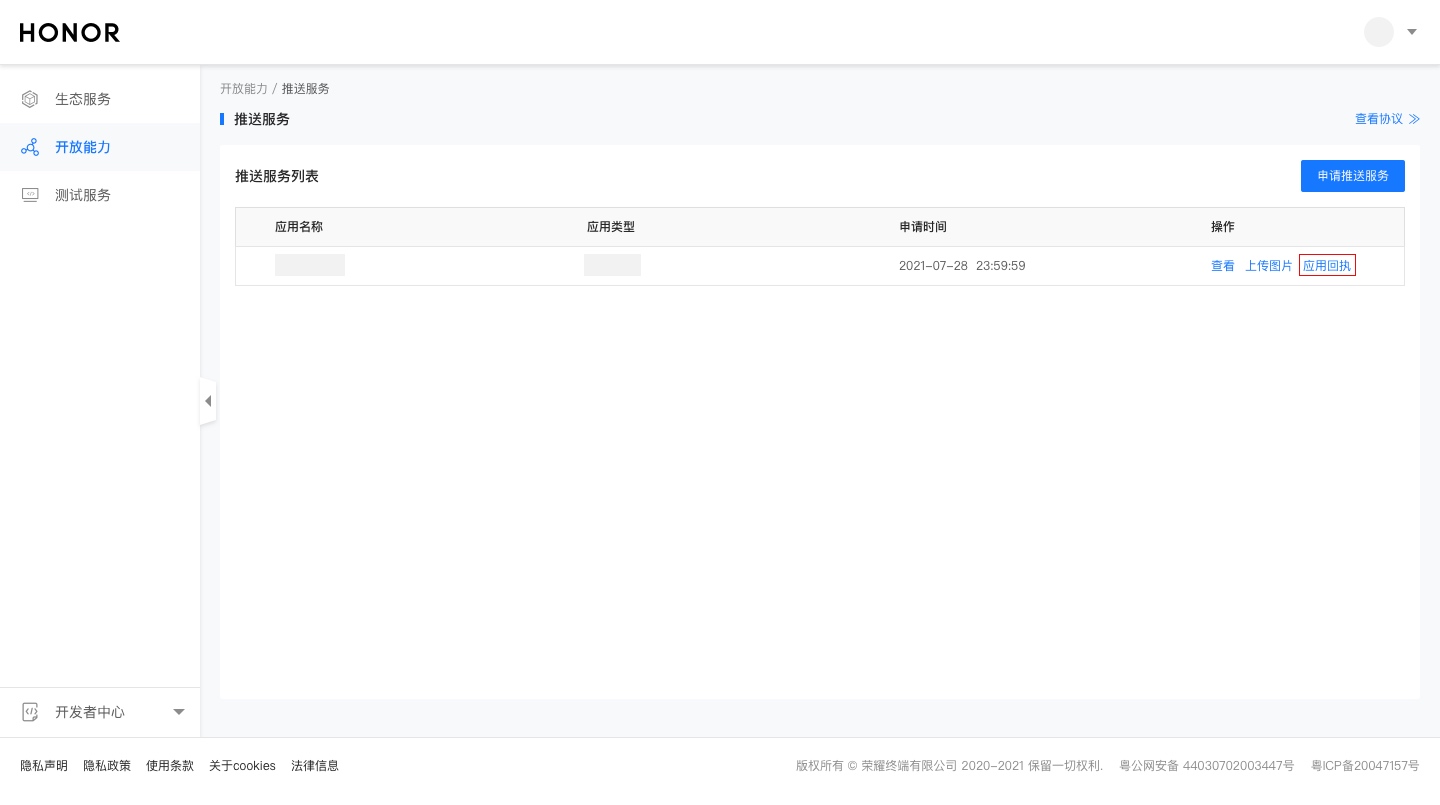
Click Add receipt.
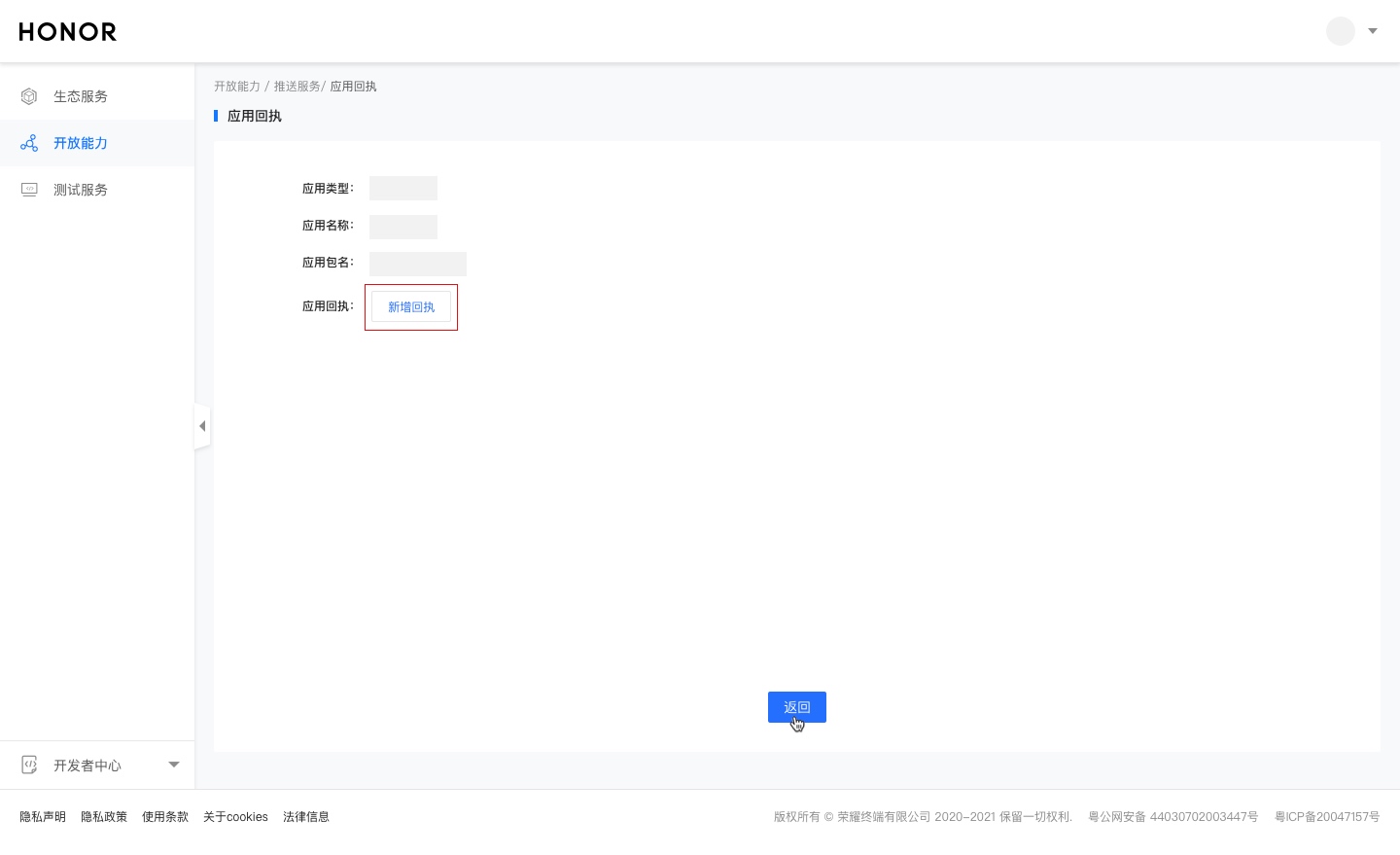
Fill callback name and URL.
Receipt name: custom.
Callback URL:
https://xpnscb.jpush.cn/v3/honorreportReceipt scope: enable both Delivery receipt and Click receipt
vivo delivery receipt configuration
vivo new receipt provides richer data than legacy; upgrade when possible.
New receipt disables legacy; see vivo message receipt.
Configure on vivo Open Platform (legacy did not require this):
Log in to vivo Open Platform.
Find your app → App management → App info → APP receipt URL → enable. Configure:
- Callback URL:
https://xpnscb.jpush.cn/v3/vpnsreport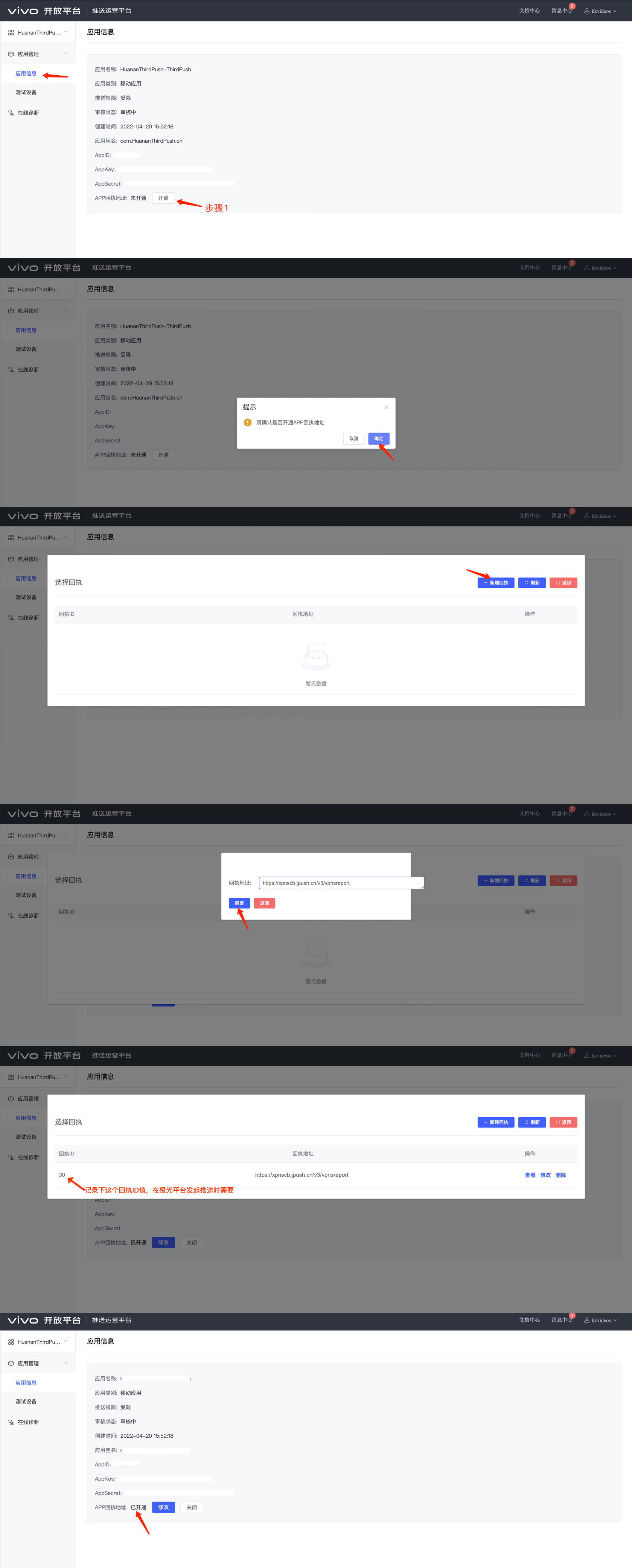
- Important: When pushing, specify the vivo receipt ID from step 2.
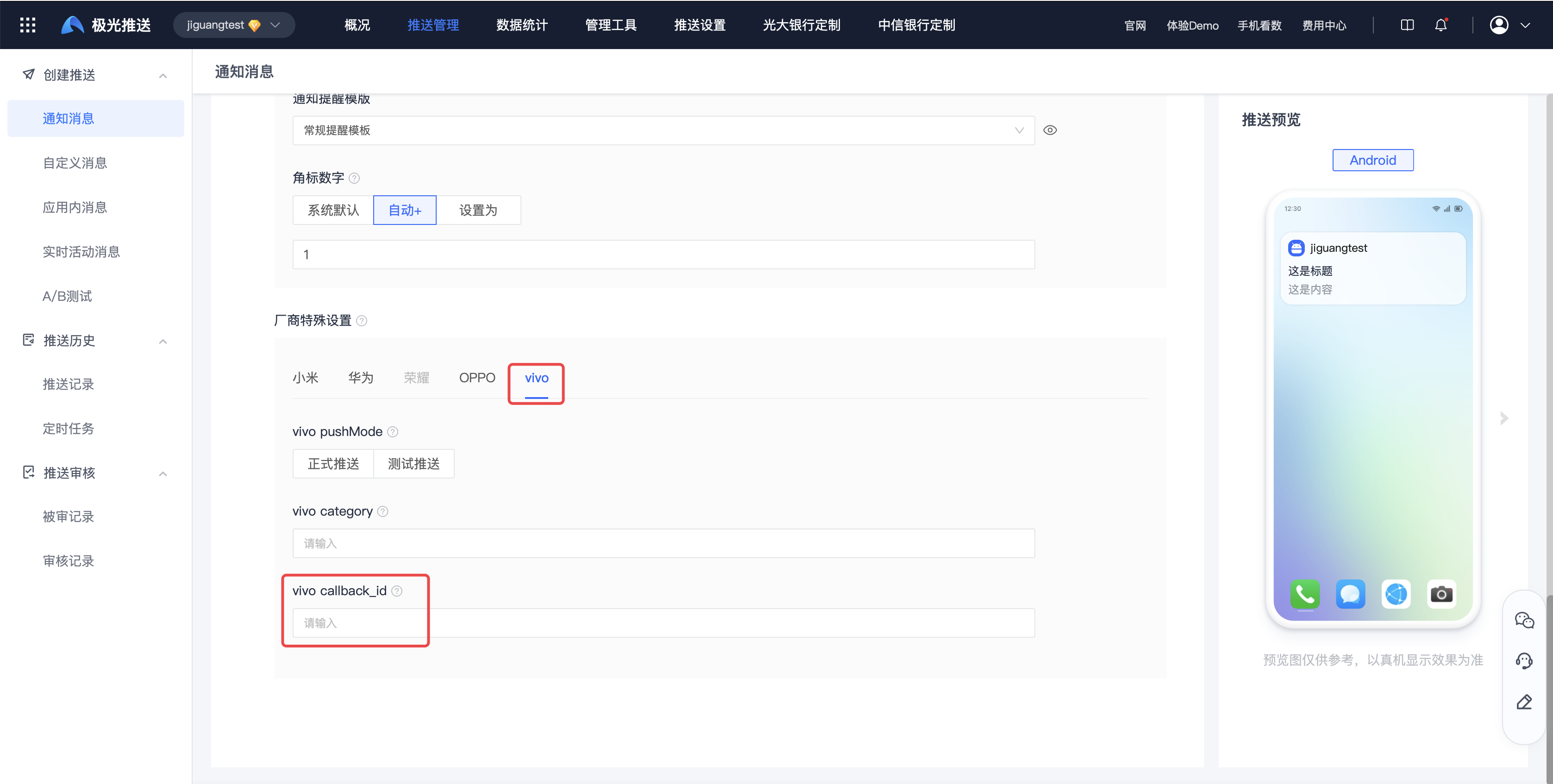
When pushing via Web Portal, fill vivo callback_id or vendor receipt data will not be collected.
- JPush Push API field:
options.third_party_channel.vivo.callback_id.
| Keyword | Type | Options | Meaning | Annotations |
|---|---|---|---|---|
| callback_id | string | Optional | vivoReply ID |
Example:
          {
 "options":{
 "third_party_channel":{
 "vivo":{
 "callback_id":"vivo推送平台产生的回执ID值"
 }
 }
 }
}

