


#Create application
Create an JiGuang developer account
To create a Jiguang developer account, please visit Jiguang Push official website. 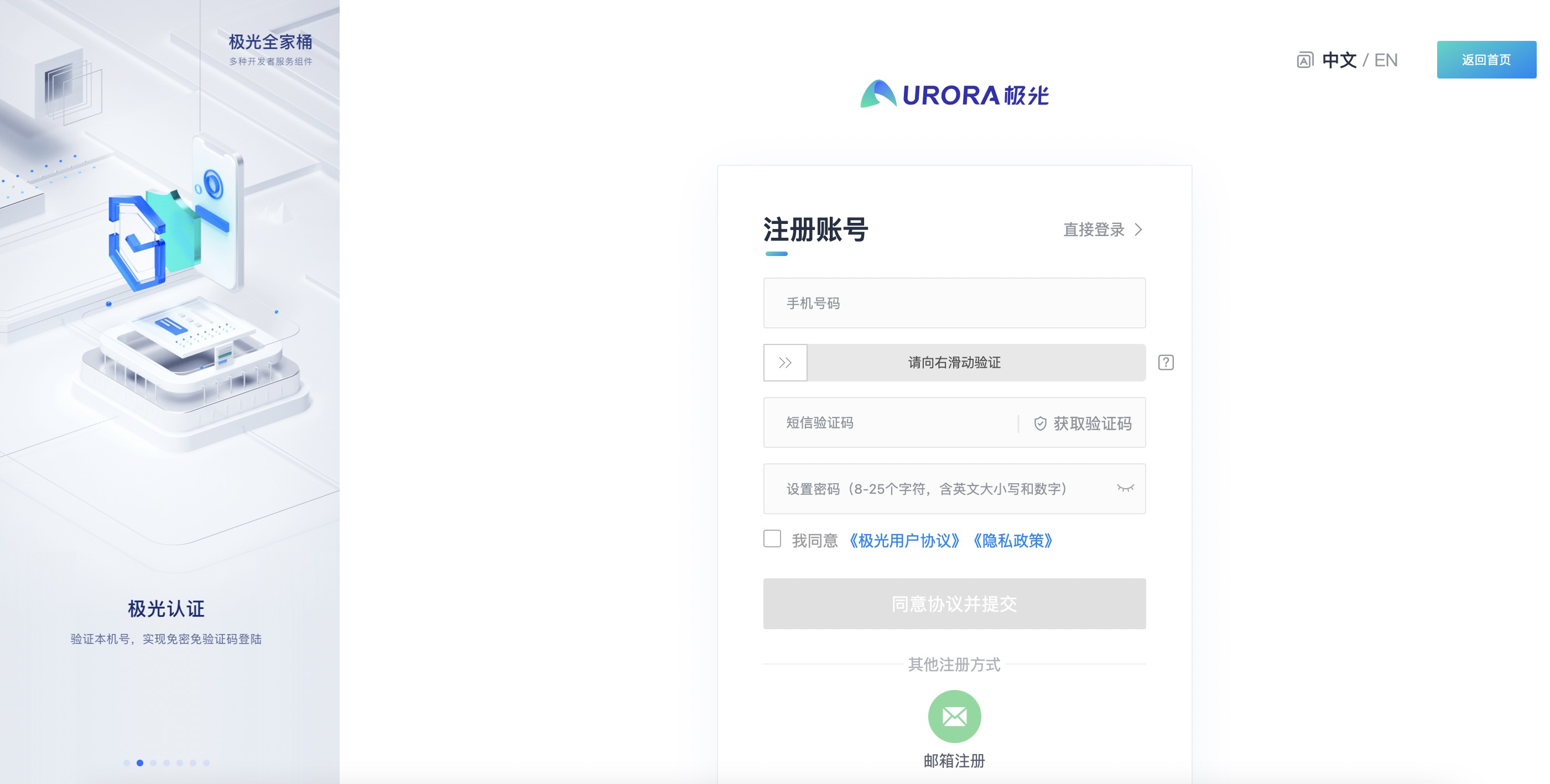
Create application
After completing the registration of the JiGuang developer account, enter the [JiGuang Console]-[Application Management] page and click the "Create Application" button. 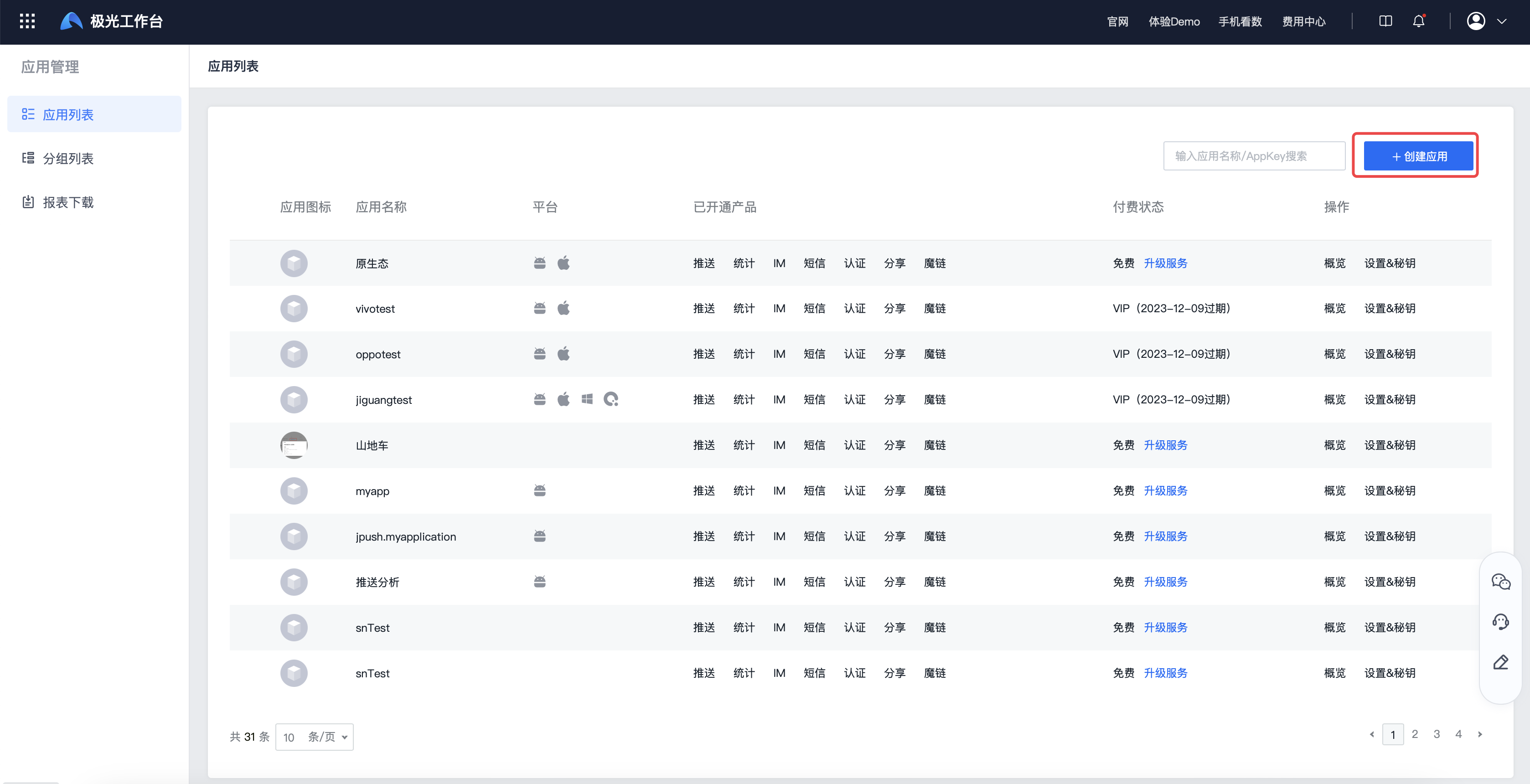
Fill in the application name and select the application type to complete the application creation. 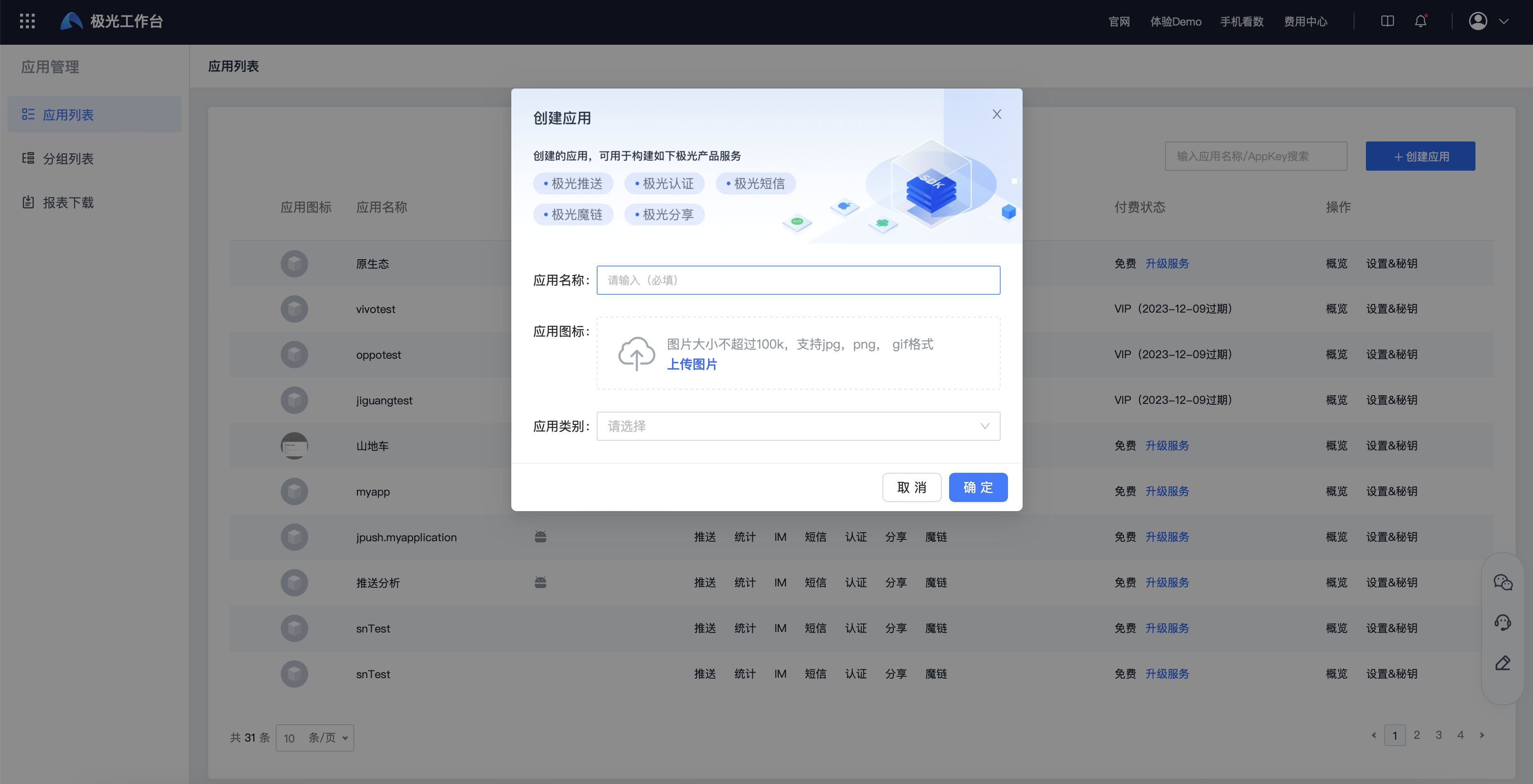
Configure push service
Select the service "Message Push" and click Next. 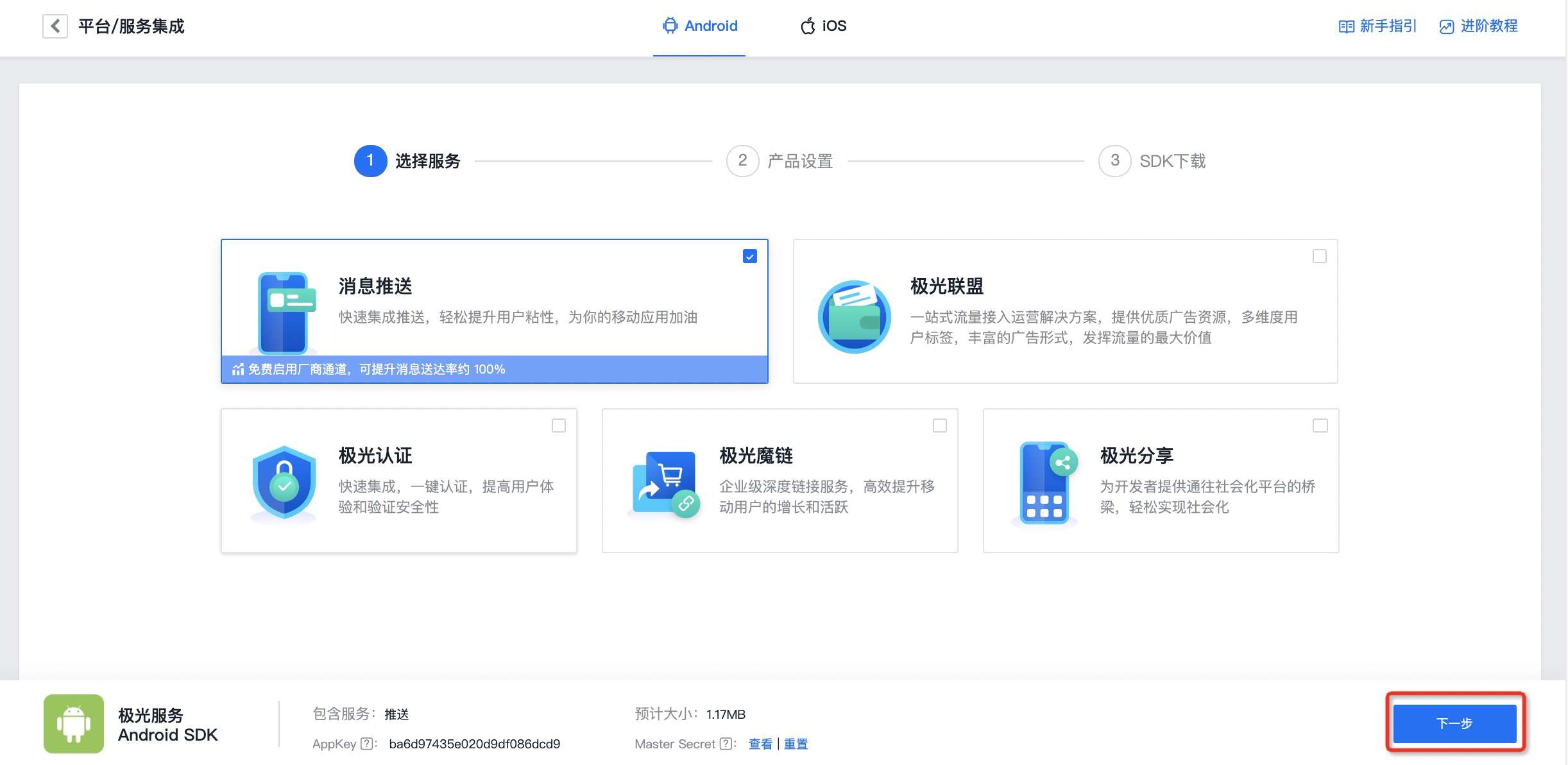
Android Configuration
Fill in your application package name in the Android section, select the vendor channel that needs to be integrated, and click Next to complete the push service configuration. 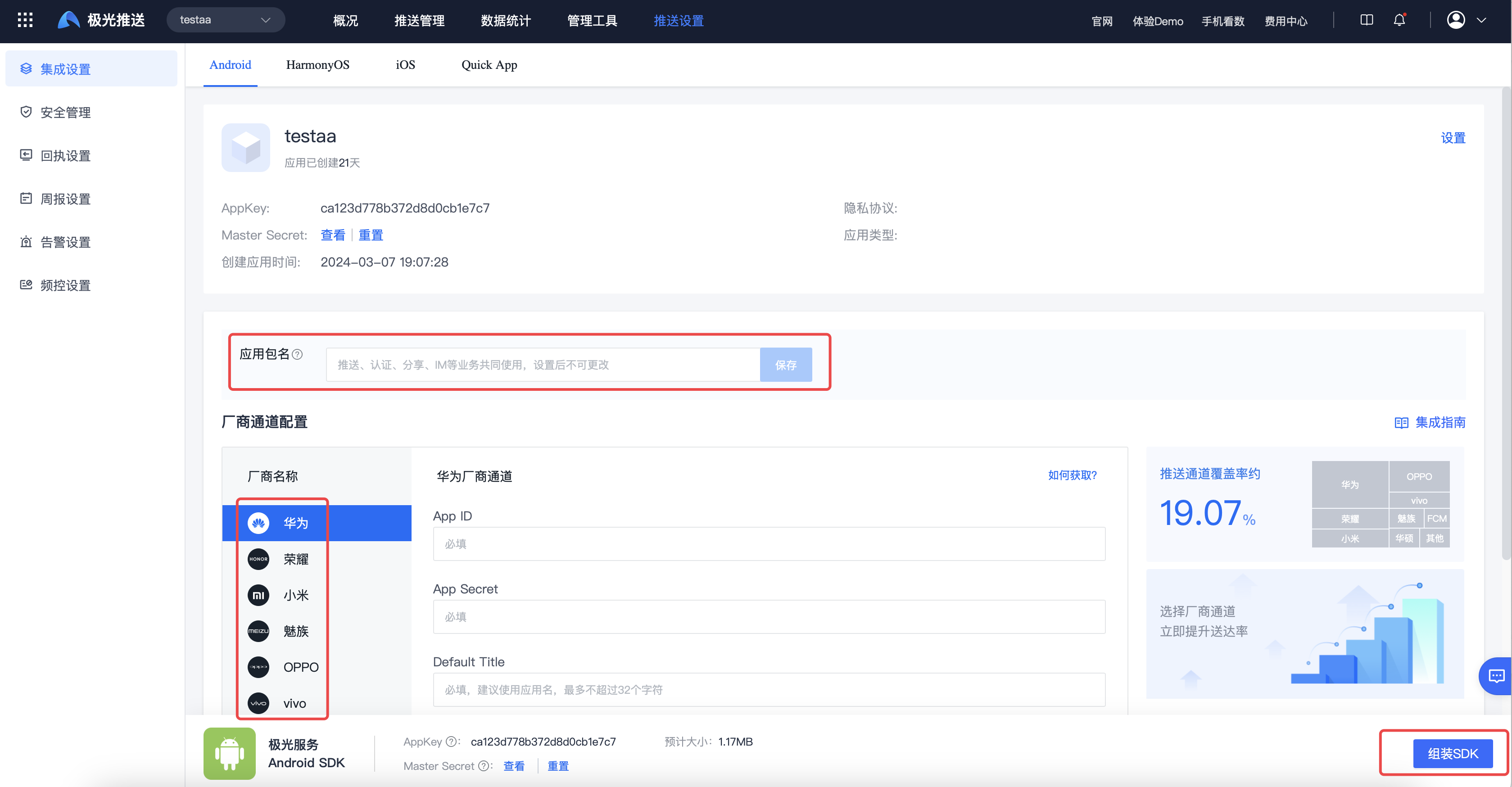
Please fill in the package name carefully. Self-service modification is not supported after the package name is saved successfully. If you need to modify it, you need to contact technical support and provide relevant information before modification can be made.
HarmonyOS configuration
Fill in your application package name in the HarmonyOS section, fill in the default title, upload the manufacturer key file, and save to complete the push service configuration. 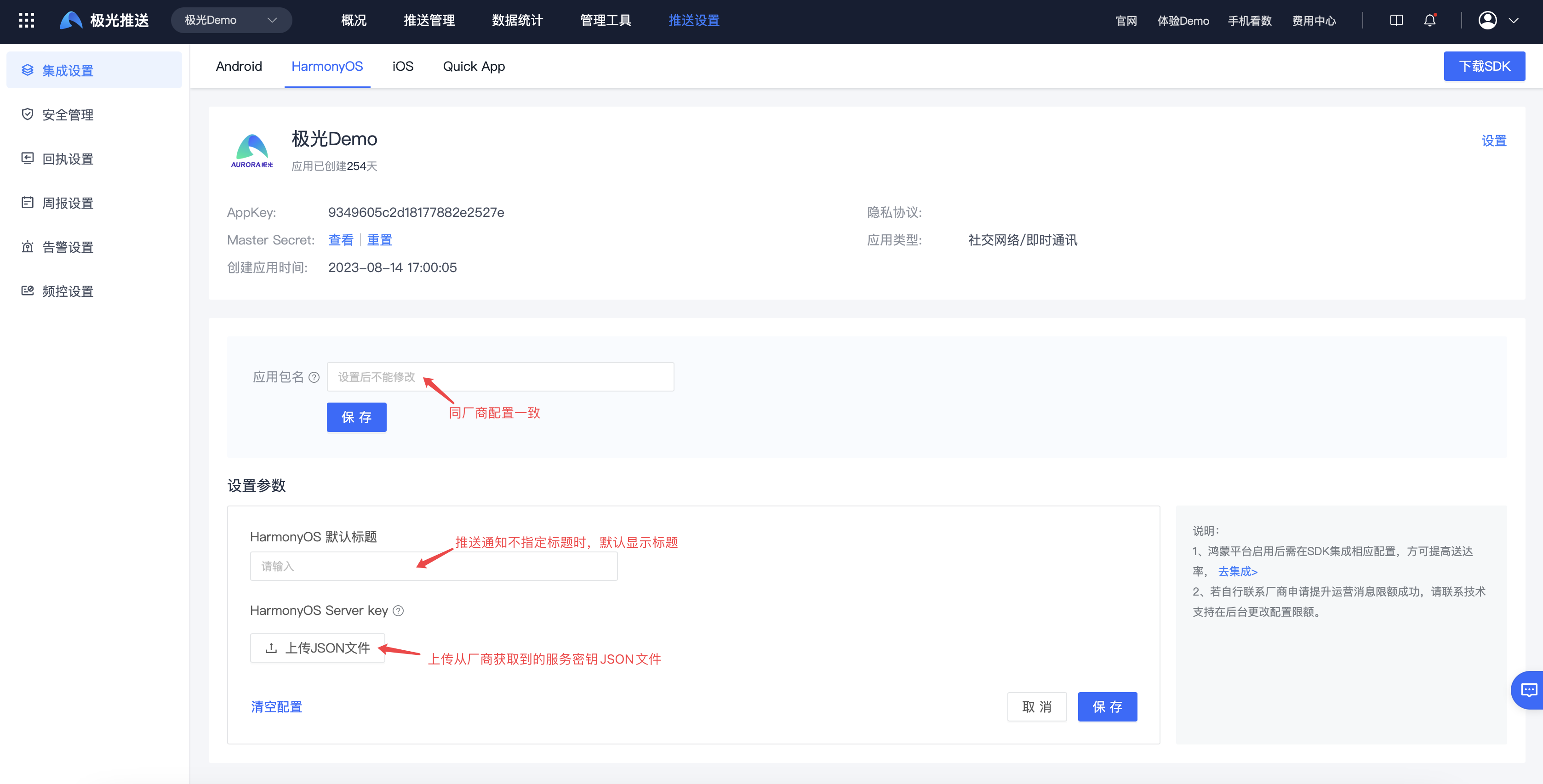
Please fill in the package name carefully. Self-service modification is not supported after the package name is saved successfully. If you need to modify it, you need to contact technical support and provide relevant information before modification can be made.
iOS Configuration
After Uploading the iOS push certificate, click Next to complete the push service configuration. 

