Troubleshooting tools
The troubleshooting tool includes message query and quota query functions. It can determine whether the message is delivered normally by checking the life cycle of the message and the manufacturer's quota, aiming to help customers quickly troubleshoot problems.
Message query
When you cannot receive push notifications, you can enter [JiguangConsole]-[JPush】-[Management Tools]-[Troubleshooting Tools]-[Message Query] page to conduct life cycle troubleshooting.
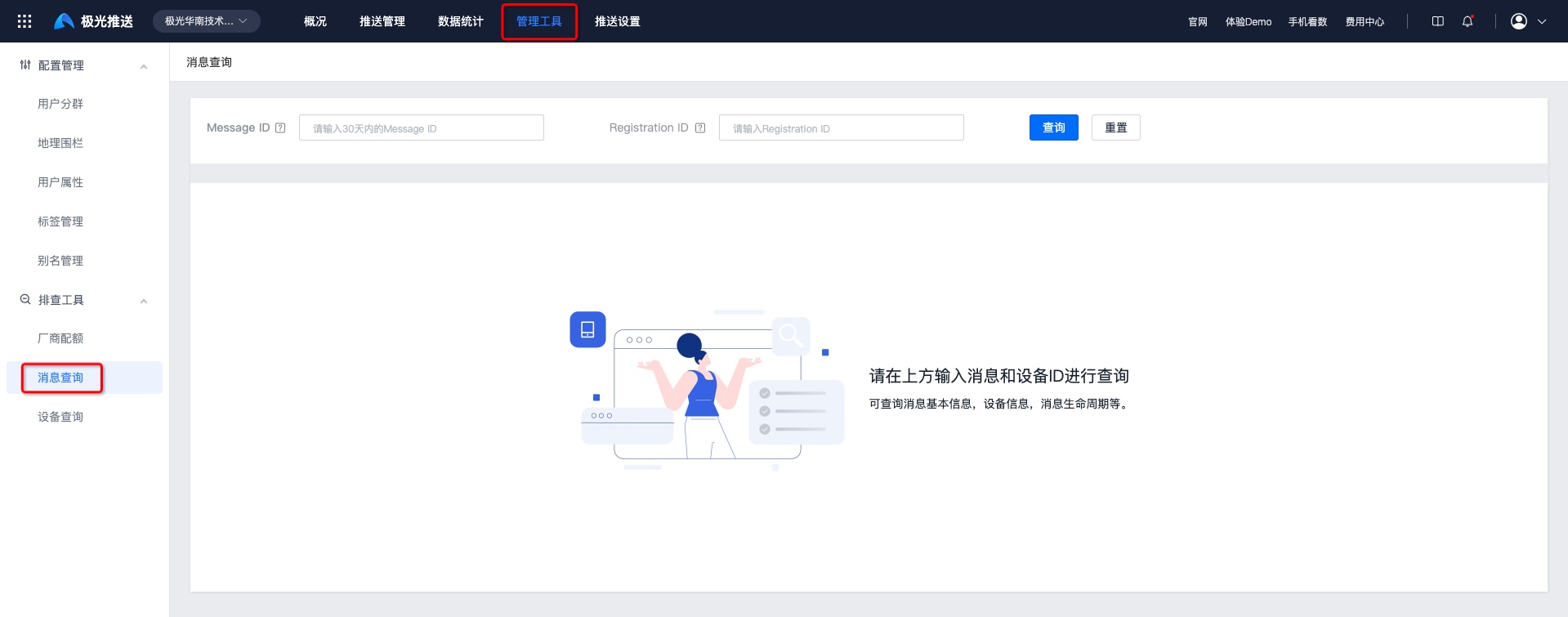
enter Message ID and Registration ID, click Query to view the life cycle of the message. The query results are as follows: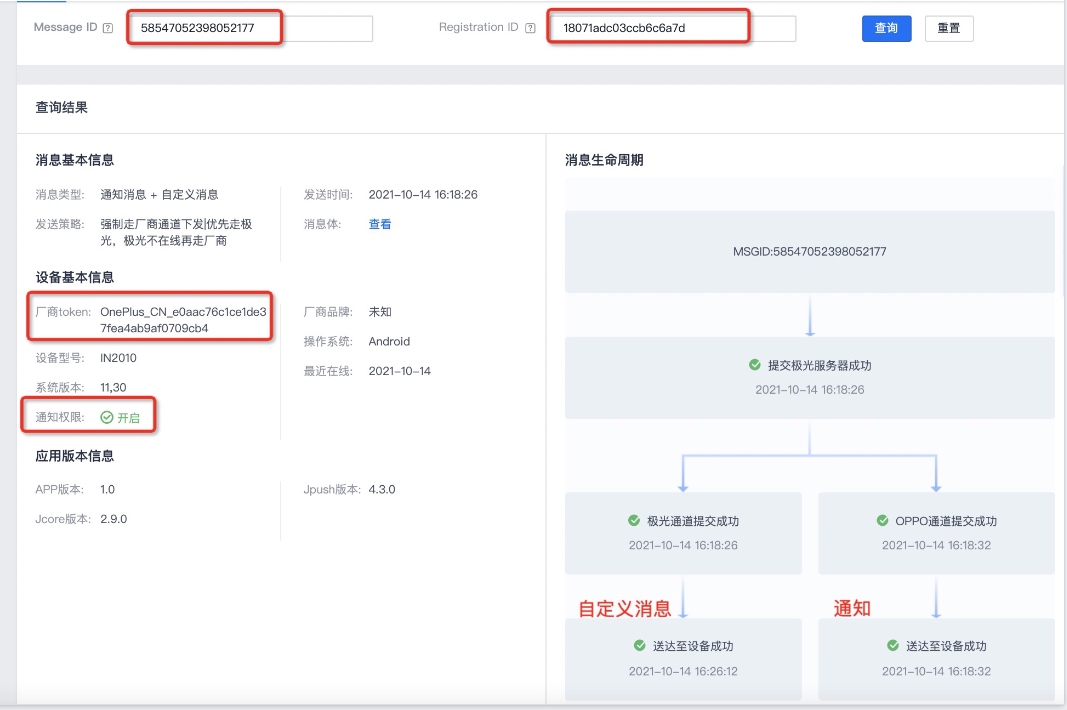
Message life cycle: If the sending fails, the error code + error message will be displayed in the corresponding failure link.
Special message life cycle: If the message type is notification message + custom message, the message life cycle will produce two bifurcated paths.
Basic message information: displays the message type, sending strategy and message body. Click the message body to view the message body. json。
Basic device information: Displays notification permission switch status, manufacturer registration status, recent online time and other basic device information.
Message ID acquisition method
Console acquisition
Enter【JiguangYou can get it from the Console]-[Message Push]-[Push Management]-[Push Record] page Message ID。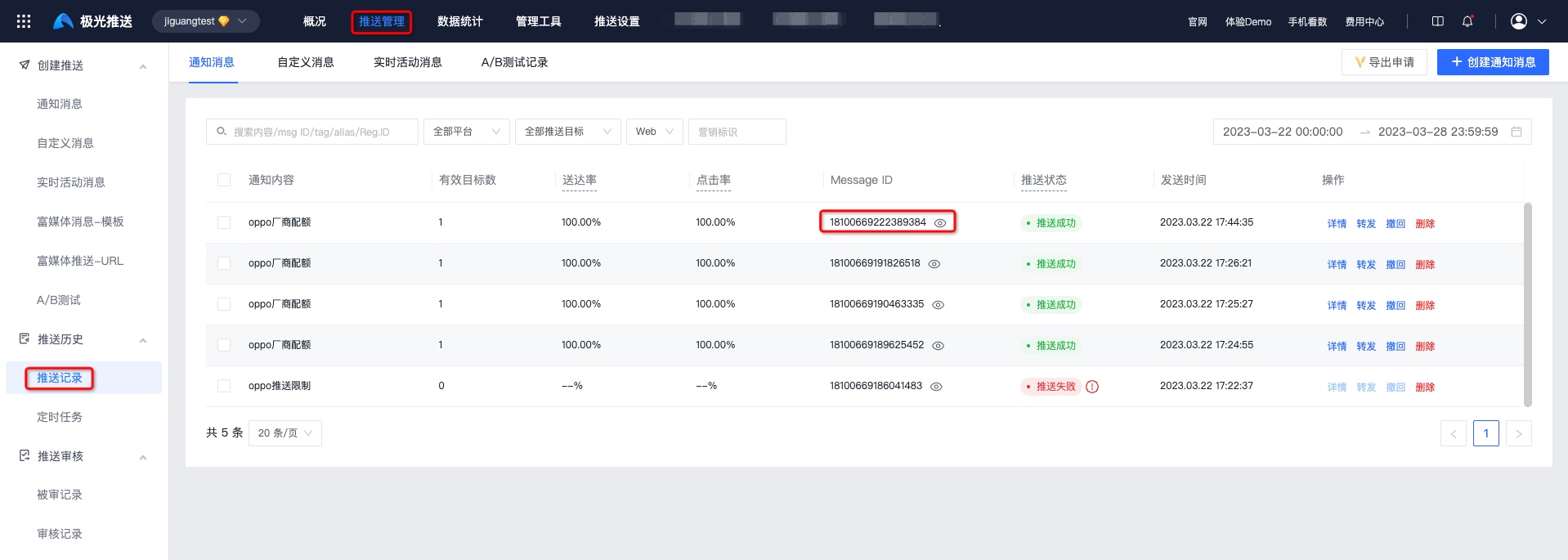
API get
API Obtained in the response parameters after calling:
          {
    "sendno": "0",
    "msg_id": "54043471036732219"
}
Registration ID acquisition method
Client initialization JPush After success,JPush The server will allocate a Registration ID, as the identification of this device (different for the same phone) App of Registration ID is different), so you need to obtain it when troubleshooting Registration ID positioning problem, how to obtain it:Android、iOS。
Quota query
If the manufacturer channel has been successfully integrated but the push does not go through the manufacturer channel (VIP The default push strategy is manufacturer channel priority), you can enter [JiguangConsole] - [Message Push] - [Configuration Management] - [Troubleshooting Tools] - [Quota Query] page to check whether the current vendor channel quota is remaining. If the quota has been fully consumed, all notifications for the day will be passedJiguangChannel is issued.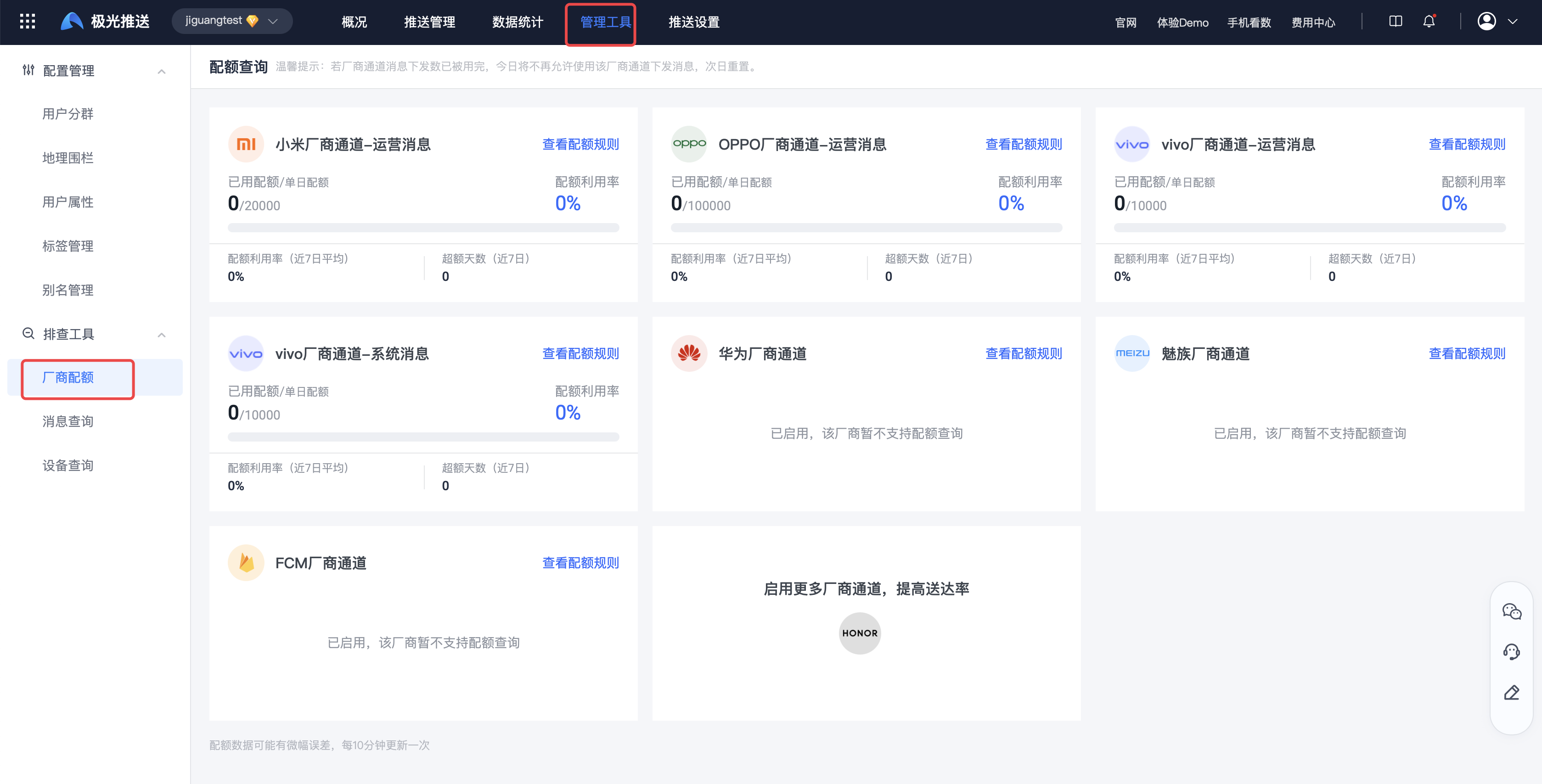
Query frequency description
| Manufacturer brand | Quota inquiry for the day | Latest balance (manufacturer) query | Real-time margin (Jiguang) calculation logic |
|---|---|---|---|
| Millet | support, interval 10min Query and record | support, interval 300s Query and record | The latest balance - the number of successful submissions,30s Calculated 1 time |
| OPPO | support, interval 10min Query and record | support, interval 300s Query and record | The latest balance - the number of successful submissions,30s Calculated 1 time |
| vivo | support, interval 10min Query and record | support, interval 300s Query and record | The latest balance - the number of successful submissions,30s Calculated 1 time |
| Huawei | Not supported, currently not queried | Not supported, currently not queried | Issued directly without calculating the quota |
| Meizu | Not supported, currently not queried | Not supported, currently not queried | Issued directly without calculating the quota |
| ASUS | Not supported, currently not queried | Not supported, currently not queried | Issued directly without calculating the quota |
| FCM | Not supported, currently not queried | Not supported, currently not queried | Issued directly without calculating the quota |
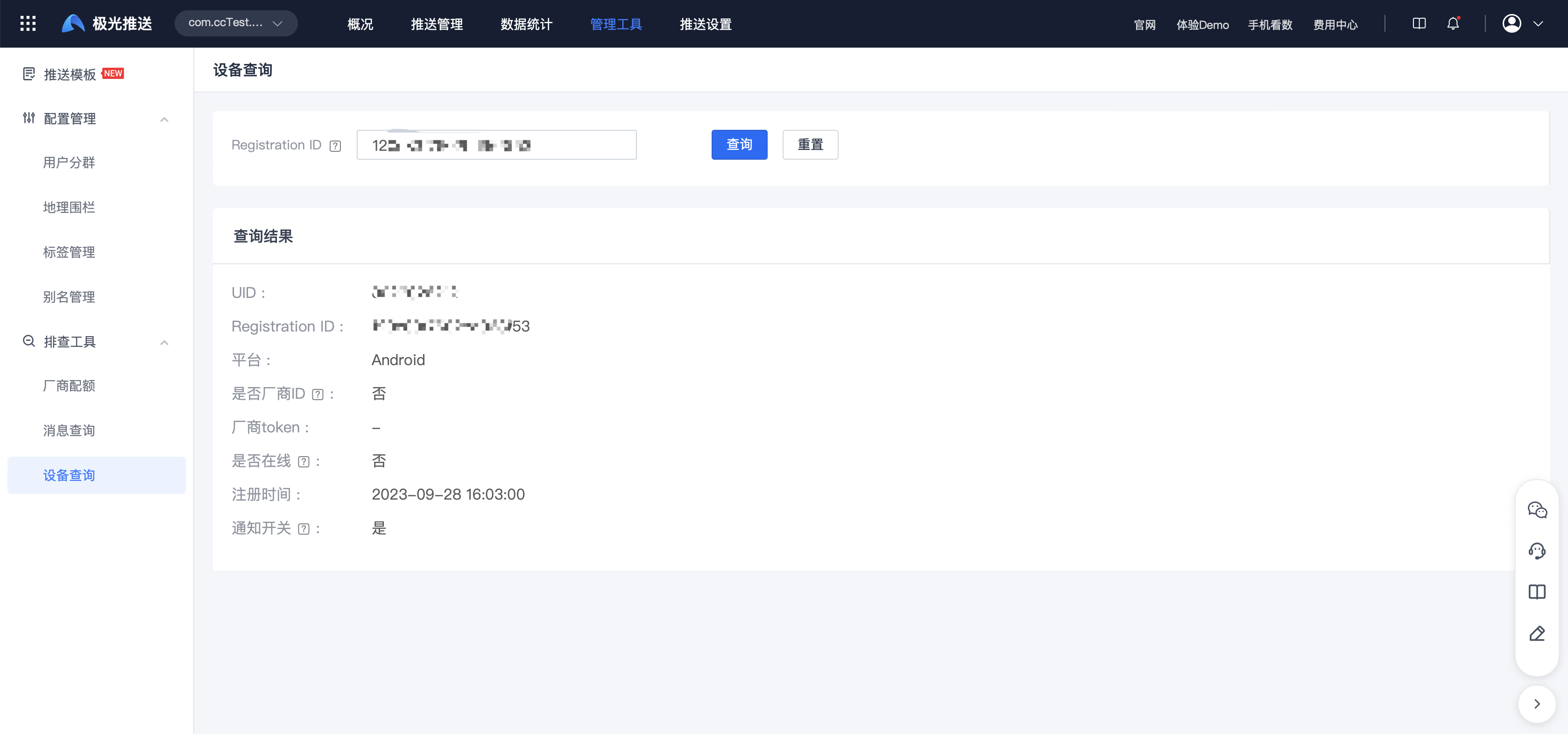
Equipment query
Supports querying device online status and registering toJiguangThe server's time, notification switch status, whether it supports vendor distribution, and the vendor'sTokenInformation; you can enter [JiguangConsole]-[JPush】-[Management Tools]-[Troubleshooting Tools]-[Device Query] page to query.
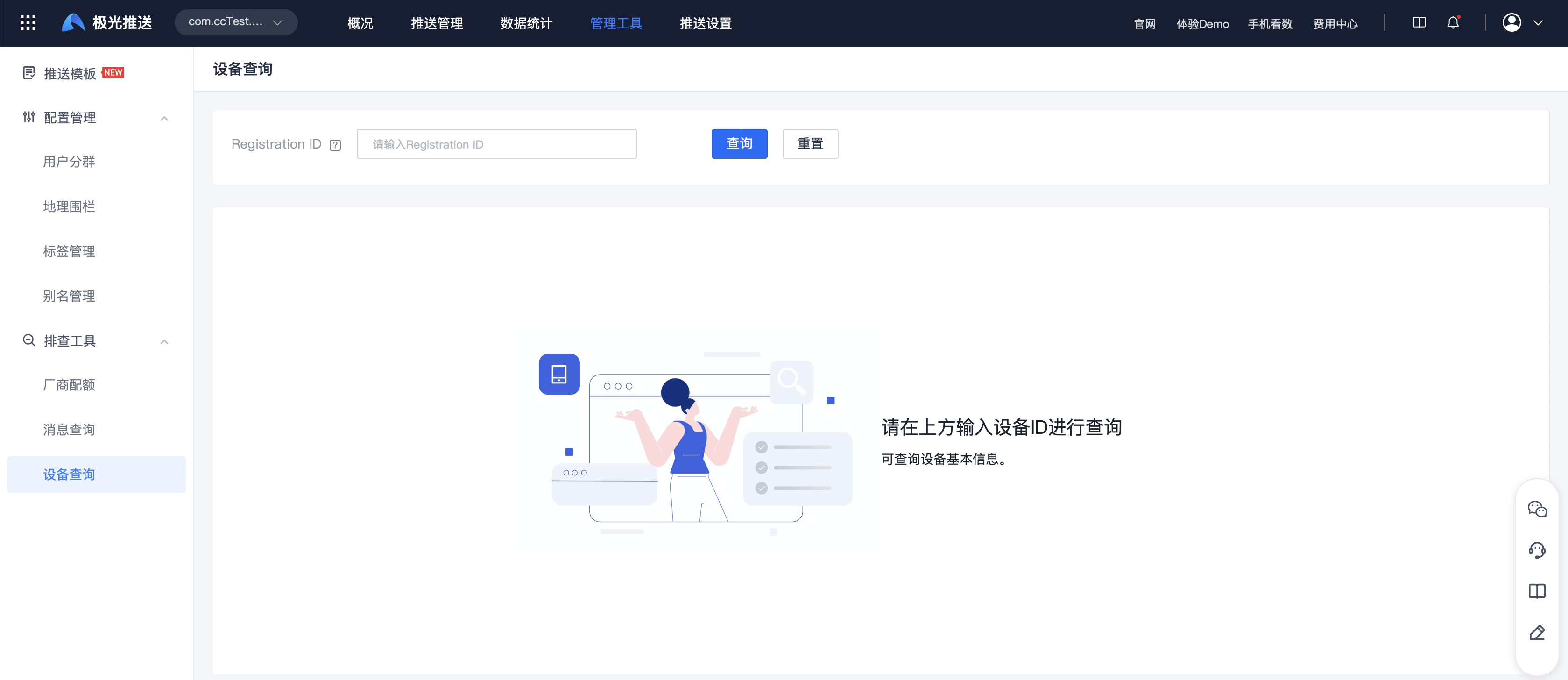
enter Registration ID, click Query to view device information. The query results are as follows: