


iOS SDK Debugging Guide
Last updated:2021-12-15
iOS SDK Debugging Guide
iOS Debugging Mind Map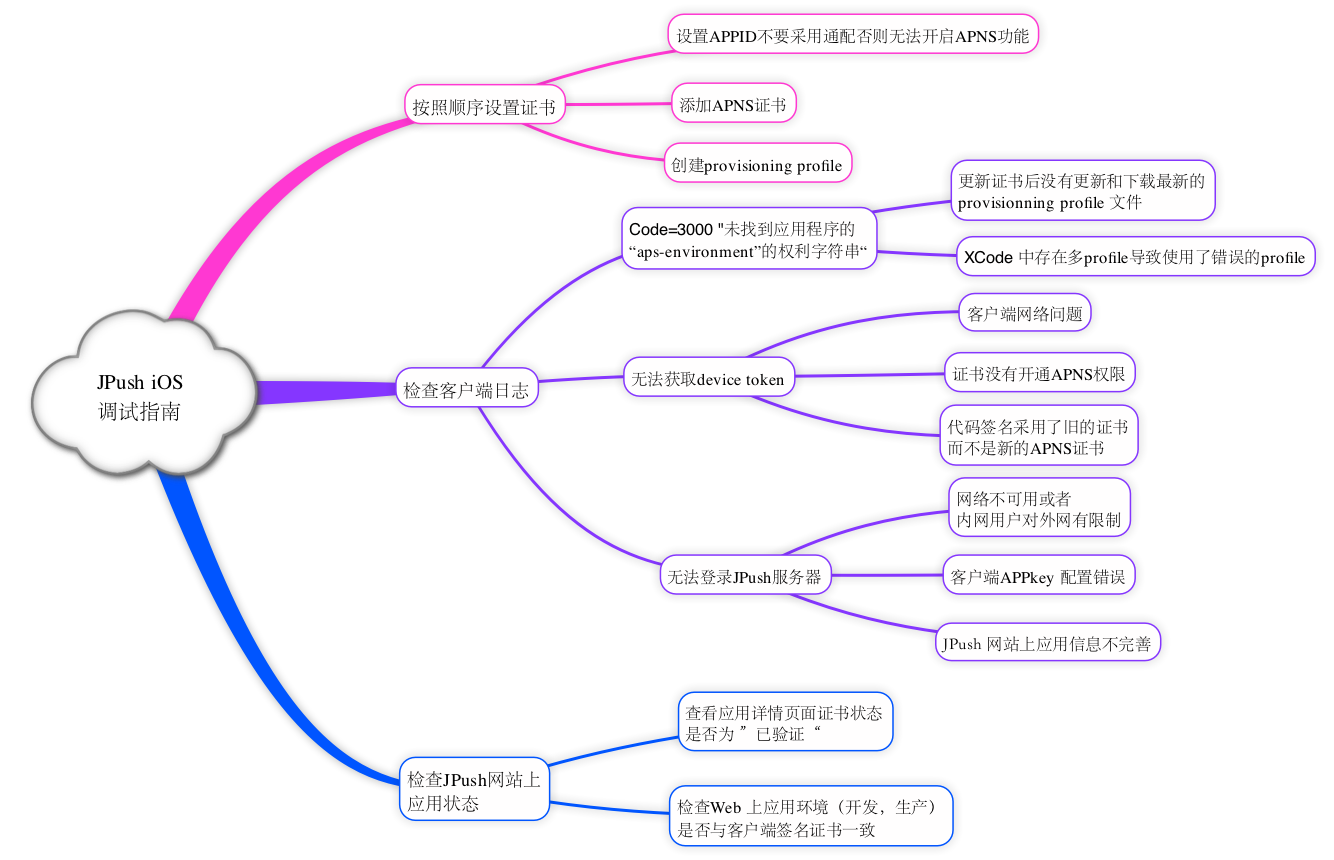
Confirm the Certificate
Go to "App Settings - Push Settings - iOS" to confirm certificate availability: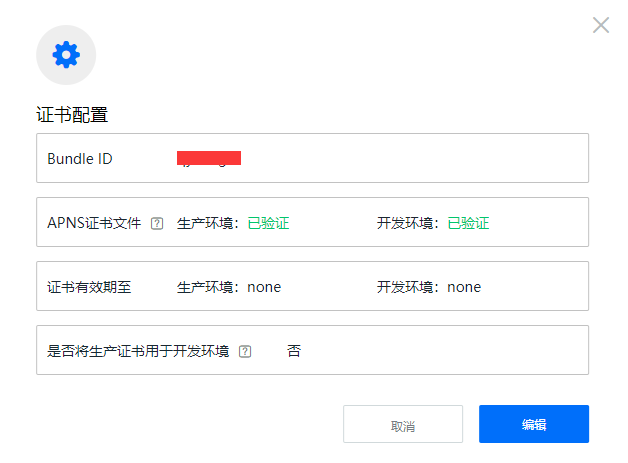
- If the certificate status shows revoked, it means your certificate has been revoked. Generate a new valid certificate and upload it.
- Certificates are valid for 1 year. Update the certificate before it expires. After updating the official website certificate, wait 5 minutes for it to take effect.
Development Environment Testing
Before testing the JPush iOS development environment, make sure the following three items are consistent:
- The app is packaged for the development environment using a development certificate.
- The development certificate has been uploaded and verified. Now, after uploading a production certificate, you can check "Use the production certificate for the development environment" and skip uploading a development certificate.
Production Environment Testing
Before testing the JPush iOS production environment, make sure the following items are consistent:
- The app is packaged as an ad-hoc build or App Store version using a production certificate. Do not run it directly from Xcode.
- The production certificate has been uploaded and verified.
Other Possible Issues
Message Reception Is Not Stable Enough
JPush iOS supplements and wraps the native official APNs push service to help developers use APNs more easily.
Because APNs itself does not guarantee message delivery, the connectivity between the client network and the server has a major impact on whether APNs receives messages in a timely manner.
Was this document helpful?

