


Create push task
Last updated:2024-03-28
Create push task
This article is intended to guide customers on how toJiguangQuickly create push tasks on the console, more push parameter configuration reference Create push document.
Push configuration instructions
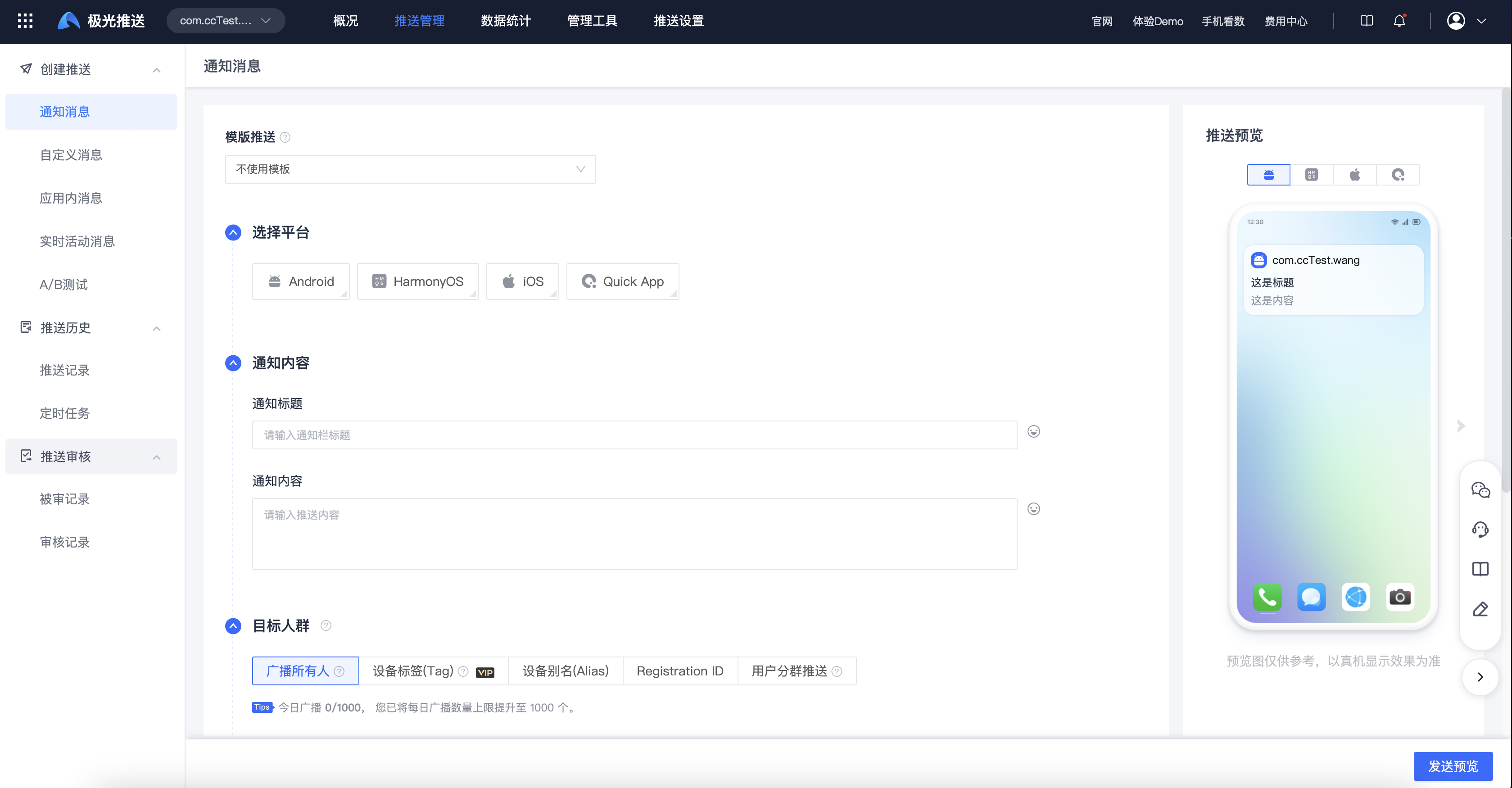
Finish SDK After access, you can enter the [Message Push]-[Push Management]-[Create Push]-[Notification Message] page to create a push task. The necessary configuration is as follows:
- Select target platform: based on integration SDK Platform, select the platform to be pushed.
- Notification title: the title of the push message, please try to avoid "test, test, pure numbers" and other meaningless content, otherwise it may be intercepted by the manufacturer and the notification message cannot be received.
- Notification content: the content of the push message, please try to avoid "test, test, pure numbers" and other meaningless content, otherwise it may be intercepted by the manufacturer and the notification message cannot be received.
- Select the target: the target group that needs to be pushed. It is recommended to use the data obtained from the registration log during testing. registrationID Make a push.
Send preview
After configuring push parameters, click Send Preview to view the configured push parameters and estimated number of push users.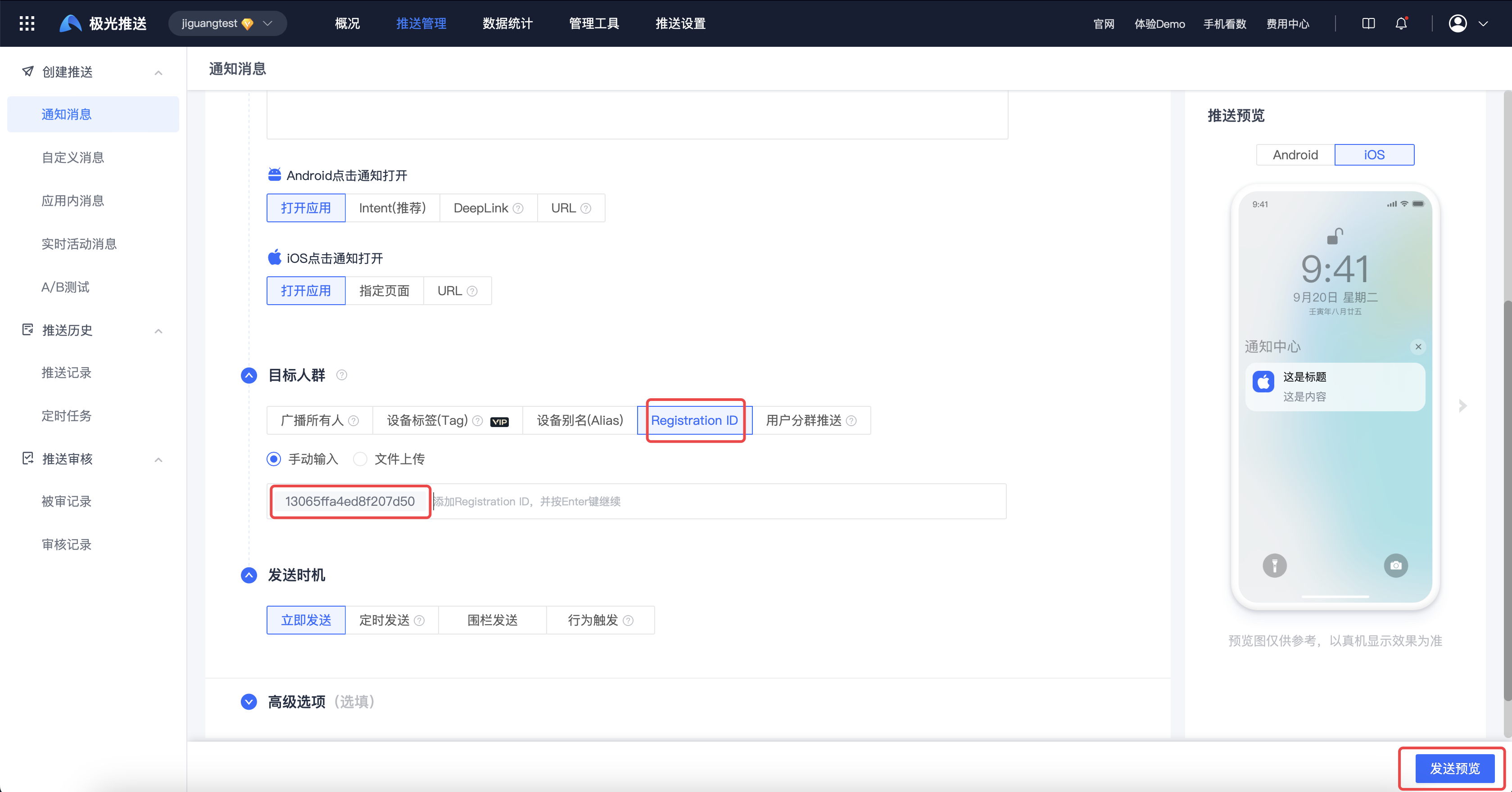
Confirm that the estimated number of people is >0 and click Confirm to successfully create the push task.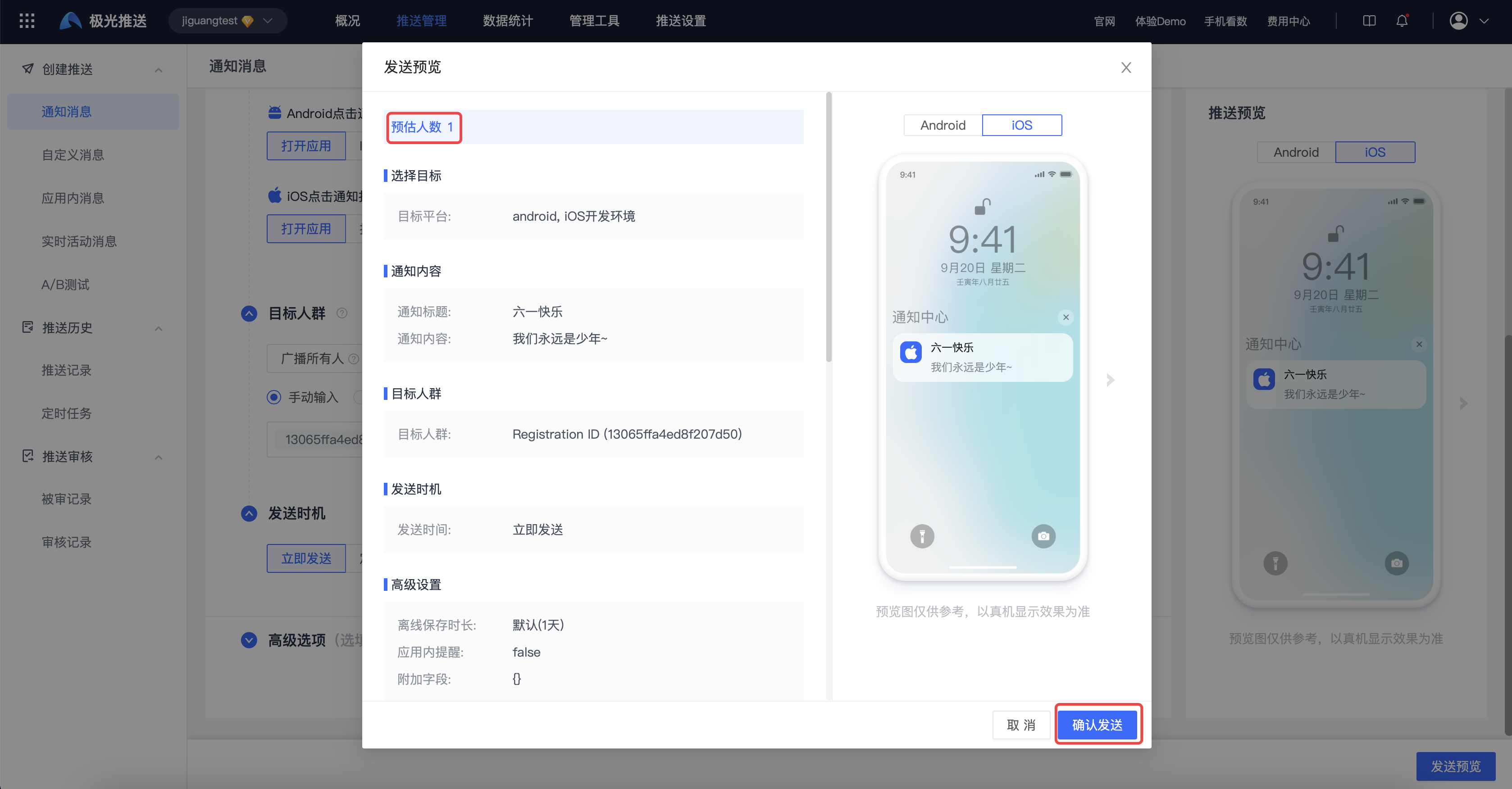
If the estimated number of people is 0, the push cannot be sent and the following error will be returned:
Was this document helpful?

