


Push plan
Efficiently manage multiple push tasks, accurately view the overall effect in a combined manner, and evaluate the achievement of goals.
Usage scenarios
When carrying out various operational promotion activities (such as 618, Double 11 and other large-scale promotions), it is necessary to evaluate the effectiveness of different activities. At this time, you can use the "Push Plan" function. The number of message delivery and user clicks can be seen at a glance, and the conversion effect is under control!
Create plan
Created via WebPortal
Page path: [JiGuang Console] - [Message Push] - [Management Tools] - [Push Plan].
The effect of non-VIP entry page is as follows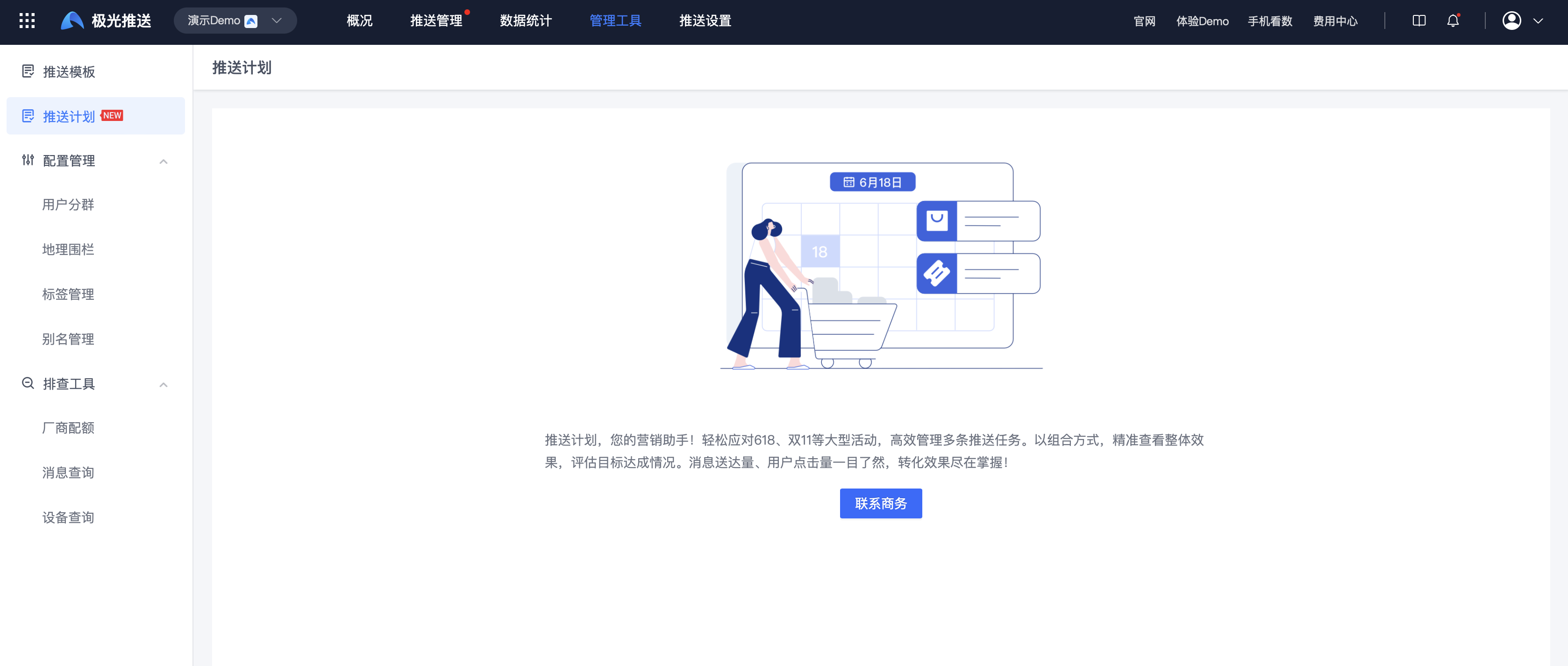
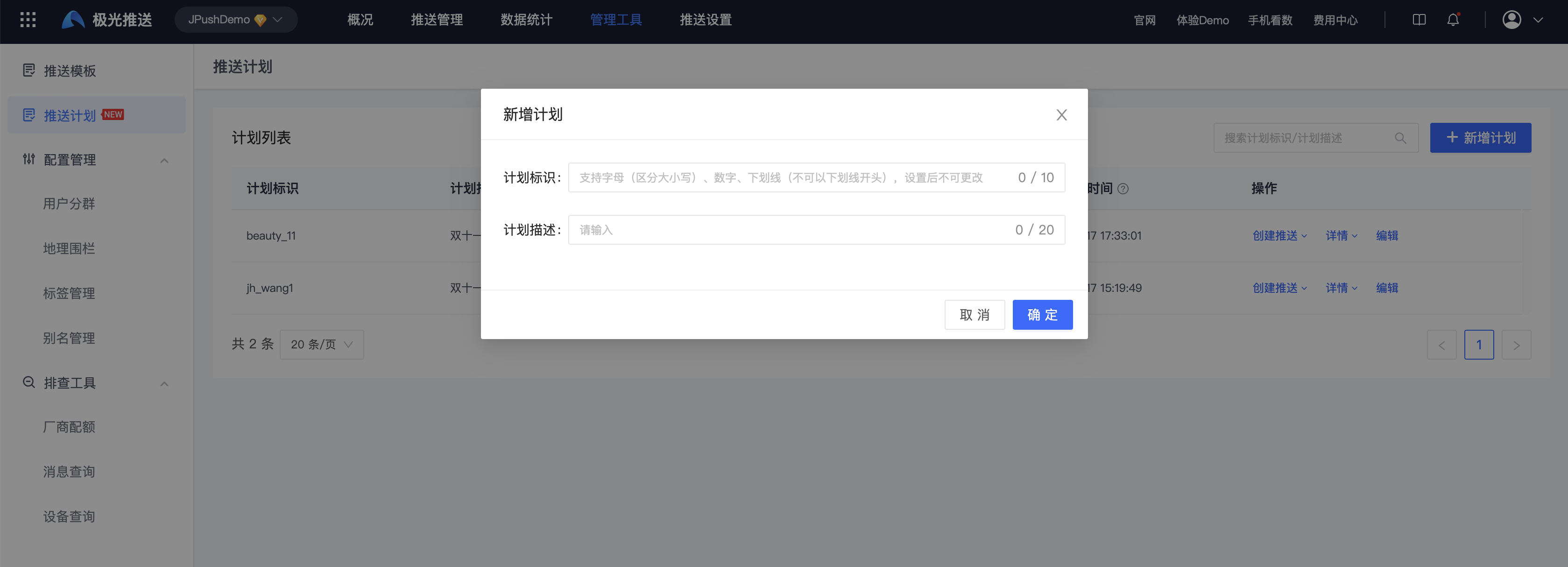
VIP enters the page for the first time and chooses to create a plan. The page effect is as follows. Just fill in the plan content according to the page requirements.
Created via API
To add, modify, and query the push plan, please refer to the document [Push Plan Management API].
Query plan
After the plan is successfully created, you can query the plan list as follows:
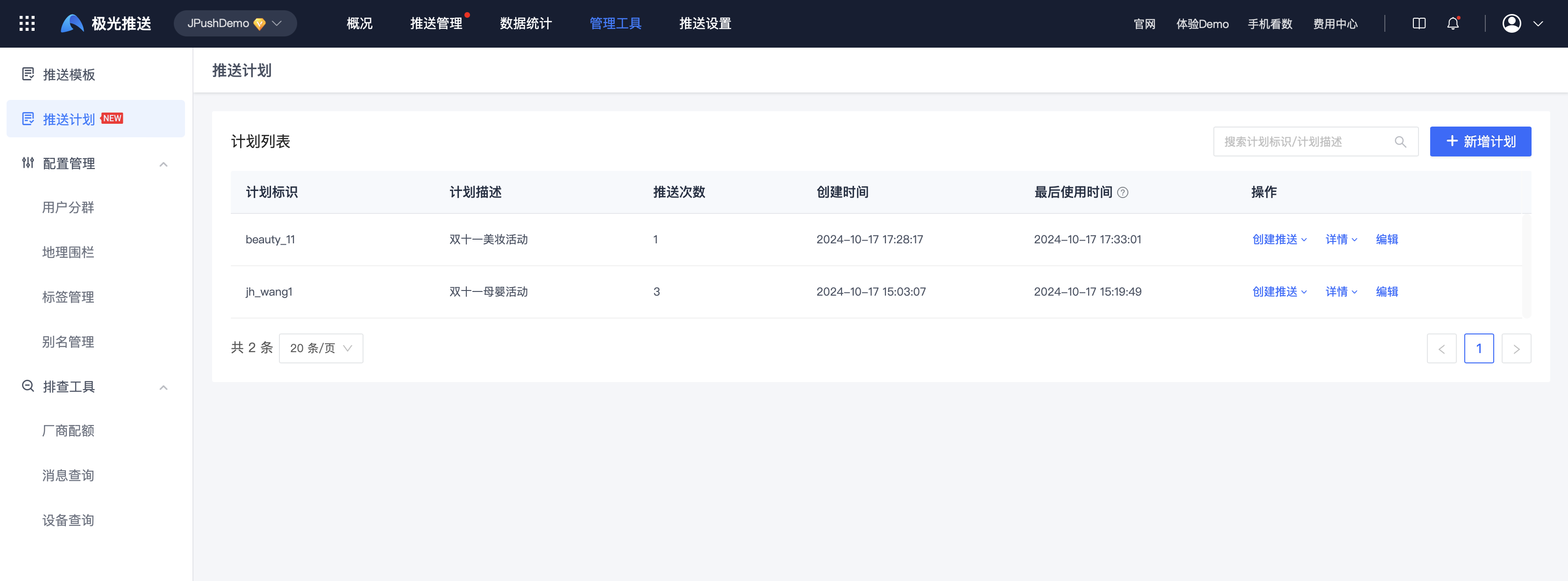
Description: Supports selecting specified plans to quickly "create push", query "push records", query "push statistics" data, and "edit" plan description.
Specify planned push
Push via WebPortal
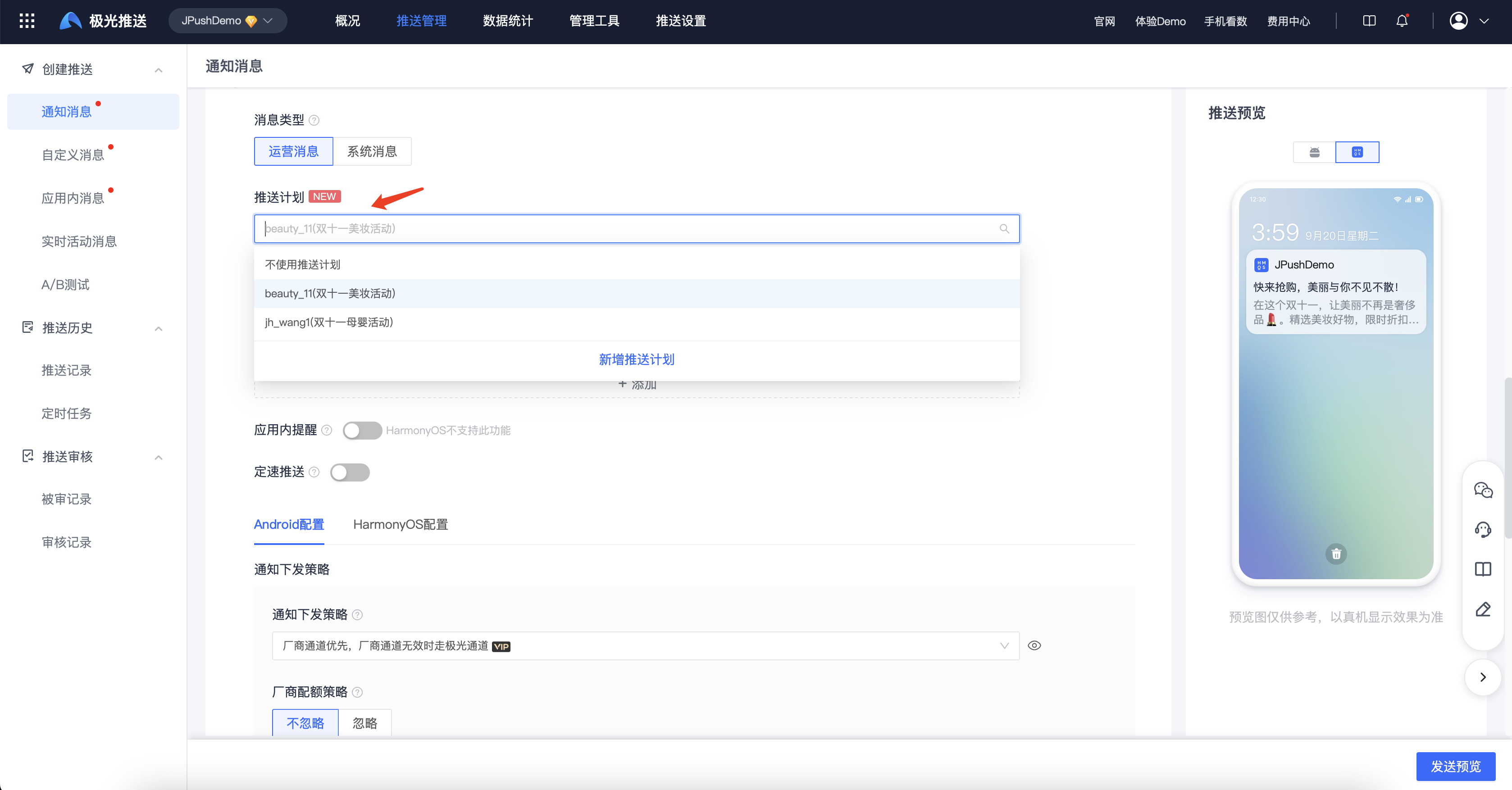
On the create push page, you can select a push plan, as follows:
Push via API
When pushing the API, just specify the "Plan ID" to push, and pass the "Plan ID" value to the options.business_operation_code field in the Push API protocol. For specific field descriptions, please refer to: [Create Push API](https://docs.jiguang.cn/jpush/server/push/rest_api_v3_push#options: Optional parameter e)
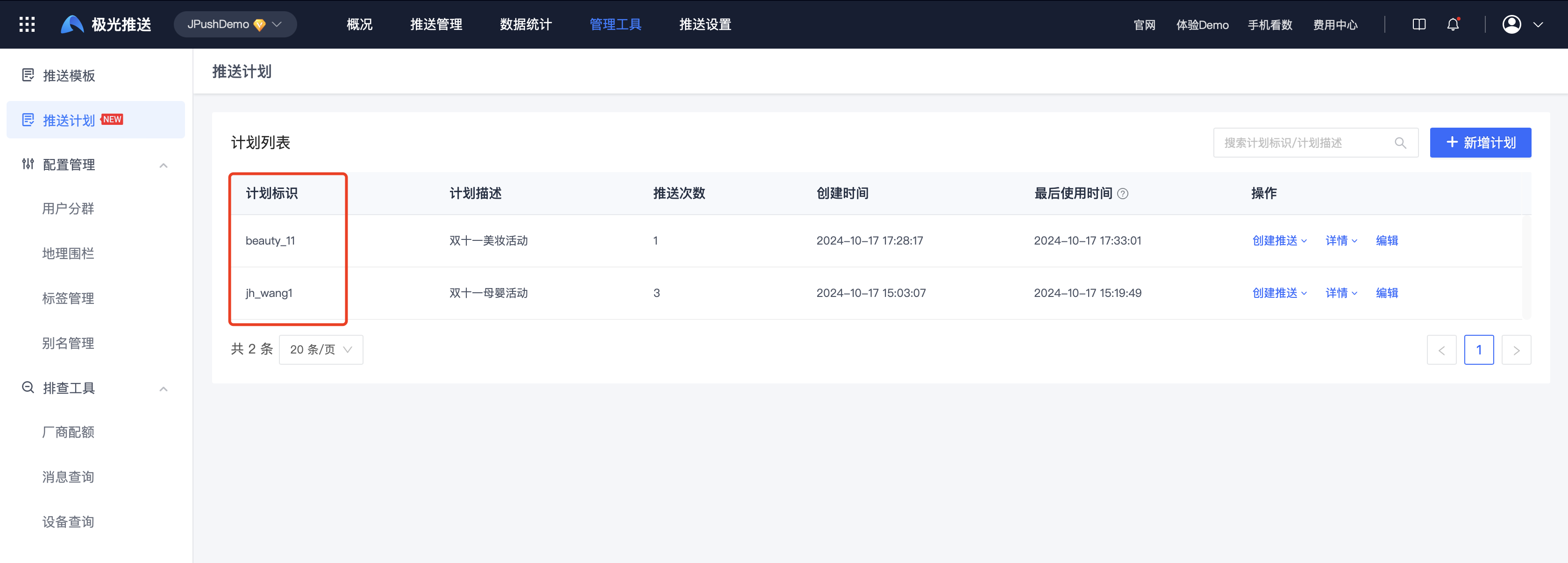
"Plan ID" can be found through the JiGuang webPortal page, as follows:
Usage restrictions
- Only available for Push VIP customers, non-Push VIP customers need to upgrade the service to use it
- Allows creation of up to 1000 plans

