


View push history
Last updated:2025-01-13
View push history
This article aims to guide customers how to quickly view push records on the Jiguang console.
Push records
After the push is successful, click "Go and check" to enter the push record page. 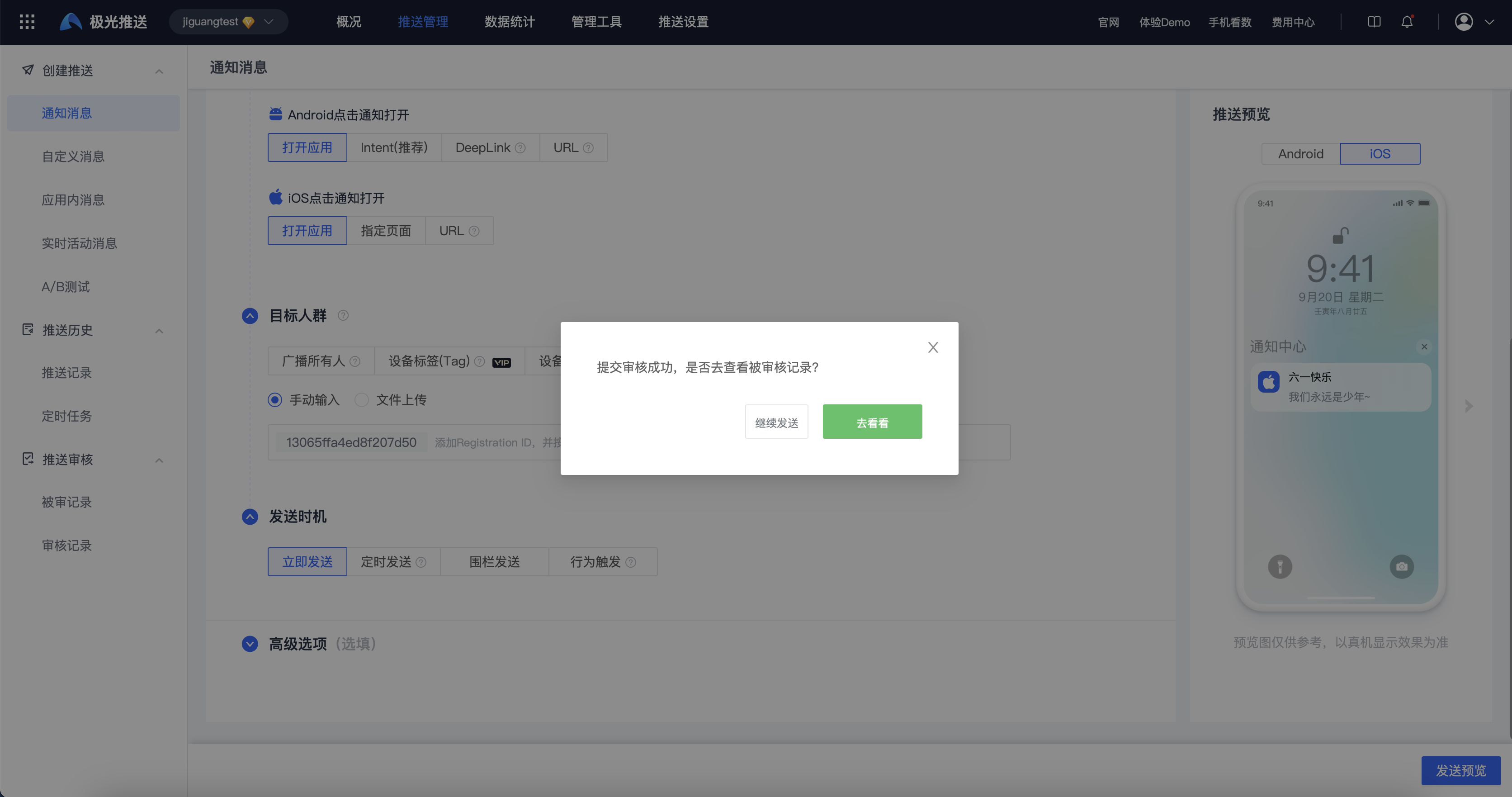
The push record page will display the Message ID, push status and other contents. Click "Details" to view the notification details. 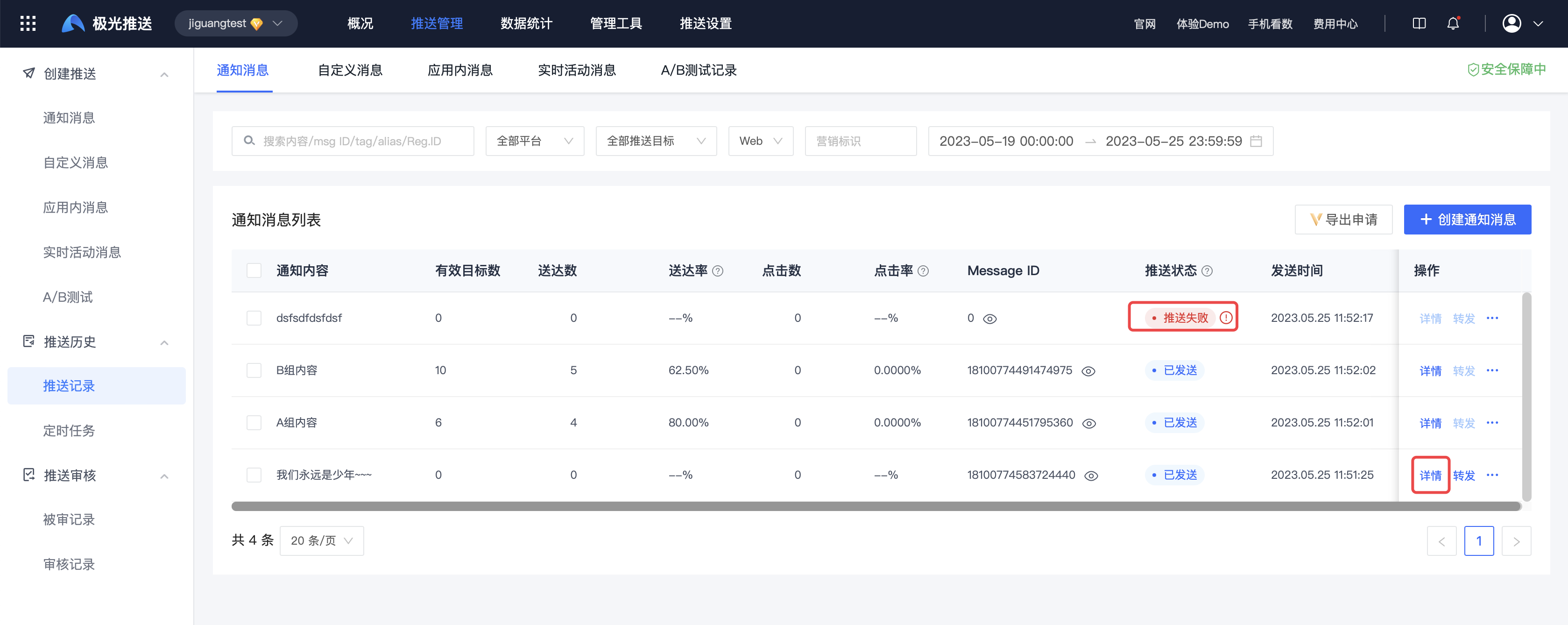
When the push status is "Push failed", the push is displayed in red. Click the symbol to the right of "Push failed" to view detailed error information.
Notification details
Basic information
Click the message body to view the json message body of this push. 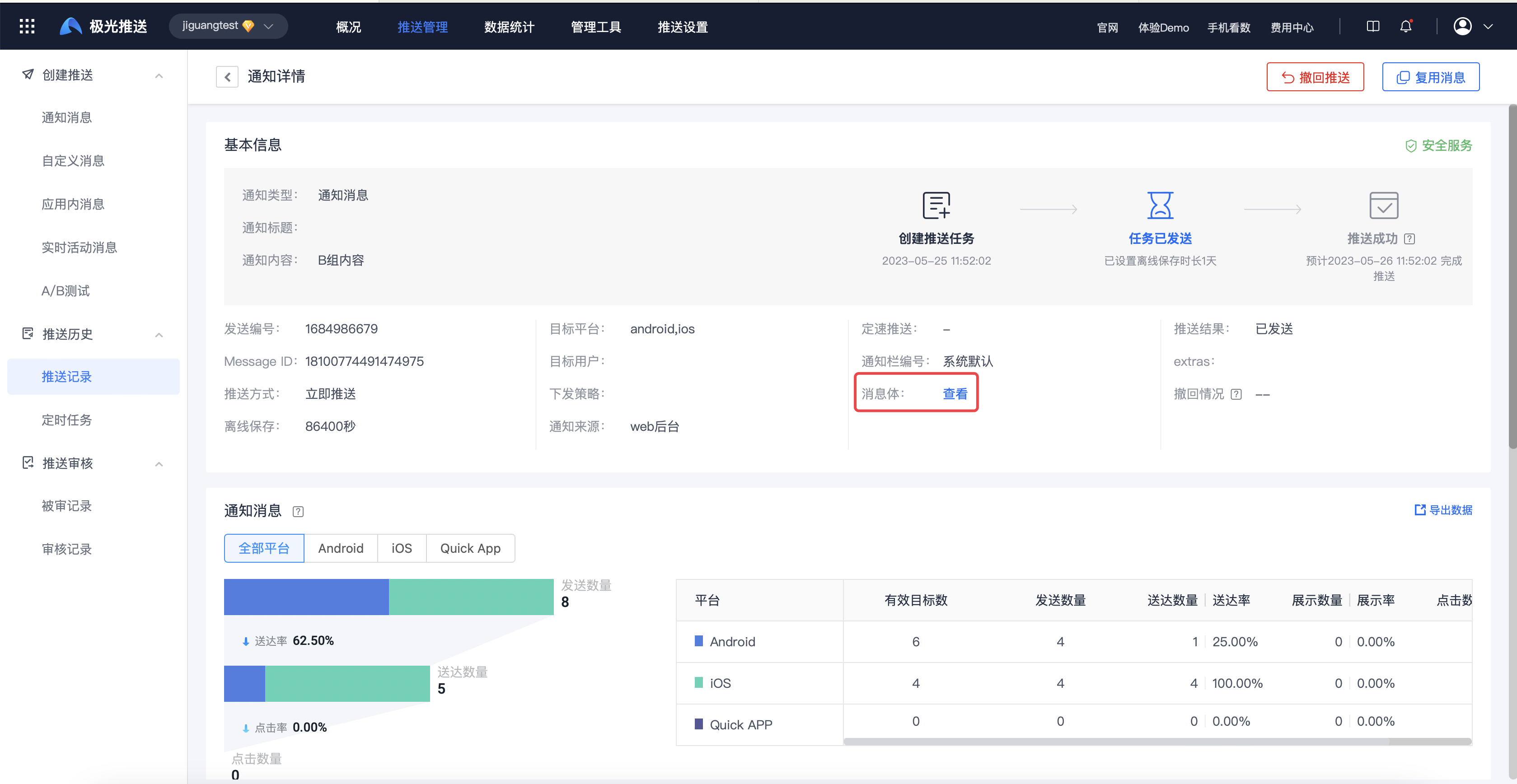
Notification message
Select the corresponding platform to view detailed push data for different channels of the platform. 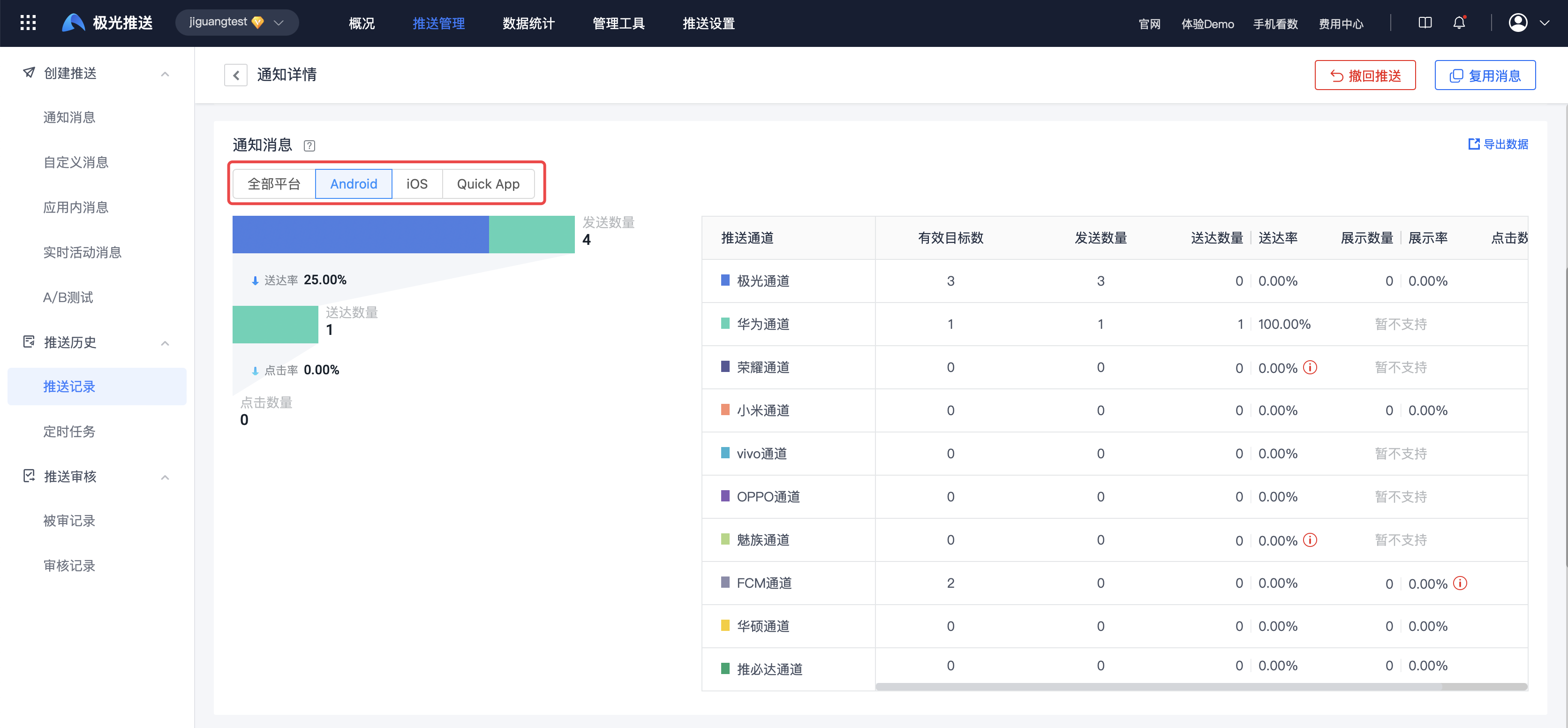
Analysis of causes of damage
Click on the annular area to see the breakdown of the causes of damage. 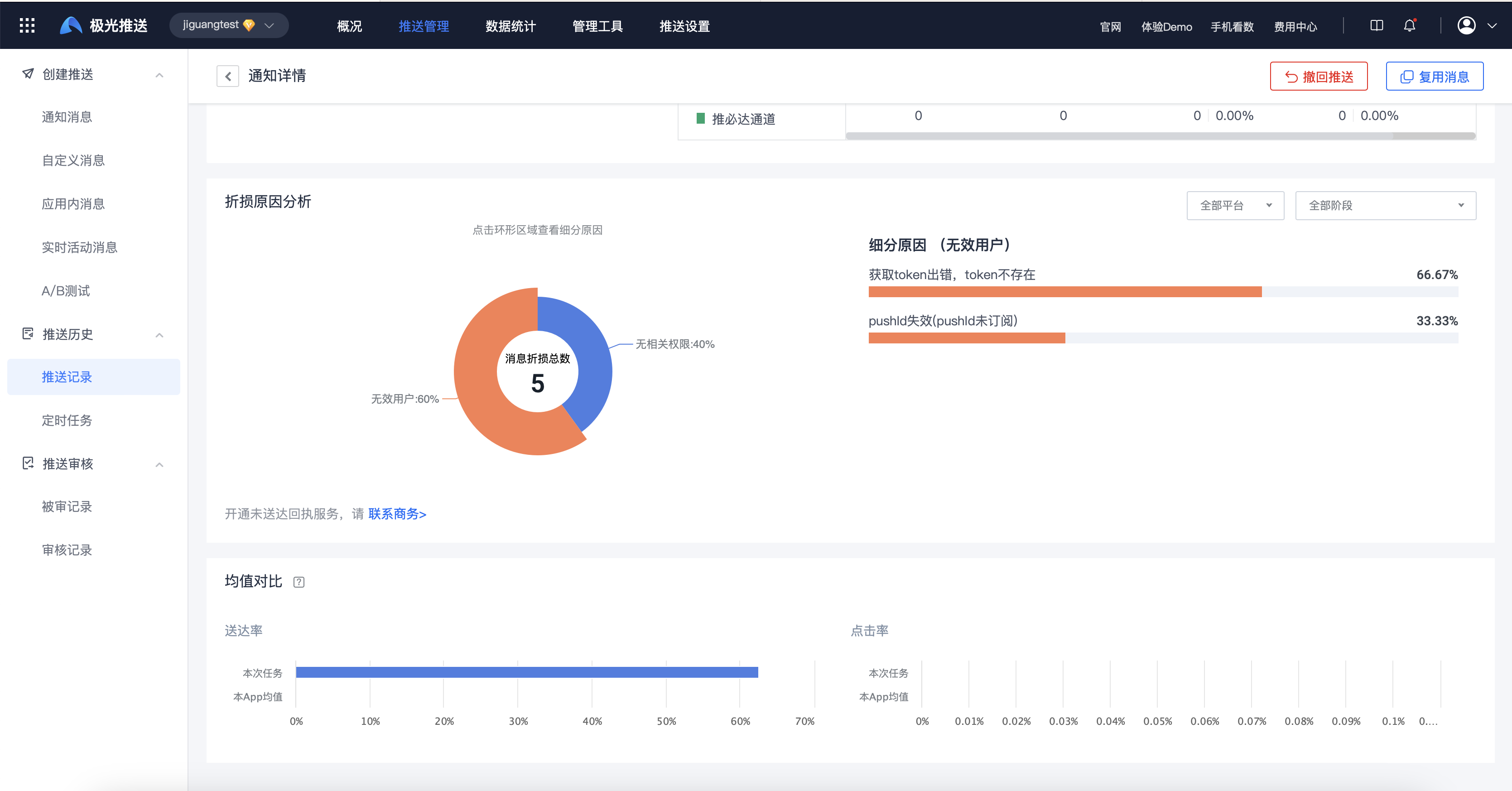
Was this document helpful?

