Push template
The parameters required for push are configured in advance through the web page to form a set of "parameter templates". Developers only need to specify the "push template ID" when using the interface to push, which reduces development difficulty and saves server bandwidth costs. When webPortal pushes, you can also directly specify the template to push.
Usage scenarios
a. For system notifications such as orders, logistics, and alarms, the push copy and notification attributes are basically similar. At this time, the "Push Template" function is used to achieve fully intelligent push, enhance push personalization, and improve development and operation efficiency.
b. With the continuous iteration of platform functions, when pushing new function parameters to the API, developers do not need to go out of their way to make modifications. They can directly configure the "push template" through the web page to quickly use and adapt the new functions.
Create template
a. Only available for VIP customers, non-VIP customers need to upgrade the service to use it
b. A maximum of 100 templates are allowed to be created (total of all types of templates, including notification message templates and custom message templates)
c. Page path: [JiGuang Console] - [Message Push] - [Management Tools] - [Push Template].
The effect of non-VIP entry page is as follows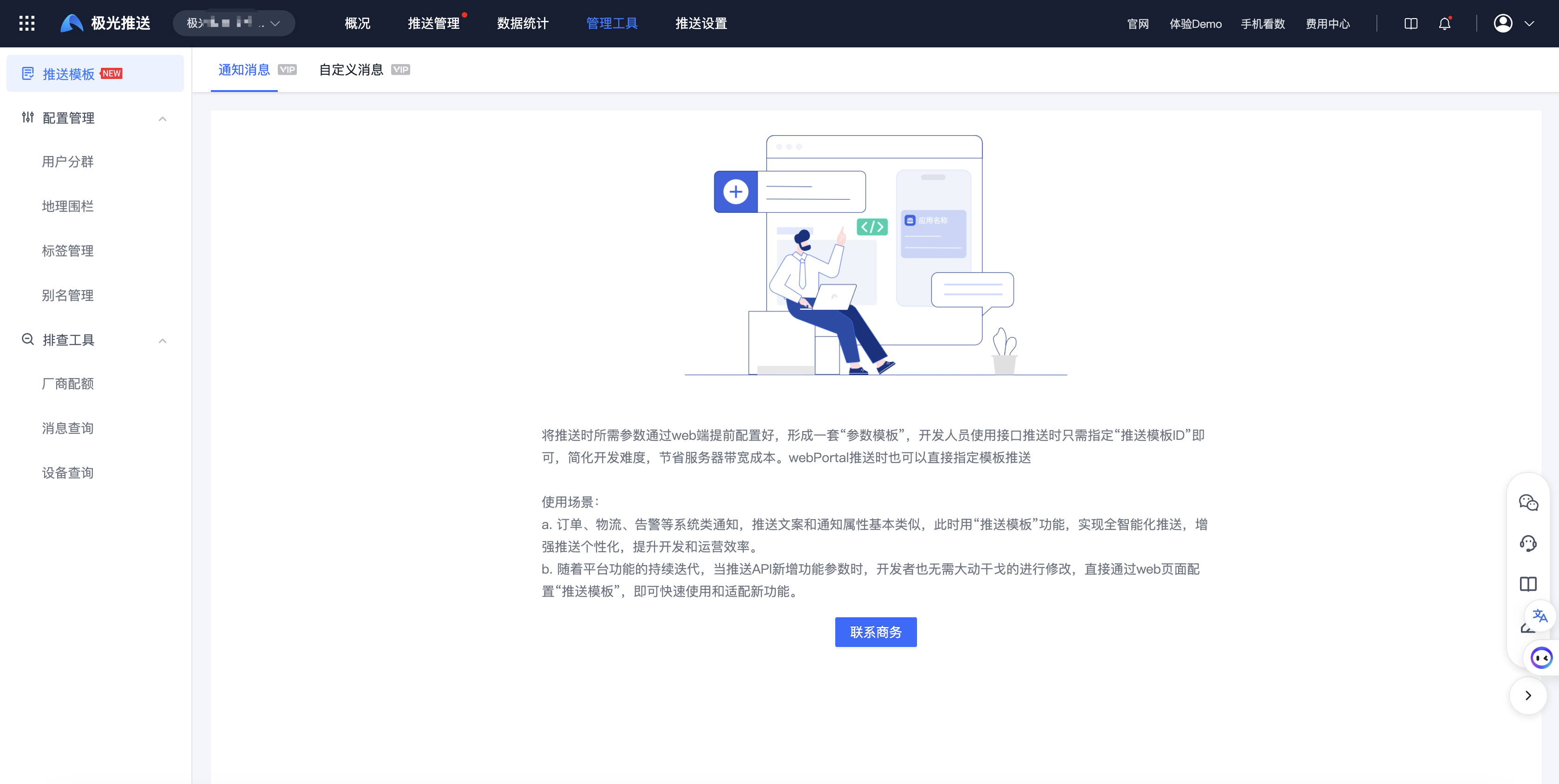
The effect of the VIP first entry page is as follows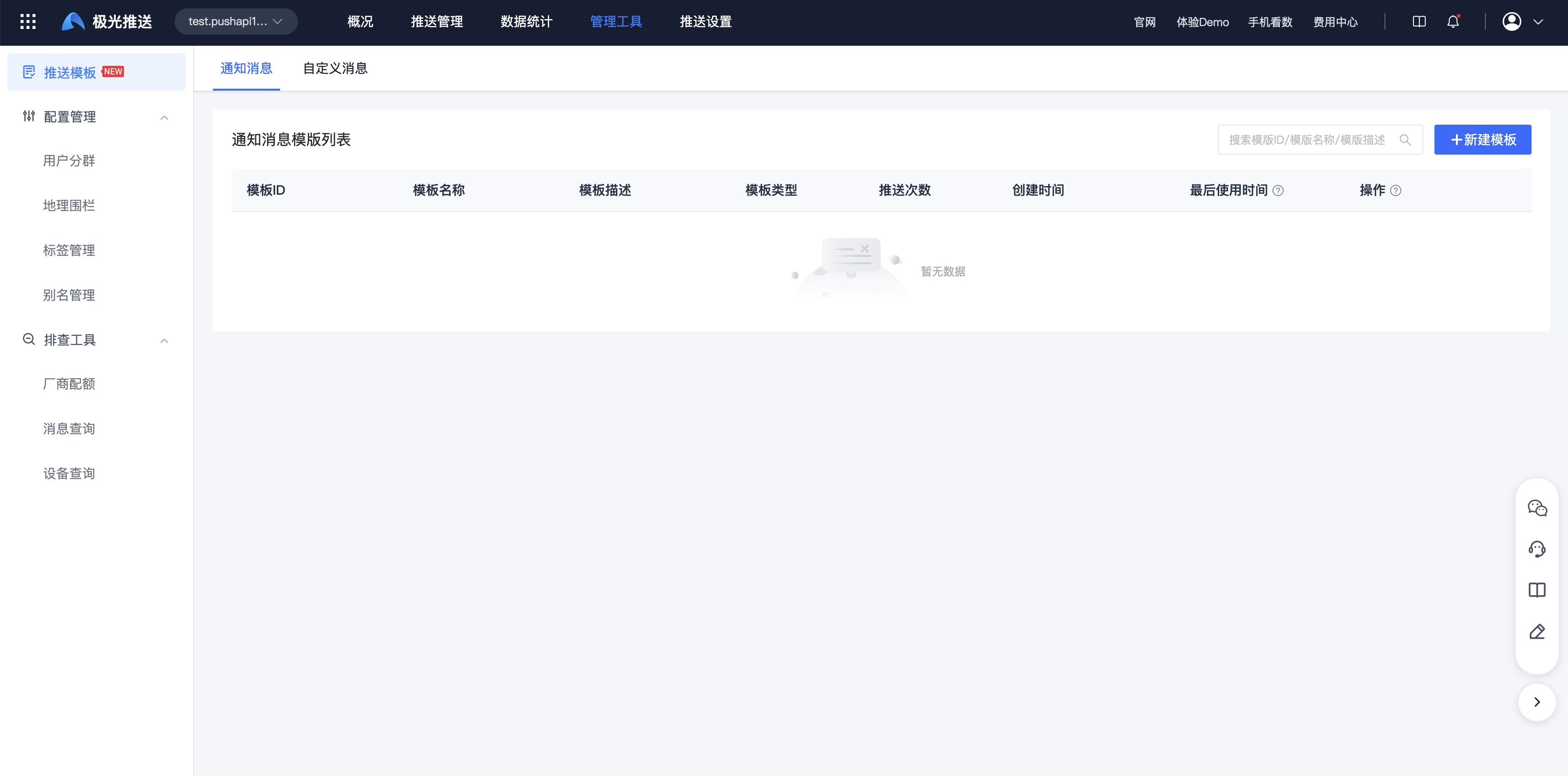
Select Create Template on the interface. The effect of entering the page is as follows. Just fill in the template content according to the page requirements.
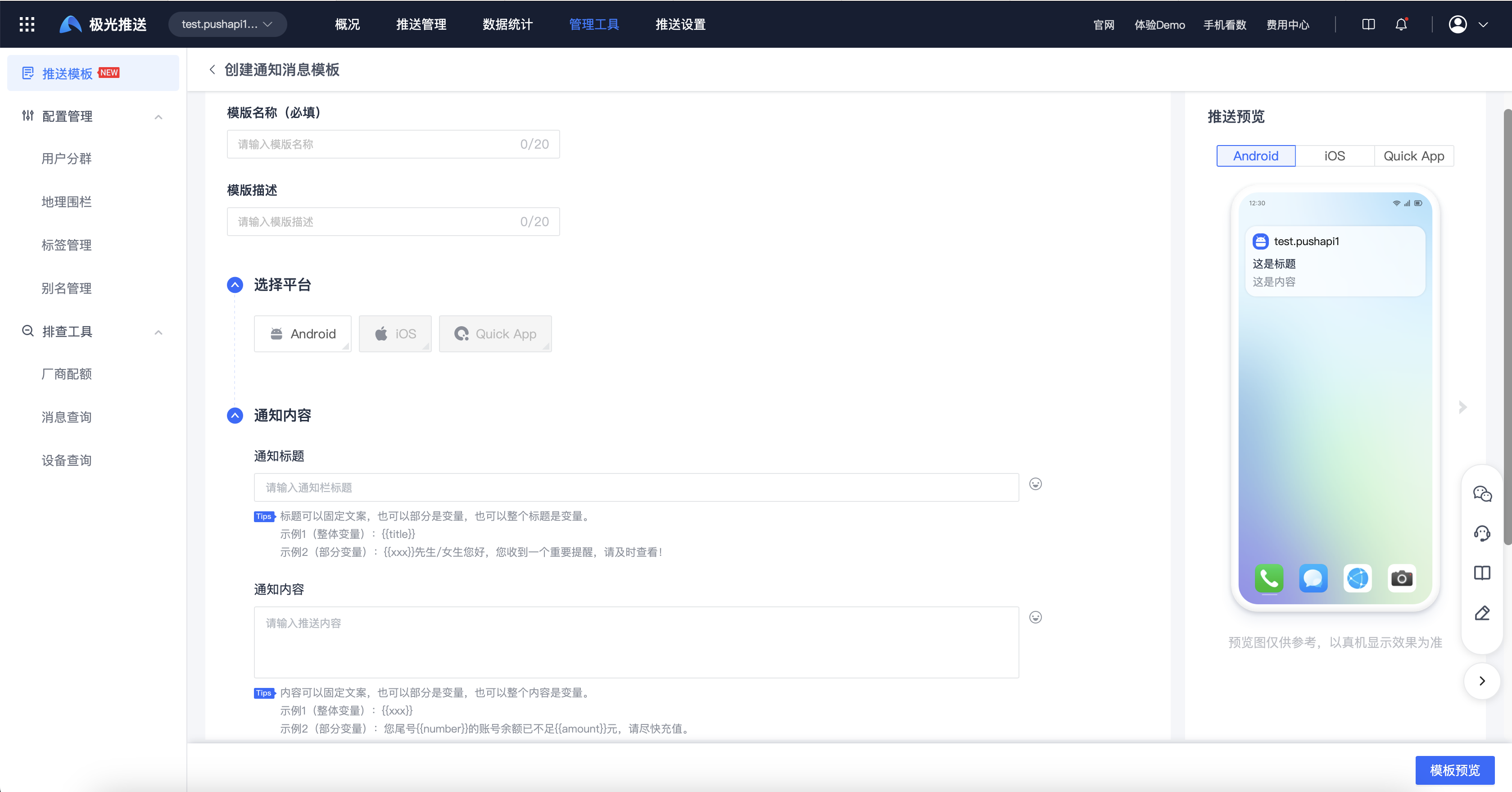
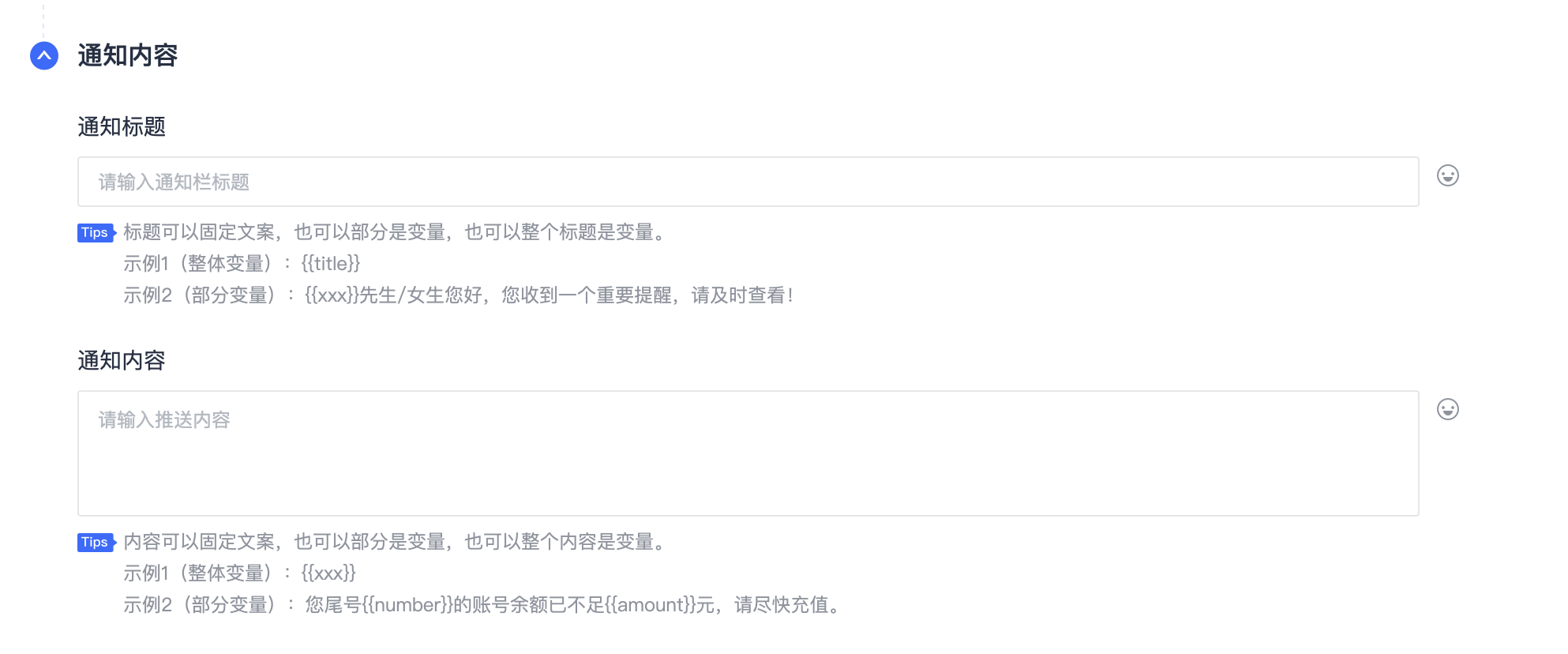
The title, content, notification click action, and attachment fields all support the use of variable transfer, which facilitates dynamic adjustment of copywriting, notification click jump page addresses, business expansion fields, etc. during subsequent pushes, as follows:
Query template
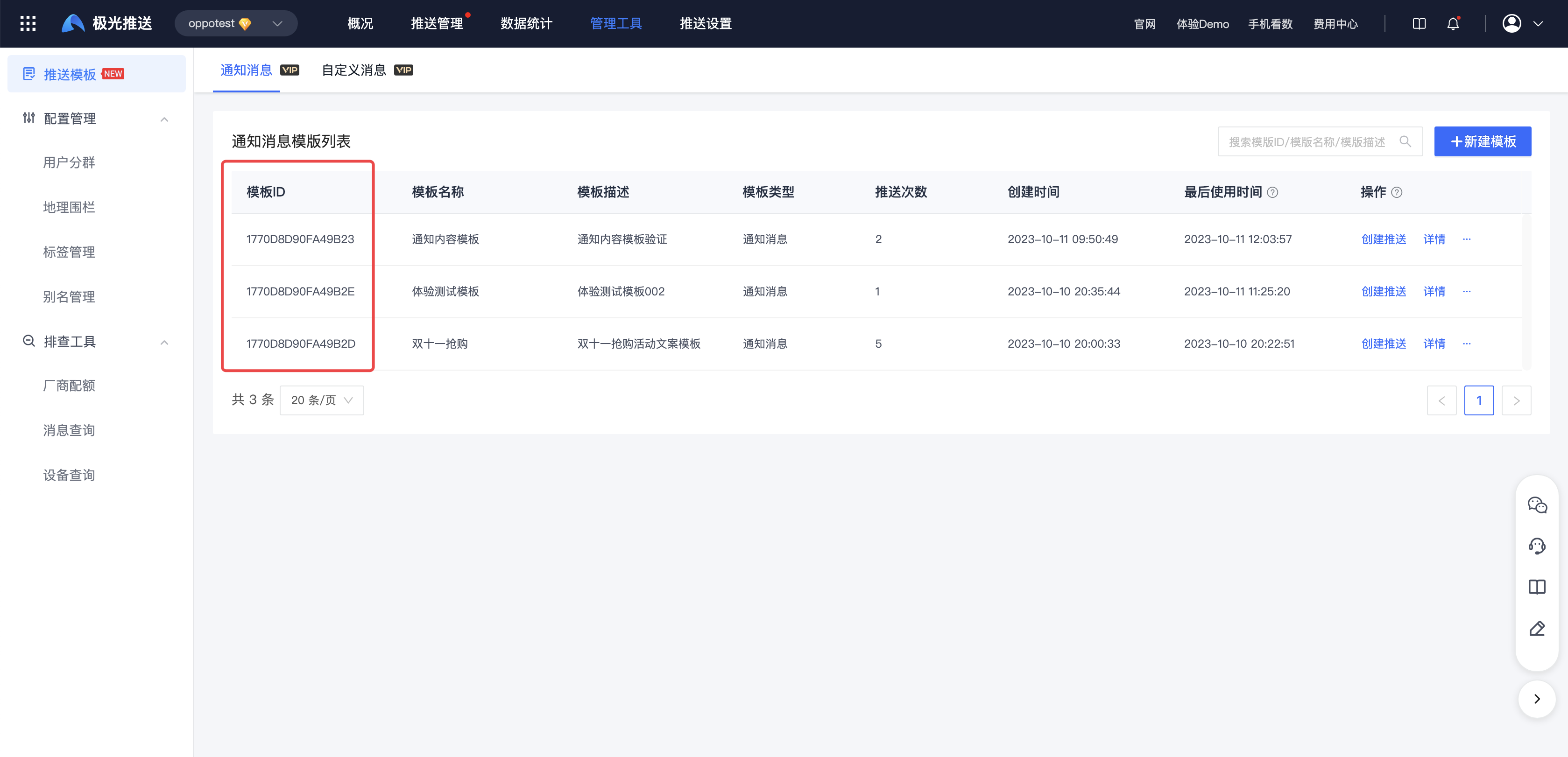
After the template is successfully created, you can query the template list or template details, as follows:
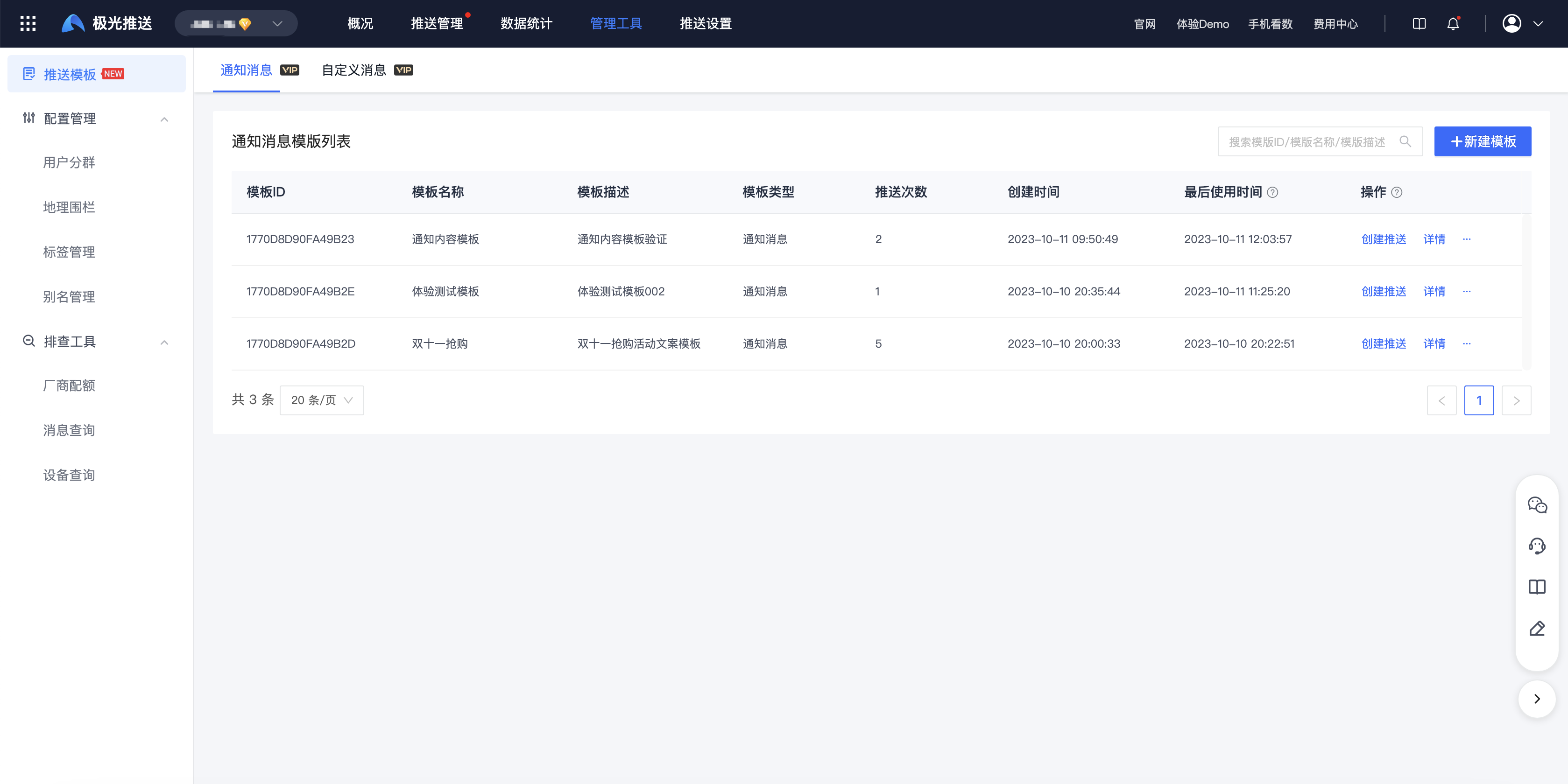
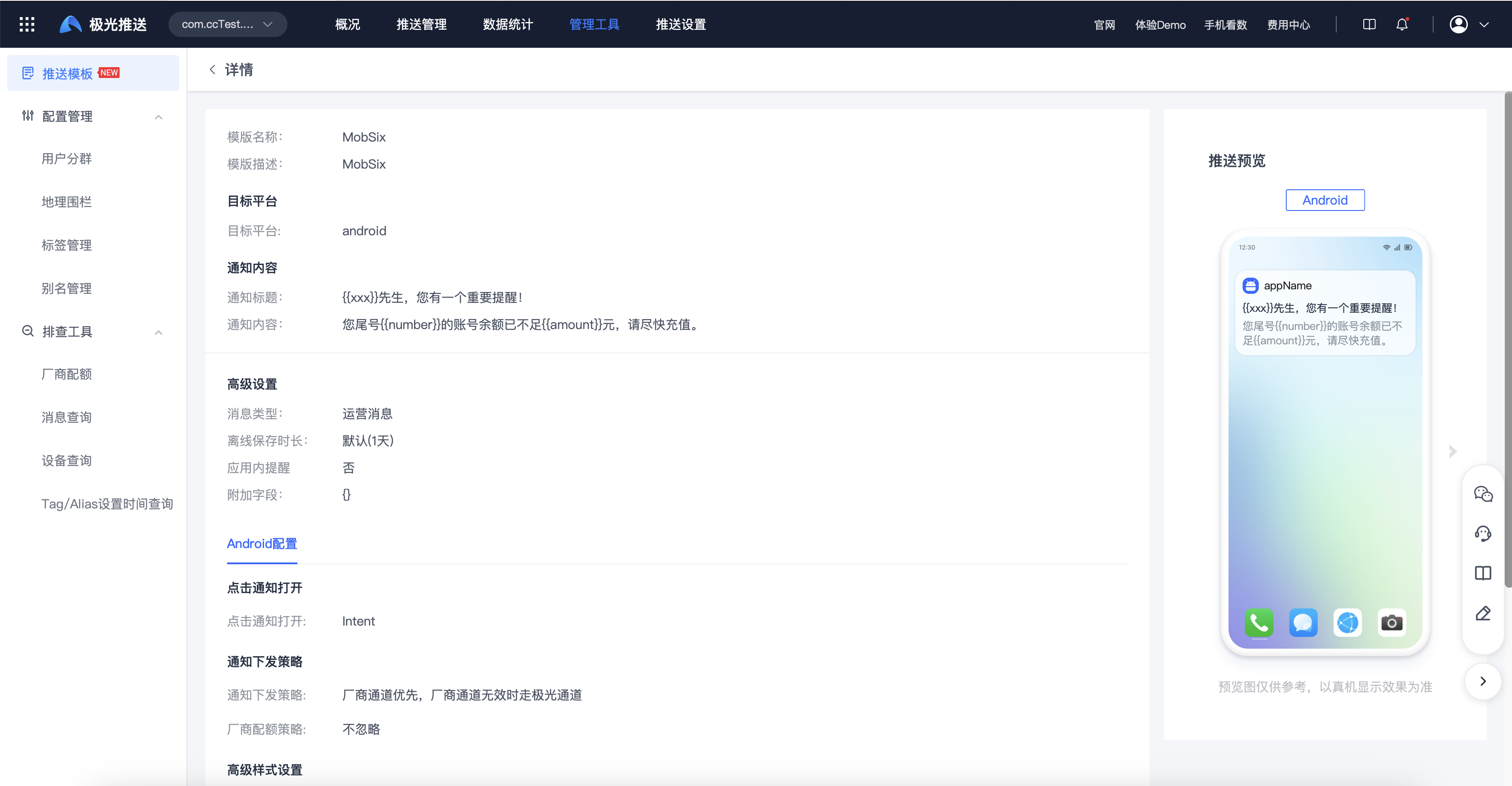
Template list: Supports selecting specified templates to quickly "create push", viewing template "details", selecting specified templates to quickly "reuse" to generate new templates, and "delete" operations.
Specify template push
Push via WebPortal
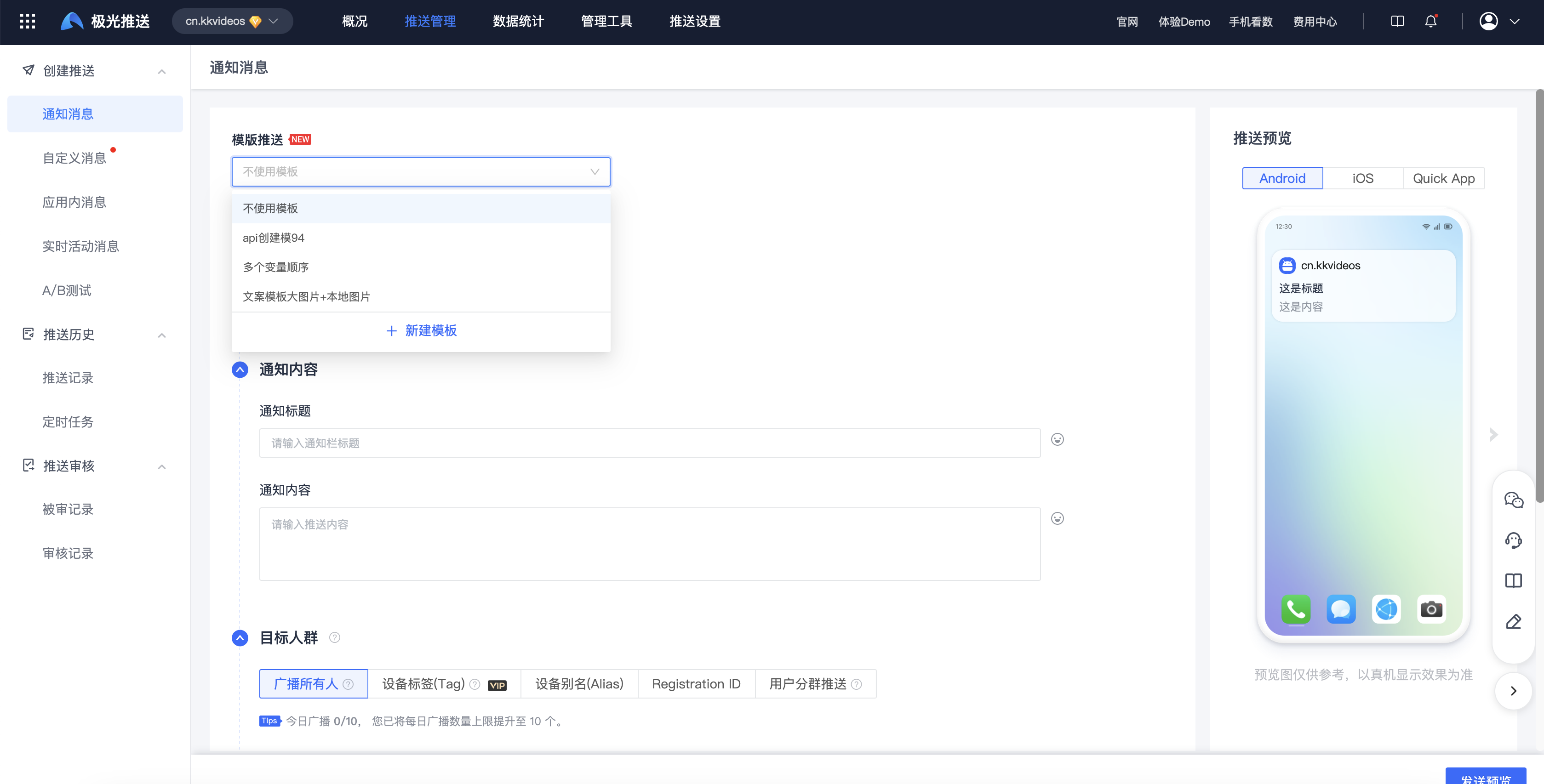
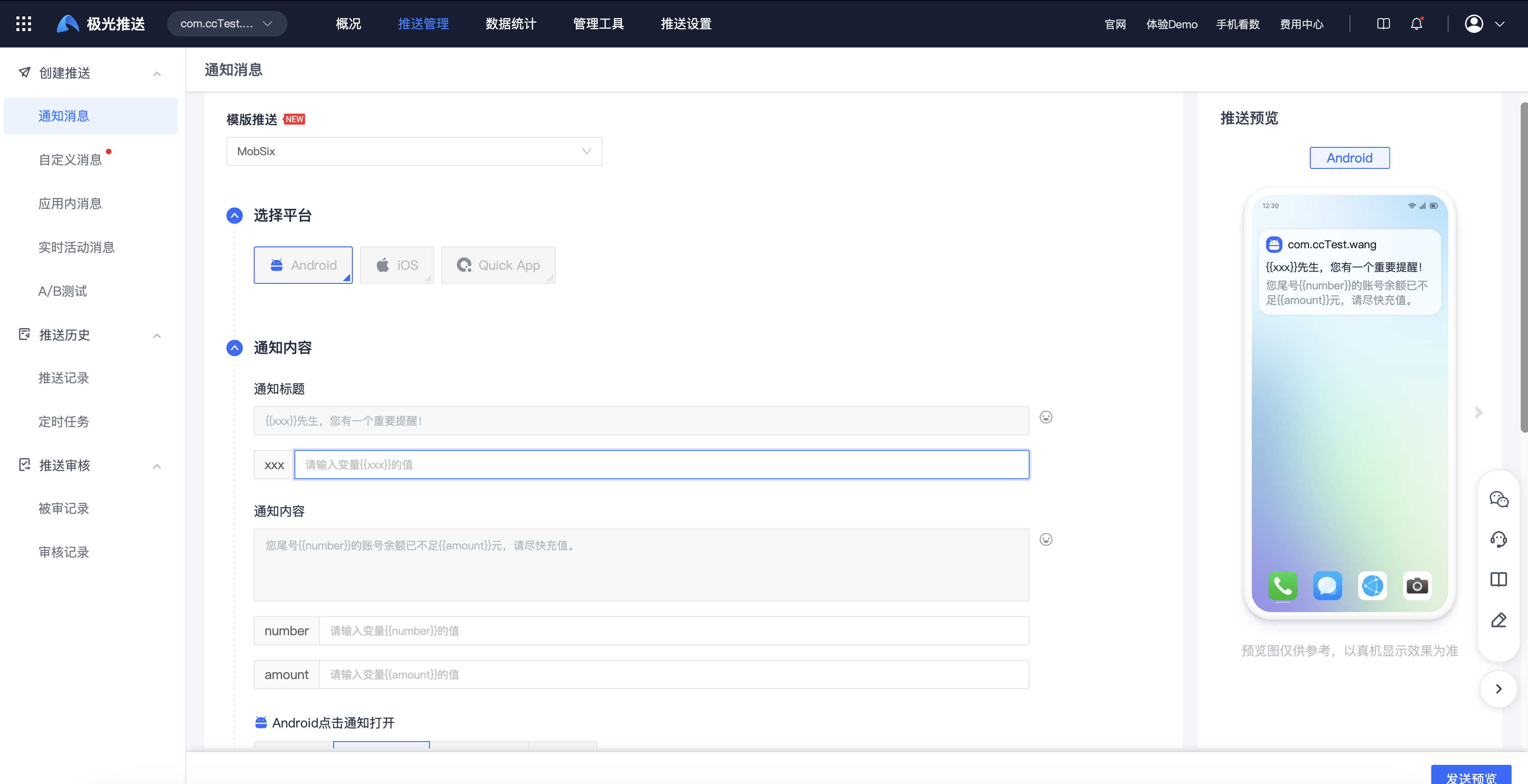
When creating a push page, you can choose template push. After specifying a template, the template content will be automatically filled in the page, as follows:
Push via API
When pushing the API, just specify the "template ID" related parameters. For details on the API protocol, please refer to: Push Template API
"Template ID" is searched through Jiguang webPortal page, as follows: